

The best GPU for Ryzen 5 3600 owners in 2027 is the Radeon RX 6700 XT or the GeForce RTX 3060 12GB, bought used or on a good deal, because both stay fed by the CPU at 1080p and 1440p without wasting money on power the chip cannot use. For Ryzen 5 5600G owners, the RTX 3060 12GB is the safer first pick, since its full x16 interface avoids the PCIe lane limit that holds back newer x8 cards on that chip. People type best gpu for ryzen 5 3600 into Google every day, and the honest answer is a midrange card, not a flagship.
Your old Ryzen 5 3600 still has life in it. The same goes for the Ryzen 5 5600G sitting in thousands of budget builds that started life without a graphics card at all. Both chips are cheap on the used market now, both run on the same affordable AM4 motherboards and DDR4 memory, and both can still deliver smooth 1080p and 1440p gaming, if you pair them with the right graphics card.
The catch is that the right card in 2027 is not the fastest card. Buy too much GPU and your CPU becomes the ceiling in every game. Buy too little and you waste the upgrade entirely. Buy the wrong interface and, on the 5600G especially, you lose performance before the game even loads. This guide sorts all of that out. It covers both chips in one place, because most buyers shopping this price range are choosing between the two, and it gives you a full ladder of picks, real expected frame rates, the quirks nobody warns you about, and a used-market playbook for a year when new card prices are painful.
One market fact shapes everything in this guide. Reported street prices for new graphics cards in November 2026 sit far above launch prices, with a median around 73 percent above MSRP on Amazon according to a market price tracker. That is why the used market is where most budget AM4 builders are shopping right now, and why this guide treats used cards as first-class picks instead of a footnote.
Quick Verdict
1080p gaming: The RX 6600 or RX 6600 XT is the cheapest sensible upgrade for the Ryzen 5 3600, and the RTX 3060 12GB is the best all-round pick for both chips. Expect smooth high settings in most games and very high frame rates in esports titles. If you only play competitive shooters, stop here and spend the savings on a better monitor or more RAM.
1440p gaming: The RX 6700 XT (12GB) is the sweet spot for the Ryzen 5 3600, with the RTX 4060 Ti 16GB as the NVIDIA alternative when you want DLSS and better ray tracing. The Ryzen 5 5600G can also run 1440p with these cards, but its smaller cache and PCIe limits make it the weaker partner, so keep settings realistic.
4K gaming: Neither chip is a great 4K CPU, but both can play at 4K with upscaling and medium settings when paired with an RX 7800 XT or RTX 4070 class card. Treat 4K as a bonus, not the goal. If 4K is your main target, upgrade the CPU first.
What to upgrade first: If you have 8GB of RAM, upgrade to 16GB of DDR4 first, because no GPU fixes memory stutters. If your power supply is a no-name 400W unit, replace it before buying a card that needs more power. If your RAM and PSU are fine, the GPU is the upgrade that changes your games the most, and a used RX 6700 XT or RTX 3060 12GB is where the money should go.
Know Your Chip First 3600 vs 5600G
Before you shop for a card, you need to know which chip you actually own, because the Ryzen 5 3600 and the Ryzen 5 5600G look similar on a spec sheet and behave very differently in a gaming PC. Mixing them up is the most common mistake in this whole upgrade, and it is an expensive one.
The Ryzen 5 3600 launched in July 2019. It is a Zen 2 chip with 6 cores and 12 threads, a 3.6 GHz base clock, a 4.2 GHz boost clock, 32MB of L3 cache, and a 65W TDP. It has no integrated graphics, so your PC shows nothing on screen without a discrete GPU. It supports PCIe 4.0 with a full x16 link to the graphics slot on B550 and X570 boards. That last point matters, because many guides still claim the 3600 is limited to PCIe 3.0. It is not. The PCIe 3.0 limit belongs to the 5600G, not the 3600, and getting this wrong leads people to buy the wrong card for the wrong reason.
The Ryzen 5 3600X is a different chip from the 3600, even though the names differ by one letter. The 3600X boosts to 4.4 GHz instead of 4.2 GHz and carries a 95W TDP instead of 65W. In games the difference is small, usually a few percent, and it does not change which GPU you should buy. If you own the 3600X, every recommendation in this guide still applies to you. You can check the official specs for the 3600X on AMD’s official Ryzen 5 3600X specifications page if you want to compare the two side by side.
The Ryzen 5 5600G launched in 2021. It is a Zen 3 chip, one generation newer than the 3600, with 6 cores and 12 threads, a 3.9 GHz base clock, and a 4.4 GHz boost clock. It has Radeon Vega 7 integrated graphics, so it can run a PC with no discrete card at all, and it plays esports titles at 1080p on medium settings. But the integrated graphics came at a cost. The 5600G has only 16MB of L3 cache, half the 3600’s 32MB, and it supports PCIe 3.0 only, with just x8 lanes going to the graphics slot. That x8 limit is the single most important fact about pairing a discrete GPU with a 5600G, and it shapes every pick in the 5600G section below. You can confirm the core specs on Notebookcheck’s Ryzen 5 5600G specifications page.
Do not confuse the 5600G with the Ryzen 5 5600 or the Ryzen 5 5600X either. The 5600 and 5600X have no integrated graphics, a full 32MB of L3 cache, and PCIe 4.0 x16. They are stronger gaming CPUs with a discrete card. The 5600G trades CPU strength for built-in graphics. If you already own a 5600 or 5600X, our separate guide to the best GPU for Ryzen 5 5600 covers your chip, and the picks there run one tier higher than the ones here. The same logic applies to the best GPU for Ryzen 5 5500, which shares the 5600G’s 16MB cache and PCIe 3.0 limits.
| Spec | Ryzen 5 3600 | Ryzen 5 5600G |
|---|---|---|
| Architecture | Zen 2 (Matisse) | Zen 3 (Cezanne) |
| Cores and threads | 6 cores, 12 threads | 6 cores, 12 threads |
| Base and boost clock | 3.6 GHz, up to 4.2 GHz | 3.9 GHz, up to 4.4 GHz |
| L3 cache | 32MB | 16MB |
| Integrated graphics | None, discrete GPU required | Radeon Vega 7 |
| PCIe version | PCIe 4.0 x16 | PCIe 3.0 x8 to GPU slot |
| Memory | DDR4-3200 | DDR4-3200 |
| TDP | 65W | 65W |
| Launch | July 2019 | 2021 |
The practical summary is simple. The 3600 is the better pure gaming CPU when a discrete card is already in the PC, thanks to its bigger cache and full PCIe 4.0 link. The 5600G is the better starter chip when there is no card yet, because its Vega graphics let you play while you save. Once you add a discrete card, the 3600 pulls ahead in most games, and the gap grows at 1080p where the CPU matters most.
Takeaway: identify your exact chip before you spend anything. A 3600, a 3600X, a 5600G, a 5600, and a 5600X are five different chips with five different limits, and the right GPU changes with each one.
How to Pick the Right Card for Your Ryzen 5 3600
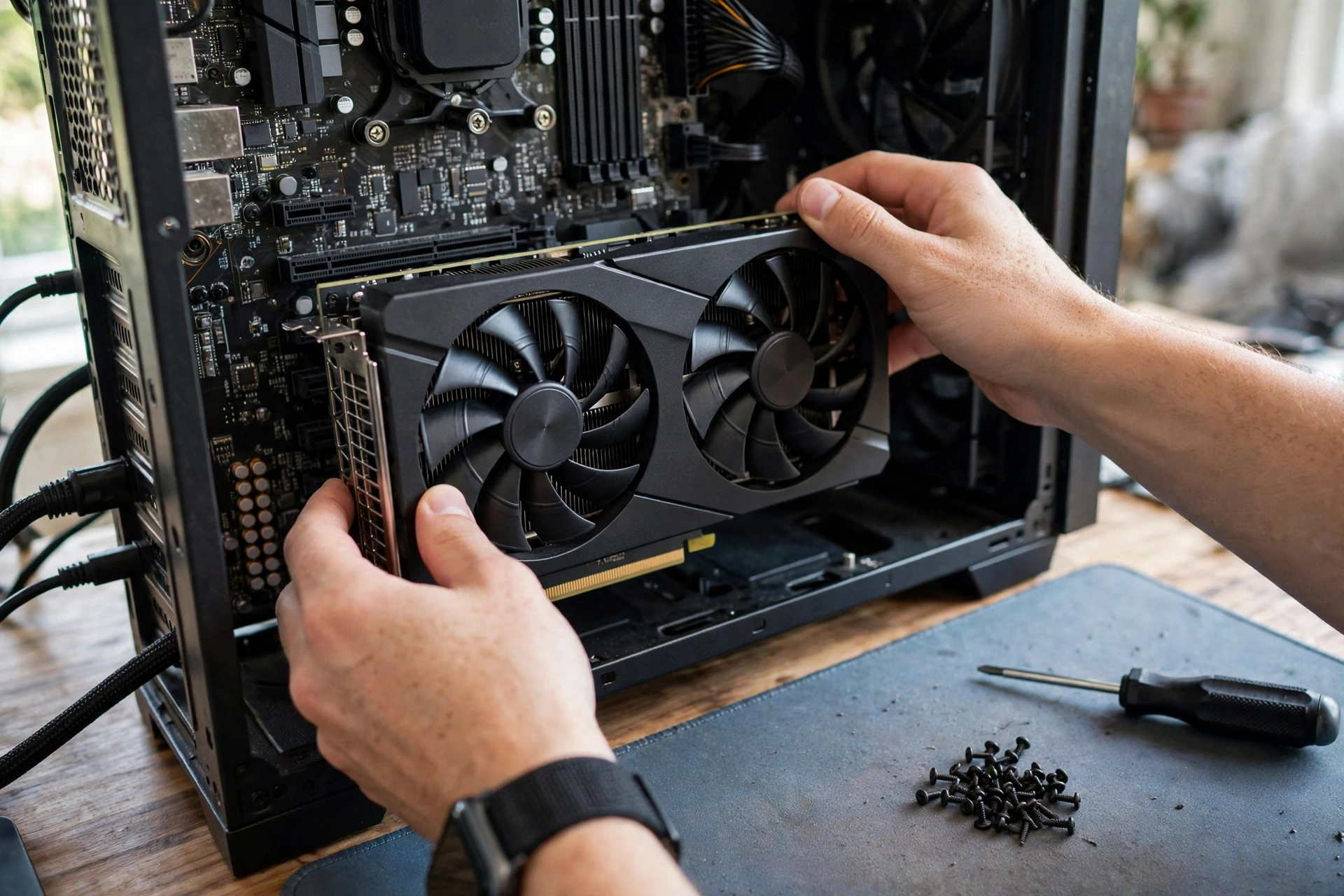
The Ryzen 5 3600 is honest about what it can do. It feeds midrange GPUs happily, it starts to hold back high-end cards at 1080p, and it relaxes at 1440p where the GPU does more of the work. Your job is to buy the tier that matches your monitor, not the tier that impresses your friends. A 1080p 60Hz monitor needs far less GPU than a 1440p 144Hz monitor, and the 3600 rewards buyers who respect that.
Start with your monitor and your games. Competitive shooters at high refresh rates are CPU-bound, so the 3600 caps your peak frame rate no matter which card you buy. Big open-world games at high settings are GPU-bound, so a stronger card still helps. If you play both, buy for the heavier games and accept that your esports frame rate will plateau around what the CPU can deliver. That plateau is still high, usually well above 144 FPS in Valorant and Counter-Strike 2 with a midrange card, so it is not a problem for most players.
Here is the ladder, from cheapest to strongest, with the cards that make sense on a 3600 in 2027.
Tier 1, budget 1080p: Radeon RX 6600 or RX 6600 XT. The RX 6600 is the cheapest card worth buying for a 3600 today. It handles 1080p high settings in most games, it sips power at around 132W, and it runs fine on a decent 450W power supply. The RX 6600 XT adds roughly 15 to 20 percent more performance for a small premium on the used market. Both are 8GB cards, which is enough for 1080p but tight for newer AAA titles at high texture settings. Buy this tier if your budget is tight or your monitor is 1080p 60Hz. Skip the older RX 580 and GTX 1650 unless they are nearly free, because they are a generation behind and their used prices rarely justify them now.
Tier 2, the sweet spot: Radeon RX 6700 XT or GeForce RTX 3060 12GB. This is where most 3600 owners should land. The RX 6700 XT has 12GB of VRAM and strong raw raster performance, and it is the best value 1440p card for this CPU on the used market. The RTX 3060 12GB gives up a little raw speed to the 6700 XT but adds DLSS, better ray tracing, and NVENC encoding for streaming, and its 12GB of VRAM ages well. The RTX 3060 is also the most popular card in the world right now: it climbed back to the top of the October 2026 Steam hardware survey at 3.62 percent of all GPUs, which means driver support, game optimization, and used availability all work in your favor. Either card plays 1080p at high refresh rates and 1440p at high settings. If you can only afford one upgrade this year, this is the tier.
Tier 3, 1440p high refresh: RTX 4060 Ti 16GB or Radeon RX 7800 XT. The RTX 4060 Ti 16GB is the sensible NVIDIA step up, with DLSS 3 frame generation and plenty of VRAM for texture-heavy games. Avoid the 8GB version of the 4060 Ti for this CPU, because 8GB is already a limit in 2026 titles and you will feel it before the GPU runs out of speed. The RX 7800 XT is faster in pure raster performance and carries 16GB of VRAM, making it the stronger 1440p card of the two. Both cards will be CPU-limited by the 3600 at 1080p in esports titles, so buy this tier for 1440p, not for chasing 240 FPS at 1080p.
Tier 4, the ceiling: RTX 4070 or RX 7900 GRE. This is the highest tier worth pairing with a 3600, and only if you play at 1440p or 4K with upscaling. At those resolutions the GPU does enough work that the CPU stops being the main limit. At 1080p, a large share of these cards’ power goes unused, and you would have been better off spending the difference on a CPU upgrade. Do not buy anything above this tier for a 3600. An RTX 4070 Ti, RTX 4080, RTX 5070, or RX 9070 XT will spend most of its time waiting on the CPU at 1080p, and the money is better spent on a Ryzen 7 5700X3D or a platform move.
What about the new RTX 5060 and RX 9060 XT? Both are fine cards, but they are awkward fits for a 3600. The RTX 5060 uses an x8 PCIe interface, and while the 3600’s PCIe 4.0 x16 slot handles it better than a 5600G would, the card’s 8GB of VRAM is the real problem at its price. The RX 9060 XT 16GB is a better card with a full x16 interface, but its new street price in November 2026 is inflated like everything else, and a used RX 6700 XT gives you nearly the same experience for much less money. If you find a 9060 XT 16GB at a fair price, it is a good buy. If not, the used market wins.
| GPU tier | Best for | VRAM | PSU needed | Verdict for Ryzen 5 3600 |
|---|---|---|---|---|
| RX 6600 / 6600 XT | 1080p high, budget | 8GB | 450W | Cheapest sensible upgrade |
| RTX 3060 12GB | 1080p and 1440p, streaming | 12GB | 550W | Best all-rounder, top Steam card |
| RX 6700 XT | 1440p high, best value | 12GB | 600W | Sweet spot for most owners |
| RTX 4060 Ti 16GB | 1440p, DLSS, ray tracing | 16GB | 550W | Best NVIDIA step up, avoid 8GB |
| RX 7800 XT | 1440p high refresh | 16GB | 650W | Fastest sensible AMD pairing |
| RTX 4070 | 1440p and 4K with upscaling | 12GB | 650W | The ceiling, only for high resolution |
One more rule for 3600 owners: check your RAM before you buy. The 3600 loves fast DDR4, and 16GB of DDR4-3200 or 3600 in dual channel is the baseline. Single-channel RAM or slow 2400 MHz sticks can cost you 10 percent or more of your frame rate in CPU-heavy games, and no GPU fixes that. While you are at it, check whether your motherboard BIOS is up to date, because a 2026 BIOS update can improve memory compatibility on older B450 boards. If you are still on 8GB of RAM, read our guide on whether 8GB of VRAM is enough and then fix the system RAM first, because the same logic applies: running out of memory hurts more than running a slightly slower card.
Takeaway: for a Ryzen 5 3600, the RX 6700 XT or RTX 3060 12GB is the sweet spot. Spend less and you leave performance on the table. Spend more and the CPU becomes the limit.
Best GPU Picks for the Ryzen 5 5600G
The 5600G changes the rules, because its limits are not the same as the 3600’s. It has newer Zen 3 cores and a higher boost clock, so it is faster per core than the 3600. But it has half the L3 cache and a PCIe 3.0 x8 link to the graphics slot, and those two facts cap how far a discrete card can go. The result is a narrower sweet spot: great budget picks, a firm ceiling, and one trap that catches a lot of buyers.
The trap is the x8 interface. Many modern budget cards, including the RTX 4060, RTX 5060, RX 7600, and RX 6600, use only 8 PCIe lanes instead of 16. On a normal CPU with PCIe 4.0, that is fine, because PCIe 4.0 x8 carries the same bandwidth as PCIe 3.0 x16. On the 5600G, those same cards drop to PCIe 3.0 x8, which is half the bandwidth they were designed for. In most games the loss is small, a few percent, because modern GPUs rarely saturate the link. But in games that stream a lot of textures, or when VRAM runs full and the card leans on system memory, the loss grows. Owners on the Tom’s Hardware forums have confirmed the behavior directly: the 5600G gives the graphics slot x8 lanes only, no matter what you disable in the BIOS, and the slot runs at Gen 3 speeds. You can read that confirmation in this Tom’s Hardware forum discussion on the 5600G PCIe lane limit.
So the 5600G buying rule is simple: prefer full x16 cards, and treat x8 cards as acceptable only when the price is right. Here is the ladder.
Tier 1, from integrated graphics to real gaming: RTX 3060 12GB. This is the best first discrete card for a 5600G, and it is not close. It uses a full x16 interface, so the PCIe 3.0 limit costs it almost nothing. Its 12GB of VRAM handles modern texture settings. It supports DLSS and NVENC. And it is everywhere on the used market, which matters in a year when new cards cost far above their launch prices. Going from Vega 7 integrated graphics to an RTX 3060 is the single biggest upgrade a 5600G owner can make, often tripling frame rates in AAA games.
Tier 2, the value AMD pick: RX 6700 XT. Like the 3060, the 6700 XT uses a full x16 interface and 12GB of VRAM, so it dodges the 5600G’s lane trap entirely. It is faster than the 3060 in most rasterized games and usually cheaper used. The trade is weaker ray tracing and no DLSS, though AMD’s FSR upscaling closes much of that gap. If you play at 1440p, this is the card to buy.
Tier 3, the modern pick: RX 9060 XT 16GB. This is the best new card for a 5600G, because it pairs a full x16 interface with 16GB of VRAM. It is the one modern card that does not fight the chip’s limits at all. Its street price in November 2026 is high, so it only makes sense if you find it near its launch price. Otherwise a used 6700 XT does nearly the same job for less.
Tier 4, acceptable x8 cards: RX 6600, RX 7600, RTX 4060. These are all x8 cards, and they all lose a little performance on the 5600G. The RX 6600 is the cheapest of the group and still a fine 1080p card. The RX 7600 is faster and more efficient. The RTX 4060 adds DLSS and excellent efficiency. Buy one of these only if the price beats the x16 cards above by a clear margin. Do not pay a premium for an x8 card on this CPU, because you are paying for bandwidth you cannot use.
The ceiling: RTX 4060 Ti or RX 7700 XT, and no higher. The 5600G’s small 16MB cache means it runs out of CPU headroom sooner than the 3600 does, even though its cores are newer. Above the 4060 Ti class, you are buying GPU power the chip cannot feed in most games. An RTX 4070 or better on a 5600G is money spent on a bottleneck, and the smarter move is a CPU upgrade to a Ryzen 5 5600 or 5700X3D on the same board.
What about staying on Vega 7? If you cannot afford a discrete card yet, the Vega 7 graphics in the 5600G are genuinely usable. They play Valorant, CS2, League of Legends, and Fortnite at 1080p low to medium settings, and older AAA games at 720p. The trick is fast RAM in dual channel, because the Vega graphics have no memory of their own and borrow system RAM. Two sticks of DDR4-3600 make a visible difference over a single slow stick. But Vega 7 is a waiting room, not a destination. The moment a used RTX 3060 fits your budget, the upgrade is worth it.
Takeaway: on a 5600G, buy x16 cards first. The RTX 3060 12GB and RX 6700 XT dodge the lane limit entirely, and they are the best value picks for that chip.
Expected FPS 10 Popular Games
Numbers beat adjectives when you are choosing a card, so here is what the sweet-spot pairing, a Ryzen 5 3600 with an RX 6700 XT and 16GB of DDR4-3200, can be expected to deliver. These figures are estimates compiled from published third-party benchmark reviews, not in-house testing, and they assume high settings at 1080p and 1440p and medium settings with upscaling at 4K. Your actual frame rates will vary with your exact settings, driver version, RAM speed, and background programs. Use the ranges to plan, not as a guarantee.
| Game | 1080p High | 1440p High | 4K Medium with upscaling |
|---|---|---|---|
| Cyberpunk 2077 | 70 to 85 | 45 to 55 | 30 to 40 |
| Elden Ring | 55 to 60 | 50 to 60 | 35 to 45 |
| Fortnite | 110 to 140 | 80 to 100 | 50 to 60 |
| Valorant | 250 to 350 | 220 to 300 | 150 to 200 |
| Counter-Strike 2 | 180 to 240 | 140 to 180 | 90 to 120 |
| Call of Duty: Black Ops 6 | 90 to 110 | 65 to 80 | 40 to 50 |
| Baldur’s Gate 3 | 75 to 90 | 55 to 70 | 35 to 45 |
| Red Dead Redemption 2 | 70 to 85 | 50 to 60 | 30 to 40 |
| Apex Legends | 130 to 160 | 95 to 120 | 60 to 75 |
| Hogwarts Legacy | 65 to 80 | 45 to 55 | 30 to 38 |
A few patterns are worth noticing. Esports titles run far above 144 FPS at both 1080p and 1440p, which is why a 144Hz monitor pairs so well with this setup. Demanding AAA games sit in the 45 to 85 FPS range at 1440p, which is smooth and playable, especially with FreeSync or G-Sync. Elden Ring is capped at 60 FPS by the game itself, so the 55 to 60 range is the game running as designed, not a hardware limit. And 4K is playable with upscaling but never comfortable, which matches the Quick Verdict: treat 4K as a bonus on these CPUs, not the target.
On the 5600G with the same RX 6700 XT, expect nearly identical numbers at 1440p and 4K, where the GPU does the heavy lifting, and roughly 5 to 10 percent lower frame rates at 1080p in CPU-heavy games, where the smaller cache shows. In esports titles the gap is a little larger at 1080p, because those games lean hardest on the CPU. If you mainly play at 1080p and own a 5600G, that is one more reason to consider a CPU upgrade down the road, but it is not a reason to delay the GPU upgrade, because the GPU is still the bigger bottleneck today.
Takeaway: a 3600 with an RX 6700 XT clears 60 FPS at 1080p high in every game on this list and stays playable at 1440p. That is the whole point of the sweet spot.
Pairing-Specific Issues You Must Know
A pairing guide that only lists cards is only half a guide. These chips have real quirks, and knowing them before you buy saves you from the problems that fill support forums every week.
PCIe generation and lanes. This is the big one, and the two chips differ. The Ryzen 5 3600 supports PCIe 4.0 with a full x16 link to the GPU on B550 and X570 boards. On a B450 or X470 board it runs at PCIe 3.0 x16, which is still plenty for every card in this guide. The Ryzen 5 5600G supports PCIe 3.0 only, and only x8 lanes reach the graphics slot, even on a B550 board and even with the integrated graphics disabled. That means x8 cards like the RTX 4060 and RX 7600 run at PCIe 3.0 x8 on a 5600G, half their designed bandwidth, while x16 cards like the RTX 3060 and RX 6700 XT are unaffected. If you want the deeper background on how PCIe versions affect gaming, our guide to PCIe 4 vs PCIe 5 gaming bottleneck explains why the generation matters far less than most buyers fear, and why lane count matters more on these older chips.
VRAM: 8GB is the new minimum, 12GB is the comfort zone. Newer games keep raising texture demands, and 8GB cards already need texture settings turned down in several 2026 releases. That is why this guide keeps steering you toward 12GB and 16GB cards. The RTX 3060 12GB and RX 6700 XT 12GB will age better than any 8GB card at the same price, and the difference shows up in stuttering, not just average frame rates. When VRAM runs full, the card borrows system memory over the PCIe link, and on a 5600G that borrowed traffic crosses the same narrow x8 link, which makes the penalty worse. Our full breakdown of whether 8GB VRAM is enough covers the games where the limit bites hardest.
Power supply: check the label, not the wattage claim. A used RX 6700 XT wants a quality 600W unit with two 8-pin PCIe connectors. An RTX 3060 12GB is happy on a good 550W unit with one 8-pin connector. An RX 6600 runs on a decent 450W unit. The key word is decent. A cheap no-name 600W unit can be worse than a quality 450W unit from a known brand, because the cheap unit may not deliver its rated power cleanly. Look for an 80 Plus Bronze rating or better, check the amperage on the 12V rail, and replace any PSU that is more than eight years old or came free with a case. A failing PSU can take the new GPU with it, and that is a far more expensive lesson than a PSU upgrade.
Resizable BAR and Smart Access Memory. Both chips support Resizable BAR, which lets the CPU access the GPU’s full VRAM at once. On AMD cards it is called Smart Access Memory, and it works on the Ryzen 5 3600 with a 500-series motherboard and a recent BIOS. On the 5600G it also works, since AMD enabled it for Ryzen 5000 APUs. The gains are small in most games, usually 0 to 5 percent, and occasionally larger in specific titles, but it costs nothing, so enable it in the BIOS after installing the card. If the option is missing, update the motherboard BIOS first. Just make sure the BIOS update is for your exact board model, because flashing the wrong BIOS can brick a board.
RAM speed and dual channel. Both chips run DDR4, and both reward fast RAM in dual channel. Two sticks of DDR4-3200 CL16 is the baseline. Two sticks of DDR4-3600 CL16 is a little better on the 3600. A single stick, or slow 2400 MHz RAM, can cost real frame rates in CPU-heavy games. This matters twice as much on the 5600G, because its Vega graphics borrow system RAM when no discrete card is installed. If you are still gaming on Vega 7 while you save for a card, dual-channel fast RAM is the cheapest performance upgrade you can buy.
BIOS and driver housekeeping. A B450 board from 2019 may need a BIOS update to run a 5600G at all, so check CPU support on the motherboard maker’s site before you buy either chip used. After installing a new card, use Display Driver Uninstaller to remove the old drivers cleanly, then install fresh drivers from AMD or NVIDIA. If you are moving from Vega integrated graphics to a discrete card, plug the monitor cable into the new card, not the motherboard, and disable the integrated graphics in the BIOS if the option exists. That last mistake, leaving the monitor plugged into the motherboard, is the most common “my new GPU does nothing” support question in existence.
Heat and case fit. The 6700 XT and 7800 XT are long, triple-fan cards in many models. Measure your case before you buy, and check that your case has at least two intake fans. These old AM4 systems often live in cases with poor airflow, and a hot GPU will throttle itself to protect the chip. A five-dollar case fan can be worth more than a fifty-dollar GPU upgrade in a choked case.
Takeaway: the card is only half the upgrade. Check the PCIe lanes, the VRAM, the PSU label, the RAM setup, and the case fit before you spend anything, and the pairing will work the way the benchmarks say it should.
The Used Market Where Budget AM4 Builders Win in 2027
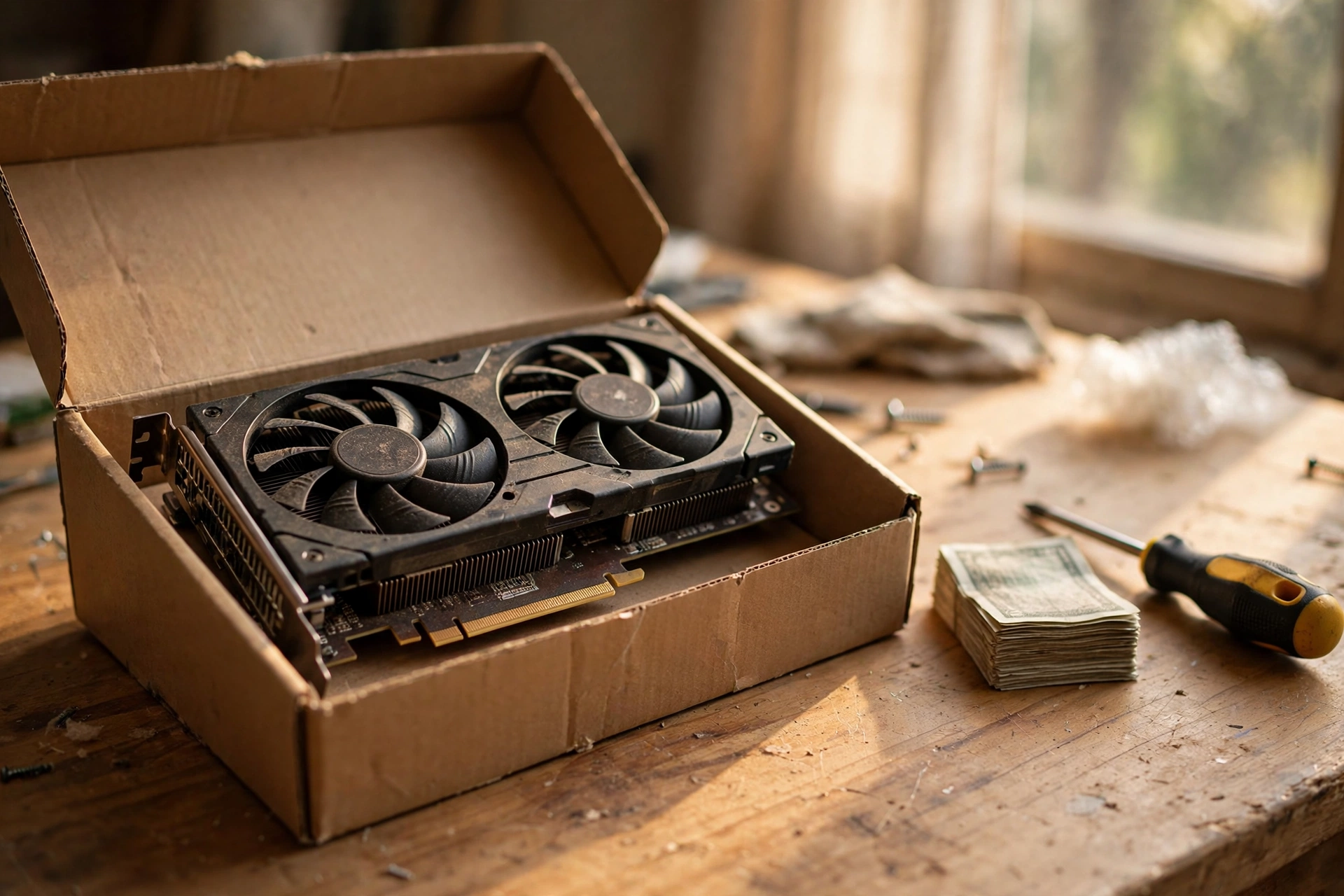
New graphics card prices in November 2026 are rough. With reported street prices sitting far above launch prices, the used market is not a compromise for AM4 builders this year, it is the smart default. A used RX 6700 XT or RTX 3060 12GB costs far less than any new card with similar performance, and both cards are old enough that their common failure modes are well understood. You just need to shop carefully.
Where to buy. Local marketplaces like Facebook Marketplace and Craigslist let you test the card before you pay, which is worth a small premium. eBay gives you buyer protection, which is worth more than a small discount from a stranger with no history. Avoid sellers who refuse to show the card running, sellers who only accept irreversible payment methods, and listings with stock photos instead of real pictures of the actual card. A genuine seller with a real card will show it.
What to check before paying. Ask for a photo of the card’s label showing the exact model, ask whether it was used for mining, and ask why it is being sold. Then test it. A quick test is a 10-minute run of a demanding game or a benchmark like FurMark or 3DMark, watching for crashes, artifacting, or temperatures above 85 degrees Celsius under load. Check the fans: they should spin smoothly without grinding or rattling. Check the outputs: test the port you actually plan to use. Smell the card if you can: a burnt electronics smell is a walk-away signal, even if the card seems to work. Our full used GPU buying guide walks through the complete checklist, including how to spot a fake card with the wrong BIOS flashed onto it.
Mining cards: not the dealbreaker people fear, but not free either. Many used RX 6700 XTs and RTX 3060s spent time in mining rigs. A mining card usually ran at a steady load with undervolted settings, which is often gentler than years of gaming heat cycles, but its fans ran constantly and may be worn. Treat a mining card like any used card: test it, check the fans, and pay less for it. If the price is the same as a card from a gaming PC, buy the gaming card.
RAM prices are rising too. One more market fact matters for AM4 builders. 16GB RAM kits overtook 32GB kits in the October 2026 Steam survey, with 16GB at 41.42 percent and 32GB at 37.06 percent, and SK Hynix expects the memory shortage to continue through 2030. DDR4 prices are climbing as production shifts to DDR5. If your build still has 8GB of RAM, buy the 16GB kit sooner rather than later, because waiting is likely to cost more, not less. For a full plan, our budget PC build guide for 2027 covers how to allocate money across the whole system when every part costs more than it did last year.
Takeaway: in November 2026, a tested used card is the best value in PC gaming. Test before you pay, pay less for ex-mining cards, and fix your RAM while DDR4 is still affordable.
Better Alternative Combos for the Same Money
Sometimes the best GPU for a Ryzen 5 3600 is not a GPU at all. It is a different combination of parts for the same total spend. If your budget is flexible, compare these alternatives before you commit to a single expensive card on an old CPU.
Alternative 1: Ryzen 7 5700X3D plus RX 6600, instead of a 3600 plus RX 7800 XT. If you mostly play competitive and CPU-heavy games at 1080p, the 5700X3D’s huge 3D V-Cache transforms the experience. It drops into the same AM4 board with a BIOS update, and paired with a cheap RX 6600 it will beat a 3600 with a 7800 XT in many esports and simulation titles. You give up 1440p AAA performance, but you gain the smoothest 1080p gaming AM4 can offer.
Alternative 2: Ryzen 5 5600 plus RTX 3060 12GB, instead of a 5600G plus RTX 4060 Ti. If you are building from scratch and already plan to buy a discrete card, skip the G chip entirely. The Ryzen 5 5600 costs about the same used, has the full 32MB of L3 cache and PCIe 4.0 x16, and pairs better with every card in this guide. The 5600G only wins when you need to game with no card at all. Our guide to the best CPU and GPU combo under 800 dollars covers this kind of whole-system math in more detail.
Alternative 3: Ryzen 5 3600 plus RX 6700 XT, instead of a new AM5 platform. If your budget is under 400 dollars total, staying on AM4 and buying a used 6700 XT is far better value than moving to a new platform. A platform move means a new CPU, a new motherboard, and new DDR5 RAM, and the cheapest sensible AM5 build costs several times more than the GPU upgrade alone. Save the platform move for the day you can afford it properly.
Alternative 4: Keep the 3600, buy the monitor instead. If you are still gaming on a 1080p 60Hz monitor, a 1440p 144Hz monitor can change the experience more than a GPU tier jump. The 3600 with an RX 6700 XT is wasted on a 60Hz screen, because the monitor throws away every frame above 60. Spend the GPU money on the monitor first, and the GPU upgrade will feel bigger when it comes.
Takeaway: always price the whole system, not just the card. A cheaper card with a better CPU, or a better monitor, often beats a flagship card on a tired platform.
Should You Upgrade the CPU or the GPU First
This is the question every AM4 owner asks, and the answer depends on what is actually holding your games back. The test takes five minutes. Open your favorite game, turn on an overlay like MSI Afterburner, and watch the GPU usage. If the GPU sits at 95 to 100 percent while the CPU sits below 80 percent, the GPU is the limit, so buy the GPU. If the CPU sits near 100 percent while the GPU sits at 60 or 70 percent, the CPU is the limit, so upgrade the CPU first. If both sit high, you need both, and you should buy whichever one is cheaper to fix first.
For most 3600 and 5600G owners with an old card like a GTX 1060, RX 580, or GTX 1650, the GPU is the limit by a wide margin, and the GPU upgrade comes first. For owners who already have an RTX 3060 or better and still get stutters in CPU-heavy games, the CPU is the limit, and a drop-in upgrade to a Ryzen 7 5700X3D or Ryzen 5 5600 on the same board is the fix. Our full decision guide on whether to upgrade the CPU or GPU first walks through the test with pictures, and our explainer on CPU bottleneck vs GPU bottleneck covers how to read the numbers correctly.
Takeaway: measure before you spend. Five minutes with an overlay beats a week of guessing.
Common Mistakes to Avoid
Buying a flagship card for a 1080p 60Hz monitor. The monitor caps what you can see. A used RX 6600 is enough for that screen, and the savings buy the monitor upgrade that actually matters.
Buying the 8GB version of a card when a 12GB version costs a little more. The RTX 4060 Ti 8GB and the RTX 5060 8GB both run into VRAM limits in newer games. The 16GB and 12GB versions age far better.
Putting an x8 card in a 5600G build at full price. The RTX 4060 and RX 7600 are fine cards on the right CPU, but on a 5600G you pay full price for bandwidth you cannot use. Prefer x16 cards, or demand a discount.
Ignoring the power supply. A new card that crashes under load is usually a tired PSU, not a bad card. Check the label and the connectors before you order.
Forgetting the monitor cable. After installing the card, plug the monitor into the card, not the motherboard. This mistake is so common that it has its own support threads, and it makes a brand-new GPU look dead.
Buying a GPU before fixing single-channel RAM. One stick of RAM can cost you more frames than a whole GPU tier. Two sticks, always.
Confusing the chips. The 3600 is not the 3600X, the 5600G is not the 5600, and the 5600G is not the 5600X. Each chip has different cache, different PCIe support, and a different ceiling. Buying for the wrong chip is how people end up with an x8 card on a 5600G or a flagship card on a 3600.
Expert Tips
Buy the card your monitor deserves. Match the GPU to your resolution and refresh rate, then stop. A 1080p 144Hz monitor pairs with an RX 6700 XT. A 1440p 144Hz monitor pairs with an RX 7800 XT or RTX 4070. Anything more is money the CPU cannot turn into frames.
Use upscaling. DLSS on NVIDIA cards and FSR on AMD cards are free performance. Quality mode at 1440p looks nearly identical to native rendering in most games and buys you 20 to 40 percent more frames. Turn it on before you turn settings down.
Cap your frame rate. If your monitor is 144Hz, cap the game at 143 FPS. The cap removes tearing, lowers power use and heat, and smooths frame times. An uncapped frame rate on a 3600 just makes the CPU work harder for frames you cannot see.
Keep your drivers current, but not bleeding edge. Update GPU drivers once a month, or when a game you play gets a day-one driver. Skip the update if your games run fine and you are mid-way through a long playthrough.
Sell the old card. Your GTX 1060 or RX 580 still has value on the used market, and selling it can cover a third of the upgrade. Clean it, test it, photograph it honestly, and price it a little below the going rate for a fast sale.
Plan the next upgrade now. The AM4 platform’s best final CPU is the Ryzen 7 5700X3D. If you buy an RX 6700 XT today, that CPU is your next upgrade in a year or two, on the same board and the same RAM. Knowing the path stops you from buying a card you will have to replace twice.
Frequently Asked Questions
Is the Ryzen 5 3600 a good match for an RX 6600?
Yes. the RX 6600 is a good match for the Ryzen 5 3600 at 1080p. The CPU feeds the card well, the pairing stays GPU-limited in most games, and it is one of the cheapest sensible upgrades for this chip. The RX 6600 XT is a small step up for a small premium. Just remember that both cards have 8GB of VRAM, so keep texture settings realistic in newer AAA titles.
Is the GTX 1650 a good GPU for the Ryzen 5 3600?
the GTX 1650 works with a 3600 but wastes the CPU. The 3600 can feed far stronger cards, and the GTX 1650 is a very entry-level card that struggles with modern games at high settings. If you already own one, it will run esports titles fine. If you are buying now, spend a little more on a used RX 6600 or RTX 3060 and get a much bigger jump for the money.
Does the Ryzen 5 3600 need a GPU?
Yes. The Ryzen 5 3600 has no integrated graphics, so a PC built around it shows nothing on screen without a discrete graphics card. This is one of the most asked questions about the chip, and it catches first-time builders who assume every CPU has built-in graphics. If you want a chip that works with no card at all, that is the Ryzen 5 5600G, which has Vega 7 graphics built in.
Can you put a discrete GPU in a Ryzen 5 5600G system?
Yes. The 5600G works normally with a discrete card: install the card, plug the monitor into the card, install the drivers, and the system uses the discrete GPU for gaming. The Vega integrated graphics simply sit idle. The only catch is the PCIe 3.0 x8 lane limit covered earlier in this guide, which is why x16 cards like the RTX 3060 12GB and RX 6700 XT are the best picks for this chip.
Will a Ryzen 5 3600 bottleneck an RTX 4070?
At 1080p, yes, in many games, especially CPU-heavy and esports titles where the card waits on the CPU. At 1440p and 4K, the bottleneck shrinks a lot, because the GPU does more of the work. The RTX 4070 is the ceiling for this chip, not the sweet spot, and it only makes sense if you play at high resolution. For 1080p gaming, an RX 6700 XT or RTX 3060 12GB gives you nearly the same visible experience for much less money.
Is 8GB of VRAM enough for a Ryzen 5 3600 build in 2027?
It is enough for 1080p medium to high settings in most games, but it is no longer comfortable. Several newer titles already push past 8GB at high texture settings, and the problem grows every year. If you are buying a card to keep for two or three years, 12GB is the safer choice, and it is why the RX 6700 XT and RTX 3060 12GB lead this guide.
Should I upgrade my Ryzen 5 3600 to a 5700X3D or buy a better GPU?
It depends on which part is limiting your games. If your GPU usage is near 100 percent, buy the GPU. If your CPU usage is near 100 percent while the GPU idles, buy the 5700X3D, which drops into the same board with a BIOS update. Most owners with an old GTX 1060 or RX 580 should buy the GPU first, because the old card is the bigger limit by far.
Key Takeaways
- The best GPU for Ryzen 5 3600 owners is the RX 6700 XT or RTX 3060 12GB, bought used or on a good deal.
- The best first discrete card for a Ryzen 5 5600G is the RTX 3060 12GB, because its x16 interface dodges the chip’s PCIe lane limit.
- The 3600 supports PCIe 4.0 x16. The 5600G is PCIe 3.0 with only x8 lanes to the GPU slot. Do not mix them up.
- 12GB of VRAM is the comfort zone in 2027. Avoid 8GB cards unless the price is very low.
- The used market is the smart default in November 2026, with new card street prices far above launch prices. Test every used card before you pay.
- Fix 16GB of dual-channel RAM and a decent PSU before you buy a bigger card.
- Do not buy above an RTX 4070 for a 3600 or above an RTX 4060 Ti for a 5600G. The CPU becomes the ceiling.
Conclusion
The Ryzen 5 3600 and the Ryzen 5 5600G are old chips, but they are not dead chips. With the right graphics card, both still deliver the experience most gamers actually want: smooth 1080p and 1440p gaming without spending flagship money. The trick is buying the card that matches the chip, not the card with the biggest number on the box.
For the 3600, that card is the RX 6700 XT or the RTX 3060 12GB. For the 5600G, it is the RTX 3060 12GB or the RX 6700 XT, chosen for their full x16 interfaces as much as their speed. Buy used, test before you pay, fix your RAM and PSU first, and keep your expectations honest at 4K. Do that, and your AM4 build has another two or three good years in it.
And when the day comes that the CPU finally becomes the limit in your favorite games, the upgrade path is already waiting on the same board: a Ryzen 7 5700X3D, the same RAM, the same GPU, and a whole new lease on life. That is the quiet genius of AM4. You do not need a new PC. You need the right card, and now you know which one it is.
If you are still weighing whether to replace the whole PC instead of upgrading it, our guide to the best GPU for old PC upgrade covers when an upgrade beats a rebuild. And if your frame rates are still low after the new card goes in, our guide on why your FPS is so low walks through the other culprits, from drivers to thermals to background programs.

Leave a Reply