

Quick answer: The best GPU for old PC upgrade projects in 2026 is the RTX 3060 12GB for PCIe 3.0 systems, or the RX 6600 for tighter budgets and PCIe 2.0 boards. Avoid x8-interface cards like the RTX 4060 on old slots, skip Intel Arc without ReBAR support, and check your PSU before buying anything. If the card costs more than a used AM4 bundle, buy the bundle instead.
That old tower in the corner still has life in it. Maybe it is an X58 board with a Core i7-990X, a Sandy Bridge i7-2600K that has been running since 2011, or a Haswell i7-4790K that refuses to die. You want to know one thing: which graphics card can you drop in without throwing money away?
This guide answers exactly that. No history lesson, no nostalgia trip. Just the cards that make sense, the cards that do not, the walls your platform puts up, and the point where you should stop upgrading and start replacing. If you are hunting for the best gpu for old pc upgrade value right now, start here and work down.
The 5 GPUs Worth Your Money on an Old Platform
If you want the short version, here it is. These five cards are the only ones worth serious consideration for a decade-old platform in 2026:
- RTX 3060 12GB (new or used): the ceiling pick, full x16 interface, 12GB of VRAM, works on PCIe 2.0 and 3.0 boards.
- RX 6600 / 6600 XT (used): the value pick, sips power, but loses a little on PCIe 2.0 because of its x8 interface.
- RTX 2060 Super (used): the safe pick, full x16 interface, DLSS support, modest power draw.
- RX 5700 XT (used): the cheap workhorse, strong raster performance, but buy carefully because many were mined on.
- Intel Arc A580 (new): decent value ONLY if your motherboard supports ReBAR. Most boards from before 2016 do not, and Arc performance falls apart without it.
Before you spend a dollar, measure what is actually holding your system back. Our guide on how to find a PC bottleneck walks through the simple monitoring method that takes ten minutes and prevents dumb purchases.
Four Walls That Decide Everything
Your graphics card does not live in a vacuum. It lives on your motherboard, behind your CPU, inside your power budget. Four walls decide how much GPU your old platform can actually use. Understand these and the rest of the guide clicks into place.
Wall 1: Your PCIe Slot Is Slower Than You Think
Every old platform in this guide uses either PCIe 2.0 or PCIe 3.0, and that matters more than most people realize.
Here is the math that counts. A PCIe 2.0 x16 slot moves about 8 GB/s, which is roughly the same bandwidth as a PCIe 3.0 x8 slot. So when you plug a modern card wired as PCIe x8 (like the RTX 4060 or RX 6600) into a PCIe 2.0 board, you are effectively running it at half of what its interface was designed for. On PCIe 3.0 boards the penalty is small, a few percent in most games. On PCIe 2.0 it gets noticeably worse, and in some titles you can feel it.
This is why the interface width of a card matters as much as its raw speed on old platforms. A card with a full x16 interface (RTX 3060 12GB, RTX 2060 Super, RX 5700 XT) barely notices an old slot. A card with an x8 interface (RTX 4060, RX 6600, Arc A580) gives up performance the older your slot gets. TechPowerUp’s RTX 4060 review notes the card’s generationally narrower PCIe 4.0 x8 interface, which is fine on a new board and a real handicap on a 2011 board.
Bottom line: on X58 and Sandy Bridge boards (PCIe 2.0), prefer x16 cards. On Ivy Bridge, Haswell, and X99 (PCIe 3.0), x8 cards are acceptable but still not ideal.
Wall 2: The Old CPU Itself and Driver Overhead
Even with the right slot, a 10-plus-year-old CPU feeds the GPU more slowly than a modern one. This shows up as lower 1% lows, occasional stutter in CPU-heavy scenes, and a ceiling on maximum frame rates no matter how strong the card is.
There is also the driver overhead question. Community testing over the years has repeatedly suggested that NVIDIA’s drivers place more load on the CPU than AMD’s in some DirectX 11 titles, which can matter on a weak old chip. The honest truth is that results vary by game and driver version, so treat this as a tiebreaker, not a law. If your CPU is the weaker link (X58 Xeons at stock clocks, locked Sandy Bridge chips), an AMD card like the RX 6600 sometimes behaves a little more gracefully. If your CPU is a healthy overclocked 4790K, buy whichever card is cheaper.
For the full picture of how CPUs and GPUs interact, read our CPU and GPU compatibility explainer.
What this means for you: expect the CPU to cap your maximum FPS. A GPU upgrade raises your settings ceiling and your resolution headroom, not your CPU’s speed limit.
Wall 3: Missing Instructions (AVX and AVX2)
This is the wall nobody warns you about until a game refuses to launch.
Nehalem-era chips (the whole X58 family, including the i7-990X) lack the AVX instruction set entirely. Sandy Bridge and Ivy Bridge have AVX but not AVX2. Haswell added AVX2. A growing list of newer titles requires AVX just to start, and some now expect AVX2. No GPU on earth fixes a CPU that a game’s executable rejects at launch.
Say it plainly: if you are on X58, check the system requirements of the specific games you want to play before buying any GPU. For Sandy and Ivy Bridge owners, the risk is smaller but real for the newest releases. Haswell owners are fine on this front.
The rule of thumb: AVX support is a hard compatibility gate. Verify your must-play games launch on your CPU before spending on graphics.
Wall 4: DDR3 Memory and Everything Around It
The good news: DDR3 itself is rarely the thing stopping you. Dual-channel DDR3-1600 is enough for the GPUs in this guide at 1080p. Triple-channel X58 kits are fine too.
What actually bites is everything around the memory. Many of these systems still run on spinning hard drives or tiny old SSDs, which makes texture streaming stutter no matter what GPU you install. And 8GB of system RAM is the realistic minimum in 2026; if you are still on 8GB or less, a cheap used DDR3 kit is the best money you can spend before the GPU. Our RAM bottleneck explainer covers how to tell when memory, not graphics, is your problem.
Also note Windows 11. Microsoft requires TPM 2.0, which these platforms lack, so most of them run Windows 10 or a bypassed install. That is fine for gaming today, but driver support for Windows 10 is on a countdown. Factor that into how much you invest.
Bottom line: 16GB of DDR3 and an SSD are prerequisites. Do not put a $250 GPU next to a hard drive and 8GB of RAM.
GPUs Worth Buying for a Decade-Old PC
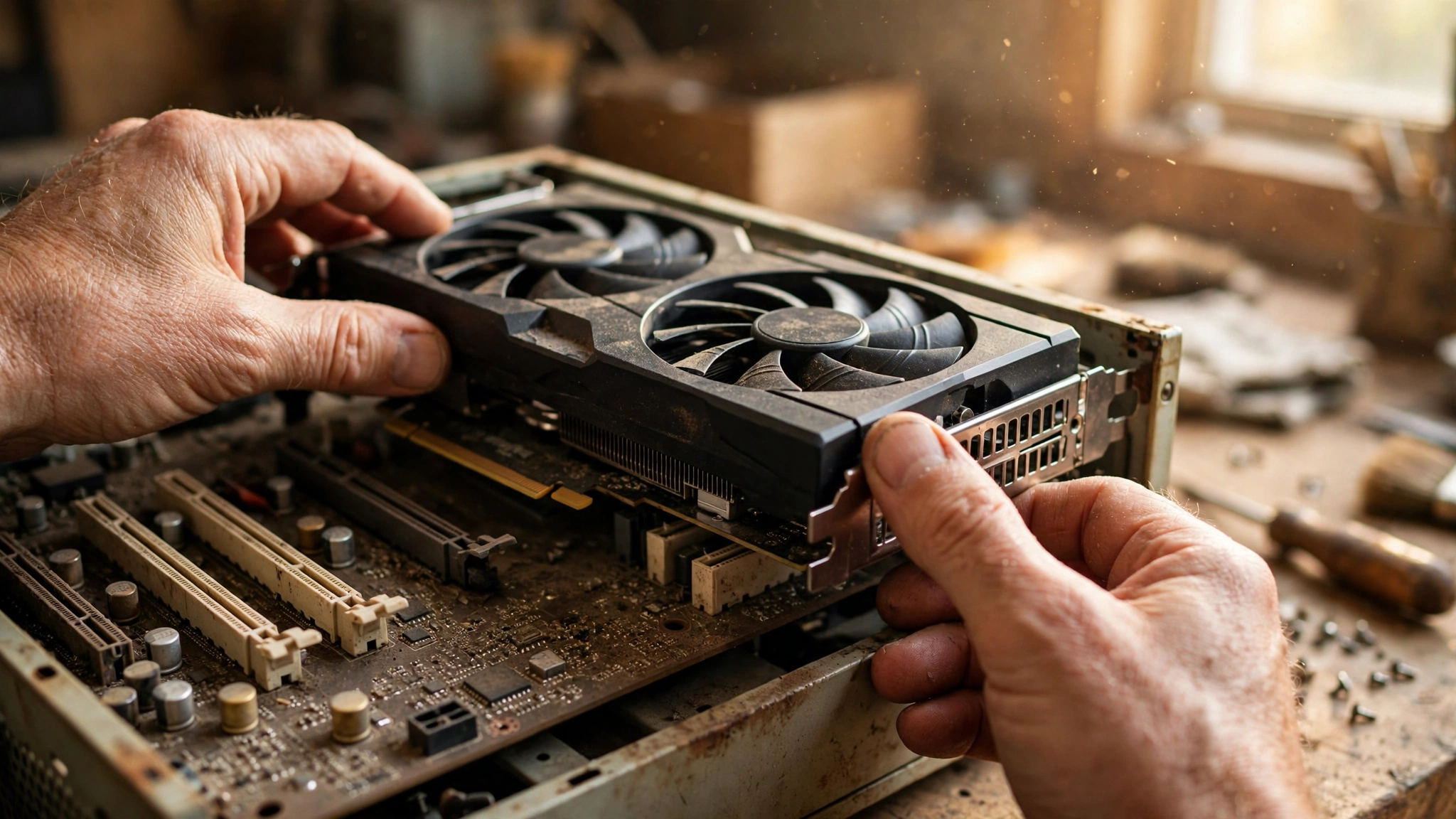
These are the five cards that survive all four walls. Each one earns its place for a specific reason, and each has a specific platform it suits best.
RTX 3060 12GB: The Ceiling Pick
This is the strongest card worth putting on a decade-old platform, and the only one you should consider buying new in 2026. The reasons stack up: a full PCIe x16 interface that shrugs off old slots, 12GB of VRAM that keeps modern texture packs happy, modest 170W power draw with a single 8-pin connector on most models, and DLSS upscaling support for squeezing extra frames out of old CPUs.
On a Haswell or X99 system it is close to the sensible ceiling; going stronger mostly buys you frames your CPU cannot deliver. On X58 and Sandy Bridge it still works well, especially at 1440p where the load shifts to the GPU. The 12GB of VRAM is the real story here: 8GB cards are starting to struggle with ultra textures in 2026 titles, and this card sidesteps that problem for years.
One market note: with DDR5 and GDDR6 prices climbing through the 2026 memory crisis, new midrange cards cost more than they should, and NVIDIA executives have told The Elec that supply shortages are “beyond our control.” That makes the used RTX 3060 12GB market the sweet spot. Buy from a seller with test results, and check our 2026 GPU shortage coverage for the current market picture.
Bottom line: if you buy one card and stop thinking about it, buy this one.
RX 6600 and 6600 XT: The Value Picks
The RX 6600 is the efficiency champion of the used market: 132W, one 8-pin connector, and raster performance that trades blows with the RTX 3060 at 1080p. The 6600 XT adds roughly 10 to 15 percent more speed for a bit more power and money.
The catch is the x8 interface. On PCIe 3.0 boards (Ivy Bridge and newer) the penalty is small enough to ignore. On PCIe 2.0 boards (X58, Sandy Bridge) you give up a few extra percent, which matters when you are already CPU-limited. So: 6600 on a 4790K is a great pairing; 6600 on a 990X is merely okay, and the RTX 2060 Super below is the smarter pick there.
AMD’s driver overhead advantage in CPU-bound DirectX 11 games is a small bonus on the weakest platforms. FSR upscaling works on any card, so you still get a quality upscaler.
The takeaway: best frames per dollar and per watt, as long as your slot is PCIe 3.0.
RTX 2060 Super: The Safe Used Pick
The RTX 2060 Super is the card for people who hate caveats. Full x16 interface, so PCIe 2.0 costs it almost nothing. 175W with a single 8-pin connector, so nearly any decent old PSU handles it. DLSS support for free performance in supported games. And it is old enough that the used market is full of non-mined examples from gaming rigs.
It is a bit slower than the RX 6600 in raw raster and carries only 8GB of VRAM, so it is not the value king. But on X58 and Sandy Bridge platforms, where every percentage point of PCIe bandwidth counts, its x16 interface makes it the most predictable upgrade. If your board is PCIe 2.0 and you find a clean 2060 Super at a fair used price, stop shopping.
Bottom line: the no-surprises choice for PCIe 2.0 platforms.
RX 5700 XT: The Cheap Used Workhorse
The RX 5700 XT is usually the cheapest way to get genuine 1440p-capable performance on the used market. Full x16 interface, 8GB of VRAM, and raster speed that still embarrasses newer budget cards. On paper it is fantastic for old platforms.
In practice, buy it like you are defusing something. This card was one of the most popular mining GPUs of its era, so the used market is full of ex-mining examples with tired fans and cooked thermal pads. That does not make every 5700 XT bad, but it means you must test before you commit (see the used buying section below). It also draws 225W through 8-pin plus 6-pin connectors, so your PSU needs to be genuinely solid, not just old and hopeful.
The trade-off: maximum performance per dollar on the used market, with maximum buyer-beware attached.
Intel Arc A580: Only If Your Board Supports ReBAR
The Arc A580 is a genuinely good budget card on a modern system. On a decade-old platform it is a trap for most buyers, and here is why: Intel’s architecture depends heavily on Resizable BAR to perform as expected. Intel’s own guidance treats ReBAR as effectively required. Most motherboards from before 2016 do not support it at all, and without it Arc performance collapses in a way that no driver update fixes.
So the rule is simple. If your board is X99 or a late Z97 with a BIOS update that adds ReBAR support, the A580 is a legitimate budget option with modern features. If your board is X58, P67, Z68, or Z77, do not buy Arc. There is no workaround, and you will blame the card for what is actually a platform limitation.
Bottom line: great card, wrong decade, unless your board explicitly supports ReBAR.
GPUs You Should Not Buy for Old Platforms
Some cards look tempting and fail on old platforms for specific, predictable reasons. Memorize this table before you browse listings.
| GPU | Why It Looks Tempting | Why It Fails on Old Platforms |
|---|---|---|
| RTX 4060 | New, efficient, DLSS 3 | PCIe x8 interface loses real performance on PCIe 2.0 and 3.0 slots; 8GB VRAM; often costs more than a used 3060 12GB with less VRAM |
| RTX 5060 | Newest budget option | PCIe x8 interface, same slot penalty as the 4060; new-card pricing is inflated by the 2026 memory crisis |
| RX 7600 / 7600 XT | Cheap new AMD cards | PCIe x8 interface with only 8GB VRAM; the used RX 6600 gives you nearly the same on old slots for less |
| Intel Arc A580 / A750 | Great price to performance | Requires ReBAR; most pre-2016 boards lack it, and performance tanks without it |
| RTX 3050 6GB | Low power, no connector needed | Weak for the money even new; a used RX 6600 or 2060 Super beats it everywhere |
| Any card needing 12VHPWR adapters | Flagship appeal | Decade-old PSUs lack native 12VHPWR; adapters on aging units are a risk not worth taking |
Two more traps deserve a sentence each. First, UEFI: cards from recent generations expect a UEFI BIOS with GOP support. Some X58-era boards run legacy BIOS only and may not POST with a modern card at all, so confirm your board’s BIOS mode before ordering. Second, anything above the RTX 3060 12GB class (3070 and up) is wasted money on these CPUs in most games; the extra GPU power just idles while the old chip wheezes. Longtime forum advice on matching GPUs to old CPUs has said the same thing for years: do not overspend past what your CPU can feed.
The PSU Reality Check Nobody Wants to Hear
Your power supply is ten-plus years old. Capacitors age. That 750W rating on the side was measured when the unit was new, and a decade of heat cycles has not been kind to it.
Here is the checklist before any GPU purchase:
- Check the 12V rail rating, not the headline wattage. The label on the side lists 12V amperage; multiply by 12 to get real 12V watts. A “700W” unit with a weak 12V rail may only deliver 500W where it counts.
- Count your PCIe connectors. The RX 5700 XT needs 8-pin plus 6-pin. Adapters that convert Molex to PCIe exist and are a bad idea on old units; if the PSU lacks the native connectors, it was not built for that card.
- No 12VHPWR, no problem, stay that way. Do not adapt a decade-old PSU to a modern 12VHPWR card. The connector standard assumes a modern PSU’s protections.
- When in doubt, replace it. A new, decent 550W to 650W unit costs less than most of the GPUs in this guide and protects everything else in the case. Our PSU tier list ranks current units worth buying.
Remember this: the PSU is the one component where age alone is a reason to replace. A dead PSU can take the motherboard with it.
Buying Used Without Getting Burned
Three of the five recommended cards are used-only buys in 2026, so here is the survival guide.
Ex-mining cards: the RX 5700 XT and, to a lesser extent, the RTX 3060 12GB and RTX 2060 Super all spent time in mining rigs. Mining itself does not kill a card, but 24/7 heat does age fans and thermal pads. Ask the seller directly whether it was mined on. An honest “yes, undervolted, repadded” beats a suspicious “never mined, trust me” with dust caked in the fins.
What to test: meet where you can test, or buy on a platform with returns. Run a 10-minute FurMark or 3DMark Time Spy stress test and watch for three things: temperatures stabilizing under 85C, no artifacting or crashes, and fans that do not grind or rattle. Then play an actual game for 20 minutes, because synthetic tests miss some real-world instability.
Red flags: no original cooler screws, missing backplate screws, a BIOS that reports a strange device ID, or a price far below every other listing. Fake cards (old GPUs reflashed to report as newer models) still circulate; verify the device ID in GPU-Z against the manufacturer’s spec sheet.
Pricing honesty: used prices swing wildly by region and week, and the 2026 memory crisis has pushed more buyers toward used cards, firming up prices. Treat any price you see quoted online, including in this article, as a snapshot, not a promise. Set alerts, watch sold listings for a week, and buy the clean example, not the cheapest one.
Worth remembering: budget an hour for testing. It is the highest-value hour in the whole upgrade.
Platform vs GPU Ceiling
Not every old platform deserves the same card. This table gives the realistic ceiling per generation: the point past which a stronger GPU stops paying off.
| Platform | Example CPUs | PCIe Version | Realistic GPU Ceiling | Notes |
|---|---|---|---|---|
| X58 (LGA1366) | i7-920, i7-990X, Xeon X5650 to X5690 | PCIe 2.0 | RTX 3060 12GB / RTX 2060 Super | No AVX; some new games will not launch; no ReBAR; confirm UEFI BIOS |
| P67 / Z68 (LGA1155) | i7-2600K, i7-2700K | PCIe 2.0 | RTX 3060 12GB / RX 6600 XT | AVX but no AVX2; prefer x16 cards |
| Z77 (LGA1155) | i7-3770K | PCIe 3.0 | RTX 3060 12GB / RTX 2060 Super | x8 cards acceptable here; solid all-rounder |
| Z87 / Z97 (LGA1150) | i7-4770K, i7-4790K | PCIe 3.0 | RTX 3060 12GB / RX 6600 XT | AVX2 support; best old platform for a drop-in GPU |
| X99 (LGA2011-3) | i7-5820K, i7-5960X | PCIe 3.0 | RTX 3060 Ti / RX 6700 XT | DDR4 and more cores; most headroom of the group |
Notice the pattern: the RTX 3060 12GB is the ceiling for four of the five platforms. That is not a coincidence. Its x16 interface, 12GB VRAM, and modest power draw make it the one card that is never wrong on an old board. The X99 platform, with DDR4 and more PCIe lanes to spare, is the only one where stepping up to a 3060 Ti or 6700 XT class card makes sense, and even there only for 1440p.
When a Platform Upgrade Beats Another GPU
Here is the rule that saves you from good-money-after-bad: if the GPU you are considering costs more than a used CPU, motherboard, and RAM bundle, buy the bundle.
Concretely, a used Ryzen 5 5600 with a B450 or B550 board and 16GB of DDR4 is one of the most common used-market bundles in 2026, and it transforms every recommendation in this guide. Suddenly the RTX 3060 12GB stretches its legs, x8 cards stop losing performance, ReBAR becomes available for Arc, and AVX2 is a given. Your old GPU, whatever it is, gets faster too, because the CPU was the leash.
The math is simple. A $200 used GPU on a 990X gives you a faster 990X system. A $200 platform bundle plus your existing GPU gives you a modern system that makes every future GPU upgrade worth more. If you plan to keep gaming for another two or three years, the bundle wins. Our zero-bottleneck PC guide explains what balanced actually looks like, and our sub-$800 combo guide shows how far a modest budget goes when the platform is not fighting you.
There is one exception: if you only play older or esports titles that your current CPU already runs well (CS2, Valorant, League of Legends, older single-player games), a drop-in GPU is genuinely the right call. The platform is not the wall for those games; the GPU is. Spend accordingly.
The decision rule: price the platform bundle before you price the GPU. Whichever is cheaper per year of gaming you will get out of it wins.
Mistakes That Waste Money on Old Platforms
- Buying the RTX 4060 for a PCIe 2.0 board. The x8 interface penalty stacks on top of the CPU bottleneck. A used 3060 12GB is faster here and usually cheaper.
- Ignoring the PSU. Every year, old units die and take motherboards with them. If yours is a decade old and of questionable quality, it is a liability, not an asset.
- Chasing VRAM with a card your CPU cannot feed. 12GB is great on the 3060 because the card is balanced. 16GB on a card your CPU bottlenecks anyway is money spent on a number.
- Forgetting the AVX check. Nothing stings like a new GPU in a system that cannot launch the game you bought it for.
- Upgrading the GPU when the SSD is the problem. Texture pop-in and hitching on a hard drive looks exactly like a weak GPU. A $40 used SATA SSD fixes what a $200 GPU cannot.
- Paying new prices during a shortage. With supply tight and prices inflated, the used market is where the value is. Patience beats panic buying.
Frequently Asked Questions
What GPU will not be “throttled” by a Core i7 990x? Maxed RAM at 24 GB, and currently GTX 780.
This is one of the most-asked X58 questions on Quora, and the honest answer is that no GPU is completely unthrottled by a 990X, but several are sensible. The RTX 3060 12GB and RTX 2060 Super are the best answers: both use a full x16 interface that is unaffected by the board’s PCIe 2.0 slot, and both are massive upgrades over a GTX 780. Keep expectations at 1080p and 1440p, remember the chip lacks AVX so some new games will not launch regardless of GPU, and do not spend past the 3060 class. )
What is the best graphics card for i7 990x, 980x, or Xeon x5690 and x5680 without bottleneck?
For the whole X58 family, the sweet spot is the RTX 3060 12GB if buying used, or the RTX 2060 Super for PCIe 2.0 safety. The RX 6600 also works but gives up a few percent to its x8 interface on these PCIe 2.0 boards. One popular X58 trick is a used Xeon X5675 or X5690, which overclocks well and costs very little, but even overclocked, these chips top out around the 3060 class. Anything stronger is wasted.
What is the best GPU for Intel i7 2600 with PCI-E 2.0, 32 GB RAM, and a Corsair 620W PSU? Is the RTX 3060 relevant?
Yes, the RTX 3060 12GB is relevant and is arguably the best answer here. Your 620W Corsair unit handles its 170W draw easily provided the 12V rail is healthy, and the card’s x16 interface means the PCIe 2.0 slot costs it almost nothing. The RTX 2060 Super is the alternative if you find one cheaper. Skip x8 cards like the RTX 4060 on this board.
What is the best NVIDIA GPU for i7-3770 on a Gigabyte H61M-DS2 motherboard with 1x8GB 1600MHz RAM?
Fix the RAM first: a single 8GB stick in single-channel mode handicaps everything, and a second matching 8GB DDR3 stick is cheap on the used market. Then the RTX 3060 12GB is the ceiling, with the RTX 2060 Super as the value alternative. Your H61 board runs PCIe 2.0 (Sandy/Ivy-era H61 chipsets lack PCIe 3.0), so prefer x16-interface cards. Also check that your PSU has the needed 8-pin connector and healthy 12V output.
Would an RX 580 8GB pair well with an i7-990x overclocked to 4GHz on all cores?
It pairs fine, but in 2026 it is a sideways move, not an upgrade worth paying much for. An RX 580 is a solid 1080p card and an overclocked 990X feeds it adequately, but used RX 580 prices sit close enough to faster options (RX 6600, RTX 2060 Super) that the 580 only makes sense if you find one very cheap. If you already own the 580, keep it; if you are buying, spend a little more for a much faster card.
Will an i7-4790K be alright with an RX 480?
Yes, and this exact question has been asked on the Tom’s Hardware forums for years. A 4790K handles an RX 480 without meaningful bottlenecking, and the same logic extends to the modern equivalents: a 4790K is comfortable with anything up to the RTX 3060 12GB or RX 6600 XT. The 4790K remains the best old platform for a drop-in GPU upgrade because it has PCIe 3.0, AVX2, and strong single-thread performance for its age.
Key Takeaways
- The RTX 3060 12GB is the safest ceiling for almost every decade-old platform: x16 interface, 12GB VRAM, modest power.
- On PCIe 2.0 boards (X58, Sandy Bridge), prefer x16 cards and avoid x8 cards like the RTX 4060.
- Intel Arc needs ReBAR; most pre-2016 boards lack it, so Arc is off the table for X58 through Z77.
- Check AVX support against your must-play games before spending, especially on X58.
- A decade-old PSU is a replace candidate, not a lifetime component; verify the 12V rail and connectors.
- If the GPU costs more than a used AM4 platform bundle, buy the bundle.
Conclusion
Upgrading the GPU on a decade-old PC is one of the best value moves in PC gaming, as long as you respect the platform’s limits. The formula is simple: pick a card with a full x16 interface, keep it at or below the RTX 3060 12GB class, verify your PSU and your games’ CPU requirements, and buy used from a seller you can test with.
The 2026 market makes this advice more valuable, not less. With new-card prices inflated by the memory crisis and supply shortages that even NVIDIA calls beyond its control, the used market is where smart money goes. A clean used RTX 3060 12GB or RX 6600 in a 4790K or 3770K system will play today’s games well at 1080p and respectably at 1440p, for a fraction of a new build.
And know when to stop. The day a platform bundle costs less than the GPU you are eyeing is the day the old tower becomes a secondary PC, not the main rig. That is not failure; it is ten-plus years of service ending on your terms. Run your bottleneck numbers, test before you buy, and enjoy the cheapest meaningful upgrade in PC gaming.

Leave a Reply