

Quick answer: The Ryzen 5 5600 pairs best with GPUs from the RTX 3060 / RX 6600 class up to the RTX 4070 / RX 7800 XT class. For 1080p, the RTX 5060 or RX 9060 XT is the clean fit. For 1440p, the RTX 5060 Ti 16GB, RX 9060 XT 16GB, or RTX 4070 class card gives you a strong match before the CPU starts leaving performance on the table.
The Ryzen 5 5600 is the budget champion of the AM4 platform. It launched back in 2022, yet in 2026 it still powers millions of gaming PCs, because it simply refuses to feel old. Six cores, twelve threads, a big 32MB cache, and 65W power draw make it a CPU that keeps up with mid-range graphics cards far better than its age suggests.
The real question is not whether the 5600 can keep up. It is where the sensible ceiling sits. Buy too weak a GPU and you waste the CPU. Buy too strong a GPU and you pay for frames your CPU will never unlock. This guide draws the line in the right place for every budget and resolution, explains the PCIe lane detail most guides get wrong, and shows you the one upgrade that keeps your whole AM4 system alive for years.
The Best GPU Pairings at a Glance
If you want the short version before the details, here it is. Each tier is matched to what the 5600 can realistically feed at common resolutions.
| Tier | GPU Examples | Best For | What to Know |
|---|---|---|---|
| Budget 1080p | RX 6600, RTX 3060 12GB, RTX 5060 | 1080p high settings | Zero CPU bottleneck, great value per frame |
| Best overall 2026 | RX 9060 XT 16GB, RTX 5060 Ti 16GB | 1080p ultra and 1440p | 16GB VRAM keeps you safe in newer titles |
| 1440p sweet spot | RTX 4070 class, RX 7800 XT | 1440p high refresh | The practical ceiling for the 5600 |
| Practical ceiling | RTX 5070 | 1440p with headroom for a future CPU | Starts to leave some frames on the table at 1080p |
Practical takeaway: match the GPU to your monitor first, your budget second. The 5600 handles everything in this table; your resolution decides which row is right for you.
What the Ryzen 5 5600 Actually Brings to the Table
Here are the facts that matter for GPU pairing, straight from the spec sheet: 6 cores and 12 threads on AMD’s Zen 3 architecture, 3.5GHz base clock with boosts up to 4.4GHz, a generous 32MB of L3 cache, a 65W TDP, and full PCIe 4.0 support on the AM4 socket. That big L3 cache is the secret to its gaming longevity. Games love fast cache access, and 32MB lets the 5600 punch well above its price in frame rates. Independent testing has consistently shown it trading blows with CPUs that cost far more, and TechPowerUp’s Ryzen 5 5600 review confirmed it as the standout value pick of the Zen 3 lineup for gamers with a discrete graphics card.
One point causes endless confusion online, so let us settle it now. The Ryzen 5 5600 is not the Ryzen 5 5600G. The G model has integrated graphics, a smaller 16MB L3 cache, and is limited to PCIe 3.0. The plain 5600 has no integrated graphics, the full 32MB cache, and full PCIe 4.0 support. Most of the scary “PCIe bottleneck” warnings you read about budget cards were written for the 5600G, not your CPU. If you own the plain 5600, you are in much better shape than those articles suggest.
Because the 5600 supports PCIe 4.0, it keeps pace with the current generation of mid-range cards without the platform becoming the problem. That is why it remains a smart buy in 2026: DDR4 memory and B450/B550 boards are cheap, the CPU itself often sells at a steep discount, and with Intel reportedly raising CPU prices by around 10 percent this October (reported by Notebookcheck citing DigiTimes), Ryzen prices holding flat makes the 5600 an even stronger value play right now. Run your exact combo through our CPU bottleneck calculator if you want a number on any specific pairing.
Practical takeaway: you own a PCIe 4.0, 32MB-cache Zen 3 chip, not a cut-down APU. Ignore advice written for the 5600G.
The PCIe Lane Question Nobody Explains Well
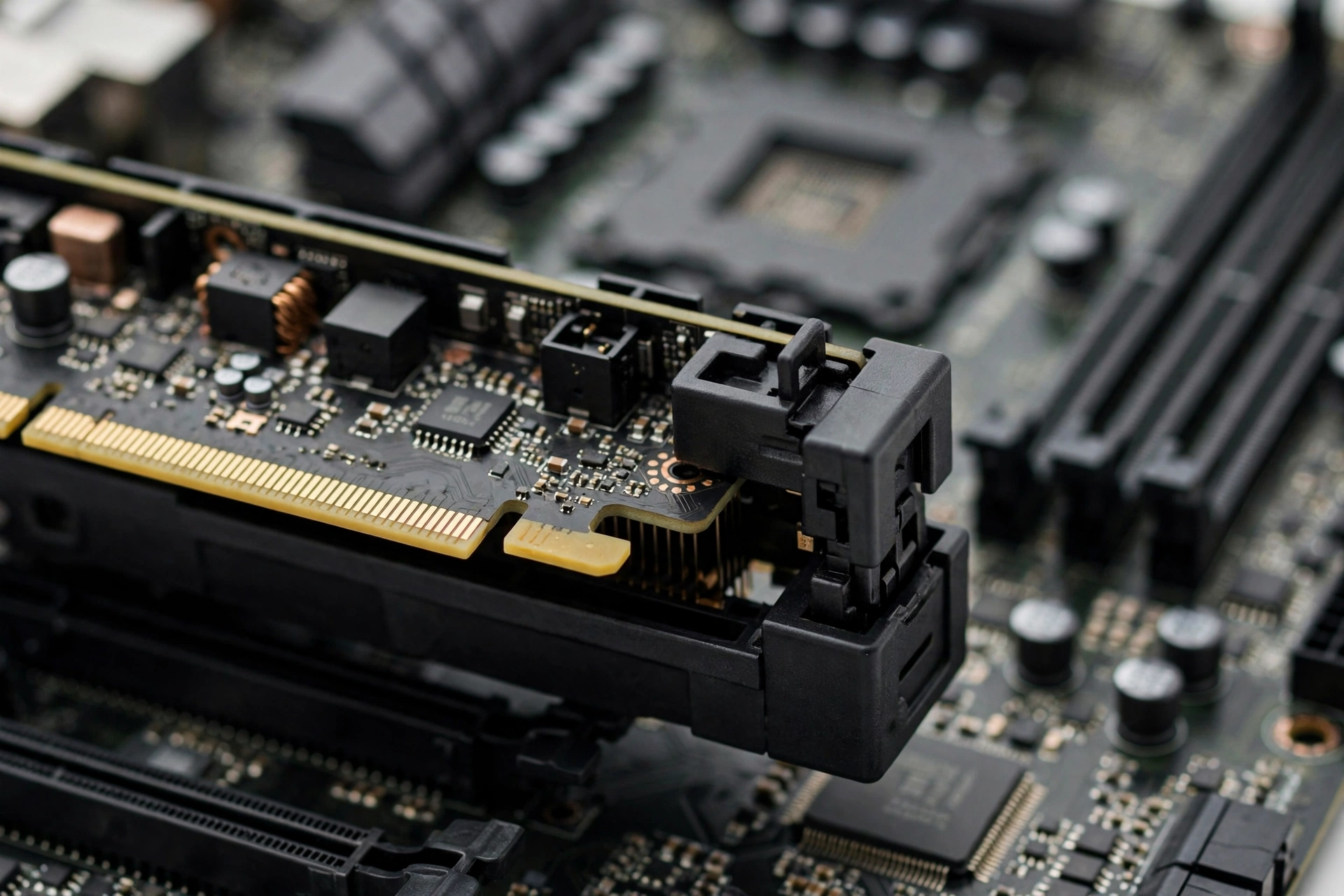
Many current-generation GPUs connect over an x8 PCIe interface instead of the full x16. The RTX 5060, RTX 5060 Ti, and RX 7600 class cards are all x8 designs. On a Ryzen 5 5600 with a B550 board, those x8 cards run at PCIe 4.0 x8, which delivers roughly the same bandwidth as PCIe 3.0 x16. In real gaming, that is plenty. Measured differences between PCIe 3.0 and 4.0 for gaming are typically a few percent at most, and at 1440p the gap mostly disappears because the GPU itself becomes the limit.
The only setup where x8 gets uncomfortable is PCIe 3.0 x8: an x8 card on an A520 board, or on an older B450 board that never got PCIe 4.0 for the GPU slot. If a game fills the card’s VRAM and the GPU has to stream data from system RAM across a narrow 3.0 x8 link, you can get stutters. The fix is simple: on a PCIe 3.0-only board, favor GPUs with a full x16 interface (the RTX 3060 12GB is x16) or cards with plenty of VRAM so the bus matters less (the RX 9060 XT 16GB). On B550 or X570 with the 5600, this whole concern goes away, and you can buy any modern card with confidence.
Practical takeaway: PCIe 4.0 x8 on a 5600 plus B550 is a non-issue. Only PCIe 3.0 x8 boards need a second look, and the fix is picking an x16 card or a 16GB card.
Best GPUs for the Ryzen 5 5600 by Tier
Best Budget Picks for 1080p
The RX 6600 remains one of the smartest buys for a 5600 at 1080p. It sips power, needs only a modest PSU, and never comes close to troubling the CPU. The RTX 3060 12GB is its natural rival: a full x16 interface (great on older PCIe 3.0 boards), 12GB of VRAM that ages gracefully, and DLSS support for newer titles. On the used market, the RTX 3060 Ti and RX 6700 XT often land in the same price neighborhood and deliver a real step up in 1080p performance, though buying used means checking the card’s history and warranty carefully.
For a brand-new card with current features, the RTX 5060 brings DLSS 4 and excellent efficiency to the 1080p tier. Pair it with the 5600 and neither component embarrasses the other. Forum regulars consistently call the 3060 Ti or 6700 XT the “zero bottleneck at 1080p” pairing for the 5600, and that advice has held up for years.
Best Overall 2026: The 16GB Mid-Range
This is where the 2026 market gets interesting. The RX 9060 XT 16GB and the RTX 5060 Ti 16GB are the two cards that define the mid-range this year, and both are excellent partners for the 5600. The 16GB of VRAM is the headline feature: games like Alan Wake 2 and recent texture-heavy ports can stumble on 8GB cards, and 16GB removes that worry at both 1080p and 1440p.
Choose the RX 9060 XT if you want the best raw value and do not care about ray tracing leadership. Choose the RTX 5060 Ti 16GB if DLSS, better ray tracing, or CUDA and creator apps matter to you, though expect to pay a bit more. A word on pricing timing: industry reports (via TechPowerUp and WCCFtech, citing ChannelGate) point to roughly 10 percent price increases on Radeon GPUs and chipsets in the fourth quarter of 2026, while Ryzen CPUs are reportedly exempt. If you are eyeing a Radeon card, buying sooner rather than later could save you real money. For an Intel-side comparison of how these pairings differ, see our best GPU for i5-12400F guide.
The 1440p Sweet Spot Where the 5600 Shines
At 1440p, the Ryzen 5 5600 finds its happiest home. Higher resolution loads the GPU harder while the CPU workload stays roughly the same, which shrinks any CPU bottleneck to a minimum. This is why the RTX 4070 class and the RX 7800 XT are the classic 1440p pairings for the 5600: at this resolution the CPU is rarely the limiting factor, and you get smooth high-refresh gaming in most titles.
One real Tom’s Hardware forum thread tells this story well. A user paired an RTX 4070 with a 5600 and got lower Cyberpunk 2077 frame rates than reviewers, and feared a bottleneck. The culprit was not the CPU at all: a single stick of RAM running in single-channel mode. Once the RAM runs in dual channel at its rated speed, the 5600 feeds a 4070 happily at 1440p. If you are moving to 1440p, also read our breakdown of the 1080p vs 1440p monitor bottleneck impact, because resolution changes the bottleneck math more than any other single factor. And do not ignore memory: our RAM bottleneck explained guide shows why two sticks beat one.
The Practical Ceiling RTX 5070
The RTX 5070 is the most popular GPU on Steam as of the September 2026 hardware survey, sitting at 5.86 percent of surveyed systems. That makes it the card many 5600 owners are curious about. Here is the honest answer: the 5070 works fine with a 5600, especially at 1440p or 4K, but at 1080p high-refresh you will start leaving some of its performance unused. Treat it as the practical ceiling, and only buy it if you plan a CPU upgrade later or game at 1440p and above. Anything stronger, like an RTX 5070 Ti or beyond, is money better saved for a platform upgrade. For a deeper look at how the 5070 pairs with a stronger CPU, check our best CPU for RTX 5060 Ti guide.
Practical takeaway: buy the GPU for the resolution you play at. 1080p means 5060/9060 XT class, 1440p means 5060 Ti 16GB up to 4070/7800 XT, and 5070 is the ceiling.
GPUs to Skip With a Ryzen 5 5600
Skipping the wrong card saves as much money as picking the right one.
Too weak to be worth it: Anything at or below the GTX 1650 class leaves your 5600 twiddling its thumbs. Your CPU can drive far more frames than those cards can draw. If that is your budget, the used market (RTX 2060 Super, RX 5700 XT) gives you far more for the same money.
Too strong for the platform: Flagship cards like the RTX 4090 class will spend their life waiting on the 5600, particularly at 1080p and 1440p. One community test measured heavy underutilization pairing a 4090-class card with a 5600 at 1440p. If you already own such a card, raise the resolution or plan the CPU upgrade below.
The VRAM trap: Be cautious with 8GB cards if 1440p is your target. They can run fine today, but newer titles with heavy textures are exactly where 8GB cards stutter first. The 16GB versions of the current mid-range cards exist for a reason, and on a 5600 build that you want to keep for years, the extra VRAM is cheap insurance.
Practical takeaway: the 5600 deserves at least an RX 6600 / RTX 3060 and tops out around the RTX 4070 / 5070 class. Everything outside that band is a mismatch.
How to Tell If Your 5600 Is Holding the GPU Back
Forget the scary single-number “bottleneck percentages” for a moment and run this simple test, recommended by veteran builders for years. Play your game at your normal settings and watch GPU utilization with a tool like MSI Afterburner. Then drop the resolution one step. If your frame rate jumps up significantly, your GPU was the limit and your CPU is fine. If the frame rate barely moves, your CPU is the ceiling.
Signs that point at the CPU: GPU utilization sitting well below 90 percent in demanding scenes while frame rates plateau, stuttering in CPU-heavy moments like crowded cities or big multiplayer battles, and frame rates that do not improve when you lower graphics settings. Signs that point elsewhere: the Tom’s Hardware 4070 story above is the classic one, where single-channel RAM or RAM running at slow JEDEC speeds masquerades as a CPU bottleneck. Always check your memory setup before blaming the processor.
For context on what the percentages actually mean, our good bottleneck percentage guide explains which numbers matter and which are just anxiety fuel.
Practical takeaway: the resolution-drop test takes two minutes and tells you more than any calculator screenshot.
The 5800X3D Drop-In Upgrade Path
Here is the 5600 owner’s superpower: the Ryzen 7 5800X3D drops into the same AM4 socket. Same motherboard, same DDR4 RAM, same cooler in many cases. You update the BIOS, swap the chip, and get the legendary 3D V-Cache gaming performance that still trades blows with much newer CPUs. It is widely considered the ultimate AM4 upgrade and removes the CPU ceiling for any GPU you might pair with the system later, including high-end cards that the 5600 cannot fully feed.
This changes the buying math. If you buy a slightly stronger GPU than your 5600 needs today, say an RTX 5070 for 1440p, and plan a 5800X3D swap down the road, that is a legitimate strategy, not a mistake. The GPU you “overbought” becomes perfectly matched after the CPU upgrade. Budget one upgrade at a time: GPU now, 5800X3D later, and your AM4 system stays competitive for years without a full platform rebuild.
Practical takeaway: on AM4, the CPU is not a dead end. A future 5800X3D swap makes a slightly ambitious GPU purchase today a smart staged upgrade.
Before You Buy The 5-Minute Checklist
- Power supply wattage and connectors. Check the GPU maker’s recommended PSU wattage and, more importantly, the physical power connectors your PSU has. A quality 550W unit handles most mid-range cards; the RTX 5070 class wants more headroom. A weak PSU causes crashes that look exactly like other problems.
- Case clearance. Measure your case’s maximum GPU length against the card’s listed length. Triple-fan cards are long, and this is the most common physical gotcha in budget builds.
- Enable DOCP/XMP and dual-channel RAM. Two sticks, seated in the correct slots, with the rated speed profile enabled in BIOS. This single step fixes more “bottlenecks” than any hardware swap.
- Update the motherboard BIOS. Especially on B450 boards, a newer BIOS improves Ryzen 5000 compatibility and stability. Check your board maker’s support page.
- Enable Resizable BAR. On a 500-series board with a modern GPU, this free BIOS setting gives a small but real uplift in supported games.
Practical takeaway: five minutes of checks prevents the three most common upgrade regrets: wrong PSU cables, a card that does not fit, and slow RAM.
Common Mistakes 5600 Owners Make
Mixing up the 5600 and 5600G. Advice about PCIe 3.0 limits and x8 lane penalties was written for the G model. Your plain 5600 has PCIe 4.0 and the full 32MB cache. Do not downgrade your GPU choice based on someone else’s APU problem.
Running one stick of RAM. Single-channel memory starves the 5600’s memory controller and shows up as low frame rates that look like a CPU or GPU problem. Two sticks, always.
Chasing the bottleneck percentage instead of the experience. A 10 percent theoretical bottleneck at 1080p is invisible when you are already at 140 frames per second on a 144Hz monitor. Match the GPU to your monitor’s resolution and refresh rate, not to a calculator’s ideal number.
Buying the GPU for the CPU you wish you had. If you will never upgrade the CPU, buy for the 5600 you own. If you plan the 5800X3D swap, buy one tier up. Decide before you click buy, not after.
Ignoring the used market. The RTX 3060 Ti, RX 6700 XT, and RTX 3070 are proven 5600 partners that often sell used for budget-card money. Just verify the seller, check temperatures on arrival, and make sure some warranty or return window exists.
Practical takeaway: most 5600 “bottleneck” horror stories are really RAM, BIOS, or wrong-expectation stories.
Frequently Asked Questions
What is the best GPU for Ryzen 5 5600?
The best all-around pick in 2026 is the RX 9060 XT 16GB or the RTX 5060 Ti 16GB, depending on whether you value raw price-to-performance or DLSS and ray tracing. For pure 1080p on a tighter budget, the RX 6600 or RTX 3060 12GB keeps the pairing perfectly balanced. For 1440p, step up to the RTX 4070 class or RX 7800 XT, which is the practical ceiling for this CPU.
Does the Ryzen 5 5600 bottleneck the RTX 3070?
At 1080p you may see a small CPU limit in some titles, but at 1440p the pairing is well balanced and the 3070 is generally the limiting factor, which is exactly what you want. Make sure your RAM runs in dual channel at its rated speed first, since slow memory causes more real-world frame loss with this combo than the CPU itself.
Will the Ryzen 5 5600 bottleneck an RX 7900 GRE in 1440p AAA gaming?
A little, in CPU-heavy scenes at 1440p, though many gamers report it is not very noticeable in story-driven AAA titles. The 7900 GRE is above the 5600’s comfort zone, so treat it as a buy-it-now-upgrade-the-CPU-later move: it shines fully once you drop in a 5800X3D. If you will never upgrade the CPU, the RX 7800 XT is the more sensible ceiling.
Can I pair an RTX 4070 with a Ryzen 5 5600?
Yes. This is a well-proven pairing at 1440p, confirmed by countless forum builds. If your frame rates look lower than reviews, check your RAM before anything else: a single stick in single-channel mode can cost you a large chunk of performance and looks exactly like a CPU bottleneck. Two sticks, DOCP enabled, and the 5600 feeds a 4070 without complaint.
My Ryzen 5 5600 and Arc B580 shows low GPU usage in games. Why?
Low GPU usage with a capable card usually means something else is the limit. Check in order: RAM running in dual channel with XMP/DOCP enabled, Resizable BAR enabled in BIOS, chipset and GPU drivers up to date, and background software eating CPU cycles. The 5600 itself is plenty for a B580, so the answer is almost always configuration, not the CPU’s speed.
Is a Ryzen 5 5600 with an RX 6700 XT good enough for BeamNG with mods?
Yes, this is a strong 1080p combo for BeamNG.drive including mods. The 5600’s 32MB L3 cache helps with simulation-heavy games, and the 6700 XT’s 12GB of VRAM handles modded textures well. Keep mods on an SSD and your RAM in dual channel for the smoothest experience.
Should I upgrade my Ryzen 5 5600 to a 5800X3D or buy a better GPU first?
Almost always the GPU first. The 5600 is still a capable gaming CPU, and a GPU upgrade changes your frame rates far more than a CPU swap. Go for the 5800X3D later when you own a GPU the 5600 cannot fully feed, or when you find a good price on the used market. It is the perfect second step because it needs no new motherboard or RAM.
Key Takeaways
- The Ryzen 5 5600 (6 cores, 12 threads, 32MB L3, PCIe 4.0) comfortably feeds GPUs from the RX 6600 / RTX 3060 class up to the RTX 4070 / RX 7800 XT class.
- 2026 sweet spots: RX 9060 XT 16GB or RTX 5060 Ti 16GB for 1080p/1440p, RTX 4070 class or RX 7800 XT for 1440p high refresh, RTX 5070 as the practical ceiling.
- Your 5600 has PCIe 4.0 and is not a 5600G: ignore x8 lane panic unless you are on a PCIe 3.0-only board.
- Dual-channel RAM with DOCP/XMP enabled fixes more “bottlenecks” than any purchase.
- The 5800X3D drops into the same AM4 board, making a slightly ambitious GPU buy today a smart staged upgrade.
- With Ryzen prices holding flat while Intel raises prices this October, the 5600 remains the value king of budget gaming builds.
Final Word
The Ryzen 5 5600 earned its reputation the honest way: it keeps delivering. Pair it with the right GPU tier for your monitor, feed it fast dual-channel RAM, and it will carry you through 2026 and beyond without drama. And when the day comes that your GPU outgrows it, the 5800X3D is waiting in the same socket. That is the beauty of AM4: you are never stuck.
Want a number on your exact combo before you buy? Run it through our free CPU bottleneck calculator and see where your pairing lands.

Leave a Reply