

The best RAM for Ryzen 7 9800X3D is a matched 32GB kit of two 16GB DDR5 sticks rated at DDR5-6000 with CL30 timings and an AMD EXPO profile. Turn EXPO on in the BIOS, install the sticks in the A2 and B2 slots, and stop shopping. Faster kits add almost nothing in games, four sticks usually make things worse, and DDR4 does not fit this CPU at all.
Introduction
The best ram for ryzen 7 9800x3d is not the fastest kit on the shelf, and that surprises a lot of builders. You just bought one of the fastest gaming CPUs ever made, an 8 core Zen 5 chip with 96MB of L3 cache stacked on the die, and the natural instinct is to pair it with the fastest memory money can buy. That instinct costs money and buys almost nothing. This CPU is different from a normal Ryzen chip because its giant cache changes how much RAM speed matters, and the AM5 platform has a hard speed ceiling where the memory controller stops keeping up.
This guide explains the bottleneck mechanics behind that ceiling, not just a shopping list. You will learn why DDR5-6000 CL30 is the sweet spot, what the 1 to 1 memory controller mode means in plain English, why two sticks beat four, how much 1 percent lows actually improve with better RAM, and which capacity fits your build. You will also learn the two mistakes that waste the most money on 9800X3D builds: buying DDR4 for an AM5 CPU, and leaving EXPO off so a 6000 rated kit runs at 4800.
If you want the short version, it is this: buy 32GB of DDR5-6000 CL30 with EXPO, install two sticks, turn EXPO on, and spend the money you saved on your graphics card. The rest of this guide shows you why that answer holds up, and where the exceptions are.
What the 9800X3D Actually Needs From RAM
The Ryzen 7 9800X3D is an 8 core, 16 thread processor built on AMD Zen 5 for the AM5 socket. It runs at a 4.7 GHz base clock and boosts up to 5.2 GHz, with a 120W TDP. Its defining feature is second generation 3D V-Cache, a 64MB slab of extra L3 cache stacked under the core chiplet, which brings total L3 cache to 96MB. AMD lists the chip with DDR5-5600 as its official memory speed with two DIMMs, and the chip launched on November 7, 2024. You can check every one of those numbers on AMD’s official 9800X3D product page.
That cache is the whole story for RAM choice. In a normal CPU, the cores constantly reach out to system RAM for game data, so faster RAM feeds the cores faster and frame rates climb. In the 9800X3D, most of the data the cores need is already sitting in that huge L3 cache, a few millimeters from the cores, instead of out in RAM. The CPU asks RAM for data far less often, so the speed of RAM matters far less than it does on a standard Ryzen chip.
This does not mean RAM does not matter at all. It means the returns flatten fast. Going from slow, badly configured RAM to the right kit makes a real difference, mostly in frame smoothness. Going from the right kit to a much faster, much more expensive kit makes almost no difference you can feel. That is the central fact every other section of this guide builds on.
There is a second factor: the AM5 memory controller. AMD’s platform runs best when the memory controller clock (UCLK) matches the memory clock (MEMCLK) one to one. DDR5-6000 is where that clean one to one ratio lines up with the Infinity Fabric running at 2000 MHz. Push the RAM speed much higher and most boards drop the controller to a one to two ratio, which adds latency and eats the bandwidth gain. So the ceiling is not just about the cache. The platform itself stops rewarding faster RAM past a certain point.
One more thing to get straight before we go further: this is a memory guide, not a graphics card guide. RAM will not fix a weak GPU, and no RAM kit turns a midrange card into a 4K card. If your games stutter because your graphics card is overloaded, faster system RAM will not save you. If you are still choosing a card, our best GPU for Ryzen 7 9800X3D guide covers pairings that actually make sense for this CPU. RAM is one piece of a balanced build, and its job is to stay out of the CPU’s way.
The Kits Worth Buying
If you want a name and a spec and nothing else, here it is. Buy a 32GB (2x16GB) DDR5-6000 CL30 kit with an AMD EXPO profile from a major brand. The table below lists the kits that reviewers and builders keep coming back to for this CPU. Every kit in the table hits the same target spec, so pick by price, height, and looks, not by chasing a different speed.
| Kit | Capacity | Speed and Timings | Best For |
|---|---|---|---|
| G.Skill Flare X5 | 32GB (2x16GB) | DDR5-6000 CL30, 30-38-38-96, 1.35V, EXPO | Most 9800X3D builds, low profile, no RGB |
| G.Skill Trident Z5 Neo RGB | 32GB (2x16GB) | DDR5-6000 CL30, EXPO | Builders who want RGB with the same spec |
| Corsair Vengeance | 32GB (2x16GB) | DDR5-6000 CL30, 30-36-36-76, 1.40V, EXPO | Low profile builds under big air coolers |
| G.Skill Trident Z5 Neo RGB | 64GB (2x32GB) | DDR5-6000 CL30, EXPO | Gaming plus streaming, editing, or heavy multitasking |
A few notes on the table. The Flare X5 is the default pick because it is an AMD first EXPO kit, it stands only 33mm tall so it clears large air coolers, and it skips RGB so you are not paying for lights. The Corsair Vengeance kit runs slightly tighter sub-timings at 30-36-36-76, which is a small bonus, not a reason to pay much more. The 64GB kit is the same speed and timing in two 32GB sticks, which matters, because you should never get 64GB as four 16GB sticks on this platform. The capacity section below explains when 64GB is worth it and when it is not.
Notice what is not in the table: no DDR5-7200 kit, no DDR5-8000 kit, no 16GB kit, and no DDR4 kit. Those are not oversights. Each one is a bad default for this CPU, and the sections below explain why. Also notice there are no prices in the table. RAM prices have moved fast during the current shortage, and any price printed here would be stale within days. Check the current price of the spec, not a number from a guide.
If your motherboard has a qualified vendor list (QVL), check your exact kit model number against it before buying. The QVL is the board maker’s list of memory kits it has tested with that board. A kit on the QVL is not a guarantee, and a kit off the QVL usually still works, but when two kits cost the same, the one on the QVL is the safer buy. This matters more at DDR5-6000 than it did in the DDR4 era, because DDR5 training is pickier.
Why DDR5-6000 CL30 Is the Sweet Spot
Every AM5 RAM guide lands on the same answer, and it is not a coincidence or a copycat habit. Three separate facts all point at DDR5-6000 CL30, and they reinforce each other.
First, the official rating. AMD rates the 9800X3D for DDR5-5600 with two DIMMs. DDR5-6000 is above that official rating, which means it is technically a memory overclock, and you reach it by enabling the EXPO profile in the BIOS. That sounds risky, but in practice DDR5-6000 EXPO is the most tested, most mature overclock on the AM5 platform. Motherboard makers have spent two years validating it, and it is the speed AMD itself used in its own 9800X3D launch testing, with a 2x16GB DDR5-6000 setup in the test system. So the sweet spot sits just above the official rating, in the zone every board maker expects you to use.
Second, the one to one ratio. At DDR5-6000, the memory runs at a 3000 MHz clock, the unified memory controller runs at the same 3000 MHz, and the Infinity Fabric typically runs at 2000 MHz. Everything is in sync, and latency stays low. Push to DDR5-6400 and the fabric would need to run near 2133 MHz to stay one to one, which most chips cannot hold. The board then drops the controller to a one to two ratio, where it runs at half speed, and that added latency cancels out the extra bandwidth. A small number of well binned chips can hold one to one at 6400 with manual tuning, but that is silicon lottery territory, not something to plan a build around.
Third, latency. CAS latency (CL) is the number of clock cycles the RAM waits before delivering data, and true latency in nanoseconds is what the CPU actually feels. The formula is simple: divide CL by the transfer rate, then multiply by 2000. For DDR5-6000 CL30, that is (30 divided by 6000) times 2000, which equals 10 nanoseconds. That 10 nanosecond figure is the practical floor for AM5 gaming memory. DDR5-6400 CL32 gives the same 10 nanoseconds. DDR5-8000 CL40 also gives 10 nanoseconds. So the expensive kits do not even win on latency. They just cost more to reach the same number.
Put together, the answer is clean. DDR5-6000 CL30 gives you the one to one controller ratio, the 10 nanosecond latency floor, and the most mature EXPO support on the platform. Anything slower leaves real performance on the table, mostly in frame smoothness. Anything faster costs more and gives back almost nothing. That is why reviewers, builders, and AMD’s own test setups all converge on the same kit.
There is one honest exception. If you are a competitive player chasing 240 frames per second or more in esports titles at 1080p, and you are willing to test and tune manually, a DDR5-6400 CL30 or CL32 kit that holds one to one on your specific chip can add a few percent. That is a narrow case, and it depends on your individual CPU sample. For everyone else, 6000 CL30 is the answer, and the money is better spent elsewhere in the build.
What Happens When You Go Faster Than 6000
The marketing on RAM boxes pushes one message: bigger numbers are better. On the 9800X3D, that message is mostly wrong, and there is now solid published testing to prove it.
TechPowerUp ran the 9800X3D through eight games with eight different DDR5 configurations, from DDR5-4800 up to DDR5-8000, on a test bench with an RTX 4090, testing at 1080p, 1440p, and 4K. The result, reported by TweakTown, was that the fastest kits averaged only about 2 percent better than the slowest kits across the suite. Five of the eight configurations landed within 1 percent of each other. That is the whole range, from the slowest JEDEC kit to the fastest overclocked kit, compressed into a 2 percent window on average frame rate.
Read that again, because it is the most important number in this guide. Jumping from DDR5-4800 to DDR5-8000 bought about 2 percent of average frame rate. No other single upgrade in a gaming PC returns so little for so much money. The reason is the cache. The 96MB of L3 absorbs most memory requests, so the CPU rarely waits on RAM at all, and when it does wait, the wait is short.
The picture is a little better for 1 percent lows, which are the slowest frames that decide how smooth a game feels. In the same testing, the fastest kits improved 1 percent lows by about 6 percent in Palworld and 7 percent in Baldur’s Gate 3 compared with the slowest kits, and by 9 percent in Spider-Man Remastered. Those are real gains in smoothness, but notice the comparison: fastest versus slowest. The gap between DDR5-6000 CL30 and DDR5-8000 is far smaller than the gap between 4800 and 8000, because 6000 CL30 already captures most of the benefit. Going from a decent kit to a great kit gains a little. Going from a great kit to an extreme kit gains almost nothing.
Resolution matters too. At 1080p with a strong graphics card, the CPU works hardest and RAM differences are easiest to measure. At 1440p the gap shrinks. At 4K the graphics card sets the frame rate in almost every game, and RAM speed barely registers. Most 9800X3D buyers play at 1440p, where the RAM speed gap is already small. If you play at 4K, RAM speed is the last thing to worry about.
So what about DDR5-6400 CL32, the kit a lot of builders ask about? The latency math says it ties DDR5-6000 CL30 at 10 nanoseconds, and in practice it performs about the same when it holds the one to one ratio, and slightly worse when it falls back to one to two. A real user asked exactly this on the Tom’s Hardware forums: is 6400MHz CAS 32 worse than 6000MHz CAS 30 when paired with a Ryzen 7 9800X3D? The consensus answer from experienced builders was that the two are effectively equal on latency, and that 6000 CL30 is the safer, more reliable choice because it holds its ratio on almost every chip. You can read the full thread on the Tom’s Hardware forum. If you already own a 6400 CL32 kit, keep it and enjoy it. If you are buying new, buy 6000 CL30 and do not look back.
The takeaway is simple: on this CPU, RAM speed is a threshold, not a ladder. Cross the threshold at DDR5-6000 CL30 and you are done. Climbing higher costs money, adds instability risk, and returns frame rate gains you will not notice without a frame counter on screen.
How Much RAM Do You Need
Speed gets all the attention, but capacity is the decision that actually changes how your PC feels day to day. Too little RAM causes stutters, long load times, and Windows paging to your SSD. Too much RAM just sits there unused. For the 9800X3D, the capacity answer is straightforward, and it depends on what else you do besides gaming.
| Workload | Capacity to Buy | Kit Shape |
|---|---|---|
| Gaming, Discord, and a browser | 32GB | 2x16GB |
| Gaming plus streaming or recording | 48GB | 2x24GB |
| Gaming plus video editing or heavy multitasking | 64GB | 2x32GB |
| Gaming only, tight budget | 32GB | 2x16GB, never 16GB total |
For a gaming first build, 32GB in two 16GB sticks is the right answer in 2026. Modern games plus Discord, a browser with a few tabs, and background apps fit comfortably in 32GB, with headroom to spare. 16GB total is no longer enough for a high end build. Some current games already push past 16GB with a browser open, and the stutter that follows looks exactly like a bottleneck, even though the CPU and GPU are fine. If you are trying to save money, save it somewhere else, not by cutting capacity to 16GB. Our best RAM for gaming guide covers capacity in more depth if you want the full breakdown.
48GB in two 24GB sticks is the middle step, and it suits a specific buyer: someone who games while streaming, records gameplay, or keeps heavy apps open alongside a game. It costs more than 32GB and gives nothing extra in pure gaming frame rates, so only buy it if you can name the workload that needs it. Note that 24GB sticks are newer, so QVL coverage can be thinner than for 16GB sticks. Check your board’s list before buying.
64GB in two 32GB sticks is for gaming plus real work: video editing, 3D rendering, virtual machines, or dozens of Chrome tabs across two monitors while a game runs. For pure gaming it adds nothing over 32GB, and it can be slightly harder to stabilize at DDR5-6000 than a 2x16GB kit, because denser sticks stress the memory controller more. If you buy 64GB, buy it as one matched 2x32GB kit at DDR5-6000 CL30, not as two separate 32GB kits and never as four 16GB sticks. The next section explains why the stick count matters so much.
One more capacity point: more RAM does not raise frame rates. If your games already fit in 32GB, going to 64GB changes nothing in benchmarks. Capacity only helps when you were running out. Speed and latency decide smoothness once capacity is sufficient. So decide capacity by your workload, decide speed by the 6000 CL30 target, and do not confuse the two.
The Rule That Saves Your Build
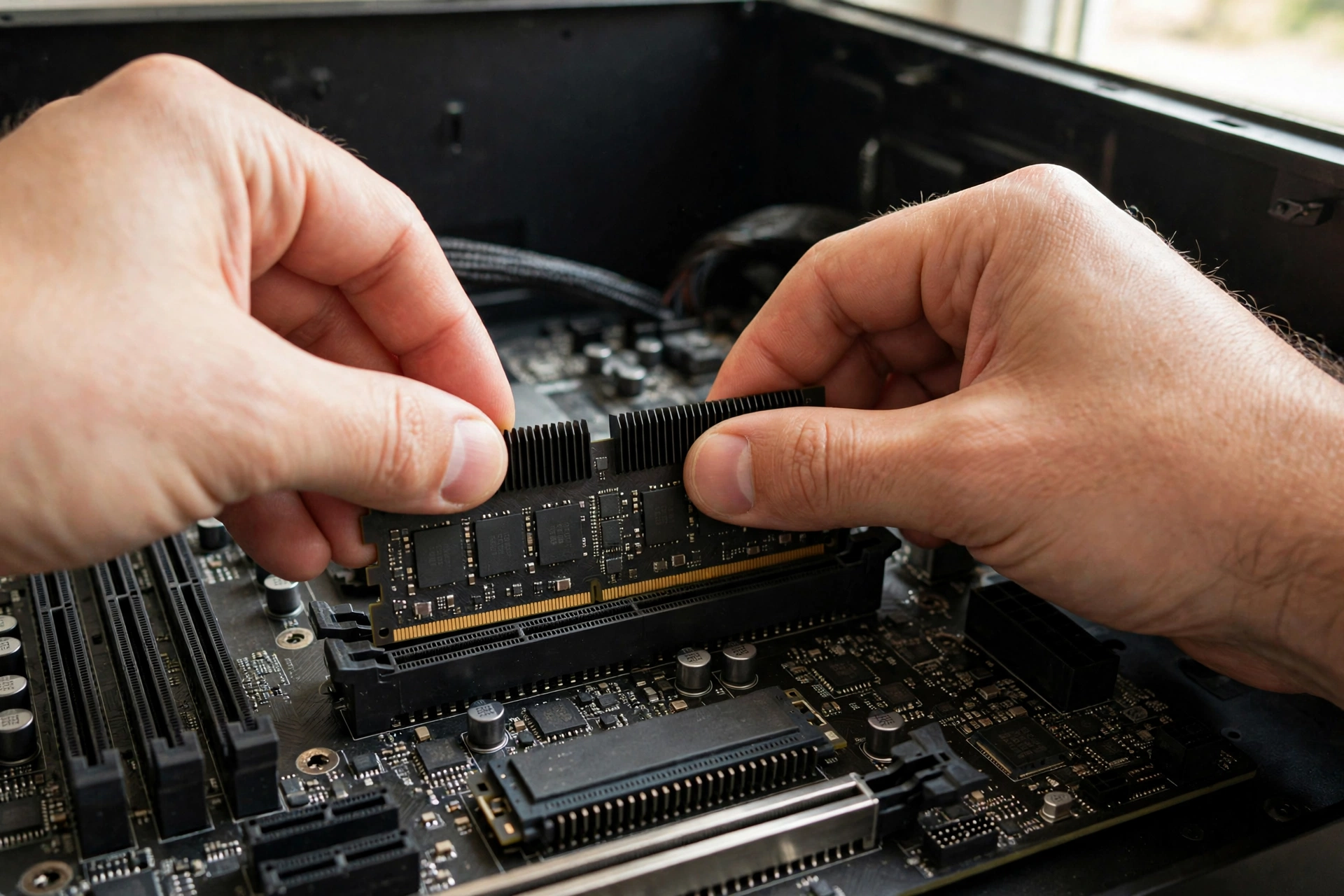
This is the single most common RAM mistake on AM5, and it is also the most expensive to fix, because the fix means selling a kit and buying another one. The rule is simple: use two sticks, not four.
The AM5 memory controller drives two DIMMs comfortably and four DIMMs reluctantly. AMD’s own spec sheet lists DDR5-5600 for two DIMMs and only DDR5-3600 for four DIMMs. In practice, a four stick setup often cannot hold DDR5-6000 at all. Builders who fill all four slots commonly end up dropping to DDR5-5600 or DDR5-5200 to stay stable, which throws away the speed they paid for. Some boards refuse to train four sticks at EXPO speeds entirely, and the PC boots at slow JEDEC speeds or fails to boot until the settings are lowered.
Four sticks also do not give you four channel bandwidth. The 9800X3D has two memory channels, and that does not change when you add more sticks. Four sticks just put two sticks on each channel, which loads the controller more without adding bandwidth. There is no performance upside to four sticks on this platform, only more load, more heat, and more instability.
The correct setup is two sticks in the A2 and B2 slots, which are the second and fourth slots counting away from the CPU socket. Your motherboard manual marks these as the primary slots, and they are the ones the board maker validated for high speed operation. Installing RAM in the wrong slots is a classic first build error, and it can cost you the full rated speed even with the right kit.
There are two narrow exceptions. First, if you already own four sticks from an older build and you are moving them to a 9800X3D system, test them at DDR5-5200 or 5600 and accept the lower speed, or sell them and buy a two stick kit. Second, if you genuinely need 128GB or more for workstation use, you will run four sticks and accept lower speeds, because capacity is the priority there. For gaming, neither exception applies. Buy two sticks.
This is also why you should never “upgrade later” by adding a second kit that matches your first kit. Two kits with the same part number are not a matched quad kit, and the memory controller treats them as four separate sticks with all the same problems. If you need more capacity later, sell the old kit and buy a single two stick kit in the new size. It feels wasteful, but it is cheaper than chasing stability problems for months.
Turn It On or Lose the Speed You Paid For
Here is a painful truth about DDR5: the speed printed on the box is not the speed you get out of the box. Every DDR5 kit boots at a slow JEDEC speed, usually DDR5-4800, until you enable its performance profile in the BIOS. For AMD boards that profile is called EXPO, short for Extended Profiles for Overclocking. For Intel boards the equivalent is XMP. A 9800X3D build needs an EXPO kit, and you need to turn EXPO on.
This is the most common “my RAM is slow” complaint in build forums, and the fix takes thirty seconds. Restart the PC, enter the BIOS (usually by pressing Delete or F2 during boot), find the EXPO setting on the main screen or under memory settings, select the EXPO profile, save, and exit. The PC will take longer than usual to boot the first time, because the board retrains the memory at the new speed. That long first boot is normal. If the PC boots and a tool like CPU-Z or Task Manager shows 6000 MT/s, you are done.
A few practical notes make this smoother. Update the motherboard BIOS before you enable EXPO, because newer BIOS versions train DDR5-6000 far more reliably than launch era BIOS versions did. After enabling EXPO, run a memory stability test or simply play your most demanding games for a few hours and watch for crashes. If the system is unstable at EXPO speeds, try the board’s second EXPO profile if one exists, or set the speed manually to DDR5-5600 and test again. An unstable 6000 is worse than a stable 5600.
Some boards also offer a setting called Memory Context Restore, which skips full memory training on every boot and makes startup much faster. It can cause cold boot instability on some boards, so if your PC fails to boot after enabling it, turn it back off. Fast boot times are nice, but a PC that boots every time matters more.
Also check that you bought an EXPO kit, not an XMP only kit. Many kits carry both profiles, and those work fine. But some kits, especially older or Intel focused ones, carry XMP only. On an AMD board, an XMP only kit may still work if the board can read the profile, but it is not guaranteed, and you may end up setting speed and timings by hand. When two kits cost the same, the one with EXPO printed on the box or the product page is the right buy for a 9800X3D.
If you want to understand how RAM speed turns into a system bottleneck when it is wrong, our RAM bottleneck explained guide walks through the mechanics. The short version is that slow RAM starves the CPU, and on this chip the fix is almost always enabling EXPO, not buying a faster kit.
DDR4 Does Not Work With the 9800X3D
This section exists because the mistake keeps happening. The Ryzen 7 9800X3D does not support DDR4. It never did, and no BIOS update or motherboard will change that. The chip uses the AM5 socket, and AM5 boards have DDR5 slots only. DDR4 sticks physically do not fit in a DDR5 slot: the notch is in a different place, so the stick will not seat. If someone tells you to buy DDR4 for a 9800X3D, or sells you a “9800X3D DDR4 bundle,” walk away.
The confusion is understandable. DDR4 was the standard for years, and a lot of builders upgrading from a Ryzen 5000 system own good DDR4 kits they would love to reuse. On AM4, DDR4-3600 CL16 was the sweet spot, and that advice is still correct for those older chips. But AM5 is a clean break. AMD moved the whole platform to DDR5, and there is no backward compatibility.
There is also a subtler version of this mistake: buying DDR5 for an old AM4 board, or buying a DDR4 AM4 board to “save money” while planning a 9800X3D upgrade later. Neither works. If you are building around a 9800X3D, the board must be AM5, the RAM must be DDR5, and the cooler must fit AM5 mounting. Budget for all three together.
For the full DDR4 versus DDR5 comparison, including where DDR4 still makes sense on older platforms, see our DDR4 vs DDR5 gaming performance guide. The key point for this article is simple: DDR4 and the 9800X3D do not mix, in any combination, at any price.
Timings Explained in Plain English
RAM specs look like alphabet soup, so here is the plain English version of the numbers that matter, and which ones you can ignore.
CAS latency, written as CL, is the headline timing. It counts how many clock cycles the RAM waits before delivering data after a request. Lower is better, but only when compared at the same speed, because cycles get shorter as speed rises. That is why the true latency formula matters: divide CL by the transfer rate and multiply by 2000 to get nanoseconds. DDR5-6000 CL30 gives 10 nanoseconds. DDR5-6400 CL32 also gives 10 nanoseconds. DDR5-5600 CL28 gives 10 nanoseconds too. Different boxes, same real latency.
The full timing string looks like 30-38-38-96. The first number is CL. The rest are secondary timings (tRCD, tRP, and tRAS) that matter far less for gaming. Two kits with the same CL but different secondary timings will perform almost identically in games. Do not pay extra for tighter secondary timings unless everything else is equal.
Voltage is the third number worth a glance. Most DDR5-6000 CL30 kits run at 1.35V, and a few run at 1.40V. Both are normal and safe for daily use on AM5. Higher voltage kits are not automatically better, and you should not raise voltage yourself unless you know what you are doing. Leave voltage at the EXPO profile’s value.
Single rank versus dual rank is a detail that trips up experienced builders. A rank is a set of memory chips the controller talks to at once. Most 16GB DDR5 sticks are single rank, and most 32GB sticks are dual rank. Dual rank sticks can be slightly faster in some workloads because the controller can overlap work between ranks, but the difference in gaming is small, usually within the margin of error. Do not choose a kit based on rank. Choose it based on the 6000 CL30 EXPO spec, the QVL, and the price.
Finally, ignore the headline “MHz” confusion. DDR5-6000 means 6000 megatransfers per second, and the actual memory clock is 3000 MHz, because DDR transfers data twice per clock cycle. Retailers and guides use the two numbers interchangeably, and both refer to the same thing. When you check Task Manager or CPU-Z, look for 6000 MT/s or a 3000 MHz DRAM frequency. Both mean your kit is running at full speed.
How to Pick a Kit Without Regretting It
With the spec settled, picking a kit comes down to a short checklist. Run through it before you buy, and you will avoid nearly every regret builders report.
Check the QVL first. Find your motherboard model on the maker’s website, open the memory support list, and search for the exact kit part number. The part number is the long code on the product page, like F5-6000J3038F16GX2-FX5 for the G.Skill Flare X5 32GB kit. If the exact part number is listed at DDR5-6000, buy with confidence. If it is not listed, the kit will probably still work, but prefer a listed kit when prices are close.
Check the height. RAM sticks sit next to the CPU cooler, and tall heat spreaders collide with big air coolers. The Flare X5 at 33mm and the Corsair Vengeance at a similar low height fit under almost any cooler. Tall RGB kits can be 45mm or more, which is fine with an AIO liquid cooler but a problem with a large tower air cooler. Measure before you buy, or buy low profile and skip the worry.
Check the kit shape. One box, two sticks, matched from the factory. Never buy two separate single sticks, and never buy two kits to make four sticks. The box should say 2x16GB or 2x32GB. If it says 4x8GB or 4x16GB, put it back.
Check the profile. The product page should say AMD EXPO. Kits that say EXPO and XMP both work. Kits that say XMP only can work, but they are not the safe choice on an AMD board.
Check the warranty and the seller. Buy from a seller with a real return policy, because RAM is one of the few parts where a bad stick shows up as random crashes weeks later. A lifetime warranty is standard from the major brands, and it is worth having.
Ignore the rest. RGB lighting does not change performance. A heavier heat spreader does not change performance at DDR5-6000, because the sticks barely get warm at 1.35V. A “gaming” label on the box does not change performance. The spec is the product. Everything else is decoration, and decoration is fine to pay for if you like it, but do not confuse it with speed.
One last buying tip for the current market, covered in more detail below: buy the spec, not the brand. If your first choice kit is out of stock or priced far above a competing kit with the identical 6000 CL30 EXPO spec, buy the competing kit. The chips inside come from the same handful of manufacturers, and the spec is what your CPU feels.
What It Means for Buyers
No RAM guide written in late 2026 can ignore the market, because the market has changed how people buy memory. Demand for memory from AI data centers has tightened DRAM supply, and SK Hynix said in October 2026 that it expects memory shortages to persist until 2030. That is a reported company statement, not a prediction from this guide, and it means buyers should expect tight supply and high prices for a while, not a quick return to the cheap RAM of a few years ago. GPU prices have also surged in late 2026, which squeezes the same builders from the other side: the two most expensive parts of a gaming PC are both dear at once.
Here is how to think about that without panicking. First, the shortage changes prices, not the spec. DDR5-6000 CL30 is still the right kit, whether it costs more this month than last month. Do not “upgrade” to a faster kit because it happens to be in stock, and do not downgrade to a slower kit to save a small amount. The spec is the spec.
Second, do not buy RAM you do not need yet. Panic buying a second kit “before prices rise more” is how builders end up with four sticks and stability problems. Buy the kit your build needs now, in the two stick shape, and stop there. If you think you will need 64GB within a year, buy the 2x32GB kit now instead of planning to add a second kit later, because adding a second kit is exactly the four stick trap described above.
Third, compare kits by spec, not by brand, and be ready to switch brands. When supply is tight, your first choice kit may be out of stock while an identical spec kit from another major brand is available. The CPU does not care about the logo. It cares about DDR5-6000, CL30, two sticks, and an EXPO profile.
Fourth, be skeptical of deals that look too good. In a shortage, counterfeit and relabeled memory shows up more often, and a kit sold far below every other seller is a warning sign, not a bargain. Buy from a known seller, keep the receipt, and test the kit as soon as it arrives.
Finally, a note on prices in this guide: there are none, on purpose. Street prices for DDR5 moved sharply through 2026, and any specific price printed here would be wrong by the time you read it. Treat any price you see in an older guide the same way. Check the current price of the spec on the day you buy, and judge a kit by whether it hits DDR5-6000 CL30 with EXPO, not by whether it matches a price from months ago.
Common Mistakes That Waste Money
Most 9800X3D RAM mistakes fall into a short list. If you avoid these, you have avoided nearly everything that goes wrong.
Buying DDR4 is the first mistake, and it is covered above, but it bears repeating because it is also the most expensive one: a DDR4 kit, a DDR4 board, and a 9800X3D cannot work together at all, and the return shipping alone stings.
Leaving EXPO off is the second mistake, and it is the most common. A builder installs a DDR5-6000 kit, never opens the BIOS, and runs at DDR5-4800 for months, wondering why benchmarks look low. Enable EXPO on day one, and verify the speed in Task Manager or CPU-Z before you play anything.
Buying four sticks is the third mistake. It looks like an upgrade, because more sticks feel like more performance, but on AM5 it usually means lower speeds and longer troubleshooting. Two sticks is the rule.
Buying the fastest kit is the fourth mistake. DDR5-7200 and DDR5-8000 kits cost far more, often drop to the one to two controller ratio, and return about nothing in games on this CPU. The TechPowerUp testing cited earlier puts the whole 4800 to 8000 range at about a 2 percent average frame rate difference. Spend that money on a better graphics card, where it actually changes frame rates. If you are pairing this CPU with a card and want to see which combinations make sense, our best GPU for Ryzen 7 9800X3D guide is the place to start.
Mixing kits is the fifth mistake. Adding a different kit to your existing RAM, even with the same speed printed on the box, creates mismatched timings that the board must reconcile by slowing everything down. Always buy one matched kit.
Ignoring cooler clearance is the sixth mistake. Tall RGB sticks under a big air cooler either do not fit or force you to raise the cooler fan, which hurts cooling. Low profile kits exist for a reason, and the Flare X5 and Vengeance kits in the table above are both safe choices.
Chasing 64GB for gaming only is the seventh mistake. It does not raise frame rates, it costs more, and denser sticks can be harder to stabilize. Buy 64GB when your workload needs it, not because the number feels safer.
What 1% Lows Actually Gain From Better RAM
Average frame rate is the number on the box, but 1 percent lows are the number you feel. A 1 percent low is the frame rate of the slowest 1 percent of frames, and it decides whether a game feels smooth or stuttery during busy moments. A game can average 120 frames per second and still feel bad if the slowest frames drop to 40 during explosions or crowded fights. That is why this guide keeps coming back to 1 percent lows instead of average frame rate.
On the 9800X3D, better RAM helps 1 percent lows more than it helps average frame rate, and the reason is timing. When the CPU misses the cache and has to fetch from RAM, a slow or badly configured kit makes that fetch take longer, and the frame that waits for it arrives late. A good kit shortens those waits. The TechPowerUp testing found 1 percent lows improving by 6 to 9 percent when comparing the fastest kits against the slowest kits in titles like Palworld, Baldur’s Gate 3, and Spider-Man Remastered. That is a real smoothness gain, but remember the comparison: fastest versus slowest. The step from a slow JEDEC kit to DDR5-6000 CL30 captures most of it. The step from 6000 CL30 to 8000 captures very little of what remains.
Resolution changes the picture too. At 1080p with a powerful GPU, the CPU is the limit, and RAM differences show up most clearly in 1 percent lows. At 1440p, where most 9800X3D owners play, the gap is smaller. At 4K, the GPU is the limit, and RAM barely matters. So if you play competitive shooters at 1080p on a high refresh monitor, RAM choice deserves more of your attention, and the 6000 CL30 target plus tight timings is worth getting right. If you play story games at 4K, almost any stable DDR5-6000 kit will feel the same.
Frame time is the other side of this coin. Frame time is how long each frame takes to render, and steady frame times feel smooth even at modest frame rates, while jumpy frame times feel bad even at high averages. Our what is frame time and why 1% lows matter guide explains the relationship in full. For this article, the practical point is that RAM is a frame time part as much as a frame rate part. A stable kit at the right speed keeps frame times steady, and that steadiness is what you notice in a long gaming session.
There is also a simple diagnostic here. If your games stutter and your GPU usage drops during the stutters, RAM or CPU feeding is a suspect, and checking EXPO and your stick configuration is the first step. If your GPU usage stays high and steady while frames are low, the GPU is the limit, and RAM will not help. Our RAM bottleneck explained guide covers how to tell the difference, and our Ryzen 7800X3D vs 9800X3D comparison shows how the newer chip’s bigger cache changes the same equation for its predecessor.
One honest caveat: nobody can promise you an exact 1 percent low improvement from a RAM upgrade, because the gain depends on the game, the resolution, the graphics card, and the kit you are coming from. The published testing gives a range, not a guarantee. What is safe to say is that moving from slow, unconfigured RAM to DDR5-6000 CL30 with EXPO on is the biggest RAM smoothness gain available on this platform, and moving beyond it is the smallest.
Frequently Asked Questions
What is the best RAM for Ryzen 7 9800X3D?
A matched 32GB kit of two 16GB DDR5 sticks rated at DDR5-6000 with CL30 timings and an AMD EXPO profile. Install the sticks in the A2 and B2 slots and enable EXPO in the BIOS. That combination gives the one to one memory controller ratio, 10 nanosecond true latency, and the most mature stability on the AM5 platform.
Is 6400MHz CAS 32 worse than 6000MHz CAS 30 for the 9800X3D?
This is a real question asked by a builder on the Tom’s Hardware forums, and the short answer is that the two are effectively equal on latency, since both work out to 10 nanoseconds, but DDR5-6000 CL30 is the safer buy. DDR5-6400 often drops the memory controller to a one to two ratio, which adds latency and cancels the speed advantage, while 6000 CL30 holds its ratio on almost every chip. If you already own a 6400 CL32 kit, keep it. If you are buying new, buy 6000 CL30.
Does the Ryzen 7 9800X3D support DDR4 RAM?
No. The 9800X3D uses the AM5 socket, which supports DDR5 only. DDR4 sticks do not fit in DDR5 slots, and no BIOS update changes that. If you are coming from an AM4 build, your DDR4 kit cannot move to the new system.
Is 32GB enough for a 9800X3D gaming PC?
Yes, 32GB is the right capacity for a gaming first build in 2026. It covers modern games plus Discord and a browser with room to spare. Move to 48GB if you stream or record while gaming, and to 64GB only if you edit video, render, or run heavy multitasking workloads. For pure gaming, 64GB adds no frame rate over 32GB.
Do I need 64GB of RAM for gaming with the 9800X3D?
No, not for gaming alone. No current game needs 64GB, and the extra capacity sits unused while adding cost and a slightly harder stability target. Buy 64GB when a measured workload needs it, such as video editing or virtual machines, and buy it as one matched 2x32GB kit at DDR5-6000 CL30.
Should I use two or four RAM sticks with the 9800X3D?
Two sticks. The AM5 memory controller handles two DIMMs far better than four, and AMD rates the chip for DDR5-5600 with two DIMMs but only DDR5-3600 with four. Four sticks usually force a drop to DDR5-5600 or slower, and they add no bandwidth because the chip has two memory channels either way. Buy one matched two stick kit in the capacity you need.
Why is my DDR5-6000 RAM running at 4800MHz?
Because EXPO is off. DDR5 kits boot at a slow JEDEC speed until you enable the performance profile in the BIOS. Restart, enter the BIOS, enable the EXPO profile, save, and exit. After the first longer boot, check Task Manager or CPU-Z to confirm the kit runs at 6000 MT/s. This is the most common RAM problem on AM5, and it takes less than a minute to fix.
Does faster RAM increase FPS on the 9800X3D?
Only a little. Published TechPowerUp testing across eight games found the fastest DDR5 kits averaged only about 2 percent better than the slowest kits on this CPU, because the 96MB L3 cache absorbs most memory requests. The bigger gain is in 1 percent lows, where faster kits improved smoothness by 6 to 9 percent in some titles compared with the slowest kits. The step from slow RAM to DDR5-6000 CL30 captures most of that benefit. Faster kits beyond 6000 add almost nothing.
Is DDR5-6000 CL30 still the best choice during the RAM shortage?
Yes. The shortage changes prices, not the spec. DDR5-6000 CL30 with EXPO is still the right target, and the right response to tight supply is to buy the spec from whichever major brand has it in stock, not to switch to a faster or slower kit. Avoid panic buying a second kit, and buy from a known seller with a real return policy.
Can I mix two different RAM kits in my 9800X3D build?
You can, but you should not. Mixed kits have different timings and sometimes different memory chips, and the board reconciles them by running everything at the slower kit’s settings, or worse, by becoming unstable. Always buy one matched kit in the capacity you need. If you need more capacity later, replace the kit rather than adding a second one.
Key Takeaways
- The best RAM for Ryzen 7 9800X3D is 32GB (2x16GB) of DDR5-6000 CL30 with an AMD EXPO profile, in two sticks, with EXPO enabled.
- DDR5-6000 CL30 hits the one to one memory controller ratio, 10 nanosecond true latency, and the most mature EXPO support on AM5.
- Faster kits add almost nothing in games on this CPU. Published testing found about a 2 percent average frame rate difference across the whole range from DDR5-4800 to DDR5-8000, because the 96MB L3 cache absorbs most memory requests.
- 1 percent lows improve more than average frame rate, but most of that gain comes from the step up to DDR5-6000 CL30, not from going beyond it.
- Two sticks beat four. Four DIMMs usually force a drop to DDR5-5600 or slower, and they add no bandwidth on a two channel platform.
- DDR4 does not work with the 9800X3D. AM5 takes DDR5 only, and DDR4 sticks do not fit the slots.
- 32GB is right for gaming, 48GB for gaming plus streaming, and 64GB only when a real workload needs it.
- The RAM shortage changes prices, not the spec. Buy DDR5-6000 CL30 from whichever major brand has it in stock, and do not panic buy a second kit.
Conclusion
The best RAM for Ryzen 7 9800X3D is a simple answer hiding behind a lot of marketing noise. Buy 32GB of DDR5-6000 CL30 with EXPO, in two sticks, turn EXPO on, and get back to gaming. That kit lines up the memory controller one to one, hits the 10 nanosecond latency floor, and holds stable on nearly every AM5 board. It is the kit AMD used in its own launch testing, the kit reviewers keep recommending, and the kit that published testing shows captures nearly all the gaming performance available from memory on this CPU.
Everything beyond that spec is a trade with a bad return. Faster kits cost more and return about 2 percent of average frame rate across the whole speed range. Four sticks cost stability and return nothing. DDR4 costs you a build that does not boot. And 64GB for gaming alone costs money that returns no frames at all. The money you save by buying the right kit instead of the fastest kit belongs in your graphics card, where it actually changes what you see on screen.
Before you buy, run the short checklist one more time. Confirm the exact part number on your board’s QVL, confirm the kit is a matched two stick EXPO kit at DDR5-6000 CL30, confirm the sticks clear your CPU cooler, and buy from a seller with a real return policy. After you install, enable EXPO, verify 6000 MT/s in Task Manager or CPU-Z, and play something demanding for a few hours. If it is stable, you are done, and your RAM will stay out of the way for the life of the build.
RAM is not the star of a 9800X3D build. The cache is the star, the graphics card is the co-star, and RAM is the supporting part that does its job best when you stop thinking about it. Buy the right spec, set it up correctly, and let it disappear into a smooth, stutter free gaming PC. If you are still weighing the graphics card to go with it, our best GPU for Ryzen 7 9800X3D guide picks the pairings that make sense at 1080p, 1440p, and 4K, and if you want to know whether your system RAM or your graphics memory is the real limit, our is 8GB VRAM enough guide covers the VRAM side of the same question.

Leave a Reply