

Quick answer: The Ryzen 7 9800X3D is so fast that no current GPU truly bottlenecks it. For 1440p, the RTX 5070 Ti or RX 9070 XT are the sweet spots. For 4K, the RTX 5080 or RTX 5090 make the most sense. For 1080p high-refresh gaming, the RTX 5070 or RX 9070 keep you at high frame rates. Pick by your monitor resolution, not by price alone.
Why the Ryzen 7 9800X3D Changes GPU Pairing Math
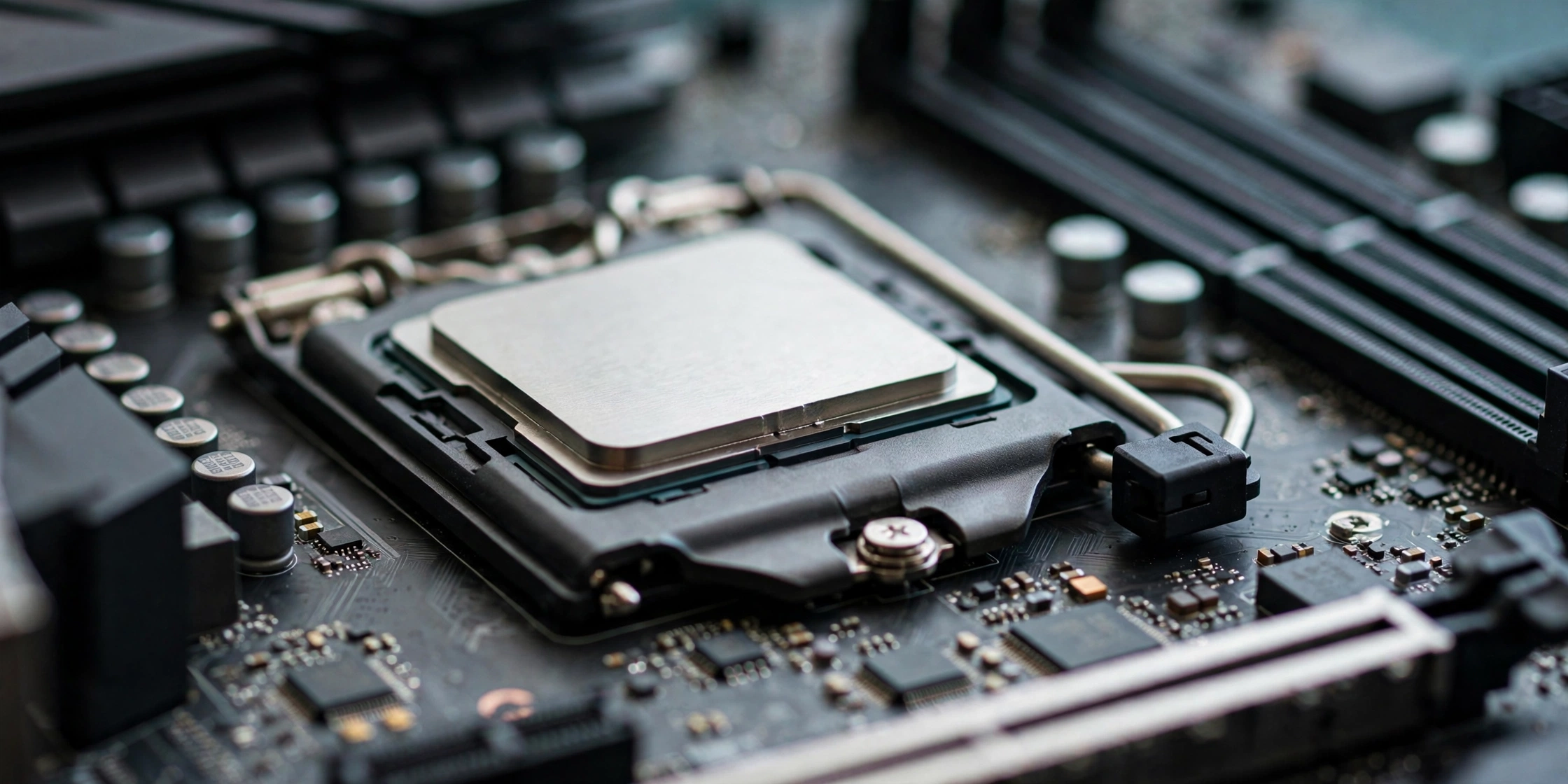
The Ryzen 7 9800X3D is an 8-core, 16-thread processor built on AMD’s Zen 5 architecture for the AM5 socket. It runs at a 4.7 GHz base clock and boosts up to 5.2 GHz, with a 120 W TDP and an unlocked multiplier for overclocking. What makes it special is 96 MB of L3 cache, stacked using AMD’s second-generation 3D V-Cache design. Unlike the first generation, the cache chiplet now sits underneath the CPU cores instead of on top of them, which improves thermals and lets the chip run at higher clocks without overheating the cache layer.
That giant cache pool changes how games feed the processor. Modern game engines constantly fetch data for physics, draw calls, and AI logic. When that data fits inside the 96 MB of L3 cache, the CPU does not have to wait on main memory nearly as often. The result is not just higher average frame rates, but noticeably better 1% lows, which is the smoothness you feel when a busy scene would otherwise cause a stutter. For GPU pairing, this means the 9800X3D can keep even the fastest graphics cards fed with frame data in the CPU-bound scenarios that choke weaker chips.
Because the CPU is so rarely the limiting factor, the usual pairing anxiety flips around. With most CPUs you worry whether the processor can keep up with your GPU. With the 9800X3D, the question becomes whether your GPU and monitor are good enough to use what the CPU can deliver. That is a much better problem to have, but it still pays to match the card to your resolution and refresh rate instead of overspending blindly.
Practical takeaway: the 9800X3D removes the CPU from the bottleneck equation in almost every scenario, so your GPU budget should follow your monitor, not your CPU.
How CPU vs GPU Bottlenecks Work With This CPU
A bottleneck is simply whichever component limits your frame rate in a given game at a given resolution. At 1080p with high settings, the GPU finishes each frame quickly, so the CPU’s ability to prepare frames becomes the limit. At 4K, each frame is so heavy for the GPU that it becomes the limit instead. The 1440p middle ground is where balance matters most.
With the 9800X3D, bottleneck numbers stay low at every resolution, so resolution is your pairing compass. If you want to test your own combination, run it through a CPU bottleneck calculator and compare against our guide on what counts as a good bottleneck percentage.
One honest caveat applies to every online calculator: they estimate based on generalized data, not your exact game library. Read our breakdown of how accurate bottleneck calculators really are before treating any number as gospel. Use them as a sanity check, then match your GPU to your resolution with the guidance below.
Practical takeaway: with the 9800X3D, bottleneck numbers stay low at every resolution, so resolution is your pairing compass.
Best GPU Picks at a Glance
Use this table to find your match, then read the section for your card for the full reasoning.
| Pick | GPU | Best for | VRAM |
|---|---|---|---|
| No-compromise flagship | NVIDIA RTX 5090 | 4K max settings and ray tracing | 32 GB GDDR7 |
| High-refresh 4K | NVIDIA RTX 5080 | 4K at high frame rates | 16 GB GDDR7 |
| Best overall | NVIDIA RTX 5070 Ti | 1440p high-refresh AAA gaming | 16 GB GDDR7 |
| Best value | AMD RX 9070 XT | 1440p raster performance per dollar | 16 GB GDDR6 |
| Budget 1440p | NVIDIA RTX 5070 | 1440p and 1080p high-refresh | 12 GB GDDR7 |
| Cheapest no-regrets | AMD RX 9070 | 1080p competitive and entry 1440p | 16 GB GDDR6 |
RTX 5090 The No-Compromise 4K Flagship
The RTX 5090 is the fastest gaming GPU money can buy. This is the card for a 4K 144 Hz monitor, heavy ray tracing, path tracing, and creative work like GPU rendering or local AI models on the side.
Pairing it with the 9800X3D is the classic dream build, and it works. The 9800X3D is the fastest gaming CPU you can buy, which makes it the natural partner if you refuse to leave any GPU performance on the table. The card draws about 575 W by itself, so budget for at least a 1000 W quality power supply with a native 12V-2×6 cable, not a bundle of adapters.
Two reality checks matter before you spend flagship money. First, the 5090 only earns its price at 4K (or very high refresh 1440p). Second, if you are buying for competitive 1080p, you are paying for headroom you will never see. The 9800X3D will not bottleneck the 5090 in any meaningful way, but your monitor might.
Practical takeaway: buy the RTX 5090 only if you play at 4K or run GPU-heavy creative workloads alongside gaming.
RTX 5080 High-Refresh 4K Sweet Spot
The RTX 5080 sits one step below the flagship with 16 GB of GDDR7 memory and the full Blackwell feature set, including DLSS 4 multi-frame generation. It is the card for gamers who want smooth 4K without the flagship tax, or very high frame rates at 1440p on a 240 Hz or 360 Hz display.
This is arguably the most balanced partner for the 9800X3D on paper. Bottleneck estimates for the pairing land in the low single digits across all three resolutions, and in real gaming the two components finish each frame in lockstep. An 850 W Gold-rated power supply is the comfortable fit here.
Practical takeaway: the RTX 5080 is the rational enthusiast pick for 4K gaming with a 9800X3D.
RTX 5070 Ti The Best Overall GPU Pairing
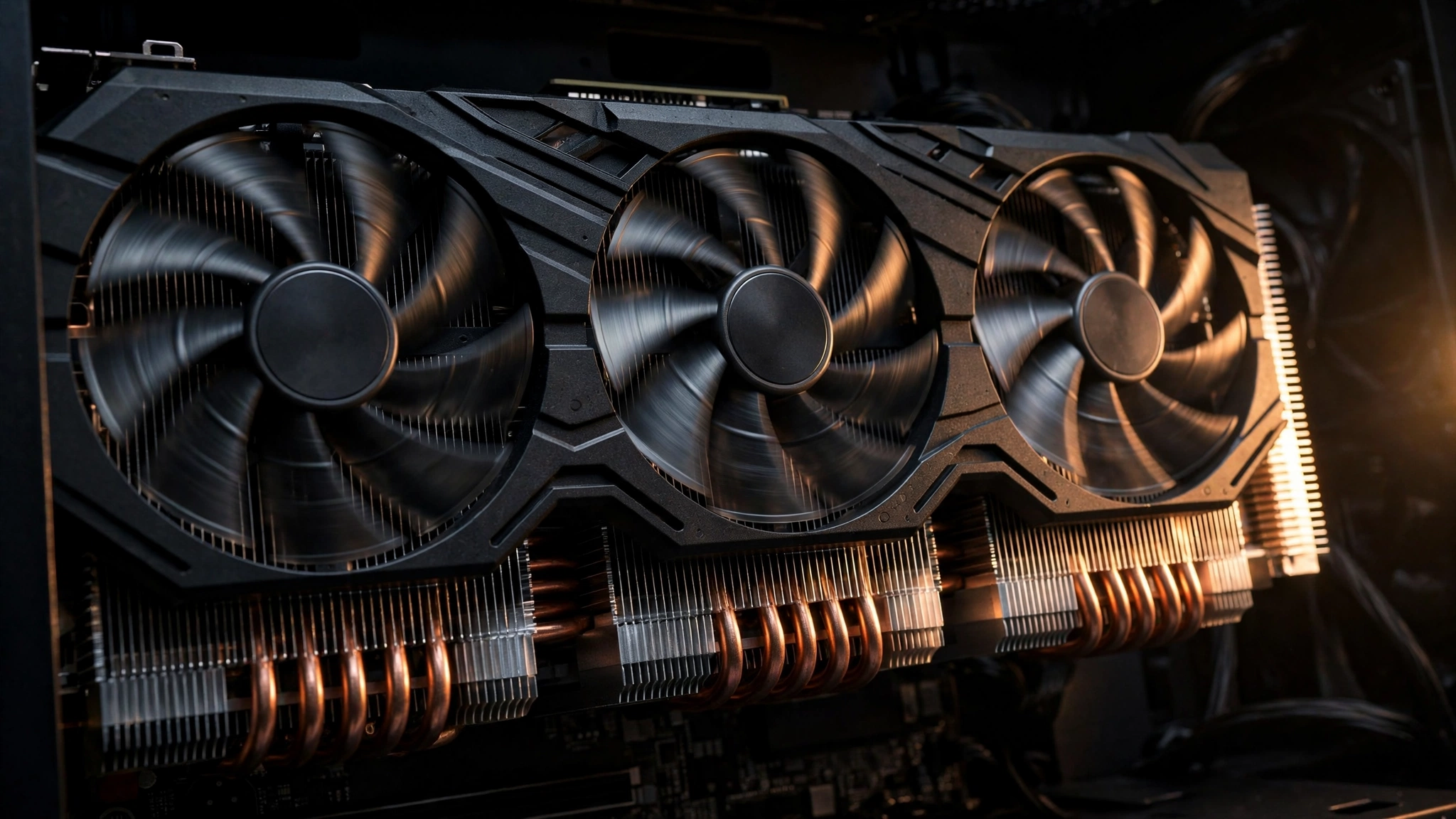
For most 9800X3D owners, the RTX 5070 Ti is the pick that makes the most sense. With 8,960 CUDA cores and 16 GB of GDDR7, it handles 1440p ultra settings at high frame rates and stays playable at 4K, especially with DLSS 4 in the mix. Sixteen gigabytes of VRAM is the new comfort zone for high-resolution textures, and this card has it.
Pair it with a quality 750 W power supply or higher, and it slots perfectly into the 1440p high-refresh builds that dominate enthusiast desks right now. This is the card to buy when you want the 9800X3D to stretch its legs without paying the 4K flagship premium.
Practical takeaway: the RTX 5070 Ti is the default answer for 1440p gaming on a 9800X3D.
RX 9070 XT The Best Value Pairing
AMD’s RX 9070 XT is the value champion of this generation. Built on RDNA 4 with 16 GB of GDDR6 memory, it trades blows with the RTX 5070 Ti in traditional rasterized games while typically costing meaningfully less.
For a 9800X3D build, the all-AMD combination has a real charm: the CPU’s huge cache smooths out frame pacing while the GPU delivers the raw raster throughput, and 16 GB of VRAM gives both cards the same memory headroom. The card’s board power sits around 304 W, so a 750 W power supply is the recommended pairing.
Pick the 9070 XT when your priority is frames per dollar and your game library leans toward standard raster rendering. Pick the 5070 Ti when ray tracing, DLSS features, or CUDA-based creator apps matter more to you. Either way, the 9800X3D feeds both cards without breaking a sweat.
Practical takeaway: the RX 9070 XT delivers nearly 5070 Ti gaming performance for less money, making it the value pick.
RTX 5070 The Smart 1440p Budget Pick
For a 9800X3D owner on a budget, the RTX 5070 is a sensible floor. It is a strong 1080p high-refresh card and a capable 1440p card, with DLSS 4 filling the gaps in demanding titles. The 12 GB of VRAM is enough for current 1440p gaming. A quality 650 W power supply handles this tier comfortably.
The honest tradeoff: you are buying a CPU that can feed far more GPU than this. If you upgrade to a 4K monitor later, the RTX 5070 becomes the limit long before the 9800X3D does. Buy it for the monitor you have today, with a planned GPU upgrade path in mind.
Practical takeaway: the RTX 5070 is the budget floor that still respects what the 9800X3D can do at 1080p and 1440p.
RX 9070 The Cheapest No-Regrets Pairing
The non-XT RX 9070 keeps the same 16 GB of GDDR6 memory as its bigger sibling with a lower board power of around 220 W, which means a 650 W power supply is plenty. It is the cheapest card in this guide that still feels like a proper partner for a 9800X3D rather than a placeholder.
This is the right choice for competitive 1080p players chasing 240 Hz and above, where the 9800X3D’s cache does the heavy lifting and the GPU just needs to keep up. It also works as an entry-level 1440p card.
Practical takeaway: the RX 9070 is the minimum sensible GPU for a 9800X3D build; anything weaker wastes the CPU.
GPU vs Resolution Where the Bottleneck Moves
Resolution decides which component works hardest, so it should decide your GPU budget.
At 1080p, the 9800X3D is often the fastest part of the system. This is where its 3D V-Cache advantage is largest. If you play competitive shooters on a 360 Hz monitor, this is your CPU’s home turf, and a midrange GPU is all you need.
At 1440p, the two components share the load. This is the resolution where pairing balance matters most. If you are buying a monitor today, 1440p high-refresh is the mainstream enthusiast choice. Read our full breakdown of the 1080p vs 1440p bottleneck tradeoff before you decide.
At 4K, the GPU is almost always the limit, and CPU differences shrink to a couple of percent. That is actually liberating: it means your GPU choice at 4K is about the frame rates you want, not about feeding the CPU. Upscaling helps enormously here, so learn the differences in our DLSS vs FSR guide and our tips on how to increase FPS to stretch any card further.
Practical takeaway: 1080p favors the CPU, 4K favors the GPU, and 1440p is where smart pairing pays off most.
RAM, Motherboard, and PSU to Feed the Pair
A great CPU and GPU still need the right supporting parts. Start with memory: 32 GB of DDR5-6000 is the sweet spot for a 9800X3D build. Our DDR4 vs DDR5 gaming performance comparison explains why DDR5 is the only sensible choice on the AM5 platform.
For the motherboard, a quality B850 board is the value pick for most builders, with X870 or X870E reserved for those who want maximum connectivity and future expansion.
The power supply deserves more respect than it usually gets. Size it to your GPU tier with headroom to spare, and buy a quality unit. Our RTX 50-series PSU guide covers the new 12V-2×6 connector standard, and our PSU tier list helps you pick a reliable model.
| GPU tier | Recommended PSU | Notes |
|---|---|---|
| RTX 5090 | 1000 W or higher | 575 W card; native 12V-2×6 cable required |
| RTX 5080 | 850 W | Standard fit in quality prebuilt pairings |
| RTX 5070 Ti / RX 9070 XT | 750 W | Sweet spot for 1440p builds |
| RTX 5070 / RX 9070 | 650 W | Plenty for the budget tier |
Practical takeaway: 32 GB of DDR5-6000, a solid B850 board, and a right-sized quality PSU complete the build.
Drivers and Windows The October 2026 NVIDIA Deadline
There is one timely housekeeping item every new 9800X3D builder should know. Starting in November 2026, new NVIDIA game optimizations, features, and performance improvements arrive only on Windows 11 drivers, with Windows 10 limited to quarterly security updates. AMD, notably, continues full Windows 10 driver support for now.
The practical meaning is simple: if you are building or upgrading a 9800X3D system this fall, install Windows 11. New game-day driver optimizations are exactly the kind of free performance that keeps a high-end pairing running at its best. Keep your chipset drivers from AMD and your GPU drivers current, since stale drivers are one of the most common causes of the stuttering people mistake for a hardware bottleneck.
Practical takeaway: build on Windows 11 and keep GPU drivers updated, because NVIDIA’s game optimizations leave Windows 10 behind in November 2026.
Common Mistakes to Avoid
- Buying a flagship GPU for a 1080p 60 Hz monitor. The 9800X3D plus an RTX 5090 at 1080p wastes most of the card. Match the GPU to the monitor.
- Cheap PSU with an expensive GPU. A 575 W RTX 5090 on a bargain power supply is how builds die. Size and quality both matter.
- Skipping the BIOS update. Older AM5 boards may need a BIOS update to recognize the 9800X3D. Check support before you assemble.
- 16 GB of RAM in a flagship build. 16 GB is the new minimum for a high-end build, not the target.
- Ignoring drivers and Windows version. Stale drivers and an abandoned OS cost you the free performance your hardware already paid for.
- Treating calculator percentages as exact science. Online bottleneck numbers are estimates. They are great for catching bad pairings, not for ranking good ones.
Frequently Asked Questions
What is the best CPU and GPU combo for gaming?
The consensus answer is the AMD Ryzen 7 9800X3D paired with the NVIDIA RTX 5090 for maximum performance, ideally at 4K. For everyone else, the 9800X3D with an RTX 5070 Ti or RX 9070 XT delivers the vast majority of the experience for far less.
5070 Ti or RX 9070 XT, which one pairs better with a Ryzen 7 9800X3D?
They are within a couple of percent in most games at 1440p, so buy on price and priorities. Choose the RX 9070 XT if frames per dollar is the goal. Choose the RTX 5070 Ti if you play ray-traced games or want DLSS and the NVIDIA feature set. The 9800X3D feeds both equally well.
Should I choose the 9800X3D over the 7800X3D given the price difference?
At 1440p and 4K with a midrange or upper-midrange GPU, the 7800X3D is the smarter buy, because the performance gap shrinks to a few percent once the GPU becomes the limit. Choose the 9800X3D if you pair it with a top-tier GPU, play competitive titles at very high refresh rates, or want the stronger platform for future GPU upgrades.
What power supply does an RTX 5090 need?
A quality 1000 W unit is the minimum sensible choice for an RTX 5090 build, with 1200 W preferred if you want headroom and quieter operation. The card alone can draw around 575 W, and it must be powered with a native 12V-2×6 cable from the PSU. With a 9800X3D drawing around 120 W on top, a 1000 W supply leaves comfortable headroom for the rest of the system.
Key Takeaways
- The Ryzen 7 9800X3D is fast enough that no current GPU is meaningfully bottlenecked by it.
- RTX 5070 Ti is the best overall pairing for 1440p; the RX 9070 XT is the best value alternative within a few percent.
- RTX 5080 is the rational 4K pick; the RTX 5090 is for no-compromise 4K and creator workloads.
- RTX 5070 and RX 9070 cover 1080p high-refresh and budget 1440p builds.
- Match your GPU to your monitor resolution: 1080p favors the CPU, 4K favors the GPU, 1440p needs the balance.
- Complete the build with 32 GB of DDR5-6000, a solid B850 motherboard, and a right-sized quality PSU (650 W to 1000 W by tier).
- Install Windows 11 and keep drivers current.
Conclusion
The Ryzen 7 9800X3D makes GPU pairing refreshingly simple. Because the CPU so rarely limits performance, you can spend your budget where it actually shows up on screen: the graphics card matched to your monitor. The RTX 5070 Ti and RX 9070 XT own the 1440p sweet spot, the RTX 5080 and RTX 5090 own 4K, and the RTX 5070 and RX 9070 keep budget builds honest. Pair any of them with fast DDR5, a quality power supply, and current drivers, and the 9800X3D will do what it was built for: getting out of the way and letting your GPU fly.

Leave a Reply