

The short answer: for most gamers in 2026, the best RAM for gaming is a 32GB kit made of two 16GB DDR5 sticks running at 6000 MT/s with CL30 timings. That combination covers modern games plus Discord, a browser, and background apps without stuttering. On a DDR4-only motherboard, 32GB (2x16GB) of DDR4-3200 CL16 is the smart pick. 16GB still works for light esports builds, but it is no longer the safe default.
Shopping for the best RAM for gaming in 2026 feels harder than it should be. The boxes throw numbers at you: 6000 MT/s, CL30, DDR5, EXPO, XMP. One friend swears 16GB is plenty, Reddit insists 32GB is the minimum, and a salesperson pushes 64GB because more must be better. Meanwhile, memory prices are climbing again, so guessing wrong costs real money.
This guide cuts through the noise with a simple decision framework. You will learn how much RAM you actually need for the way you play, which speed and latency numbers genuinely move your FPS, what DDR4 versus DDR5 means for your wallet in 2026, and the smartest time to buy. No jargon walls, no invented benchmarks, just practical advice you can use today.
Best RAM for Gaming What to Buy Tonight
If you came here for the verdict, here it is in plain language:
- New gaming PC or full platform upgrade: 32GB (2x16GB) DDR5-6000 CL30. This is the consensus pick across review outlets and builder communities in 2026. It pairs cleanly with AMD AM5 systems thanks to the 1:1 memory controller ratio (more on that below) and runs great on Intel builds too.
- DDR4 system you plan to keep: 32GB (2x16GB) DDR4-3200 CL16. Cheap, stable, and plenty for gaming on AM4 or older Intel platforms.
- Tight budget, esports-only build: 16GB (2x8GB) is the floor, not the target. Fine for Valorant, CS2, and League of Legends at 1080p, but expect to upgrade when you move to heavier games.
- Streamers, modders, and multitaskers: 32GB minimum, 64GB if you also edit video or run local AI tools.
The rest of this guide explains why, so you can adjust these picks to your exact situation.
How Much RAM Do You Need?
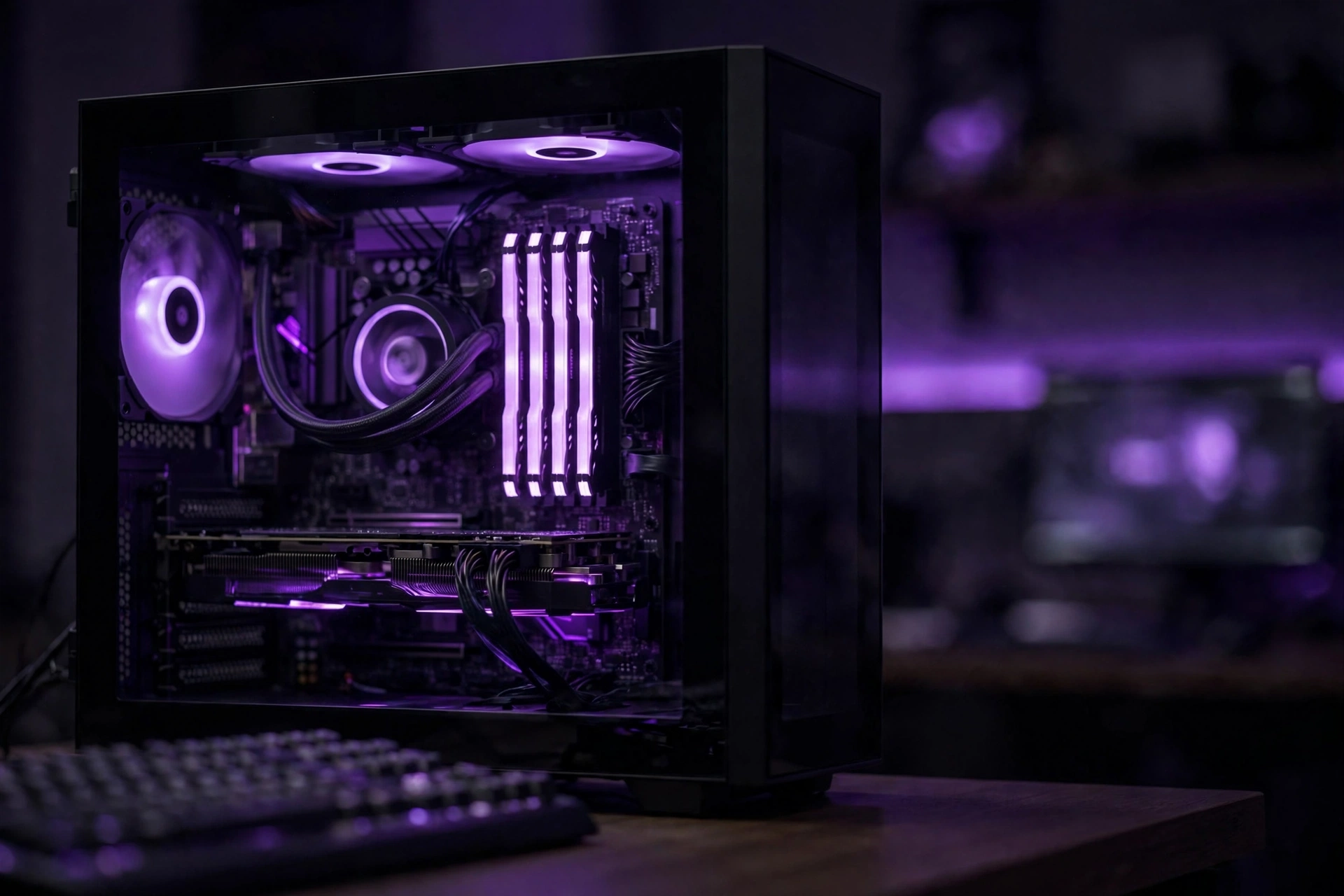
Capacity is the decision that matters most. Speed and latency are fine-tuning; capacity decides whether your games run smoothly or stutter. Use this table to find your tier.
| Your situation | Recommended RAM | Why |
|---|---|---|
| Esports and indie games at 1080p (Valorant, CS2, LoL, Minecraft) | 16GB (2x8GB) | Light games use 6 to 10GB; 16GB leaves breathing room |
| Modern AAA games at 1080p or 1440p, plus Discord and a browser | 32GB (2x16GB) | Current releases with high textures and background apps push past 16GB |
| 4K gaming with ultra textures, or gaming while streaming | 32GB (2x16GB) | Texture packs and capture software eat memory; 32GB keeps frame times stable |
| Gaming plus video editing, 3D work, or local AI models | 64GB (2x32GB) | Creative and AI workloads scale with memory far beyond what games need |
| Office PC that occasionally games | 16GB (2x8GB) | Enough for light play; save the money for a better GPU |
Notice what is missing: 8GB. In 2026, 8GB of system RAM is below the comfort line for gaming. Windows 11 plus a modern game plus a couple of background apps can chew through it, and when RAM runs out, your system starts swapping data to the SSD, which shows up as ugly stutters and long hitches. If you are still on 8GB, a capacity upgrade is usually the single cheapest meaningful improvement you can make, and we cover how to check in the upgrade section below.
One more thing the table hides: the memory generation. A DDR4 board cannot take DDR5 sticks, and a DDR5 board cannot take DDR4. The notches are physically different, so there is no way to force the wrong type in. Check your motherboard’s spec page before you buy anything.
Practical takeaway: pick your capacity from the table first, then worry about speed. Getting 32GB of slightly slower RAM beats 16GB of the fastest kit on the shelf.
What Gamers Actually Use 32GB Just Passed 16GB
Here is a trend worth knowing. Valve’s September 2026 Steam Hardware Survey recorded a milestone: 32GB is now the most common amount of system memory among participating gamers, at 42.22 percent of systems, up 4.77 points in a single month. 16GB dropped to 37.82 percent. On Windows PCs the split was 43.28 percent versus 37.60 percent. TechSpot and Hardware Busters both covered the crossover in early October.
Two honest caveats before you treat this as a buying order. First, the survey is optional and anonymous, so it describes the sample, not every gamer on Earth. Second, it reports capacity, not generation or speed: a 32GB DDR4-3200 system and a 32GB DDR5-7200 system land in the same bucket. Popularity and necessity are different questions.
Still, the direction is clear, and it matches what builders report: new gaming PCs increasingly ship with 32GB, and games keep asking for more. When the most common setup in the world’s largest PC gaming survey moves up a tier, buying 32GB today is buying with the crowd, not ahead of it.
Practical takeaway: 32GB is the new normal for gaming PCs. 16GB is now the budget tier, not the standard.
Speed vs Latency What Really Moves Your FPS
Two numbers on every RAM box confuse buyers: speed (MT/s, often mislabeled MHz) and CAS latency (CL). Here is the simple version.
Speed tells you how much data the memory can move per second. Latency tells you how long the memory takes to respond to a request. For gaming, the combination matters more than either number alone. The useful shortcut is “true latency,” measured in nanoseconds: lower is better, and you can estimate it from the two printed numbers.
The sweet spot for DDR5 gaming in 2026 sits at 6000 MT/s with CL30 timings. The math gives it a true latency of about 10 nanoseconds, and it lands in a comfortable zone for both AMD and Intel memory controllers. A DDR5-6400 CL32 kit has the same 10-nanosecond true latency with extra bandwidth on paper, but real-world gaming gains are small, often within a couple of percent, because most games at 1440p and 4K are limited by the graphics card, not the memory.
On AMD AM5 systems there is an extra wrinkle worth knowing. Ryzen’s memory controller runs happiest when the memory clock and the Infinity Fabric clock stay in a 1:1 ratio, which DDR5-6000 hits naturally. Faster kits can force the controller onto a 2:1 divider, adding latency that cancels out the extra bandwidth. Independent testing across the AM5 generation has shown DDR5-6000 CL30 trading blows with, and sometimes beating, DDR5-6400 kits that fell back to the slower ratio (GreyPC’s 2026 comparison is a good walkthrough of this).
What about DDR4? The classic sweet spot remains 3200 MT/s at CL16 (or 3600 CL16/18 on boards that handle it). Digital Foundry’s older DDR4-versus-DDR5 testing found only single-digit percentage differences in games at 1080p, and the gap shrinks further at higher resolutions where the GPU does the heavy lifting. Translation: do not expect a RAM speed upgrade alone to transform your frame rates. Capacity and dual-channel configuration (covered below) move the needle more.
One setting matters more than the kit you buy: the memory profile. Every DDR5 kit boots at the safe JEDEC speed of 4800 MT/s until you enable its EXPO profile (AMD) or XMP profile (Intel) in the BIOS. Skip this step and your expensive 6000 MT/s kit quietly runs at 4800. It takes two minutes, and it is the most common “why is my RAM slow” fix there is.
Practical takeaway: buy DDR5-6000 CL30 (or DDR4-3200 CL16 on older boards), then enable EXPO or XMP in the BIOS. Chasing faster kits buys you very little in real games.
DDR4 vs DDR5 in 2026 The Price Reality
The short version of a long debate: if you are building a new PC in 2026, buy DDR5. If you already own a good DDR4 system, keep it and just add capacity.
We ran the full DDR4-versus-DDR5 gaming comparison separately, so here is the two-minute recap: DDR5 brings higher bandwidth and better power efficiency, while mature DDR4 kits still game well, especially at 1440p and 4K where the GPU dominates. The generational gap in average FPS is small; the real reasons to choose DDR5 are platform future-proofing and the fact that every new CPU platform now requires it. Read the full breakdown in our DDR4 vs DDR5 gaming performance guide if you want the detailed charts and test notes.
The 2026 pricing reality tilts the decision. DDR5 prices have fallen a long way from the early-adopter days, and the gap between a decent DDR4 kit and a comparable DDR5 kit is much smaller than it used to be. But memory prices overall are under pressure again (more on that in the buying-timing section), so “wait for DDR5 to get cheaper” is not the slam dunk it was two years ago.
For AM4 owners, the math is especially friendly: a 32GB DDR4-3200 CL16 kit is one of the cheapest meaningful upgrades left for those platforms, and it pairs well with the best AM4 CPUs for gaming that are still worth buying in 2026. No new motherboard, no new CPU, just more headroom.
Practical takeaway: new build, DDR5. Existing DDR4 system, add DDR4 capacity and spend the savings on your GPU.
Two Sticks Beat One Dual Channel in 30 Seconds
Here is the cheapest performance in PC building: install your RAM as a matched pair instead of a single stick. Two sticks let the memory controller work in dual-channel mode, effectively doubling memory bandwidth. In CPU-bound games, that can mean noticeably better 1% low frame rates, which is the difference between smooth motion and micro-stutter.
The rules are simple. Buy a matched kit (two sticks sold together), install them in the correct slots (usually the second and fourth slots from the CPU, check your motherboard manual), and do not mix kits with different speeds or timings. Mixing can work, but the system drops to the slowest stick’s settings, and mismatched pairs cause more headaches than they solve.
We are keeping this section short because a full single-versus-dual-channel breakdown is coming as its own guide. The only thing you need to remember today: never buy one 32GB stick when you can buy two 16GB sticks.
Practical takeaway: always buy RAM in a matched pair. One stick is leaving free performance on the table.
When to Buy Prices Are Climbing Again
Memory pricing in late 2026 deserves its own section, because timing affects what you pay. The industry calls the current squeeze the “RAMpocalypse”: AI data center demand is soaking up DRAM supply, and contract prices are rising. WCCFtech reported on October 7, 2026 that Samsung’s DRAM contract prices rose roughly 20 percent in the second half of 2026, with more pressure expected. TechSpot’s coverage of the Steam survey noted the same AI-fueled price hike reaching gamers.
What does that mean for your purchase? Three practical points.
First, if you know you need more RAM, buy sooner rather than later. Waiting for a sale that may never come while prices trend upward is a losing bet. Second, do not panic-buy a kit you do not need; 64GB “just in case” is still wasted money for pure gaming, whatever the price trend. Third, watch for real sales on reputable kits from Corsair, G.Skill, Crucial, Kingston, and TEAMGROUP rather than chasing unknown brands at suspicious discounts. A cheap kit with no EXPO or XMP profile and loose timings is a bad deal at any price.
One more timing note: holiday sales can still beat the trend for specific kits, but compare against the going rate, not the inflated “was” price on the tag.
Practical takeaway: prices are rising on strong AI-driven demand. Buy the capacity you need now instead of waiting.
How to Tell If 8GB Is Holding You Back
Back to that popular Quora question: “How does having more RAM speed up computer games? Is it worth getting some extra RAM for my gaming PC (currently have 8GB)?”
More RAM does not make your GPU faster. What it does is stop your system from choking. Games constantly stream textures, models, and world data through memory. When RAM runs out, Windows starts paging: shoving data onto your SSD and dragging it back when needed. SSDs are fast, but they are nowhere near RAM speed, so paging shows up as stuttering, hitching when you turn the camera, and long loading screens. Adding RAM removes that bottleneck. Your frame rate ceiling barely moves, but your 1% lows, the worst moments, get dramatically better. That is what “smoother” actually means.
Is the upgrade worth it from 8GB? Almost always yes, if the rest of your PC is reasonable. Here is how to check in two minutes: open Task Manager (Ctrl+Shift+Esc), go to the Performance tab, click Memory, and play your game for a while. If memory usage sits above 85 to 90 percent while gaming, you are RAM-limited. For the full diagnostic walkthrough, including how stuttering differs from plain low FPS, see our RAM bottleneck deep guide, which covers the symptoms in detail. And if your frame rate is low for other reasons, our guide on why your FPS is so low will help you find the real culprit.
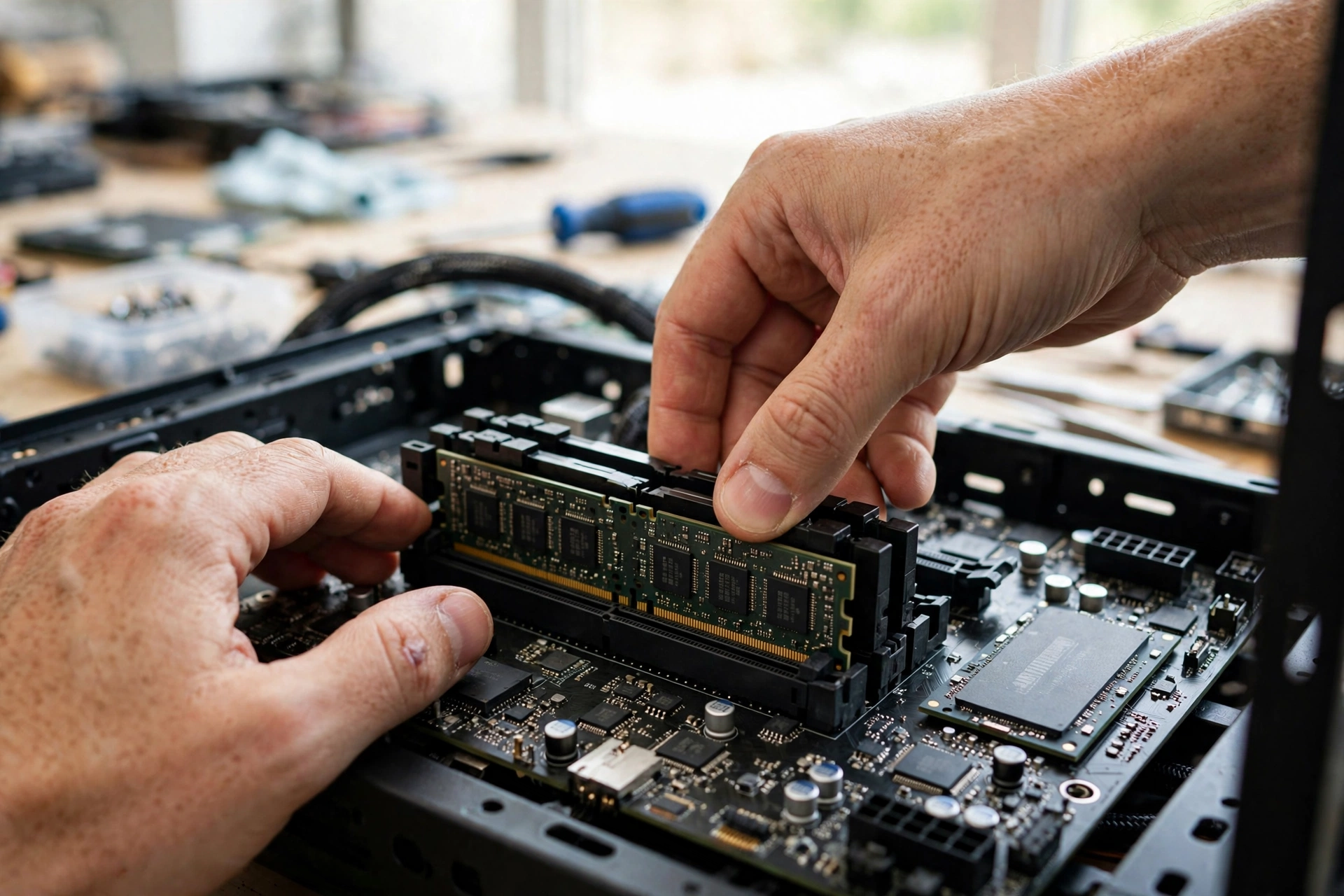
Upgrading is a ten-minute job. Buy a matched kit that matches your board’s generation (DDR4 or DDR5), power down, flip the PSU switch off, press the clips on the DIMM slots, seat the new sticks firmly until the clips click, and boot into the BIOS to enable EXPO or XMP. If you want more ways to smooth out performance after the upgrade, our guide on how to increase FPS covers the settings that pair well with fresh memory.
Practical takeaway: 8GB to 16GB or 32GB is one of the best value upgrades in PC gaming, if Task Manager shows your memory maxed out.
Can You Have Too Much RAM?
The second Quora question asks: “What is the recommended amount of RAM for gaming? Can having too much RAM affect gaming performance and optimization?”
The recommended amount is in the table above: 16GB minimum, 32GB for most gamers, 64GB for creators and heavy multitaskers.
As for “too much”: extra RAM does not slow your games down. Unused memory simply sits idle; Windows does not get confused by it, and games do not run worse because free RAM exists. The penalty for overshooting is money, not performance. A 64GB kit for pure 1080p gaming is cash that would have bought you a better GPU, a bigger SSD, or a nicer monitor.
There is one small technical footnote. Running four sticks instead of two can put more stress on the CPU’s memory controller, occasionally forcing slightly looser timings or lower stable speeds on some boards. It is not a reason to fear 64GB, but it is a reason to prefer two 32GB sticks over four 16GB sticks if you go big.
Practical takeaway: too much RAM wastes money but does not hurt performance. Buy what your use case needs, in two sticks.
Integrated Graphics Need More
The fourth Quora question is specific: “How much RAM should I have with AMD Ryzen 5 3500U CPU with integrated Vega 8 graphics for optimal gaming?”
Integrated graphics like Vega 8 have no dedicated video memory, so they borrow from your system RAM. That changes the math completely. On a 3500U laptop with 8GB total, the iGPU might reserve 2GB, leaving just 6GB for Windows and the game. That is a rough experience.
For any Ryzen APU or Intel integrated-graphics laptop used for gaming, the rules are: 16GB is the practical minimum, and it must be in dual channel. A single 8GB stick kneecaps an iGPU twice over, cutting both capacity and bandwidth. If your laptop has upgradeable slots, moving from 1x8GB to 2x8GB is the single biggest gaming improvement you can make on that machine, bigger than any settings tweak.
Two honest notes. First, many thin laptops have soldered RAM you cannot upgrade, so check your specific model’s manual before buying anything. Second, even with 16GB in dual channel, a 3500U with Vega 8 remains an entry-level gaming chip: expect smooth play in esports titles and older games at 720p to 1080p with modest settings, not miracles in modern AAA releases.
Practical takeaway: on integrated graphics, 16GB in dual channel is mandatory, and it matters more than RAM speed.
5 Mistakes That Waste Your Money
- Never enabling EXPO or XMP. Your DDR5-6000 kit runs at 4800 until you flip the switch in the BIOS. This single oversight wastes more performance than any kit choice.
- Mixing old and new sticks. Adding a random 8GB stick to your existing 16GB usually forces everything to the slowest timings, and mismatched kits are a classic source of random crashes. Sell the old kit or replace it outright.
- Buying tall RGB RAM with a big air cooler. Those gorgeous 50mm-plus heatspreaders collide with tower coolers. Measure your clearance or pick low-profile kits if you air-cool.
- Paying the RGB tax unknowingly. RGB kits typically cost 10 to 15 percent more than identical non-RGB versions. If your case has no window, that money buys you nothing.
- Buying the wrong generation. DDR5 sticks do not fit DDR4 slots, and DDR5 boards reject DDR4. Double-check your motherboard’s spec page, not your memory of what you bought three years ago.
Frequently Asked Questions
How does having more RAM speed up computer games? Is it worth getting some extra RAM for my gaming PC (currently have 8GB)?
More RAM speeds up games by preventing slowdowns, not by raising your maximum frame rate. When memory runs out, your system swaps data to the SSD, causing stuttering and hitches. Extra RAM removes that bottleneck, which smooths out the worst moments (1% lows). From 8GB, the upgrade is usually worth it: check Task Manager while gaming, and if memory stays above 85 percent, a move to 16GB or 32GB is one of the best value upgrades available.
What is the recommended amount of RAM for gaming?
16GB is the minimum for comfortable gaming in 2026, 32GB is the recommended sweet spot for most players, and 64GB suits streamers and creators. Having more RAM than you need does not hurt gaming performance; unused memory simply sits idle. The only real cost of overshooting is money better spent on a GPU or SSD.
Is 32gb RAM overkill for gaming?
No. 32GB is the practical baseline for a new gaming PC in 2026, not an excess. Modern games with high texture settings, plus Discord, a browser, and background apps, can push past 16GB. Valve’s September 2026 Steam Hardware Survey backs this up: 32GB overtook 16GB as the most common configuration among gamers.
How much RAM should I have with AMD Ryzen 5 3500U CPU with integrated Vega 8 graphics for optimal gaming?
16GB in dual channel (two 8GB sticks). Integrated graphics borrows system RAM as video memory, so 8GB total leaves too little for Windows and the game. Dual channel also doubles the memory bandwidth your Vega 8 depends on. Check that your laptop’s RAM is upgradeable first, as many thin models have soldered memory.
Why is my new DDR5 RAM running at 4800 MT/s instead of its advertised speed?
Because every DDR5 kit boots at the safe JEDEC baseline of 4800 MT/s until you load its performance profile. Restart into the BIOS, find the memory settings, and enable EXPO (AMD boards) or XMP (Intel boards). Save, reboot, and verify the speed in Task Manager or CPU-Z.
Does faster RAM improve FPS in games?
Up to a point. Going from slow JEDEC speeds to DDR5-6000 CL30 with the right profile enabled can lift 1% low frame rates noticeably in CPU-bound scenarios. Beyond that, chasing DDR5-6400 or faster buys very little in real games, especially at 1440p and 4K where the graphics card is the limit.
Key Takeaways
- 32GB (2x16GB) is the new default for gaming PCs in 2026; 16GB is now the budget tier and 8GB is below the comfort line.
- DDR5-6000 CL30 is the sweet spot for new builds; DDR4-3200 CL16 remains the smart pick for existing DDR4 systems.
- Always enable EXPO or XMP in the BIOS, or your fast kit runs at slow JEDEC speeds.
- Always buy a matched pair for dual channel; never mix random sticks.
- RAM prices are rising on AI-driven DRAM demand, so buy the capacity you need now rather than waiting.
- More RAM than you need wastes money but does not hurt performance.
Final Word
RAM is the least glamorous part of a gaming PC and one of the most punishing to get wrong. Too little and every game stutters; too much and you have burned money that belonged in your graphics card. The framework in this guide keeps you in the sweet spot: 32GB in two sticks, sensible speed, the right profile enabled, bought before prices climb further.
Once your memory is sorted, make sure the rest of the system is balanced too. Run your CPU and GPU through our free CPU bottleneck calculator to see what counts as a good bottleneck percentage for your build, and keep the whole machine tuned with our FPS guides.

Leave a Reply