

The best GPU for Ryzen 5 5600X 1440p gaming is the RTX 5070 or the RX 9070. Both sit at the top of what this six core CPU can feed at 1440p, and both stay GPU bound in most AAA games. If your budget is tighter, the RX 9060 XT 16GB or RTX 5060 Ti 16GB are the sensible floor. Do not buy above the RX 9070 XT unless you also plan a CPU upgrade, because the 5600X will leave frames on the table.
The 5600X at Every Resolution
1080p verdict: The 5600X is the limit here, not the card. At 1080p, even a mid range card finishes frames faster than six Zen 3 cores can prepare them in competitive and CPU heavy games, so a big card wastes money. Buy the RX 9060 XT 16GB or RTX 5060 Ti 16GB at most, and only if you plan to move to 1440p soon. If you stay at 1080p, a cheaper card is the smarter buy.
1440p verdict: This is the sweet spot. The card does most of the work, the 5600X keeps up, and a 12GB or 16GB card from the sweet spot tier gives you 60 to 100 plus FPS in AAA games at high to ultra settings. Buy the RTX 5070 or the RX 9070 if you can stretch to them, and buy the RX 9060 XT 16GB if you cannot.
4K verdict: The 5600X still works, but it is no longer the point. At 4K, the card is the whole bottleneck, so you need an RTX 5070 Ti or RX 9070 XT at minimum for a good experience, and you need to accept that the CPU will still cap your low FPS in CPU heavy scenes. If 4K is your main target, plan a platform upgrade after the card.
Refresh rate note: At 1440p 60Hz, the RX 9060 XT 16GB or RTX 5060 Ti 16GB are enough, and a bigger card is wasted money. At 1440p 144Hz, you want the RTX 5070 or RX 9070, because the extra GPU power is what actually holds 100 plus FPS. At 1440p 240Hz, the 5600X itself becomes the limit in most games, so buy a card from the sweet spot tier and save the rest for a CPU upgrade.
Why 1440p Changes Everything for the Ryzen 5 5600X
The Ryzen 5 5600X is a CPU that punches above its age, but only at the right resolution. At 1080p, the CPU is often the bottleneck. The card finishes each frame quickly, so the CPU has to prepare the next frame fast enough to keep up, and six Zen 3 cores can only do so much. At 1440p, each frame takes longer for the GPU to render, which gives the CPU more breathing room. The balance shifts, and the 5600X goes from being the limit to being a good partner.
This is why the same CPU can look slow at 1080p and fine at 1440p. Resolution changes the workload balance. A card that is held back by the CPU at 1080p often runs free at 1440p, because the GPU becomes the limiting factor. That is the whole point of this guide: the right card for a 5600X depends on where you play, not just on your budget.
If you want a deeper explanation of how the CPU and GPU trade off, our guide to CPU bottleneck vs GPU bottleneck breaks down the signs and the fixes.
Meet the Ryzen 5 5600X
The Ryzen 5 5600X launched in November 2020 as a Zen 3 desktop processor, and it is still a common gaming CPU in 2027 because it does the important things well. It has 6 cores and 12 threads, a 3.7GHz base clock and a 4.6GHz boost clock, and a 65W TDP. It supports DDR4 3200 memory and PCIe 4.0, and it fits AM4 boards with a BIOS update. The full spec sheet is on AMD’s Ryzen 5 5600X product page.
What matters for GPU pairing is not the headline clock speed. It is the single thread performance and the memory latency. Zen 3 fixed the cross core latency problem that held Zen 2 back, and that change alone made the 5600X a much better gaming CPU than the 3600 it replaced. In most games at 1440p, the CPU prepares frames fast enough that a mid range to upper mid range card stays the limit. That is the definition of a good pairing.
Which CPU Are We Talking About?
The 5600X, the 5600 and the 5600G are not the same chip, and the differences change which GPU you should buy. The 5600X and the 5600 are both full Zen 3 parts with 32MB of L3 cache. The 5600 is the same silicon with a slightly lower boost clock, and in gaming it performs within 2 to 3 percent of the 5600X. If you own a 5600 instead of a 5600X, this guide applies to you almost word for word.
The 5600G is a different story. It is a Zen 3 APU with 16MB of L3 cache, half the cache of the 5600X, and it only supports PCIe 3.0. That smaller cache and slower PCIe link make it noticeably weaker in CPU heavy games, and it pairs best with a cheaper card. Our guide to the best GPU for Ryzen 5 5600 covers the 5600 and 5600G pairing in detail if you own one of those chips instead.
The rule for this guide is simple: if you own a 5600X or a 5600, buy from the ladder below. If you own a 5600G, buy one tier lower than the ladder suggests, because the chip cannot feed the higher tiers properly.
The Full GPU Ladder for the Ryzen 5 5600X at 1440p
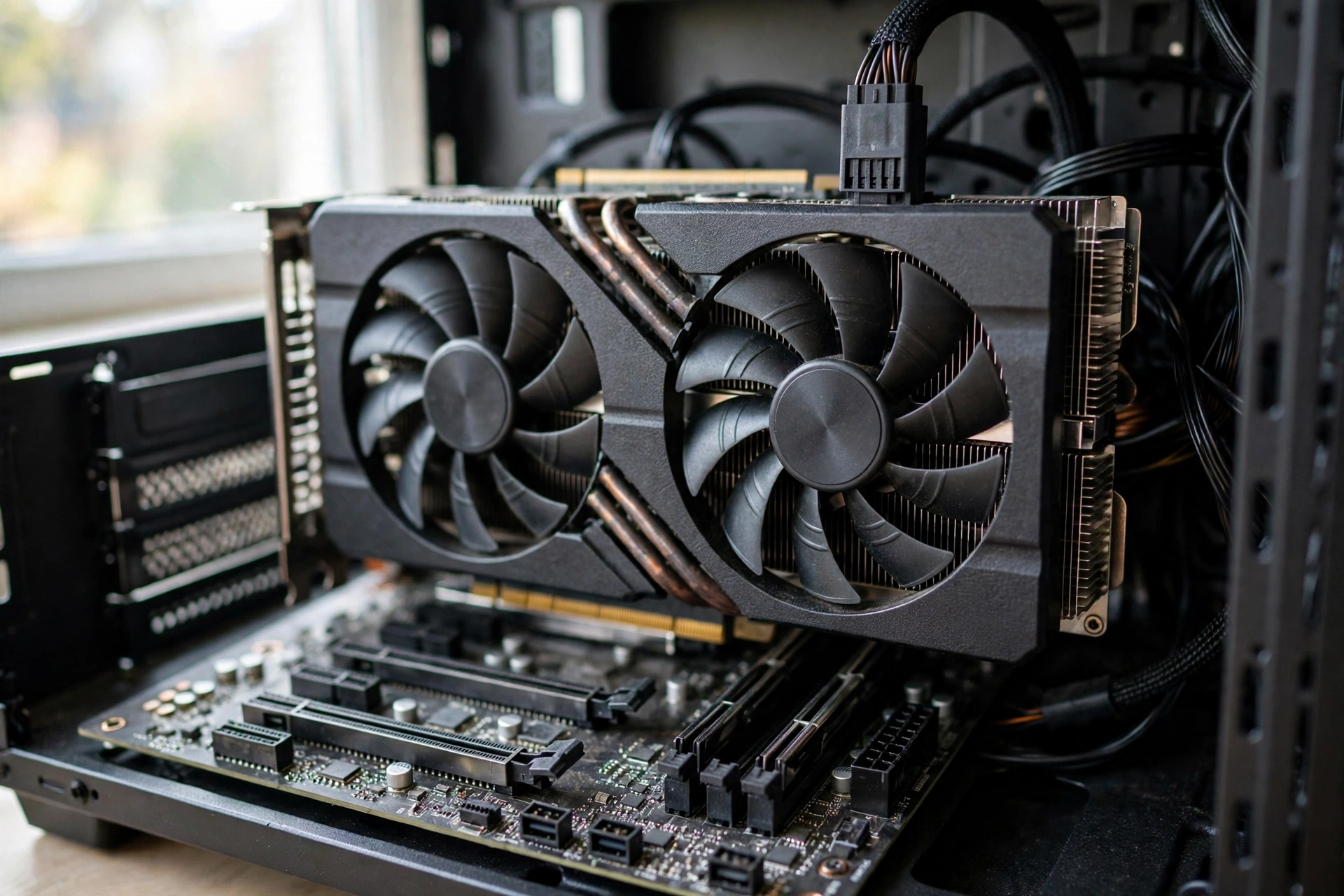
Here is the full ladder, from the cheapest card worth buying to the most you should spend on a 5600X. Board power figures are the manufacturers’ reference ratings, and they matter for PSU sizing, which we cover later.
| Tier | GPU | VRAM | Board Power | Best For | 5600X Fit at 1440p |
|---|---|---|---|---|---|
| Floor | RX 9060 XT 16GB | 16GB GDDR6 | 182W | 1440p 60Hz, esports at 144Hz | Excellent: CPU keeps up easily |
| Floor | RTX 5060 Ti 16GB | 16GB GDDR7 | 180W | 1440p 60Hz with DLSS 4 | Excellent: CPU keeps up easily |
| Sweet Spot | RX 9070 | 16GB GDDR6 | 220W | 1440p 100 plus FPS at high settings | Great: mild CPU limit in competitive games only |
| Sweet Spot | RTX 5070 | 12GB GDDR7 | 250W | 1440p 100 plus FPS with DLSS 4 | Great: mild CPU limit in competitive games only |
| Ceiling | RX 9070 XT | 16GB GDDR6 | 304W | 1440p 144Hz in AAA games | Good: CPU caps low FPS in CPU heavy scenes |
| Ceiling | RTX 5070 Ti | 16GB GDDR7 | 300W | 1440p 144Hz and light 4K | Good: CPU caps low FPS in CPU heavy scenes |
| Too Much | RTX 5080 | 16GB GDDR7 | 360W | 4K gaming, not 1440p on a 5600X | Poor: CPU leaves 20 to 30 percent unused |
| Too Much | RX 9070 GRE | 12GB GDDR6 | 220W | Avoid: 12GB in a 16GB tier | Poor: weak value, buy the RX 9070 instead |
RX 9060 XT 16GB and RTX 5060 Ti 16GB
The floor of this ladder is higher than most people expect, because 1440p needs more VRAM and more shader power than 1080p. Both budget cards here carry 16GB of VRAM, and that is the real reason they work at 1440p. An 8GB card at 1440p in 2027 will stutter in AAA games when texture quality goes above medium, no matter how fast the GPU core is.
The RX 9060 XT 16GB is the value pick. It costs less than the RTX 5060 Ti 16GB, it has the same 16GB of VRAM, and at 1440p it trades blows with the NVIDIA card in rasterized games. Where it loses is ray tracing and upscaling. FSR 4 is good, but DLSS 4 with multi frame generation is still ahead, and in ray traced games the RTX 5060 Ti pulls ahead by a clear margin.
The RTX 5060 Ti 16GB is the pick if you play ray traced games or you want the best upscaling. DLSS 4 multi frame generation can turn a 60 FPS game into a 120 FPS game on a 144Hz monitor, and that changes how a 1440p experience feels. You pay more for that, and in pure raster performance the two cards are close, so choose based on the games you actually play.
If you are unsure whether 8GB is still enough in 2027, our guide on is 8GB VRAM enough walks through the VRAM requirements of current AAA games at each resolution.
RTX 5070 and RX 9070
This is where most 5600X owners should land. Both cards give you 100 plus FPS at 1440p in AAA games at high settings, and both stay GPU bound, which is what you want. The CPU prepares frames fast enough that the card is the limit, and that means every dollar you spent on the card turns into FPS you can see.
The RTX 5070 is built on NVIDIA’s Blackwell architecture with 6,144 CUDA cores, 12GB of GDDR7 memory on a 192-bit bus, and a 250W board power rating. The 12GB of VRAM is the one weakness. At 1440p it is fine today, and it will stay fine for most games through 2027, but if you keep a card for four or five years, 12GB will become tight before 16GB does. The full RTX 5070 family specs are on NVIDIA’s RTX 5070 family page.
The RX 9070 is the AMD answer, with 16GB of GDDR6 memory, a 220W board power rating, and stronger raster performance per dollar in most games. In pure frame rate at 1440p, the RX 9070 often beats the RTX 5070, especially in games that do not use ray tracing. Where it loses is ray tracing and upscaling, where DLSS 4 still leads FSR 4. If you play mostly rasterized AAA games and you want the most VRAM for the money, the RX 9070 is the better buy.
Our head to head of the RX 9070 vs RTX 5070 performance and price covers the FPS differences game by game, so you can check the titles you actually play before you decide.
RX 9070 XT and RTX 5070 Ti
This is the most you should spend on a 5600X at 1440p. Both cards deliver 144Hz capable performance in AAA games, and both are held back slightly by the CPU in CPU heavy scenes. You will see high average FPS, but your 1 percent lows will be capped by the 5600X in games like open world titles and large scale multiplayer. That is the tradeoff of the ceiling tier: you get the top end of what the CPU can use, and nothing more.
The RX 9070 XT is the value pick in this tier, with 16GB of GDDR6 and a 304W board power rating. TechPowerUp’s review of the PowerColor RX 9070 XT Reva Hellhound shows it trading blows with the RTX 5070 Ti in raster performance at a lower price. If you want the most raw FPS per dollar at 1440p, this is the card.
The RTX 5070 Ti is the pick if you want DLSS 4, better ray tracing, and a card that also works well at 4K. It has 16GB of GDDR7, a 300W board power rating, and it is the only card in this tier that makes sense if you plan to move to 4K later. You pay a premium for the NVIDIA feature set, and in pure raster games the RX 9070 XT is close enough that the choice comes down to features, not FPS.
Takeaway: the ceiling tier is where most 5600X owners should stop. Buy the RX 9070 XT for value, or the RTX 5070 Ti for features, and save the rest of your money for a CPU upgrade later.
Too Much Card RTX 5080 and Above
Above the ceiling tier, the 5600X becomes the bottleneck. An RTX 5080 on a 5600X at 1440p will leave 20 to 30 percent of its performance unused in most games, because the CPU cannot prepare frames fast enough to keep the GPU busy. You paid for a card that your CPU cannot feed. The only exception is 4K, where the GPU becomes the limit again, but if you are gaming at 4K, you should be planning a CPU upgrade anyway.
The RX 9070 GRE is a different kind of mistake. It is a cut down card with 12GB of VRAM in a tier where 16GB is the standard, and it costs close enough to the RX 9070 that there is no reason to buy it. Skip it and buy the full RX 9070 instead.
If you already own a card above the ceiling tier, do not panic. The card still works, and at 1440p you will get good FPS. The waste is only in the money you spent on performance you cannot use. A CPU upgrade to a Ryzen 7 5700X3D or a move to AM5 will unlock the rest of the card, and that upgrade is cheaper than buying a new GPU.
Before you spend money on a bigger card, check whether your CPU or GPU is actually the limit. Our guide on should you upgrade CPU or GPU first shows you how to measure it in five minutes.
Expected FPS at 1440p With a Ryzen 5 5600X
These are estimates based on published benchmarks from Tom’s Hardware, Hardware Unboxed, and TechSpot, adjusted for the 5600X at 1440p. Your results will vary with settings, drivers, and the specific game build.
| Game | 1080p Ultra (Est.) | 1440p Ultra (Est.) | 4K Ultra (Est.) |
|---|---|---|---|
| Cyberpunk 2077 (RT Overdrive off) | 110 to 130 FPS | 75 to 90 FPS | 40 to 50 FPS |
| Baldur’s Gate 3 | 120 to 140 FPS | 85 to 100 FPS | 50 to 60 FPS |
| Call of Duty: Black Ops 6 | 140 to 160 FPS | 100 to 120 FPS | 60 to 70 FPS |
| Elden Ring | 60 FPS (capped) | 60 FPS (capped) | 60 FPS (capped) |
| Fortnite (Performance Mode) | 200 plus FPS | 160 to 180 FPS | 100 to 120 FPS |
| Red Dead Redemption 2 | 100 to 120 FPS | 70 to 85 FPS | 40 to 50 FPS |
| Counter-Strike 2 | 250 to 300 FPS | 200 to 240 FPS | 120 to 140 FPS |
| Starfield | 70 to 85 FPS | 50 to 65 FPS | 30 to 40 FPS |
| Hogwarts Legacy | 110 to 130 FPS | 75 to 90 FPS | 45 to 55 FPS |
| Valorant | 400 plus FPS | 350 plus FPS | 250 plus FPS |
These numbers are for the RTX 5070 or RX 9070 tier. A budget tier card will be 20 to 30 percent slower in AAA games, and a ceiling tier card will be 10 to 15 percent faster, except where the CPU caps the frame rate.
1440p 60Hz vs 1440p 144Hz Two Different Answers
Your monitor changes the answer more than your budget does. At 1440p 60Hz, the card only needs to hit 60 FPS, and the RX 9060 XT 16GB or RTX 5060 Ti 16GB do that easily in AAA games at high settings. A bigger card is wasted money, because the monitor cannot show the extra frames.
At 1440p 144Hz, the card needs to hit 100 plus FPS to make the high refresh rate worth it, and that is where the RTX 5070 or RX 9070 earn their price. The jump from 60Hz to 144Hz is the biggest upgrade in feel you can buy, and it is worth spending more on the card to get there.
At 1440p 240Hz, the 5600X itself becomes the limit. Even a ceiling tier card cannot push 240 FPS in AAA games on six Zen 3 cores, and in competitive games the CPU caps the frame rate before the card does. If you own a 240Hz monitor, buy a sweet spot tier card and put the money you saved toward a CPU upgrade.
If you want to understand how resolution and refresh rate interact with bottlenecks, our comparison of 1080p vs 1440p monitor bottleneck impact breaks down the numbers. And if you are chasing high refresh rates, our guide to what CPU you need for 240Hz explains why the CPU matters more than the card at very high frame rates.
GPU Performance Limits VRAM PSU & PCIe
Three practical issues catch 5600X owners more than raw FPS does. Get these right and the rest of the build falls into place.
VRAM: 12GB vs 16GB at 1440p
At 1440p, 12GB is enough today, and 16GB is the safer buy for a card you keep four years. The RTX 5070’s 12GB will run every current AAA game at 1440p high to ultra without VRAM stutter, but texture packs and future games will push it first. The RX 9070’s 16GB gives you headroom. If you upgrade your GPU every two to three years, 12GB is fine. If you keep a card for five years, buy 16GB.
PSU Sizing for Each Tier
Board power is not total system power. Add the CPU, motherboard, RAM, storage and fans, and you need a PSU with headroom above the sum. A 550W PSU is the minimum for the budget tier, a 650W PSU for the sweet spot tier, and a 750W PSU for the ceiling tier. If your PSU is older than five years, replace it with the card. A failing PSU causes crashes that look like a GPU problem.
PCIe 4.0 vs PCIe 3.0, and x8 Cards
The 5600X supports PCIe 4.0, and most AM4 boards with a B550 or X570 chipset give you a PCIe 4.0 x16 slot. That matters for cards that use an x8 link, like the RX 9060 XT and RTX 5060 Ti. On PCIe 4.0 x8, those cards lose almost nothing. On PCIe 3.0 x8, which is what you get on a B450 board or with a 5600G, they lose a few percent in some games. If you own a B450 board, the sweet spot tier cards with a full x16 link are the safer buy.
Buying in November 2026
Prices in November 2026 are still above launch for most cards, and the gap varies by model. A market price tracker check on November 7, 2026 found the median graphics card selling about 73 percent above its launch price on Amazon. That number is a median across many models, and it hides big differences. Some cards are close to launch price, and some are far above it.
The best value right now is in the budget tier. The RX 9060 XT 16GB and RTX 5060 Ti 16GB are the closest to their launch prices, and they are the cards most people should buy. The sweet spot tier is the next best value, with the RX 9070 usually cheaper than the RTX 5070 for similar performance. The ceiling tier carries the biggest premium, so only buy there if you need 144Hz in AAA games today.
Used cards are worth a look if your budget is tight. A used RX 6800 XT or RTX 3080 can be a good 1440p card, but check the VRAM, check the cooler, and test it before you pay. Our used GPU buying guide covers the tests to run and the red flags to watch for.
Better Alternative Combo
If you are building from scratch, or if you are willing to upgrade the CPU as well as the GPU, there is a better combo than a 5600X with a ceiling tier card. A Ryzen 7 5700X3D with an RX 9070 XT costs about the same as a 5600X with an RTX 5080, and it is faster in most games at 1440p because the CPU no longer caps the frame rate. The 5700X3D drops into the same AM4 board with a BIOS update, so it is a cheap upgrade if you already own the board.
If you are willing to move to AM5, a Ryzen 5 7600X or 9600X with an RX 9070 is a better long term platform, but it costs more because you need new RAM and a new motherboard. For most 5600X owners, the smart move is a sweet spot tier card now and a 5700X3D later, when prices drop.
Common Mistakes to Avoid
Buying a card that is too big for the CPU is the first mistake. An RTX 5080 on a 5600X at 1440p wastes money, and the money is better spent on a CPU upgrade or a better monitor. Buying an 8GB card for 1440p in 2027 is the second mistake. It will stutter in AAA games, and no amount of settings tweaking fixes a VRAM limit. Buying a cheap PSU with a new card is the third mistake. A bad PSU can kill a new card, and it is the cheapest part to get right.
Forgetting to check your case size is the fourth mistake. Ceiling tier cards are long, often over 300mm, and they do not fit in every case. Measure your case before you order. Forgetting to update your BIOS before a CPU upgrade is the fifth mistake. A 5700X3D will not boot on an old BIOS, and the fix is a BIOS update before you swap the chip.
If your FPS is lower than expected after the upgrade, check the basics first. Our guide on why is my FPS so low walks through the common causes, from a monitor plugged into the motherboard to a driver that did not install properly.
Frequently Asked Questions
What is the best GPU for a 5600X?
For 1440p, the best GPU for a 5600X is the RTX 5070 or the RX 9070. Both are at the top of what the CPU can feed, and both give you 100 plus FPS at 1440p in AAA games. For 1080p, buy the RX 9060 XT 16GB or RTX 5060 Ti 16GB at most, because the CPU becomes the limit before the card does.
Can a Ryzen 5 5600X handle an RTX 5070?
Yes. At 1440p, the 5600X handles an RTX 5070 well, and the card is the limit in most AAA games. In competitive games at 1080p, the CPU will cap your frame rate, but at 1440p that problem mostly goes away. The 5070 is the sweet spot card for this CPU, not a card that is too big for it.
Is the 5600X enough for 1440p gaming in 2027?
Yes, for 60Hz and 144Hz gaming at 1440p. The 5600X is enough for 1440p in 2027 when it is paired with a card from the sweet spot tier or below. It is not enough for 240Hz gaming, or for 4K at high refresh rates, where the CPU becomes the limit.
How much VRAM do I need for 1440p?
12GB is the minimum for 1440p in 2027, and 16GB is the safer buy if you keep a card for four or five years. An 8GB card will stutter in AAA games at 1440p when texture quality goes above medium.
Should I upgrade my 5600X or my GPU first?
If you game at 1440p, upgrade the GPU first, because the GPU is the limit at that resolution. If you game at 1080p or at very high refresh rates, upgrade the CPU first, because the CPU is the limit there. A 5700X3D is the cheapest meaningful CPU upgrade on AM4.
What PSU do I need for an RTX 5070 with a 5600X?
A good quality 650W PSU is enough for an RTX 5070 with a 5600X. The card draws 250W, the CPU draws 65W, and the rest of the system draws about 100W, so 650W gives you comfortable headroom. If you buy a ceiling tier card, step up to 750W.
Key Takeaways
- The best GPU for Ryzen 5 5600X 1440p gaming is the RTX 5070 or the RX 9070.
- At 1440p, the 5600X keeps up with cards up to the ceiling tier. At 1080p, it becomes the limit.
- Buy 16GB of VRAM if you keep a card for four or five years. 12GB is fine if you upgrade more often.
- Do not buy above the RX 9070 XT or RTX 5070 Ti unless you also plan a CPU upgrade.
- At 1440p 60Hz, the budget tier is enough. At 1440p 144Hz, buy from the sweet spot tier.
- A 650W PSU is enough for the sweet spot tier. Step up to 750W for the ceiling tier.
Conclusion
The Ryzen 5 5600X is still a good gaming CPU at 1440p in 2027, and it deserves a good card, not a great one and not a weak one. Buy the RTX 5070 or the RX 9070 if you can stretch to them, and buy the RX 9060 XT 16GB or RTX 5060 Ti 16GB if you cannot. Skip the ceiling tier unless you need 144Hz in AAA games today, and skip anything above it unless you also plan a CPU upgrade. For a broader look at high end pairings, our guide to the best graphics card for 4K gaming covers the cards that make sense when you do upgrade the platform.

Leave a Reply