

Quick answer: What CPU do you need for 240Hz? A modern 6-core CPU with strong single-thread speed, like a Ryzen 5 7600X or Core i5-14600K, reaches 240 FPS in most esports games at 1080p. For demanding titles and 1440p, a Ryzen 7 7800X3D or 9800X3D gives smoother frame times. Fast dual-channel RAM matters just as much.
You just ordered a 240Hz monitor, or you are eyeing one, and one question decides whether the money was well spent: what cpu do you need for 240hz gaming so your PC actually delivers 240 frames every second? Most gamers point at the graphics card first. That instinct is wrong at high refresh rates. Once your monitor can show 240 frames per second, the processor becomes the part of your PC most likely to hold you back, and it happens long before the GPU runs out of power in most titles.
This guide flips the usual advice around. You will learn why 240Hz is mostly a CPU problem, which processor specs actually move the needle at 240 FPS (and which are marketing noise), the best CPU picks by budget tier and by game type, why 1080p is harder on your CPU than 1440p, how RAM speed and dual-channel memory affect your frame rate, and how to verify your pairing with the bottleneck calculator before you spend a dollar.
Why 240Hz Is a CPU Problem
Every frame your game shows has to be prepared by the CPU before the GPU can draw it. The CPU handles game logic, physics, AI, netcode, and the draw calls that tell the GPU what to render. At 60Hz, your processor has 16.7 milliseconds to do that work for each frame. At 240Hz, it gets 4.16 milliseconds. That is the whole story in one number: 1000 divided by 240 equals 4.16 ms per frame, and your CPU has to finish its work inside that window every single time or the frame arrives late.
Here is how the frame-time budget shrinks as refresh rate climbs:
| Refresh rate | Time per frame | What it means for your CPU |
|---|---|---|
| 144Hz | 6.94 ms | Comfortable for most mid-range modern CPUs |
| 165Hz | 6.06 ms | Still manageable with a decent gaming chip |
| 240Hz | 4.16 ms | Demands a strong, fast CPU; weaker chips stall here |
| 360Hz | 2.78 ms | Only top-tier CPUs hold this consistently |
In competitive titles at 1080p, the GPU finishes its drawing work quickly because the resolution is low and settings are usually turned down. Then it sits idle, waiting on the CPU to hand it the next frame. That is a CPU bottleneck in action, and at 240Hz it shows up with far less powerful graphics cards than you would expect. A September 2026 analysis of competitive gaming hardware found that for most esports titles targeting 240 to 360 Hz, strong single-core CPU performance matters as much as, or more than, the fastest GPU (etruesports.com). Their testing reported that moving from a midrange CPU to a high-IPC model cut average input latency by 5 to 12 ms in 1080p high-refresh tests.
Practical takeaway: Before you budget for a bigger graphics card, make sure your CPU can actually feed it 240 frames per second. The monitor only helps if the PC can keep up.
What CPU Specs Actually Matter at 240 FPS
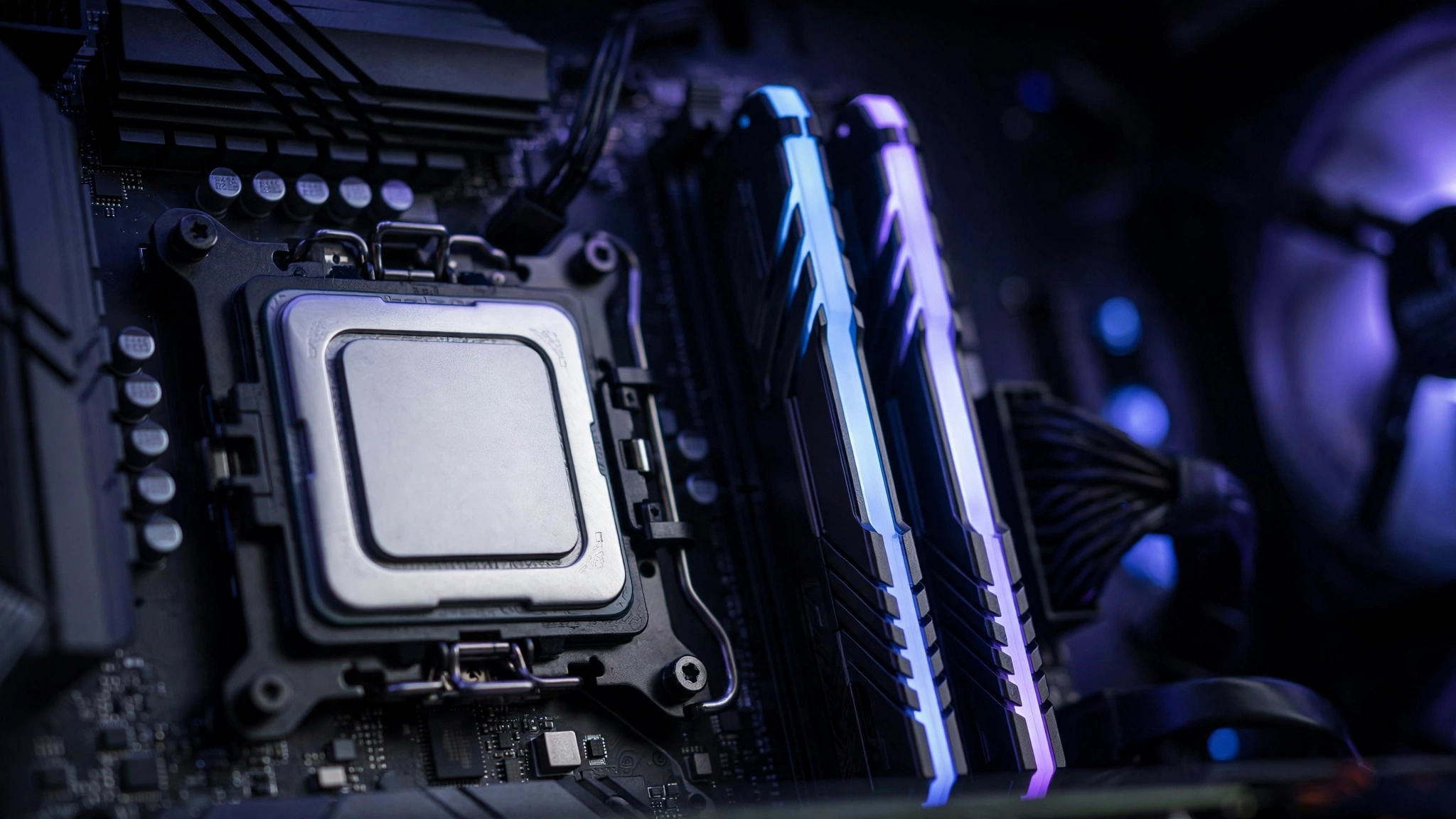
Shopping for a CPU by core count alone is the most common mistake high-refresh buyers make. Here is what actually moves your frame rate at 240Hz, in order of importance.
Single-thread performance comes first
Most games still do their most time-sensitive work on one or two threads: the main game loop, draw-call submission, and parts of the physics and netcode. The speed of a single core, which comes from a combination of clock speed and IPC (instructions per clock, or how much work a core does per cycle), decides how fast frames get prepared. A newer 6-core CPU with high IPC beats an older 8-core chip at 240Hz almost every time, because those extra older cores cannot help the single thread that is running behind.
Cache size is the hidden stat: the 3D V-Cache advantage
Large on-chip caches let the CPU keep game data close instead of waiting on RAM. AMD’s 3D V-Cache chips (the X3D models like the Ryzen 7 7800X3D and 9800X3D) stack extra cache on the processor, and in CPU-bound gaming scenarios they consistently deliver the best frame times of any consumer CPUs. That is why esports builders recommend them so often. You can read AMD’s official Ryzen lineup details on amd.com.
Core count: useful, but overrated for this job
Six fast cores are plenty for 240Hz gaming in most titles. Eight cores help if you stream, record, or run heavy background apps while you play. Beyond eight cores, you are paying for productivity workloads, not for extra frames. An i9-class chip will not meaningfully out-game a fast 8-core X3D chip in titles like Valorant or CS2, because the games cannot use the extra cores for the work that matters.
Platform and RAM support shape the ceiling
Your CPU choice locks you into a motherboard platform and a memory generation. For a new 240Hz build in 2026, DDR5 platforms (AM5 for Ryzen 7000/9000, LGA 1851 or LGA 1700 for recent Intel) are the sensible pick because fast DDR5 is where the speed gains live now. Older DDR4 platforms like AM4 can still hit 240 FPS in esports titles with a 5800X3D or 5600X3D, which makes them a smart budget upgrade path if you already own the board.
Practical takeaway: Rank CPUs for 240Hz by single-thread speed first, cache second, and core count third. Six strong cores beat eight weak ones.
Best CPUs for 240Hz by Budget Tier
The table below groups current-generation CPUs by what they can realistically do at 240Hz. Exact frame rates depend on the game, settings, resolution, and RAM, so treat these as honest tiers rather than promises of specific numbers.
| Tier | Example CPUs | Best for | Watch out for |
|---|---|---|---|
| Budget 240Hz entry | Ryzen 5 5600 or 5600X3D, Core i5-12400F | 1080p esports on competitive (low) settings | 1% lows suffer most here; pair with fast dual-channel RAM |
| Mid-range sweet spot | Ryzen 5 7600X or 9600X, Core i5-14600K | 1080p 240Hz in most esports titles, lighter 1440p | Best balance of single-thread speed and price for high refresh |
| High-end smooth | Ryzen 7 7800X3D or 9800X3D, Core i7-14700K | 1440p 240Hz, the hardest esports titles, gaming plus streaming | X3D chips lead on frame-time consistency in CPU-bound games |
| Extreme / future-proof | Ryzen 9 9950X3D, Core i9-14900K, Core Ultra 9 285K | 240 to 360Hz esports with heavy multitasking | Diminishing returns for gaming alone; you pay for cores, not Hz |
A quick timing note for buyers: CPU street prices have been climbing this year, with Intel desktop chips reportedly up around 30% cumulatively and graphics cards up roughly 66% over the last 12 months in current market tracking. If your budget is tight, that makes the mid-range sweet spot tier even more attractive, because the step up to flagship chips now costs more than it used to for gains you may never see on a 240Hz panel.
The September 2026 Steam Hardware Survey adds useful context for what real gamers actually run: octa-core CPUs have now crossed 30% of surveyed systems, AMD sits at 48.4% of CPU share against Intel’s 51.6%, and the GeForce RTX 5070 is the single most common GPU at 6.2% of Windows systems (Digital Foundry). If you own a mid-range 8-core chip and an RTX 5070-class card, you are squarely in the mainstream, and 240Hz at 1080p is a realistic target with the right CPU.
Practical takeaway: For most buyers, the mid-range tier is the smart buy. Go high-end only if you play the most CPU-demanding titles or stream while you compete.
240Hz CPU Picks by Game Type
Not every game stresses the CPU the same way. Match your processor to what you actually play.
Esports shooters: Valorant, CS2, Apex Legends
These are the classic 240Hz games, and they are the most CPU-bound of all. CS2 in particular leans heavily on CPU single-thread performance and fast memory, because its Source 2 engine calculates effects like volumetric smoke per frame while staying light on the GPU side. Pro players have even settled on 360Hz as the competitive sweet spot for CS2 in 2026 (tech-insider.org), which pushes the CPU requirement further. For this category, a Ryzen 7 7800X3D or 9800X3D is the safest pick, with a 7600X or 14600K as the value alternative. Run competitive (low) settings so the GPU never becomes the limit.
Battle royale and large-scale multiplayer: Fortnite, Warzone, PUBG
Big player counts, large maps, and constant streaming of world data punish weaker CPUs with stutters and frame drops, especially in chaotic endgame moments. Single-thread speed still matters most, but cache size and RAM speed matter more here than in arena shooters. A 6-core X3D chip or a Core i7-class processor handles these games at 240Hz far more smoothly than a budget 6-core. Fast dual-channel DDR5 (6000 MT/s class) is close to mandatory in this category.
AAA and story-driven games at high settings
Here the honest answer is different: most AAA titles will not reach 240 FPS on any consumer CPU at high settings, because the games are built around 60 to 120 FPS experiences with heavy GPU workloads. If you play story games on a 240Hz monitor, buy the best CPU you can justify, but set your expectations by the game, not the panel. This is also where the GPU takes the lead again (more on that below).
Practical takeaway: Esports shooters reward single-thread speed and cache above all. Battle royales add RAM speed to that list. AAA titles are a different sport entirely.
Why 1080p 240Hz Is More CPU-Limited Than 1440p
This confuses a lot of builders, because a higher resolution sounds like it should be harder on everything. The resolution mostly loads the GPU. At 1080p, the GPU renders each frame quickly, so it keeps asking the CPU for the next frame sooner. The CPU becomes the limiting factor earlier. At 1440p, each frame takes the GPU longer to draw, which gives the CPU more breathing room per frame and shifts the bottleneck toward the graphics card.
That is exactly why 240Hz at 1080p is the most CPU-demanding common setup in PC gaming. You are asking the processor for the maximum number of frames (240 per second) while giving the GPU the easiest possible job. Any weakness in single-thread performance, cache, or RAM speed shows up immediately as lower average FPS and worse 1% lows. Step up to 1440p 240Hz and the same CPU suddenly looks stronger, because the GPU now shares more of the load.
Our full breakdown of this resolution effect lives in the 1080p vs 1440p monitor bottleneck impact guide, which compares bottlenecks across resolutions and game types and covers the common mistakes builders make when switching monitors.
Practical takeaway: If you play at 1080p 240Hz, your CPU choice matters more than it would for the same games at 1440p. Budget accordingly.
Why Smoothness Beats Big Numbers
At 240Hz, the average frame rate is only half the story. What you feel is frame-time consistency: whether every frame arrives on time. The 1% low is the average frame rate of the slowest 1% of frames, and it tells you how bad the worst moments get. A system that averages 240 FPS but drops to 150 FPS in fights feels choppier than one that holds a steady 220 FPS.
High-refresh competitive play is won and lost in those worst moments. A sudden frame-time spike during a gunfight is worse than a slightly lower but rock-steady frame rate, because your aim and timing depend on consistent feedback. This is why X3D CPUs get recommended so often for 240Hz: their extra cache does not always raise the average FPS dramatically, but it smooths out the dips that ruin firefights. When you compare CPUs for high-refresh gaming, look at 1% low benchmarks from reviewers like Tom’s Hardware (tomshardware.com) rather than average-FPS charts alone.
Practical takeaway: Shop for frame-time consistency (1% lows), not just the biggest average FPS number. Smooth 220 beats spiky 240.
The RAM Factor
RAM is the most underrated 240Hz upgrade, and the cheapest to get wrong.
Dual channel is non-negotiable. A single stick of RAM cuts your memory bandwidth roughly in half, and at 240 FPS that bandwidth feeds the CPU constantly. Always run two sticks (2x8GB or 2x16GB), never one. This is the single most common budget-build mistake in high-refresh setups.
Speed matters more here than at 60Hz. Faster RAM (higher MT/s) and tighter timings reduce the latency of every trip the CPU makes to memory, and at 240 FPS the CPU makes those trips constantly. For DDR5 platforms, 6000 MT/s is the widely recommended sweet spot for Ryzen builds; for DDR4 platforms, 3600 MT/s dual-channel is the classic target. Community testing has long shown that slow single-channel or sub-3200 MT/s memory can cost meaningful frame rate in CPU-bound esports titles, so do not pair a fast CPU with slow RAM and wonder where the frames went.
Capacity: 16GB is the floor, 32GB is the new normal. The September 2026 Steam Hardware Survey shows 32GB systems have overtaken 16GB ones (42.22% vs 37.82%), and for 240Hz gaming with background apps, Discord, and a browser open, 32GB gives you comfortable headroom (VideoCardz). RAM can itself become a bottleneck, which our RAM bottleneck explained guide covers in depth.
Practical takeaway: Two sticks, fast speed for your platform, 32GB if the budget allows. Slow RAM silently taxes a fast CPU.
When the GPU Matters Again
The CPU-first rule has limits. The graphics card takes over as the main concern in three situations:
- AAA titles at high settings. Ray tracing, high resolutions, and ultra textures load the GPU far more than the CPU. A 240Hz monitor will not make Cyberpunk 2077 run at 240 FPS; the GPU caps you long before the CPU does.
- 1440p 240Hz and above. More pixels per frame means more GPU work per frame, which shifts the bottleneck back toward the graphics card. Your CPU still needs to be strong, but the GPU becomes the part you upgrade first.
- Upscaling and frame generation. DLSS, FSR, and frame generation raise the FPS the GPU outputs, which can actually make the CPU bottleneck worse: the GPU delivers frames faster, so the CPU has to keep up with an even higher frame target. If you enable frame generation at 240Hz and the game still stutters, the CPU (not the GPU) is usually the reason.
Pairing guidance: for 1080p 240Hz esports, an RTX 4060-class card or better is plenty once the CPU is sorted; spending more on the GPU without fixing the CPU first buys almost nothing. For 1440p 240Hz, step up to RTX 4070 Super / RX 9070 XT class or better, because the GPU now does real work. Our best CPU for RTX 5070 guide walks through pairing the current most popular Steam GPU with the right processor.
Practical takeaway: At 1080p esports, fix the CPU first. At 1440p or in AAA games, the GPU rejoins the fight, and both need to be strong.
How to Check Your Pairing Before You Buy
Do not guess. Run your planned CPU and GPU combination through the bottleneck calculator on this site before you buy, and pay attention to the result at your target resolution and refresh rate, not just at 1080p 60Hz defaults. Then, after you build, confirm with real monitoring: play your actual games with an overlay (MSI Afterburner with RivaTuner, or your GPU driver’s built-in metrics overlay) showing per-core CPU usage next to GPU usage. If one or two CPU cores sit near 100 percent while the GPU waits below full load, the processor is your limit, and no graphics card upgrade will fix it.
If the calculator shows a high bottleneck percentage and you are not sure what the number means, our good bottleneck percentage guide explains which percentages are fine and which ones demand a different pairing.
Practical takeaway: Calculator first, monitoring second. Two minutes of checking beats months of regret.
Related Reading on This Site
If you are weighing 1080p against 1440p for your high-refresh setup, our 1080p vs 1440p monitor bottleneck impact article walks through exactly how resolution shifts the bottleneck between your CPU and GPU, with a comparison table across game types and the mistakes to avoid when you switch monitors.
And if your frame rate already feels stuck no matter what settings you change, the 10 signs your CPU is bottlenecking your GPU guide lists the ten warning signs to check, from GPU usage that never reaches full load to stutters that ignore your graphics options. Run through it before you spend money on new parts.
For the bigger picture of which component limits which, see CPU bottleneck vs GPU bottleneck, and if your games feel slow in general, why is my FPS so low covers the full checklist of causes.
Frequently Asked Questions
What would be the best CPU and graphics card combination for gaming at high fps?
This exact question comes up constantly on Quora, and for 240+ FPS at 1080p in esports titles like CS2, Valorant, and Apex Legends, the community consensus matches what this guide recommends: prioritize the CPU first. A Ryzen 7 7800X3D or 9800X3D (or a high-clock Intel i7/i9-class chip) paired with an RTX 4070-class or better GPU, plus 32GB of fast DDR5 in dual channel, is the sweet spot. The GPU matters less than most buyers expect at 1080p because the CPU is the limiter.
Are there any games that require an i9?
No game strictly requires an Intel Core i9 to run, as Quora users discussing this question correctly point out. What actually happens is that ultra-high-framerate competitive play at 240 to 360Hz makes the CPU the bottleneck, and an i9-class processor (or an equivalent high-IPC chip like a Ryzen X3D model) is one easy way to get the single-thread performance those frame rates demand. For 240Hz specifically, a fast Ryzen 7 X3D or Core i7-class CPU usually matches or beats an i9 in gaming while costing less.
Will an i5-12600K bottleneck an RTX 3060?
For most gaming at typical settings, no: the RTX 3060 will be the limiting factor and the i5-12600K is a fine partner, as discussed on Quora. The exception is exactly this article’s scenario: extreme high-FPS targets like 240Hz, where the CPU becomes the constraint in CPU-intensive moments. Related community answers make the same point from the other side: at 1080p 240Hz, an entry-level chip like the i3-10100F is not enough even with a capable GPU, while the GPU is fine. If your goal is 240Hz, budget for a stronger CPU than the 12600K.
Why does my 240Hz monitor cap FPS to 225FPS in games with Vsync on (it’s higher with it off)? How do I fix it?
This Quora question describes classic Vsync behavior: Vsync locks your frame rate to the monitor’s refresh timing, and with certain sync combinations the cap lands slightly below 240. The fix is to turn Vsync off in the game and use your monitor’s adaptive sync instead (G-Sync or FreeSync), which syncs the refresh rate to your actual frame rate without the hard cap or the added input lag. For competitive 240Hz play, most players run uncapped frame rates with G-Sync/FreeSync enabled and Vsync off.
What do I need for 240Hz besides a good CPU and GPU?
This comes from a Linus Tech Tips forum thread, and the community’s most repeated answer is RAM: at least 16GB running in dual channel at 3200 MT/s or faster, ideally 3600 MT/s for DDR4 or 6000 MT/s for DDR5. You also need the right cable and port: DisplayPort is the safest choice for 240Hz at 1080p and above, since older HDMI versions cannot carry the full signal. And enable the 240Hz mode in your OS display settings, because monitors often default to 60Hz out of the box.
I want above 240 FPS in Fortnite and Warzone. Should I pick an overclocked Intel chip or a Ryzen?
This mirrors a Linus Tech Tips forum debate about an overclocked i7-9700K versus a Ryzen 7 3800X for 240+ FPS. The lesson still applies in 2026: single-thread speed and IPC matter more than core count or clock speed alone, and overclocking an older chip only goes so far. For Fortnite and Warzone at 240 FPS today, a modern high-IPC CPU (Ryzen 7000/9000 X3D or recent Intel i5/i7) beats any overclocked older chip, because the architecture itself prepares frames faster.
I am building a PC for 1440p gaming on a 240Hz monitor. Is a Ryzen 5 7600X enough?
This question appeared on the Level1Techs forum with exactly that CPU paired with an RX 7800 XT. The answer: yes, a Ryzen 5 7600X is enough CPU for 1440p 240Hz in most titles, because at 1440p the GPU carries more of the load. The real question is the graphics card: you need a strong GPU (RTX 4070 Super / RX 7800 XT class or better) to actually reach 240 FPS at 1440p. Pair the 7600X with fast DDR5-6000 memory in dual channel and you have a balanced 1440p high-refresh build.
Key Takeaways
- 240Hz means 240 FPS, which gives your CPU just 4.16 ms per frame. That makes the processor, not the graphics card, the usual limit in most titles.
- Shop by single-thread performance first, cache (3D V-Cache) second, and core count third. Six fast cores beat eight slow ones for this job.
- A Ryzen 5 7600X or Core i5-14600K covers 1080p 240Hz esports; a 7800X3D or 9800X3D is the smoothest pick for demanding games and 1440p.
- 1080p 240Hz is more CPU-limited than 1440p 240Hz, because the GPU finishes frames faster and waits on the CPU more often.
- At 240Hz, 1% lows matter more than average FPS. A steady 220 FPS feels better than a spiky 240.
- Run dual-channel RAM at 6000 MT/s (DDR5) or 3600 MT/s (DDR4); 32GB is now the most common capacity among Steam gamers.
- Verify before you buy with the bottleneck calculator, then confirm with in-game CPU/GPU monitoring after you build.
Conclusion
A 240Hz monitor is only as good as the processor feeding it. Now you know the math (4.16 ms per frame), the specs that matter (single-thread speed, cache, fast dual-channel RAM), and the picks that fit your budget and your games. Check your planned pairing with the bottleneck calculator before you order, and your 240Hz panel will finally show you what it was built for.

Leave a Reply