

An rx 7900 xtx cpu bottleneck happens when your processor cannot prepare frames fast enough for AMD flagship graphics card to render them. The card waits, your frame rate stalls below what the GPU can deliver, and the smooth high refresh experience you paid for never arrives. This guide explains which CPUs hold the RX 7900 XTX back, which ones let it breathe, and how the answer changes with resolution, game type, and settings. If you already own the card, it also tells you whether a CPU upgrade is worth the money.
The RX 7900 XTX is still a serious 4K card. AMD lists it with 24GB of GDDR6 memory on a 384-bit interface, 96 compute units, 6,144 stream processors, and a typical board power of 355W. That gives it huge rasterization power, which is the plain rendering work of drawing game worlds without ray tracing, plus plenty of memory headroom for high resolution textures. It is exactly the kind of card that exposes a weak CPU, because the GPU can chew through frames faster than a slow processor can feed it, especially at 1080p and 1440p.
Before you blame your CPU for every dip, learn what a bottleneck really looks like. A true CPU limit shows up as GPU usage sitting well below 100 percent while frame rates stay flat even when you raise graphics settings. Your 1% lows, the slowest frames that decide whether gameplay feels smooth or stuttery, suffer first. If your GPU is pinned near 100 percent and raising settings drops your frame rate, you are GPU limited, and that is the healthy state for a flagship card. Our guide on how to find a PC bottleneck walks through the monitoring steps, and it is worth running that check before you buy anything.
RX 7900 XTX CPU Bottleneck Quick Verdict
1080p verdict: At 1080p, almost every CPU below a modern high end chip wastes some of the RX 7900 XTX. This card is far too fast for 1080p in most games, so the CPU becomes the ceiling. A Ryzen 7 7800X3D, Ryzen 7 9800X3D, or a current Core i7 or i9 class chip gives you the highest frame rates here. Older six core chips and entry level processors leave a large share of the card unused at this resolution.
1440p verdict: At 1440p, the balance improves a lot. A modern eight core CPU, including a Ryzen 7 7700X class chip or a Core i5-13600K class chip, gets you close to the full experience in most titles. Older Ryzen 5000 chips and 10th and 11th generation Intel chips still hold the card back in CPU heavy games, but the gap is smaller than at 1080p.
4K verdict: At 4K, the RX 7900 XTX is usually the limit, and that is good news. Even a midrange modern CPU can feed it well in most games, because the GPU works so hard on every frame that the CPU has time to keep up. CPU heavy simulation, strategy, and open world games are the exception, and that is where a stronger CPU still shows up in smoother 1% lows.
What to upgrade first: If you game at 1080p or 1440p high refresh and your CPU is more than two generations old, upgrade the CPU first. If you game at 4K and your frame rate is already GPU limited, upgrade nothing until you have checked your actual GPU usage, because a new CPU will not raise a GPU limited frame rate. If you are building from scratch, put a modern eight core CPU next to this card and do not pair a flagship GPU with a budget processor to save money on paper.
The CPU Floor Which CPUs Hold the Card Back
The CPU floor is the weakest processor that still lets the card reach nearly its full potential at a given resolution. Below that floor, you are paying for GPU power you cannot use. Above it, extra CPU spending buys smaller and smaller gains. The table below summarizes the floor in practical terms, based on published reviews and community benchmark patterns. Treat it as a planning guide, not a precise percentage claim, because every game stresses the CPU differently.
| CPU class | 1080p | 1440p | 4K |
|---|---|---|---|
| Entry level 4 core or old 6 core (for example Ryzen 5 3600, Core i5-10400F) | Wastes a lot of the card | Wastes a noticeable share in CPU heavy games | Usable, but 1% lows suffer in demanding titles |
| Midrange older 6 to 8 core (for example Ryzen 5 5600X, Ryzen 7 5800X, Core i5-12400F) | Holds the card back at high refresh | Mostly fine, with dips in simulation and strategy games | Generally fine, GPU limited in most games |
| Modern midrange 6 to 8 core (for example Ryzen 5 7600X, Ryzen 7 7700X, Core i5-13600K) | Small loss in the most CPU heavy games | Very good pairing | Excellent pairing |
| Modern high end with large cache (for example Ryzen 7 7800X3D, Ryzen 7 9800X3D) | Best pairing for high refresh gaming | Best pairing for high refresh gaming | Best 1% lows, even where average frame rates tie |
| Modern high end without large cache (for example Ryzen 9 7950X, Core i7-14700K, Core i9-14900K) | Excellent pairing | Excellent pairing | Excellent pairing |
Resolution is the single biggest lever. At 1080p, the GPU finishes each frame so fast that the CPU is almost always the limit with this card. At 1440p, the load balances out, and a modern midrange CPU is usually enough. At 4K, the GPU works hard enough that the CPU fades into the background in most titles. That is why blanket statements like “this CPU bottlenecks that GPU” are misleading without a resolution attached.
Game choice is the second lever. Competitive shooters at low settings, with frame rate targets above 200, punish a weak CPU far more than a cinematic single player game at ultra settings. Simulation games, large strategy games, and open world games with many characters on screen also lean hard on the CPU. If your library is full of those titles, buy up one CPU tier. If you mainly play story driven games at 4K ultra, you can safely buy down one tier and put the savings toward a better monitor or more storage.
X3D vs Non-X3D Why Cache Changes the Answer
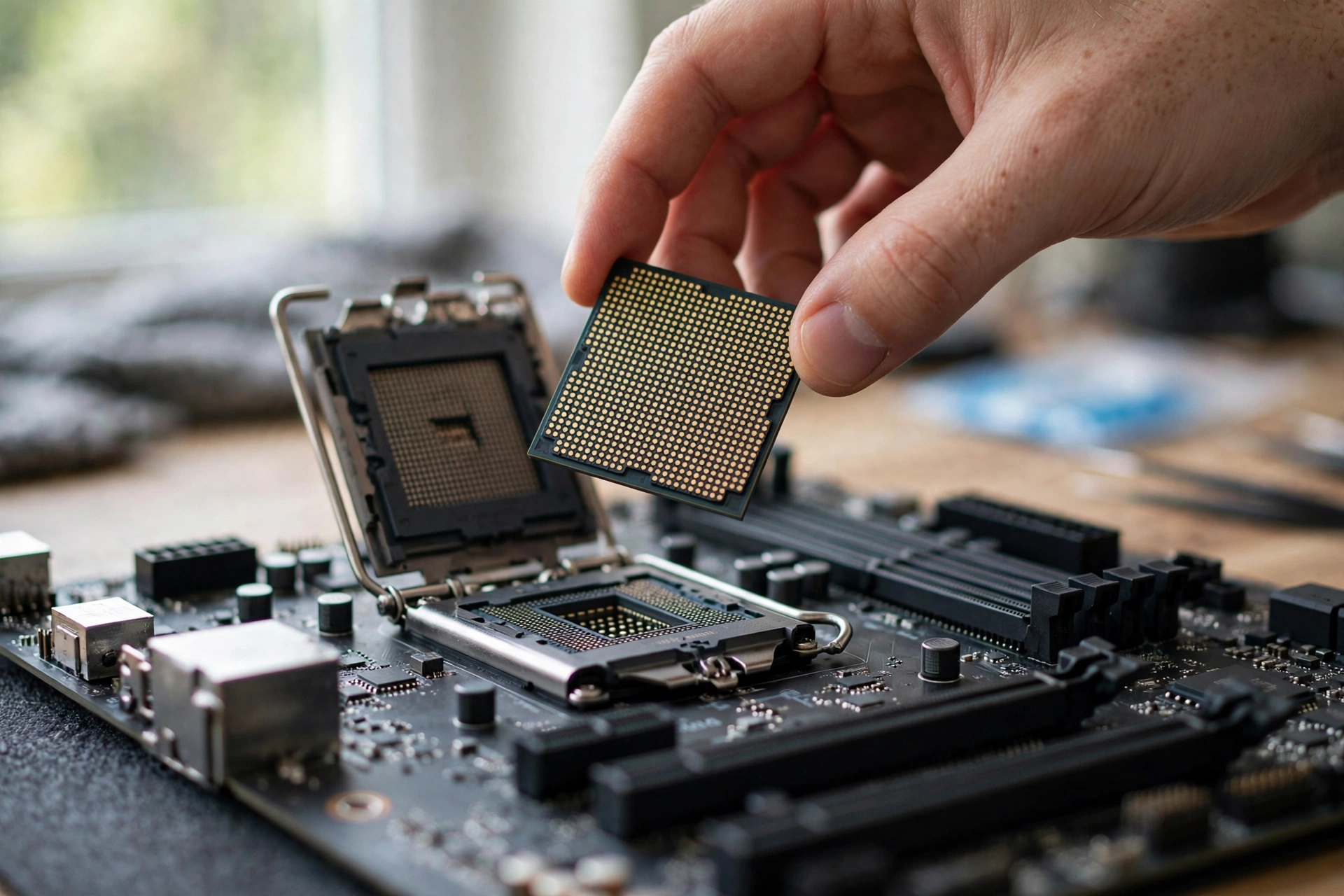
AMD 3D V-Cache stacks extra L3 cache on top of the processor die, and for gaming that extra cache is often worth more than higher clock speeds or extra cores. The Ryzen 7 7800X3D is the classic example. It has eight cores, modest clock speeds by flagship standards, and a very large cache pool, yet it regularly beats more expensive CPUs in gaming benchmarks with a card like the RX 7900 XTX. Games reuse a lot of data, and keeping that data in cache avoids slow trips to system memory.
Non-X3D chips are not bad partners for this card. A Ryzen 7 7700X, Ryzen 9 7950X, or Core i7-14700K will all feed the RX 7900 XTX well, and they are often stronger for productivity tasks such as video editing, compiling, and rendering. If you stream while gaming, run heavy background tasks, or earn a living from content creation on the same machine, a non-X3D chip with more cores or higher clocks can be the smarter overall buy. For pure gaming, though, the X3D chip usually wins on frame consistency, and frame consistency is what you feel.
There is a real distinction inside the X3D family too. Eight core X3D chips put all of their gaming cores on one cache equipped die, which keeps things simple. Higher core count X3D chips split cores across two dies, with only one die carrying the extra cache, and that design needs correct scheduling to keep games on the right cores. For a pure gaming build, the eight core X3D model is the cleaner choice. If you need both gaming and heavy multitasking, a 12 or 16 core X3D chip or a strong non-X3D chip makes more sense.
Expected FPS Table RX 7900 XTX With a Strong Modern CPU
The table below shows estimated average frame rates for a well matched RX 7900 XTX system, meaning a modern high end CPU, 32GB of dual channel memory, and high to ultra settings without ray tracing unless noted. These figures are compiled from published third-party benchmarks and review averages, rounded to sensible ranges, and they are estimates, not results from in-house testing. Your results will vary with the exact game version, driver, settings, and background tasks. Use the table to compare resolutions and game types, not to predict a single exact number for your machine.
| Game | 1080p estimate | 1440p estimate | 4K estimate |
|---|---|---|---|
| Cyberpunk 2077 (ultra, no ray tracing) | 150 to 180 FPS | 95 to 120 FPS | 55 to 70 FPS |
| Call of Duty: Warzone | 190 to 230 FPS | 140 to 170 FPS | 85 to 105 FPS |
| Baldur’s Gate 3 | 170 to 210 FPS | 120 to 150 FPS | 70 to 90 FPS |
| Elden Ring (capped engine behavior varies) | 60 FPS cap typical | 60 FPS cap typical | 60 FPS cap typical |
| Fortnite (epic settings, no ray tracing) | 220 to 280 FPS | 150 to 190 FPS | 85 to 110 FPS |
| Apex Legends | 240 to 300 FPS | 180 to 230 FPS | 110 to 140 FPS |
| Red Dead Redemption 2 (ultra) | 150 to 185 FPS | 100 to 125 FPS | 60 to 75 FPS |
| Starfield | 95 to 125 FPS | 70 to 90 FPS | 45 to 60 FPS |
| Counter-Strike 2 | 350 to 450 FPS | 280 to 360 FPS | 180 to 240 FPS |
| Hogwarts Legacy (ultra, no ray tracing) | 150 to 190 FPS | 100 to 130 FPS | 60 to 75 FPS |
Read the table by resolution, not just by game. At 1080p, the numbers are so high that a weaker CPU will cap them long before the GPU does, which is why 1080p is the worst resolution for judging this card. At 1440p, the card delivers high refresh performance in nearly every title here, and that is its sweet spot for most buyers. At 4K, the card still clears 60 FPS in demanding single player games at high settings, which is the bar most 4K buyers care about.
Elden Ring deserves a note because its engine caps frame rates, so a CPU upgrade will not raise its average above that cap. Starfield deserves a note for the opposite reason: it is unusually CPU heavy, so it is one of the few titles where a stronger CPU shows up clearly even at 1440p and 4K.
Pairing-Specific Issues for the RX 7900 XTX
PCIe generation and platform age
The RX 7900 XTX uses a PCIe 4.0 x16 interface. On a modern motherboard with a PCIe 4.0 or 5.0 slot, the card gets full bandwidth, and this is not something to worry about. On a much older platform limited to PCIe 3.0, the card still works, but you can lose a small amount of performance in some titles, and you are almost certainly pairing it with an older CPU that is the bigger limit anyway. If your motherboard is old enough to lack PCIe 4.0, your CPU is probably the bottleneck, not the slot.
24GB of VRAM: a strength, not a bottleneck fix
The 24GB GDDR6 frame buffer is one of the strongest reasons to buy this card. It handles 4K ultra textures, large mod packs, and high resolution texture work without running out of memory, and it gives the card a longer useful life than cards with half the memory. What VRAM does not do is fix a CPU bottleneck. If your processor cannot prepare frames fast enough, extra video memory will not raise your frame rate. Think of VRAM as headroom for textures and resolution, and the CPU as the pace setter for frame preparation.
If you are choosing between GPUs and wondering how memory capacity changes with resolution, our guide on whether 8GB of VRAM is enough explains the tradeoffs, and why 24GB is comfortable overkill for most current games rather than a requirement.
Power supply and cooling
AMD recommends a minimum 800W power supply for the RX 7900 XTX, based on a system built around a Ryzen 9 5900X class processor, and lists typical board power at 355W. Partner cards with factory overclocks can ask for more, and some list 850W recommendations, so check your exact model. A quality 850W unit from a reputable maker is the sensible baseline for a high end CPU paired with this card, with headroom for transient power spikes and future upgrades.
Cooling matters for the CPU side too. High end chips, especially Intel K series processors, can draw a lot of power under load, and a weak cooler that forces thermal throttling will look exactly like a CPU bottleneck in benchmarks. Budget for a capable air cooler or a 240mm or larger liquid cooler for a flagship pairing, and make sure your case has real airflow, not just a glass front panel.
Smart Access Memory and driver features
Smart Access Memory, AMD name for resizable BAR, lets the CPU access the full GPU memory at once instead of in small chunks, and it can lift performance in select titles when paired with a compatible Ryzen processor and motherboard setting. It is not magic, and gains vary by game, but it is free performance when it works. Make sure resizable BAR is enabled in your BIOS and confirmed in AMD Software, because it is sometimes off by default on older boards.
Driver features also change the bottleneck picture. FidelityFX Super Resolution, AMD upscaling technology, renders at a lower internal resolution and reconstructs a higher resolution image, which raises frame rates but also shifts load back toward the CPU in some cases, because the GPU finishes frames faster. Frame generation, where available, can smooth motion further, but it does not reduce input latency the way a genuinely higher native frame rate does. Our guide on frame time and why 1% lows matter explains why a high average frame rate with poor lows can still feel bad.
Ray Tracing and Upscaling Where the Bottleneck Moves

Ray tracing changes the story for the RX 7900 XTX. In pure rasterization, this card is a monster. With heavy ray tracing enabled, it falls behind competing high end NVIDIA cards, and published reviews from TechPowerUp found the competing RTX 4080 roughly 13 to 15 percent faster with ray tracing in their test suite. That gap matters for buying decisions, but it matters less for the CPU question, because ray tracing loads the GPU harder, which pushes the system toward GPU limitation and away from CPU limitation. Turning ray tracing up usually hides a CPU bottleneck rather than exposing it, at the cost of a lower overall frame rate.
Upscaling works in the opposite direction. When you enable FSR in quality or performance mode, the GPU renders fewer pixels, finishes faster, and the CPU becomes the limit again, especially at 1080p and 1440p. This is why a system that looks perfectly balanced at native 4K can suddenly show a CPU limit when you turn on aggressive upscaling at 1440p. Neither setting is wrong. The point is to judge your CPU at the settings you actually play with, not at a single test preset.
Better Alternative Combo for the Same Money
If you are building from scratch and your budget is fixed, the best alternative to a weak CPU plus an RX 7900 XTX is not a cheaper graphics card. It is a balanced pairing that spends slightly less on the GPU tier and enough on the CPU to actually use it. A Ryzen 7 7800X3D or Ryzen 7 9800X3D paired with an RX 7900 XT, or a modern eight core CPU paired with a used RX 7900 XTX in good condition, will often feel faster in real games than a flagship card starved by a budget processor, especially at 1080p and 1440p high refresh.
For existing owners, the alternative logic is different. If you already own the RX 7900 XTX and a weak CPU, do not sell the card to fund a side grade. The card is the expensive part, and its 24GB of memory and strong raster performance will serve you for years. The smarter move is a targeted CPU upgrade on your current platform if one exists, such as moving from a Ryzen 5 5600X to a Ryzen 7 5800X3D on AM4, or moving from an older AM5 chip to an X3D model on the same motherboard.
If you are buying used, check the part properly before paying. Our used GPU buying guide covers the checks that catch a worn or misrepresented card, and the same discipline applies to a used processor and motherboard. For buyers who want a single recommended pairing, the Ryzen 7 9800X3D with the RX 7900 XTX is the current sweet spot for pure gaming, and our guide to the best GPU for the Ryzen 7 9800X3D explains why that chip pairs well with high end cards. If productivity matters as much as gaming, a Ryzen 9 7950X or Core i7-14700K class chip is the better all rounder, with only a small gaming sacrifice against the X3D chips.
Upgrade Decision Keep Upgrade or Rebuild
If you own an RX 7900 XTX with a modern eight core CPU, keep your build. You are already in the sweet spot, and spending more on a flagship processor will buy you small gains in most games. Put future money toward a better monitor, faster storage, or games, where you will actually feel it.
If you own the card with an older six core or early eight core CPU and you play at 1080p or 1440p high refresh, upgrade the CPU. On AM4, a 5800X3D is a strong drop in upgrade. On AM5 or LGA 1700, a current generation eight core chip is the move. Check motherboard compatibility and BIOS updates first, because a chip that needs a BIOS your board does not have yet is a frustrating afternoon.
Frequently Asked Questions
Is the Ryzen 7 5700X3D good for gaming with an RX 7900 XTX?
This question comes from Quora, where buyers asked whether the 5700X3D holds up for editing, streaming, and gaming with a high end card. It is a respectable pairing at 1440p and 4K, thanks to its large cache, but it falls behind modern X3D chips at 1080p high refresh. For editing and streaming, its eight cores handle the work, though a modern chip with higher clocks and DDR5 support will finish heavy tasks faster. If you already own a 5700X3D, keep it and enjoy the card at 1440p or 4K. If you are buying new, a current generation X3D chip is the better investment.
What GPUs go with an Intel Core i7-10700KF CPU, and does the RX 7900 XTX fit?
This is also a real Quora question, asked by a buyer weighing GPU options for an older i7 system. The RX 7900 XTX physically fits and works with an i7-10700KF, and at 4K the pairing is reasonable because the GPU becomes the limit. At 1080p and 1440p high refresh, the older i7 will hold the card back in CPU heavy games, so expect lower frame rates than the card can deliver with a modern CPU. If you already own the i7-10700KF, the card is still a fine upgrade for 4K gaming. If you are buying both parts new, do not build around a five year old processor for a flagship card.
Will a Ryzen 5 5600 bottleneck an RX 7900 XTX?
This is a common buyer question for anyone upgrading an older AM4 system with a flagship card. Yes, a Ryzen 5 5600 will limit the RX 7900 XTX at 1080p and in CPU heavy games at 1440p, though the pairing remains playable and GPU limited at 4K in most titles. The practical fix on AM4 is a move to a 5800X3D, which keeps your motherboard and memory and lifts gaming performance substantially. If you plan to stay at 1080p high refresh long term, a move to a modern AM5 platform is the cleaner answer. Test your own games first, because a 4K single player gamer and a 1080p competitive gamer will reach different conclusions from the same hardware.
Conclusion
The RX 7900 XTX does not need the most expensive CPU on the market, but it does need a modern, capable one. At 1080p, a weak processor wastes a large share of this card, and only a high end chip unlocks its full speed. At 1440p, a modern midrange eight core CPU gets you close to the full experience, with X3D chips offering the smoothest 1% lows. At 4K, the card itself is usually the limit, which means even a modest modern CPU serves well in most games. The worst pairing is a flagship card next to a budget or aging processor, bought to save money on paper and paid for in lost frames every day after.
Buy the CPU for your resolution, your refresh target, and your games. Favor a modern eight core chip, favor X3D cache for pure gaming, favor more cores and higher clocks when productivity shares the machine, and always test your own system before spending money on an upgrade. Done right, the RX 7900 XTX is a superb 4K and high refresh 1440p card with memory headroom to spare. Done wrong, it is an expensive card waiting on a processor that cannot keep up, and no setting, driver feature, or extra VRAM will fix that wait.

Leave a Reply