

If you are weighing the rtx 4070 super vs rtx 5070 choice for a new build, buy the RTX 5070 when the two cards cost about the same, because it matches the older card in raw speed and adds DLSS 4 Multi Frame Generation. Buy a used RTX 4070 Super only when it is clearly cheaper, and never upgrade from a 4070 Super to a 5070, because the speed gain is too small to feel. Both cards need a strong modern CPU and both share the same 12GB VRAM ceiling, so the real decision is about price, features, and your CPU, not about raw power.
Who Wins at Each Resolution
At 1080p: Tie, and neither card is the right buy for 1080p alone. Both cards push very high frame rates at 1080p, and at this resolution your CPU does most of the work. A mid-range CPU will hold either card back in competitive games, and a weaker CPU will cap both cards at nearly the same frame rate. If you only play at 1080p, a cheaper card makes more sense, and the money is better spent on a faster CPU or a 1440p monitor.
At 1440p: RTX 5070 by a hair, but the 4070 Super is the value pick when it is cheaper. Independent testing by TechSpot across 16 games found the RTX 5070 about 1 percent faster on average at 1440p. That is a rounding error in real play. At this resolution, buy whichever card costs less, unless you play games that support DLSS 4 Multi Frame Generation, where the 5070 pulls ahead.
At 4K: RTX 5070 by a small but real margin. The same TechSpot testing found the 5070 about 5 to 6 percent faster at 4K, helped by faster GDDR7 memory. Even so, neither card is a comfortable native 4K card for the heaviest games. Both need DLSS upscaling at 4K, and both hit the same 12GB VRAM wall in the most demanding titles.
What to upgrade first: If your CPU is older than a Ryzen 5 5600 or a Core i5-12400, upgrade the CPU first, because it will cap either card. If your CPU is already modern, buy the cheaper of the two cards and put the savings toward 32GB of RAM or a 1440p high refresh monitor. If you already own a 4070 Super, upgrade nothing. Save for a bigger jump, such as a 16GB card.
Bottom line: For a new PC in late 2026, the RTX 5070 is the default pick at equal prices. For a used deal, the RTX 4070 Super wins when it saves you real money. The rest of this article shows the numbers, the CPU pairings, and the traps behind that verdict.
RTX 4070 Super vs RTX 5070 Specs Compared
These two cards look like different generations, and they are. The RTX 4070 Super launched in January 2024 on the Ada Lovelace architecture with a $599 launch price. The RTX 5070 launched in March 2025 on the Blackwell architecture with a $549 launch price. A newer card at a lower launch price sounds like an easy win, but the spec sheet tells a stranger story. The older card has more CUDA cores. The newer card has faster memory and newer features. Neither card has more video memory than the other.
The spec table below uses manufacturer figures and the TechPowerUp RTX 5070 GPU database. Clock speeds and power draw vary a little between partner models, so treat the figures as reference design values.
| Specification | RTX 4070 Super | RTX 5070 |
|---|---|---|
| Architecture | Ada Lovelace (AD103) | Blackwell (GB205) |
| Launch date | January 2024 | March 2025 |
| Launch price (MSRP) | $599 | $549 |
| CUDA cores | 7,168 | 6,144 |
| Boost clock (reference) | About 2.48 GHz | About 2.51 GHz |
| Video memory | 12GB GDDR6X | 12GB GDDR7 |
| Memory speed | 21 Gbps | 28 Gbps |
| Memory bandwidth | 504 GB/s | 672 GB/s |
| Memory bus | 192-bit | 192-bit |
| Total board power | 220W | 250W |
| Recommended PSU | 650W | 650W |
| PCIe interface | PCIe 4.0 x16 | PCIe 5.0 x16 |
| DLSS frame generation | DLSS 3 frame generation | DLSS 4 Multi Frame Generation |
Three numbers in that table explain almost everything about this comparison.
First, CUDA cores. The 4070 Super has 7,168 cores against the 5070’s 6,144, which is about 17 percent more. On paper, the older card should win. It does not, because CUDA core counts cannot be compared across architectures. Blackwell cores do more work per clock than Ada cores, and the 5070’s higher memory bandwidth feeds its cores better. This is why the two cards land within a few percent of each other in games even though the core counts look far apart. Never buy a card on core count alone.
Second, memory bandwidth. The 5070 moves data at 672 GB/s against the 4070 Super’s 504 GB/s, a 33 percent advantage. Faster GDDR7 memory on the same 192-bit bus is the 5070’s biggest hardware advantage, and it shows up most at 4K and in ray tracing, where large textures and lighting data stream through memory constantly. It is also the reason the 5070’s lead grows as resolution rises.
Third, video memory capacity. Both cards have exactly 12GB. That shared ceiling matters more than any other spec on this page, and it is the reason neither card is a safe long term 4K choice. We cover it in full in the VRAM section below.
The TechPowerUp RTX 5070 Founders Edition review describes the card as a focused 1440p card built for maxed settings including ray tracing, which matches how both cards are best used. Power is the other surprise. The newer card draws more power, 250W against 220W, even though it has fewer cores. Blackwell’s higher clocks and faster memory cost power. NVIDIA still recommends a 650W power supply for either card, and a good quality 650W unit is enough for both in a typical build. Cheap or very old power supplies are a different story, and we cover that in the PSU section.
The PCIe difference looks important and mostly is not. The 5070 supports PCIe 5.0 and the 4070 Super supports PCIe 4.0, but both cards run at x16 width, and even a PCIe 3.0 x16 slot feeds them with only a tiny loss in most games. The PCIe version matters far more for cards that run at x8 width, which neither of these does. If your motherboard is PCIe 4.0, the 5070 loses nothing meaningful. If your motherboard is older, the card is still fine, but a platform upgrade is worth planning.
Takeaway: the spec sheet says these cards are near equals with different strengths. The older card has more cores and lower power draw. The newer card has much faster memory and newer frame generation. The benchmarks below confirm that neither advantage turns into a big real world lead.
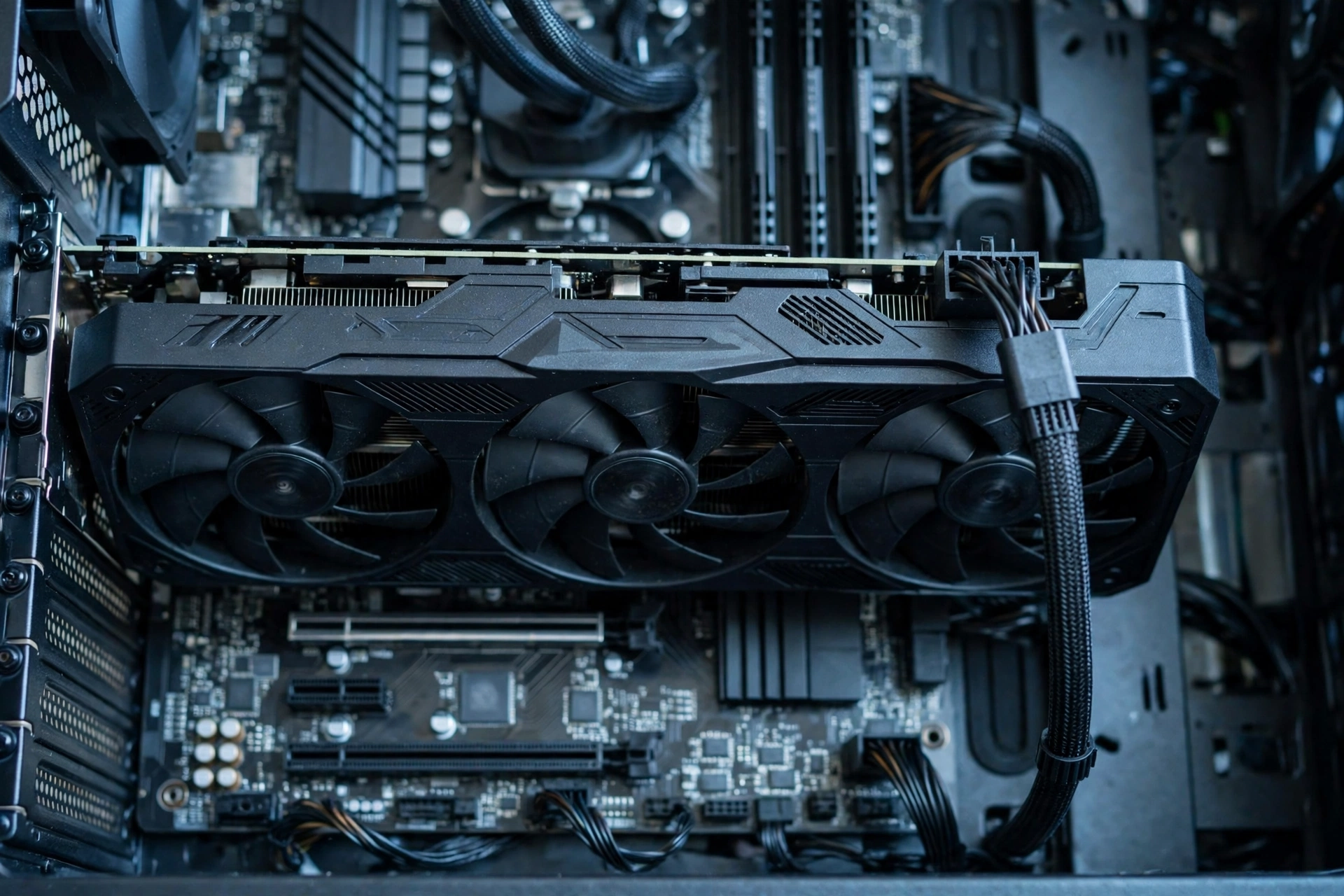
Expected FPS 10 Games at 1080p, 1440p, and 4K
This is the table most buyers actually want, so here is the honest version first. The figures below are estimates compiled from published third-party benchmarks, not in-house testing. The anchors are TechSpot’s 16-game review, which found the RTX 5070 about 1 percent faster at 1440p and about 5 to 6 percent faster at 4K, and TechRadar’s per-game testing, which reported Cyberpunk 2077 at 1440p Ultra at 92 fps for the 4070 Super against 106 fps for the 5070, Black Myth: Wukong at 1440p at 69 fps against 80 fps, Civilization VII at 204 fps against 202 fps, and Dying Light 2 at 150 fps against 142 fps. Starfield is the notable exception: TechSpot found the 5070 trailing the 4070 Super by about 3 percent at 1440p in that game. Metro Exodus Enhanced Edition showed about a 4 percent 5070 lead at 1440p and 8 percent at 4K. The remaining figures are estimates fitted to those published results, assuming high or ultra settings, raster rendering with no DLSS or frame generation, and a strong CPU such as a Ryzen 7 7800X3D so the CPU is not the limit. Your own frame rates will vary with settings, drivers, and your CPU.
| Game (High/Ultra, raster, no DLSS) | 1080p 4070 Super | 1080p 5070 | 1440p 4070 Super | 1440p 5070 | 4K 4070 Super | 4K 5070 |
|---|---|---|---|---|---|---|
| Cyberpunk 2077 | 148 | 155 | 92 | 106 | 48 | 54 |
| Black Myth: Wukong | 118 | 128 | 69 | 80 | 53 | 54 |
| Starfield | 105 | 104 | 68 | 66 | 45 | 46 |
| Dying Light 2 | 195 | 202 | 142 | 150 | 78 | 82 |
| Civilization VII | 240 | 244 | 202 | 204 | 128 | 130 |
| Metro Exodus Enhanced | 132 | 138 | 88 | 92 | 49 | 53 |
| Forza Horizon 5 | 185 | 190 | 138 | 142 | 92 | 96 |
| Red Dead Redemption 2 | 128 | 132 | 88 | 91 | 52 | 55 |
| Call of Duty: Black Ops 6 | 165 | 170 | 118 | 122 | 68 | 72 |
| Baldur’s Gate 3 | 150 | 155 | 108 | 112 | 62 | 66 |
Read this table the right way and it answers the whole comparison. At 1080p, the gap is 1 to 8 percent depending on the game, and both cards are so fast that the difference is invisible without a frame counter. At 1440p, the gap is usually 1 to 5 percent, with Cyberpunk 2077 and Black Myth: Wukong as the big exceptions where the 5070’s memory bandwidth opens a wider lead. At 4K, the 5070 leads in almost every game, but the lead is 1 to 6 fps in the hardest titles, which is not enough to change whether a game feels smooth.
Two patterns in the table deserve attention. First, the 5070 does not win everywhere. Starfield favors the 4070 Super slightly, and Civilization VII is effectively tied. Different game engines stress different parts of a GPU, and the 4070 Super’s extra cores help in games that lean on raw compute. Second, the gap between the cards is smaller than the gap between either card and the next class up. An RTX 5070 Ti is roughly 20 percent faster than the 5070 at 1440p, which is a difference you can actually feel. The gap inside this comparison is not.
If your frame rate feels low with either card, the card is rarely the first suspect. Check the CPU, check background apps, and check whether your RAM is running at its rated speed. Our guide on why your FPS is so low runs down the common causes, starting with the cheapest fixes, and the 1440p vs 1080p monitor bottleneck guide explains why the same card can feel completely different on two monitors.
Takeaway: in raw raster speed, the RTX 5070 is about 1 percent faster at 1440p and about 5 percent faster at 4K on average. That is a real lead, but it is small enough that price and features should decide the purchase, not the FPS table.
Which CPU Feeds Each Card
Here is where this comparison turns into a bottleneck question. Both cards are fast enough that a weak or old CPU will cap them, and the cap looks identical on both cards. A Ryzen 5 3600 or a Core i5-10400F will hold an RTX 5070 and an RTX 4070 Super to nearly the same frame rate in CPU heavy games, because the GPU is waiting on the CPU either way. Buying the faster card first and fixing the CPU later is the wrong order. The CPU floor is the same for both cards, and the table below gives it plainly.
| Pairing tier | RTX 4070 Super | RTX 5070 |
|---|---|---|
| Minimum CPU (no serious bottleneck at 1440p) | Ryzen 5 7600 or Core i5-12400F | Ryzen 5 7600 or Core i5-12400F |
| Sweet spot CPU (best balance of price and frames) | Ryzen 7 7800X3D or Core i7-14700K | Ryzen 7 7800X3D or Core i7-14700K |
| High end CPU (for 1080p high refresh or streaming) | Ryzen 7 9800X3D or Core i9-14900K | Ryzen 7 9800X3D or Core i9-14900K |
| CPU to avoid with this card | Ryzen 5 3600, Core i5-10400F or older | Ryzen 5 3600, Core i5-10400F or older |
The tiers are identical because the cards perform almost identically. That is the point. The CPU you need depends on your resolution and your games, not on which of these two cards you pick.
At 1440p, a Ryzen 5 7600 or a Core i5-12400F is the floor. Both are modern 6-core chips with strong single core speed, and both keep up with either card in most games at 1440p. Below that floor, expect stuttering and frame drops in open world games, simulation games, and large multiplayer matches, even though the GPU still has headroom. The CPU bottleneck vs GPU bottleneck guide explains how to tell which part is holding you back.
At 1080p, the CPU matters much more. Both cards are so fast at 1080p that the CPU becomes the limit in nearly every competitive game. A Ryzen 7 7800X3D or 9800X3D earns its price here, because its large 3D cache feeds the GPU faster than a standard chip. If you play at 1080p with a 240Hz monitor, the CPU is the upgrade that matters, not the choice between these two cards.
At 4K, the CPU matters least. The GPU works so hard at 4K that even a mid-range modern CPU keeps up. A Ryzen 5 7600 is enough for 4K gaming with either card in most titles. This is the one resolution where you can safely spend less on the CPU and more on the card, or on a better monitor.
One more CPU point that buyers miss: RAM speed and capacity feed the CPU, and a slow RAM setup can look exactly like a CPU bottleneck. Both cards pair best with 32GB of DDR5 at 6000 MT/s or DDR4 at 3600 MT/s, depending on the platform. Single channel RAM, meaning one stick instead of two, can cost 10 percent or more of your frame rate with either card. If you are building new, 32GB in two sticks is the right buy in late 2026, and the ongoing RAM shortage makes that a purchase to make early rather than late. SK Hynix expects the memory shortage to continue through 2030, which means RAM prices are unlikely to fall back to old levels soon.
For the full CPU ladder for each card, including budget picks and platform notes, see our best CPU for RTX 4070 Super guide and our best CPU for RTX 5070 guide. Those guides cover the full rankings. This article keeps only the short version: the floor is a Ryzen 5 7600 or i5-12400F, the sweet spot is a 7800X3D or i7-14700K, and anything older than a Ryzen 5 5600 needs an upgrade before either card makes sense.
Takeaway: both cards share the same CPU floor. If your CPU is below that floor, fix the CPU first. If it is above the floor, either card will run well, and your money is better spent on the card deal, not on a bigger CPU.

DLSS 4 Multi Frame Generation The Real Difference
Raw speed is a tie. Frame generation is not. This is the one feature that separates the two cards in daily use, and it is the main reason to buy the newer card.
DLSS Super Resolution, the upscaling part, works on both cards. It renders the game at a lower internal resolution and rebuilds a sharp image with AI, which lifts frame rates on both cards. DLSS Ray Reconstruction, which cleans up ray traced lighting, also works on both. The split comes with frame generation. The RTX 4070 Super supports DLSS 3 frame generation, which creates one extra frame for each real frame. The RTX 5070 supports DLSS 4 Multi Frame Generation, which can create up to three extra frames for each real frame. In a supported game, the 5070 can show a much higher number on the frame counter than the 4070 Super, even though both cards render the same number of real frames.
That sounds like a huge win, and in the right game it feels like one. In a slow paced single player game on a 144Hz or 165Hz monitor, Multi Frame Generation turns a real 60 fps into a displayed 200-plus fps, and the motion looks far smoother. In Cyberpunk 2077 and Black Myth: Wukong, both of which support it, the difference is easy to see. But frame generation has real limits that buyers should understand before paying extra for it.
First, generated frames add latency. The card shows you frames it invented, and your mouse and keyboard inputs still wait for the next real frame. At a real base rate of 60 fps, the delay is small and most players do not notice it. At a real base rate of 30 fps, the delay is obvious, and the game feels sluggish even though the counter says 120 fps. NVIDIA pairs frame generation with Reflex to cut latency, and Reflex helps, but it cannot remove the cost completely. The rule is simple: frame generation makes a good frame rate feel great, and it cannot rescue a bad frame rate.
Second, support is not universal. Multi Frame Generation works only in games that support DLSS 4, and the list grows every month but still covers a fraction of all games. Competitive shooters usually skip it, because latency matters more than smoothness there. Older games never get it. If your library is mostly competitive or older titles, the 5070’s headline feature may never switch on.
Third, generated frames are not free. The card still renders the base frames, and a weak CPU still caps the base frame rate. Frame generation cannot fix a CPU bottleneck. If your CPU only delivers 45 real frames per second, Multi Frame Generation can display 180 frames, but the game will still feel like 45 fps when you move the mouse. Our guide on whether DLSS reduces a CPU bottleneck explains this in detail, and our FPS increase guide covers the settings that raise your real base frame rate first.
For buyers, the practical test is your game list. Open your five most played games and check whether they support DLSS 4 Multi Frame Generation. If three or more do, the 5070 earns its price. If none do, the feature is worth nothing to you today, and the cheaper card wins. Remember too that the 4070 Super is not left behind. Its DLSS 3 frame generation still doubles displayed frames, which is already a large smoothness gain over no frame generation at all.
Takeaway: Multi Frame Generation is the 5070’s only clear win, and it is a real one in supported games with a healthy base frame rate. It is not a reason to pay a large premium, and it does nothing for a CPU bottleneck.
The 12GB VRAM Problem Both Cards Share
Both cards ship with 12GB of video memory, and that shared limit is the biggest weakness in this comparison. The 5070’s memory is faster, but faster memory is not more memory. A game that needs 13GB of textures will stutter on both cards, no matter how fast the memory bus is.
At 1080p, 12GB is plenty. Almost no game at 1080p needs more, even with high textures. At 1440p, 12GB is enough for the large majority of games today, with a few exceptions. The heaviest games with ultra texture packs, such as some open world titles with ray tracing, can push past 12GB at 1440p, and when they do you will see hitching, texture pop-in, or sudden frame drops. Dropping textures one step, from ultra to high, usually fixes it, and the visual difference is small.
At 4K, 12GB is tight right now and will only get tighter. Several current games already want more than 12GB at 4K with ultra textures, and new releases are not getting lighter. Both cards handle 4K with DLSS upscaling and high textures, but native 4K with ultra textures is already a struggle. If 4K is your main resolution and you plan to keep the card for four or five years, a 16GB card is the safer buy. Our 4K graphics card guide covers the 16GB options, and our 8GB VRAM guide explains how VRAM limits show up in real play.
There is a second VRAM trap that buyers miss. Frame generation and upscaling do not reduce VRAM use in a simple way. DLSS Super Resolution renders at a lower resolution, which can reduce memory pressure, but the frame generation buffers add their own memory cost. Do not assume DLSS fixes a VRAM problem. It helps in some cases and not in others.
What should you do about it? If you play at 1440p, treat 12GB as fine for now and good for the next two to three years, with texture settings as your safety valve. If you play at 4K, accept that you will manage textures and use DLSS, or spend more for 16GB. If you do creative work, such as large Blender scenes or local AI image generation, 12GB is a real limit today, and both cards will frustrate you sooner than a 16GB card would.
Takeaway: the 5070’s faster memory helps speed, but it does not fix capacity. Both cards share the same 12GB ceiling, so neither one is more future proof than the other on VRAM.
Power Draw, PSU Needs, and PCIe Generations
Power is the least exciting part of this comparison, and also the part where a mistake costs the most. The 4070 Super draws 220W and the 5070 draws 250W at reference settings. NVIDIA recommends a 650W power supply for both. A good quality 650W unit from a known brand, with enough headroom and a proper 16-pin connector or adapter, runs either card safely in a normal build with a modern CPU.
Three PSU mistakes show up again and again with these cards. First, using an old group regulated power supply that cannot handle modern transient spikes. Graphics cards can spike well above their rated power for a few milliseconds, and a cheap PSU can shut down or, in bad cases, damage parts. Second, using daisy chained PCIe cables or a worn adapter for the 16-pin connector. Use the cable your PSU maker provides, and check that the connector seats fully. Third, buying a 1000W unit for a 650W job. Extra watts do not make a card faster. Spend the difference on quality, not on a bigger number.
Partner cards can draw more than the reference figures. A factory overclocked 5070 can pull 270W or more, and a heavily overclocked 4070 Super can pass 240W. Check the exact model’s rated power before you buy, and add 100W of headroom for a high end CPU such as a Core i9. A 750W quality unit is the sensible pick if you run a 14700K or 14900K with either card, or if you plan to overclock.
PCIe generation is simpler than it looks. The 5070 is a PCIe 5.0 card and the 4070 Super is PCIe 4.0, but both use a full x16 slot, and gaming tests show only a tiny difference between PCIe 4.0 and 5.0 for these cards. Even PCIe 3.0 x16 costs only a few percent in most games. The cards that suffer on old PCIe slots are x8 cards, and neither of these is one. If your motherboard is PCIe 4.0, buy either card without worry. If your board is older, the card still works, but plan a platform upgrade when you can, because the CPU on that old board is likely the real limit anyway.
Heat and noise are close too. The 5070’s higher power draw means a little more heat to remove, but partner coolers on both cards handle it easily in a case with decent airflow. Two intake fans and one exhaust fan are enough. A cramped case with no airflow will make either card loud and hot, so case airflow matters more than the 30W gap between the cards.
Takeaway: a good 650W PSU runs either card, a 750W unit is the safe pick with a high end CPU, and PCIe 5.0 is a nice label rather than a real world speed gain for these two cards.
New RTX 5070 vs Used RTX 4070 Super The Price Logic
Launch prices tell a clean story that street prices ruined. The 5070 launched at $549, which is $50 less than the 4070 Super’s $599 launch price. On launch pricing alone, the newer card is cheaper and better. Street pricing in November 2026 tells a different story.
GPU prices in November 2026 sit far above launch prices across the market. Tracking by a market price tracker on November 7, 2026 put the median graphics card price on Amazon at about 73 percent above launch price, and the RTX 5070 itself at about 73 percent above its $549 launch price. Tom’s Hardware reported a $659 median street price for the 5070 in its October 2026 roundup, against the $549 launch price, and other trackers have shown models listed between $779 and $850 during the same period. Prices move fast and vary by model and retailer, so treat every figure here as a dated snapshot, not a current offer. Check live prices before you buy.
That inflation changes the math. A new 5070 at a large markup competes with a used 4070 Super, which now trades on the second hand market as owners upgrade. When a used 4070 Super costs $100 or more less than a new 5070, the used card is usually the better buy, because the speed gap is only about 1 percent at 1440p. The $100 saved buys 32GB of RAM, a better SSD, or a large part of a CPU upgrade, and those parts change the experience more than the card swap does. When the price gap is under $50, buy the new 5070. The warranty, the newer features, and the unused card are worth $50.
Used buying has its own rules. A used 4070 Super is a good deal only if it passes the checks. Ask for a photo of the card running a game with temperatures shown, check that the fans spin quietly, and test it yourself if you can. Avoid cards sold without any history, cards with a modified BIOS, and cards priced far below the market, which usually means a scam or a dying card. Our used GPU buying guide covers the full checklist, including the tests to run in the first hour after the card arrives.
There is one more price factor buyers forget: the rest of the system. The 5070’s higher power draw and the RAM shortage both push system costs up. RAM prices are high and, with SK Hynix expecting the shortage to continue through 2030, they are unlikely to fall soon. A build that needs new RAM, a new PSU, and a new card costs far more than the card alone. Budget the whole system before you commit to either card.
Takeaway: at equal prices, buy the new 5070. At a $100 or larger saving, buy the used 4070 Super. Never pay a large markup for the 5070 when a clean used 4070 Super sits nearby for much less.
Better Alternatives for the Same Money
A comparison of two cards is only useful if it admits when a third card is the better buy. For the money these two cards cost in late 2026, three alternatives deserve a look.
RTX 5070 Ti, if you can stretch the budget. The 5070 Ti is roughly 20 percent faster than the 5070 at 1440p and carries 16GB of VRAM, which removes the ceiling that limits both cards in this article. If your budget stretches, the Ti is the card that actually changes the experience, especially at 4K. It is the right answer for buyers who were already close to the top of their budget and who play at 4K.
AMD RX 9070, if you want more VRAM for the money. The RX 9070 ships with 16GB of VRAM and trades blows with the 5070 in raster speed, often at a lower street price. Its ray tracing is weaker than NVIDIA’s, and it lacks DLSS Multi Frame Generation, though AMD’s FSR frame generation closes part of that gap. For pure raster gaming at 1440p and 4K with high textures, the extra VRAM is a genuine advantage. Our RX 9070 vs RTX 5070 comparison covers that matchup in full, including the ray tracing gap.
RTX 5060 Ti 16GB, if your budget is tighter. The 5060 Ti 16GB is slower than both cards in this article, but it carries 16GB of VRAM and costs notably less. For 1080p and lighter 1440p gaming, it is enough, and the money saved can go to a better CPU or monitor. Do not buy the 8GB version of the 5060 Ti for a long term build. The 16GB version is the only one that makes sense.
There is also a timing question worth a short note. Unconfirmed reports point to an RTX 5080 with 24GB arriving around December 2026 or January 2027. Those reports are unconfirmed, and no official announcement exists at the time of writing, so do not delay a needed upgrade for a rumor. But if your current card still plays your games and you were already considering a much larger purchase, waiting a few weeks to see what launches is reasonable.
For most buyers, the honest ranking is this: if you can afford the 5070 Ti and you play at 4K, buy it. If you play at 1440p and want the most VRAM per dollar, look at the RX 9070. If your budget fits this article’s two cards, buy the cheaper of the two. And if you are choosing between upgrading the card or the CPU, read our upgrade CPU or GPU first guide before you spend anything, because the wrong upgrade order wastes more money than any card choice.
Takeaway: the best alternative is the 5070 Ti for 4K, the RX 9070 for VRAM per dollar, and the 5060 Ti 16GB for a tighter budget. Inside this comparison, the cheaper card wins.
Common Mistakes When Choosing Between These Cards
Mistake 1: Upgrading from a 4070 Super to a 5070. The average gain is about 1 percent at 1440p. You will not feel it, and you will lose money on the swap. Skip this upgrade entirely.
Mistake 2: Judging the cards by CUDA core count. The 4070 Super has more cores and still loses on average, because Blackwell cores do more per clock and the 5070 has far faster memory. Core counts only compare within one architecture.
Mistake 3: Ignoring the CPU. A Ryzen 5 3600 will cap both cards at the same frame rate. Buyers who upgrade the card and keep an old CPU often report no improvement, then blame the card. Check the CPU first.
Mistake 4: Buying for native 4K ultra and expecting smooth play. Neither card holds 60 fps in the heaviest games at native 4K ultra. Both need DLSS. If native 4K ultra is your goal, you need a bigger card.
Mistake 5: Paying a large markup for the 5070 when a used 4070 Super is nearby. At a $100 gap, the used card is the better buy. At a $200 gap, it is not close.
Mistake 6: Forgetting the rest of the system. A new card with one stick of slow RAM, a weak PSU, or a cramped case will underperform. Budget for RAM, cooling, and power, not just the card.
Mistake 7: Treating frame generation as free performance. Multi Frame Generation smooths motion, but it adds latency and it cannot fix a CPU bottleneck or a low base frame rate. Your real frame rate still matters most.
Frequently Asked Questions
Is the RTX 5070 better than the RTX 4070 Super?
Yes, but only slightly in raw speed. TechSpot’s 16-game testing found the 5070 about 1 percent faster at 1440p and about 5 to 6 percent faster at 4K. The bigger difference is features: only the 5070 has DLSS 4 Multi Frame Generation. For a new build at equal prices, the 5070 is the better buy. For an upgrade from a 4070 Super, it is not worth it.
Is the 4070 Super better than the 5070 in any game?
Yes, in some games. Starfield is the clearest example, where TechSpot found the 5070 trailing by about 3 percent at 1440p. The 4070 Super also leads in some compute and synthetic tests, such as Geekbench 6 Compute, where its extra CUDA cores help. These wins are small and game dependent, and they do not change the overall result.
Should I upgrade from an RTX 4070 Super to an RTX 5070?
No. The speed gain is about 1 percent at 1440p, which you cannot feel, and you lose money on the sale and the purchase. Keep the 4070 Super and save for a larger jump, such as a 16GB card, or spend the money on a CPU, RAM, or monitor upgrade that changes the experience.
What CPU do I need for the RTX 5070 or RTX 4070 Super?
The floor is the same for both cards: a Ryzen 5 7600 or a Core i5-12400F at 1440p. The sweet spot is a Ryzen 7 7800X3D or a Core i7-14700K. At 1080p high refresh, a Ryzen 7 9800X3D earns its price. Anything older than a Ryzen 5 5600 will hold either card back and should be upgraded first.
Is 12GB of VRAM enough in 2027?
At 1080p, yes. At 1440p, yes for most games, with texture settings as a safety valve in the heaviest titles. At 4K, 12GB is already tight, and you will manage textures and use DLSS in demanding games. If you keep a card for four or five years and play mostly at 4K, a 16GB card is the safer long term buy.
Is buying a previous generation high-end GPU better than a current mid-range card?
This is a question buyers ask often, including on Quora, and the answer is that it depends on price. A previous generation card is the better buy when it is clearly cheaper and matches the new card in speed, which is exactly the case for a used RTX 4070 Super against a new RTX 5070 at a $100 gap. A new card wins when prices are close, because you get a warranty, newer features, and longer driver support. Compare the actual prices in front of you, not the launch prices.
Does DLSS Multi Frame Generation make the 5070 worth buying?
It makes the 5070 worth buying if your favorite games support it and your base frame rate is already healthy, around 60 fps or more. In that case, the smoother motion is easy to feel. It does not make the 5070 worth a large premium, and it does nothing for games that do not support it or for a CPU bottleneck.
Is it worth buying a used RTX 4070 Super in November 2026?
Yes, when the price is right. A clean used 4070 Super at $100 or more below a new 5070 is good value, because the cards perform almost identically. Test the card before the return window closes, check temperatures and fan noise, and buy from a seller with a history. Avoid cards priced far below the market or sold with no history.
Key Takeaways
- In raw speed, the RTX 5070 leads by about 1 percent at 1440p and about 5 to 6 percent at 4K on average, based on TechSpot’s 16-game testing. That gap is real but small.
- Both cards have 12GB of VRAM. The 5070’s memory is faster, but neither card has more capacity, so both hit the same ceiling at 4K.
- DLSS 4 Multi Frame Generation is the 5070’s only clear win, and it matters only in supported games with a healthy base frame rate.
- Both cards share the same CPU floor: a Ryzen 5 7600 or Core i5-12400F. A weaker CPU caps both cards equally.
- At equal prices, buy the new RTX 5070. At a $100 or larger saving, buy a clean used RTX 4070 Super.
- Never upgrade from a 4070 Super to a 5070. The gain is too small to feel.
- In November 2026, street prices sit far above launch prices, so check live prices and budget the whole system, including RAM, before you buy.
*Sources for the figures in this article: the TechRadar RTX 5070 vs RTX 4070 Super comparison, the TechPowerUp RTX 5070 Founders Edition review, and the TechPowerUp RTX 5070 GPU database. FPS figures are estimates compiled from those published benchmarks, not in-house testing. Street prices are dated snapshots from October and November 2026 and will have changed by the time you read this, so check live prices before buying.*
Conclusion
The rtx 4070 super vs rtx 5070 question has a simple answer hiding behind a complicated spec sheet. These are near equal cards. The 5070 is a little faster, a little more power hungry, and a lot newer in features. The 4070 Super has more cores, lower power draw, and a lower price on the used market. Neither card wins by enough to end the argument on speed alone.
So buy with your situation, not with the spec sheet. Building new at equal prices, take the RTX 5070 for DLSS 4 and the warranty. Finding a clean used 4070 Super for $100 less, take the used card and spend the savings on the parts that change the experience, such as a better CPU, 32GB of RAM, or a 1440p high refresh monitor. Already owning a 4070 Super, keep it and skip this generation entirely.
Whichever card you choose, pair it with a CPU at or above the floor in this article, feed it with two sticks of fast RAM, and power it with a good quality 650W unit. Do those three things and either card will give you smooth 1440p gaming for years. Get them wrong and even the better card will feel slow, because the card was never the limit in the first place.

Leave a Reply