

The best laptop for gaming is the one that runs your games well, stays cool enough to hold its speed, and fits the way you actually play. That sounds simple, but the laptop market in 2026 makes it hard. The same graphics card name can hide different power limits, 8GB of video memory can be fine at 1080p and a real problem at 1440p, and prices have climbed through the year as memory and storage costs rose. A good pick is not the most expensive machine on the shelf. It is the machine whose GPU, screen, memory, and cooling line up with your games and your budget.
For most gamers, the best laptop for gaming in 2026 is a 16-inch machine with an RTX 5070 or RTX 5070 Ti, 16GB of RAM or more, a 1TB SSD, and a 144Hz or faster screen. If your budget is tight, an RTX 5050 laptop under $1,000 still plays modern games well at 1080p. If you want a thin laptop you can carry every day, the ASUS ROG Zephyrus G14 is the pick most reviewers keep coming back to. If money is no object, the Razer Blade 16 with an RTX 5090 is the flagship to beat.
Prices below are a street-price snapshot from November 12, 2026. Check the current price before you buy, because laptop prices move fast in 2026, and the same model often sells in several configurations at very different prices.
How to Choose the Best Laptop for Gaming
Start with your games, not with a spec sheet. A laptop that is perfect for competitive shooters at 1080p can be the wrong pick for open-world games at 1440p with ray tracing turned on. Write down the three games you play most, the resolution you want, and whether you play plugged in at a desk or on the couch, on a train, or in class. Those three answers narrow the whole market to a short list.
The graphics card, or GPU, matters most. In a laptop, the GPU decides which settings you can use and how smooth the game feels. The CPU matters too, but in most gaming laptops the GPU is the part that runs out of room first. After the GPU, look at the screen, then memory and storage, then cooling. A fast GPU in a laptop with weak cooling will slow itself down during a long session, and that is where many buyers get caught out. Laptop GPUs also have power limits, called TGP, and the same RTX 5070 can run faster in a thick laptop with a high power limit than in a thin one with a low limit. Always check the power limit and the cooling design, not just the GPU name.
Battery life is the trade-off nobody should ignore. Gaming laptops are built for plugged-in play. Most of them last only a few hours when you actually game on battery, and some last barely two. If you need a laptop for school or work as well as gaming, look for a model that can switch its dedicated GPU off for light work, because that one feature can double everyday battery life. Weight matters the same way. A 16-inch desktop replacement can weigh close to 6 pounds before you add the charger, while a thin 14-inch model can weigh under 4 pounds and still play modern games.
A practical takeaway: pick your GPU tier first, then your screen size, then check RAM, storage, cooling, and weight in that order. If a deal looks too good, check which of those five things was cut to reach the price.
The RTX 50 Laptop GPU Ladder, Explained Simply
Almost every new gaming laptop in 2026 uses an NVIDIA RTX 50 series laptop GPU, built on the Blackwell architecture with DLSS 4 frame generation. DLSS 4 can generate extra frames from each rendered frame, which makes games feel smoother, but it does not replace raw GPU power or video memory. A clear explainer of the RTX 50 laptop range is in Newegg’s 2026 gaming laptop guide. The ladder runs from the RTX 5050 at the entry level up to the RTX 5090 at the top, and the step that matters most is video memory, or VRAM.
| GPU | VRAM | Best For | Typical Price Range |
|---|---|---|---|
| RTX 5050 | 8GB GDDR7 | 1080p gaming on a budget | Under $1,000 |
| RTX 5060 | 8GB GDDR7 | 1080p, light 1440p | $1,000 to $1,500 |
| RTX 5070 | 8GB GDDR7 | 1440p at high settings | $1,500 to $2,200 |
| RTX 5070 Ti | 12GB GDDR7 | Comfortable 1440p, heavier textures | $1,900 to $2,700 |
| RTX 5080 | 16GB GDDR7 | High-end 1440p, entry 4K | $2,500 to $4,000 |
| RTX 5090 | 24GB GDDR7 | No-compromise 4K and creative work | $3,500 and up |
The RTX 5050, RTX 5060, and RTX 5070 all carry 8GB of VRAM. The step between them buys more raw speed, not more memory, so a 5070 is faster than a 5060 but it still has the same 8GB ceiling. The first real VRAM jump is the RTX 5070 Ti at 12GB, and that jump matters if you play at 1440p with high-resolution textures or heavy ray tracing. The RTX 5080 doubles that again to 16GB, and the RTX 5090 goes to 24GB. If you plan to keep a laptop for three or four years, that VRAM step is worth more than a slightly faster CPU.
VRAM is also the spec that causes stuttering when it runs out. When a game needs more video memory than the GPU has, textures spill over to slower memory and the game hitches, even if the average frame rate looks fine. Our guide on does full VRAM cause stuttering explains how that happens and what it looks like in real games. If you play at 1080p, 8GB is still enough for most games today, as our guide to is 8GB VRAM enough explains in detail. At 1440p with maxed textures, 12GB gives you far more headroom.
A practical takeaway: for 1080p, an RTX 5050 or 5060 is enough. For 1440p, aim for an RTX 5070 Ti or better if your budget allows, because 12GB of VRAM is the safer long-term choice.
The 7 Best Gaming Laptops in 2026
Every pick below is a real model you can buy, with published specifications and a listed price checked in November 2026. We did not test these laptops in our own lab, so treat this as a specification and value guide built from published reviews and listings, not as hands-on benchmark results. Check the exact configuration before you buy, because the same model name often covers several GPU, RAM, and screen options.
1. ASUS ROG Zephyrus G14: Best Laptop for Gaming Overall
The Zephyrus G14 is the pick most reviewers recommend to most gamers, and the reason is balance. Tom’s Guide names the Zephyrus G14 its top recommendation for most gamers, and the 2026 model offers up to an RTX 5080, a 14-inch OLED display at 2880 by 1800 with a 120Hz refresh rate, and a chassis light enough to carry every day. It plays modern AAA games at high settings while staying portable in a way most gaming laptops are not. Its one real weakness is battery life, which reviewers put at around 5 to 6 hours in typical use, so it is a great daily laptop but not an all-day unplugged machine.
The catch is price. The latest model starts at just over $3,000, and reviewers note that you are paying more than the previous model for the same GPU options. If that price stings, the 2025 Zephyrus G14 is still a strong buy when it goes on sale, and it keeps the same gorgeous OLED screen and thin design. Buy the G14 if you want one laptop for gaming, work, and travel, and you are willing to pay for a premium screen and a genuinely portable body.
2. Razer Blade 16 (2026): Best Premium Gaming Laptop
If you want the most polished gaming laptop you can buy, the Razer Blade 16 is it. The 2026 model offers up to an RTX 5090, a 16-inch OLED display at 2560 by 1600 with a 240Hz refresh rate, and a slim, solid aluminum body that feels a class above most rivals. Prices start at $2,399 for lower configurations and climb steeply from there, with high-end RTX 5080 and 5090 models listed around $3,500 to $4,700 in late October 2026 listings.
The Blade 16 is not a value pick, and Razer does not pretend it is. You pay for the screen, the build, and the thin design. Buy it if you want a flagship laptop and you will notice the difference every time you open the lid. If your budget is closer to $2,000, the Alienware and Lenovo picks below give you most of the gaming performance for far less money.
3. Alienware 16X Aurora: Best Value High-End Pick
The Alienware 16X Aurora is the surprise value pick of 2026. It pairs an Intel Core Ultra 9 275HX processor with an RTX 5070, and reviewers found it fast, powerful, and surprisingly good value for what you get. It was reviewed at $1,999.99, with current listings around $2,199.99 in the November 12, 2026 snapshot. The RTX 5070 is not the top GPU in the range, but it handles modern games at high settings at 1440p, and the strong CPU keeps it useful for streaming and creative work too.
Buy the 16X Aurora if you want high-end performance without paying flagship money. Check the screen and RAM on the exact configuration you buy, because Alienware sells this model in several versions, and the value case depends on getting the 1440p screen and at least 16GB of RAM.
4. MSI Katana 15 HX: Best Gaming Laptop for Value
The MSI Katana 15 HX is the value pick that keeps showing up in 2026 buying guides. The RTX 5070 configuration pairs an Intel Core i7-14650HX with a 15.6-inch QHD+ display at 165Hz, 16GB of RAM, and a 1TB SSD. Street prices in the November 12, 2026 snapshot ranged from about $1,679 to $2,147 depending on the configuration and the retailer, so compare listings carefully and do not pay the top of that range for a base model.
The Katana is a plastic-bodied laptop, not a premium metal one, and it looks plain next to a Zephyrus or a Blade. What it gives you instead is more GPU per dollar than almost anything else in its class. Buy it if performance per dollar is your top priority and you mostly play plugged in at a desk. If you carry your laptop every day, the thinner and lighter picks above are worth the extra money.
5. Lenovo Legion Pro 5i 16: Best for 1440p High-Refresh Gaming
The Legion Pro 5i 16 is the workhorse pick. Lenovo’s Legion cooling has a strong reputation, and the Pro 5i runs its RTX 5070 close to its full power limit, which shows up as better sustained frame rates in long sessions. The configuration most often listed pairs an Intel Core Ultra 7 255HX with an RTX 5070, 16GB of RAM, a 1TB SSD, and a 16-inch display at 2560 by 1600. Best Buy listed that configuration at $2,649.99, with other listings and open-box options from about $1,999.99 in the November 12, 2026 snapshot.
Lenovo also sells Legion Pro 5i versions with an RTX 5070 Ti, which is the version to look for if you want 12GB of VRAM for 1440p. Buy the Legion Pro 5i if you play long sessions, you care about sustained performance more than thinness, and you want a laptop with a good keyboard and strong cooling. It is heavier than the Zephyrus G14, but it is built to be used hard.
6. Acer Nitro V 16: Best Budget Gaming Laptop Under $1,000
The Acer Nitro V 16 is the best gaming laptop under $1,000 in 2026, and it wins by being honest about what a budget laptop should do. PCWorld names the Acer Nitro V 16 the best gaming laptop under $1,000, and it was reviewed at $899 with an RTX 5050, a 16-inch display at 180Hz, and enough performance to handle most 1080p games smoothly, including demanding titles at playable settings. That is a real step up from older budget laptops, which often paired a weak GPU with a slow 60Hz screen.
The Nitro V 16 is not a premium laptop. The chassis is plastic, the CPU is modest, and you should expect 16GB of RAM and a 512GB or 1TB SSD depending on the configuration, so check the listing. But for a student, a first gaming laptop, or a second machine for the living room, it is hard to beat. Buy it if your budget is firm at $1,000 or under, and spend the money you save on a good mouse and headset instead of a GPU tier you will not use at 1080p.
7. Acer Predator Helios Neo 16S AI: Best RTX 5070 Ti Value
The Acer Predator Helios Neo 16S AI is the pick for buyers who want the 12GB VRAM step without paying flagship prices. It pairs an RTX 5070 Ti with a 16-inch OLED display, a 240Hz refresh rate, and 32GB of memory in the configuration most often recommended. Recurring sale prices in 2026 put it around $1,899, which makes it one of the cheapest ways into a 12GB GPU and a high-end OLED screen.
That combination is exactly what 1440p gaming wants: enough VRAM for heavy textures, a fast screen to show the frame rate, and enough RAM that you are not upgrading in a year. The trade-off is that Acer’s sale prices move around, so the $1,899 figure is a price to wait for, not a price you will always see. Buy it if you play at 1440p, you want the VRAM headroom, and you are willing to watch for a sale. If you need a laptop this week at a fixed price, the Katana 15 HX or the Legion Pro 5i are safer bets.
At a Glance All 7 Picks Compared
| Laptop | Best For | GPU | Screen | Price Snapshot (Nov 12, 2026) |
|---|---|---|---|---|
| ASUS ROG Zephyrus G14 | Overall, portable | Up to RTX 5080 | 14-inch OLED, 120Hz | From just over $3,000 |
| Razer Blade 16 (2026) | Premium flagship | Up to RTX 5090 | 16-inch OLED, 240Hz | From $2,399 |
| Alienware 16X Aurora | Value high-end | RTX 5070 | 16-inch, high refresh | $1,999.99 to $2,199.99 |
| MSI Katana 15 HX | Value per dollar | RTX 5070 | 15.6-inch QHD+, 165Hz | $1,679 to $2,147 |
| Lenovo Legion Pro 5i 16 | 1440p, sustained play | RTX 5070 | 16-inch 2560×1600 | $1,999.99 to $2,649.99 |
| Acer Nitro V 16 | Budget under $1,000 | RTX 5050 | 16-inch, 180Hz | Around $899 |
| Acer Predator Helios Neo 16S AI | RTX 5070 Ti value | RTX 5070 Ti, 12GB | 16-inch OLED, 240Hz | Around $1,899 on sale |
Use this table to narrow your list to two or three models, then compare those two or three on RAM, storage, weight, and battery life. Those four specs are where two laptops with the same GPU can feel very different.
The Specs That Decide How Games Feel
The screen is the part you look at for every minute you play, so do not treat it as an afterthought. Resolution decides how sharp the image looks, refresh rate decides how smooth motion feels, and panel type decides color and contrast. A 1080p screen at 144Hz or faster is the right match for an RTX 5050 or 5060. A 1440p screen at 165Hz or 240Hz is the right match for an RTX 5070 or 5070 Ti. A 4K screen only makes sense with an RTX 5080 or 5090, and even then most gamers are happier at 1440p with higher frame rates. OLED screens look stunning, with deep blacks and vivid color, but they cost more and they use more power, so weigh the picture against the price and the battery life.
RAM is simpler in 2026 than it used to be: 16GB is the minimum, and 32GB is the safer buy if you keep laptops for years or you stream, edit video, or run a browser full of tabs while you play. RAM prices rose through 2026, which is one reason 16GB is still common even on expensive laptops, and it is also why a 32GB configuration can cost much more than it did a year ago. Our guide to best RAM for gaming, how much you really need walks through the 16GB versus 32GB choice in detail. If a laptop has soldered RAM that cannot be upgraded, treat 16GB as a hard floor and prefer 32GB. If the RAM is upgradeable, 16GB now plus an upgrade later is a fine plan.
Storage is the easiest spec to get wrong. Modern games are large, and a 512GB SSD fills up fast once you install three or four AAA titles plus Windows. A 1TB SSD is the sweet spot for most gamers in 2026, and it is worth paying for if the base model only has 512GB. Check whether the laptop has a second SSD slot before you buy, because a second slot turns a storage problem into a cheap upgrade later. A fast NVMe SSD also cuts loading times, so do not settle for an older SATA drive in a new gaming laptop.
A practical takeaway: match the screen to the GPU, buy 16GB of RAM at minimum and 32GB if you can, and get a 1TB SSD or a laptop with a second SSD slot.
What to Check Before You Buy
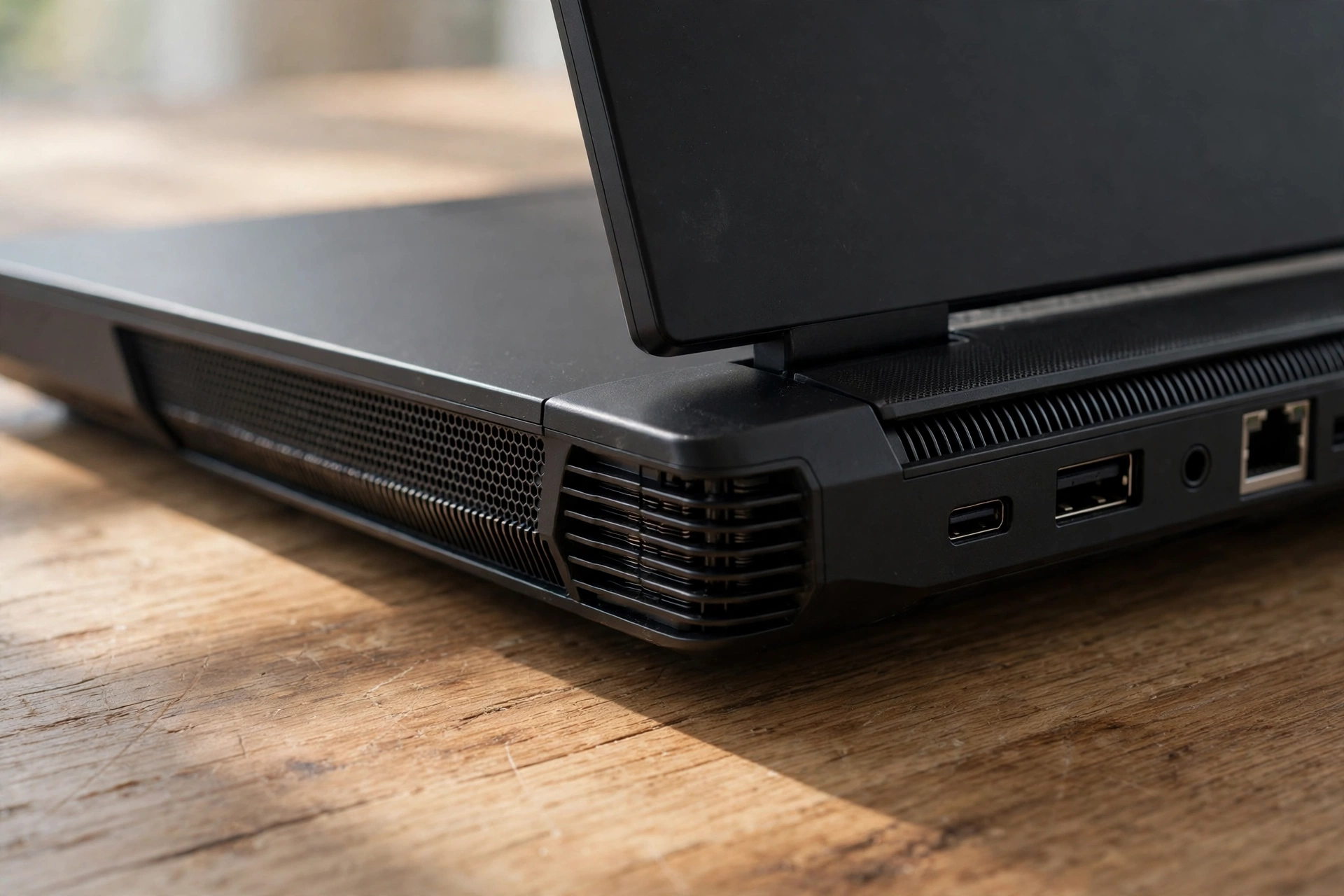
Cooling decides whether a gaming laptop keeps its speed after the first ten minutes. A laptop with two fans, wide rear vents, and a vapor chamber or large heat pipes will hold its boost clocks far longer than a thin laptop with small vents. Before you buy, read a review that tests sustained performance, not just a short benchmark, and look for words like throttling, fan noise, and surface temperature. A laptop that is fast for five minutes and then slows down is not a fast laptop.
Laptop GPUs also have a bottleneck problem that desktop buyers never face: the GPU, the CPU, and the cooling system all share one small box, and the weakest of the three sets the limit. Our guide on why laptop GPU bottleneck happens explains how a strong GPU can be held back by the rest of the laptop, and it is worth reading before you spend $2,000 on a machine that cannot use its own graphics card properly.
Ports matter more than most buyers expect. Count the USB ports, check for USB-C with charging or display output, look for HDMI or DisplayPort for an external monitor, and check for Ethernet if you play competitive games on a wired connection. A laptop with too few ports will cost you a USB hub on day one. Build quality matters too: a metal chassis feels better and lasts longer, but a well-built plastic laptop like the Katana is fine if you mostly use it at a desk. Lift the laptop in a store if you can, open and close the lid, and type on the keyboard for a minute. Those thirty seconds tell you more about daily use than a spec sheet does.
A practical takeaway: check sustained cooling in a real review, count the ports you actually use, and make sure the keyboard and trackpad feel right before you commit.
Thin Portable Desktop Replacement
Gaming laptops come in three sizes, and each one is a different compromise. Thin 14-inch laptops like the Zephyrus G14 weigh under 4 pounds, fit in a normal bag, and work as daily laptops for school or the office. They cost more per frame, they run warmer, and their GPUs often run at lower power limits, but they are the only gaming laptops you will actually want to carry every day.
Mid-size 15-inch and 16-inch laptops are the sweet spot for most buyers. They are big enough for good cooling and a full keyboard, small enough to carry when you need to, and they hold the best range of GPU options. Almost every pick in this guide is a 16-inch model for exactly that reason. Desktop replacements are 17-inch and 18-inch machines with the fastest GPUs, the biggest screens, and the best cooling. They are also heavy, expensive, and short on battery life. Buy one if the laptop never leaves your desk, and skip it if you will carry it anywhere.
Battery life follows the same pattern. Thin laptops with efficient CPUs can last 5 to 8 hours for light work with the dedicated GPU off, while big desktop replacements can last barely 2 hours even for light use. No gaming laptop is a good unplugged gaming machine, so plan to play plugged in and use battery life for work, study, and video, not for gaming.
A practical takeaway: if you carry it daily, buy thin. If it mostly sits on a desk, buy 16 inches. Only buy 18 inches if you know you will never carry it.
Gaming Laptop vs Gaming Desktop
A gaming laptop and a gaming desktop with the same GPU name are not the same machine. The desktop GPU is faster, it runs cooler, it can be upgraded part by part, and it costs less per frame. The laptop GPU runs at a lower power limit, it cannot be upgraded in most cases, and you pay extra for the screen, the battery, and the portability. If you never move your computer, a desktop wins on performance and on value, and our guide to prebuilt vs custom PC, which is best can help you decide how to build or buy one. If you want a full gaming PC for a set budget, our budget PC build guide for 2027 shows what that money buys on the desktop side.
A laptop wins when you need one machine for everything: gaming at home, work or study away from home, and travel. It also wins if you have no space for a desk setup, or if you share a home and need to play in different rooms. The honest test is simple: if you can name three times in a normal week when you would game away from your desk, buy a laptop. If you cannot, a desktop gives you more performance for the same money, and you can always add a cheap laptop for work later.
Used laptops deserve a warning of their own. A used gaming laptop can be a great deal, but it can also hide a worn battery, a dusty cooling system, or a GPU that spent years running hot. Before you buy any used machine, read our guide on how to check GPU health before buying used and run its checks on the actual laptop, not just on the listing photos.
A practical takeaway: buy a desktop if you never move, buy a laptop if you do, and never buy a used gaming laptop without checking the GPU and the battery first.
Common Mistakes to Avoid
The most common mistake is buying the GPU name instead of the laptop. An RTX 5070 in a thin laptop with a low power limit and weak cooling can lose to an RTX 5060 in a thick laptop with a high power limit and strong cooling. Always check the power limit, the cooling, and a sustained-performance review before you buy.
The second mistake is buying too little RAM or storage to save money. A 512GB SSD and 8GB of RAM will feel old within a year, and upgrading a laptop is harder than upgrading a desktop. Spend the extra money on 16GB of RAM and a 1TB SSD at the start, because fixing it later costs more and takes more time.
The third mistake is buying a 4K screen with a mid-range GPU. A 4K screen needs far more GPU power than a 1440p screen, and an RTX 5060 or 5070 will struggle to fill it at high settings. Match the screen to the GPU, as the table above shows, and you will get smoother games and a happier experience.
The fourth mistake is ignoring weight and battery life until the laptop arrives. A 6-pound laptop with a huge charger is a desktop that happens to fold, not a portable computer. If you will carry it, pick it up first, or at least check the weight with the charger included.
The fifth mistake is buying right before a sale without checking. Laptop prices swing by hundreds of dollars around holiday sales, and the same model can cost $300 less a month later. If you can wait a few weeks, check the price history and the sale calendar before you buy.
Pro Tips Before You Buy
Check the exact model number, not just the model name. A Zephyrus G14 or a Katana 15 HX can hide three different GPUs and two different screens under one name, and the price difference between them can be $1,000. Copy the full model number from the listing and check it against the maker’s own spec page.
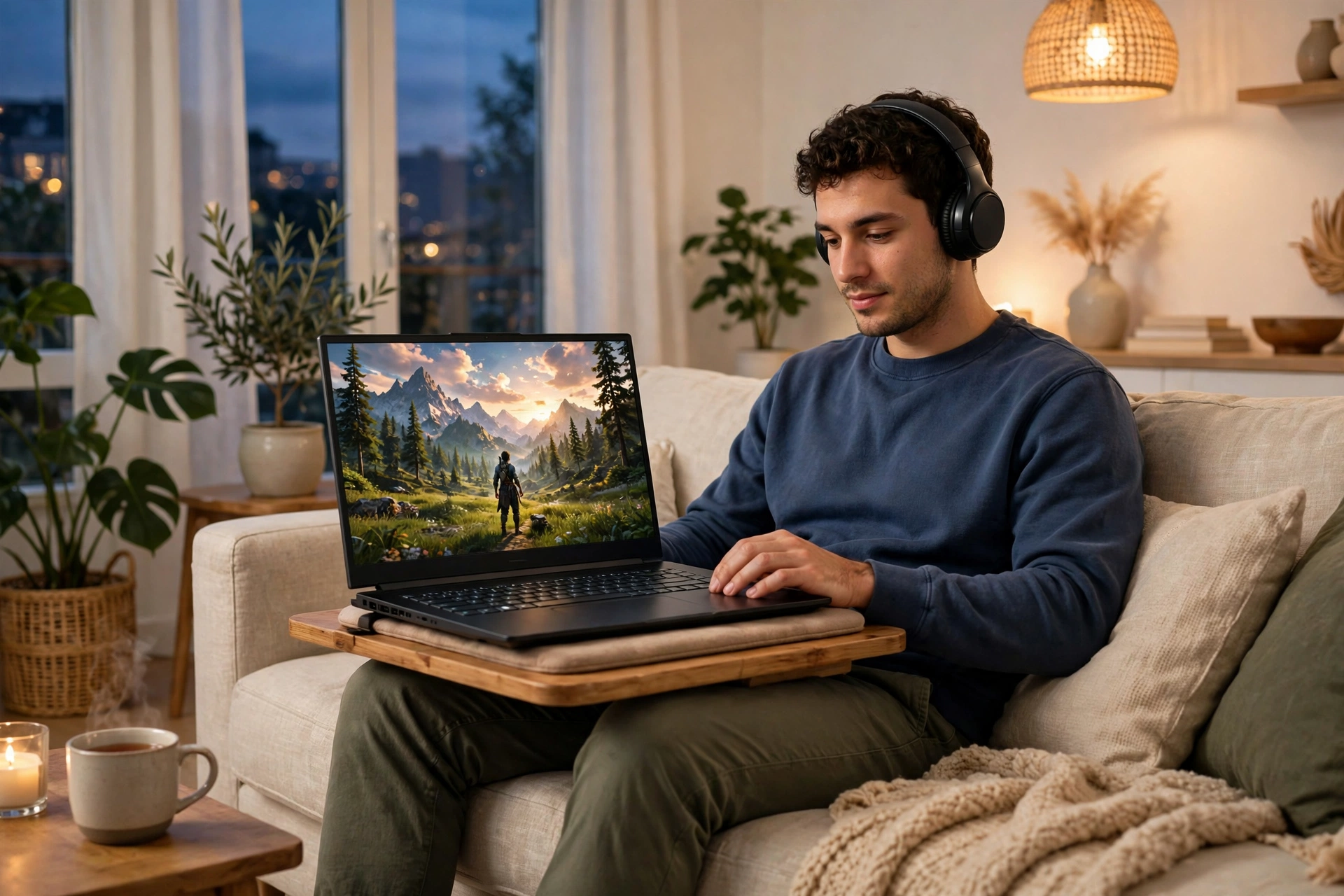
Update the graphics driver on day one, and use the laptop maker’s own control software to set the fan and power mode. Most gaming laptops ship in a balanced mode that trades speed for quiet, and switching to performance mode while plugged in can make a real difference. Keep the laptop on a hard, flat surface while you game, because a soft bed or couch blocks the air vents underneath and the laptop will slow down to protect itself.
Plan your games around the GPU you bought. If you bought an RTX 5070 laptop, use DLSS in quality mode and high settings at 1440p, and you will get smooth play in most modern games. If you bought an RTX 5050 laptop, use DLSS and medium to high settings at 1080p. Demanding open-world games reward a little tuning more than they reward maxing every slider, and our guide to Monster Hunter Wilds PC optimization shows how that tuning works on a real modern game. If you are choosing between a laptop GPU and a desktop GPU at a similar price, our guide to the best GPU under 300 dollars shows what that money buys on the desktop side, which helps you judge the laptop premium honestly.
Finally, buy from a retailer with a clear return policy and test the laptop hard in the first week. Play your main games, check for dead pixels, listen for coil whine or a rattling fan, and check the battery health. A problem found in week one is a return. A problem found in month six is a repair.
Frequently Asked Questions
What is the best laptop for gaming for most people in 2026?
A 16-inch laptop with an RTX 5070 or RTX 5070 Ti, 16GB of RAM, a 1TB SSD, and a 144Hz or faster 1440p screen is the best fit for most gamers. It plays modern games at high settings, it has enough VRAM for 1440p, and it costs far less than a flagship RTX 5080 or 5090 laptop.
How much should I spend on a gaming laptop?
Most gamers should spend $900 to $2,200. Under $1,000 buys a solid 1080p laptop like the Acer Nitro V 16. Around $1,700 to $2,200 buys a strong 1440p laptop like the MSI Katana 15 HX or the Alienware 16X Aurora. Above $2,500 you pay mostly for a better screen, a thinner body, or a flagship GPU.
Is 8GB of VRAM enough on a gaming laptop in 2026?
Yes, 8GB of VRAM is enough for most games at 1080p and for many games at 1440p with sensible settings. It can run short at 1440p with maxed textures and heavy ray tracing, which is when stuttering appears. If you play at 1440p and want to keep the laptop for years, a 12GB RTX 5070 Ti is the safer choice.
Is an RTX 5060 or RTX 5070 laptop better for 1440p gaming?
The RTX 5070 is the better choice for 1440p, because it is faster and it holds higher settings more smoothly. Both cards have 8GB of VRAM, so the difference is speed, not memory. If your budget stretches to an RTX 5070 Ti, that 12GB version is better still for 1440p with heavy textures.
Can a gaming laptop replace a desktop PC?
Yes, if you need one machine for gaming, work, and travel, and you accept that a laptop with the same GPU name is slower than the desktop version and cannot be upgraded as easily. If you never move your computer, a desktop gives you more performance for the same money.
How long does a gaming laptop last?
A good gaming laptop lasts 3 to 5 years for modern games, with lower settings in the later years. The battery is usually the first part to wear out, followed by storage filling up. Buying 16GB of RAM, a 1TB SSD, and a GPU with enough VRAM for your resolution is the best way to make a laptop last longer.
Should I buy a gaming laptop on sale or at full price?
Buy on sale when you can, because laptop prices move by hundreds of dollars around holiday sales and model changes. If you need a laptop now, buy the best configuration at the current price and check the return window, so you can swap it if the same model drops in price within that window. Our gaming laptop deals in November 2026 guide lists the verified prices for this month, so check it before you pay.
Key Takeaways
- The best laptop for gaming for most people in 2026 is a 16-inch RTX 5070 or RTX 5070 Ti laptop with 16GB of RAM, a 1TB SSD, and a fast 1440p screen.
- The RTX 5050, 5060, and 5070 all have 8GB of VRAM. The first real VRAM jump is the 12GB RTX 5070 Ti, and it matters at 1440p.
- Match the screen to the GPU: 1080p for an RTX 5050 or 5060, 1440p for an RTX 5070 or 5070 Ti, and 4K only for an RTX 5080 or 5090.
- Cooling and GPU power limits decide real performance more than the GPU name alone, so check a sustained-performance review before you buy.
- The Acer Nitro V 16 is the best budget pick under $1,000, the MSI Katana 15 HX is the best value pick, and the ASUS ROG Zephyrus G14 is the best portable pick.
- Prices are a snapshot from November 12, 2026. Check the current price and the exact configuration before you buy.
Conclusion
There is no single best laptop for gaming, because the right laptop depends on your games, your budget, and how much you carry it. The seven picks in this guide cover the real range: a budget laptop under $1,000 that plays modern games well, a value laptop that gives you the most GPU per dollar, a portable laptop you can carry every day, and a flagship laptop for buyers who want the best of everything. Start with your GPU tier, match the screen to it, buy enough RAM and storage to last, and check the cooling before you commit. Do that, and the laptop you buy will still feel like a good decision a year from now, not a compromise you regret. If you want help checking whether a laptop will hold back your games, run your shortlist through the bottleneck calculator on this site before you spend your money, and compare the laptop against a desktop build at the same price so you know exactly what the portability is costing you.
Author: Alex Carter. Prices in this guide are a street-price snapshot from November 12, 2026, based on published listings and reviews. Check the current price and the exact configuration before you buy.

Leave a Reply