
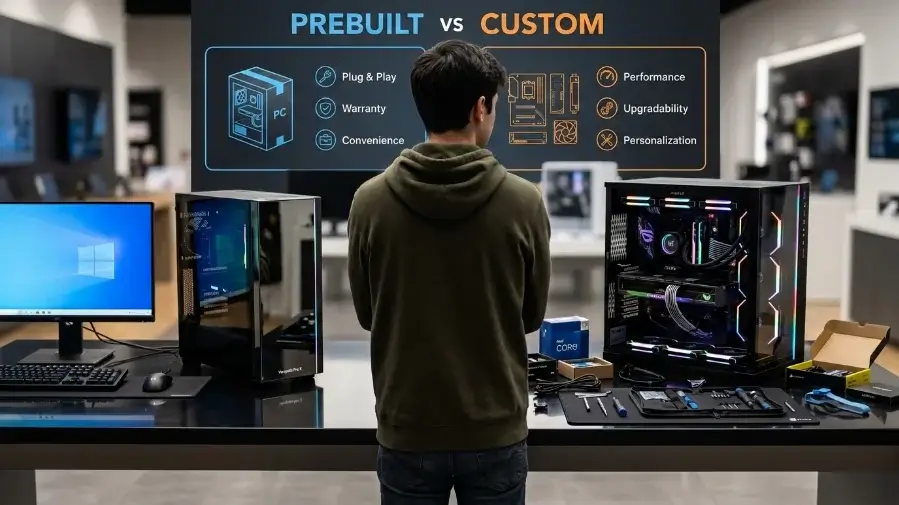
The 30-Second Verdict: Buy a prebuilt PC if you want to plug it in and play today. Buy prebuilt if you want one warranty for the whole machine. Buy prebuilt if you want less risk from price spikes. Build a custom PC if you want to pick every part. Build custom if you want an easy upgrade path. Build custom if you want the best performance for your money.
Prebuilt vs Custom PC
Ask people online about buying a new desktop. You will hear the same line over and over. Never buy a prebuilt. Building your own is always cheaper and better. That advice is old. The market has changed. New graphics cards like the NVIDIA GeForce RTX 50-series use less power for more speed. New chips like the AMD Ryzen 9000-series run cooler too. These parts handle power and heat in new ways.
The memory market has changed too. AI data centers buy huge amounts of RAM. This has pushed DDR5 RAM prices up and down fast. Building a PC on a tight budget is trickier now.
This guide skips the old advice. Below is a real look at prebuilt vs. custom PCs in 2026. You will learn the true costs. You will learn the real trade-offs. Then you can pick what fits your budget and your time.
The Mass Market Prebuilt Convenient but Compromised |
|
|---|---|
| ✅ PROS | ❌ CONS |
| Plug-and-play setup | Cheap, generic PSUs |
| One warranty covers all | JEDEC slow-speed RAM |
| Safe from part shortages | Proprietary motherboards |
A prebuilt desktop is ready to use. A company builds it, tests it, and ships it to you. Big brands like ASUS ROG, Lenovo Legion, and HP Omen make prebuilts. Smaller shops, like Xotic PC, make them too.
The Pros of Going Prebuilt
- Ready out of the box. Plug in the power cord. Turn it on. Windows is already there. All the drivers are already there too.
- One number to call. If something breaks, you call one support line. You do not have to guess which part failed.
- Some safety from price spikes. Big companies buy parts months ahead of time. If RAM or GPU prices jump overnight, prebuilt prices tend to stay more stable.
The Cons of Going Prebuilt
- The single-stick RAM trick. Many prebuilts save money by using just one RAM stick. This cuts your memory speed almost in half. It often runs at a slow speed too.
- Loud fans, weak coolers. Strong chips like the AMD Ryzen 9 9950X get hot. Cheap fans and plastic coolers cannot keep up. The PC slows itself down to stay safe. This is called thermal throttling.
- A locked BIOS. Many prebuilt boards lock their settings. You cannot change fan speeds. You cannot raise power limits. You cannot tune much at all.
Practical Takeaway: Pick a prebuilt if you want an easy, plug-and-play PC. Just know you may get weaker parts and less control in return.
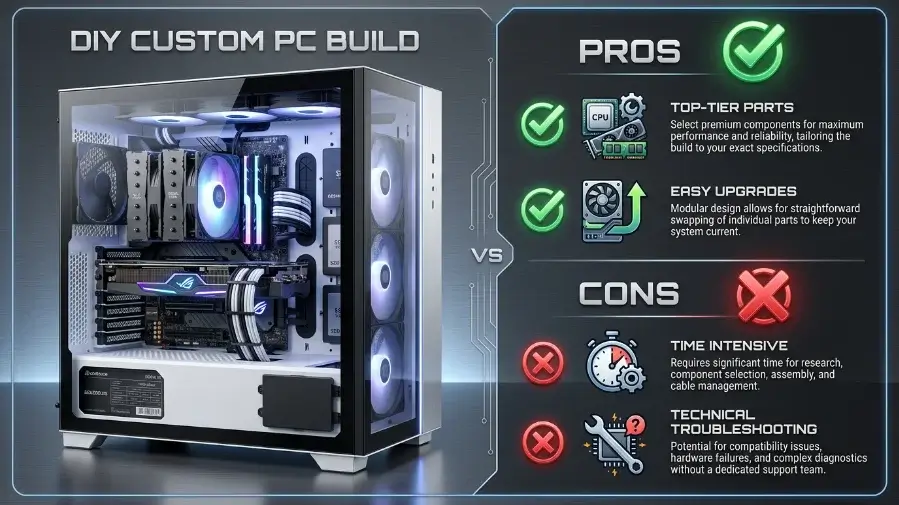
The DIY Custom PC Complete Control and Better Parts |
|
|---|---|
| ✅ PROS | ❌ CONS |
| Every part is top-tier | Takes hours of work |
| Easy to upgrade later | No single support line |
| Unlocked system speed | You must fix boot errors |
A custom PC means you pick every part. You choose the case. You choose the power supply. You choose the motherboard, the chip, the memory, the storage, and the graphics card. Then you build it. Then you install Windows.
The Pros of DIY Custom
- No mystery parts. You know every brand inside your PC. There is no guessing about a weak power supply or a slow SSD.
- A real upgrade path. Use a standard platform, like AMD’s AM5 socket. You can add a newer chip years later. You do not need a whole new PC.
- Quiet, efficient cooling. You pick the fans. You set your own fan speeds. You choose a power supply that stays cool and quiet.
The Cons of DIY Custom
- It takes time. You have to find parts. You have to check that they fit together. You have to build the PC and install Windows. This often takes 4 to 8 hours. It can take longer if this is your first build.
- Mistakes are on you. You might bend a small pin on the motherboard. A part might arrive broken. You have to find the problem yourself. You have to fix it or return it yourself.
- Warranties are split up. If your PC breaks in a year, you cannot send back the whole box. You have to find which part broke. Then you send that one part back to its maker.
Practical Takeaway: Building your own gets you a quieter, better PC that is easy to upgrade. You pay for that with your own time, and you may need to solve problems on your own.
The 2026 Price to Performance Reality Check
Is it cheaper to build your own PC right now? It depends on your budget. It helps to compare gaming PCs by budget tier, not just by brand name. The value gap changes a lot as the price goes up.
- Under $800 (Budget Tier): Building still wins here. You can find $800 prebuilts with a similar graphics card. But a custom $800 build often gets you a safer power supply. It gets you a faster SSD too. It also gets you a motherboard you can upgrade later.
- Over $1,200 (Mid-to-High Tier): Building wins by a lot here. Prebuilt brands add a big markup at this price. Build it yourself, and you save enough money for a better graphics card. You could get double the storage instead.
| Rough Value Comparison at the Same Price Point | ||
|---|---|---|
| PC Type | Value Meter | Verdict |
| DIY Custom PC | ⭐ Best value | |
| Boutique SI | 👍 Good parts + build fee | |
| OEM Prebuilt | ⚠️ Lower-tier parts | |
This chart shows a general trend. It is not an exact formula. Always check the real listed specs before you buy.
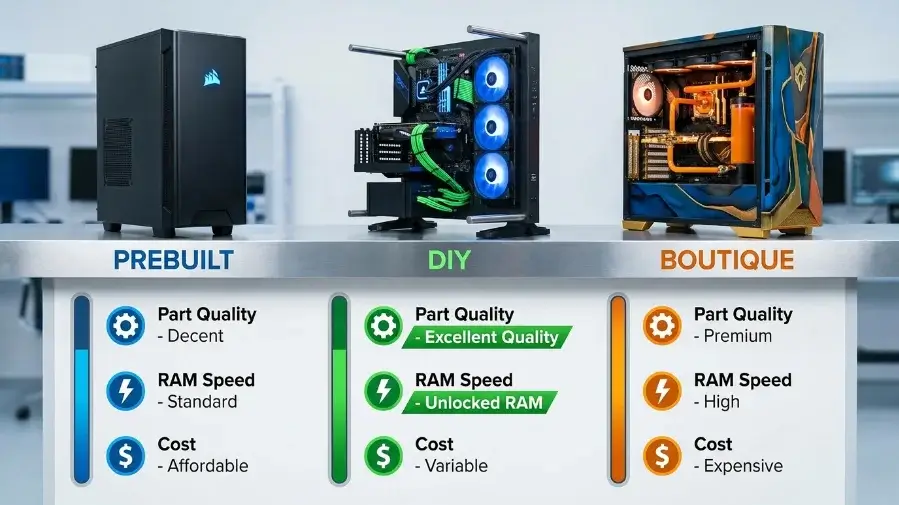
Comparison Prebuilt vs Custom PC
Use this gaming PC comparison to weigh custom PC vs prebuilt. It looks at the things that matter most: cost, part quality, and room to upgrade.
| Prebuilt vs DIY vs Boutique Full Comparison | |||
|---|---|---|---|
| Feature | Mass-Market Prebuilt PC | ⭐ DIY Custom Build | Boutique System Integrator |
| Upfront Cost | Moderate brand markup included |
Lowest you pay for parts only |
Premium retail parts + build fee |
| Assembly Time | None ready out of the box |
4 to 8 hours | None arrives assembled |
| Part Quality | Mixed often cheaper PSUs and boards |
Excellent you choose every brand |
Great curated list |
| RAM Speed | Baseline speed XMP/EXPO never enabled |
Unlocked XMP/EXPO enabled |
Unlocked usually on request |
| Upgradability | Often restricted proprietary parts |
Unlimited standard sizes |
Unlimited standard sizes |
| Warranty Support | One warranty whole box covered |
Separate warranties 3 to 10 years per part |
One warranty whole box covered |
Want name-brand parts, one warranty, and no assembly work? A boutique builder is a good middle ground. You just pay an extra fee for that ease.
Key Takeaways
- Component volatility: High demand for memory keeps prebuilt prices more stable during shortages. But that comes with weaker secondary parts.
- Hidden cost cuts: Prebuilts often save money with cheaper power delivery, basic fans, and weak power supplies.
- Performance gaps: Custom builds make it easy to turn on XMP or EXPO. This can boost real gaming and work performance over a prebuilt’s default settings.
- Upgrade room: Watch out for proprietary motherboards and power supplies in prebuilts. They can block your upgrade plans later.
Prebuilt vs Custom PC Common Mistakes to Avoid
A few mistakes show up again and again. This is true whether you buy or build.
- Buying a GPU without checking the PSU. A strong graphics card needs a strong power supply. Check the card’s power needs and plug type before you buy.
- Forgetting to turn on XMP/EXPO. This is the top reason a new PC “feels slow.” Check this setting in the BIOS the first time you turn it on.
- Ignoring case airflow. A great CPU cooler cannot save a case with poor airflow. Aim for at least two intake fans and one exhaust fan.
- Skipping the price check on prebuilts. Some boutique prebuilts now cost close to a custom build with the same parts. Always price out the same build yourself first.
- Assuming all “gaming” prebuilts are equal. Two PCs can have the same chip and GPU names but perform very differently. One might have a single RAM stick at a slow speed. The other might have two sticks at full speed. Always check the RAM setup, not just the chip name.
Why Memory Profiles (XMP/EXPO) Cause a Silent Performance Drain
Your RAM does not run at full speed by default.
Fast DDR5 memory starts at a slow speed — often 4800MHz. You have to turn on a special setting in the BIOS to unlock the full rated speed.
Intel Systems
XMP
Extreme Memory Profile
AMD Systems
EXPO
Extended Profiles for Overclocking
RAM Speed Comparison
4800 MHz
6000 MHz
Most prebuilts ship with this turned off
Many locked BIOS menus will not even let you turn it on. Running RAM at slow speed can lower gaming frame rates by an estimated 10% to 15%. The real number changes with the game, chip, and task.
Practical Takeaway
On a custom build, turning on XMP or EXPO is a quick one-click fix in BIOS. On a prebuilt, ask the seller if this setting is already enabled before you buy.
Ready to Build or Buy?
If you are building, a free PC comparison tool like PCPartPicker makes it easy to check part compatibility and compare prices. If you would rather buy prebuilt, look for boutique builders that use standard retail parts. This keeps your upgrade path open later.
Frequently Asked Questions
Does building a PC void the warranties on my parts?
No. Each part has its own warranty from its maker. Chips often get 3 years of coverage. RAM often gets a lifetime warranty. Good power supplies can get 7 to 10 years of coverage. If a part breaks, you return that one part. You do not return the whole PC.
How can I tell if a prebuilt PC uses proprietary parts before I buy it?
Check the spec sheet or the photos inside the PC. Standard words like “ATX,” “Micro-ATX,” or “Mini-ITX” mean standard parts. An odd-shaped board or a strange power plug, like a 10-pin connector, means proprietary parts.
What tools do I need to build my own PC?
You need a Phillips-head screwdriver. You need a clean, flat table. You need some zip ties for your cables. An anti-static wrist strap is a good extra step. Many builders skip it and just touch a metal surface instead.
Should I build a PC in 2026, or just buy one?
Build if you have a few hours for setup and troubleshooting. Build if you want full control over every part. Buy prebuilt if you want to skip setup and get one warranty for the whole machine. Neither choice is always right. It depends on your budget and how much your time is worth to you.
Is a gaming PC worth it in 2026 if you build it yourself?
For most gaming budgets, yes. Building often gets you a faster GPU or more storage for the same money. It also gives you RAM running at full speed from the start. Building is the better value if you can spend a weekend on setup. If you cannot, the time you save with a prebuilt may be worth the small drop in performance.
Build vs buy gaming PC does the answer change if you are mainly gaming?
Yes, a little. Gamers gain more from building. GPU choice and RAM speed have a direct effect on frame rates. These are the two spots where prebuilts most often cut corners. If gaming speed is your main goal, building usually gets you more speed for your money.
Conclusion
Prebuilt vs Custom PC Choosing between a mass-market prebuilt, a DIY custom build, or a boutique system integrator comes down to one simple question how much control do you actually want over your machine? Prebuilts are convenient. You plug them in and they work. But that convenience comes at a cost. Cheap power supplies, slow RAM running at JEDEC default speeds, proprietary motherboards that lock you into the manufacturer’s ecosystem these are not small compromises. They quietly limit performance from day one and make upgrades harder later.
A DIY custom build flips every one of those problems. You pick a standard ATX case that fits any PSU. You choose quality components from trusted brands. You enable XMP or EXPO in the BIOS and your RAM instantly runs at the speed you actually paid for. Every part carries its own warranty. And when a new GPU comes out two years from now, you simply swap it in without replacing the entire system.

Leave a Reply