

Quick answer: The best AMD CPU for gaming in 2026 is the Ryzen 7 9800X3D, the fastest gaming processor you can buy thanks to second-generation 3D V-Cache. On a tighter budget, the Ryzen 5 7600 or the AM4-based Ryzen 5 5600 deliver excellent frame rates for far less. The right pick depends on your graphics card and monitor, not just your wallet.
Picking the wrong processor is one of the most expensive mistakes in PC building. Buy too little CPU and your expensive graphics card sits idle, starved of data. Buy too much and you paid flagship money for frames your monitor cannot even display. The good news is that in 2026, AMD makes this decision easier than ever. Team Red owns the gaming CPU crown outright, from the chart-topping Ryzen 7 9800X3D down to bargain chips that cost less than a night out.
This guide ranks the best AMD CPU for gaming at every budget tier, and it does something most roundups skip: it tells you exactly which graphics card each processor can feed without bottlenecking. Because on this site, the pairing is the whole point.
How We Ranked These AMD Gaming CPUs
Most “best CPU” lists rank chips by raw speed and stop there. That misses the question that actually matters for gamers: will this processor hold back my graphics card? So this ranking uses a bottleneck-first method.
First, gaming frame rates and 1% low frame times carry the most weight, since smooth minimums matter more than average FPS when you are actually playing. Second, every pick is judged on the GPU it can comfortably feed at 1080p, 1440p, and 4K, because a CPU that is perfect for an RTX 4060 can be a bottleneck for an RTX 5080. Third, total platform cost counts: motherboard, DDR4 or DDR5 memory, and the cooler all come out of the same budget.
All specifications below come from AMD’s official data and established review outlets. Performance claims are attributed to published reviews (TechPowerUp’s in-depth 9800X3D review and Tom’s Hardware’s regularly updated CPU hierarchy) rather than our own testing. Where prices are mentioned, they are launch prices or clearly attributed reports, because street prices move constantly in 2026.
Best AMD Gaming CPU Picks at a Glance
| Our Pick | CPU | Cores / Threads | Key Spec | Best Paired GPU Tier |
|---|---|---|---|---|
| Best overall | Ryzen 7 9800X3D | 8 / 16 | 96MB L3 cache, 5.2GHz boost | RTX 5070 Ti / 5080, RX 9070 XT and up |
| Gaming plus work | Ryzen 9 9950X3D | 16 / 32 | 128MB L3 cache, 170W TDP | RTX 5080 and up |
| Value flagship | Ryzen 7 7800X3D | 8 / 16 | 96MB L3 cache, 5.0GHz boost | RTX 5070, RX 9070 class |
| Balanced mid-range | Ryzen 7 9700X | 8 / 16 | 65W TDP, 5.5GHz boost | RTX 5060 Ti, RX 9060 XT class |
| Mid-range value | Ryzen 5 9600X | 6 / 12 | 65W TDP, 5.4GHz boost | RTX 5060, RX 9060 class |
| Budget AM5 | Ryzen 5 7600 | 6 / 12 | 65W TDP, AM5 upgrade path | RTX 5060, RX 7600 class |
| Budget AM4 | Ryzen 5 5600 | 6 / 12 | 65W TDP, DDR4, cooler included | RTX 4060, RX 7600 class |
| AM4 upgrade | Ryzen 7 5700X3D / 5800X3D | 8 / 16 | 96MB L3 cache, DDR4 | RTX 4070 Super, RX 7800 XT class |
Ryzen 7 9800X3D The Best AMD CPU for Gaming Overall

There is no real debate about the top spot in 2026. The Ryzen 7 9800X3D is the fastest gaming CPU you can buy, full stop. PC Gamer, Tom’s Hardware’s CPU hierarchy, and Digital Trends all land in the same place, and the September 2026 Steam Hardware Survey shows why: AMD now powers 47.41% of Windows gaming PCs on Steam, up nearly two points in a single month, and the 9800X3D is the chip enthusiasts keep recommending.
The secret is second-generation 3D V-Cache. AMD stacks an extra 64MB of L3 cache directly underneath the processor cores, giving the chip 96MB of L3 (104MB of total cache) that games can reach almost instantly. Games constantly fetch the same small chunks of data, textures, physics states, draw calls, and that giant pool of nearby cache means the cores spend less time waiting and more time pushing frames. The redesigned layout also solved the old thermal problem: the previous X3D chips had the cache sitting on top of the cores, trapping heat. With the cache underneath, the 9800X3D runs cooler and, for the first time on an X3D processor, ships fully unlocked for overclocking.
The official specs tell the story: 8 Zen 5 cores and 16 threads, a 4.7GHz base clock, up to 5.2GHz boost, 120W TDP, and the AM5 socket with DDR5 and PCIe 5.0 support. AMD launched it at $479. In AMD’s own testing, it averaged about 8% higher frame rates than the 7800X3D across 40 games, with up to 26% gains in select titles, and TechPowerUp’s independent review confirmed its position at the top of the gaming charts, noting dramatically better 1% low frame times (AMD reported 31% higher 1% lows in The Last of Us Part 1). Those minimums are what you actually feel: fewer stutters when a game loads a new area or a fight breaks out.
One important caveat: AMD does not include a cooler in the box, so budget for a decent tower air cooler or 240mm liquid cooler. That is standard for flagship chips, but first-time builders get caught by it.
Who should buy it: Gamers with an RTX 5070 Ti, RTX 5080, RX 9070 XT, or better, especially at 1080p or 1440p high refresh rates where the CPU does the heavy lifting. If you want the fastest frame rates possible and your budget allows, this is the chip.
Who should skip it: Anyone running an RTX 4060-class card or below at 1440p. At that point the graphics card is the bottleneck, and the extra money buys you almost nothing. Our detailed best GPU for Ryzen 7 9800X3D pairing guide shows exactly where this chip makes sense and where it is overkill.
Practical takeaway: the 9800X3D earns its crown through cache and frame-time consistency, not core count. Eight cores with 96MB of L3 beats sixteen cores without it in games, every time.
Ryzen 9 9950X3D Best for Gaming Plus Heavy Work
What if you game hard but also edit video, stream, render 3D scenes, or compile code? The Ryzen 9 9950X3D is AMD’s answer: 16 Zen 5 cores and 32 threads, 128MB of L3 cache, and a 170W TDP, all on AM5. It is essentially the 9800X3D’s bigger sibling, with double the cores for multi-threaded work.
In pure gaming, it lands within a few percent of the 9800X3D. That makes it a poor value if gaming is all you do. But if your PC earns its keep with creative work, the extra cores tear through renders and encodes while still delivering elite gaming performance after hours. Streamers running OBS, Discord, a browser, and a game simultaneously will appreciate the headroom.
The honest verdict: buy the 9800X3D for gaming, buy the 9950X3D for gaming plus a serious workload. Paying the premium for cores your games will never use is one of the classic traps in PC building, and it is exactly the kind of mismatch our CPU bottleneck vs GPU bottleneck explainer helps you avoid.
Ryzen 7 7800X3D Best Value High-End Gaming CPU
Here is where smart money often lands. The Ryzen 7 7800X3D, the previous-generation X3D champion, packs the same 8 cores, 16 threads, and 96MB of 3D V-Cache as its successor, on the older Zen 4 architecture with a 4.2GHz base and 5.0GHz boost clock at the same 120W TDP. Independent comparisons show the 9800X3D roughly 8 to 15% ahead in 1080p gaming, and the gap shrinks as resolution climbs because the graphics card takes over.
That modest gap is why the 7800X3D keeps winning value awards. Wccftech’s head-to-head comparison judged the older chip the better buy at the prices they observed, noting that the performance difference is mostly noticeable at very high frame rates where most players cannot feel it. If you find a meaningful price gap between the two, the 7800X3D gives you roughly 90% of the flagship gaming experience for clearly less money.
One rule, though: if you already own a 7800X3D, do not upgrade to the 9800X3D. The generational gain is real but small, and your money buys far more frames as a GPU upgrade. Save the platform swap for Zen 6.
Who should buy it: High-end 1440p gamers who want X3D-class 1% lows without paying the newest-chip premium. See our best GPU for Ryzen 7 7800X3D guide for the ideal graphics card pairings.
Practical takeaway: the 7800X3D is the “last year’s flagship” play. Slightly slower on paper, much kinder on the wallet, and still faster in games than any non-X3D chip AMD sells.
Ryzen 7 9700X and Ryzen 5 9600X Best Mid-Range Zen 5 Picks
Not everyone needs 3D V-Cache. The Ryzen 7 9700X (8 cores, 16 threads, up to 5.5GHz boost, 32MB L3, 65W TDP) and Ryzen 5 9600X (6 cores, 12 threads, up to 5.4GHz boost, 65W TDP) are AMD’s efficient Zen 5 workhorses, and they are genuinely excellent gaming CPUs.
Their strength is balance. At 65W, they sip power, run cool on modest coolers, and still deliver strong single-threaded performance for games. Pair either with a mid-range card like an RTX 5060 Ti or RX 9060 XT at 1440p, and the difference versus an X3D chip shrinks to single-digit percentages, because the GPU becomes the limiting factor. The 9700X’s eight cores also give it more headroom for streaming and background tasks, while the 9600X is the value play for pure gaming builds.
AMD even revised the 9700X with a higher 105W performance mode for users who want extra multi-threaded muscle, which shows how much headroom the efficient Zen 5 design carries.
Who should buy them: Balanced 1440p builders who want modern AM5 efficiency and a clear upgrade path to a future X3D chip. These are the “buy the platform, upgrade the chip later” picks.
Ryzen 5 7600 Best Budget AM5 CPU
The Ryzen 5 7600 is the cheapest sensible ticket onto the AM5 platform: 6 Zen 4 cores, 12 threads, up to 5.1GHz boost, and a 65W TDP. It will not win any benchmark shootouts against X3D chips, but at 1080p and 1440p with a mid-range or budget graphics card, it keeps frame rates high and 1% lows respectable.
Its real value is the socket. Buying a 7600 today means your motherboard, DDR5 memory, and cooler all carry forward when you eventually drop in a used 7800X3D or a future Zen 6 chip. AMD has committed to supporting AM5 through at least 2027, with reports suggesting support could extend to 2029. That upgrade path is something no budget Intel platform currently matches.
Pair it with something in the RTX 5060 or RX 7600 class and you have a genuinely capable 1080p high-refresh machine. Our best GPU for Ryzen 5 7600 guide breaks down the exact pairings that avoid bottlenecks.
Practical takeaway: the 7600 is not the fastest chip on this list, but it may be the smartest budget buy, because every dollar you save on the platform stays useful for years.
Ryzen 5 5600 and Ryzen 5 5500 Best Budget AM4 CPUs
Sometimes the budget is the budget. The Ryzen 5 5600 (6 cores, 12 threads, 65W, AM4, DDR4) remains the king of ultra-cheap gaming builds, and the Ryzen 5 5500 sits even lower for the tightest budgets. Both ship with AMD’s Wraith Stealth cooler in the box, which saves you another $25 to $40 that AM5 builders must spend.
Are they slower than everything above? Yes. Does it matter with a budget GPU? Barely. A Ryzen 5 5600 paired with an RTX 4060 or RX 7600 delivers smooth 1080p gaming in modern titles, because at that GPU tier the graphics card is doing the limiting long before the CPU breaks a sweat. This is the classic esports-machine formula: cheap CPU, decent GPU, high refresh monitor.
The trade-off is the platform. AM4 is a dead end for future CPU upgrades beyond the 5000 series, and you are locked into DDR4. For a first gaming PC or a kids’ build, that is a perfectly fine deal. For a machine you plan to upgrade piece by piece, spend the extra on AM5 instead. Check our best GPU for Ryzen 5 5600 pairings to see exactly how far this little chip can stretch.
The 5700X3D and 5800X3D Upgrade Play
If you already own an AM4 motherboard, you are sitting on one of the best upgrade deals in PC hardware. The Ryzen 7 5700X3D and Ryzen 7 5800X3D bring 96MB of 3D V-Cache (8 cores, 16 threads, 105W TDP) to the old DDR4 platform. In June 2026, AMD even released a 5800X3D 10th Anniversary Edition at $349, a clear signal that the company knows millions of AM4 systems are still out there.
This is a drop-in upgrade for most B450, X470, B550, and X570 boards after a BIOS update. No new motherboard, no new DDR5 memory, no reinstalling Windows. For the cost of one component, an aging Ryzen 3000 or non-X3D 5000 system transforms into a machine that trades blows with modern mid-range builds in games. Tom’s Hardware forum users upgrading from chips like the Ryzen 5 3600 regularly weigh the 5500X3D against the 5700X, and the answer almost always comes down to gaming style: competitive players chasing maximum FPS benefit most from X3D, while casual gamers can save with a standard chip.
One caution from that same forum wisdom: check your motherboard’s VRM and cooling before jumping to higher-tier chips, and update the BIOS before swapping CPUs. A five-minute BIOS update prevents a very frustrating afternoon.
If you are wondering whether your DDR4 memory is holding you back, our DDR4 vs DDR5 gaming performance breakdown shows the real-world gap is smaller than marketing suggests. And if you are pairing any AM4 chip with a modern card, our Ryzen 7 5800X bottleneck with RTX 5070 analysis shows where the limits actually sit.
Which AMD CPU Matches Your GPU?
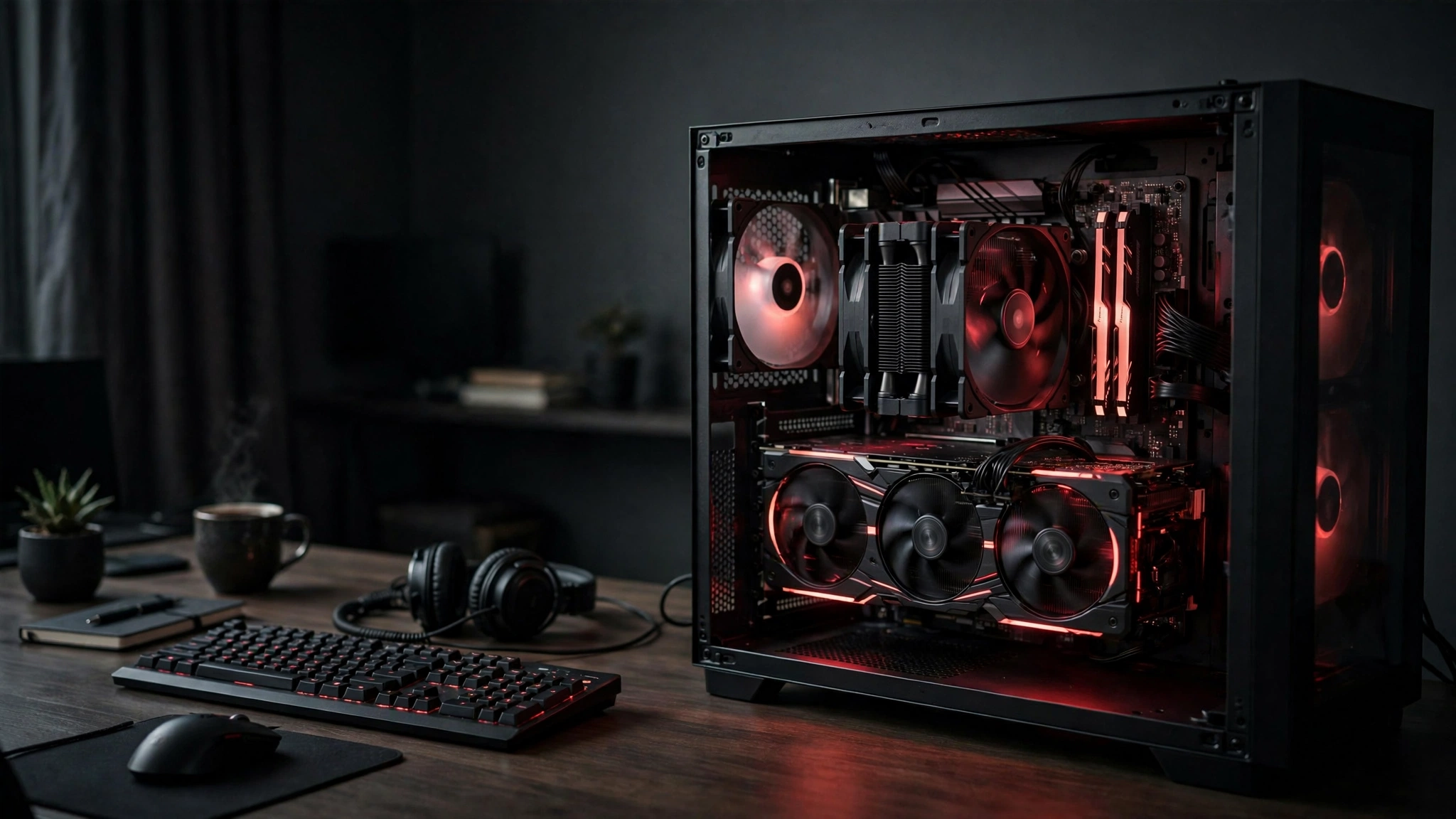
This is the section that matters most on a bottleneck-focused site. The rule is simple: your CPU needs to be fast enough that your graphics card is the limiting factor in the games you play. An oversized CPU wastes money; an undersized one wastes your GPU.
| Your Graphics Card | Best AMD CPU Match | Why It Works |
|---|---|---|
| RTX 5090 / 5080, RX 9070 XT | Ryzen 7 9800X3D | Only X3D-class 1% lows keep flagship GPUs fully fed at high refresh rates |
| RTX 5070 Ti / 5070, RX 9070 | Ryzen 7 9800X3D or 7800X3D | Either X3D chip removes the CPU from the equation; pick by price gap |
| RTX 5060 Ti, RX 9060 XT | Ryzen 7 9700X or 7800X3D | Balanced 1440p territory; the GPU usually limits before the CPU does |
| RTX 5060 / 4060, RX 9060 / 7600 | Ryzen 5 9600X or Ryzen 5 7600 | Six fast cores are plenty; spend the savings on the GPU tier |
| Older / budget cards (RTX 3060, RX 6600) | Ryzen 5 5600 or 5500 | Cheap AM4 build; the GPU is the bottleneck by design |
Notice the pattern: as the graphics card gets weaker, the CPU matters less, not more. A $500 processor cannot make an RTX 4060 render faster than its silicon allows. Money flows downhill in a balanced build: GPU first, then the cheapest CPU that will not hold it back. If you want the full theory behind this, our CPU bottleneck vs GPU bottleneck guide walks through it with examples.
Practical takeaway: match the CPU to the GPU you actually own, not the one you dream about. Balanced pairings beat lopsided flagships every time.
How to Choose Resolution and Bottlenecks
Your monitor decides how much CPU you need more than any spec sheet does.
1080p high refresh (240Hz and up): This is the most CPU-demanding scenario in gaming. The GPU finishes each frame so quickly that the processor becomes the limit, which is exactly why competitive players buy X3D chips. If you are chasing frame rates for a 240Hz or 360Hz display, the 9800X3D is genuinely worth it. Our what CPU do you need for 240Hz guide digs into the specifics.
1440p at 144Hz: The sweet spot for most gamers, and the most forgiving. A mid-range Zen 5 chip like the 9700X or even the 9600X keeps up with mid-range GPUs here, because the graphics card does the heavier lifting at this resolution. This is also where the RTX 5070, now the most common GPU on Steam at 5.86% of systems, lives.
4K at 60 to 144Hz: The GPU is almost always the bottleneck at 4K. A Ryzen 5 7600 will not meaningfully hold back a 4K gaming experience versus a 9800X3D in most titles, because the graphics card is sweating long before the CPU. Spend the difference on the GPU.
One more lever: upscaling. Technologies like DLSS and FSR raise frame rates by rendering at lower internal resolutions, which shifts work back toward the CPU. If you lean heavily on upscaling at 1080p, CPU strength matters more than the raw resolution suggests. For general frame-rate troubleshooting beyond the CPU choice, our how to increase FPS guide covers the full checklist.
Common Mistakes AMD Buyers Make
Buying the 9950X3D for pure gaming. Sixteen cores look impressive on a spec sheet, but games in 2026 still scale across roughly 4 to 8 cores. The extra cores sit idle while your wallet ends up significantly lighter. Unless you render, compile, or stream professionally, the 9800X3D is the better buy.
Pairing a flagship CPU with a budget GPU. A 9800X3D next to an RTX 4060 is a bottleneck in reverse: the graphics card caps every frame, and the expensive processor contributes nothing. Balance the build instead.
Building new on AM4 to save $50. For the absolute cheapest builds, AM4 still makes sense. But if your budget stretches even slightly, AM5’s DDR5 platform and years of upgrade headroom are worth the premium. A dead-end platform is only cheap once.
Forgetting the cooler. The 9800X3D, 9700X, and 9600X do not include stock coolers. The 5600 and 5500 do. Budget accordingly, because thermal throttling turns a fast chip into a slow one.
Skipping the BIOS update on AM4 upgrades. Dropping a 5700X3D into a B450 board without updating the BIOS first is the single most common cause of “my upgrade won’t boot” panic. Update first, swap second.
Frequently Asked Questions
Do processors with more cores give better performance in games?
Not necessarily, and usually not. This is one of the most asked questions on Quora, and the answer surprises many buyers: for gaming, cache size and single-core speed matter far more than core count. The 8-core Ryzen 7 9800X3D beats 16-core processors in games because its 96MB of 3D V-Cache feeds game data to the cores faster. Most games effectively use 4 to 8 cores, so extra cores beyond that sit idle during gameplay. Eight fast cores with a giant cache is the sweet spot for gaming in 2026.
What is the cheapest AMD CPU that will not bottleneck an RTX 3070?
A Ryzen 5 5600 handles an RTX 3070 comfortably in most titles at 1080p and 1440p, making it the cheapest sensible AMD pairing. If you play CPU-heavy games like Microsoft Flight Simulator or competitive shooters at high refresh rates, stepping up to a Ryzen 7 5700X3D on the same AM4 platform removes the remaining bottleneck risk. The key insight from community discussions is to match the CPU to the GPU tier: the 3070 is a mid-range card by 2026 standards, so a mid-range or budget CPU is the balanced choice, not a flagship.
What is the best CPU and graphics card combination for high FPS gaming?
For maximum high-FPS gaming in 2026, the consensus pick is the Ryzen 7 9800X3D paired with an RTX 5080 or RX 9070 XT. The X3D cache delivers the best 1% low frame times in the industry, which is what high-refresh gaming actually feels like. For 1440p high-FPS on a saner budget, a Ryzen 7 7800X3D with an RTX 5070 gets you most of the way there. And for esports titles at 1080p, a Ryzen 5 9600X with an RTX 5060 is the value formula. Always match your monitor’s refresh rate to the combination: there is no point pushing 300 FPS into a 144Hz display.
Should I upgrade my AM4 system to a 5500X3D or a 5700X?
This exact dilemma comes up regularly on the Tom’s Hardware forums, and the answer depends on how you play. If you mainly play competitive shooters or CPU-bound simulation games at low settings chasing maximum FPS, the X3D chip’s extra cache gives you a real, measurable advantage. If you play cinematic AAA titles at higher settings where the GPU does the work, the cheaper 5700X (or 5700X3D if the price gap is small) is the smarter buy. Either way, update your motherboard BIOS before the swap, and make sure your cooling is adequate, since better cooling lets any Ryzen 5000 chip hold higher boost clocks.
Is the Ryzen 7 9800X3D worth it over the 7800X3D?
For a brand-new build, usually yes if the price gap is small, because you get higher clocks, better thermals, unlocked overclocking, and stronger productivity performance. But if the 7800X3D is meaningfully cheaper, it remains a fantastic buy: the gaming gap is roughly 8 to 15% at 1080p and shrinks at higher resolutions. If you already own a 7800X3D, upgrading is not worth it. Put that money toward your graphics card instead.
Does the Ryzen 5 9600X work with my old motherboard?
Only if your old motherboard is already AM5. The 9600X uses the AM5 socket and requires DDR5 memory, so upgrading from any AM4 or Intel system means a new motherboard and new RAM as well. Factor the full platform cost into your decision. If you want to keep your current DDR4 board, the AM4 chips on this list (5600, 5700X3D, 5800X3D) are your upgrade path.
Key Takeaways
- The Ryzen 7 9800X3D is the best AMD CPU for gaming in 2026, full stop. Nothing else matches its combination of average FPS and 1% low consistency.
- The Ryzen 7 7800X3D is the value king for high-end gaming when found at a discount, delivering roughly 90% of the flagship experience.
- Mid-range builders should look at the Ryzen 7 9700X and Ryzen 5 9600X: efficient, cool, and more than enough for 1440p gaming with mid-range GPUs.
- Budget champions are the Ryzen 5 7600 on AM5 and the Ryzen 5 5600 on AM4, each matched to the GPU tier they can actually feed.
- AM4 owners should not overlook the 5700X3D and 5800X3D drop-in upgrades, especially with the 5800X3D Anniversary Edition keeping the platform alive.
- Always match your CPU to your graphics card and monitor. An oversized CPU with a weak GPU is just as unbalanced as the reverse.
Conclusion
AMD’s position in 2026 is remarkable: nearly half of Steam’s Windows gaming PCs now run Ryzen, the 9800X3D sits atop every gaming CPU ranking, and there is a genuinely good AMD option at every price point from $100 budget builds to no-compromise flagships. The company’s AM5 platform, supported through at least 2027, means even a budget build today can grow into a monster tomorrow.
Start from your graphics card, pick the cheapest CPU on this list that will not hold it back, and spend whatever is left where frames actually come from. If you are still weighing Team Red against Team Blue, our Intel vs AMD CPU comparison lays out where each side wins. And one honest market note: multiple outlets report CPU prices climbing through 2026, with AMD pricing expected to follow Intel’s increases, so if you see a fair price on the chip you want, waiting rarely helps. Our CPU price hike survival guide has practical tips for buying smart in this market.
For deeper benchmark data behind these picks, TechPowerUp’s Ryzen 7 9800X3D review remains the definitive technical reference, Wccftech’s 9800X3D vs 7800X3D comparison is the best value-focused head-to-head, and Tom’s Hardware’s CPU section keeps a regularly updated hierarchy worth bookmarking.

Leave a Reply