

Quick Answer
No, the Ryzen 7 5800X does not seriously bottleneck the RTX 5070 for most gamers. At 1440p and 4K the GPU is almost always the limit, so the pairing works well. At 1080p in CPU-heavy esports titles chasing very high frame rates, the 5800X can leave some performance unused. Buy the GPU first, then judge your CPU.
You already own the Ryzen 7 5800X. It has served you well for years on the AM4 platform. Now you are eyeing an RTX 5070, one of the most popular graphics cards of 2026. The September 2026 Steam Hardware Survey ranked the RTX 5070 as the number one GPU with roughly 5.86 percent share, so you would not be alone in making this jump. But one worry keeps popping up: will your aging Zen 3 CPU hold the new card back?
That is the classic AM4 upgrade question. Owners keep asking it on the Tom’s Hardware forums, and bottleneck calculators spit out a single percentage that never tells the full story. This guide answers the question properly: resolution by resolution, game type by game type, with a clear plan for when to keep the 5800X, when to drop in a 5800X3D, and when a full AM5 move actually makes sense.
The Short Answer Resolution Decides Everything
The bottleneck conversation goes wrong when people treat it as one fixed number. It is not. A bottleneck is simply whichever part finishes its work last in each frame, and that changes with resolution, game, and settings. One online calculator estimates the 5800X as about 22 percent slower than what the RTX 5070 can handle at 1080p. Treat that as a rough directional hint, not gospel: calculators estimate, they do not measure your actual games.
Here is how the pairing behaves in practice across resolutions:
| Resolution and Use Case | Which Part Limits You | Verdict for 5800X + RTX 5070 |
|---|---|---|
| 1080p competitive esports (Valorant, CS2) | CPU | Noticeable limit. A newer CPU would push higher frame rates. |
| 1080p AAA story games | GPU (mostly) | Fine. The GPU carries the load; the 5800X keeps up. |
| 1440p gaming (any genre) | Balanced, slight CPU limit in some titles | The sweet spot. Strong pairing, small compromises. |
| 4K gaming | GPU | Excellent pairing. The CPU barely matters here. |
Practical takeaway: if you game at 1440p or 4K, stop worrying and buy the card. If you play competitive shooters at 1080p on a 240Hz or 360Hz monitor, the 5800X is the part you should think about upgrading first.
Ryzen 7 5800X vs RTX 5070 Specs Compared
A quick look at the two chips explains why this pairing is interesting. The 5800X is a full 8-core, 16-thread Zen 3 processor with boost clocks up to 4.7 GHz, but it has no 3D V-Cache. The RTX 5070 is a Blackwell card with 6,144 CUDA cores, 12GB of GDDR7 memory, a 250W total graphics power rating, and DLSS 4 support that reviews note is exclusive to the RTX 50 series. Per AMD’s published specifications, the 5800X supports PCIe 4.0, which matters for the next section.
| Specification | Ryzen 7 5800X | RTX 5070 |
|---|---|---|
| Architecture | Zen 3 (7nm) | Blackwell (4nm class) |
| Cores / CUDA cores | 8 cores, 16 threads | 6,144 CUDA cores |
| Cache | 32MB L3 (no 3D V-Cache) | 48MB L2 |
| Memory | DDR4 (platform) | 12GB GDDR7, 192-bit |
| Boost clock | Up to 4.7 GHz | 2.51 GHz |
| Power | 105W TDP | 250W TGP |
| PCIe support | 4.0 x16 | 5.0 x16 (backward compatible) |
Practical takeaway: nothing about the raw specs is a red flag. The two parts are from different generations, but the 5800X still has enough single-thread speed to feed a 250W-class GPU in most scenarios.
Where the 5800X Holds Back the RTX 5070
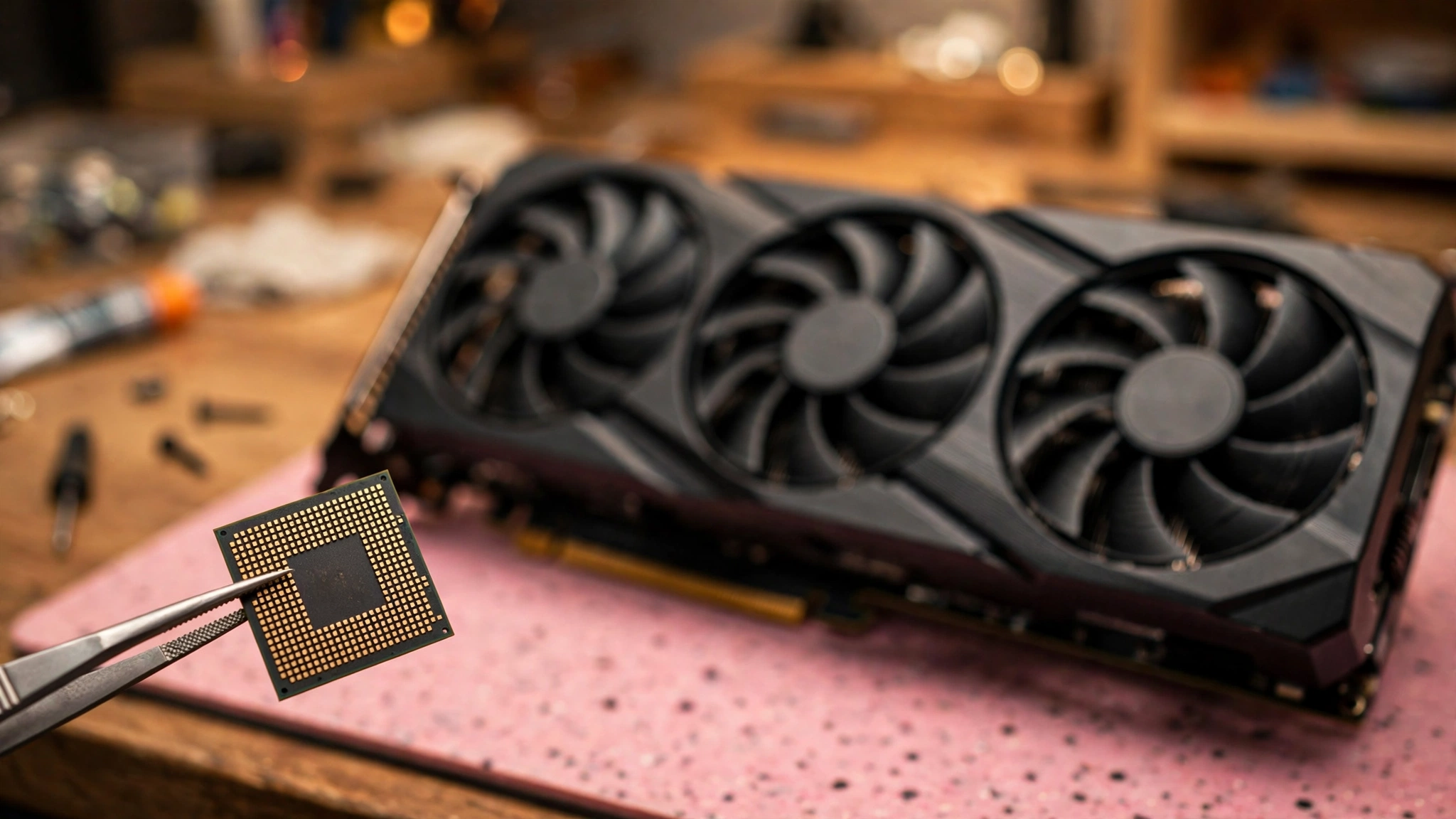
The 5800X has two genuine weak spots against a card like the 5070. First, it lacks 3D V-Cache. That stacked cache is exactly what lets the 5800X3D feed fast GPUs much more smoothly in CPU-bound games, and independent comparisons of AM4 chips consistently show the X3D parts pulling ahead of the plain 5800X at 1080p. Second, Zen 3’s single-thread performance is now several generations behind current chips. In games that hammer one or two threads, that gap shows.
Where does this actually bite? Three places:
- Competitive shooters at 1080p. Valorant, CS2, and similar titles at low settings push hundreds of frames per second. The GPU finishes each frame so fast that the CPU becomes the limit. This is the one scenario where a 5800X genuinely costs you a chunk of the RTX 5070’s potential, and it is also the scenario where those frames matter least, since you are usually already past your monitor’s refresh rate.
- CPU-heavy simulation and strategy games. Cities skylines style builders, large-scale strategy, and dense open-world games with heavy AI or physics loads lean on the CPU. Here the 5800X can limit peak and minimum frame rates.
- Streaming while gaming on the same PC. Encoding a stream adds a real CPU load. The 8 cores help, but NVENC on the RTX 5070 handles encoding far more efficiently, so this is mostly solved by using GPU encoding.
Practical takeaway: the 5800X only truly limits the 5070 when the game asks for extreme frame rates or extreme per-thread work. For the average gamer, those are edge cases, not the daily experience.
The 1% Lows Problem
Average FPS hides the real pain. The 1% lows measure the slowest one percent of frames, which is what you feel as stutter. This is where an older CPU paired with a strong GPU can feel worse than the average FPS suggests: the GPU renders most frames easily, but the CPU occasionally takes too long to prepare the next one, and you get a visible hitch.
The 5800X is generally good here, but its missing 3D V-Cache means it has less margin in the most CPU-demanding scenes than an X3D chip does. If you ever feel micro-stutter in busy scenes while your GPU utilization dips, that is the 1% lows telling you the CPU is the limit. The fix is not always a new CPU: capping your frame rate slightly below the maximum, enabling DLSS, or dropping one or two CPU-heavy settings (crowd density, draw distance) can smooth things out without an upgrade.
Practical takeaway: watch 1% lows, not just averages. They tell you whether your CPU is actually bothering you.
Where the RTX 5070 Is the Limit, Not the 5800X
Now the good news, which covers most gamers. As resolution climbs, each frame gets more expensive for the GPU and the CPU’s job barely changes. The CPU still prepares roughly the same number of frames per second; the GPU just takes longer to draw each one. That is why the bottleneck shifts from the CPU to the GPU as you move from 1080p to 1440p to 4K.
At 1440p, the RTX 5070 is in its element. Independent testing of the exact 5800X plus RTX 5070 combination across 18 games at 1440p exists on YouTube, which confirms this is a pairing people genuinely run and test, not a theoretical mismatch. In demanding AAA titles with ray tracing enabled, the GPU will sit near full utilization while the 5800X cruises. That is exactly the balance you want: a fully utilized GPU means you are getting what you paid for.
At 4K, the CPU steps even further out of the way. Even much faster modern CPUs deliver similar results to the 5800X in most 4K scenarios, because the GPU is doing nearly all the work. Ray tracing and DLSS 4 widen this further: heavier GPU workloads make the CPU’s share of each frame smaller by comparison.
Practical takeaway: at 1440p and especially 4K, the 5800X is not holding the RTX 5070 back in any way that matters. The GPU is the limit, and that is the healthy kind of limit.
Should You Upgrade the CPU?
You have three honest paths. Which one is right depends on your monitor, your games, and your budget.
Option 1: Keep the 5800X and Buy the RTX 5070
This is the right call for most people. If you game at 1440p or 4K, play mostly AAA or story-driven games, or your monitor tops out at 144Hz to 165Hz, the 5800X will not meaningfully limit your experience. You get the huge visual upgrade now and spend nothing on a platform you already own. Many 5800X owners on forums report exactly this: at 1440p the pairing plays great, and the CPU upgrade can wait.
Option 2: Drop In a Ryzen 7 5800X3D
This is the classic AM4 endgame move. The 5800X3D keeps your motherboard, your DDR4 RAM, and your cooler, and the 3D V-Cache delivers a real uplift in CPU-bound games, especially at 1080p and in 1% lows. It is the cheapest way to remove the CPU from the equation without rebuilding your PC.
When does it make sense with an RTX 5070? If you are a high-refresh competitive gamer, or you play CPU-heavy sims and the 1% lows bother you. Watch pricing, though: the 5800X3D is a discontinued-era chip and street prices bounce around. Recent Prime Day style sales have pushed X3D pricing down across the stack (reports had the 9800X3D dipping near 411 dollars), so check whether a 5800X3D deal actually beats the cost math of waiting. If the 5800X3D costs nearly as much as a modern platform bundle, it stops being the smart buy.
Option 3: Jump to AM5
A full move to AM5 means a new motherboard, new DDR5 RAM, and a new CPU. In 2026 that is a bigger bill than it used to be, because DDR5 prices have stayed elevated and forum builders regularly note that a platform swap can cost as much as the GPU itself. The reward is real: a Ryzen 7 7800X3D or 9800X3D removes every CPU question for years and gives you an upgrade path.
Choose this path if your whole platform is aging (slow RAM, old motherboard features you miss), you want maximum high-refresh performance, or you plan to keep the PC for five plus years. If your only goal is making the RTX 5070 shine at 1440p, AM5 is overkill today. And do not let rumors rush you: talk of NVIDIA’s RTX 60-series launch order has surfaced in tech press, but it remains unconfirmed, and waiting on unconfirmed roadmaps is how upgrades never happen.
For a broader look at which CPUs pair well with this card, our best CPUs for the RTX 5070 guide covers the full range from budget AM4 chips to current flagships.
Practical takeaway: buy the GPU first. Only spend on the CPU if your games, resolution, and refresh rate prove the 5800X is actually in your way.
The Rest of Your Build Matters Too

The CPU and GPU get all the attention, but four supporting parts decide whether this pairing runs well or stumbles.
RAM: DDR4-3600 is the sweet spot. Zen 3 loves fast, low-latency DDR4, and 3600 MT/s in a dual-channel kit is the widely recommended target for AM4. Just as important: make sure XMP (or DOCP) is actually enabled in your BIOS. A 5800X running single-channel or JEDEC-speed RAM will bottleneck far harder than the CPU itself ever would. 16GB is the workable minimum; 32GB is the comfortable pick for 2026. If your frame rates feel off, check your RAM configuration before blaming the CPU. Our RAM bottleneck explained guide walks through the symptoms.
PCIe 4.0 x16 is completely fine. The RTX 5070 uses a PCIe 5.0 interface, but it is fully backward compatible, and a PCIe 4.0 x16 slot (which every decent B550 and X570 board provides) has far more bandwidth than this card needs. There is no AM4 PCIe penalty to worry about. This only becomes a question on very old boards limited to PCIe 3.0 x8 or x4 slot wiring, which is rare.
PSU: 250W card, 650W quality unit minimum. NVIDIA’s board partners generally recommend a 650W to 750W power supply for RTX 5070 builds. The 250W TGP is actually modest by modern standards, and most 5800X-era builds already have a decent 650W or 750W unit. What matters more than raw wattage is quality and age: a tired five-year-old budget PSU with a new GPU is a bigger risk than the wattage number suggests. Our RTX 50-series PSU wattage breakdown breaks down exactly what to check.
Monitor: match it to the card. An RTX 5070 deserves at least a 1440p high-refresh display. Pairing it with an old 1080p 60Hz monitor wastes the card no matter which CPU you own, because the monitor itself becomes the bottleneck. Resolution choice also feeds back into the CPU question, as our resolution and bottleneck guide explains in detail.
Practical takeaway: enable XMP, confirm PCIe 4.0 x16, check your PSU’s health, and make sure your monitor justifies the GPU. These free checks fix more “bottlenecks” than new hardware does.
How to Test Your Own Bottleneck in 10 Minutes
Stop trusting percentages from websites and measure your own PC. This is how many PC builders check:
- Get HWiNFO64 running and pull up its sensor window on a second monitor or phone: watch GPU utilization, the individual CPU thread loads, and frame rate while you play.
- Run your most demanding game for ten minutes at your normal settings and resolution.
- Interpret the readout: GPU usage holding in the high 90s most of the time means the graphics card is the limit and your 5800X is keeping up. If GPU usage keeps falling into the 70s or 80s while a single CPU core sits at its ceiling, that title is CPU-limited on your build.
- Repeat for two or three different games. A limit in one CPU-heavy title does not mean your whole system is unbalanced.
This test beats any calculator because it measures your games, your settings, and your resolution. If the GPU is pegged, there is no bottleneck worth fixing, whatever a website told you. For step-by-step fixes when the CPU really is the problem, see our CPU bottleneck fixes guide.
Practical takeaway: ten minutes with an overlay tells you more than ten forum threads.
Common Mistakes to Avoid 5800X bottleneck RTX 5070
- Treating a calculator percentage as a verdict. Calculators estimate one scenario, usually 1080p. Your resolution and games decide the real answer.
- Upgrading the CPU before the GPU. On AM4 with a 5800X, the graphics card is almost always the bigger upgrade. Buy the 5070 first, then evaluate.
- Ignoring the RAM. Single-channel or slow RAM cripples Zen 3. A 40 dollar RAM fix beats a 400 dollar CPU swap you did not need.
- Buying a 5800X3D at a bad price. It is a great chip, but only at a sensible price. Compare it against modern platform bundles before paying a premium for a last-gen part.
- Forgetting the monitor. A 1080p 60Hz panel makes every pairing discussion pointless. The display is part of the performance chain.
- Chasing zero bottleneck. Every PC has a limiting part in every frame. The goal is a limit you cannot feel, not a limit that does not exist.
FAQs
Will my Ryzen 7 5800X bottleneck an RTX 5070 at 1080p?
Somewhat, in CPU-heavy titles. At 1080p the GPU finishes frames so quickly that the 5800X becomes the limiting factor more often, especially in competitive shooters chasing very high frame rates. In AAA story games at 1080p the pairing is still fine. If 1080p high-refresh esports is your main thing, this is the one scenario where a CPU upgrade (5800X3D or a platform move) earns its keep.
Do I need to upgrade my CPU after getting an RTX 5070?
Probably not, if you game at 1440p or 4K. 5800X owners ask this constantly, and the consistent community answer is that the 5800X handles the RTX 5070 well at higher resolutions. Upgrade only if your own testing shows the CPU limiting the games you actually play.
Is the Ryzen 7 5800X3D worth it over the 5800X for an RTX 5070?
For high-refresh and CPU-bound gaming, yes, if the price is right. The 3D V-Cache noticeably improves 1% lows and peak frame rates in the titles where the plain 5800X struggles. But compare street prices carefully: if a 5800X3D costs close to a modern AM5 bundle, the platform jump is the better long-term buy.
Should I upgrade to an RTX 5070 Ti instead, or build a whole new PC?
That depends on your starting point. If you already own a 5800X system with good RAM and a solid PSU, dropping in an RTX 5070 (or 5070 Ti) is far cheaper than a full rebuild and delivers most of the gaming improvement. A whole new PC only makes sense if multiple parts are outdated at once. Our gaming PC upgrades guide walks through that decision.
How big of a problem is a CPU bottleneck, really?
Smaller than the internet makes it sound. A new GPU never makes your games slower; at worst, the CPU caps how much faster they get in certain titles. As one experienced builder put it, FPS comes from the CPU and eye candy comes from the GPU, so a stronger card always lets you raise settings even if the CPU sets the frame ceiling. If your games feel smooth, the “bottleneck” is just a number on a website.
Is PCIe 4.0 enough for the RTX 5070, or do I need PCIe 5.0?
PCIe 4.0 x16 is more than enough. The card is backward compatible and does not come close to saturating a full PCIe 4.0 x16 slot. No AM4 owner needs a motherboard upgrade for PCIe reasons.
Key Takeaways
- The 5800X plus RTX 5070 is a good pairing at 1440p and an excellent one at 4K.
- The only real danger zone is 1080p high-refresh competitive gaming, where the CPU can limit frame rates and 1% lows.
- Buy the RTX 5070 first. Test your own games. Upgrade the CPU only if testing proves you need to.
- A 5800X3D is the smart drop-in upgrade for AM4; a full AM5 move only makes sense for long-term or whole-platform reasons.
- Check RAM speed, XMP, PSU health, and your monitor before spending a dollar on new parts.
Conclusion
So, does the Ryzen 7 5800X bottleneck the RTX 5070? For most gamers, no, not in any way that should stop the upgrade. At 1440p and 4K the graphics card is the limit, which is exactly where you want the limit to be. The 5800X only shows its age in CPU-bound scenarios at 1080p, and even there the answer is “some performance left on the table,” not “broken pairing.”
The AM4 platform earned its legendary status precisely because of upgrades like this one: a modern GPU dropping into a years-old system and transforming it. Buy the card, run the ten-minute overlay test, fix your RAM settings, and enjoy the upgrade. If the numbers later tell you the 5800X is truly in your way, the 5800X3D or an AM5 platform will still be there. But odds are, you will be too busy gaming to care.

Leave a Reply