

Quick answer: The best GPU for a Ryzen 5 7600 in 2026 depends on your monitor. For 1080p, an RTX 5060 or RX 9060 XT is the sweet spot. For 1440p, step up to an RTX 5060 Ti, RTX 5070, or RX 9070. The 7600 feeds all of these comfortably at 1440p with no meaningful bottleneck, and the money you save by choosing the non-X chip can go straight into a better graphics card.
Picking a GPU for a Ryzen 5 7600 should be simple, but the advice online is a mess. Half the guides still list 2023 cards that are hard to buy in 2026, and the other half target the 7600X while quietly ignoring the chip most value builders actually buy. This guide fixes that. It is written specifically for the non-X Ryzen 5 7600 on the AM5 platform, with 2026 GPU options, honest bottleneck guidance, and a look at why the current October 2026 pricing landscape makes this chip a better deal than it has ever been.
Why the Ryzen 5 7600 Handles Modern GPUs So Well
The Ryzen 5 7600 is a 6-core, 12-thread Zen 4 processor that boosts up to 5.1 GHz, carries 32 MB of L3 cache, and runs at a modest 65W TDP, according to AMD’s official specifications. Those three facts explain almost everything about why it pairs so well with mid-range and upper mid-range GPUs.
Six fast cores are still the right amount of CPU for gaming in 2026. Modern games scale across cores, but the vast majority remain bound by single-thread speed and cache latency rather than core count. At 5.1 GHz with 32 MB of L3, the 7600 keeps pace with far more expensive chips in gaming workloads, especially at 1440p where the GPU carries most of the load. The 65W rating is the hidden bonus: the chip sips power, runs cool on modest air cooling, and leaves your power budget and your wallet for the graphics card, which is the part that actually decides your frame rates.
There is a reason our calculator guides keep coming back to this class of CPU. If you want to sanity-check any pairing before spending money, run it through our CPU bottleneck calculator first. And if you are wondering how much CPU-vs-GPU imbalance is actually fine, our guide on what a good bottleneck percentage looks like explains why a mild GPU-side bottleneck is the goal, not something to fear.
Takeaway: the 7600’s 6 fast cores, big L3 cache, and 65W efficiency make it one of the hardest CPUs in its class to genuinely bottleneck with a sensible GPU.
Ryzen 5 7600 vs 7600X Where the Non-X Saves You Money
This is the section competing guides skip, and it is the one that matters most for real buyers. The 7600X is the same silicon with a higher factory tune: 5.3 GHz boost instead of 5.1, and a 105W TDP instead of 65W. In gaming, the gap between them is small, typically a few percent at 1080p and nearly invisible at 1440p, where the GPU dominates. Meanwhile, the non-X 7600 usually sells for less, includes AMD’s Wraith Stealth cooler in the box (the 7600X includes no cooler at all), and needs only a basic tower cooler to stay quiet.
Do the math the way a builder should. The price difference between the two chips plus the cost of an aftermarket cooler you would buy for the hotter 105W X chip can easily add up to the price gap between one GPU tier and the next. That is the whole philosophy of this guide: buy the non-X 7600, and spend the savings on the graphics card. A 7600 paired with an RTX 5070 will outplay a 7600X paired with an RTX 5060 Ti in almost every GPU-bound game, and most games in 2026 are GPU-bound.
The value gap is even wider this month. Intel raised CPU prices by roughly 10 percent effective October 5, 2026 (more on that in the price section), which pushes comparable Intel chips further out of the budget sweet spot while the 7600 sits steady. If you have been on the fence about Team Red for your build, the market just made the decision easier.
Takeaway: choose the 7600 over the 7600X and redirect every dollar saved toward the GPU tier above what you were considering.
GPU Sweet Spots by Resolution
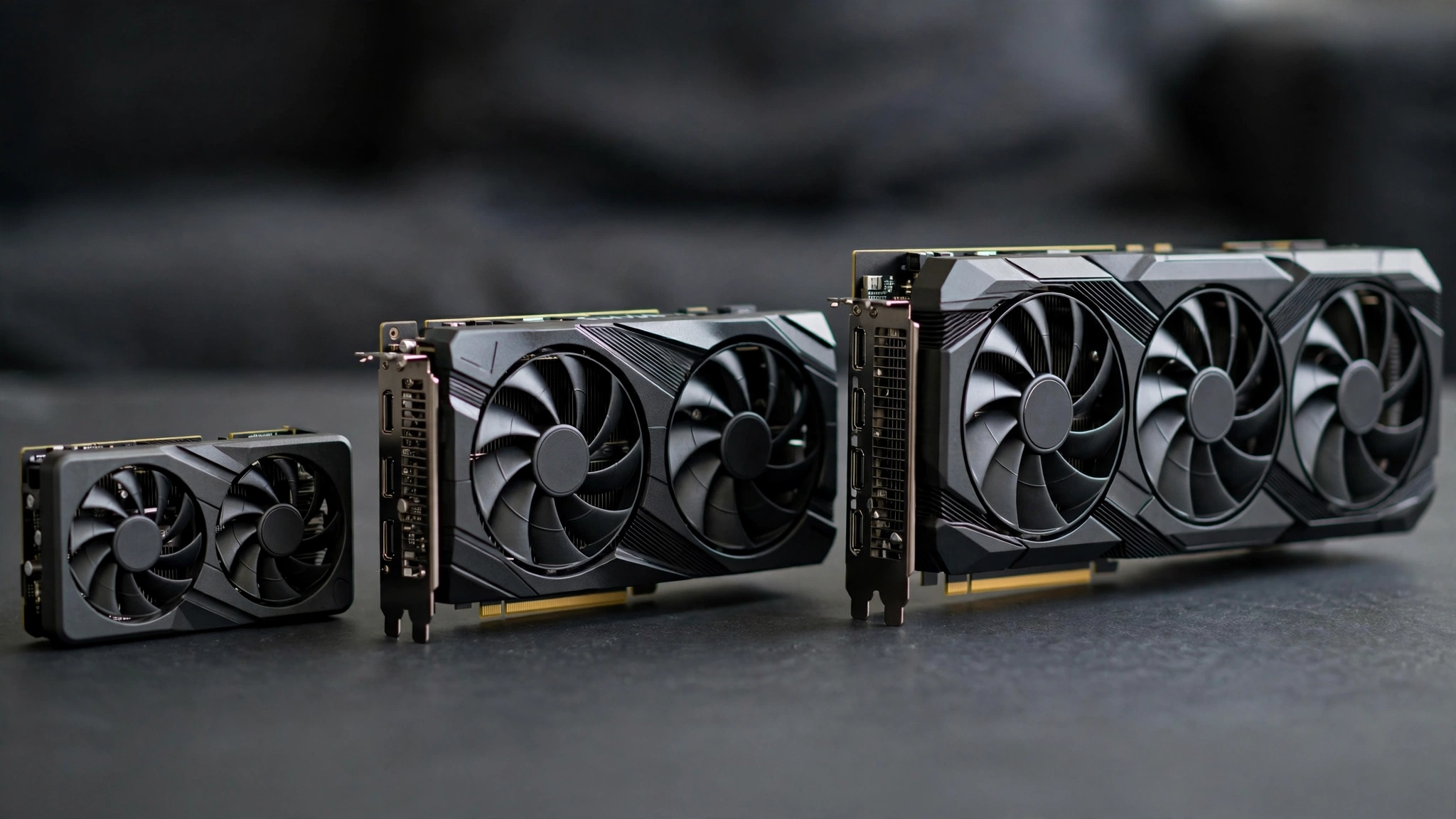
Bottleneck talk only makes sense relative to your monitor. At 1080p the CPU works harder per frame, so a very powerful GPU can outrun what the 7600 can feed in CPU-heavy titles. At 1440p the GPU takes over, and the 7600 happily feeds cards far more expensive than itself. Here is how the 2026 lineup breaks down for this chip.
| Tier | Best GPUs for the 7600 | Target resolution | Bottleneck verdict |
|---|---|---|---|
| Budget 1080p | RTX 5060, RX 9060 XT | 1080p high refresh | Balanced, no meaningful bottleneck |
| Sweet spot 1440p | RTX 5060 Ti, RTX 5070 | 1440p high/ultra | Balanced, the ideal pairing |
| Upper mid-range 1440p | RX 9070, RX 7800 XT | 1440p ultra | Balanced, 16 GB cards age well |
| Enthusiast stretch | RTX 5070 Ti, RX 9070 XT | 1440p ultra / 4K | Fine at 1440p/4K, CPU-bound at 1080p |
| Too weak to bother | GTX 1660-class or older | Any | GPU bottlenecks hard, wastes the CPU |
Note the pattern: with the 7600 you can comfortably go all the way up to an RTX 5070 Ti or RX 9070 XT class card as long as you game at 1440p or 4K. Only at 1080p high-refresh does the 7600 start to hold back the biggest cards, and if you are buying that level of GPU, you probably own a 1440p monitor anyway.
If you are still deciding between monitors, our 1080p vs 1440p monitor bottleneck impact guide breaks down exactly why resolution changes which component limits you.
Takeaway: match the GPU to your monitor’s resolution first; the 7600 is flexible enough that the monitor, not the CPU, is the real decision.
The Best GPUs for Ryzen 5 7600 in 2026
These are the cards worth your money right now, ordered by the builds they suit. All are current-generation models you can actually buy in 2026.
RTX 5060: the 1080p value king
If you game at 1080p and want smooth high-refresh performance without overspending, the RTX 5060 is the natural floor for a 7600 build. It sips power, runs cool, and brings DLSS 4 frame generation to the table, which is a genuine lifeline for demanding single-player games. There is essentially no bottleneck here in either direction: the 7600 feeds it fully at 1080p, and you get NVIDIA’s encoder (NVENC) for streaming as a bonus. Perfect for esports players and budget 1080p builds.
RX 9060 XT: the VRAM-smart 1080p pick
AMD’s RX 9060 XT is the card to consider if you plan to keep your GPU for several years. The 16 GB version gives you headroom that 8 GB cards are already starting to lack in texture-heavy 2026 titles, and the 7600 pairs with it cleanly at 1080p and 1440p alike. FSR 4 support has narrowed AMD’s old upscaling gap with NVIDIA, so the traditional “AMD for raster, NVIDIA for features” debate is closer than it used to be. Choose this if you value VRAM longevity over ray tracing.
RTX 5060 Ti: the 1440p entry ticket
The RTX 5060 Ti is where 1440p gaming becomes comfortable on a 7600. It is the cheapest current NVIDIA card that holds high settings at 1440p in modern AAA games, especially with DLSS Quality mode enabled. Paired with the 7600, this is a balanced combination with the bottleneck sitting mildly on the GPU side at 1440p, which is exactly where you want it. This is the pairing we recommend most often for first-time AM5 builders on a mid-range budget.
RTX 5070: the 1440p sweet spot
For most 7600 owners, the RTX 5070 is the best overall match in 2026. It delivers strong 1440p ultra performance, DLSS 4 multi-frame generation for the heaviest titles, and excellent efficiency. At 1440p the 7600 feeds it without meaningful limitation; only at 1080p with very high refresh rates might you see the CPU become the ceiling in a few CPU-heavy games, and that is a niche scenario for a card of this class. If your budget stretches this far, stop here. Going higher buys you less per dollar on this CPU.
RX 9070: the 16 GB 1440p alternative
AMD’s RX 9070 is the value counterweight to the RTX 5070: 16 GB of VRAM, strong raster performance at 1440p, and RDNA 4 efficiency. It pairs beautifully with the 7600, and the extra VRAM is genuine future-proofing for texture-heavy games. Real-world builders are already running this exact combination: one Tom’s Hardware forum member upgraded from an RTX 3060 Ti to an RX 9070 on a Ryzen 5 7600 and found the CPU finally stretching its legs, hitting higher power draw because the GPU could actually keep up. That is the 7600 doing its job. Pick the 9070 if you want maximum VRAM per dollar and do not care much about ray tracing.
RX 7800 XT: the proven last-gen bargain
Do not overlook the previous generation. The RX 7800 XT remains a strong 1440p card with 16 GB of VRAM, and as retailers clear stock in late 2026 it often undercuts newer cards while delivering comparable raster performance. The 7600 has no trouble feeding it. The trade-off is older feature support (weaker ray tracing, older FSR generation on paper), so weigh the discount against how long you plan to keep the card. For pure frames-per-dollar at 1440p, it is still hard to beat.
Takeaway: for most 7600 builders in 2026, the decision is RTX 5060 Ti or RX 9060 XT on a budget, RTX 5070 or RX 9070 for the sweet spot. Buy VRAM headroom (12 GB or more) if you keep cards for 3+ years.
GPUs That Are Overkill (or Too Weak) for the 7600
Honesty requires a ceiling. Cards like the RTX 5080, RTX 5090, or RX 7900 XTX-class flagships will work with a 7600, but at 1080p the CPU becomes the clear limiter and you leave expensive GPU performance on the table. At 4K the pairing is less lopsided because the GPU does nearly all the work, but if you can afford a flagship GPU, you can afford the platform’s headroom to match it, and a stronger CPU makes more sense there. Our stance: do not pair a 7600 with a flagship unless you already own the card and plan a CPU upgrade later on the same AM5 board.
On the other end, pairing a 7600 with something like a GTX 1660 or RX 6500 XT wastes the CPU entirely. The 7600 deserves at least an RTX 5060-class card. If your budget only stretches to a very old or weak GPU, you are better off buying the 7600 now, gaming on its integrated graphics for light titles temporarily, and adding a proper GPU later. The AM5 platform makes that staged approach painless.
Takeaway: the sensible window for the 7600 is RTX 5060 through RTX 5070 Ti class. Below it wastes the CPU; far above it wastes the GPU at 1080p.
DDR5 and the AM5 Platform
Here is what makes the 7600 different from older budget champions: it lives on AM5, which is DDR5-only. There is no DDR4 fallback, so your memory choice is part of the GPU decision whether you like it or not.
The practical guidance is simple. AMD officially supports DDR5-5200 on the 7600, but the community and board vendors have long settled on DDR5-6000 with EXPO profiles as the sweet spot for Zen 4, since it aligns with the chip’s memory controller in a 1:1 ratio and costs barely more than slower kits in 2026. Buy a 2×16 GB kit from a reputable brand, enable EXPO in the BIOS, and verify stability. Slow or single-channel RAM is one of the most common silent bottlenecks in AM5 builds, and it has nothing to do with your GPU. Our RAM bottleneck explained guide covers how memory starves even a good CPU-GPU pairing, and if you are coming from an older platform, the DDR4 vs DDR5 gaming performance comparison shows what the new memory standard actually buys you.
One cost note for late-2026 builders: industry reports say AMD notified partners of roughly 10 percent price increases on Radeon GPUs and motherboard chipsets effective Q4 2026, driven by TSMC manufacturing costs, while Ryzen CPUs were notably left off the list (PCWorld’s coverage has the details). Chipset costs feed directly into motherboard prices, so AM5 boards may creep upward while the 7600 itself holds steady. If you are building soon, locking in the motherboard and GPU earlier in the quarter is the smarter play.
Takeaway: AM5 means DDR5 is mandatory; a DDR5-6000 EXPO kit is the set-and-forget choice, and Q4 2026 pricing pressure makes buying the board and GPU sooner rather than later the wise move.
Built-In Graphics Your Free Backup Plan
Unlike Intel’s F-series chips, the Ryzen 5 7600 includes integrated Radeon graphics (a small 2-compute-unit RDNA 2 iGPU). Let us be clear about what it is and is not. It will not game at settings you would enjoy; it is roughly enough for desktop work, video playback, and very light titles. What it is, is a free insurance policy.
Three scenarios where the iGPU earns its keep: first, troubleshooting. If your discrete GPU ever has a driver issue or you suspect a dead card, you can pull the GPU and still boot, which turns a blind panic into a ten-minute diagnosis. Second, a secondary display. You can run a chat or monitoring window off the motherboard outputs without taxing your gaming GPU. Third, the staged build mentioned earlier: assemble the whole PC now, use the iGPU for basic tasks, and drop in your RTX 5070 or RX 9070 when the price is right. Try that with an Intel F chip and you own an expensive paperweight until the GPU arrives.
Takeaway: the 7600’s iGPU is not for gaming, but it is a genuinely useful backup for troubleshooting, secondary displays, and staged builds. It is a real advantage over chips without one.
The AM5 Upgrade Path
The 7600’s best long-term feature is not on the chip at all; it is the socket. AMD has committed to supporting AM5 across multiple Ryzen generations, and boards bought today can already take everything up to current high-end chips, with future Zen 6 processors expected to land on the same platform. That changes the GPU math in your favor.
Buy the 7600 and a strong mid-range GPU now. In two or three years, when your GPU starts feeling slow, you can upgrade the graphics card first without touching anything else, and later drop in a faster AM5 CPU on the same motherboard and RAM. Compare that to a dead-end platform where every upgrade means a new board and new memory. This is why the 7600 remains our favorite entry point to AM5: it is the cheapest ticket to a platform with a real future.
This longevity angle also answers the “should I wait?” question that pops up every hardware launch season. With NVIDIA’s RTX Spark Arm-based Windows PCs shipping this October 2026 (Grace CPU plus Blackwell GPU in one package, aimed at a very different kind of buyer), the traditional desktop upgrade path is not going anywhere. For a standard gaming tower you build yourself and upgrade part by part, AM5 remains the safe, proven bet.
Takeaway: AM5’s multi-generation support means the 7600 is a starting point, not a dead end. Spend on the GPU today; the CPU can grow later on the same board.
October 2026 Price Check Why Timing Matters Now
A quick read of the current market, because GPU advice without price context is incomplete. Three verified developments shape October 2026 buying:
- Ryzen prices are holding flat while rivals rise. According to supply-chain reporting relayed by TechPowerUp and covered by PCWorld, AMD notified partners of roughly 10 percent increases on Radeon GPUs, AI accelerators, and motherboard chipsets for Q4 2026, but Ryzen CPUs were deliberately excluded, a move widely read as AMD protecting its gaming and mid-range market share.
- Intel CPUs just got more expensive. Intel’s third CPU price hike since late 2025, roughly 10 percent, took effect October 5, 2026. That widens the value gap between the 7600 and comparable Intel options overnight.
- GPU and motherboard prices face upward pressure. The same AMD notice touches Radeon cards and AM5 chipsets, so waiting until December to buy your graphics card or board could cost you more than buying now.
The practical conclusion: the 7600 is at or near its best relative value in years, while the GPUs you would pair it with may get pricier through the holiday quarter. If your build is planned, prioritize buying the GPU and motherboard now; the CPU can wait, since its price is the stable one.
Takeaway: buy the GPU and motherboard sooner rather than later in Q4 2026; the 7600’s price is the one part of the build you do not have to rush.
How to Check Your Bottleneck Before You Buy
Do not take any guide’s word as gospel, including this one. Bottleneck depends on your exact resolution, settings, and games. Before you spend a dollar, plug your planned combination into our CPU bottleneck calculator and check the result at your monitor’s resolution. A result under 10 percent either way is a well-balanced pairing; a mild GPU-side bottleneck at 1440p or 4K is normal and desirable, since it means your graphics card is fully utilized.
For a fuller picture of what those percentages mean in practice, read what counts as a good bottleneck percentage. And if you already own a different Intel-based pairing and want the other side of the comparison, our best GPU for i5-12400F guide covers the closest Intel rival to the 7600.
Takeaway: verify every planned pairing in the calculator at your real resolution before buying. Ten minutes of checking beats months of regret.
Common Mistakes to Avoid
Buying the GPU for the wrong resolution. A 7600 with an RTX 5070 Ti at 1080p 60 Hz is a mismatch; the same pairing at 1440p 165 Hz is excellent. Match the card to the monitor you own or plan to buy.
Cheaping out on the power supply. A 7600 plus an RTX 5070-class card is comfortable on a quality 650W unit, but a no-name PSU is never worth the risk. Size for the GPU, buy a reputable brand, and check the 12VHPWR or 12V-2×6 connector situation for newer cards.
Running single-channel or very slow DDR5. One stick of DDR5-4800 will hold back a 7600 in CPU-sensitive games. Two sticks, DDR5-6000, EXPO on. This is a thirty-second BIOS setting that people skip for years.
Ignoring VRAM. In 2026, 8 GB is the minimum for comfortable 1440p, and several new releases already push past it at high settings. If you keep cards for years, the 12 GB or 16 GB options in each tier are worth the step up.
Paying the 7600X tax without a reason. Unless you specifically want the higher stock clocks and already own a good cooler, the non-X plus a better GPU wins every time.
Takeaway: most “bottleneck” problems are actually resolution mismatches, weak RAM setups, or underpowered PSUs. Fix those before blaming the CPU.
Frequently Asked Questions
What is the best GPU for a Ryzen 5 7600 in 2026?
For 1080p, the RTX 5060 or RX 9060 XT. For 1440p, the RTX 5060 Ti, RTX 5070, or RX 9070. The RTX 5070 is the best overall match for most builders: strong 1440p ultra performance with DLSS 4, and the 7600 feeds it without a meaningful bottleneck. If you want more VRAM per dollar, the RX 9070’s 16 GB is the AMD answer at the same tier. This is the updated 2026 answer to a question Quora users have been asking about this CPU family for years.
I have a Ryzen 5 7600 and GTX 1080 What should I upgrade?
A forum member on Linus Tech Tips asked exactly this. Coming from a GTX 1080, the meaningful 2026 upgrades are the RTX 5060 Ti or RX 9060 XT for a big 1080p/1440p jump, or the RTX 5070/RX 9070 if you want a larger leap at 1440p. Anything weaker than an RTX 5060-class card is a sidegrade not worth the money. Your 7600 will handle all of these without breaking a sweat, and you get modern features (DLSS 4 or FSR 4, AV1 encoding) that the 1080 lacks entirely.
Will a Ryzen 5 7600 plus RX 7700 XT handle 1440p gaming well?
Yes. This exact parts list came up on the Linus Tech Tips forums, and it is a well-balanced 1440p build. The 7600 feeds the RX 7700 XT comfortably at 1440p, and you should expect smooth high-settings gameplay in modern titles. Just make sure your RAM is a dual-channel DDR5 kit with EXPO enabled; several builders with this combo have found that slow memory, not the CPU or GPU, was holding back their frame rates.
Is 117W and 81°C normal for a Ryzen 5 7600 with an RX 9070?
Probably not, and this is a real scenario reported on the Tom’s Hardware forums. Your old GPU was the limiter, so the CPU was idling through games. The RX 9070 can actually keep up with what the 7600 sends it, so the CPU now works harder, draws more power, and runs hotter. 81C is within the 7600’s safe operating range (its maximum is 95C per AMD). Two things worth checking: make sure you did not dislodge the CPU cooler while swapping cards, and confirm your case airflow is reasonable. If temperatures stay under the mid-80s under load, you are fine.
Is the Ryzen 5 7500F a better buy than the 7600 if I already have a GPU?
It depends on what you value. The 7500F is essentially a 7600 without integrated graphics, sometimes sold cheaper through OEM and tray channels. If you already own a discrete GPU and never plan to troubleshoot without one, the 7500F can save money. But you lose the iGPU safety net for troubleshooting and secondary displays, the boxed cooler, and usually the retail warranty convenience. For most builders, the 7600’s small premium buys meaningful peace of mind. This debate comes up regularly in builder communities, and the answer is almost always: get the 7600 unless the 7500F discount is large.
Key Takeaways
- The Ryzen 5 7600 (6 cores, 12 threads, 5.1 GHz boost, 65W) feeds every sensible mid-range GPU of 2026 without a meaningful bottleneck at 1440p.
- Buy the non-X 7600 over the 7600X and put the savings into a better GPU; the gaming difference between the chips is small.
- Best pairings: RTX 5060 or RX 9060 XT for 1080p; RTX 5060 Ti, RTX 5070, or RX 9070 for 1440p.
- AM5 is DDR5-only: use a 2×16 GB DDR5-6000 EXPO kit and actually enable EXPO.
- The built-in Radeon graphics are a free troubleshooting and backup tool, not a gaming solution.
- AM5’s multi-generation support means the 7600 is an upgradeable starting point, with future Ryzen generations expected on the same socket.
- October 2026 pricing favors buying now: Ryzen prices are holding flat while Intel raised CPU prices ~10% and AMD GPU/chipset prices face Q4 upward pressure.
Conclusion
The Ryzen 5 7600 remains one of the smartest CPU purchases in PC building: six fast, efficient cores on a platform with a real future, at a price that leaves room in the budget for what actually matters, the graphics card. Pair it with an RTX 5060 Ti or RX 9060 XT for excellent 1080p and entry 1440p gaming, or stretch to an RTX 5070 or RX 9070 for the 1440p sweet spot, and you will have a balanced, no-bottleneck system that stays relevant for years.
With Ryzen prices holding steady while the rest of the market creeps upward this quarter, there has rarely been a better time to build around this chip. Verify your exact pairing in our CPU bottleneck calculator before you buy, enable EXPO on day one, and enjoy a build where every dollar went to performance you can actually feel.

Leave a Reply