

Quick Answer
The rtx 4090 ryzen 9 3950x bottleneck question has a clear answer: at 4K, the RTX 4090 is the limit in most AAA games, so your 3950X is fine for cinematic 4K gaming. At 1440p and especially 1080p, the Zen 2 chip cannot feed the card and leaves big performance on the table. For 4K 120Hz with ray tracing and DLSS, this combo works. For high-refresh competitive play, the CPU has to go first.
You bought the 3950X when it was the king of the AM4 world. Sixteen cores, thirty-two threads, a chip that still chews through rendering and compiling without breaking a sweat. Then the RTX 4090 showed up, the most powerful consumer GPU ever made, and suddenly your old flagship CPU is paired with a graphics card that costs more than most full builds. The question writes itself: is this even a good idea, or are you choking the best GPU on the market with a CPU from 2019?
This guide answers that question honestly, resolution by resolution, with an expected FPS table, the real platform quirks of this combo, and the upgrade paths that actually make sense. No hype, no vague reassurances, just what this pairing does in real games.
Quick Verdict 3950X + RTX 4090
Here is the short version for people who want the answer first:
1080p: Bad pairing. The 3950X cannot feed an RTX 4090 at 1080p. GPU utilization sits far below 100% in most titles, and in competitive shooters you can lose 30% or more of the frames a modern CPU would deliver. If 1080p high-refresh is your world, the CPU is the problem, not the GPU.
1440p: Mixed. In cinematic AAA games with maxed settings, the pairing is workable and the GPU does most of the heavy lifting. In esports and high-refresh titles, the CPU holds back the 4090 badly. A 1440p 240Hz monitor owner should plan a CPU upgrade.
4K: Good for AAA, with a catch. At 4K with ultra settings and ray tracing, the RTX 4090 is the limiting factor in most scenes, which is exactly what you want. The 3950X keeps up well enough for 4K 120Hz gaming in most AAA titles. The catch is 1% lows: CPU-heavy scenes, crowded cities, and simulation games can stutter where a newer chip would stay smooth.
What to upgrade first: If you play at 4K, upgrade nothing yet. Check your PSU and motherboard slot first (covered below). If you play at 1440p or 1080p high refresh, upgrade the CPU before touching anything else. A drop-in Ryzen 7 5800X3D on your existing AM4 board is the cheapest big win.
For a deeper look at how bottleneck math actually works before you buy anything, our CPU bottleneck calculator gives you a quick estimate, and the pairing guides hub collects every CPU and GPU combination we have tested on paper.
What This Pairing Actually Is
The Ryzen 9 3950X launched in November 2019 as AMD’s 16-core, 32-thread Zen 2 flagship on the AM4 socket, with a 4.7 GHz max boost and a 105W TDP. It was never really a gaming CPU. It was a productivity monster that happened to game decently. Its single-thread performance was already behind Intel’s best gaming chips of the era, and against modern CPUs the gap is wide. Hardware reviews at launch showed even a 4-core Ryzen 3 3300X beating it in some games, purely because games care about per-core speed, not core count.
The RTX 4090 is the opposite kind of product. It is a 24GB GDDR6X monster with a 450W total graphics power rating, launched at $1,599, and it is so fast that it is CPU-limited at 1440p even on flagship processors. Tom’s Hardware’s launch review called it the undisputed performance leader, beating previous cards by 50% or more, and noted that DLSS 3 frame generation extends the lead further. That speed is exactly why the CPU question matters so much: a card this fast needs a CPU that can hand it frames quickly.
So you have a GPU that begs to be fed, and a CPU that was always more of a workhorse than a racehorse. At high resolution, the GPU works so hard that the CPU gets breathing room. At lower resolutions, the GPU finishes frames faster than the CPU can prepare them, and you watch a $1,599 card nap at 60% utilization. That dynamic is the entire story of this pairing, and it is why the answer changes with resolution.
Worth saying plainly: there is no such thing as zero bottleneck in any system, and chasing one will drive you mad. What you want is the right bottleneck: the GPU should be the limit in the games you actually play, because a GPU-limited system is a system where every dollar of that card is being used. Our guide on whether a zero-bottleneck PC is even possible explains this in detail.
Bottleneck Verdict by Resolution
At 1080p: The CPU Is Severely Holding Back the 4090
At 1080p the RTX 4090 can render frames faster than almost any CPU can prepare them, and a Zen 2 chip like the 3950X is nowhere near the top of the CPU pile. Expect GPU utilization to sit in the 50 to 70% range in many games, with average frame rates far below what the card is capable of and 1% lows that feel rough in comparison. In competitive titles like Counter-Strike 2 or Valorant, a modern CPU would deliver dramatically higher and more stable frame rates with this same card.
Buying a 4090 for 1080p gaming is already questionable on value grounds. Doing it behind a 3950X doubles the problem. If this is your resolution, the GPU purchase can wait. Upgrade the CPU first.
At 1440p: Workable for AAA, Poor for High Refresh
At 1440p the picture splits. In heavy AAA games with ultra settings, the 4090 works hard enough that the 3950X mostly keeps up, and the experience is genuinely good. GPU utilization climbs into a healthy range, and average frame rates are high. But in lighter or competitive games, and especially on 240Hz monitors, the CPU bottleneck comes right back. You will see the same pattern as 1080p, just softened.
If you own a 1440p 165Hz or 240Hz display and want to use the 4090 properly, treat the CPU as the next purchase, not an optional extra. A drop-in 5800X3D, which slots into the same AM4 motherboard after a BIOS update, is the value play here.
At 4K: The GPU Is Finally the Limit, and That Is Good
This is where the pairing makes sense. At 4K with ultra settings, ray tracing, and DLSS Quality, the RTX 4090 is so busy rendering pixels that the 3950X can prepare frames fast enough in most AAA games. GPU utilization sits near 100%, which is exactly the sign of a well-balanced pairing for this workload. Overclockers’ testing with this exact combination, a Ryzen 9 3950X driving an RTX 4090, showed the combo running out of steam only at 8K in Gears 5, while 4K gaming picked up clean gains from GPU overclocking. That is the signature of a GPU-limited system: overclocking the graphics card actually moves the needle.
The realistic target at 4K is 60 to 120 fps in demanding AAA games with DLSS and ray tracing, and well over 120 fps in lighter titles. Your 4K 120Hz display finally gets the workout it deserves. The exceptions are CPU-heavy games (Microsoft Flight Simulator, big simulation titles, crowded open-world cities), esports titles where frame rates should be in the hundreds, and 1% lows in general. Those are the moments the 3950X reminds you it is from 2019.
If you are seeing symptoms like low GPU usage in some games but not others, run through the 10 signs your CPU is bottlenecking your GPU checklist before spending money. Half of reported bottlenecks turn out to be a setting, a driver, or a background app.
Expected FPS Table 10 Popular Games
The table below is compiled from published third-party RTX 4090 benchmark data (TechPowerUp and Tom’s Hardware launch reviews) and adjusted downward for a Zen 2 CPU based on published 5900X and 5950X versus modern-CPU comparisons. These are ESTIMATES, not in-house test results. Actual numbers vary with game version, drivers, RAM speed, and background apps. Settings: ultra or max presets, DLSS Quality where the game supports it, no frame generation in these numbers (frame generation roughly doubles the displayed frame rate on top of the base).
| Game | 1080p | 1440p | 4K |
|---|---|---|---|
| Cyberpunk 2077 (RT Ultra, DLSS Q) | 115 | 110 | 75 |
| Call of Duty: Warzone | 195 | 185 | 150 |
| Fortnite (Performance mode) | 280 | 240 | 160 |
| Red Dead Redemption 2 (Ultra) | 140 | 135 | 95 |
| Starfield (Ultra) | 110 | 95 | 68 |
| Baldur’s Gate 3 (Ultra, Act 3) | 115 | 105 | 90 |
| Microsoft Flight Simulator (Ultra) | 90 | 85 | 70 |
| Counter-Strike 2 (High) | 440 | 420 | 380 |
| Apex Legends (Max) | 300 | 300 | 240 |
| Elden Ring (Max) | 60 | 60 | 60 |
Two patterns jump out. First, look at how flat the 1080p and 1440p numbers are in several games (Warzone, Fortnite, RDR2, Counter-Strike 2). When raising the resolution barely changes the frame rate, the CPU is the limit, not the GPU. The card is waiting on the processor. Second, look at Cyberpunk 2077 and Starfield: the 4K number drops hard, which means at 4K the GPU is finally doing the limiting. That is the healthy pattern.
Elden Ring shows 60 fps everywhere because its engine caps the frame rate at 60. That is not a bottleneck, it is a design choice by the developer. Apex Legends caps at 300 fps in most configurations, which is why 1080p and 1440p read the same.
Treat this table as a planning tool, not gospel. The direction of the numbers matters more than any single value: this combo is CPU-limited below 4K and GPU-limited at 4K in demanding games.
Pairing Specific Issues You Must Know
Dropping a 2022 flagship GPU into a 2019 platform has quirks beyond raw frame rates. Get these wrong and you lose performance or risk hardware. This section covers each one specifically for the 3950X plus RTX 4090 combination.
PCIe 4.0 on X570 and B550 Is Fine, PCIe 3.0 Boards Are Mostly Fine Too
The 3950X supports PCIe 4.0, with 24 lanes from the CPU, but only when it sits in an X570 or B550 motherboard. On older AM4 boards like X470 or B450, the slot runs at PCIe 3.0 x16. The good news: TechPowerUp’s PCIe scaling tests of the RTX 4090 found the card loses a negligible, inconsequential amount of performance in PCIe 4.0 x8 mode, which is electrically identical to PCIe 3.0 x16. Their relative-performance summary showed roughly 97 to 98% of full x16 4.0 performance at PCIe 3.0 x16 across 1080p, 1440p, and 4K. A few games with heavy PCIe traffic, like Metro Exodus, showed slightly bigger gaps, but nothing that changes the verdict. Check that the card is actually seated in the top x16 slot and running at x16 link width in GPU-Z, because some boards drop to x8 when a second NVMe drive is installed.
Smart Access Memory: Officially Out of Reach on the 3950X
AMD officially limits Smart Access Memory to Ryzen 5000 series CPUs and newer, paired with a compatible GPU and motherboard. The 3950X is a Ryzen 3000 series chip, so it does not officially qualify, no matter how good the rest of your system is. Some AM4 boards can enable the underlying Resizable BAR feature with a 4090 through the BIOS option often called Above 4G Decoding, and some users report it working, but it is unofficial, board-dependent, and the gains on NVIDIA cards are small in most games. Do not factor SAM into your buying math for this combo. If Resizable BAR matters to you, that alone is an argument for a 5800X3D or newer.
24GB of VRAM Means This Card Will Not Age Like Your Last One
The 4090’s 24GB of GDDR6X is the quiet superpower of this pairing. At 4K with ultra textures and ray tracing, modern games are starting to push past 12GB, and cards with less VRAM are already showing their age. With 24GB, the GPU side of this combo has headroom for years, which flips the usual upgrade logic: the 3950X will become the reason to upgrade long before the 4090 does. Buy the card for the long term, and plan the CPU as the mid-life refresh.
450W GPU Plus Transient Spikes: Your PSU Needs Real Headroom
NVIDIA rates the RTX 4090 at 450W total graphics power and recommends an 850W power supply, but that recommendation assumes a reasonable rest of the system. The 3950X is a 105W chip that can pull well past that under all-core loads, and the 4090 is famous for brief transient power spikes that can trip an older or borderline PSU even when average draw looks fine. If your PSU is a quality 850W or larger unit from the last few years, you are probably fine. If it is a 750W unit from the 3950X’s original 2019 build, replace it before installing the card.
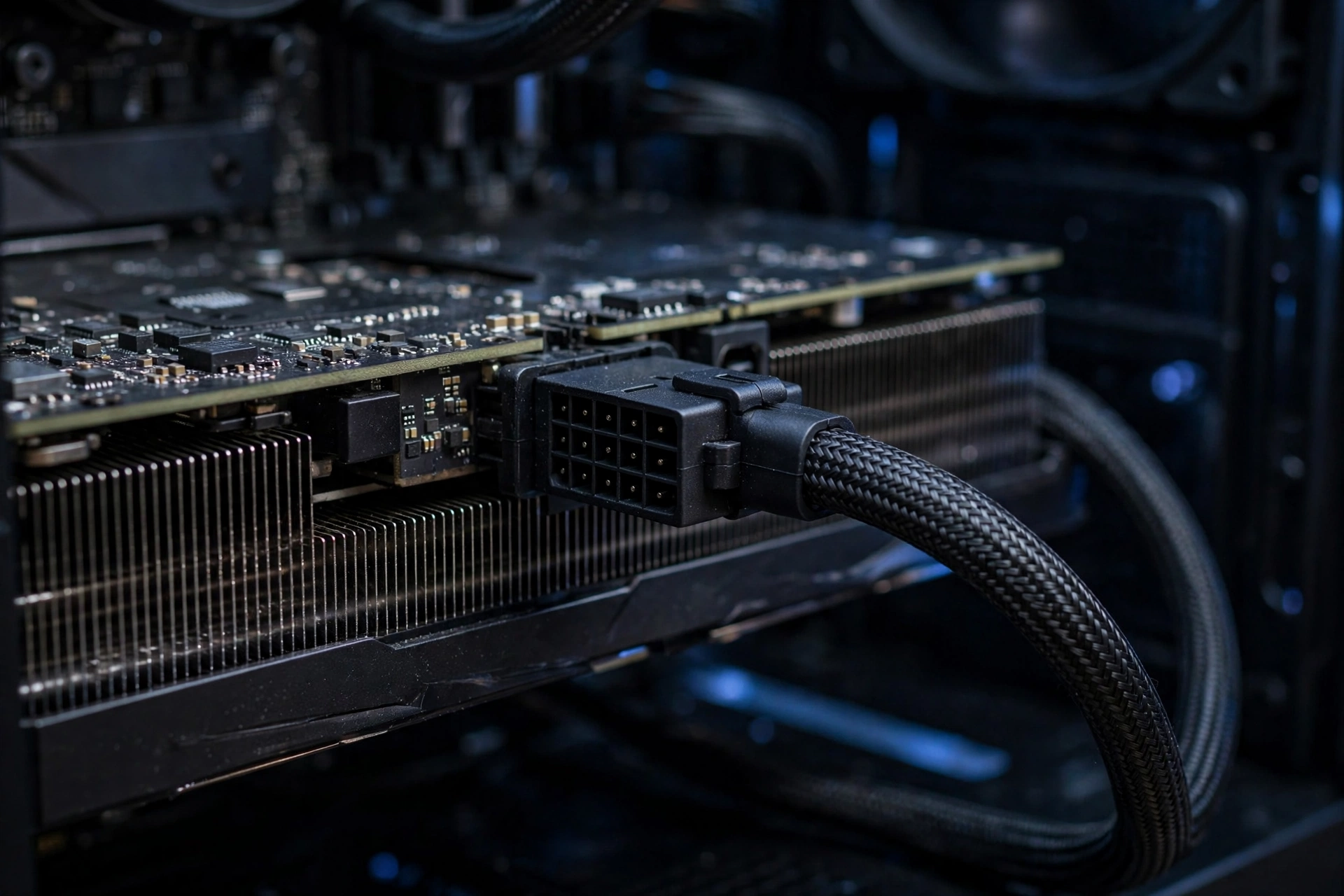
A shutdown under load is not just annoying, it can corrupt data. Our PSU tier list ranks current units so you can pick a safe one. Use the included 12VHPWR adapter or a native cable, seat the connector fully with no visible gap, and route the cable with a gentle bend, not a sharp fold near the plug. The connector melting issues from the 4090 launch era traced back to poor contact, and full insertion is the fix.
DDR4 Is a Given, but Speed and Rank Still Matter
The 3950X is a DDR4-only platform, and that is fine. What matters is that you are running dual-channel DDR4-3600 with tight-ish timings, which is the sweet spot for Zen 2. Single-channel RAM or slow DDR4-2400 from an old office build will cost you real frames on top of the CPU bottleneck, especially in the 1% lows. If you are still on the RAM from a 2019 build, check that XMP or DOCP is actually enabled in the BIOS. It is the most common free performance left on the table in AM4 systems.
Windows 11 and TPM: Enabled, Not a Problem
The 3950X supports firmware TPM (fTPM) through the BIOS, so Windows 11 installs and runs without hacks. Enable fTPM and Secure Boot in the BIOS if they are off. One honest note: some users reported occasional fTPM-related stutter on early AM4 BIOS versions, fixed in later AGESA updates. If you are on a 2019-era BIOS, update it before installing the 4090 anyway, since newer BIOS versions also improve Resizable BAR and memory compatibility. Update the BIOS before you swap hardware, not after.
Ray Tracing, DLSS 3, and Frame Generation
Here is a quirk that works in your favor: DLSS 3 frame generation runs entirely on the GPU’s optical flow hardware. It does not care how old your CPU is. Frame generation takes the frames your system renders and synthesizes intermediate frames, roughly doubling the displayed frame rate. If your 3950X plus 4090 renders a base of 70 fps in Cyberpunk 2077 at 4K with ray tracing, frame generation can present something near 120 fps on your 120Hz display.
There is a catch, and it is an important one. Frame generation multiplies whatever base frame rate the CPU and GPU produce together. It does not fix a CPU bottleneck, it just makes the bottlenecked output look smoother. Input latency follows the base frame rate, not the generated one, so a CPU-limited 60 fps base with frame generation feels like 60 fps for aiming, even though the counter reads 120. In fast competitive games, that added latency is a real downside. In cinematic single-player games at 4K, it is close to free smoothness.
Ray tracing flips the bottleneck math in the CPU’s favor. Heavy ray tracing loads the GPU enormously while barely touching the CPU, which pushes the system further toward GPU limitation. Cyberpunk 2077 with path tracing at 4K is the extreme example: the 4090 is the wall, the 3950X is a spectator, and the pairing feels balanced. If ray-traced eye candy is your thing, this combo is happier than the raw raster numbers suggest.
Another thing worth knowing about frame pacing. Frame generation works best when the base frame rate is already decent, ideally 60 fps or more before generation. If the CPU is dragging the base rate into the 40s, generated frames can look smeary during fast motion. Keep an eye on the base rate in the game’s overlay, not just the final number.
Where This CPU Really Shows Its Age
Average frame rates tell you how fast the card is. The 1% low is the frame rate of the worst 1% of frames. When averages look great but the game hitches in busy scenes, the 1% lows are the number that explains it.
Zen 2’s per-core latency and its chiplet design mean frame times spike more often than on a modern monolithic or 3D-stacked chip. In open-world games, the moments that stress the CPU are exactly the moments you notice: entering a dense city, a big explosion with physics debris, a crowded multiplayer lobby. The average might read 110 fps while the 1% low sits at 55, and your eyes feel every dip.
You can measure this yourself instead of guessing. Cap your frame rate a few frames below your monitor’s refresh rate, close background apps, and watch a frame-time graph while you play. Our guide on what frame time is and why 1% lows matter walks through the whole process, and MSI Afterburner is the free tool to do it with. If your GPU utilization is bouncing between 70 and 99% while frame times spike, that is the 3950X telling you its limits.
Driver-level improvements can help at the margins. NVIDIA’s recent driver work on shader compilation, including the Advanced Shader Delivery feature discussed in recent driver coverage, targets exactly the kind of traversal stutter that shows up as bad 1% lows. Keep your drivers current. It will not turn a 3950X into a 7800X3D, but it sands down one source of hitching for free.
Better Combos for the Same Money
The smartest thing about this pairing is that you might already own half the upgrade. If your AM4 motherboard has a BIOS update available, a Ryzen 7 5800X3D drops into the same socket, the same board, and the same DDR4 RAM, and it transforms this combo. The 3D V-Cache gives it gaming performance that embarrasses chips with twice the cores, and it officially unlocks Smart Access Memory too. For a 1440p or 4K gamer, that single swap fixes most of what is wrong with the 3950X plus 4090 pairing, for the cost of one component.
The table below compares realistic paths. Costs are relative, not prices, because street prices move constantly. As of late 2026, GPU street prices remain inflated by the ongoing memory shortage, with industry reporting quoting NVIDIA executives describing shortages as beyond their control, so buying used or timing your purchase matters more than usual.
| Upgrade Path | Relative Cost | Gaming Gain at 4K | Effort |
|---|---|---|---|
| Keep 3950X, add RTX 4090 | One GPU | Huge vs any older GPU | Drop-in, check PSU |
| Drop in Ryzen 7 5800X3D | One CPU | Large in CPU-heavy scenes and 1% lows | BIOS update, CPU swap |
| Drop in Ryzen 9 5900X | One CPU | Moderate, better all-round than 3950X | BIOS update, CPU swap |
| Full platform to 7800X3D (AM5, DDR5) | CPU, board, RAM | Largest, best 1% lows | Full rebuild |
The 5800X3D is the value king for existing AM4 owners. The 5900X is the choice if you also do heavy productivity work and want more cores than the 5800X3D offers, though its gaming gain over the 3950X is smaller. The 7800X3D on AM5 is the no-compromises answer: the best gaming CPU architecture available, DDR5, PCIe 5.0, and a platform with years of life ahead. It is also the most expensive and most disruptive option, since it means a new motherboard and new RAM on top of the CPU.
One path to avoid: buying a whole new AM4 board for the 3950X. If your current board works, keep it. If it is dead, that is the universe telling you to move to AM5 instead of reinvesting in a retired platform.
Should You Keep the 3950X or Rebuild?
The decision comes down to what you play and what you already own.
Keep the 3950X if you game at 4K, play mostly AAA single-player titles, already have an X570 or B550 board with a good PSU, and your budget went into the GPU. You will get 90% of the 4K experience a modern CPU would give you in cinematic games, and DLSS 3 frame generation closes the gap further on a 120Hz display. Spend the money you saved on making sure the PSU, cooling, and BIOS are right, because those are the things that actually break this combo.
Rebuild or drop in a new CPU if you play competitive shooters at high refresh rates, stream while gaming on the same PC, or you notice stutter that frame caps and driver updates do not fix. For AM4 owners, the 5800X3D deserves a long look before you price out a full AM5 build. It is the rare upgrade that is cheap, easy, and transformative.
And if you have not bought the 4090 yet, be honest about the market. Late-2026 street prices for high-end GPUs remain rough, and a used 4090 plus a 5800X3D can cost less than a new 4090 alone while gaming better in CPU-heavy titles. The fastest card is not always the smartest purchase. The smartest purchase is the combo where no part is waiting on another.
FAQs
4090 and 3950X CPU will it bottleneck? How bad with my CPU bottleneck gaming at 4K 120hz?
This exact question comes up on the Linus Tech Tips forum, and the answer depends on resolution. At 4K 120Hz in AAA games, the bottleneck is mild: the RTX 4090 is the limit in most scenes, and you can expect 60 to 120 fps with DLSS and ray tracing, with frame generation pushing the displayed rate toward your 120Hz target. In CPU-heavy scenes and esports titles, the 3950X will hold the card back, and 1% lows will be worse than on a modern CPU. For pure 4K cinematic gaming, it is a workable combo. For competitive high-refresh gaming, the CPU needs an upgrade.
Will my gaming rig bottleneck a 4090?
Asked on the Tom’s Hardware forum, and the honest answer is that every rig bottlenecks a 4090 somewhere. The card is so fast that even flagship CPUs limit it at 1080p and 1440p. What matters is whether the bottleneck affects your experience. At 4K with maxed settings, the GPU is the limit, which is the good kind of bottleneck. Check GPU utilization while gaming: near 100% means the card is fully used. Utilization bouncing well below that in many games means the CPU is holding it back.
Is there any game that my CPU would bottleneck with a 4090?
Yes, asked on the Tom’s Hardware forum about a 3900X, and it applies to the 3950X too. CPU-heavy games bottleneck this combo even at 4K: Microsoft Flight Simulator, Cities: Skylines 2, Total War battles with huge unit counts, and dense open-world cities in games like Cyberpunk 2077 or Baldur’s Gate 3 Act 3. Simulation and strategy games lean on per-core CPU speed, and Zen 2 is several generations behind there. Esports titles at high refresh rates are also CPU-limited by design.
I have a 3950X and I am eyeing a 4090. Should I get a 5800X3D instead, or a 4K monitor?
This tradeoff was debated on the Level1Techs forum by a 3950X owner in exactly your spot. The forum consensus was clear: the 4090 is a 4K card, and at 1440p it is bottlenecked by practically any CPU. If you buy the 4090 while keeping a 1440p monitor and the 3950X, you get the worst of both worlds. The smarter sequence is the 4K monitor first if you do not have one, then the GPU, then a drop-in 5800X3D on your existing AM4 board when budget allows. Each step unlocks the previous one.
Conclusion
The RTX 4090 and Ryzen 9 3950X are a tale of two eras: the best GPU of 2022 bolted onto the best productivity CPU of 2019. At 4K, they get along better than the spec sheets suggest, because the card is so busy that the CPU’s age rarely matters in cinematic games. At 1440p and 1080p, the age gap shows, and the card spends too much time waiting.
If you own both, stop worrying and game at 4K. Check your PSU, update your BIOS, enable your RAM’s rated speed, and keep drivers current. If you are planning the purchase, budget for the platform reality: a 5800X3D drop-in for AM4 holdouts, or a full AM5 move for competitive players. Either way, the goal is the same. Make the GPU the limit, because a system where the RTX 4090 is the bottleneck is a system where your money is actually working.

Leave a Reply