

The best GPU for Ryzen 7 5700X3D depends on your resolution more than on any brand loyalty. This budget X3D chip is still a strong gaming CPU in 2026, but it behaves very differently at 1080p than it does at 1440p or 4K. Pair it wrong and you either leave GPU performance on the table or overspend on frames your CPU cannot feed. This guide breaks down the no-bottleneck picks by resolution, explains the AM4 endgame upgrade story, and answers the real questions 5700X3D owners keep asking.
For 1080p, stay at the RTX 4060 or RX 7600 XT level. For 1440p, the sweet spot is the RX 7800 XT or RTX 5070. For 4K, the 5700X3D can hang with anything up to an RTX 5070 Ti or RX 7900 XTX because the GPU does the heavy lifting.
What the Ryzen 7 5700X3D Brings to the Table in 2026
AMD launched the Ryzen 7 5700X3D in January 2024 as the value ticket to 3D V-Cache gaming. It uses the same stacked-cache trick that made the 5800X3D famous, at a $249 launch price that undercut its bigger sibling. AMD’s own launch positioning compared it against Intel’s Core i5-13600K, claiming gaming wins in titles like Red Dead Redemption 2 and Dying Light 2 (reported by PCGamesN at launch).
The official specifications, per AMD, tell the whole story:
| Specification | Ryzen 7 5700X3D | |
|---|---|---|
| Cores / Threads | 8 / 16 | |
| Architecture | Zen 3 (Vermeer), TSMC 7nm | |
| Base Clock | 3.0 GHz | |
| Max Boost Clock | Up to 4.1 GHz | |
| L3 Cache | 96 MB (3D V-Cache) | |
| L2 Cache | 4 MB | |
| TDP | 105 W | |
| Socket | AM4 | |
| PCIe | Gen 4, 20 CPU lanes | |
| Memory | DDR4-3200 | |
| Integrated Graphics | None | |
| Cooler in Box | Not included | |
| Max Operating Temp | 90 C |
Source: AMD’s official 5700X3D specifications page and the TechPowerUp CPU database entry.
Two things matter most for GPU pairing. First, the 96 MB of stacked L3 cache is what makes this chip special: games constantly shuffle scene data, physics, and AI through the cache, and a huge cache means fewer slow trips out to DDR4 memory. That is why X3D chips punch above their clock speeds in gaming, especially in 1% low frame rates where stutter lives. Second, the modest 4.1 GHz boost ceiling is the chip’s real limit. In lightly threaded, clock-hungry scenarios (high-refresh 1080p gaming with a fast GPU), the CPU runs out of headroom before the graphics card does.
The “budget X3D” angle is what defines this chip in 2026. You get most of the 5800X3D gaming experience while keeping your existing AM4 motherboard and DDR4 memory. If you are coming from a Ryzen 5 5600 or older, the jump is one of the biggest single upgrades an AM4 owner can still make, and our Ryzen 5 5600 GPU pairing guide covers the other side of that decision. If you are still choosing between AM4 X3D options, our best AM4 CPUs for gaming roundup puts the whole stack in context.
Where the 5700X3D Bottlenecks 1080p vs 1440p vs 4K

The bottleneck story with the 5700X3D is almost entirely about resolution. Bottleneck calculator estimates for the 5700X3D paired with an RTX 5070 suggest roughly a 31% CPU bottleneck at 1080p, falling to about 13% at 1440p (per pc-builds.com’s calculator). Treat those exact percentages as rough estimates rather than lab measurements, but the pattern they describe is real and widely observed: at 1080p, the CPU sets the pace, and Zen 3’s 4.1 GHz boost becomes the ceiling. At 1440p, the workload shifts toward the GPU. At 4K, the graphics card is almost always the limit, and even much faster CPUs deliver similar results.
For context on what those numbers mean, our guide on what counts as a good bottleneck percentage explains how to read calculator results without panicking over a single figure.
The practical rules are simple:
- 1080p high refresh: This is the danger zone. Pairing an RTX 5070-class card with the 5700X3D at 1080p leaves meaningful GPU performance unused in CPU-heavy titles. Stay in the midrange here.
- 1440p: The sweet spot. The 5700X3D can feed everything up to an RTX 5070 or RX 7800 XT with only a mild bottleneck. This is where most 5700X3D owners should aim.
- 4K: Nearly always GPU-bound. The CPU steps out of the way, so you can pair freely with high-end cards.
Takeaway: Match the GPU tier to your resolution first, and the bottleneck largely takes care of itself.
Best GPU Picks for 1080p High-Refresh Gaming
At 1080p, the 5700X3D is the boss of the pairing, so spending big on the GPU is the classic beginner mistake. The cards that make sense here are efficient midrange options: the RTX 4060, the RX 7600 XT, or the newer RTX 5060 if you find it at a sane price. These cards are strong enough to push high frame rates in competitive titles like Valorant, CS2, and Fortnite, where the 5700X3D’s cache keeps 1% lows smooth, without asking the CPU to feed a GPU it cannot keep up with.
WePC’s own 5700X3D guide, which the site says was tested with the chip in the loop, named the RTX 4060 as its budget pick for exactly this reason. One caution for 2026: 8 GB VRAM cards are increasingly the minimum rather than the comfort zone, even at 1080p. If your budget stretches, a 12 GB card buys you headroom for texture-heavy AAA games. But do not buy an RTX 5070 for a 1080p 60 Hz monitor with this CPU. That combination is the textbook definition of an unbalanced build, and no driver update will fix it.
Best GPU Picks for 1440p The Sweet Spot
1440p is where the Ryzen 7 5700X3D earns its reputation. Here the CPU can comfortably drive upper-midrange cards, and three options stand out:
- RX 7800 XT (16 GB): The value king of this tier. 16 GB of VRAM, strong rasterization performance, and a price that usually undercuts NVIDIA’s equivalent. WePC picked it as the runner-up card for the 5700X3D, and it remains the easiest recommendation for 1440p ultra gaming on this CPU.
- RTX 5070 (12 GB GDDR7): The NVIDIA alternative with DLSS 4 and better ray tracing. At 1440p the 5700X3D keeps up with only a mild bottleneck, and you get access to NVIDIA’s superior upscaling and frame generation ecosystem. Multiple pairing guides note this CPU is still very capable with the 5070 at 1440p and above.
- RX 9060 XT 16 GB: The budget-friendly way into smooth 1440p if you mostly play rasterized titles and do not care much about ray tracing.
One honest caveat: the RTX 5070’s 12 GB of VRAM is adequate for 1440p today but less future-proof than the 7800 XT’s 16 GB. If you keep cards for four or five years, that difference matters more than a few percent of launch-day performance.
Best GPU Picks for 4K Pushing Past the CPU Ceiling
At 4K, the script flips. The GPU becomes the limit in practically every game, which means the 5700X3D stops being the bottleneck and starts being a perfectly fine partner for high-end cards. Sensible picks include the RTX 5070 Ti (16 GB), the RX 7900 XTX (24 GB), and the RTX 5080 (16 GB) if your budget and PSU allow.
A pricing note for late 2026: reports from Board Channels forums, covered by PC Guide, suggest AMD’s RX 9070 could see an MSRP increase of roughly $104 to around $939 in Q4 2026. AMD has not confirmed this, so treat it as an unconfirmed rumor, not a fact. But it is worth knowing before you plan a 4K AMD build around launch pricing that may not hold. Weave current street prices into your decision, not launch-day MSRPs from months ago.
At a Glance 5700X3D GPU Pairing Table
| Specification | Ryzen 7 5700X3D | |
|---|---|---|
| Cores / Threads | 8 / 16 | |
| Architecture | Zen 3 (Vermeer), TSMC 7nm | |
| Base Clock | 3.0 GHz | |
| Max Boost Clock | Up to 4.1 GHz | |
| L3 Cache | 96 MB (3D V-Cache) | |
| L2 Cache | 4 MB | |
| TDP | 105 W | |
| Socket | AM4 | |
| PCIe | Gen 4, 20 CPU lanes | |
| Memory | DDR4-3200 | |
| Integrated Graphics | None | |
| Cooler in Box | Not included | |
| Max Operating Temp | 90 C |
Power draw rises steeply as you climb this table, from around 115 W for an RTX 4060 to 263 W for an RX 7800 XT and 320 W-class for flagship cards (board power figures per WePC’s testing data). Size your PSU for the card you actually buy, not the CPU.
Flagship X3D Options When the 5700X3D Is Not Enough
The 5700X3D is the value X3D, not the fastest one. If you are building fresh on AM5 and want the strongest gaming CPU for high-refresh 1080p or 240 Hz+ competitive play, our best GPU for Ryzen 7 7800X3D guide covers pairings for AMD’s Zen 4 flagship, which brings higher clocks, DDR5, and PCIe 5.0 to the table. And if you want the current king of gaming CPUs with zero compromises, our best GPU for Ryzen 7 9800X3D guide walks through pairings for the Zen 5 chip that everything else is measured against.
The honest summary: buy the 5700X3D to maximize an existing AM4 system, buy a 7800X3D or 9800X3D when you are building a new AM5 system and the budget allows.
The AM4 Final Upgrade Story
Here is the strategic reason the 5700X3D exists in 2026. If you already own an AM4 motherboard, this chip is the last meaningful drop-in CPU upgrade on the platform. No new motherboard, no DDR5 memory purchase, no Windows reinstall. AMD lists support across X570, X470, B550, B450, and A520 chipsets, and in most cases a BIOS update is all it takes to drop the chip into a board you bought years ago.
That makes the 5700X3D plus a midrange GPU the cheapest path to a genuinely modern 1440p gaming PC. A full AM5 platform swap (board, DDR5, CPU) can easily cost more than the GPU itself, so the “final AM4 upgrade” math is simple: spend the platform money on a better graphics card instead. The one thing to check is your motherboard’s CPU support list, especially on older B450 and X470 boards, where beta BIOS versions added 5000-series X3D support late in the platform’s life.
GPU Upgrade Checklist BIOS, ReBAR, and Installation
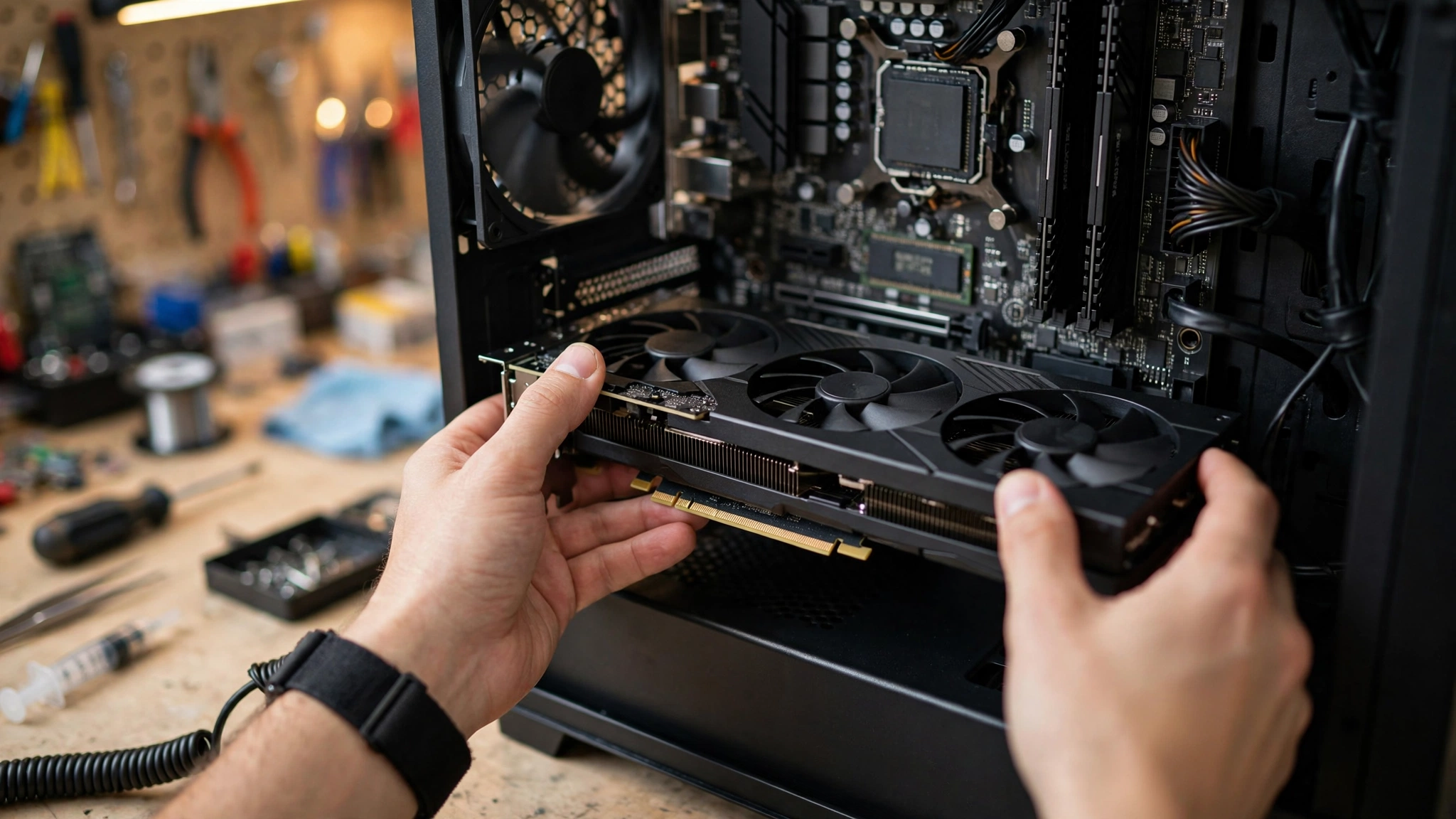
A GPU upgrade on an AM4 system is straightforward, but a few steps separate a smooth swap from a weekend of troubleshooting:
- Update the motherboard BIOS first if you are also installing the 5700X3D. A new graphics card by itself does not require a BIOS update, but the 5700X3D does on older boards. Do the BIOS update while your old CPU is still installed.
- Enable Resizable BAR (AMD Smart Access Memory). This BIOS setting lets the CPU access the GPU’s full VRAM at once and is worth a few percent in many modern titles. It is free performance, so there is no reason to leave it off with a current-generation card.
- Clean-install your GPU drivers. Use Display Driver Uninstaller (DDU) in Safe Mode when switching between AMD and NVIDIA, then install the latest driver fresh. Leftover driver fragments are a classic cause of stutter that gets blamed on bottlenecks.
- Seat the card in the top PCIe x16 slot. On AM4 boards this slot gets the full CPU-direct PCIe 4.0 lanes. A card in a secondary slot may run at reduced bandwidth.
- Check power connectors before you buy. RTX 50-series cards use the 12V-2×6 connector, and many ship with adapters. Verify your PSU has the right cables or a safe adapter path rather than daisy-chaining a single cable.
Takeaway: Ten minutes of BIOS and driver hygiene prevents ninety percent of “my new GPU feels slow” complaints.
PSU, Power, and Cooling Notes
The 5700X3D is a 105 W chip, which most decent tower coolers handle easily, but note that AMD does not include a cooler in the box, so budget for one if you are buying the CPU new. Pair the CPU’s draw with your chosen GPU: a quality 650 W PSU covers the midrange pairings in this guide, while RTX 5070 Ti-class cards and above want 750 W or more from a reputable unit.
Our RTX 50-series power supply guide goes deeper on wattage math, 12V-2×6 connectors, and which PSU tier to buy for each card. Do not cheap out here: an unstable PSU causes crashes that look exactly like CPU or GPU problems.
Intel Hikes and the AMD Value Angle
Late 2026 is an unusual time to buy PC hardware, and it affects the 5700X3D’s value story directly. Intel is reportedly raising PC CPU prices by roughly 10% effective October 5, its third increase in under a year, with cumulative CPU price levels tracking around 30% above 2025 levels (per TechTimes, citing supply-chain sources). Reporting also suggests AMD’s Ryzen CPUs are largely exempt from AMD’s own TSMC cost pass-through, which reportedly targets AI accelerators, Radeon cards, and chipsets instead.
The practical effect: Intel-based builds keep getting more expensive while the AM4 upgrade path holds its value. A 5700X3D drop-in upgrade plus a midrange GPU is arguably the best performance-per-dollar move in PC gaming right now. It is also consistent with the broader market shift: AMD’s CPU share hit 48.4% against Intel’s 51.6% in the latest Steam survey data reported by Digital Foundry, described as the largest swing in recent memory. Value is winning, and the 5700X3D is value incarnate.
Editing and Streaming with the 5700X3D
A common Quora question asks whether the 5700X3D’s 3.0 GHz base clock makes it bad for editing and streaming. The honest answer is nuanced. For streaming while gaming, the chip is genuinely good: 8 cores and 16 threads handle OBS, Discord, and a game simultaneously without breaking a sweat, especially if you use GPU encoding (NVENC on NVIDIA cards or AV1 on newer GPUs) instead of CPU encoding. The base clock number is mostly irrelevant for gaming and streaming because the chip boosts well above it under load.
For serious video editing, expectations should be lower. The 5700X3D’s modest clocks, older Zen 3 architecture, and lack of AVX-512 mean modern Intel and AM5 chips pull ahead in render and timeline exports. It will edit 1080p projects fine and handle 4K with proxy workflows, but if editing is your job rather than your hobby, a platform with more single-threaded muscle is the better investment. Game first and edit sometimes? The 5700X3D is plenty. Edit for a living? Look at AM5.
Frequently Asked Questions
Considering upgrading my RX 6750 XT with a Ryzen 7 5700X3D, what GPU would be a good fit?
The RX 6750 XT is still a capable 1080p and entry-1440p card, so upgrade only if you are chasing higher settings or resolutions. At 1440p, an RX 7800 XT or RTX 5070 is the meaningful step up with a 5700X3D, roughly a tier and a half of performance. At 1080p, the upgrade is harder to justify unless you also move to a high-refresh monitor, since the 6750 XT already keeps up there.
Will the Ryzen 7 5700X3D bottleneck high-end GPUs?
It depends on resolution. At 1080p, yes, the 5700X3D will hold back cards like the RTX 5070 Ti in many titles. At 1440p, the bottleneck shrinks to mild levels with upper-midrange cards. At 4K, no, the GPU becomes the limit and the 5700X3D pairs fine with high-end cards.
What is the best budget GPU for Ryzen 7 5700X3D?
The RTX 4060 or RX 7600 XT class is the sensible budget pairing. Both are efficient, affordable, and fast enough that the 5700X3D is never meaningfully held back at 1080p. If you can stretch to a 12 GB card like the RX 7700 XT, you buy useful VRAM headroom for 1440p later.
Is RTX 5070 worth it with Ryzen 7 5700X3D?
Yes at 1440p and 4K, where the pairing is balanced and you get DLSS 4, strong ray tracing, and 12 GB of GDDR7. No at 1080p on a standard monitor, where the CPU becomes the limit and much of the card’s potential goes unused. Buy the 5070 for the resolution you actually play at, not the one you might upgrade to someday.
Do I need to update BIOS for new GPU with 5700X3D?
A graphics card swap by itself does not require a BIOS update. But installing the Ryzen 7 5700X3D itself on an older AM4 board usually does, since many B450, X470, and early B550 boards shipped before the chip existed. Update the BIOS with your old CPU still installed, then swap the CPU, then swap the GPU.
Is the Ryzen 7 5700X3D good for editing and streaming with the 3.0 GHz base clock?
For streaming, yes: 8 cores and 16 threads plus GPU-based encoding make it a strong streaming-while-gaming chip, and the base clock does not limit real-world performance since the chip boosts higher under load. For heavy video editing, it is adequate but not ideal; its lower clocks and older architecture trail modern alternatives in renders and exports.
Key Takeaways
- The best GPU for Ryzen 7 5700X3D is decided by resolution: midrange for 1080p, RX 7800 XT or RTX 5070 for 1440p, anything up to flagship for 4K.
- 1440p is this CPU’s sweet spot, where it feeds upper-midrange cards with only a mild bottleneck.
- The AM4 drop-in upgrade story makes it the value king of 2026, especially with Intel CPU prices climbing.
- Update the BIOS for the CPU (not the GPU), enable ReBAR, and clean-install drivers.
- Size your PSU for the GPU: 650 W for midrange, 750 W and up for high-end cards.
Still unsure about your exact pairing? Run your CPU and GPU through our free CPU bottleneck calculator to see where the limit sits at your resolution before you spend a dollar.

Leave a Reply