

If you are worried about an rtx 4070 ti cpu bottleneck, the honest answer depends far more on your resolution and frame rate target than on the card alone. The RTX 4070 Ti is fast enough to expose a weak CPU at 1080p, well matched to a good midrange CPU at 1440p, and heavy enough at 4K that the card itself usually becomes the limit first. That split explains why two owners with the same graphics card can report completely different experiences.
Can Your CPU Feed an RTX 4070 Ti?
- 1080p, high refresh (144Hz and above): You need a genuinely fast gaming CPU, such as a Ryzen 7 7800X3D or 9800X3D, a Core i5-14600K, or a Ryzen 5 9600X class chip. Older six core chips will cost you frames and smoothness in CPU heavy games. Upgrade the CPU first if this is your setup.
- 1440p, 144 to 165Hz: This is the card’s home ground, and the bar is lower. A Ryzen 5 7600X or 9600X, a Core i5-13600K or 14600K, or a Ryzen 7 5700X3D on an existing AM4 board will feed the card well. A 7800X3D is the comfortable premium pick, not a requirement.
- 4K, 60 to 120Hz: Almost any modern six core CPU from the last few generations will keep up, because the card works so hard on each frame that the CPU has time to prepare the next one. Spend on settings, upscaling, and a good monitor before spending on a faster CPU.
- What to upgrade first: At 1080p high refresh, upgrade the CPU first. At 1440p, check monitoring and upgrade whichever part is actually limiting your games. At 4K, upgrade the GPU or the monitor experience first, because a CPU upgrade alone will rarely change your frame rate there.
How a CPU Bottleneck Actually Works With This Card
A bottleneck is a race between two jobs. The CPU prepares each frame: game logic, physics, draw calls, and the instructions that tell the GPU what to draw. The GPU then renders that frame. Whichever job takes longer sets the pace. If the CPU can only prepare 90 frames per second while the GPU could render 140, you get about 90 frames per second and a GPU that sits partly idle. If the GPU can only render 60 frames per second, a CPU capable of 150 changes nothing.
Resolution changes the race because it changes the GPU’s job far more than the CPU’s job. Dropping from 4K to 1080p cuts the pixels the GPU must shade to roughly a quarter, so the GPU finishes each frame much faster and waits on the CPU more often. Frame rate target matters just as much: at 240 frames per second, the CPU has only about 4 milliseconds to prepare each frame, so competitive shooters, simulation games, and strategy titles lean far harder on the CPU than a linear story game does.
If you want to spot the limit in your own system, our guide on how to find a PC bottleneck walks through GPU utilization and frame time monitoring. One warning is worth stating plainly: online bottleneck calculators that spit out a single percentage for a pairing are estimates built on generic assumptions, not measurements of your games and settings. A result like 20 percent does not mean you lose exactly 20 percent of your performance. Use monitoring in your actual games as the deciding evidence.
What the RTX 4070 Ti Actually Is
The RTX 4070 Ti launched in January 2023 on NVIDIA’s Ada Lovelace architecture. It is a high end 1440p card with genuine 4K ability in lighter titles and with upscaling, not a comfortable native 4K ultra card for the heaviest ray traced games. Manufacturer listings for the card confirm the core specifications below, including the 12GB GDDR6X memory configuration and the 285W power rating, as shown in NVIDIA’s RTX 4070 Ti listing.
| Specification | RTX 4070 Ti |
|---|---|
| Architecture | Ada Lovelace |
| CUDA cores | 7,680 |
| Memory | 12GB GDDR6X |
| Memory interface | 192 bit |
| Memory bandwidth | 504 GB/s |
| Total graphics power | 285W |
| PCIe interface | PCIe 4.0 x16 |
| Recommended power supply | 750W (board partner guidance) |
| Upscaling and frame generation | DLSS 3, including frame generation |
Two points in that table shape every CPU decision that follows. First, 12GB of VRAM is enough for high settings at 1440p in most current games, but it is the first thing to run short at 4K with maximum textures, and that is a GPU side limit no CPU upgrade can fix. Second, DLSS 3 frame generation raises the displayed frame rate but does not raise the rate at which the CPU prepares real frames, so input response still runs at the CPU’s pace.
The CPU Floor by Resolution
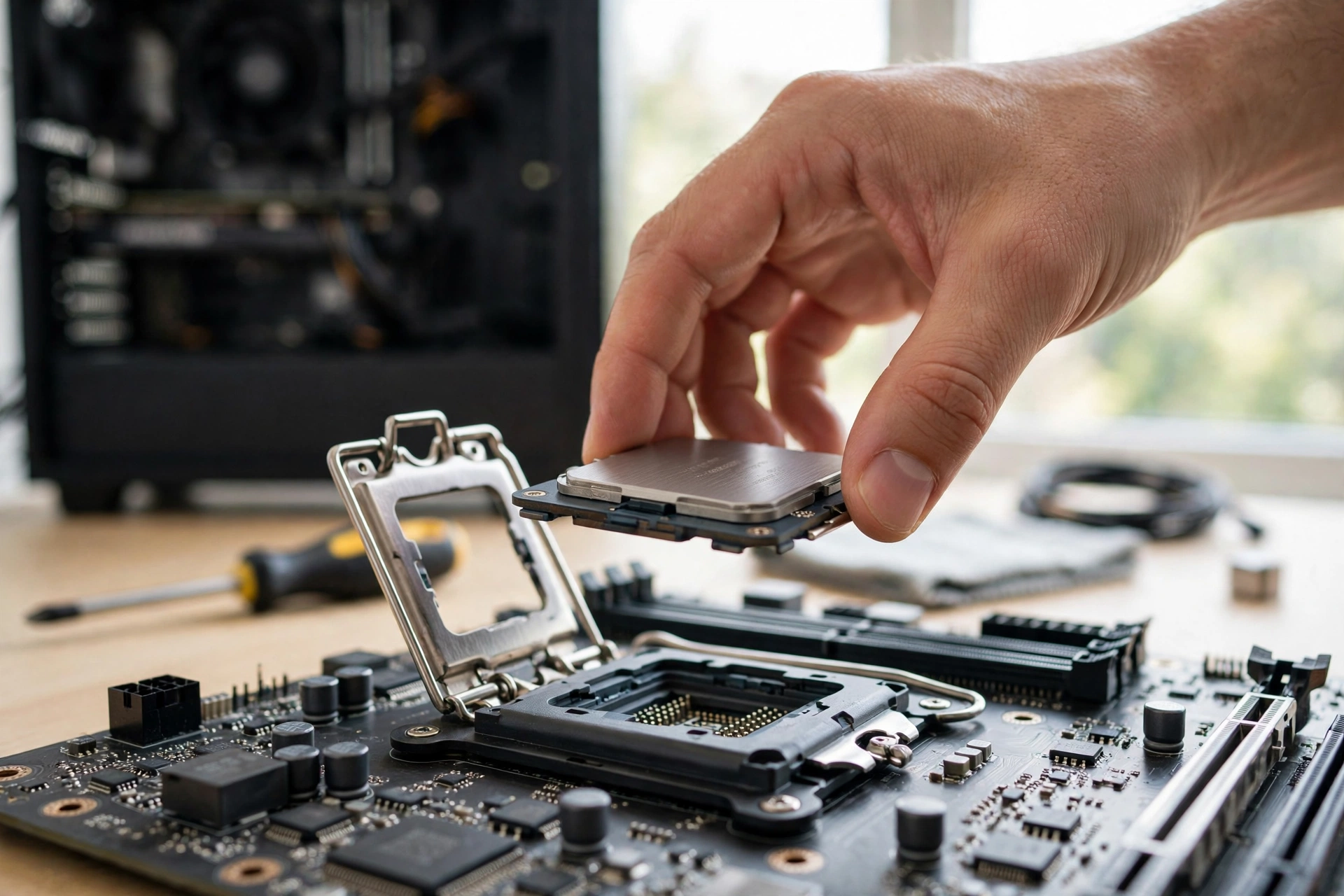
The CPU floor is the weakest CPU you should pair with this card at a given resolution without expecting a meaningful loss. Below the floor, you leave performance on the table in a way you will notice. Above it, extra CPU spending buys smaller and smaller gains.
| Resolution and target | CPU floor (minimum sensible pick) | Comfortable pick |
|---|---|---|
| 1080p, 240Hz competitive | Ryzen 7 7800X3D or Core i5-14600K class | Ryzen 7 9800X3D |
| 1080p, 144Hz mixed games | Ryzen 5 9600X or Core i5-13600K class | Ryzen 7 7800X3D |
| 1440p, 144 to 165Hz | Ryzen 5 7600X or 9600X, or Core i5-13600K class | Ryzen 7 7800X3D |
| 1440p, 60Hz story games | Ryzen 5 5600X or Core i5-12400F class | Ryzen 5 7600X |
| 4K, 60 to 120Hz | Ryzen 5 5600X or Core i5-12400F class | Ryzen 5 7600X or 9600X |
Read that table with your own games in mind. A player in Valorant or Counter-Strike at 1080p lives in the top row even though the GPU is barely working, because those games are CPU bound by design. A player in story driven games at 1440p lives in the middle rows, where a midrange CPU is plenty. Also check your memory before you blame the processor: a single stick of slow memory, or memory running below its rated speed because XMP or EXPO was never enabled, can look exactly like a CPU bottleneck.
Best CPUs for the RTX 4070 Ti, Tier by Tier
Top tier: no CPU questions at all
The Ryzen 7 9800X3D is the strongest pure gaming pick for this card, thanks to its large stacked cache, which keeps game data close to the cores. The Ryzen 7 7800X3D delivers nearly the same gaming experience in most titles at a lower cost and remains the value pick at the high end. Either chip removes the CPU from the conversation at every resolution this card can sensibly drive. The tradeoff is cost: at 1440p and 4K, much of that extra CPU power goes unused because the GPU is the limit, so you are paying for headroom and smoother 1% lows.
Strong midrange: the sensible majority pick
The Ryzen 5 9600X and Ryzen 5 7600X are the AMD midrange answers, with strong single thread performance and a modern AM5 platform that leaves an upgrade path open. The Core i5-14600K and Core i5-13600K are the Intel equivalents, with extra efficient cores that help when you game while streaming. All four feed the RTX 4070 Ti comfortably at 1440p and are only mildly limiting at 1080p in the most CPU heavy titles. For most buyers, this tier is where the money is best spent.
Best upgrade on an existing board: AM4 owners
If you already own an AM4 motherboard, the Ryzen 7 5700X3D is the standout upgrade for this card. It drops into many existing boards after a BIOS update, adds the stacked cache that helps gaming so much, and avoids the cost of a new motherboard and DDR5 memory. The Ryzen 7 5700X is cheaper, but the X3D version is the one that genuinely changes the pairing at 1080p and in CPU heavy 1440p titles.
Older Intel picks that still work
The Core i7-12700K and Core i5-12600K remain respectable partners at 1440p and 4K, especially when bought used or carried over from an existing build. At 1080p high refresh they fall behind newer midrange chips, but the gap is high frame rate headroom, not a failure of the pairing. If you already own one, a GPU upgrade to a used RTX 4070 Ti will usually help far more than a CPU upgrade would.
Expected FPS What a Well Fed RTX 4070 Ti Delivers
The table below is compiled from published third-party benchmarks and is presented as estimates, not as in-house testing. Figures assume a capable modern CPU, high settings without frame generation, and dual channel memory. Individual games, driver versions, and settings presets move these numbers, so treat each range as a planning guide rather than a promise. A dedicated benchmark listing for Cyberpunk 2077, for example, puts the card at about 115 frames per second at 1440p with ray tracing off in GPU-Monkey’s RTX 4070 Ti Cyberpunk 2077 benchmark, which sits inside the range below once settings differences are allowed for.
| Game | 1080p estimate | 1440p estimate | 4K estimate |
|---|---|---|---|
| Cyberpunk 2077 | 110 to 130 | 75 to 95 | 40 to 55 |
| Baldur’s Gate 3 | 130 to 160 | 95 to 120 | 55 to 70 |
| Elden Ring | 60 (engine cap) | 60 (engine cap) | 55 to 60 |
| Call of Duty: Warzone | 160 to 200 | 120 to 150 | 70 to 90 |
| Fortnite | 180 to 240 | 130 to 170 | 80 to 100 |
| Apex Legends | 200 to 240 | 160 to 200 | 100 to 120 |
| Valorant | 400 or more | 350 or more | 250 or more |
| Red Dead Redemption 2 | 110 to 130 | 80 to 100 | 45 to 60 |
| Starfield | 90 to 110 | 65 to 85 | 35 to 50 |
| Hogwarts Legacy | 110 to 135 | 85 to 105 | 50 to 65 |
Two patterns matter here. Competitive titles scale far more with CPU speed than with resolution, which is why Valorant and Apex Legends stay high even at 4K on paper. The heaviest ray traced and open world games are where the card itself sets the ceiling, so a CPU upgrade will not rescue their frame rates, while upscaling or a settings adjustment will. Also watch 1% lows, not just averages: a stronger CPU with fast dual channel memory usually improves those lows more than the headline average. Our explainer on what frame time is and why 1% lows matter covers how to read those numbers.
Which Older CPUs Hold the RTX 4070 Ti Back
Genuinely limiting at 1440p and below: The Ryzen 5 2600, Ryzen 5 3600, Core i5-10400F, and Core i5-11400F class chips will hold the card back noticeably at 1080p and in CPU heavy games at 1440p. Their single thread performance and cache are a generation or two behind what a card of this speed wants. If you own one of these, the card will still be a large upgrade over a weaker GPU, but plan a CPU and platform upgrade as the next step.
Borderline, and fine at higher resolutions: The Ryzen 5 5600X, Ryzen 7 5700X, Core i5-12400F, and Core i7-10700K class chips are a different story. At 1080p high refresh they leave some performance unused, but at 1440p they feed the card well in most titles, and at 4K they are rarely the limit at all. Owners of these chips should not rush to upgrade for this card alone.
A special case, the Ryzen 5 5500: This chip looks like a six core bargain, but its smaller cache and lower performance per core make it a weaker partner for this card than the Ryzen 5 5600X, and the gap shows at 1080p and in CPU sensitive 1440p games. If you are buying new, skip it for this pairing. If you already own it, it is usable at 1440p at 60Hz, but it should be near the top of your upgrade list if you chase higher frame rates.
When the Card Is the Limit Instead
It is easy to over diagnose a CPU bottleneck, so know what a GPU limit looks like. If GPU utilization sits near 95 to 100 percent while CPU utilization stays moderate, the card is the limit, and a faster CPU will not raise your frame rate. If raising the resolution or settings barely changes your frame rate, the CPU is the limit. If lowering settings raises your frame rate a lot, the GPU was the limit. Our guide on whether you should upgrade your CPU or GPU first walks through that decision. Run the check in your own most played games, not in a synthetic benchmark alone.
Common GPU Bottlenecks VRAM, PCIe & Power
The 12GB VRAM limit is real, but it is not a CPU problem
At 1440p with high textures, 12GB is comfortable for most current games. At 4K with maximum textures, or in a handful of very texture heavy titles at 1440p, the card can run short, and the symptom is stuttering rather than a smooth but lower frame rate. No CPU fixes that, because the limit is memory capacity on the card itself. The practical answers are to drop texture quality one step, use DLSS Quality mode, or accept that this card is a 1440p card first and a 4K card second. Our guide on whether 8GB of VRAM is enough explains the same tradeoff at a lower capacity.
Power supply: 750W of good quality is the sensible target
Board partners generally recommend a 750W power supply for this card, and that guidance already includes headroom for a capable CPU and the rest of the system. What matters more than wattage is quality: a reputable unit with the correct 16 pin cable or adapter and honest ratings. A cheap high wattage unit is a worse choice than a good 750W unit. Community build discussions reach the same conclusion, as in this Tom’s Hardware discussion of power supplies for 4070 Ti class builds. If your power supply is old or lacks the right connectors, check the adapter situation before the card arrives.
PCIe generation: Gen 4 is ideal, Gen 3 is rarely a deal breaker
The RTX 4070 Ti uses a PCIe 4.0 x16 interface. On a PCIe 3.0 x16 slot, the card still gets enough bandwidth for most gaming, and the measured loss is usually small, in the low single digit percentages at most. Only a slot running at fewer lanes, such as a secondary x4 slot, is worth worrying about. If your motherboard is PCIe 3.0, do not rebuild for PCIe 4.0 alone for this card.
DLSS frame generation: smoothness, not a CPU cure
DLSS 3 frame generation inserts AI generated frames between real rendered frames, which raises the displayed frame rate and makes motion look smoother. It does not make the CPU prepare game frames any faster, so input latency is still tied to the real frame rate, and a CPU limited game will still feel CPU limited even when the counter climbs. Frame generation works best when the real frame rate is already at or above 60 frames per second. Treat it as a complement to a good CPU pairing, not a substitute for one.
RAM and cooling: the quiet bottlenecks
Two quiet issues deserve a line each. First, two sticks in dual channel mode, with the rated speed enabled in the BIOS, is the baseline, and a single stick can cost a noticeable amount of CPU performance. Second, a CPU that throttles under a weak cooler will look like a bottleneck in longer sessions even though it benchmarks fine in short tests.
The Used Market Angle in Late 2026
Most RTX 4070 Ti cards changing hands now are used, and that changes the buying logic. A used card is judged on condition, cooling, and remaining useful life, not on launch reviews. Ask for photos, check that all fans spin and that temperatures under load are sane, confirm which power connector and adapter it ships with, and test it promptly so any problem surfaces inside the seller’s return window. Our used GPU buying guide covers the full checklist.
There is also a market context worth noting honestly. In November 2026, reports from industry sources described further price rises across NVIDIA’s RTX 50 series, with board partners reportedly raising factory prices and retail listings for high end cards climbing well above their launch prices. Those are reports, not an official NVIDIA price change, and the reporting itself notes that no equivalent worldwide adjustment to suggested retail prices has been announced. The relevance to a used RTX 4070 Ti buyer is narrow but real: if new high end cards keep getting more expensive at retail, a well priced used 4070 Ti becomes a more attractive way to get strong 1440p performance without paying new card prices, provided the price reflects its age, its 12GB limit, and the lack of a warranty. Do not pay a panic premium on the back of a news report.
A Better Alternative Combo for the Same Money
If you already own the RTX 4070 Ti: The best same money move is usually not a flagship CPU. A Ryzen 7 7800X3D is the premium answer, but a Ryzen 5 9600X or Core i5-14600K plus the money saved, spent on a 1440p high refresh monitor if you are still on 1080p, will improve your daily experience more at 1440p than the flagship CPU alone would. The monitor is the part you actually look at, and this card is built for 1440p.
If you are buying both parts together: Consider a Ryzen 7 7800X3D paired with an RTX 4070 Ti Super instead of a 9800X3D paired with the original 4070 Ti, if the Super is available near the same total price. The Super adds 16GB of VRAM, which removes the 12GB concern that is this card’s main long term weakness, while the 7800X3D still feeds it fully at 1440p and 4K. Our guide to the best CPU for the RTX 4070 Super covers a closely related pairing and the same logic applies: when the GPU is the long term limit, shifting money from the flagship CPU to a stronger GPU usually wins.
If you play at 1080p high refresh only: The alternative flips. A 7800X3D or 9800X3D paired with a cheaper GPU can beat a midrange CPU paired with the 4070 Ti in competitive titles, because those games are CPU bound and the card is barely working. In that narrow case, buying the fastest CPU first and a midrange GPU is the smarter split, and the 4070 Ti is more card than that setup needs.
Frequently Asked Questions
I have a Ryzen 7 5700X, 32GB RAM, and a 4070 Ti. A bottleneck calculator says 20 percent on the CPU. Should that be too much of a problem? I have never had a game that maxed out my CPU on Ultra settings yet.
The short answer is no, it is not a problem on its own. A calculator percentage is not a measurement of your games, and a CPU running below 100 percent can still deliver all the frames your GPU can render at 1440p Ultra. At 1440p Ultra, your GPU is doing heavy work on every frame, so the 5700X is a reasonable partner, and the fact that your games run well is better evidence than any calculator number. If you move to 1080p high refresh games, a 5700X3D on the same board is the natural next step.
Will an older six core CPU bottleneck an RTX 4070 Ti at 1440p?
It depends on which six core chip and which games. A modern six core chip like the Ryzen 5 7600X or 9600X will not meaningfully bottleneck this card at 1440p. An older six core chip like the Ryzen 5 3600 will limit it in CPU heavy titles at 1440p and more clearly at 1080p. The dividing line is single thread performance and cache, not core count alone.
Is a 750W power supply enough for an RTX 4070 Ti and a modern CPU?
Yes, a good quality 750W unit is enough for this card paired with a mainstream or high end gaming CPU, and it is the wattage board partners generally recommend. What matters is the quality of the unit and the correct power cable or adapter for the card’s 16 pin connector.
Conclusion
The rtx 4070 ti cpu bottleneck question has no single yes or no answer, and that is good news for buyers. At 1080p high refresh, buy a fast CPU and treat the processor as the priority. At 1440p, which is where this card belongs, a good modern midrange CPU feeds it fully, and the premium chips are a comfort purchase rather than a requirement. At 4K, the card is the limit, and a CPU upgrade alone will not change your frame rate. Older CPUs are not all equal: a 5700X or 12400F class chip is a fine partner at 1440p, while a 3600 or 10400F class chip is a genuine limit that deserves a planned upgrade.
Check your own system before you buy anything. Monitor GPU utilization and frame times in the games you actually play, confirm your memory is running in dual channel mode at its rated speed, and remember that the card’s 12GB of VRAM shapes its limits more than any CPU choice does at high resolutions. Buy the CPU for your resolution and your games, and put any money you save toward the monitor that lets this card show what it can do.

Leave a Reply