

An rtx 3060 cpu bottleneck is one of the most common problems in older gaming PCs, and also one of the most misunderstood. The RTX 3060 is not a very fast card by 2026 standards, yet a weak processor can still hold it back, especially at 1080p, in competitive games, and when you chase a high refresh rate. Many owners worry about a bottleneck that does not matter for the way they play. At 1440p on high settings targeting 60 frames per second, a midrange processor from 2020 may already be good enough. At 1080p on low settings chasing 144 frames per second, that same processor can become the main limit.
This guide explains which old CPUs genuinely hold an RTX 3060 back, which ones are still fine, the cheapest sensible upgrade path, and settings that buy you time if you cannot upgrade yet. A bottleneck is not a pass or fail grade. It describes which part reaches its limit first in a particular game, at a particular resolution, and at a particular settings level. Valve’s October 2026 Steam Hardware Survey puts the RTX 3060 back on top at 3.62 percent of surveyed systems, just ahead of the RTX 5070 at 3.56 percent.
RTX 3060 CPU Bottleneck Quick Verdict
1080p verdict: A modern 6 core processor such as a Ryzen 5 5600 or Core i5-12400F lets an RTX 3060 run close to its full potential in most games. Older 6 core chips such as a Ryzen 5 3600 or Core i5-10400F are usually playable but cost frames and smoothness in CPU heavy games, especially at high refresh rates. Four core processors without hyperthreading are the real problem group at 1080p. Upgrade the CPU first if you play competitive games or chase high frame rates here.
1440p verdict: At 1440p, the RTX 3060 itself becomes the main limit in most games, which is good news for owners of older CPUs. A Ryzen 5 3600 or Core i5-10400F is much less of a problem here, because higher resolution and higher settings shift work onto the graphics card. You may still see CPU limits in a few CPU heavy titles, but for most single player games at 1440p, a graphics card upgrade would matter more than a processor upgrade.
4K verdict: At 4K, do not upgrade your CPU for an RTX 3060. The card is the limit by a wide margin in almost every game, and a faster processor will not change that in any meaningful way. If 4K is your goal, you need a stronger graphics card first.
What to upgrade first: At 1080p with stuttering or low 1 percent lows, upgrade the CPU first, and check your RAM configuration at the same time. At 1440p and 4K, upgrade nothing until you can afford a stronger graphics card, unless your processor is so old that even basic tasks feel slow. If your budget stretches to one used part this year, a used Ryzen 5 5600 on an existing AM4 board is usually the cheapest meaningful CPU upgrade in this guide.
Why the RTX 3060 Is Still Everywhere
The RTX 3060 launched in early 2021 as a mainstream Ampere card with 3,584 CUDA cores and, in its main version, 12GB of GDDR6 memory on a 192 bit bus, with a rated board power of 170W. That still describes a very usable 1080p card in 2026, and 12GB is a genuine advantage over newer budget cards with 8GB. Full specifications are listed in the TechPowerUp RTX 3060 database entry.
The October 2026 Steam survey result needs a careful reading. The survey is a voluntary sample of Steam users, not a census of every gaming PC, and month to month swings can reflect who responded as much as what hardware people own. The RTX 3060 lead is only 0.06 percentage points on the combined table, as reported in coverage of the October 2026 Steam survey results. The practical conclusion stands: millions of RTX 3060 cards remain in use in older systems.
What a CPU Bottleneck Actually Looks Like
A CPU bottleneck does not mean your PC is broken, and it does not mean a faster graphics card would perform worse. A better part never makes a game run slower in the same system. A CPU limit means your graphics card spends part of its time waiting. Your processor cannot prepare frames fast enough, so GPU usage drops, average frame rates stop rising when you lower settings, and smoothness suffers before the average does.
The clearest symptom is stuttering. Average FPS can look acceptable while 1 percent lows, the slowest one percent of frames, fall far below the average. That gap is what you feel as hitching or uneven motion in busy scenes. Another symptom is a frame rate ceiling that refuses to move. If you drop from ultra to low settings and frame rate barely changes, your processor is probably the limit. If lowering settings raises frame rate a lot, your graphics card was the limit.
Monitoring confirms this at no cost. Run a free overlay tool while playing your normal games and watch CPU and GPU usage together. If your CPU sits near 100 percent on several cores while your GPU sits at 60 or 70 percent, you are CPU limited in that game. If your GPU sits near 100 percent while your CPU has headroom, you are GPU limited, which is the healthy state for most gaming PCs. For why smoothness matters more than the average number, see our guide on frame time and 1 percent lows.
Who Holds Back an RTX 3060
Age alone is a poor guide. A 6 core, 12 thread processor from 2020 can still be a reasonable partner for an RTX 3060, while a 4 core processor from the same era can struggle badly. Thread count, single core speed, cache, memory support, and platform all matter, and they matter more at 1080p than at higher resolutions. The ladder below groups the processors RTX 3060 owners ask about most, from weakest to strongest partner for this card.
At the bottom sit 4 core processors such as the Core i5-7400, Core i5-8400, Core i7-7700K, and Ryzen 3 3300X class chips. They run older and lighter games acceptably, but in modern open world and multiplayer titles they frequently hit 100 percent usage, produce stuttering, and leave the RTX 3060 waiting. They are the clearest upgrade candidates here, especially at 1080p.
One step up are older 6 core processors without full threading, led by the Core i5-9400F. It has 6 cores and 6 threads, no hyperthreading, and a platform that caps memory speed on most boards. It is much better than a 4 core chip, and at 1440p it is often fine, but at 1080p in CPU heavy games it shows its limits. It is borderline: good enough for 60 FPS gaming in most titles, not good enough for smooth high refresh gaming in demanding ones. Forum discussion of this pairing mirrors this verdict in a Tom’s Hardware forum thread on the i5-9400F and RTX 3060.
The middle of the ladder is where most RTX 3060 systems live. The Ryzen 5 3600 and Core i5-10400F are 6 core, 12 thread processors with similar gaming performance, and both remain serviceable partners. Expect a modest CPU limit at 1080p in demanding games, and much less of a problem at 1440p. Neither is ideal for a 144 Hz monitor in CPU heavy titles.
Above them sit processors that remove the question for this card. The Ryzen 5 5600 and Core i5-12400F are 6 core, 12 thread chips with much stronger single core performance than the previous generation, and both let an RTX 3060 stretch its legs at 1080p. The Ryzen 5 5600 is especially attractive for AM4 owners as a drop in upgrade. Beyond this level, chips such as the Ryzen 7 5700X3D are more CPU than an RTX 3060 needs.
| Processor group | Cores and threads | 1080p verdict with RTX 3060 | 1440p verdict with RTX 3060 |
|---|---|---|---|
| 4 core, e.g. i5-7400, i7-7700K | 4 cores, 4 to 8 threads | Often a real bottleneck, stuttering likely | Still limited in CPU heavy games |
| i5-9400F class | 6 cores, 6 threads | Borderline, fine at 60 FPS, weak at high refresh | Usually acceptable, GPU is the main limit |
| Ryzen 5 3600, i5-10400F | 6 cores, 12 threads | Mild bottleneck, smoothness suffers first | Small bottleneck, mostly GPU limited |
| Ryzen 5 5600, i5-12400F | 6 cores, 12 threads | Balanced, no meaningful bottleneck | GPU limited, as it should be |
| Ryzen 7 5700X3D and newer midrange | 8 cores or newer 6 cores | More CPU than this card needs | More CPU than this card needs |
Where Old CPUs Hurt Most
At 1080p, the RTX 3060 renders frames quickly, so the processor must work harder to keep up. Lower resolution reduces graphics card load but not the processor work to prepare each frame: game logic, draw calls, physics, AI, and asset streaming all pass through the CPU. That is why 1080p exposes an old CPU most clearly, and why high refresh targets make it worse. A processor delivering steady 60 frames per second may fall apart when asked for 144 in the same game.
Competitive games are the sharpest test. Valorant, Counter-Strike 2, Fortnite, and Apex Legends run at very high frame rates on an RTX 3060 with a strong processor, and expose a weak processor at once through lower averages and worse 1 percent lows. Lowering settings can make a CPU bottleneck more visible here, because the graphics card finishes even faster and waits even longer. If competitive games are your main use, treat the processor as the priority upgrade.
Where the RTX 3060 Takes Over
At 1440p, the balance shifts. The RTX 3060 must render far more pixels than at 1080p, so it becomes the limit in most games before the processor does. An older processor that struggled at 1080p high refresh often becomes acceptable at 1440p at 60 frames per second, because the graphics card cannot produce frames fast enough for the processor to become the problem. Raising resolution and settings can hide a CPU weakness, while lowering them exposes it.
At 4K, the discussion is essentially over for this card. The RTX 3060 is not a comfortable 4K card for demanding modern games, even with upscaling, and the processor is almost never the reason. Expect medium settings, DLSS where supported, and a 60 FPS target in lighter titles.
RTX 3060 Estimates by Resolution
The table below shows estimated average frame rates for an RTX 3060 paired with a balanced processor such as a Ryzen 5 5600 or Core i5-12400F, at high settings without ray tracing and without DLSS or FSR upscaling. These figures are compiled from published third party benchmarks and reviews, not from in house testing, and they are estimates, not guarantees. Results vary with your exact processor, RAM speed and configuration, drivers, game version, and scene tested.
| Game | 1080p estimated FPS | 1440p estimated FPS | 4K estimated FPS |
|---|---|---|---|
| Valorant | 300+ | 240+ | 140+ |
| Counter-Strike 2 | 200+ | 150+ | 85 |
| Fortnite | 130 | 90 | 50 |
| Apex Legends | 130 | 90 | 50 |
| Call of Duty: Warzone | 95 | 65 | 35 |
| Grand Theft Auto V | 120 | 85 | 50 |
| Red Dead Redemption 2 | 65 | 45 | 28 |
| Cyberpunk 2077 | 60 | 40 | 22 |
| Elden Ring | 60 | 50 | 32 |
| Baldur’s Gate 3 | 75 | 55 | 32 |
Pairing Specific Issues for the RTX 3060
Platform and PCIe generation. The RTX 3060 uses a full PCIe x16 interface, good news for older boards. Unlike some newer budget cards that use only 8 PCIe lanes and suffer more on PCIe 3.0 systems, the RTX 3060 has enough lanes that PCIe 3.0 versus PCIe 4.0 makes little practical difference in most games. Do not upgrade your platform just for PCIe bandwidth with this card. Spend instead on the processor or faster dual channel RAM. Your socket matters for a different reason: it decides which CPU upgrades are possible without a new motherboard.
VRAM: 12GB versus 8GB. This is the most important specification trap in the RTX 3060 lineup. The main version has 12GB of GDDR6 on a 192 bit bus, while a later 8GB version has a narrower 128 bit bus and less memory bandwidth. Both are called RTX 3060, but they are not the same card in demanding games, especially at 1440p with high resolution textures. If buying used, confirm which version you are getting, and prefer the 12GB version. Our guide on whether 8GB of VRAM is enough explains where that limit shows up.
Power supply. The RTX 3060 has a rated board power of 170W, and board partners variously recommend a 450W or 550W power supply depending on model and system. A decent quality 550W unit is a comfortable baseline for an RTX 3060 system with a midrange processor, while a cheap or very old unit with the right wattage on paper can still cause problems. Check the model, its age, and whether it has the required 8 pin connector.
Resizable BAR. Resizable BAR lets the processor access the full graphics card memory at once, and it is supported on the RTX 3060 with a compatible processor, motherboard, and BIOS setting. The benefit here is usually small and game dependent, sometimes a few percent, sometimes nothing. Enable it if your platform supports it, but it is not a fix for a weak processor. AMD owners should note that Smart Access Memory is AMD’s name for the same underlying feature on Radeon cards, so it does not apply to an NVIDIA card in the same way.
The Cheapest Upgrade Path Step by Step
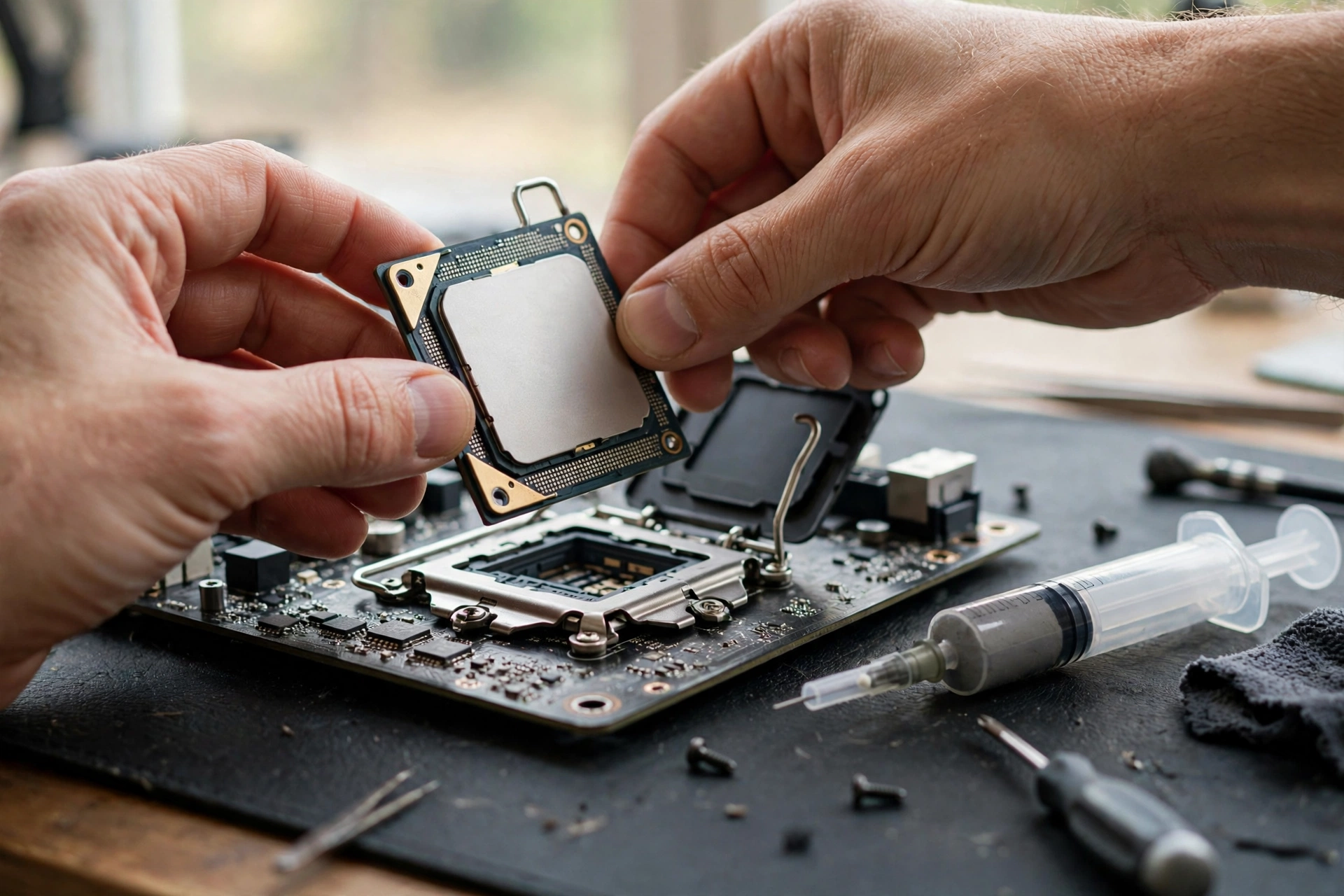
The cheapest upgrade path is not the cheapest processor you can find. It is the cheapest processor that fixes your problem without forcing a new motherboard, new RAM, and possibly a new cooler at the same time. Work through the steps in order, and stop at the first step that solves your problem.
Step one is free: confirm the bottleneck and fix cheap faults. Monitor your games, check dual channel RAM, close heavy background programs, update graphics drivers, and make sure your processor is not overheating and throttling. A dusty cooler or dried out thermal paste can make a decent processor behave like a weak one.
Step two depends on your socket. On AM4 with a Ryzen 5 3600 or similar, a used Ryzen 5 5600 is usually the best value upgrade in PC gaming right now. It often drops into the same board after a BIOS update, reuses DDR4 RAM, and delivers a large single core improvement. A Ryzen 7 5700X3D is stronger, but costs more and is only worth it for CPU heavy games at high refresh rates or if you plan to keep the system for years.
On Intel LGA 1200 with a Core i5-10400F, the situation is less generous. A used Core i7-10700K or Core i9-10900K fits the same socket, but the gaming gain over a 10400F is modest, and those older high end chips can run hot while lacking modern platform features. In many cases, keep the 10400F until you can afford a platform change, rather than spending on a small step within a dead platform.
On even older platforms, such as LGA 1151 with a 4 core chip, there is usually no cheap drop in upgrade worth the money. Save for a platform bundle: a modern budget processor, matching motherboard, and RAM to match, or a discounted DDR4 platform to reuse memory. Buying used can cut this cost, especially a processor and motherboard together from a seller who can show them working. For buying used parts safely, see our used GPU buying guide, whose inspection advice applies to processors and motherboards too.
| Upgrade route | What you need | When it makes sense |
|---|---|---|
| Used Ryzen 5 5600 on AM4 | BIOS update, existing DDR4 board | Best value for most AM4 owners |
| Used Ryzen 7 5700X3D on AM4 | BIOS update, decent cooling | CPU heavy games, high refresh, long term keep |
| Keep i5-10400F, save for platform | Nothing now | LGA 1200 owners, small drop in gains are poor value |
| Budget new platform bundle | CPU, board, RAM together | Very old sockets with no worthwhile drop in chip |
| No CPU upgrade, fix RAM and SSD | Dual channel 16GB, SSD for games | Stuttering caused by memory or storage, not CPU |
Settings That Buy You Time
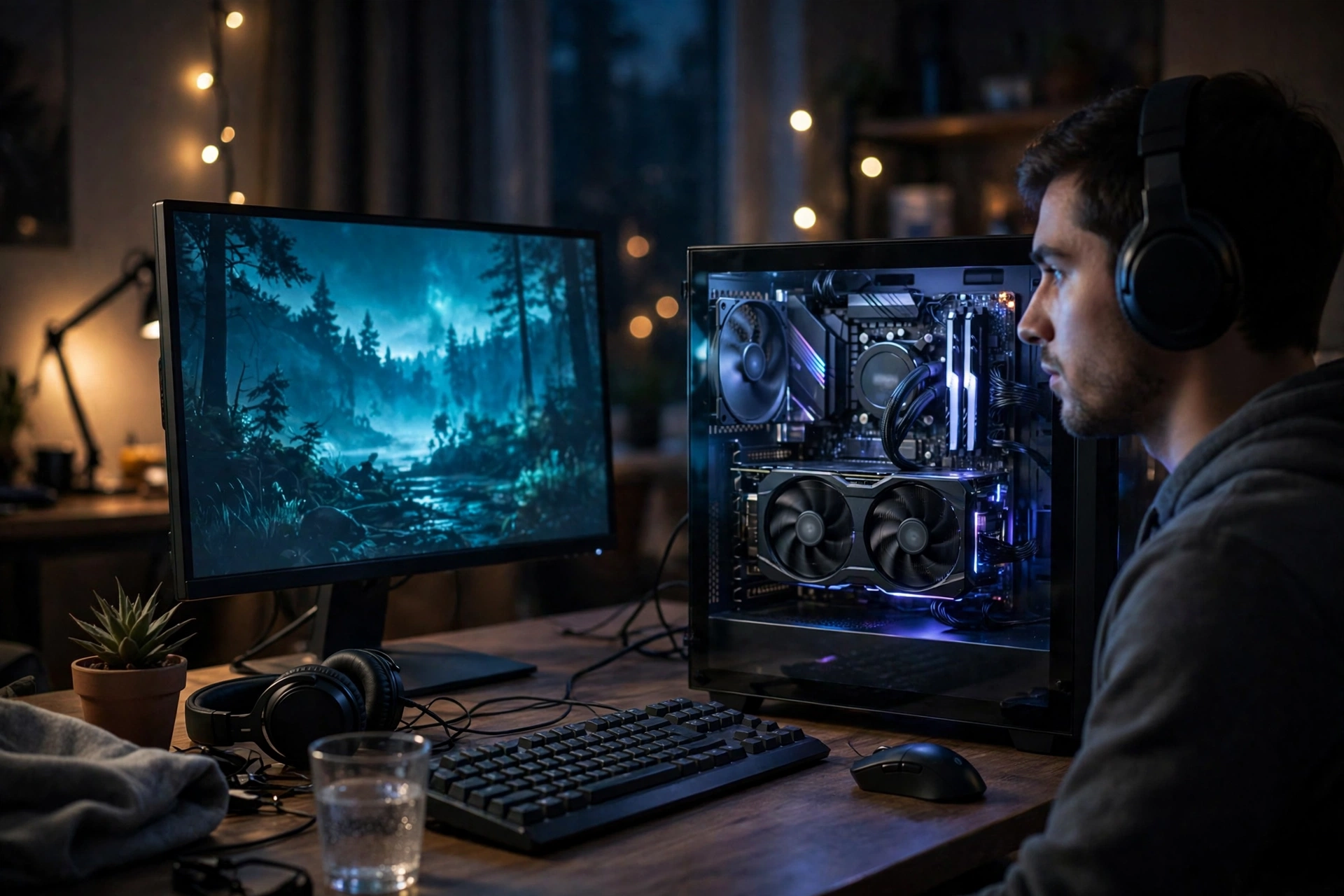
If a processor upgrade is months away, settings can make a bottlenecked system feel considerably better, though they cannot remove the bottleneck. The goal is smoothness first, average frame rate second. A capped, steady frame rate almost always feels better than a higher average with constant drops, and this is the most effective free change most owners can make.
Cap your frame rate at a level your processor can sustain. If your system averages 90 FPS but drops into the 40s in busy scenes, capping at 60 FPS will feel smoother, especially on a 60 Hz monitor. On a high refresh monitor, try a cap slightly below refresh rate, or use adaptive sync if supported, so small dips do not produce tearing.
Use upscaling carefully. DLSS Quality mode on an RTX 3060 can raise frame rates at 1440p without much image quality loss in supported games, and is worth trying before any hardware purchase. Frame generation can raise displayed frame rates further, but adds latency and does not fix processor limits on responsiveness, so competitive players should generally leave it off.
A Better Alternative Combo for the Same Money
If you are building from scratch, or your platform is so old that a processor upgrade means a new motherboard and RAM anyway, the question changes. An RTX 3060 paired with a Ryzen 5 5600 or Core i5-12400F remains a very good budget combination, and you should not abandon it for a flashier processor with a weaker graphics card. A balanced budget pairing beats an unbalanced expensive one every time.
For owners who already have an RTX 3060 and a decent 6 core processor, the better alternative to a processor upgrade is often no upgrade at all. Spend on dual channel 16GB or 32GB RAM if you lack it, an SSD for your games, and a monitor upgrade only if your current monitor is below the standard you play at. Those supporting upgrades improve every game you own, while a processor upgrade your graphics card cannot use improves almost none of them. If torn between upgrading processor or graphics card first, our guide on whether to upgrade your CPU or GPU first lays out the decision in full.
Frequently Asked Questions
If I get an RTX 3060, will an i5 9400F be a bottleneck in terms of fps and general performance?
in close to its original wording, and the short answer is yes, sometimes, but not in every game. At 1080p in CPU heavy games, the i5-9400F will limit an RTX 3060, especially at high refresh rates, because it has only 6 threads and modest single core speed. At 1440p, or at 60 FPS in less demanding games, the pairing is much more comfortable. If you already own the 9400F, try the RTX 3060 first, monitor your games, and upgrade only if your most played games show stuttering and low GPU usage.
Is it necessary to upgrade your CPU when you upgrade your GPU?
in close to its original wording, and the answer is no, not automatically. Upgrading your graphics card never makes games run worse, even with an older processor. What an older processor can do is limit how much of the new card’s potential you actually see. The test is simple: after the upgrade, do your games hit your frame rate and smoothness targets? If yes, no processor upgrade is needed. If no, and monitoring shows the processor at its limit while the graphics card waits, then a processor upgrade is next.
Should I buy a used RTX 3060 12GB or a used RTX 3060 8GB for an older PC?
Choose the 12GB version if the price difference is small, because it has a wider 192 bit memory bus and more memory headroom for high textures and 1440p gaming. The 8GB version is still a capable 1080p card, and may be right if substantially cheaper and you only play at 1080p, but do not pay 12GB money for an 8GB card. Confirm the exact version with the seller and test it before the return window closes.
Conclusion
An RTX 3060 CPU bottleneck is real, but it is not a single verdict for every owner. Four core processors and thread limited 6 core chips are the genuine problem group, especially at 1080p and high refresh rates. The Ryzen 5 3600 and Core i5-10400F are borderline but playable partners, much more comfortable at 1440p than at 1080p. The Ryzen 5 5600 and Core i5-12400F remove the question for this card entirely.
The RTX 3060 earned its place back on top of the Steam survey by being good enough for the games most people actually play, on the systems most people actually own. Pair it with a sensible processor, keep its supporting parts in order, and it will keep earning that place for a while yet. For owners weighing a wider upgrade, our guide to the best GPU for an old PC upgrade is the natural next read, since it covers the other side of the same balancing act.

Leave a Reply