

ATX 3.1 PSU Explained in plain English: it is a newer Intel power supply specification, not a new wattage, not a new physical size, and not a requirement for every graphics card. Its most important change is a safer 16-pin GPU connector called 12V-2×6, which replaces the original 12VHPWR connector from ATX 3.0. Around that connector, ATX 3.1 also updates timing and spike-handling rules so a modern power supply can cope with the short, sharp power surges that high-end graphics cards produce. If you are building a new PC with an RTX 50-series card, ATX 3.1 is the sensible default. If you already own a good ATX 3.0 unit, or a strong older unit with the right cables, you may not need to replace it at all.
Before spending money, separate two questions that get mixed up: wattage (enough total power for your CPU, card, and everything else?) and compliance (a modern standard for connectors, spike tolerance, and timing?). A 1000W unit can fail the second while passing the first. For the full wattage picture, see our RTX 50-series power supply guide. This article stays focused on the standard itself.
Who Actually Needs an ATX 3.1 PSU
Buy an ATX 3.1 power supply if you are building a new PC, replacing a failing or very old unit, or buying an RTX 5090, an RTX 5080, or a heavily overclocked high-end card. In those cases, the native 12V-2×6 cable, the modern spike tolerance, and the cleaner cable setup are worth having from day one, and the price difference over a comparable ATX 3.0 unit is usually small when you are buying new anyway. You are paying mainly for a connector designed to fail safer when it is not fully seated, plus a specification written around the way current graphics cards actually draw power.
Keep your current unit, at least for now, if it is a quality ATX 3.0 model with enough wattage, the correct cable or boxed adapter, and no warning signs such as random shutdowns, a stopped fan, or a burning smell. The same applies to a strong older unit in a lower-power build with enough clean 8-pin cables and wattage headroom. A good unit does not become unsafe overnight because a new specification number exists.
Replace the unit regardless of its badge if it is very old, was a cheap no-name model, lacks the cables your card needs, runs hot, or shuts the PC down under load. Those are the situations where a new ATX 3.1 unit is a reliability fix, not an upgrade for its own sake. If you are unsure whether your shutdowns are power related, our guide to 7 signs your PSU is bottlenecking your PC walks through the symptoms to check before you buy anything. Also note that GPU prices have been rising, and reports of a rumored 24GB RTX 5080 refresh, possibly arriving around December or January, remain unconfirmed. That rumor does not change this advice: a future card in the same power class would still use the same kind of 16-pin connector.
What Is ATX 3.1 PSU Explained
ATX stands for Advanced Technology Extended, an Intel form factor and power specification covering connectors, voltages, timing, efficiency, and protection behavior. ATX 3.0, introduced in 2022, was a major step because it was written for graphics cards that draw very large, very brief power spikes. ATX 3.1, which followed in 2023, is best understood as a refinement of ATX 3.0, not a fresh start. It keeps the core idea of ATX 3.0 and fixes the part that caused real-world trouble: the original 16-pin connector.
ATX 3.1 is not a wattage rating. A 650W ATX 3.1 unit is still a 650W unit, and a 1200W older unit still delivers more total power on paper. ATX 3.1 is not an efficiency rating either. That job belongs to 80 Plus and Cybenetics ratings, which measure how much input power becomes useful output and how much is lost as heat. ATX 3.1 is also not a physical size change: standard ATX units are still 150mm wide and 86mm tall, while length varies by model. One ATX 3.1 power supply review notes that a premium 1200W unit is 200mm long, which will not suit every case, so check your case manual before ordering.
Finally, ATX 3.1 is not a guarantee of quality by itself. The specification sets minimum behavior, but components, fan design, and protection tuning still separate good units from poor ones. Only a review with load testing shows how tightly a unit holds its voltages and how loud it gets. Use the badge as a filter, then use reviews and tier lists to choose. Our PSU tier list is a useful second check.
The 12V-2×6 Connector The Change That Matters Most
The original ATX 3.0 connector, called 12VHPWR, is a 16-pin plug with 12 power pins and 4 smaller sense pins. It can deliver up to 600W to a single graphics card through one compact cable, a major advantage over running three or four separate 8-pin cables. The problem was what happened when the plug was not fully seated. With the original design, the sense pins could still make contact even when the power pins were not fully engaged, so the card could still try to draw full power through a poor connection. A poor connection means higher resistance, and higher resistance at high current means heat. In a small number of widely reported cases with high-power RTX 40-series cards, that heat damaged connectors and cables.
The revised connector, called 12V-2×6 and sometimes marked H++ on the plug, keeps the same 16-pin layout and the same 600W ceiling, but changes the pin geometry. The 12 power pins are slightly longer, by about 0.25mm, so they make full contact first. The 4 sense pins are shorter, by about 1.5mm, so they only make contact when the plug is pushed fully home. If the plug is loose, the sense pins lose contact first, and the graphics card limits power instead of pulling hundreds of watts through a half-seated connection. That mechanical fix is the safety improvement at the heart of ATX 3.1.
Compatibility is good news, with one caveat. A native 12V-2×6 cable plugs into an older 12VHPWR socket, and vice versa, because the shape is the same. What you lose when mixing old and new is the full safety benefit, since the shorter sense pins only protect you when both sides use the revised geometry. For a high-power card, prefer a native 12V-2×6 cable from your power supply maker. The sense pins also negotiate power: the card learns whether the cable is rated for 150W, 300W, 450W, or 600W, so an adapter must use the number of 8-pin feeds the card maker specifies.
ATX 3.1 vs ATX 3.0 vs ATX 2.x Comparison
| Feature | ATX 2.x | ATX 3.0 | ATX 3.1 |
|---|---|---|---|
| GPU power connector | 6-pin and 8-pin PCIe cables only | Original 12VHPWR 16-pin connector | Revised 12V-2×6 16-pin connector |
| Maximum power through one 16-pin cable | Not applicable | Up to 600W | Up to 600W |
| Transient spike tolerance | Lower, around 130 percent in older guidance | Up to 200 percent of rated power for 100 microseconds | Same 200 percent core requirement retained |
| Minimum hold-up time at full load | Varies by era and model | 17 milliseconds | 12 milliseconds |
| Partial-seating protection | Not applicable | Weak, sense pins could still engage | Stronger, shorter sense pins limit power when loose |
| Best suited for | Older or lower-power builds with 8-pin cards | RTX 40-series and many RTX 50-series builds | New RTX 50-series builds and future high-power cards |
Two rows deserve extra explanation. The first is transient spike tolerance. Modern graphics cards do not draw a smooth, constant amount of power. They spike upward for tiny fractions of a second when a scene changes or boost clocks kick in. ATX 3.0 introduced a formal requirement that a compliant unit must tolerate excursions up to 200 percent of its rated power for 100 microseconds, without shutting down or letting voltages collapse. ATX 3.1 keeps that core requirement. That is why a good ATX 3.x unit is less likely to shut down under a spike than an older unit never tested to that standard, even if both share the same wattage label. Random shutdowns under heavy combined CPU and GPU load, with reasonable temperatures, point first at power delivery, and our guide on why your FPS is so low covers the wider troubleshooting picture.
The second row is hold-up time, which confuses people because the number goes down from ATX 3.0 to ATX 3.1. Hold-up time is how long a unit can keep its outputs within specification after wall power disappears, for example during a very brief mains dip. ATX 3.0 required at least 17 milliseconds at full load. ATX 3.1 reduces the full-load minimum to 12 milliseconds. In one narrow sense that is a downgrade, but in practice many quality ATX 3.1 units exceed the minimum by a wide margin. For example, one ATX 3.1 unit launch reports a hold-up time over 17 milliseconds. Check the reviewed hold-up time for the exact model you are buying, rather than assuming every ATX 3.1 unit is worse than every ATX 3.0 unit. If you live somewhere with frequent brief power dips, an uninterruptible power supply matters far more than a few milliseconds of hold-up difference. Published summaries also differ on some secondary ATX 3.1 numbers, such as exact voltage deviation limits during surges, so rely on independent reviews for the exact regulation and ripple numbers of your shortlisted model.
Which RTX 50-Series Cards Genuinely Need ATX 3.1
No RTX 50-series card strictly requires the words “ATX 3.1” on the power supply box. What cards require is enough wattage, the correct connector or adapter, and a unit that can handle their spikes. ATX 3.1 is simply the easiest way to meet all three at once for a new build. The table below recaps widely published NVIDIA system power guidance for the main cards. Treat these as starting points, not as a replacement for the card maker’s own recommendation for your exact model, since factory-overclocked cards and high-power CPUs push requirements upward.
| Graphics card | Card power (TGP) | NVIDIA required system power | Native cable option | ATX 3.1 verdict |
|---|---|---|---|---|
| RTX 5070 | 250W | 650W | 300W 16-pin cable or 2x 8-pin adapter | Nice to have, not essential if your ATX 3.0 unit is sound |
| RTX 5070 Ti | 300W | 750W | 300W 16-pin cable or 2x 8-pin adapter | Recommended for new builds, optional as an upgrade |
| RTX 5080 | 360W | 850W | 450W 16-pin cable or 3x 8-pin adapter | Strongly recommended, especially for new builds |
| RTX 5090 | 575W | 1000W | 600W 16-pin cable or 4x 8-pin adapter | Yes, buy ATX 3.1 with a native 600W cable |
The RTX 5090 is the clearest case. At 575W of card power and a 1000W system recommendation, it draws enough current through a single connector that the 12V-2×6 safety design, a native 600W cable, and a modern excursion rating all matter at once. A quality 1200W ATX 3.0 unit with a proper 600W-capable cable can still run it, but if you are buying new for a 5090, there is little reason to choose the older standard. The RTX 5080 sits one step below, but the same logic mostly applies: a new 5080 build deserves ATX 3.1, while a sound ATX 3.0 unit with a 450W-capable cable is a reasonable place to stay if you already own one.
The RTX 5070 and 5070 Ti are where keeping an older unit makes the most sense. Their card power figures of 250W and 300W, with system recommendations of 650W and 750W, are well within the range of a good ATX 3.0 unit. The deciding factors become unit quality, age, cable availability, and stability under load, not the badge alone. If you are pairing a 5070 with a midrange CPU, our guides to the best CPU for RTX 5060 and the best CPU for RTX 5070 help keep the CPU side of the power math realistic, since a high-power CPU is often what pushes a borderline unit over the edge. Lower in the stack, check the exact model, because some 5060-series cards use standard 8-pin connectors and do not need a 16-pin cable at all.
Running an RTX 50-Series Card on an Older PSU
An older unit can work well when four conditions all hold. First, wattage must clear the card maker’s system recommendation with headroom for your CPU, not just equal it. Second, the unit must be a quality model from a reputable maker, in good condition, with no history of shutdowns. Third, you must have the correct cable path: either a native 16-pin cable rated for your card, or the boxed adapter fed by the full number of 8-pin cables the card maker specifies, using separate cables where required rather than daisy-chaining one cable to feed everything. Fourth, the unit must handle spikes without tripping, which you confirm by stress testing the real system after installation.
It should not be trusted when any of those conditions fail. A unit short on wattage, past its warranty, missing cables, or already unstable is not saved by an adapter, which only changes the plug shape and does not create wattage or repair aging capacitors. Third-party cables must also match your exact power supply model, because modular pinouts are not standardized between brands. Using cables from a different unit is one of the most dangerous mistakes in PC building. For a 450W or 600W adapter feed, use separate cable runs for each required 8-pin input. Age matters too: a unit at or past its warranty period deserves replacement when you add a demanding new card.
How to Check Your Current PSU in Five Minutes
You do not need to open the power supply itself. Never open a power supply case: internal capacitors can hold a charge even when unplugged, and opening the unit voids the warranty and creates a safety risk. Everything you need is on the outside label, in the manual, or on the specification page for your exact model. Power down, switch off, and unplug the PC, then note the brand, exact model number, wattage, and the 12V rail rating. A modern gaming PC draws almost all of its demanding power from the 12V rail, so a unit with a weak 12V rail is weaker than its headline wattage suggests. Write down the model number exactly, including any suffix.
Next, search for that exact model plus “ATX 3.0”, “ATX 3.1”, and “review” to confirm the claimed standard and real performance. A native 12V-2×6 cable means the modern connector, a 12VHPWR cable means the ATX 3.0 connector, and only 8-pin cables means you will need the boxed adapter for a 16-pin card. Then count cables and check their condition: look for melted plastic, discolored pins, a loose latch, or damage near the plug. Any of those signs means stop and replace the cable, or the unit if the damage is on the power supply side, before running a high-power card. Finally, check age against warranty length, then run a realistic test after any upgrade: a sustained gaming session, not a short desktop test, watching for shutdowns, restarts, or burning smells.
Cable Safety and Seating Checks That Prevent Damage
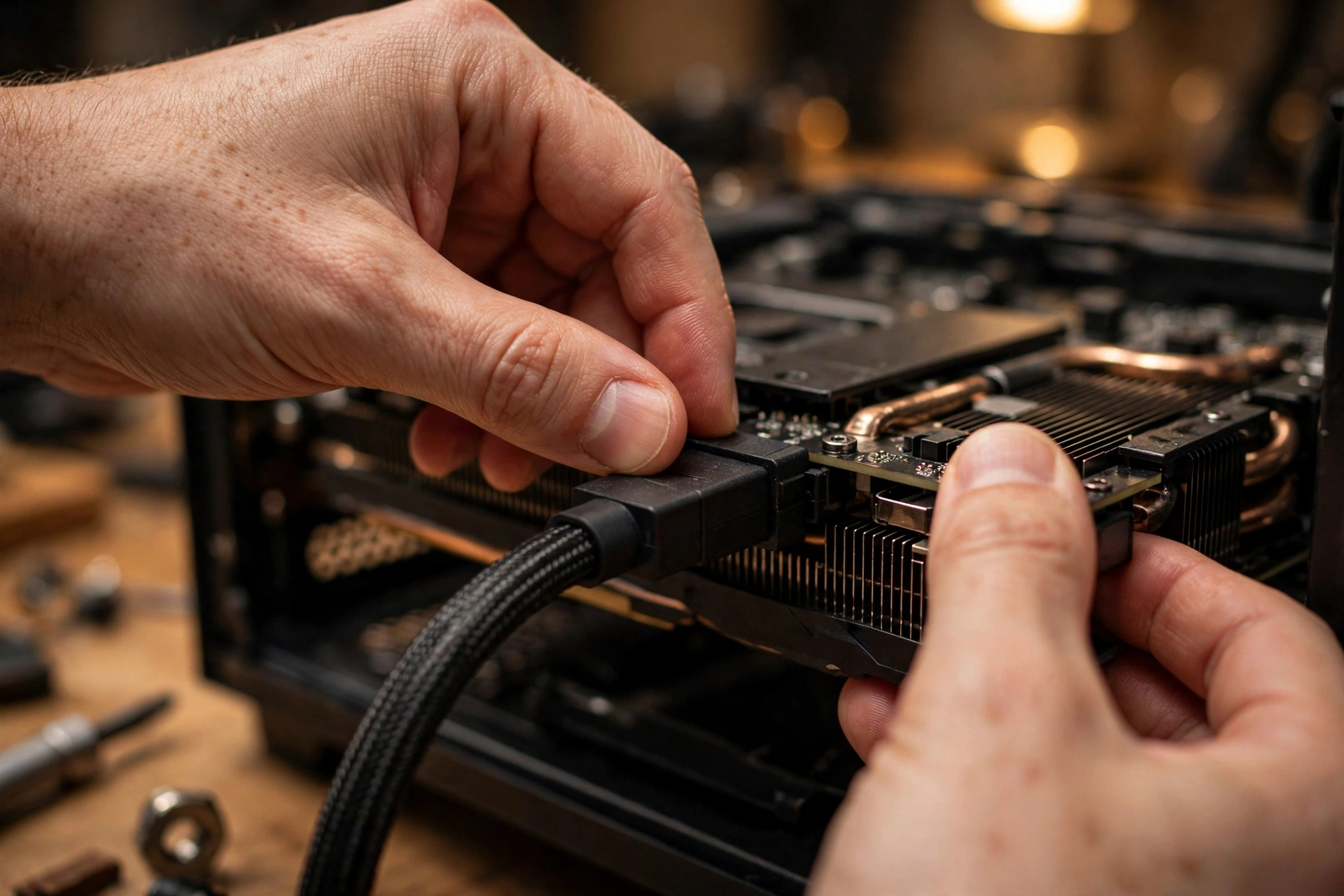
Most connector damage stories share the same root cause: a plug that was not fully seated, was bent sharply right at the plug, or was forced into a tight bend by a side panel. The fix is mostly technique, and it costs nothing. Push the 16-pin plug straight in until the latch clicks and there is no visible gap between the plug housing and the socket housing. Look at it from the side, not just from above, because a plug can look seated from one angle while sitting proud on one side. Give it a gentle tug afterward: it should not move. If it moves, reseat it. Do not use the side panel to push a plug in, and do not leave a cable pressing hard against the panel.
Bend radius matters more with the dense 16-pin cable than with older 8-pin cables, because a sharp bend right at the connector can pull pins out of alignment. Leave a short straight run out of the plug before the cable bends. If your case forces a sharp bend at the card, choose a different routing path or a longer cable rather than forcing it. Inspect the connector every time you move the PC, because transport can work a plug loose. If you ever smell burning plastic or find a plug hot to the touch after shutdown, stop using that combination until you have found the cause.
How to Pick an ATX 3.1 PSU Without Overpaying
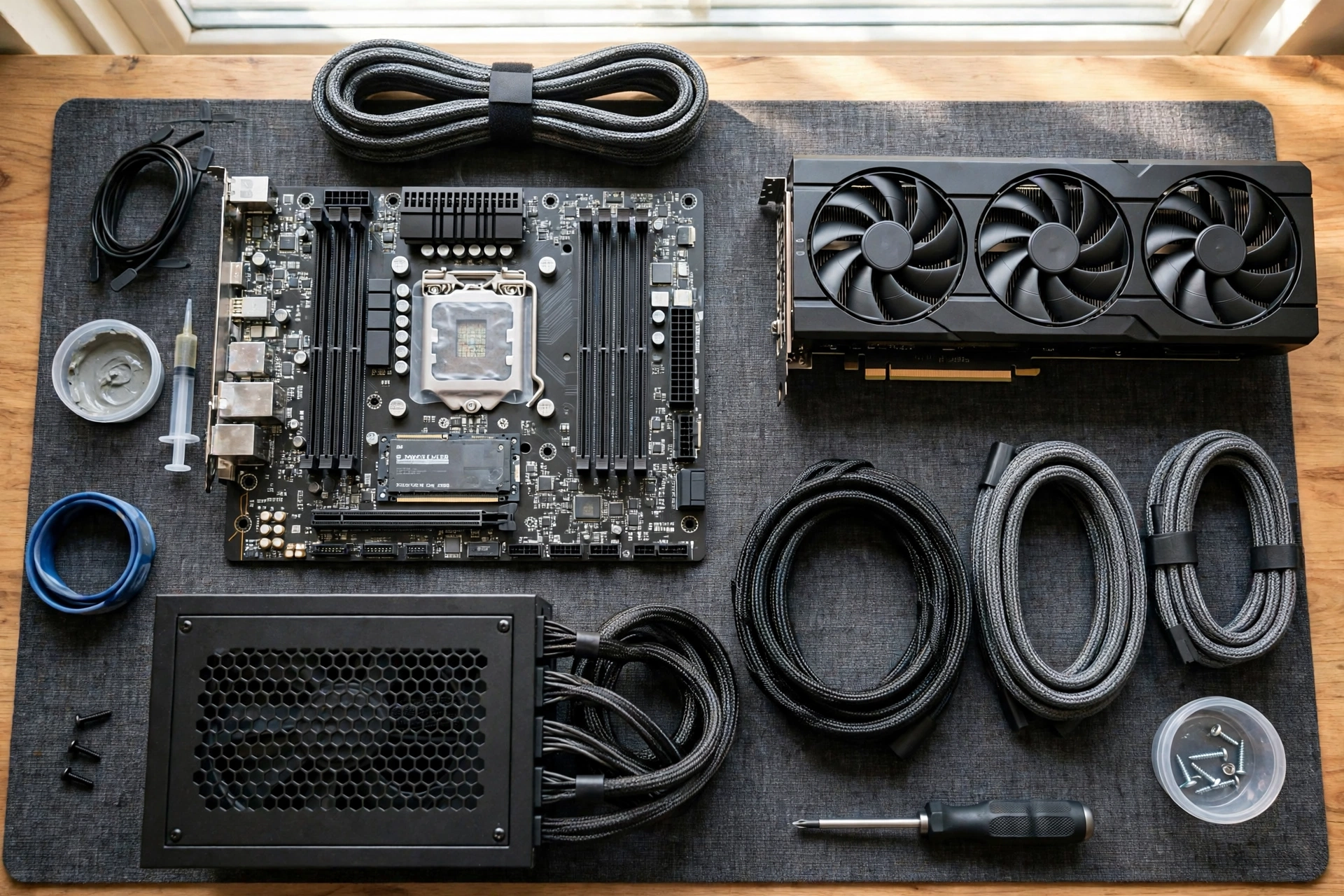
Start with wattage, from the card maker’s system recommendation for your exact card and CPU, then add headroom for overclocks, extra drives, and future upgrades. Land comfortably above the recommendation, not barely at it, especially for a 5080 or 5090 build. For a midrange build, the recommendation plus one step up is usually the sweet spot. Next, confirm ATX 3.1 and PCIe 5.1 compliance on the specification page, and confirm the box includes a native 12V-2×6 cable rated for your card. Count the other cables too: enough EPS cables for your motherboard and enough SATA cables for your drives. Fully modular units make cable management easier and improve airflow.
Then check efficiency and noise from independent sources, not just the box. An 80 Plus Gold rating is a solid baseline for most gaming builds. Platinum costs more and saves a little power, which matters most if the PC runs many hours a day. Look for a review that measures fan speed and noise at realistic gaming loads, not just at idle, and check whether the unit has a semi-passive mode if you value a silent desktop. Check physical fit and warranty before ordering, and compare two or three shortlisted units in a tier list and in at least one detailed review each, rather than buying on wattage and price alone. The cheapest unit at a given wattage is often cheap because of component and protection choices you cannot see from the outside. Note that a power problem usually causes instability, unlike a CPU bottleneck vs GPU bottleneck issue, which lowers frame rates.
Frequently Asked Questions
Will ATX 3.0 be okay for the 50 series or will 3.1 be required?
For most cards, yes, ATX 3.0 will be okay, provided the unit has enough wattage and the correct cable or adapter. ATX 3.1 is not a hard requirement for RTX 50-series cards. It is the better choice for a new purchase, especially for a 5080 or 5090, because of the safer 12V-2×6 connector. If you already own a good ATX 3.0 unit and you are buying a 5070 or 5070 Ti, keeping it is usually reasonable. This question is worded close to a real question builders asked in a Tom’s Hardware forum thread.
How much does ATX 3.0/3.1 compliance matter for a new build?
It matters a good deal, because compliance is how you know the unit was tested for modern graphics card spikes and includes the right connector. An ATX 3.x unit must tolerate large, brief power excursions without tripping, which is exactly the behavior that causes random shutdowns with older units on high-end cards. For a new build, the cost difference between a good ATX 3.0 unit and a good ATX 3.1 unit is usually small, so there is little reason to buy the older standard when the newer connector is available. Compliance still does not replace quality checks: compare reviews and tier rankings before you buy.
Do I need to change my PSU for RTX 50 series?
Not automatically. Check wattage against the card maker’s system recommendation, check that you have the correct cable path, and check the age and condition of your unit. If all three check out and the system is stable under load, you do not need to change it. Change it if wattage is short, cables are missing or damaged, the unit is very old or past warranty, or the system shuts down under load. A card upgrade is a good moment to audit the power supply, but an audit does not always end in a replacement.
Can I use my old PSU with the adapter cable inside the GPU box, or should I buy a new one?
You can use the boxed adapter if your unit meets the wattage recommendation, is in good condition, and you feed the adapter with the full number of 8-pin cables the card maker specifies, on separate runs where required. The boxed adapter is made for exactly this situation, and it is safe when used correctly. Buy a new unit instead if yours is old, underpowered, missing cables, or unstable, or if the card needs a 600W feed your unit cannot provide cleanly. When a builder asked this about a seven-year-old unit for a 5070 or 5070 Ti, the practical forum advice was to modernize, because seven years of service plus a new, more demanding card is a sensible moment to replace the unit.
Is ATX 3.1 backward compatible with older parts?
Yes, in the ways that matter most. An ATX 3.1 unit still provides the standard 24-pin motherboard connector, EPS CPU connectors, SATA connectors, and 8-pin PCIe connectors, so it works with older motherboards, CPUs, drives, and graphics cards that use those connectors. A 12V-2×6 cable also plugs into an older 12VHPWR socket, and vice versa, though mixing old and new loses the full partial-seating protection. Backward compatibility does not mean every old part is a good pairing: a very high-power older card still needs enough wattage and the right cables, and an older case still needs to fit the physical length of the new unit.
Conclusion
ATX 3.1 is a worthwhile, unspectacular improvement, and that is a compliment. It does not promise more wattage or more performance. It promises a safer connector, a specification written for modern power spikes, and a cleaner setup for new high-end builds. The 12V-2×6 redesign, with longer power pins and shorter sense pins, directly addresses the partial-seating weakness of the original 12VHPWR connector. The retained 200 percent excursion tolerance gives modern units a formal test for the spikes that used to cause random shutdowns. The revised hold-up time is a trade-off, but quality ATX 3.1 units often exceed the minimum, so judge the exact model by its review.
For a new RTX 50-series build, buy ATX 3.1. For a 5090 or 5080, treat it as the default, with a native cable rated for your card. For a 5070 or 5070 Ti, it is recommended for new builds but optional if your ATX 3.0 unit is sound, correctly cabled, and stable. For an older unit, let wattage, age, cables, and stability under load decide, and never use cables from a different model. Check the label, count the cables, seat the plug fully with a gentle bend, and test under a real gaming load. Done that way, ATX 3.1 becomes what it should be: quiet insurance for the most expensive part in your PC.

Leave a Reply