

A mini PC bottlenecks through heat and power limits, not just part mismatch. The small chassis caps sustained CPU and GPU clocks, shared coolers force the two chips to split a small wattage budget, and soldered parts lock the performance ceiling in place. Efficient parts and realistic resolution targets avoid most of the pain.
Why mini PCs bottleneck differently than desktops
On a full-size desktop, a bottleneck is usually a mismatch: a weak CPU starving a strong GPU, or the reverse. You measure it, you name the weaker part, and you can usually fix it by swapping that part. New to this kind of diagnosis? Our finding bottlenecks primer lays out the process from scratch.
Mini PCs change the equation. The box itself becomes the bottleneck. A desktop tower has liters of air, multiple fans, and a power supply with headroom to spare. A mini PC the size of a paperback book has a fraction of that cooling capacity and a fraction of the wattage budget. The parts inside might look identical on a spec sheet, but the chassis decides how fast they are allowed to run, and for how long.
Boost clocks are a promise, not a guarantee
Modern CPUs and GPUs advertise their boost clocks proudly. A chip that lists a 5.1 GHz boost can genuinely hit that number, for a few seconds, when only one or two cores are working and temperatures are low. Gaming loads all of the cores at once and heats everything at the same time. In a big case, the cooler keeps up and the chip holds high clocks for hours. In a mini PC, the cooler falls behind within minutes, and the chip slides down to lower sustained clocks to stay within its thermal limits.
This is the single most misunderstood part of mini PC gaming performance. The first minute of a benchmark looks amazing because boost is doing its job. Minute twenty looks very different. Reviewers who only report short benchmarks accidentally sell you a performance level your mini PC cannot sustain.
Power limits do the throttling before heat does
Here is something buyers rarely hear: the chip often slows down before it ever gets hot. Every processor ships with power limits set by the manufacturer or the system builder. On Intel chips these are called PL1 (sustained power) and PL2 (short burst power). The CPU is allowed to exceed its sustained limit for roughly a minute, then it must come back down, hot or not.
A striking real-world example comes from four independent reviewers who tested compact mini PCs with high-end mobile chips: with short-burst power set high, the package temperature approached 100C within seconds of load, and the chip began trimming frequency almost immediately. That oscillation, heat spike, frequency cut, recovery, heat spike, is the textbook signature of a chassis fighting its silicon and losing.
The practical takeaway: when a mini PC feels fast in menus and stutters in gameplay, it is often the power limit cycling, not a defective unit. A tower with the same chip would hold the same limit without the heat spike because it can move the heat away faster.
When your CPU and GPU fight over the same watts
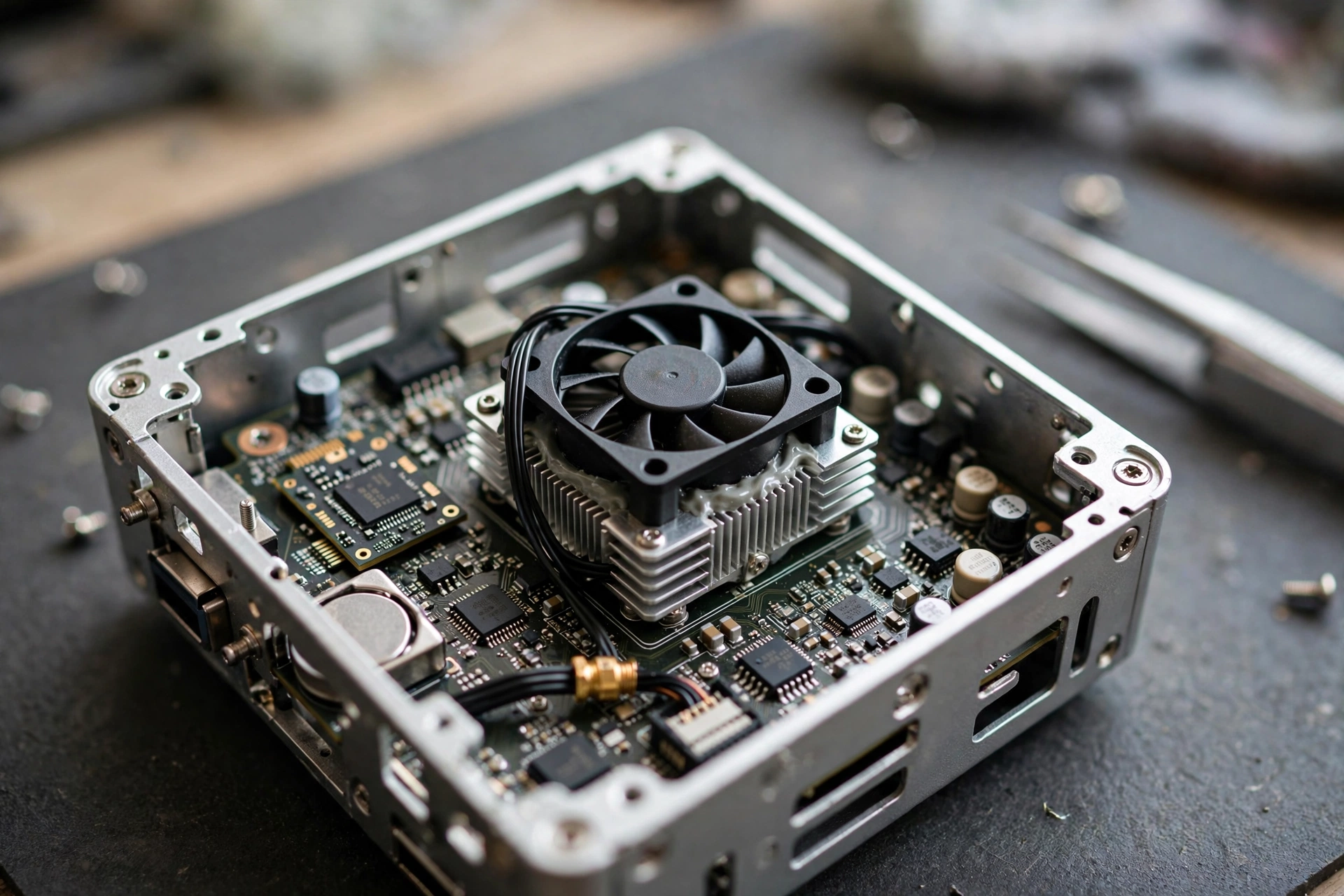
In a desktop, the CPU has its own cooler and the GPU has its own massive heatsink and fans. They do not negotiate. In most mini PCs, especially the tiny sub-2-liter boxes, there is one compact cooling assembly shared between the processor and the graphics chip, or one small blower trying to exhaust both. When both heat up at once, which is exactly what gaming does, they split the cooling capacity.
This creates a coupled bottleneck you do not see in towers. The CPU pulls power, the shared heatsink saturates, and the GPU clocks drop even though the GPU itself did nothing wrong. Then the GPU sheds load, the CPU grabs the headroom back, and the cycle repeats. On screen, that looks like a sawtooth frame rate graph: smooth for a few seconds, dip, smooth, dip. Frame pacing falls apart, and the game feels worse than the average FPS number suggests. Those dips are a pacing issue, and our 1% lows guide shows why the average FPS number hides them.
We covered GPU thermal throttling in detail before: it is the protective mechanism where a GPU lowers its clocks once temperatures approach the card’s thermal limit, and diagnosing it means watching clocks and temperatures under sustained load rather than trusting a quick benchmark. You can read the full diagnostics walkthrough in our GPU thermal throttling guide. Mini PCs add a twist to that story, because the CPU usually throttles at the same time on the same heat budget, which is why this guide treats the two chips as a pair.
Practical takeaway: if your mini PC’s performance falls off a cliff after ten minutes but recovers when you pause, suspect the shared cooling budget before you blame either chip.
Mobile class parts in a desktop-shaped box
Open up most mini PCs and you will not find desktop parts. You will find laptop-class silicon: mobile CPUs, integrated graphics, and soldered memory, all chosen for efficiency rather than peak power. That is not a scam, it is physics. A 1-liter box cannot reject 300 watts of heat no matter how clever the fans are. But it does mean the spec sheet needs careful reading.
AMD Strix Halo: the 2026 mini PC flagship
The most talked-about mini PC chip of 2026 is AMD’s Ryzen AI Max+ 395, codenamed Strix Halo. According to AMD’s official specifications, it packs 16 Zen 5 CPU cores boosting up to 5.1 GHz, a Radeon 8060S integrated GPU with 40 compute units running up to 2900 MHz, and a configurable TDP range of 45W to 120W, with a maximum operating temperature of 100C. The memory is 256-bit LPDDR5X-8000, up to 128 GB, shared between the CPU and GPU.
What does that mean for gaming? In a review by igor’sLAB, the 8060S scored over 10,000 points in 3DMark Time Spy, scratching the performance of a desktop RTX 3060 or RX 7600, with the reviewer adding the crucial qualifier: provided the cooling plays along. Enthusiast forum users report results closer to a laptop RTX 4060 on well-cooled units. Both can be true, because the same chip behaves differently at 70W and at 120W, and the chassis decides which one you get. That variance, same silicon, different sustained performance, is the defining mini PC bottleneck story of this generation.
Intel’s mobile chips and the RTX Spark wave
Intel’s competing mini PC designs use Arrow Lake HX mobile chips, such as the Core Ultra 9 285HX, which lean on strong CPU performance but pair it with a much smaller integrated GPU than Strix Halo, so they lean harder on external graphics for serious gaming.
Meanwhile, Nvidia’s RTX Spark platform is shipping in compact desktops right now. Per tech-insider.org’s launch coverage, the RTX Spark N1X combines a 20-core Grace CPU with a Blackwell GPU of up to 6,144 CUDA cores and up to 128 GB of unified LPDDR5X memory, with partner systems from ASUS, Dell, HP, Lenovo, Microsoft, and MSI reaching buyers in October 2026. Early coverage frames it as a Windows-on-Arm AI workstation first and a gaming machine second, and no independent gaming benchmarks of shipping RTX Spark systems were publicly available at the time of writing, so treat gaming performance claims about it as unproven for now.
Practical takeaway: in 2026, a mini PC’s gaming ceiling is set by its chip class and its power budget, and both are printed right in the spec sheet if you know where to look: cTDP range and sustained power, not just boost clocks.
Pairing rules that actually work in small cases
Some mini PCs are sealed boxes, but the small-form-factor world also includes buildable SFF cases, from console-sized 5-liter boxes to shoebox ITX cases. If you are choosing parts for one, the desktop pairing logic needs adjusting. Our CPU-GPU compatibility guide covers the general rules; here is how they change when the case is tiny.
The golden rule of SFF pairing: budget watts before you budget money. Add up the sustained power draw of your CPU and GPU, then check whether your case’s cooling can reject that much heat continuously. A 65W CPU plus a 200W GPU is a 265W space heater, and a 7-liter case with two 120mm fans can just about handle it. A 125W CPU plus a 320W GPU is 445W, and no sandwich-layout case will hold those clocks for a full gaming session.
| Case size | CPU class to target | GPU class to target | Why it works |
|---|---|---|---|
| Under 4 liters (tiny) | 35-65W mobile-class chip | Integrated graphics or 75W low-profile card | Total heat stays near what one small blower can move |
| 5-10 liters (console-sized) | 65W desktop chip | 200W-class efficient GPU | Two 120mm fans can hold this indefinitely |
| 10-20 liters (shoebox ITX) | 65-105W desktop chip | Mid-range desktop GPU, ideally undervolted | Real airflow gets you near-desktop sustained clocks |
Three pairing mistakes to avoid. First, do not pair a high-TDP unlocked CPU with a tiny low-profile cooler and expect desktop clocks; you will get the chip’s base performance at a premium price. Second, do not assume a GPU that fits physically will also fit thermally; a 2-slot card in a case with no exhaust path will cook itself and everything around it. Third, respect the power supply: many compact cases ship with 500W or smaller units, and transient GPU power spikes can trip them even when average draw looks safe.
Practical takeaway: in SFF builds, the balanced combo is a mid-range efficient CPU with a mid-range efficient GPU, not a flagship of either. Flagship parts need flagship cooling, and flagship cooling does not fit.
The memory channel trap most mini PC buyers miss
There is a quieter bottleneck hiding in mini PC spec sheets: memory bandwidth. Most compact mini PCs use two SODIMM slots in dual-channel configuration. That is fine for a CPU, but integrated graphics are starved by it, because the iGPU has to pull every texture through the same narrow pipe the CPU is using. This is exactly why AMD went to a 256-bit LPDDR5X interface on Strix Halo: four times the theoretical bandwidth of a typical dual-channel DDR5 desktop setup, which is what lets its 40-compute-unit iGPU actually breathe.
Two catches. First, that wide fast memory is soldered, not socketed, so what you buy is what you keep; there is no later upgrade to faster or larger RAM. Second, memory prices in 2026 are brutal. The AI data-center buildout has pulled DRAM wafer capacity into server memory, and consumer kits have paid the price: per Tom’s Hardware price tracking cited in October 2026 coverage, the cheapest 32GB DDR5-6000 kits were sitting near $450, and small-form-factor SODIMM modules were hit even harder than desktop DIMMs. That means the “just max out the RAM” advice costs real money now, and on a soldered board, choosing 128GB you will never use for gaming is money burned.
For gaming specifically, 16GB remains the practical minimum and 32GB the comfortable spot on most mini PCs. Beyond that, extra RAM does not raise FPS on a thermally limited box; it just raises the receipt.
Practical takeaway: check whether the RAM is soldered or socketed before you buy, and do not pay the 2026 memory premium for capacity your games will never touch.
Mini PC vs desktop vs gaming laptop
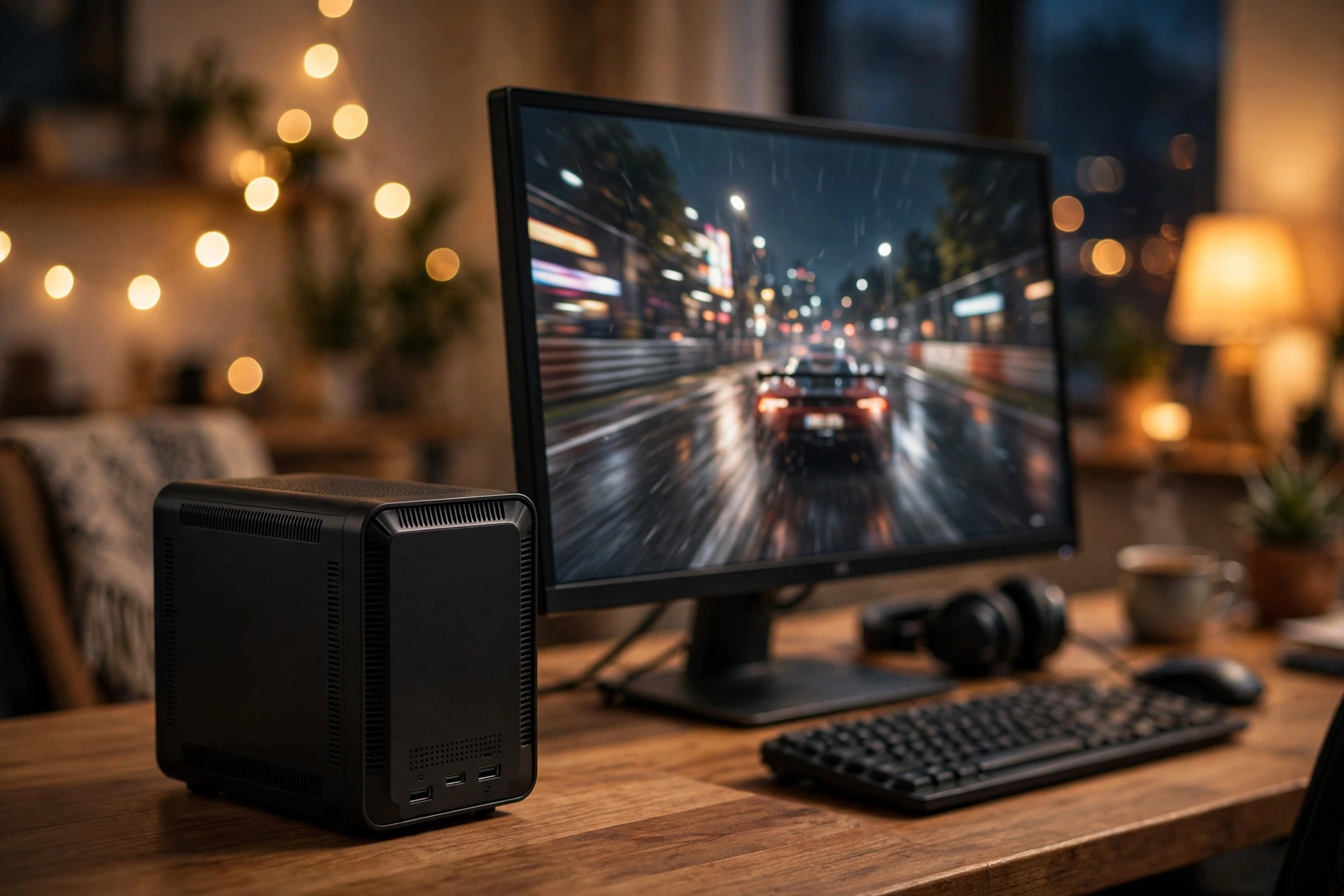
Mini PCs, desktops, and gaming laptops all throttle, but the bottleneck lands in different places. Gaming laptops throttle for the same physics reasons as mini PCs: laptop-class GPUs run at reduced power targets to fit thin coolers, so a laptop RTX 4060 behaves nothing like its desktop namesake. We broke that down in our laptop GPU bottleneck guide, and the short version is that mobile parts trade sustained clocks for a power envelope the chassis can survive. Mini PCs use the same mobile-class silicon, but they live in a box on your desk, so the blame falls squarely on cooling and power limits rather than battery or portability compromises.
| Mini PC | Desktop tower | Gaming laptop | |
|---|---|---|---|
| Typical bottleneck | Heat and shared power budget | Part mismatch (fixable) | Heat, plus power shared with battery and display |
| Upgrade path | RAM and storage only, usually | Nearly everything | RAM and storage only, usually |
| Sustained gaming clocks | Boost decays within minutes | Holds boost for hours | Decays, but tuned profiles manage it |
| Price per frame | Worst of the three | Best of the three | Middle, screen and battery included |
| Best for | Desk space, living room, office | Raw performance per dollar | Portable gaming |
The honest summary: a mini PC will almost never beat a same-price desktop at gaming, and it will rarely beat a same-price gaming laptop either, because the laptop at least includes its own screen. What the mini PC wins is footprint, silence at idle, and aesthetics. Buy it for those reasons, with eyes open about the performance trade.
Practical takeaway: if your priority is maximum FPS per dollar, the desktop tower still wins, and it is not close. Choose the mini PC when size and silence matter more than the last 20 percent of performance.
When the form factor is the limit
So you already own a mini PC and the FPS is not what you hoped. Before spending money, figure out which kind of limit you are hitting.
Signs the form factor itself is the limit:
- Performance is great for the first few minutes, then slides and stays down until you pause the game. That is boost decaying under a power or thermal limit the chassis cannot beat.
- CPU and GPU temperatures both sit near their limits at the same time. One shared cooler, saturated.
- Your chip’s sustained clocks are far below its advertised boost, even with the case open and a fan pointed at it. The power limit, not the heat, is the ceiling.
Signs an upgrade or tweak will actually help:
- RAM usage is pinned near 100 percent while gaming. A RAM upgrade helps, if your slots are socketed.
- Storage is a spinning drive or a nearly full SSD and games stutter on loading. An NVMe upgrade helps.
- The unit sits in an enclosed TV cabinet with no airflow. Moving it to open air is free and often worth 5 to 10 percent.
- Fan curves are set to silent in the BIOS. A more aggressive profile trades noise for sustained clocks.
One tempting upgrade deserves a warning: external GPUs over OCuLink or USB4/Thunderbolt. They work, but the link itself becomes a bottleneck, typically PCIe 4.0 x4 of bandwidth, which can hold back a strong card, and the setup stops being compact, which was the whole point of the mini PC.
And if you are unsure whether a small measured bottleneck deserves your money, our bottleneck percentage guide sets realistic expectations: on a thermally limited box, chasing single digits is rarely worth it.
Practical takeaway: diagnose before you buy. Thermals and power limits are fixed by the chassis; RAM, storage, and placement are fixable.
5 mistakes mini PC buyers make
1. Buying desktop-tier specs in a 1-liter box. A mobile i9 in a tiny chassis cannot sustain i9-class performance. You paid for the badge and got i5-class sustained output. Match the chip’s sustained power to the case, not the marketing name.
2. Ignoring sustained power draw. Shoppers compare boost clocks and core counts, then wonder why the FPS fades. The number that matters is the sustained wattage the cooler can handle, which reviewers publish and manufacturers bury.
3. Paying for RAM capacity they will never use. On a soldered board during a memory price spike, 64GB or 128GB for gaming is an expensive decoration. Games do not go faster with RAM they never touch.
4. Stuffing the unit into a ventless cabinet. Mini PCs are bought for clean setups and then hidden in closed TV stands where hot air recirculates. Six inches of clearance and an open back panel can be the difference between boost and throttle.
5. Expecting 4K gaming from integrated graphics. Even the mighty Strix Halo is a 1080p and upscaled-1440p gaming chip. Native 4K at high settings needs a discrete GPU with a real power budget, which means a bigger box.
How to check whether your mini PC is throttling
You do not need a lab. You need twenty minutes and a free monitoring tool.
Step 1: set up monitoring. Install MSI Afterburner with its overlay and watch CPU clock, GPU clock, CPU temperature, and GPU temperature while gaming. Grab our Afterburner overlay walkthrough to get the monitoring overlay configured.
Step 2: compare minute one against minute twenty. Play a demanding game for twenty minutes straight. If clocks and FPS in minute twenty are clearly lower than in minute one, with temperatures pinned near the chip’s limit (often around 100C on modern mobile silicon), you are watching thermal or power throttling in real time.
Step 3: test with the lid off. If your mini PC opens easily, run the same test with the top panel removed and a desk fan pointed at it. A big improvement means cooling is the limit. Little or no improvement means the power limit is the ceiling, and no cooler will fix it.
Step 4: check the power story. If your BIOS or vendor utility exposes PL1/PL2 or a performance profile, try the performance preset. Some mini PCs ship in a quiet or eco mode that caps sustained power far below what the cooler could handle, which is free performance left on the table.
Step 5: judge the result honestly. A 5 to 10 percent sustained deficit versus reviews is normal mini PC life. A 25 percent deficit means something is wrong: blocked vents, dried thermal paste on an older unit, or a power profile set too conservatively.
FAQs
Are mini PCs good for gaming?
For 1080p gaming with efficient parts, yes. Modern mini PCs handle esports titles and many AAA games at 1080p well, especially with upscaling like DLSS or FSR. For 1440p high-refresh or 4K gaming, a desktop with a discrete GPU remains the better buy, because mini PC thermal and power limits cap sustained performance.
What are the limitations of a mini PC for gaming?
Three big ones: limited cooling that causes thermal throttling in long sessions, almost no upgrade path since the CPU and GPU are soldered, and worse price per frame than a desktop. Most models allow RAM and storage upgrades, but the performance ceiling is largely fixed at purchase.
Can you upgrade the CPU or GPU in a mini PC?
Almost never. The processor and graphics are soldered to the board or use laptop-style modules that cannot be swapped. RAM and storage are the usual exceptions, and even RAM is soldered on some 2026 designs like Strix Halo boxes. Check the spec sheet before assuming anything is upgradeable.
Does a mini PC overheat during long gaming sessions?
Often, yes, at least relative to a desktop. Compact chassis designs can handle short bursts well but struggle with sustained loads, and reviewers have repeatedly measured thermal throttling during extended gaming, with some units cycling at 100C. Good ventilation, open placement, and performance fan profiles reduce it, but the physics of a tiny box sets a hard ceiling.
How fast is the Radeon 8060S graphics in Strix Halo mini PCs?
It depends on the power budget the mini PC gives it. In independent testing by igor’sLAB, the 8060S scored over 10,000 points in 3DMark Time Spy, around a desktop RTX 3060 or RX 7600, with the reviewer noting that result depends on cooling. Some enthusiast owners report performance closer to a laptop RTX 4060 on well-cooled 120W units. Treat any single number skeptically unless the reviewer states the sustained wattage.
Is the form factor or the CPU the bottleneck in my mini PC?
Run the twenty-minute test in the section above. If clocks decay with heat, the form factor is the limit. If the chip holds its clocks but games still run slowly, the chip itself is the limit and no cooling tweak will change that. Either way, check whether your RAM and storage are socketed before spending money, since those are the only upgrades a mini PC usually allows.
Key takeaways
- A mini PC’s real bottleneck is the chassis: limited cooling and a small shared power budget cap sustained CPU and GPU clocks.
- Boost clocks are short bursts. Judge a mini PC by its sustained performance after twenty minutes, not its first-minute benchmark.
- Shared coolers make the CPU and GPU throttle together, producing the sawtooth frame rates mini PC owners complain about.
- 2026’s flagship mini PC chips, AMD Strix Halo and Nvidia RTX Spark, are powerful but still power-limited, and their gaming claims deserve wattage-aware skepticism.
- Pair efficient parts to small cases, buy only the RAM you need during the memory price spike, and keep the unit ventilated.
Conclusion
Mini PC bottlenecks are honest bottlenecks. They are not defects or bad luck; they are the price of shrinking a gaming PC to the size of a book. Heat has fewer places to go, watts have to be split between the CPU and GPU, and soldered parts lock in the ceiling on day one. Once you understand that the chassis is the limit, every buying and tuning decision gets simpler: pick efficient parts, set realistic resolution targets, keep the vents clear, and stop chasing flagship specs in a box that cannot feed them.
If you are still deciding between a mini PC and a traditional build, run both configurations through our bottleneck calculator before you spend a dollar. And if you dream of a machine with no weak link, our zero-bottleneck reality check explains why every system, tiny or towering, has one.

Leave a Reply