

Quick answer: A modular vs non modular PSU choice changes how your cables connect, not how much power your PC gets. A fully modular PSU lets you attach only the cables you need, a semi-modular PSU fixes the two cables every build uses and lets you detach the rest, and a non-modular PSU has every cable permanently attached. For most gaming PCs, a semi-modular unit is the sweet spot, while fully modular wins in small cases and showcase builds, and non-modular makes sense only when the budget is tight and the case hides the cables.
You open the box, and the first thing you notice is not the wattage on the label. It is the cables. A non-modular PSU spills out a thick bundle of cords you did not ask for, and you immediately wonder where they are all supposed to go. A modular PSU looks almost empty by comparison, just a metal box with sockets, and a bag of cables beside it. That first impression is the whole debate in miniature. One design hands you every cable at once, and the other hands you a choice.
This guide settles that choice for your specific build. It explains each type in plain language, shows how cables affect airflow and temperatures, works through the real cost question, covers the ATX 3.1 and 12V-2×6 connector changes that matter for modern graphics cards, and ends with a decision table matched to build types and budgets. By the end, you will know exactly which type fits your case, your graphics card, and your wallet.
What a Modular PSU Actually Is
A power supply unit, or PSU, converts the alternating current from your wall outlet into the steady direct current your PC parts need. Every PSU does that job the same way at a basic level. Modularity describes something narrower: whether the cables that carry that power can be unplugged from the PSU itself.
Think of it like a phone charger. A non-modular PSU is like a charger with the cable molded into the brick. You cannot remove it, even if you never use that cable. A fully modular PSU is like a brick with USB ports. You plug in only the cables you need, and the rest stay in the box. A semi-modular PSU sits between the two, with the two cables every PC needs molded in, and sockets for everything else.
That is the entire definition, and it matters because the definition is smaller than most buyers assume. Modularity says nothing about wattage, efficiency, or build quality. A cheap fully modular unit can be a worse power supply than a good non-modular one. The cable system is a feature, not a quality rating, and it should never be the first thing you check on the box.
Fully Modular PSU
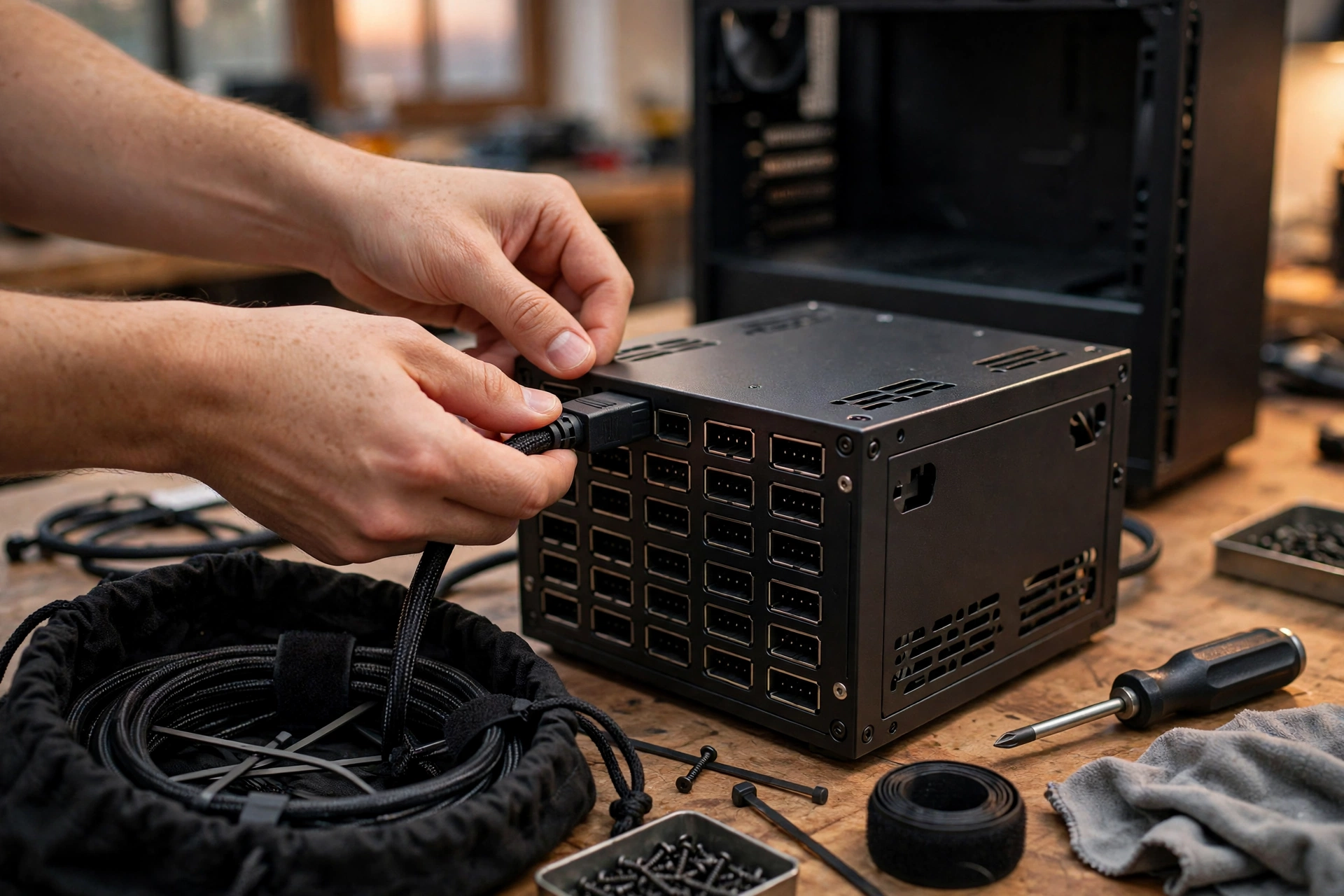
In a fully modular PSU, every cable detaches from the unit, including the 24-pin motherboard cable and the CPU power cable. The PSU itself is a box with a row of sockets. You connect only the cables your build requires, and the unused cables stay in the bag that comes in the box.
The practical result is the cleanest possible interior. Nothing hangs loose, nothing needs hiding, and every cable in the case has a job. Fully modular units also make future changes easier. Swapping a graphics card, adding a drive, or replacing a cable means unplugging one lead at the PSU end instead of wrestling a fixed bundle. Many builders also like them because they accept custom sleeved cables, which is why showcase builds almost always use them.
There is one detail that catches first-time buyers by surprise. A fully modular PSU arrives with no cables attached, so you have to connect each one yourself before the first boot. That takes a few extra minutes, and you need to check that each plug is fully seated. It is simple work, but it is work a non-modular unit does for you at the factory.
Semi-Modular PSU
In a semi-modular PSU, the essential cables are permanently attached, and everything else is detachable. The fixed cables are almost always the 24-pin motherboard connector and the 4+4-pin CPU power connector. Some models also fix one PCIe cable for the graphics card. The SATA, extra PCIe, and peripheral cables plug in only if you need them.
This design exists because of a simple observation. Every PC build uses the motherboard cable and the CPU cable, so making them detachable adds cost without adding real flexibility. The cables people actually skip are the extras: spare SATA leads for drives they do not own, Molex connectors for parts that no longer exist in most builds, and second or third PCIe leads on a card that needs only one.
Semi-modular is the compromise that most builders end up happy with. You get the clean interior of a modular unit for the cables that vary, and you skip paying for detachable sockets on cables you would plug in anyway. If you read only one recommendation in this guide, make it this one: semi-modular is the default answer for a mainstream gaming PC.
Non-Modular PSU
In a non-modular PSU, every cable is permanently attached at the factory. The 24-pin motherboard cable, the CPU cable, the PCIe cables, the SATA cables, and the peripheral cables all come out of the same box in one fixed bundle. You cannot remove any of them, even the ones your build will never use.
That sounds like a clear disadvantage, and in a small case it is. But the design has real strengths. There are no modular sockets to add cost, so non-modular units are usually the cheapest option at a given wattage and efficiency level. There are also fewer connection points between the PSU and your parts, which some builders prefer on principle, even though modern modular connectors are reliable when they are fully seated. And in a large case with a PSU shroud, a panel that hides the power supply from view, the extra cables simply disappear behind a cover and nobody ever sees them.
The honest way to think about non-modular is that it trades your time for your money. You save on the purchase, and you pay with ten or fifteen minutes of careful cable routing, plus a bundle of unused cables that has to live somewhere inside the case.
Modular vs Non Modular PSU The Comparison
The three types differ in exactly four practical ways: which cables detach, how much cable clutter you manage, how easy the build is, and what you pay. Everything else, wattage, efficiency, protections, warranty, is decided by the specific model, not by the type. Keep that separation in mind while you read the table, because it stops the most common buying mistake, which is assuming a modular label means a better PSU.
| Feature | Fully Modular | Semi-Modular | Non-Modular |
|---|---|---|---|
| Cables that detach | All cables, including 24-pin and CPU | All except 24-pin and CPU, which are fixed | None, all cables are permanently attached |
| Unused cables in the case | None, you connect only what you need | Very few, only if a fixed cable is spare | Several, every unused lead stays in the case |
| Cable management effort | Lowest, route only the cables you use | Low, the two fixed cables are always needed | Highest, the full bundle must be hidden |
| Build and upgrade ease | Easiest, cables unplug at both ends | Easy, most cables unplug at the PSU | Hardest, the fixed bundle fights every change |
| Custom cable support | Full, every cable can be swapped | Partial, only the detachable cables swap | None, cables cannot be replaced |
| Typical cost at equal wattage | Highest | Middle | Lowest |
| Best fit | Small cases and showcase builds | Most mainstream gaming PCs | Tight budgets with a PSU shroud |
Read the table as a guide to your build, not as a ranking. Fully modular wins on convenience, semi-modular wins on value, and non-modular wins on price. No type wins on all three, which is why all three still exist. If a shop listing only sells one type at your wattage, that tells you more about that shop than about what you need.
One more comparison point matters, and it rarely appears in tables. Fully modular units are easy to test and easy to replace. If a cable fails, you swap the cable. If the PSU fails, you unplug everything, lift the box out, and drop a new one in without disturbing the rest of the build. With a non-modular unit, a PSU swap means unthreading every cable from the case first. That is a small thing on day one and a real annoyance in year three, when you are upgrading a graphics card and the old cables are woven through every gap in the chassis.
Does a Modular PSU Perform Better?
Here is the short answer, and it surprises a lot of buyers: no. A modular PSU does not deliver more power, run more efficiently, or raise your frame rate compared with a non-modular unit of the same quality. Modularity changes the cables, not the electronics inside the box. Two PSUs built on the same platform, one modular and one not, will feed your graphics card the same clean power.
That claim is worth proving, because it shapes every decision that follows. Power quality comes from the internal design: the topology, the capacitors, the voltage regulation, and the protection circuits that shut the unit down if something goes wrong. The 80 Plus rating, Bronze, Gold, Platinum, and the newer tiers, measures how efficiently the unit converts wall power into usable power. None of those things live in the cable sockets. Seasonic explains the efficiency tiers and what they actually measure in its PSU efficiency guide, and the pattern is clear: efficiency is a property of the unit, not of the cable system.
Years ago, some builders worried that modular connectors added electrical resistance and wasted a little power. That concern made sense on paper, because every extra connection point adds a tiny amount of resistance. In practice, modern connectors are built to tight tolerances, and the difference is far too small to measure outside a lab. If you compare a modular and a non-modular unit from the same manufacturer at the same wattage and efficiency rating, expect identical real-world performance.
What modularity does not change
It does not change your FPS. Your graphics card draws the same wattage whether its cable plugs into a socket or comes straight out of the PSU. If a game stutters, the cause is the CPU, the GPU, the RAM, or the settings, not the cable system. If you suspect your power supply is holding your PC back, the thing to check is wattage headroom and the warning signs of a struggling unit, which we cover in our guide to 7 signs your PSU is bottlenecking your PC.
It does not change efficiency. An 80 Plus Gold modular unit and an 80 Plus Gold non-modular unit waste the same share of power as heat. The rating is tested on the unit, and the cables do not enter into it.
It does not change reliability in any way that should drive your purchase. A well-built modular PSU lasts as long as a well-built non-modular one, and both should carry a long warranty from a reputable brand. The connector is a solved problem in modern units. What matters is buying a quality unit in the first place, which is exactly what our PSU tier list is built to help you judge.
What modularity does change
It changes temperatures, indirectly. Fewer cables blocking the airflow path means your case fans move air more freely, and that can lower component temperatures by a small amount. The effect is real but modest, and it shows up most in small cases where every cubic inch of airflow counts. In a roomy mid-tower with good fans, the difference is hard to notice.
It changes build time and frustration. A first-time builder with a fully modular unit will finish faster and with fewer scraped knuckles than the same builder with a non-modular unit, because there is simply less cable to fight. That is a genuine quality-of-life difference, even though it never appears in a benchmark.
It changes how easy upgrades are. Adding a second SSD, swapping a graphics card, or rerouting cables for a new cooler is faster when the cables detach at the PSU end. Over the life of a PC that gets upgraded twice, that convenience adds up to real saved time.
The takeaway is simple. Judge a PSU by wattage, efficiency, protections, and the quality of the specific model first. Then, and only then, let modularity break the tie between two otherwise equal units. A buyer who picks a fully modular unit from a weak brand over a non-modular unit from a strong brand has bought the wrong thing, and no amount of tidy cabling fixes that.
Cable Management and Airflow Where Modularity Actually Matters
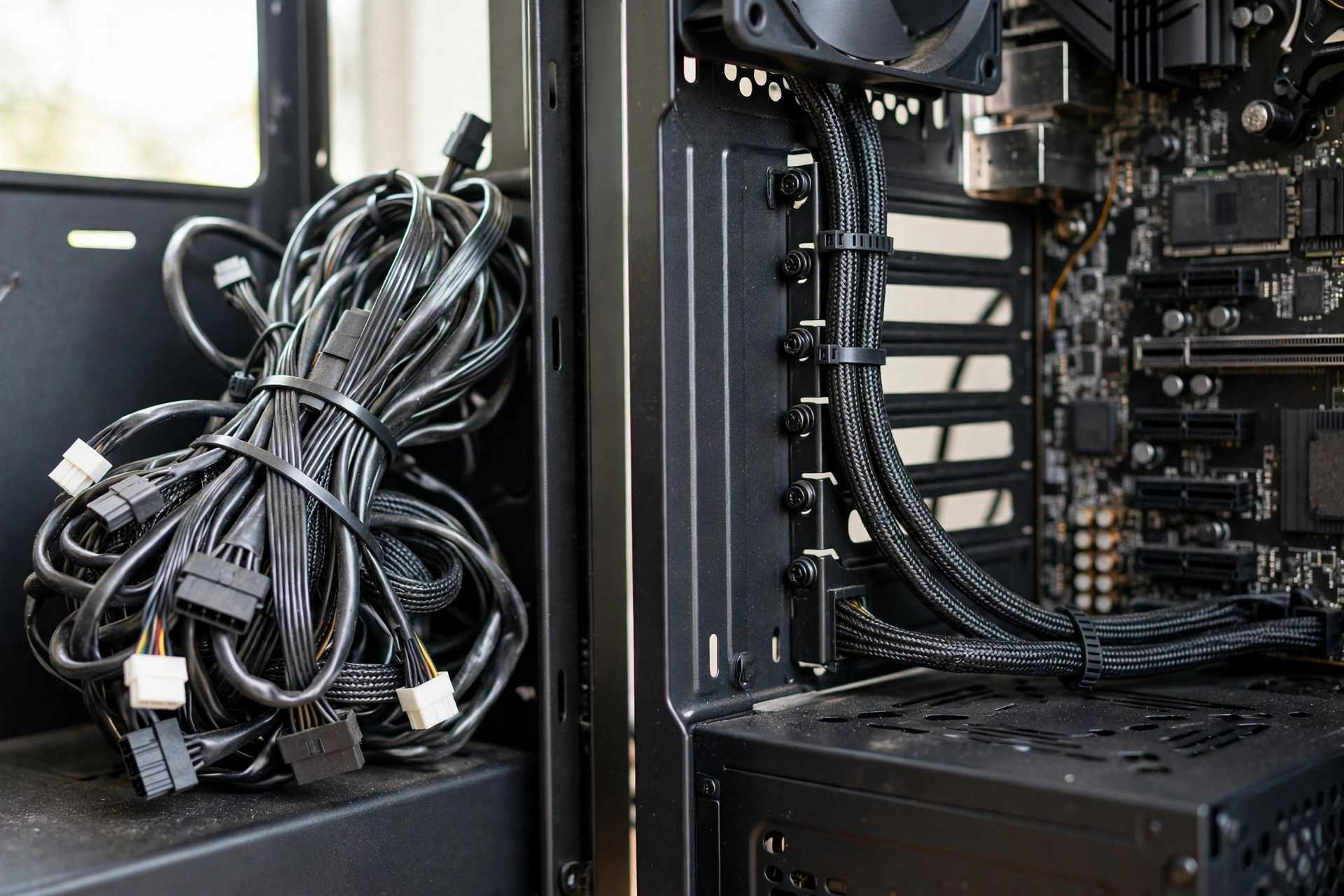
Cable management is where the modular debate stops being theoretical and starts being visible. Open a case with a non-modular PSU and you will see the problem at once: a thick rope of unused cables, usually SATA and Molex leads, coiled somewhere near the bottom of the case. Open a case with a fully modular PSU and you see motherboard, air, and the parts themselves. Both PCs can run the same games at the same frame rates. Only one of them is pleasant to work inside.
The airflow question is the one builders argue about most, so let us settle it carefully. Airflow cools your parts. Your case fans pull cool air in from the front or bottom and push hot air out the back or top. Anything sitting in that path, a cable bundle, a drive cage, a thick GPU, slows the air down or deflects it. A bundle of unused PSU cables sitting in front of an intake fan is an obstacle, and obstacles raise temperatures.
How much? That depends on the case. In a compact case, where the PSU sits close to the graphics card and the intake fans, a fat cable bundle can block a meaningful share of the intake path. In that situation, removing the unused cables can drop temperatures by a few degrees under sustained load, which is enough to keep a graphics card from throttling its boost clock during a long gaming session. In a large mid-tower with a PSU shroud and a routed cable channel behind the motherboard tray, the same bundle sits behind a metal cover and out of the airflow path entirely. There, the thermal difference is close to zero.
This is why the airflow argument needs a case-specific answer, not a universal one. If your case has a shroud and a cable channel, modularity buys you almost no cooling. If your case is small, open, or old, with no shroud and no routing space, modularity buys you real cooling headroom. Check your case before you check PSU prices.
There is also a second airflow effect that gets less attention: dust. Cables that hang in the airflow path collect dust, and dust insulates parts and clogs fan blades. A clean interior stays clean longer, which means your fans work properly for longer between cleanings. It is a small effect, but over two or three years of ownership, it is a real one.
How to route cables well, whatever PSU you own
You do not need a fully modular PSU to get a tidy build. You need a plan, and you need to follow it before you power anything on. These steps work with any PSU type, and they matter more than the modularity label.
- Plan the route before you plug anything in. Lay each cable along the path it will take, from the PSU to the part it feeds, and check that it reaches without stretching across a fan.
- Use the space behind the motherboard tray. Most modern cases have a gap of 15 to 25 millimeters behind the tray, and that gap exists for one job: hiding cables. Route everything you can through it.
- Bundle unused cables together, and stash the bundle in the PSU shroud or behind the tray, never in front of an intake fan. Zip ties or Velcro straps keep the bundle tight.
- Keep cables away from fan blades and away from hot parts like the graphics card backplate. A cable touching a spinning fan makes noise, and a cable resting on a hot surface ages faster.
- Leave a little slack at each connector. A cable pulled drum-tight is harder to unplug later and puts strain on the socket. A gentle curve is better than a straight pull.
- Connect the CPU power cable and the motherboard cable first, while the case is still empty, because they are the hardest to reach once the graphics card is in.
A builder who follows those steps with a non-modular PSU will end up with a cleaner case than a careless builder with a fully modular one. The PSU type sets the difficulty of the job, not the quality of the result. That is worth remembering when the price gap tempts you: the money you save on a non-modular unit is only wasted if you refuse to spend fifteen minutes routing the cables.
Is a Modular PSU Worth It?
This is the question every buyer actually asks, and it has no single answer, because it depends on what the money would buy instead. A modular PSU is worth it when the extra cost buys you something you will actually notice: an easier build, a cleaner case, cooler parts in a small chassis, or a simpler upgrade path. It is not worth it when the same money would buy a higher wattage, a better efficiency tier, or a more reliable unit, and you give those up to get detachable cables.
Think about the trade in concrete terms. Suppose you are choosing between two units from reputable brands. One is a fully modular 650W Gold unit, and the other is a non-modular 750W Gold unit for the same money. The non-modular unit gives you 100W more headroom, which is real insurance for a future graphics card upgrade. The modular unit gives you tidier cables, which is real convenience today. For a builder planning a GPU upgrade within two years, the extra wattage is the better buy. For a builder in a small case who will never upgrade the GPU, the modular unit is the better buy. Same money, different answer, because the builds are different.
That trade matters more right now than it did a year ago, because the wider PC market has turned expensive. SK Hynix said in its third-quarter 2026 earnings release, published on October 28, 2026, that it expects memory demand to exceed supply until 2030, and graphics card prices have been climbing again in late 2026 as memory costs rise. When RAM and graphics cards eat more of the budget, every dollar in the PSU line has to work harder. Spending extra on detachable cables while buying a weaker graphics card, or skipping a RAM upgrade you need, is a bad trade in this market. The smart order is: buy the graphics card and the RAM your games need first, buy the wattage and quality your system needs second, and buy modularity with whatever is left.
When fully modular is clearly worth it
- You are building in a mini-ITX or small micro-ATX case, where there is nowhere to hide a bundle of unused cables.
- The case has a tempered glass side panel and you will see the interior every day. A clean build is part of what you are paying for.
- You upgrade parts often. If you swap graphics cards or add drives every year, detachable cables save real time and frustration.
- You want custom sleeved cables, either for looks or for exact cable lengths in a tight case. Only fully modular units accept them.
- You are a first-time builder and you want the easiest possible build experience. Fewer cables means fewer chances to plug the wrong thing into the wrong place.
When semi-modular is the smart buy
- You are building a standard mid-tower gaming PC, which is the most common build in this hobby.
- Your case has a PSU shroud or a cable channel behind the motherboard tray, so the two fixed cables disappear from view.
- You want most of the convenience of fully modular without paying the full premium.
- You are buying at 650W to 850W, the range where semi-modular options are widely available from good brands.
When non-modular is the right call
- The budget is genuinely tight, and the money saved buys a better graphics card, more RAM, or a higher wattage unit.
- The case is a full tower with a shroud, so the cable bundle will be invisible and out of the airflow path.
- The PC will sit under a desk, out of sight, and you will rarely open it.
- You are building a second PC, an office machine, or a home server, where looks do not matter at all.
Notice what is missing from that list: there is no build where non-modular is the right call because it performs better. It never does. It is the right call only when the saved money does something more useful elsewhere in the build. That is a budget decision, not a performance decision, and it is honest to frame it that way.
ATX 3.1 and the 12V-2×6 Connector What to Check Before You Buy
Modularity is only one of the three things to check on a modern PSU box. The other two are the ATX standard and the graphics card connector, and in late 2026 they matter more than modularity for anyone buying a current graphics card. Get these wrong and the tidiest cable job in the world will not save you from random shutdowns under load.
ATX 3.1 is the current version of the Intel power supply specification for desktop PCs. It requires a PSU to handle sharp, brief spikes in power draw, called transient spikes or excursions, that modern graphics cards produce when a game scene suddenly gets busy. A card can draw far more than its rated wattage for a few microseconds, and an older PSU that was not designed for those spikes can trip its protection and shut the whole PC down, even though the average power draw is well within its rating. That failure looks like a random crash mid-game, and it is miserable to diagnose, because everything works fine until the exact moment the card spikes.
If you are buying a new PSU for a current graphics card, buy ATX 3.1. Our full explainer covers the standard in detail, including which older units are still safe to reuse, in our guide to ATX 3.1 PSUs explained. The short version is simple: ATX 3.1 is the standard that understands how modern graphics cards actually behave, and it is the one to look for on the box.
The second thing to check is the 12V-2×6 connector. This is the 16-pin connector that feeds high-end graphics cards, and it is the revised version of the earlier 12VHPWR connector. The revision changed the sense pins, the small pins that tell the card the plug is fully seated, so the card cannot draw full power unless the connector is properly home. That change addresses the melting incidents reported with poorly seated 12VHPWR plugs. The cable itself is the same, and the difference is at the socket end.
What does this mean for your modularity choice? Two things. First, if your graphics card uses a 16-pin connector, buy a PSU that includes a native 12V-2×6 cable, not one that makes you use an adapter. Native cables are cleaner, safer, and easier to route. Second, check whether that native cable is included in the box for the modularity type you are considering. Fully modular units include the full cable set, and you plug in the 16-pin lead yourself. Some semi-modular and non-modular units also include it, but you should confirm before you buy, because an adapter is a compromise you do not want on a high-end card. The Centre Com PSU buying guide for 2026 gives the same advice: for a new build with a current graphics card, buy ATX 3.1 with a native 12V-2×6 connector, at least 80 Plus Gold efficiency, from a brand with a long warranty, and make it fully modular unless the budget genuinely will not stretch.
If your graphics card still uses 8-pin PCIe connectors, none of this affects you directly, and an ATX 3.1 supply will include those cables too. But buying ATX 3.1 now is still smart, because your next graphics card probably will use the 16-pin connector, and a PSU should last through two graphics card generations. A PSU is a ten-year part, and the connector standard you buy today decides which cards it can feed in 2029.
One more check belongs in this section, because it is the most dangerous mistake in this whole topic. Never mix modular cables between different power supplies, even from the same brand. Modular cable pinouts are not standardized across brands, and they are not always standardized across models from one brand. A cable that physically fits can still carry the wrong voltages to the wrong pins, and that can destroy a graphics card, a motherboard, or a drive in seconds. Always use the cables that came in the box with your PSU. If you lose a cable, order a replacement from the PSU manufacturer for your exact model, or buy a cable kit that the manufacturer lists as compatible with that model. Corsair, for example, documents its cable types per series on its product pages, such as the fully modular Corsair RM850x, where the cable type and connector standard are listed for that exact unit. Treat that page as the pattern: the model number is the source of truth, not the shape of the plug.
Which PSU Type Fits Your Build?
The table below is the decision shortcut for this whole guide. Find your build type, read across, and you have your answer. The budget notes are relative, not prices, because prices move constantly and any specific number in this guide would be out of date within weeks. What does not move is the logic: spend on wattage and quality first, and spend on modularity with what is left.
| Build Type | Recommended PSU Type | Why This Type Fits | Budget Note |
|---|---|---|---|
| Budget 1080p gaming PC | Non-modular or semi-modular | The saved money buys a better GPU or more RAM, and the case usually hides the cables | Spend the savings on the graphics card |
| Mainstream 1440p gaming PC | Semi-modular | The best balance of price, convenience, and clean cabling for the most common build | The default choice, spend the difference on wattage |
| High-end 4K gaming PC | Fully modular | High-end cards need the 16-pin cable, clean routing, and easy upgrades over a long life | Modularity is a small share of a high-end budget |
| Small form factor mini-ITX | Fully modular | There is nowhere to hide unused cables, and every cable blocks airflow | Worth the premium, the case leaves no choice |
| Showcase build with glass panel | Fully modular | The interior is on display, and custom cables need a fully modular unit | Part of the look, budget for it |
| First-time builder | Semi-modular or fully modular | Fewer cables means fewer mistakes and an easier first build | Semi-modular if the budget is tight |
| Office PC or home server | Non-modular | Looks do not matter, the PC sits out of sight, and reliability per dollar wins | Cheapest reliable unit at the right wattage |
| Future upgrade planned within 2 years | Fully modular or semi-modular | Detachable cables make GPU and drive swaps fast and simple | Pair with extra wattage headroom |
Two rows deserve extra comment. The budget 1080p row is the one where buyers most often overspend on the wrong thing. A builder with a tight budget who buys a fully modular unit and then pairs it with a weaker graphics card has made the PC slower in every game, permanently, in exchange for tidier cables. That trade never pays off. If you are building a budget PC, our guide to the best CPU and GPU combo under 800 shows where the money actually changes frame rates, and the PSU line in that budget should be the cheapest reliable unit that covers the wattage, not the prettiest one.
The high-end 4K row is the opposite. At that budget, the price gap between semi-modular and fully modular is a small fraction of the total build cost, and the card you are feeding is an expensive part that deserves a native 16-pin cable and clean airflow. Our RTX 50 series power supply guide covers the wattage and connector requirements for current high-end cards, and it is worth reading alongside this guide before you choose a unit.
Mistakes to Avoid With Modular Power Supplies
Most PSU problems are not caused by the PSU. They are caused by small mistakes during the build, and modular units have their own set of traps. Here are the ones that actually damage parts or waste money.
Mixing cables between PSUs
This is the most dangerous mistake in PC building, and it deserves repeating in its own section. Modular cables are not universal. The end that plugs into your graphics card or motherboard is standardized, but the end that plugs into the PSU is not. Two cables can look identical, fit the same socket, and carry completely different voltages on each pin. Plug a cable from another PSU into your unit, and you can destroy a graphics card, a drive, or the motherboard the moment you press the power button. Always use the cables that came in the box with your PSU, and keep the spare cables in the bag with the PSU model name written on it. If you buy a used PSU and it arrives without its original cables, treat it as incomplete, and order the correct cable set from the manufacturer before you use it.
Buying modularity instead of wattage
A 550W fully modular unit does not power a PC that needs 750W. That sounds obvious, but it happens constantly, because the modular label is visible on the box and the wattage math feels like homework. Before you compare modularity types, work out the wattage your parts need, add headroom for transient spikes and future upgrades, and then shop within that wattage. A non-modular unit with the right wattage beats a fully modular unit that shuts down under load, every single time.
Buying modularity instead of quality
A fully modular unit from an unknown brand with a short warranty is a worse purchase than a non-modular unit from a reputable brand with a ten-year warranty. The cable system tells you nothing about the capacitors, the protections, or the build quality inside the box. Check the tier list, check the warranty length, and check independent reviews before you check the modularity type. Our PSU tier list ranks units by the quality of the platform inside, which is the part that actually keeps your PC safe.
Forgetting to seat the 16-pin connector fully
The 12V-2×6 connector must click fully home, with no visible gap between the plug and the socket. A plug that looks connected but is not fully seated can overheat, and that is exactly the failure the revised connector was designed to prevent. Push it in until it clicks, check it from the side to confirm there is no gap, and do not bend the cable sharply right at the plug. Leave enough slack that the side panel does not press on the cable when you close the case.
Leaving spare modular cables loose in the case
Spare cables belong in the bag, in a drawer, not loose inside the PC. A loose cable end can drift into a fan, and a loose connector can short against the case. If you ever need that cable, you will know exactly where it is. Label the bag with the PSU model so that years later, when you upgrade, you do not mix it up with cables from a different unit.
Assuming modular means better airflow automatically
Modularity gives you the opportunity for better airflow, not the guarantee. If you connect every cable the box contains, including ones you do not need, a fully modular PSU produces exactly the same clutter as a non-modular one. The benefit comes from leaving the unused cables in the bag. That takes thirty seconds of discipline at build time, and it is the whole point of paying for the feature.
Frequently Asked Questions
What are the benefits of modular power supplies?
The benefits are cleaner cable management, better airflow in small cases, an easier build, simpler upgrades, and support for custom cables. The benefit is not performance: a modular PSU does not deliver more power or higher efficiency than a non-modular unit of the same quality. Buy modularity for the build experience, not for frame rates.
Is a modular PSU worth it for a gaming PC?
For most gaming PCs, yes, in the semi-modular form. Semi-modular gives you the practical benefits, detachable extra cables, at a modest premium, while the two fixed cables are ones you would plug in anyway. Fully modular is worth it for small cases, showcase builds, and builders who upgrade often. Non-modular is worth it only when the saved money buys something more useful, like a better graphics card or more RAM.
Does a modular PSU give you more FPS?
No. Your frame rate is decided by your CPU, your graphics card, your RAM, and your game settings. The PSU feeds those parts power, and a modular unit feeds them the same power as a non-modular unit of equal quality. If your games stutter, check for a CPU or GPU bottleneck first, not the cable system.
Is a semi-modular PSU good enough for gaming?
Yes, for the large majority of gaming builds. The fixed cables are the 24-pin motherboard cable and the CPU power cable, which every build uses, so you lose nothing by having them attached. The detachable cables cover everything that varies: graphics card power, SATA drives, and peripherals. Unless you need custom cables or you are building in a very small case, semi-modular is good enough, and it is often the best value.
Can I use modular cables from a different PSU?
No, never. Modular cable pinouts are not standardized between brands or even between some models from the same brand. A cable that fits can still deliver the wrong voltage to the wrong pin, and that can destroy parts instantly. Use only the cables that came with your exact PSU model, and order replacements from the manufacturer if you lose one.
Do I need a fully modular PSU for an RTX 50 series graphics card?
You do not need fully modular, but you do need the right standard and the right connector. Look for an ATX 3.1 PSU with a native 12V-2×6 cable, enough wattage for your card, and 80 Plus Gold efficiency or better. Fully modular makes the build easier, and most high-wattage ATX 3.1 units are fully modular anyway, but the standard and the connector matter more than the modularity type.
Will a non-modular PSU overheat my PC?
Not by itself. A non-modular PSU produces the same heat as a modular unit of the same efficiency, because the heat comes from power conversion, not from the cables. The risk is indirect: a bundle of unused cables blocking an intake fan can raise temperatures in a small case. Route the spare cables behind the motherboard tray or into the PSU shroud, keep them out of the airflow path, and the temperatures will be fine.
Key Takeaways
- Modularity is about cables, not power. A modular PSU does not raise FPS, improve efficiency, or deliver cleaner power than a non-modular unit of the same quality.
- Fully modular means every cable detaches. Semi-modular fixes the motherboard and CPU cables and detaches the rest. Non-modular fixes everything.
- Semi-modular is the best default for most gaming PCs, because the fixed cables are ones every build uses anyway.
- Fully modular earns its premium in small cases, showcase builds, and PCs that get upgraded often.
- Non-modular is the right call only when the saved money buys something more useful, such as a better graphics card, more RAM, or extra wattage.
- For a current graphics card, check ATX 3.1 and a native 12V-2×6 connector before you check modularity. Those two decide whether the PC stays stable under load.
- Never mix modular cables between power supplies, even from the same brand. The pinouts are not standard, and a wrong cable can destroy parts.
- In a market where RAM and graphics card prices are climbing, spend on the parts that change frame rates first, and spend on modularity with what is left.
Conclusion
A modular vs non modular PSU decision is simpler than the internet makes it look. The cables are the only thing that changes, and the right answer depends on your case, your budget, and how often you open the side panel. For most gaming PCs, a semi-modular ATX 3.1 unit with a native 12V-2×6 cable is the answer: clean enough, easy enough, and priced fairly. For small cases and showcase builds, fully modular is worth the premium. For tight budgets with a shrouded case, non-modular is a sensible way to put the money where it changes frame rates.
Whichever type you choose, judge the unit itself first. Wattage, efficiency, protections, warranty, and the quality of the platform inside the box are what keep your PC safe and stable for years. Modularity is the finishing touch on a good decision, not a substitute for one. Pick the right wattage, pick a quality unit, check the connector your graphics card needs, and then let your case and your budget decide how the cables attach. Do that, and the PSU will do its job quietly for the next decade, which is exactly what a good power supply is supposed to do.

Leave a Reply