

No, the Intel Core i5-13400F does not meaningfully bottleneck the RTX 5060 Ti at 1440p, and the pairing is well balanced at 1080p too. Expect minor CPU limits only in 1080p high-refresh esports or simulation-heavy games. At 1440p with high settings, ray tracing, or DLSS 4, the GPU is the limit. The 16GB VRAM variant shifts even more load to the GPU, making the pairing safer long term.
You are looking at this exact combination for one of two reasons. Either you already own an i5-13400F and want to know if an RTX 5060 Ti is the right GPU upgrade, or you are planning a mid-range build and want to confirm this budget-friendly CPU will not hold the card back. This is one of the most sensible pairings of the 2026 hardware market, but the answer has more nuance than a single “yes” or “no,” because resolution, VRAM variant, and game type all change the verdict.
What These Two Parts Actually Are
Before judging balance, it helps to know exactly what each part brings. The specs below are manufacturer-published figures, not marketing estimates.
| Specification | Intel Core i5-13400F | NVIDIA GeForce RTX 5060 Ti |
|---|---|---|
| Architecture | Raptor Lake (Intel 7) | Blackwell GB206 (TSMC 5nm) |
| Cores / Threads | 10 cores / 16 threads (6 performance + 4 efficiency) | 4,608 CUDA cores, 36 RT cores, 144 Tensor cores |
| Clock speed | 2.5 GHz base, up to 4.6 GHz boost | 2,407 MHz base, 2,572 MHz boost |
| Cache | 20 MB L3 | 32 MB L2 |
| Memory support (CPU) / VRAM | DDR4-3200 or DDR5-4800 (128 GB max) | 8 GB or 16 GB GDDR7, 28 Gbps, 128-bit, 448 GB/s |
| PCIe | Up to 20 lanes, PCIe 5.0 | PCIe 5.0 x8 electrical interface |
| Power | 65 W base, 148 W max turbo | 180 W total board power |
| Socket / Connector | LGA1700 | 1x 8-pin (typical partner designs) |
| Launch | Q1 2023 | April 2025, $379 (8 GB) / $429 (16 GB) launch MSRP |
The i5-13400F is a hybrid chip: six fast performance cores handle games, while four efficiency cores absorb background tasks like Discord, streaming software, or browser tabs. No integrated graphics, which is what the F suffix means. It launched in early 2023 as the budget hero of the 13th generation, and it still sells because its gaming performance per dollar is hard to beat (detailed spec comparison).
The RTX 5060 Ti is NVIDIA’s current mid-range answer for 1080p and 1440p gaming, built on the Blackwell architecture. NVIDIA set launch MSRPs of $379 for the 8 GB model and $429 for the 16 GB model, as TechPowerUp reported ahead of the April 2025 launch. Both VRAM variants share the exact same GPU die, clocks, and 180 W power rating. The only difference is memory capacity: 8 GB versus 16 GB of GDDR7. That single difference matters more for this bottleneck question than most people expect, and we will get to it.
Practical takeaway: on paper, these two parts target the same buyer, the mainstream gamer with a mid-range budget. Nothing in the spec sheet suggests a gross mismatch.
The Bottleneck Verdict in Plain Terms
Here is the honest answer, without the oversimplification that most calculator tools give you. At 1440p, this pairing is balanced to the point where worrying about a bottleneck is wasted energy. The RTX 5060 Ti works hard at that resolution, its utilization stays high, and the i5-13400F comfortably feeds it frames. This is the resolution this card was built for, and the CPU keeps up.
At 1080p, the picture shifts slightly but not dramatically. The GPU finishes frames faster, so the CPU’s job becomes relatively more demanding. In most story-driven and AAA games, the 13400F still keeps the 5060 Ti fully utilized. Where you might see the CPU become the limiting factor is in games that hammer the processor: competitive esports titles at very high refresh rates (think 240 Hz monitors in Counter-Strike 2 or Fortnite), simulation games like Cities: Skylines 2 with huge entity counts, and heavily modded open-world games.
Even in those cases, “CPU-limited” does not mean “broken pairing.” It means your frame rate ceiling is set by the processor rather than the GPU, and the frame rates involved are typically still high. For a deeper look at how resolution shifts the balance between CPU and GPU, see our guide to 1080p vs 1440p monitor bottleneck impact. If you want to understand what counts as an acceptable bottleneck in the first place, our explainer on what is a good bottleneck percentage sets the right expectations: anything under roughly 10 percent is noise, not a real problem.
One honest caveat: no published review we could find has benchmarked this exact CPU and GPU together head to head as of October 2026. The verdict here is built from manufacturer specs, the known behavior of each part in published reviews, real user reports on forums, and established bottleneck principles. That is the same evidence base the better calculator tools use, and it is enough for a reliable verdict, but game-by-game results will vary.
Practical takeaway: this is a balanced pairing. The CPU is not a meaningful bottleneck at 1440p and only a mild one in specific 1080p scenarios.
Verdict Table Resolution and VRAM Variant
Bottleneck answers change with resolution, so a single verdict number is misleading. The table below gives the practical verdict for each combination. Percentages are estimates based on typical utilization behavior, not measured figures from a single test suite.
| Resolution | RTX 5060 Ti 8 GB | RTX 5060 Ti 16 GB |
|---|---|---|
| 1080p, competitive settings | Minor CPU limit possible in esports/high-refresh titles | Minor CPU limit possible in esports/high-refresh titles |
| 1080p, high/ultra settings | Balanced, small CPU limit in CPU-heavy games | Balanced, CPU limits slightly less likely |
| 1440p, high settings | GPU-limited, balanced pairing | GPU-limited, balanced pairing |
| 1440p, ultra + ray tracing | GPU-limited | GPU-limited, best use of the 16 GB variant |
| 4K (DLSS Performance) | Strongly GPU-limited, 8 GB can constrain textures | Strongly GPU-limited, VRAM no longer the concern |
Notice what the table does not contain: any scenario where the i5-13400F is a severe bottleneck for the RTX 5060 Ti. The worst case is a mild CPU limit at 1080p in specific game types, which is the normal behavior of a mid-range pairing, not a defect. If you are comparing this card against alternatives for the same CPU, our best GPU for i5-12400F guide covers the same CPU class, and our best CPU for RTX 5060 Ti roundup compares the 13400F against its rivals for this card.
Practical takeaway: use the table to find your own scenario instead of trusting a single calculator percentage.
Where the i5-13400F Can Limit the RTX 5060 Ti
It is worth being specific about where the CPU, not the GPU, sets the ceiling. Four situations stand out.
1080p high-refresh esports. Games like Counter-Strike 2, Valorant, and Fortnite at competitive settings push hundreds of frames per second, and at that point the engine’s per-frame CPU work (draw calls, game logic, physics) becomes the constraint. The 13400F’s single-threaded performance is good but not flagship class, so with a 240 Hz or 360 Hz monitor you may leave some GPU headroom unused. This is the one scenario where a faster CPU would measurably help.
Simulation and strategy games. Titles with heavy CPU simulation, city builders, grand strategy games, and large-scale battle scenes scale with processor throughput. The 13400F’s efficiency cores help with background work, but the six performance cores do the heavy lifting for game threads, and demanding sims can saturate them before the GPU breaks a sweat.
Streaming while gaming on the same PC. Software encoding (x264/x265) is CPU-hungry. The RTX 5060 Ti’s NVENC encoder handles most streaming offload well, but if you insist on CPU encoding at high quality presets, expect the CPU to become the limit. Use NVENC and this problem mostly disappears.
Background multitasking during CPU-bound games. The efficiency cores are designed exactly for this, but a 13400F running a game, Discord, a browser with twenty tabs, and a download client simultaneously can still feel the pinch in CPU-heavy titles. This is normal mid-range behavior.
If you ever do hit a CPU limit, the fixes are practical and mostly free: close heavy background apps, use NVENC instead of CPU encoding, and consider that 1440p shifts load back to the GPU. Our guide on how to fix a CPU bottleneck walks through every option in detail.
Practical takeaway: the CPU limits this pairing only in specific, predictable situations. None of them make the pairing a bad buy.
Where the GPU Is the Limit, Not the CPU
For the way most people actually use this card, the RTX 5060 Ti is the limiting component, which is exactly what you want. A GPU bottleneck is the healthy kind: the card runs at high utilization, you get what you paid for, and the CPU stays cool with headroom for everything else.
1440p high and ultra settings. This is the card’s home turf. Modern AAA titles at 1440p keep the GPU saturated, and the 13400F feeds it without breaking stride. Reviewers and builders consistently describe this resolution as the sweet spot for the 5060 Ti class.
Ray tracing. The 5060 Ti’s 36 fourth-generation RT cores handle ray tracing reasonably at 1440p, especially paired with DLSS 4 upscaling and frame generation. Ray-traced workloads are overwhelmingly GPU-bound, so the CPU choice barely registers here.
DLSS 4 with Multi Frame Generation. Frame generation multiplies the GPU’s effective output, and the 16 GB variant has the VRAM headroom to run it comfortably. CPU load per generated frame stays modest, so the balance tilts even further toward the GPU.
Content creation and AI workloads. Video editing timelines, Blender renders, and local AI inference lean on the GPU’s CUDA and Tensor cores. The 13400F’s ten cores keep the system responsive while the card does the real work.
One curiosity from recent tech news: TechSpot recently covered the WiCi One, a concept wireless eGPU dock offered with an RTX 5060 Ti variant. It is a concept, not a shipping product, and it says nothing about CPU bottlenecks, but it is a fun sign of how much capability this GPU class packs into unconventional form factors.
Practical takeaway: in the scenarios this card is marketed for, the GPU is the limit. That is the sign of a well-matched pairing.
How VRAM Changes the Bottleneck Verdict
This is the section most bottleneck articles skip, and it genuinely changes the answer. Both RTX 5060 Ti variants use the identical GB206 die with identical clocks and the same 180 W power rating. The only difference is memory: 8 GB versus 16 GB of GDDR7. Performance is identical until the 8 GB card runs out of memory, at which point the 16 GB card pulls ahead, sometimes substantially.
For the bottleneck question, VRAM exhaustion on the 8 GB card can look like a CPU problem if you misread it. When textures exceed available VRAM, the GPU starts swapping to system memory over PCIe, frame times spike, and stutter appears. That stutter is not the i5-13400F failing to keep up. It is the GPU running out of room. The 16 GB variant avoids this entirely at 1440p in current titles, which actually makes the pairing with the 13400F cleaner: the GPU stays the limiting factor, exactly as intended.
There is also a market trend worth noting. Valve’s September 2026 Steam hardware survey showed 8 GB graphics cards gaining user share roughly three times faster than 16 GB models, meaning 8 GB remains the mainstream reality for most players. But the same survey showed 32 GB of system RAM overtaking 16 GB among gamers, a sign that memory headroom matters more to players than it used to. The read-through for this pairing: the 8 GB 5060 Ti is fine for 1080p and lighter 1440p today, but the 16 GB variant is the safer long-term match for a 13400F you plan to keep for years.
Which should you buy with a 13400F? If the price gap is modest, the 16 GB variant is the better partner for this CPU at 1440p. If you play at 1080p, mostly play esports titles, or the 8 GB model is significantly cheaper, the 8 GB card pairs just as well with the 13400F from a pure bottleneck standpoint. The CPU does not care which variant you buy; your game library and monitor do.
Practical takeaway: VRAM does not change whether the CPU bottlenecks the GPU, but the 16 GB variant removes the one failure mode (VRAM exhaustion) that can masquerade as one.
PCIe 5.0 x8 on B760 Boards Does the Lane Count Matter?
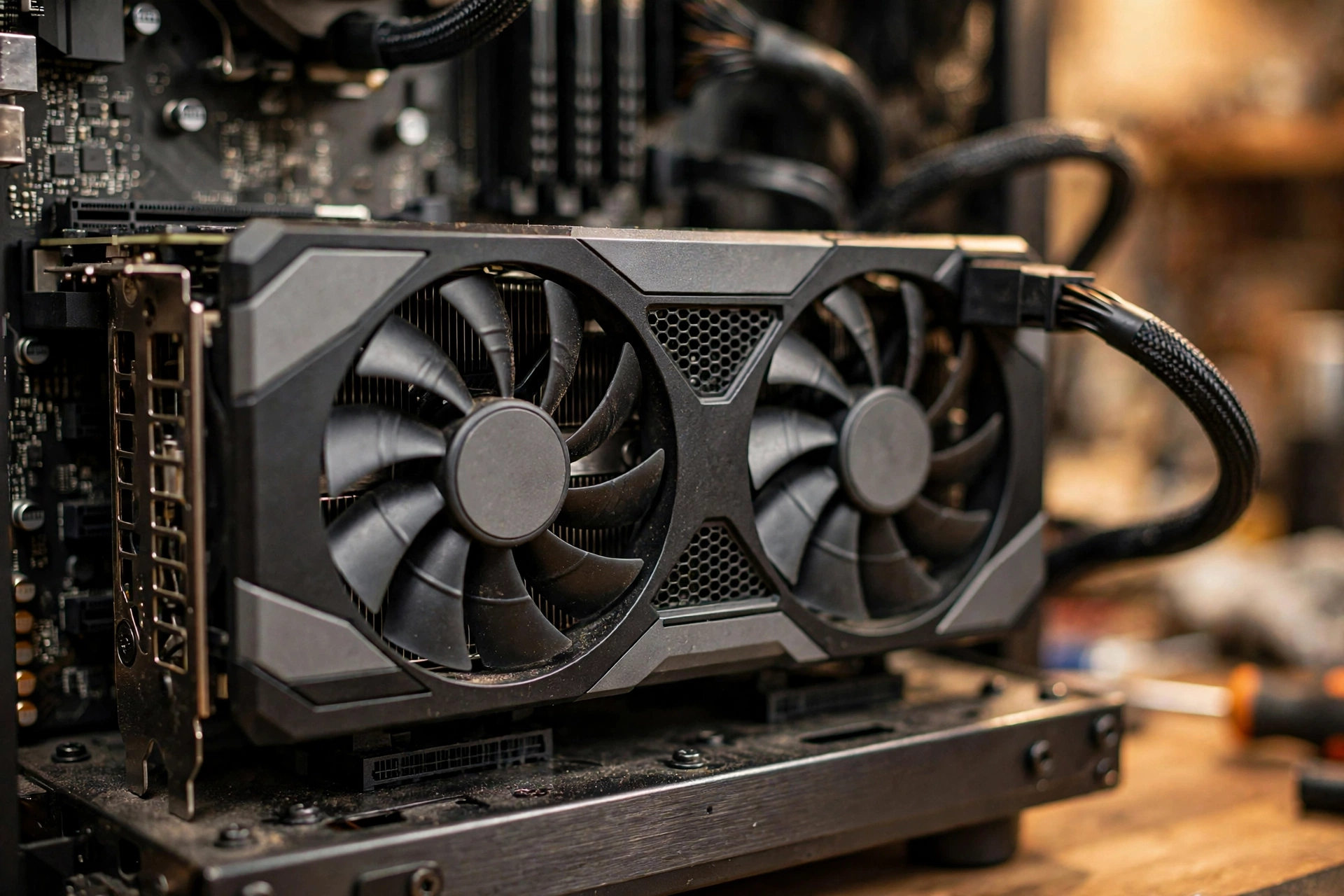
The RTX 5060 Ti uses a PCIe 5.0 x8 electrical interface, eight lanes instead of sixteen. This is a deliberate cost-saving design choice by NVIDIA, and the 4060 series did the same thing. The card still plugs into a standard x16 slot; it simply uses eight lanes.
On a B760 motherboard, the primary PCIe slot runs at PCIe 4.0 (the i5-13400F itself supports PCIe 5.0, but most B760 boards wire the slot for Gen 4). Eight lanes of PCIe 4.0 provide about 16 GB/s of bandwidth, which is plenty for this card. Published testing has shown negligible performance differences between PCIe 4.0 x8 and x16 for GPUs in this class. The scenario that actually hurts is PCIe 3.0 x8, roughly 8 GB/s, which can measurably limit the card, especially the 8 GB variant when VRAM spills over. But nobody pairs a 2025 GPU with a PCIe 3.0-only platform unless they are upgrading a very old system, and even then it is a motherboard limitation, not a CPU bottleneck.
Practical takeaway: on any B760 or Z790 board, the x8 interface is a non-issue. Do not let it influence your buying decision.
DDR4 vs DDR5 Which Board Should You Choose?
The i5-13400F supports both DDR4 and DDR5, and LGA1700 boards exist in both flavors, including budget B760 DDR4 boards and H610 DDR4 boards. This flexibility is a genuine advantage, but it creates a real choice for 5060 Ti buyers.
For this specific pairing, DDR4 is not the bottleneck disaster some builders assume. The RTX 5060 Ti at 1440p is GPU-limited, and memory bandwidth differences between DDR4-3200 and DDR5-6000 show up mostly in CPU-bound scenarios at 1080p, exactly the scenarios where the 13400F might already be the limit. In other words, DDR4 costs you a few percent in the situations where the CPU is already the constraint, and essentially nothing where the GPU is the constraint.
That said, DDR5 is the better recommendation for a new build in 2026 for two reasons. First, capacity trends favor it: with 32 GB now the common recommendation for gaming builds (per the Steam survey trend noted above), DDR5 kits are the mainstream choice and DDR4 is fading from new product lines. Second, a DDR5 board keeps your platform relevant longer. If you are reusing an existing DDR4 board and RAM, though, do not rip it out just for this pairing. Spend that money on the 16 GB GPU variant instead. Our full DDR4 vs DDR5 gaming performance comparison breaks down the numbers across resolutions.
Practical takeaway: reusing DDR4 is fine and not a real bottleneck source for this pair; buying new, choose DDR5 for platform longevity.
Power Supply What This Combo Actually Needs
Power is straightforward here, which is part of this pairing’s appeal. The i5-13400F is a 65 W base part with a 148 W maximum turbo draw, and the RTX 5060 Ti is a 180 W card. A complete system with this pairing typically draws well under 350 W under full gaming load, and often closer to 300 W.
Board partners generally recommend a 450 W to 600 W power supply for the 5060 Ti depending on the model, with the Founders-style guidance at 450 W. A quality 550 W or 650 W unit from a reputable brand gives you comfortable headroom, quiet operation, and room for future upgrades. What matters more than raw wattage is quality: a good 550 W PSU beats a cheap 750 W unit every time. If you are unsure where your unit stands, check our PSU tier list and the RTX 50 series power supply guide.
One specific note from real user questions: a 550 W Cooler Master MWE-class unit paired with an H610 board and this combo works, but it leaves little headroom. It is adequate, not generous. If your PSU is more than five years old or was a budget unit to begin with, a GPU upgrade is the right moment to replace it.
Practical takeaway: 550 W from a quality brand is the sweet spot; do not overspend on wattage you will never use.
Upgrade Path What Comes After the 13400F
One of the i5-13400F’s quiet strengths is that it sits on the LGA1700 socket, which gives you in-socket upgrade options without replacing the motherboard. If the CPU ever does become your limit, the path is clear.
| Upgrade option | What it takes | When it makes sense |
|---|---|---|
| Core i5-14400F | Drop-in on LGA1700 | Modest gains; only if priced close to used 13400F value |
| Core i5-14600K / i7-14700K | Drop-in on LGA1700, better cooling needed | Meaningful single-thread uplift for 1080p high-refresh gaming |
| Intel Arrow Lake (Core Ultra) | New LGA1851 motherboard + DDR5 | Full platform rebuild; only when the whole system ages out |
| Switch to AM5 (Ryzen) | New motherboard + DDR5 | If you want a longer-lived socket with a deep upgrade roadmap |
A word on timing and cost: Intel raised CPU prices by roughly 10 percent effective early October 2026, as reported by Notebookcheck and DigiTimes. That makes in-socket upgrades like a used 14600K relatively more attractive than buying new, and it makes the 13400F you may already own a better value than it was. Prices move, so verify current listings before deciding, but the direction favors upgrading within LGA1700 rather than rebuilding.
For most 1440p gamers, the honest upgrade advice is simpler: you will replace the GPU before you need to replace this CPU. The 13400F has enough headroom to carry a meaningfully faster card later. Our PC upgrade guide covers how to sequence upgrades so you never pay twice.
Practical takeaway: LGA1700 gives you a cheap escape hatch, but most owners will upgrade the GPU first.
Common Mistakes Builders Make With This Pair
Buying the 8 GB card for heavy 1440p ray tracing, then blaming the CPU for stutter. As covered above, VRAM exhaustion stutter is a GPU memory problem. If you play texture-heavy AAA games at 1440p, the 16 GB variant prevents this misdiagnosis entirely.
Pairing it with slow single-channel RAM. The 13400F wants dual-channel memory. A single 16 GB stick instead of two 8 GB sticks (or one 32 GB stick instead of 2×16 GB) costs real performance in CPU-bound scenarios. This is the single most common budget-build mistake, and it is more damaging than any CPU-GPU mismatch.
Reading a calculator percentage as a verdict. Tools that report a single bottleneck number for this pair typically show low single digits at 1080p and GPU-limited results at 1440p. Those numbers describe average utilization models, not your specific games. Use them as a sanity check, not a buying decision.
Ignoring the monitor. A 13400F and 5060 Ti deserve at least a 1440p 144 Hz+ display to show their strengths. Pairing this combo with an old 1080p 60 Hz monitor wastes both parts equally.
Forgetting the cooler. The 13400F does not include a high-end cooler in every retail package configuration, and its 148 W turbo draw needs better than the bare minimum. A budget tower cooler keeps boost clocks sustained, which directly affects the CPU-limited scenarios described earlier.
Practical takeaway: the pairing itself is sound; almost every disappointment with it traces back to RAM configuration, the monitor, or cooling.
Frequently Asked Questions
Do you think an i5-13400F will bottleneck an RTX 5060 Ti?
This exact question came up on the Linus Tech Tips forums from a buyer choosing between the RTX 5060 Ti 16 GB and the RX 6800 XT 16 GB for 1440p gaming. The consensus answer from experienced builders was reassuring: not by an amount worth worrying about, and at 1440p there is nothing to worry about at all. That matches our verdict. At 1080p you might see minor CPU limits in esports titles at very high refresh rates, but for 1440p gaming this pairing is balanced.
Is an i5-13400F + RTX 5060 Ti 16GB build with 32GB DDR4 future-proof for four years?
This question was posted on Tom’s Hardware by a first-time builder with exactly this combination (i5-13400F, RTX 5060 Ti 16 GB, 32 GB DDR4-3200). Four years is a realistic expectation for 1440p gaming with this build, with one qualification: you will need to adjust settings downward on the most demanding future titles, which is normal for any mid-range card. The 16 GB of VRAM is what gives this build its legs; it removes the memory ceiling that would otherwise age the card fastest. The DDR4 memory is fine for now, though a future platform upgrade would move to DDR5.
Will an i5-12000F class CPU with a B760M board and DDR5-4800 bottleneck the RTX 5060 Ti?
A buyer asked this on a retailer’s Q&A page for the 5060 Ti. Short answer: no meaningful bottleneck. The B760 chipset with DDR5 is a perfectly good home for this card, and the PCIe 4.0 x16 slot runs the card’s x8 interface without measurable loss. The one nitpick is DDR5-4800, which is the slowest DDR5 speed worth buying; it leaves a few percent of CPU-bound performance on the table versus DDR5-6000. If you already own it, do not replace it. If you are buying new, DDR5-6000 is the better value.
Can I run an RTX 5060 Ti with an i5-13400F on an H610 motherboard and a 550W PSU?
Another real buyer question, this time pairing the 13400F with an MSI Pro H610M board and a Cooler Master MWE 550 W unit. Yes, this works. The H610 chipset means DDR4 memory and PCIe 4.0, both of which are fine for this pairing as explained above; you lose some connectivity and overclocking features compared to B760, not gaming performance. The 550 W PSU is adequate for this combo’s roughly 300 W gaming draw, though it leaves modest headroom, so make sure the unit is in good health and from a reputable line.
Should I worry about the RTX 5060 Ti only using eight PCIe lanes?
No. This is one of the most overblown concerns in budget PC building. The card is designed for PCIe 5.0 x8, and on the PCIe 4.0 slots found on B760 and H610 boards, eight lanes still deliver far more bandwidth than this GPU class can use. Published testing shows no meaningful difference versus x16 at these bandwidths. The only configuration to avoid is a PCIe 3.0-only platform, which you will not have with any LGA1700 board.
Key Takeaways
- The i5-13400F does not meaningfully bottleneck the RTX 5060 Ti at 1440p; the pairing is well balanced at 1080p with only minor CPU limits in esports and simulation titles.
- The 16 GB VRAM variant is the safer long-term partner for this CPU at 1440p, because VRAM exhaustion on the 8 GB card can mimic CPU stutter.
- PCIe 5.0 x8 on B760 boards is a non-issue; DDR4 reuse is fine, DDR5 is better for new builds.
- A quality 550 W PSU is the sweet spot for this combo’s power draw.
- LGA1700 gives you a cheap in-socket upgrade path (14600K and similar), but most owners will upgrade the GPU before the CPU.
- Dual-channel RAM, a decent tower cooler, and a 1440p high-refresh monitor matter more to your experience than the CPU-GPU balance itself.
Conclusion
The i5-13400F and RTX 5060 Ti is that rare thing in PC building: a pairing where the budget choice on both sides lands in the same performance tier. The CPU is fast enough to let the GPU do its job at the resolutions this card targets, the GPU is strong enough to justify the CPU, and neither part embarrasses the other. Buy the 16 GB variant if the price gap is sane, feed it dual-channel RAM, and stop worrying about bottlenecks. Run your exact parts through our bottleneck calculator if you want a second opinion, and enjoy the build.

Leave a Reply