

Quick answer: Gears of War: E-Day launched on October 6, 2026 as a full Unreal Engine 5 rebuild, and the official gears of war e-day pc requirements are unusual in two ways. First, a hardware ray tracing GPU is mandatory at every tier, so GTX 1060-era cards cannot run the game at all. Second, every tier assumes upscaling is switched on, so no tier promises native resolution. A 6GB card clears the 1080p minimum but stays GPU-bound, while the 4K Ultra tier needs an RTX 5070 Ti-class GPU plus a high-end CPU to keep frame times smooth.
That quick version is accurate, but it does not tell you which upgrade actually unblocks your rig. That is what this guide is for. E-Day is built by The Coalition in Unreal Engine 5 with Lumen lighting that never switches off, and that single design choice decides where your bottleneck lives at every tier. Let us map each official tier to real CPU and GPU pairings, show which part limits you, and point you at the cheapest upgrade that actually clears the bar.
Why E-Day Breaks the Usual Rules
Most shooters let you drop a setting and claw back frames. E-Day does not give you that escape hatch for ray tracing. The game is built in Unreal Engine 5 with Lumen always switched on, and testing by TechPowerUp confirmed there is no “RT off” mode anywhere in the graphics menu. Reflections, global illumination, ray traced shadows, and a “Ray Tracing Geometry” row each get their own slider, and none of them can be disabled. That is the root cause of almost every bottleneck complaint you will read about this game.
The practical result is a hard generational lock. A hardware ray tracing-capable GPU is required, full stop. Cards like the GTX 1060, GTX 1080, the whole GTX 16 series, and AMD’s RX 5000 series lack dedicated ray tracing hardware, so they cannot launch the game at all. As GameSpot reported, this makes the RTX 2060 the absolute minimum threshold for playing the new Gears of War. It is the same design philosophy seen in Indiana Jones and the Great Circle: once a studio builds its lighting around ray tracing, the “minimum GPU” stops being a performance suggestion and becomes a compatibility wall.
There is a second break from tradition. Every official performance target assumes an upscaler is active, meaning DLSS, FSR, TSR, or XeSS. The listed 1080p, 1440p, and 4K figures are the output resolution after reconstruction, not necessarily the resolution being rendered. So when you read “4K 60 FPS,” read it as “4K output, upscaled.” That changes how you judge pairings, because a card that renders at an internal resolution near 1440p and reconstructs to 4K behaves very differently from one rendering native 4K. If you want a deeper explanation of how upscaling shifts the load between your CPU and GPU, our guide on whether DLSS reduces CPU bottlenecks walks through the mechanics in plain terms.
The Official PC Tiers Explained Simply
The Coalition published the final requirements through Xbox Wire, and they are refreshingly specific. Each tier names a target resolution, frame rate, and preset, and each one bakes upscaling into the target. Here is the whole picture in one table.
| Tier | Target | CPU | GPU | VRAM | System RAM | Storage |
|---|---|---|---|---|---|---|
| Minimum | 1080p, 60 FPS, Medium, upscaling on | Ryzen 5 2600X / i7-6850K / i5-10400 | RTX 5050 / RTX 2060 / RX 6600 / RX 9060 | 6GB | 16GB | 115GB SSD |
| Recommended | 1440p, 60+ FPS, High, upscaling on | Ryzen 5 5600 / i5-11600K | RTX 5060 / RTX 3060 Ti / RX 6700 XT / RX 9060 XT | 8GB | 16GB | 115GB SSD |
| Ultra | 4K, 60+ FPS, Ultra, upscaling on | Ryzen 7 7800X3D / i7-14700K | RTX 5070 Ti / RX 7900 XT | 12GB | 16GB | 115GB SSD |
A few honest caveats before we use this table. First, the Steam listing originally named 130GB of SSD space; the final Xbox Wire figure is 115GB, so go with 115GB. Second, some outlets list the RX 9070 XT as the Ultra AMD option instead of the RX 7900 XT. Most reporting, including the detailed requirement tables from the final spec breakdown, names the RX 7900 XT, so that is what we use here, but treat the 9070 XT mention as an unresolved discrepancy worth double-checking. Third, the game needs Windows 10 64-bit (fully updated) at minimum and Windows 11 at recommended, DirectX 12, a Microsoft account on the Steam version, and Easy Anti-Cheat for multiplayer. The game ships with a built-in benchmark mode, which is genuinely useful: run it before you spend money on anything.
Two patterns in this table tell you where bottlenecks hide. VRAM climbs in clean 6GB, 8GB, and 12GB steps as the target rises, which is the game telling you exactly how memory-bound each tier is. And system RAM tops out at 16GB rather than climbing to 32GB, which is welcome news given how expensive RAM has become in the current market.
Why 6GB Cards Are GPU-Bound at 1080p
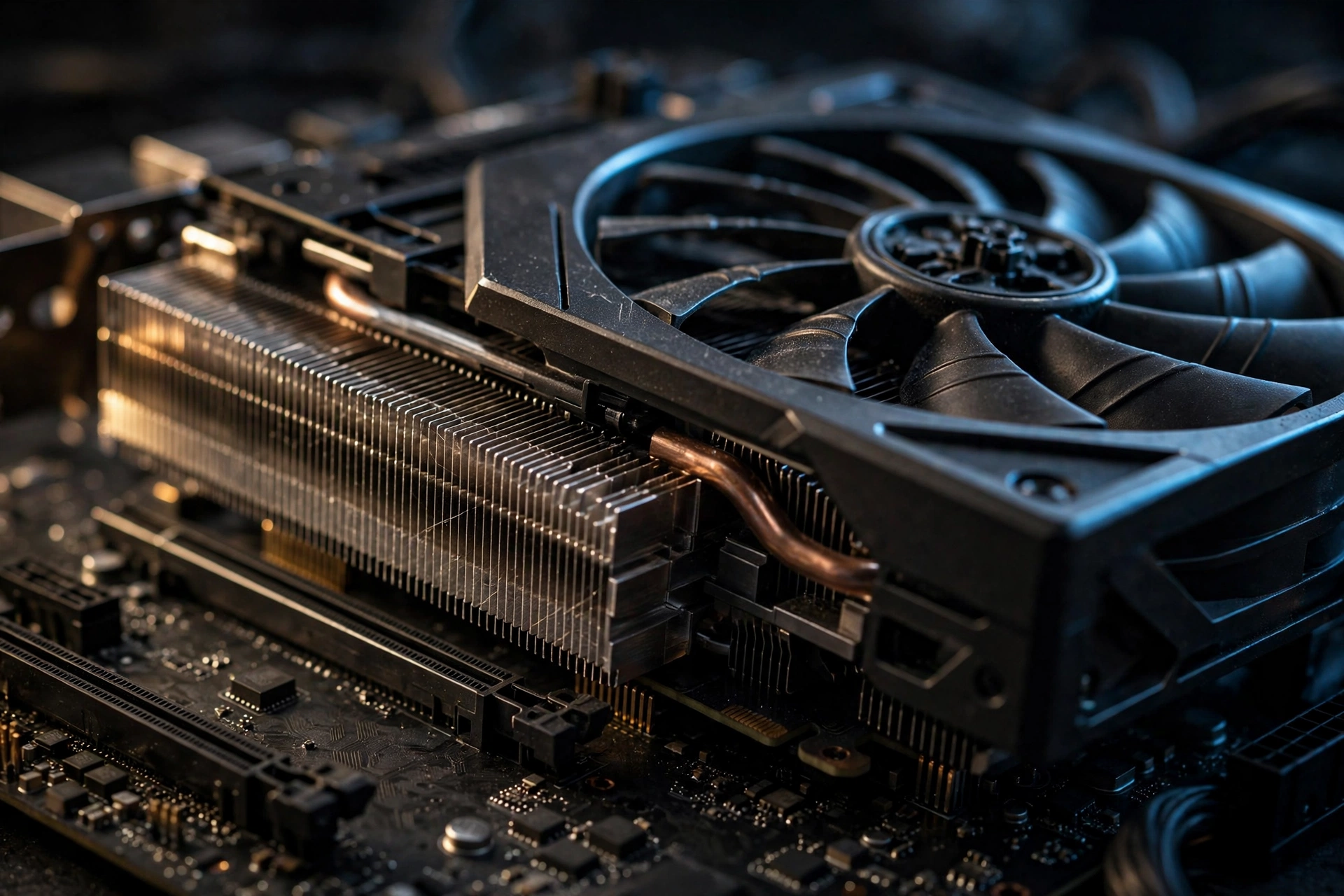
The minimum tier looks generous on paper: a Ryzen 5 2600X and an RTX 2060 to hit 1080p 60 on Medium. But understand what “clears” really means here. The official target is met with upscaling switched on, and it is met in the sense that the game runs, not that the GPU has headroom. A 6GB card at this tier is GPU-bound, meaning the graphics card hits 100 percent usage while the CPU is still waiting for work. That is not a failure; it is exactly what a balanced minimum spec looks like. The card is doing everything it can, and everything it can is barely enough.
Three things conspire to keep 6GB cards pinned at the limit. First, Lumen never turns off, so the ray tracing load is a fixed tax on every frame, even at Medium. Second, the RTX 2060 and RX 6600 have first-generation or modest ray tracing hardware, so that fixed tax eats a larger share of their budget than it does on newer cards. Third, 6GB of VRAM leaves little room for texture streaming overhead in a UE5 game built around high-detail environments. Drop the upscaler from Quality to Performance and you gain frames, but you are still GPU-limited; the card is simply the slowest part of the chain.
Practical takeaway: if your rig sits at this tier, the CPU is almost never your problem. A Ryzen 5 2600X or i5-10400 feeds these cards comfortably at 1080p. Spending money on a CPU upgrade while keeping a 6GB card changes nothing about E-Day. The single part that moves the needle is the GPU. If your games keep stuttering no matter what you change, our FPS troubleshooting guide helps you confirm whether the GPU is really the limiter before you buy anything.
The RTX 2060 Question Does Your Old Card Still Clear It
This is the most asked real-world version of the E-Day requirements question, so let us answer it head-on. If you own an RTX 2060 or an RX 6600, you are in. Those cards are named in the official minimum spec, they have hardware ray tracing, and they carry the required 6GB of VRAM. Expect Medium settings, upscaling switched on, and roughly the 1080p 60 target in typical campaign scenes. Heavy combat with lots of enemies and effects may dip, and that is normal for a minimum-spec card in a UE5 title.
If you own a GTX 1060, GTX 1070, GTX 1080, GTX 1660, or any RX 5000-series card, you are out, no matter how well the card runs other games. This is not about raw speed. A GTX 1080 is faster than an RTX 2060 in some older titles, but it lacks the ray tracing hardware E-Day refuses to run without. There is no settings trick, no config file edit, and no driver update that changes this. The game was compiled around hardware RT; the floor is the floor.
Between those two groups sits the upgrade question. Players with GTX-era cards sometimes ask whether the RTX 5050 is worth it as the cheapest named upgrade. The official spec lists it as a minimum-tier GPU, and being a current-generation card it supports the modern upscaling features the game leans on. Whether it is the best value depends on street pricing when you read this, which moves too fast to quote reliably, so compare it against a used RTX 3060 Ti or RX 6700 XT before deciding. Our RX 7000 and RTX 30-series pairing notes in the 4K GPU guide cover how these cards behave across resolutions, which helps at the 1440p tier too.
Recommended Tier Pairings Clearing 1440p Without Overpaying
The recommended tier is the sweet spot for most players: 1440p, 60-plus FPS, High preset, upscaling on. The official CPU asks are modest, a Ryzen 5 5600 or an i5-11600K, and that is no accident. At 1440p with upscaling, the GPU does the heavy lifting, and these six-core chips feed the listed GPUs without becoming the limiter. Here are pairings that clear the tier, with notes on what each one buys you.
| CPU | GPU | VRAM | What to expect |
|---|---|---|---|
| Ryzen 5 5600 | RTX 3060 Ti | 8GB | The baseline pairing. Clears the official target with DLSS Quality. Minimal headroom for Ultra textures. |
| Ryzen 5 5600 | RTX 5060 | 8GB | Newer architecture, better ray tracing throughput, and DLSS 4.5 support including multi frame generation. |
| i5-11600K | RX 6700 XT | 12GB | Strong raster card with extra VRAM headroom. FSR 4 is your upscaler here. |
| Ryzen 5 7600 | RX 9060 XT | 16GB | Comfortable headroom tier. Handles High with Quality upscaling and room to push some settings higher. |
Notice that every CPU in this table is a six-core part. That is the tell: The Coalition does not think you need more cores at 1440p because the game is GPU-bound at this resolution for these pairings. An 8-core CPU does not hurt, but it does not buy you the tier either. The money goes to the GPU and its VRAM.
One more note on upscaling at this tier, since it confuses people. DLSS Quality at 1440p output renders internally near 960p, which is light work for a modern CPU, and that is part of why a Ryzen 5 5600 keeps up. Multi frame generation, the headline feature of DLSS 4.5, can push displayed frame rates much higher, but it does not reduce input lag the way real frames do, and it needs a solid base frame rate first. Use it as a smoother, not as a fix for a struggling GPU. Frame generation is one of the defining hardware trends of 2026, alongside the mandatory ray tracing floor, and E-Day sits right at the intersection of both.
For context on how a CPU-heavy game behaves differently, Starfield is the useful comparison: our Starfield CPU bottleneck guide shows what happens when the processor, not the graphics card, is the limiter, which is almost the mirror image of E-Day at 1440p.
Is the 4K Ultra Tier CPU-Bound Without an X3D Chip
This is the question the backlog brief asked directly, and the honest answer has two parts. At 4K with upscaling, the GPU is still the primary limiter: an RTX 5070 Ti or RX 7900 XT is doing the vast majority of the work, and no CPU on earth makes a weak GPU render 4K output faster. But The Coalition did not pair those GPUs with just any CPU. They named the Ryzen 7 7800X3D and the i7-14700K, and that choice says something. In a UE5 game with always-on Lumen, dense combat scenes generate heavy draw-call and streaming load, and that load lands on the CPU. A weaker processor may still average 60 FPS while its worst one-percent lows stutter through firefights, which feels worse than a lower but steady frame rate.
So is the Ultra tier CPU-bound on anything short of an X3D chip? Not exactly, but close enough to matter. Think of it as GPU-limited on average and CPU-sensitive at the worst moments. A fast modern 8-core with strong single-thread performance, which is what the 7800X3D’s stacked cache and the 14700K’s hybrid cores both deliver, keeps those lows from collapsing. A midrange 6-core that was fine at 1440p becomes a plausible limiter here, not because it cannot average 60, but because it cannot hold the line in the heaviest scenes. I cannot verify this with independent benchmarks because comprehensive day-one CPU scaling tests for E-Day were not available at the time of writing, so treat this as informed analysis from the official spec choices, not as measured fact. Run the built-in benchmark on your own rig and watch the one-percent lows, not just the average.
| CPU | GPU | VRAM | What to expect |
|---|---|---|---|
| Ryzen 7 7800X3D | RTX 5070 Ti | 16GB | The official Ultra pairing. Best frame-time consistency thanks to stacked cache. |
| i7-14700K | RTX 5070 Ti | 16GB | The official Intel alternative. Strong all-round, slightly less efficient in gaming. |
| Ryzen 7 7800X3D | RX 7900 XT | 20GB | Official AMD GPU pick with generous VRAM. FSR 4 handles the upscaling. |
| Ryzen 7 9800X3D | RTX 5070 Ti | 16GB | A step above the official spec. Sensible if you are building fresh for 4K. |
A quick related note: NVIDIA’s new RTX Spark cards recently ran E-Day at the Ultra preset holding 60 FPS in a live demo, which made them an instant talking point for 4K players. Our RTX Spark pre-order price and gaming guide breaks down the launch lineup, pricing, and which cards fit each performance tier if you are considering one. That guide covers the launch details; everything in this article is about how the game’s own tiers map to your hardware.
One more data point from independent testing: TechPowerUp’s menu walkthrough found that the optional RTX Mega Geometry toggle requires a GeForce RTX card with at least 12GB of VRAM, as reported here. If you own a 12GB-plus NVIDIA card and like toggling every advanced option, that is a small bonus, but it is not part of the official tier requirements.
Upscaling Is Part of the Requirement Not a Bonus
It is worth saying plainly one more time because it changes every purchasing decision: the official targets assume upscaling is on. Minimum means 1080p output with DLSS, FSR, TSR, or XeSS reconstructing the image. Nobody at The Coalition is promising these frame rates at native resolution, and turning the upscaler off while keeping the same preset will cost you a large chunk of performance on any tier.
This is actually good news for bottleneck planning. Upscaling moves work off the GPU’s shading cores, which means the GPU requirement you are shopping for is lower than a “native 4K” requirement would be. It also means CPU choice matters a bit more than it would otherwise, because a faster GPU finishing frames sooner exposes the CPU’s per-frame cost. That is the mechanism behind the 4K Ultra CPU discussion above, and behind DLSS sometimes appearing to “increase” CPU bottlenecks: it does not create the bottleneck, it reveals the one that was hiding behind a slower GPU.
Set your upscaler before you judge any other setting. On NVIDIA cards use DLSS, on AMD use FSR 4, on Intel use XeSS 3.0, and TSR works as the engine-native fallback. Start at the Quality preset and only drop to Balanced or Performance if the benchmark says you must. The one-percent lows matter more than the average here, so run the built-in benchmark, change one thing, and run it again.
Three Bottleneck Traps That Catch Players
Trap one: 12GB of RAM with a busy background. The minimum tier asks for 12GB of system memory, and that is genuinely enough if the game has the machine mostly to itself. But a browser with forty tabs, Discord, a stream, and a recording tool can eat the margin fast. When system RAM runs out, Windows pages to the SSD, and even a fast SSD is orders of magnitude slower than RAM, which shows up as hitching, not as a clean low frame rate. If you are on 12GB, close background apps before launching. If you are buying RAM today, 16GB is the sane target, and yes, RAM prices are painful right now, which is exactly why the official spec stopping at 16GB instead of demanding 32GB is such a relief.
Trap two: installing on a hard drive. The spec says 115GB on an SSD, and it means it. UE5 streams assets continuously, and a spinning hard drive cannot feed Lumen-lit scenes fast enough, which produces texture pop-in and stutter that looks like a GPU problem but is not. If E-Day stutters on a rig that should handle it, check the install drive before you blame the graphics card. This is the cheapest fix in the entire guide: any modern SATA or NVMe SSD clears the requirement.
Three Bottleneck Traps That Catch Players: skipping the shader pre-compile. UE5 games compile shaders on first launch, and skipping or interrupting that step is a classic source of stutter that players misdiagnose as a hardware bottleneck. Let the first-time setup finish. Then run the built-in benchmark before you touch any setting. The benchmark exists precisely so you can see your real numbers instead of guessing, and guessing is how people buy the wrong upgrade.
For the general diagnostic process, the same FPS troubleshooting guide linked earlier walks through isolating whether your limiter is the GPU, CPU, RAM, or storage, which saves you from fixing the wrong part.
What to Upgrade First A Simple Order
If your rig does not clear the tier you want, upgrade in this order. Each step is the cheapest change that actually removes a real blocker.
- The GPU, if yours lacks ray tracing hardware. Nothing else matters until this is fixed. A GTX 1060 with a brand-new CPU still cannot launch the game. This is the only mandatory upgrade in the list.
- VRAM tier, if you are GPU shopping. Match the VRAM to your target: 6GB for 1080p, 8GB for 1440p, 12GB for 4K. Buying a fast card with too little VRAM for your resolution is the most common waste of money in 2026.
- The CPU, if you are below a modern 6-core. At 1080p and 1440p, a Ryzen 5 5600-class chip is enough. Only the 4K Ultra tier justifies an 8-core X3D-class part, and only for frame-time consistency in heavy scenes.
- System RAM to 16GB. Cheap, easy, and it removes background-task hitching at every tier.
- SSD space. 115GB free on any SSD. Non-negotiable and usually free to fix by moving other games.
Notice what is not on the list: a new motherboard platform for its own sake, exotic cooling, or a power supply upgrade unless your new GPU actually needs more wattage. E-Day’s official tiers are disciplined, and your upgrade plan should be too. Spend where the bottleneck is, which for most players is the graphics card, and verify with the built-in benchmark before and after.
It is instructive to compare with a game at the opposite extreme. Microsoft Flight Simulator is famously CPU-limited in ways E-Day is not, as our Flight Simulator CPU bottleneck guide shows. If your rig runs E-Day fine but struggles there, that contrast tells you your GPU is healthy and your CPU is the ceiling, which is exactly the kind of cross-game diagnosis that saves money.
Frequently Asked Questions
Can you turn off ray tracing in the full release, or is low the lowest it goes?
Low is effectively the floor. Testing by TechPowerUp found no way to disable ray tracing entirely: reflections, global illumination, ray traced shadows, and ray tracing geometry each have their own setting, and none offers an off switch. The only related toggle is reflections, which can fall back to screen space reflections at its lowest. Lumen is always on in either software or hardware form. This question comes from the Steam Community discussions for the game, where players asked it repeatedly after the beta, and the answer has not changed for release.
Can my PC run Gears of War: E-Day smoothly?
If your GPU has hardware ray tracing, at least 6GB of VRAM, and you have 12GB of RAM with 115GB free on an SSD, you clear the minimum and the game will run. “Smoothly” depends on the tier you target: match your hardware to the official table above and use the built-in benchmark to confirm. If your card predates ray tracing hardware, the answer is no, regardless of its age or original price. This is one of the most repeated questions in community FAQs since launch, and the ray tracing floor is always the deciding factor.
What causes low FPS in Gears of War: E-Day?
The usual suspects in order: an underpowered or VRAM-starved GPU carrying the always-on Lumen load, upscaling set too high (or off entirely), ultra textures exceeding your VRAM, skipped shader pre-compilation causing stutter, the game installed on a hard drive instead of an SSD, and background apps eating the 12GB RAM margin on minimum-spec machines. Work through them in that order before spending money. This question appears across community FAQ roundups, and every one of these causes has been reported by players since launch week.
Does Gears of War: E-Day support ray tracing on PC?
It does more than support it; it requires it. The game uses hardware-accelerated ray tracing for reflections, shadows, and global illumination through Unreal Engine 5’s Lumen, and a ray tracing-capable GPU is mandatory at every official tier. There is no configuration that runs the game without RT hardware. If you are shopping for a card specifically for this game, ray tracing support is the first checkbox, before VRAM and before raw speed.
What are the minimum system requirements for Gears of War: E-Day?
The official minimum targets 1080p at 60 FPS on the Medium preset with upscaling enabled: a Ryzen 5 2600X, i7-6850K, or i5-10400 CPU; an RTX 2060, RTX 5050, RX 6600, or RX 9060 GPU with 6GB of VRAM; 12GB of system RAM; Windows 10 64-bit fully updated; DirectX 12; and 115GB of free SSD space. A hardware ray tracing GPU is required, and the Steam version needs a Microsoft account. These are The Coalition’s published figures via Xbox Wire, and they assume an upscaler is active.
Can I play Gears of War: E-Day on Steam Deck?
This one is genuinely uncertain. The Coalition has said the game is optimized for handheld play on Steam Deck and the Xbox Ally handhelds, which suggests it runs. But independent testing reported after launch found the Deck struggling, which is unsurprising given the mandatory ray tracing load on handheld-class hardware. If you plan to play on Deck, expect lower settings than desktop, keep the upscaler on, and check recent community reports rather than launch-week claims. Treat handheld performance as evolving with patches.
Key Takeaways
- A hardware ray tracing GPU is mandatory at every tier. GTX 10-series, GTX 16-series, and RX 5000-series cards cannot run E-Day at all.
- Every official target assumes upscaling is on. Judge pairings against upscaled output, not native rendering.
- 6GB cards clear the 1080p minimum but are GPU-bound doing it. At this tier the CPU is never the upgrade; the GPU is.
- The 1440p recommended tier is a GPU and VRAM purchase. A Ryzen 5 5600-class CPU feeds every listed GPU without becoming the limiter.
- The 4K Ultra tier is GPU-limited on average but CPU-sensitive in heavy scenes, which is why the official spec names the 7800X3D and i7-14700K.
- Upgrade in order: ray tracing-capable GPU first, then the right VRAM tier, then CPU if you are targeting 4K, then 16GB of RAM, then SSD space.
- Run the built-in benchmark before spending money. Watch one-percent lows, not just averages.
Final Word
E-Day’s requirements look strict at first glance because of the ray tracing wall, but they are actually some of the most honest specs in recent memory. Three clear tiers, upscaling stated up front, VRAM spelled out per tier, and a benchmark tool in the box. The bottleneck map is simple: the GPU decides whether you play at all and which tier you clear, the CPU only enters the picture at 4K Ultra where frame-time consistency matters, and RAM plus storage are cheap fixes that people overlook.
If you are still unsure which part is holding your rig back, run our bottleneck calculator with your exact CPU and GPU before you buy anything. And if your question was not answered here, drop it in the comments: real player questions are what shape the next guide.

Leave a Reply