
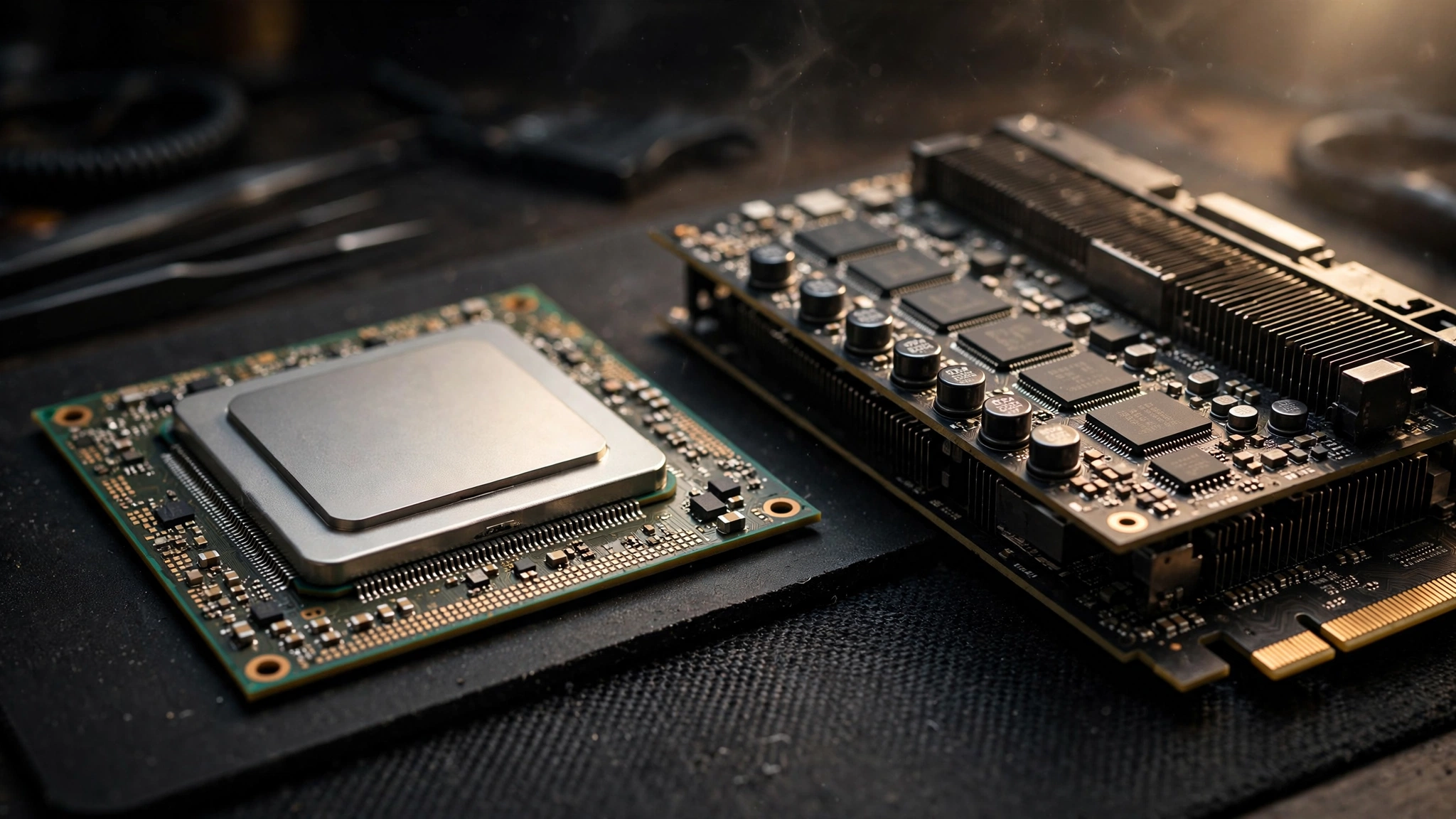
The Ryzen 5 5600 is one of the most popular budget gaming CPUs ever sold. Millions of AM4 systems are still running it in 2026. And the RTX 5060, NVIDIA’s Blackwell-based mainstream card, is the most tempting drop-in GPU upgrade those systems have seen in years.
So the question comes up constantly: does the Ryzen 5 5600 bottleneck the RTX 5060, or is it a match made in heaven?
Here is the short, honest answer: it depends on your resolution. At 1440p, this pairing is genuinely well balanced for most games. At 1080p, you will likely see a mild CPU bottleneck in demanding or CPU-heavy titles. At 4K, the CPU barely matters at all because the GPU is doing almost all the work.
This is not a lab review with a test bench, and you should be suspicious of any article that hands you exact bottleneck percentages for your specific system. Instead, this guide breaks down the pairing resolution by resolution using the official specs of both parts, explains the logic of how bottlenecks actually work, and shows you how to check your own system in about five minutes. That way you get an honest estimate instead of a made-up number.
A quick refresher before we dig in: a bottleneck simply means one component is holding back the performance of another. A CPU bottleneck means your processor cannot feed frames to the graphics card fast enough, so the GPU sits partially idle. If you want the full explanation of what the percentages actually mean, read our guide on what a good bottleneck percentage looks like.
Ryzen 5 5600 Specs at a Glance
The Ryzen 5 5600 launched in 2022 as the value king of AMD’s Zen 3 lineup, and it has aged remarkably well. Here are the specs that matter for this pairing, taken from AMD’s official specifications:
| Specification | Ryzen 5 5600 |
|---|---|
| Cores / Threads | 6 cores / 12 threads |
| Architecture | Zen 3 (7nm) |
| Base clock | 3.5 GHz |
| Max boost clock | Up to 4.4 GHz |
| L3 cache | 32 MB |
| Socket | AM4 |
| PCIe version | PCIe 4.0 |
| Memory support | DDR4, up to 3200 MT/s officially |
| TDP | 65W |
| Overclocking | Unlocked |
| Included cooler | AMD Wraith Stealth |
| Integrated graphics | None (discrete GPU required) |
Six Zen 3 cores with strong single-thread performance is still a very respectable gaming foundation. The 32 MB of L3 cache helps in particular, because games love fast access to cached data. The 65W TDP means it runs cool and pairs happily with modest power supplies. And the AM4 socket is the whole reason this question matters: so many gamers already own this chip and just want to know whether they can bolt a new RTX 5060 onto their existing board without also buying a new CPU, motherboard, and RAM.
RTX 5060 Specs at a Glance
The RTX 5060 is NVIDIA’s entry-level Blackwell card, positioned squarely at 1080p gamers. These figures come from NVIDIA’s official RTX 5060 family page:
| Specification | GeForce RTX 5060 |
|---|---|
| Architecture | NVIDIA Blackwell |
| CUDA cores | 3,840 |
| Boost clock | 2.50 GHz |
| Memory | 8 GB GDDR7 |
| Memory interface | 128-bit |
| Memory bandwidth | 448 GB/s |
| Upscaling | DLSS 4 with Multi Frame Generation |
| PCIe interface | PCIe Gen 5, x8 lanes |
| Total graphics power | ~145W (board partner spec) |
| Recommended PSU | 550W |
| Power connector | 1x 8-pin |
A few things stand out. The jump to GDDR7 gives this card a huge bandwidth uplift over the RTX 4060 it replaces, even though the 8 GB capacity is unchanged. DLSS 4 with Multi Frame Generation is the headline feature: it can multiply frame rates dramatically in supported games, and as we will see, frame generation actually changes the bottleneck math. The x8 PCIe interface is the detail that matters most for Ryzen 5 5600 owners, and we will cover it in its own section below.
NVIDIA launched the card at a $299 MSRP, which is exactly why it is the default GPU upgrade candidate for budget AM4 builds. You can read more about the launch positioning in coverage of the RTX 5060 announcement.
What the RTX 5060 Actually Demands From a CPU
Before the resolution breakdown, it helps to understand what kind of load this card puts on a processor. A graphics card does not use the CPU the same way in every situation, and the 5060 has a couple of quirks worth knowing.
First, the RTX 5060 is a 1080p-first card. At lower resolutions, each frame is relatively cheap for the GPU to render, so the GPU finishes frames quickly and asks the CPU for the next one sooner. That is precisely when the CPU becomes the limiting factor. This is why CPU bottlenecks almost always show up at 1080p first and fade as you raise the resolution.
Second, DLSS 4 Multi Frame Generation complicates the picture in a good way. Frame generation creates extra frames on the GPU without asking the CPU to do more work. So in games that support it, you can get much higher displayed frame rates while the CPU keeps working at its normal pace. In practice, this means frame generation can mask a CPU bottleneck, because the GPU is manufacturing frames the CPU never had to prepare. The trade-off is added input latency, which competitive players should know about.
Third, the 8 GB of VRAM is fine at 1080p but becomes something to manage at 1440p. When a game needs more video memory than the card has, performance falls off a cliff in a way that looks like stuttering, and that is a VRAM limit rather than a CPU bottleneck. Keep texture settings sensible at 1440p and this stays a non-issue.
Ryzen 5 5600 vs RTX 5060 Resolution by Resolution
Resolution is the single biggest variable in this pairing. Here is how the balance shifts.
1080p Expect a Mild CPU Bottleneck in Demanding Games
At 1080p, the RTX 5060 chews through frames fast enough that a Ryzen 5 5600 will, in many titles, become the limiting factor. Expect a mild bottleneck here rather than a severe one: the kind where your GPU utilization sits in the 80s or low 90s instead of pinned at 99 percent, and where a faster CPU would buy you extra frames.
The effect is most noticeable in two situations. CPU-heavy games with complex simulation, lots of NPCs, or heavy draw-call loads will lean on those six Zen 3 cores hardest. And high-refresh-rate gaming makes it worse, because pushing 165 or 240 frames per second demands far more from the CPU than pushing 60. If you play competitive shooters on a 240 Hz monitor, the 5600 will leave some of the 5060’s potential on the table.
That said, “mild” is doing real work in that sentence. We are talking about the difference between a great experience and a slightly greater one, not about stuttering or unplayable games. If your monitor is 1080p 60 Hz or 144 Hz, you will likely never notice the CPU holding anything back, because the card will already be delivering more frames than your display can show. For a deeper look at how resolution choice interacts with bottlenecks, see our breakdown of 1080p vs 1440p monitor bottleneck impact.
1440p The Sweet Spot for This Pairing
Move up to 1440p and the picture changes substantially. Each frame now costs the GPU roughly 78 percent more pixels to render, so the RTX 5060 works much harder per frame and the Ryzen 5 5600 gets more breathing room between frames. For the great majority of games, this pairing is well balanced at 1440p: the GPU will typically be the limiting factor, which is exactly what you want.
This is the resolution where the 5600 + 5060 combo makes the most sense as a deliberate choice. The CPU is fast enough to keep the card fed, the card is strong enough to make 1440p genuinely enjoyable, and neither part is wildly overqualified for the other. The one caveat is the 8 GB VRAM buffer: at 1440p with ultra textures in the heaviest games, watch your VRAM usage and be willing to drop texture quality one notch. That is a memory capacity issue, not a CPU problem.
4K Almost Entirely GPU-Bound
At 4K, the CPU question becomes nearly irrelevant for this pairing. Rendering four times the pixels of 1080p puts such a heavy load on the RTX 5060 that it will be the bottleneck in essentially every game, regardless of which mainstream CPU sits next to it. A Ryzen 5 5600, a Ryzen 7 7800X3D, or anything in between will produce very similar results at 4K with this card.
Realistically, 4K is not the RTX 5060’s home turf anyway. It is an 8 GB card designed for 1080p, and while DLSS can make 4K output workable in lighter titles, anyone gaming primarily at 4K should be shopping for a stronger GPU rather than worrying about this CPU. The 5600 is not the problem at 4K; the 5060’s modest pixel-pushing power is.
Quick Verdict Table
| Resolution | Likely limiting factor | How the pairing feels |
|---|---|---|
| 1080p | Mild CPU bottleneck in demanding games | Great, but a faster CPU could add frames |
| 1440p | GPU-bound, well balanced | The sweet spot for this combo |
| 4K | Heavily GPU-bound | CPU barely matters; card is the limit |
Why Your Results Will Vary by Game
Two gamers with the exact same Ryzen 5 5600 and RTX 5060 can have completely different bottleneck experiences, and the reason is always the game itself. Some games hammer the CPU; others barely touch it.
CPU-heavy titles tend to be games with complex simulations running every frame. Think large-scale strategy games, flight and racing simulators with detailed physics, open-world games with dense crowds and traffic systems, and competitive shooters running at very high frame rates. In these games, the 5600 works hardest and you are most likely to see the CPU become the limit at 1080p.
GPU-heavy titles are the cinematic, visually dense games: story-driven action games with ray tracing, detailed open worlds with heavy post-processing, and anything where you have cranked every visual setting to maximum. In these games, the RTX 5060 will be sweating long before the 5600 breaks a sweat, even at 1080p.
This is also why you should treat any single bottleneck percentage with skepticism. A calculator can estimate the balance of a pairing in general terms, but your actual experience is always filtered through the specific games you play, the settings you choose, and the frame rates you target. If you want a starting estimate for your exact combo, run it through a CPU bottleneck calculator and then sanity-check it against the games in your own library.
The PCIe x8 Factor on Older AM4 Boards
Here is the technical wrinkle that most bottleneck articles skip. The RTX 5060 uses only eight PCIe lanes (a PCIe 5.0 x8 interface), which is fine on a modern board but deserves a second look on the older AM4 platforms where the Ryzen 5 5600 typically lives.
The good news first: the Ryzen 5 5600 itself supports PCIe 4.0. If your board is a B550 or X570, the card will run at PCIe 4.0 x8, which offers the same bandwidth as PCIe 3.0 x16. That is plenty for an RTX 5060, and you will not see any meaningful performance loss.
The nuance applies to older boards. Many Ryzen 5 5600 owners are running B450, X470, or even B350 boards, where the top x16 slot often runs at PCIe 3.0. On those boards, the 5060 drops to PCIe 3.0 x8, which halves the available bandwidth compared to a full x16 slot. In most games the real-world cost is small, typically a few percent, because a 5060-class card rarely saturates even that reduced link. But it is a real, measurable factor in some bandwidth-sensitive scenarios, and it is worth knowing about before you blame the CPU for a shortfall that is actually coming from the slot.
Practical takeaway: on B550 or X570, ignore this entirely. On B450 or X470, make sure the card is in the top x16 slot wired to the CPU, keep your BIOS updated, and enable Resizable BAR if your board supports it. The difference will be minor, but free performance is free performance.
How to Check for a Bottleneck on Your Own PC

Estimates are useful, but your own system will always tell you the truth. Here is the five-minute method enthusiasts actually use, and it requires nothing but a free download.
Step 1: Install MSI Afterburner with RivaTuner Statistics Server. Both are free. During setup, enable the on-screen display and add GPU usage, CPU usage (per-core, not just overall), framerate, and frametime to the overlay.
Step 2: Play your actual games for 10 to 15 minutes. Not a benchmark, your games, at your settings. Bottlenecks are workload-specific, so synthetic tests can mislead you.
Step 3: Read the GPU usage number. This is the whole test. If your GPU usage sits at 95 to 99 percent most of the time, your GPU is the limiting factor and your CPU is keeping up fine. If GPU usage hangs around 70 to 85 percent while the game still feels like it could run faster, something upstream, usually the CPU, is holding the card back.
Step 4: Check per-core CPU usage, not the overall number. This is the mistake almost everyone makes. A game that fully loads two cores and ignores the other four will show roughly 30 percent overall CPU usage on a 12-thread chip, which looks like plenty of headroom. But those two maxed-out cores are your bottleneck. If any individual core is pinned near 100 percent while the GPU waits, you have found a CPU limit.
Step 5: Watch frametimes, not just framerates. A CPU bottleneck often shows up as inconsistent frame delivery, micro-stutters, or a frametime graph that looks like a mountain range, even when the average FPS number looks fine. Smooth frametimes matter more than a big FPS number.
If you would rather start with an estimate before installing anything, our free bottleneck calculator gives you a quick read on any CPU and GPU combination, including this one. Use the estimate to set expectations, then verify with the overlay method above.
Settings Tweaks That Shift the Load Onto the GPU
If monitoring shows your Ryzen 5 5600 holding back the RTX 5060, you do not necessarily need new hardware. Several settings changes move work from the CPU to the GPU, rebalancing the pairing for free.
Raise the render resolution. This sounds backwards, but increasing resolution, or using DLSS/DLAA at a higher internal resolution, makes each frame more expensive for the GPU while barely changing the CPU’s workload. The GPU becomes the limit again, and your CPU bottleneck shrinks. Gamers stuck at 1080p can use NVIDIA’s DSR (Dynamic Super Resolution) to render at 1440p internally and downscale, which looks better and loads the GPU more.
Turn up GPU-heavy eye candy. Ray tracing, higher texture quality, and heavier post-processing all load the GPU without asking much more of the CPU. If you have untapped GPU headroom, spend it on visuals.
Turn down CPU-heavy settings. Draw distance, object and crowd density, shadow quality (in some engines), and physics effects tend to tax the CPU. Reducing these specifically relieves the processor while leaving the pretty pixels mostly intact.
Cap your frame rate. If you are chasing 240 FPS in a competitive game and the CPU cannot keep up, capping at a frame rate your CPU can sustain gives you far more consistent frametimes. A locked, smooth 144 FPS beats a stuttering 200 FPS every time.
Use DLSS wisely. DLSS Super Resolution in Quality mode at 1440p is a great fit for this pairing: it keeps the GPU well fed with a demanding render load while frame generation, where supported, multiplies your displayed frame rate without extra CPU work. Just remember that frame generation adds latency, so competitive players may prefer it off.
When an Upgrade Actually Makes Sense
For most 1440p gamers, the honest advice is: do not upgrade the CPU yet. The Ryzen 5 5600 and RTX 5060 are well matched there, and money spent on a new platform would buy you very little visible improvement.
There are three situations where an upgrade is worth considering. First, if you are a competitive 1080p player chasing very high refresh rates and monitoring shows the CPU as your limit, the drop-in AM4 upgrade is the Ryzen 7 5700X3D (or the 5600X3D where available). The stacked 3D V-Cache is transformative for gaming frame rates, it drops into your existing board with a BIOS update, and it costs far less than a full platform change. Second, if you are building fresh or your board is dying anyway, moving to AM5 with something like a Ryzen 5 7600 gets you DDR5 and a real upgrade path. Third, if you plan to buy a much stronger GPU later, say an RTX 5070-class card or above, then yes, start planning the CPU side too, because the 5600 will become a more meaningful limit as GPU power climbs. Our guide to the best CPUs for the RTX 5060 covers the alternatives in more detail.
What does not make sense is sidegrading to a marginally faster non-X3D AM4 chip. The 5600 to 5700X jump, for example, buys you very little in games for the money. Either make the meaningful jump to X3D cache or save for a platform upgrade.
Verdict Should You Pair a Ryzen 5 5600 With an RTX 5060?
Yes, for most gamers this is a smart, sensible pairing. At 1440p it is genuinely well balanced. At 1080p you may see a mild CPU bottleneck in demanding titles, but nothing that ruins the experience, and the tweaks above can claw most of it back. At 4K the CPU is irrelevant because the GPU is doing all the heavy lifting.
The real story here is the upgrade path. If you already own a Ryzen 5 5600 system, the RTX 5060 is one of the best value upgrades available: a modern Blackwell card with DLSS 4 that drops straight into your existing AM4 board and 550W-class power supply. No new CPU, no new motherboard, no new RAM required. Check your board’s PCIe generation, keep expectations honest at 1080p high-refresh, and you will get a big leap in gaming performance for the price of a single component.
Frequently Asked Questions
Will the Ryzen 5 5600 bottleneck the RTX 5060 at 1080p?
Likely a mild bottleneck in CPU-heavy or demanding games, yes. At 1080p the RTX 5060 renders frames quickly enough that the six Zen 3 cores can become the limiting factor, especially at high refresh rates. In lighter or GPU-heavy titles you may see no bottleneck at all. Monitor your GPU usage to know for sure on your system.
Is the Ryzen 5 5600 and RTX 5060 combo good for 1440p gaming?
Yes, 1440p is the sweet spot for this pairing. The higher pixel count keeps the RTX 5060 fully loaded, so the Ryzen 5 5600 can comfortably keep up in the vast majority of games. Just keep an eye on the card’s 8 GB of VRAM with ultra texture settings in the heaviest titles.
Can the Ryzen 5 5600 handle an RTX 5060 at 4K?
Easily, because at 4K the CPU is not the limiting factor with this card. The RTX 5060 will be fully saturated rendering that many pixels, so CPU choice barely affects performance. That said, 4K is not really this card’s intended resolution given its 8 GB frame buffer.
Does the Ryzen 5 5600 support PCIe 4.0 for the RTX 5060?
The CPU itself supports PCIe 4.0, so on a B550 or X570 motherboard the RTX 5060 runs at PCIe 4.0 x8 with no bandwidth concern. On older B450 or X470 boards the slot may run at PCIe 3.0, dropping the x8 card to PCIe 3.0 x8 speeds, which can cost a small amount of performance in some games.
Is 8 GB of VRAM enough with this pairing?
At 1080p, yes, with room to spare. At 1440p it is generally fine but worth managing: avoid maximum texture packs in the most VRAM-hungry games. Running out of VRAM causes stuttering that can feel like a bottleneck but is actually a memory capacity limit.
Should I upgrade to a Ryzen 7 5700X3D instead of keeping the 5600?
Only if monitoring shows your 5600 limiting the RTX 5060 in the games you actually play, typically competitive 1080p at very high refresh rates. The 5700X3D’s stacked cache is a big gaming upgrade and drops into the same AM4 board. For 1440p gaming, the 5600 is fine and the money is better saved.
What power supply do I need for a Ryzen 5 5600 plus RTX 5060?
NVIDIA recommends a 550W system power supply for the RTX 5060, and the 65W Ryzen 5 5600 sips power by modern standards. A quality 550W unit is enough for this pairing, with some headroom left over. If your PSU is very old or a no-name unit, that is a better upgrade candidate than the CPU.

Leave a Reply