

If you have ever read a list of gaming pc requirements and felt lost, you are not alone. Every game store page lists a CPU, a graphics card, a RAM number and a storage size, and none of it means much until someone explains it in plain English. This guide does exactly that. You will learn what minimum and recommended specs really mean, what hardware you need for 1080p, 1440p and 4K, how to check your own PC, and what popular games actually ask for.
the gaming pc requirements for smooth play in 2026 are a 6-core CPU, a graphics card with at least 8 GB of video memory, 16 GB of RAM, a 500 GB or larger SSD, and 64-bit Windows 10 or 11. That setup plays most new games at 1080p with good settings. For 1440p, aim for 12 GB of video memory and 32 GB of RAM. For 4K, aim for 16 GB of video memory and a strong 8-core CPU.
Minimum vs Recommended What Those Words Actually Mean
Every game lists two sets of pc requirements, and the gap between them is the first thing to understand. Minimum requirements are the floor. They describe the weakest hardware that can launch the game and run it at low settings, usually at 720p or 1080p and around 30 frames per second. A game that meets only the minimum will run, but it will not look good, and it may stutter in busy scenes.
Recommended requirements are the target. They describe the hardware the developer tested for a smooth experience, usually 1080p at 60 frames per second on medium or high settings. If your PC meets the recommended specs, you can expect the game to play well without constant tweaking.
Here is the mistake most new players make: they buy a game because their PC clears the minimum, then they are unhappy with how it looks and feels. Minimum means “it starts.” Recommended means “it plays well.” When you compare your PC to a game’s requirements, always compare against the recommended row first. If you only clear the minimum, plan to lower settings, turn off extra effects, and accept a lower frame rate.
There is one more catch. Developers test recommended specs on a clean system with nothing else running. Your real PC also runs Windows, a browser, chat apps, and maybe a recording tool in the background. That is why a PC that sits exactly on the recommended line can still feel tight. A small margin above recommended is worth more than a big margin above minimum.
Gaming PC Specifications at a Glance
Gaming pc specifications change with resolution. The higher the resolution, the more pixels your graphics card has to draw every frame, and the more video memory it needs. Your monitor decides your target, so pick your tier by the screen you play on, not by the most expensive parts you can afford.
| Tier | Target | CPU | GPU (VRAM) | RAM | Storage |
|---|---|---|---|---|---|
| Entry | 1080p, 60 FPS, medium settings | 6-core, Ryzen 5 5600 or Core i5-12400F class | 8 GB, RTX 4060 or RX 6600 class | 16 GB dual-channel | 500 GB NVMe SSD |
| Mid | 1440p, 60 FPS, high settings | 8-core, Ryzen 7 7700 or Core i5-14600K class | 12 GB, RTX 5070 or RX 9070 class | 32 GB | 1 TB NVMe SSD |
| High-end | 4K, 60 FPS, high settings | 8-core, Ryzen 7 9800X3D or Core i7-14700K class | 16 GB, RTX 5080 class or better | 32 GB | 2 TB NVMe SSD |
These tiers are planning guides, not shopping lists with fixed prices. Hardware changes fast, and a card from last year can still be a great buy. The pattern is what matters: more resolution needs more video memory, more RAM headroom, and a faster drive. A balanced PC beats a lopsided one every time. A top graphics card paired with 8 GB of RAM will still stutter, and a fast CPU cannot save a graphics card with too little video memory.
One more note on tiers: upscaling tools such as DLSS and FSR now appear in many published requirements. A card that “meets” a game’s recommended spec may only hit the stated frame rate with upscaling switched on. That is fine, and it is one more reason to treat recommended specs as a starting point rather than a promise.
The CPU How Much Processor Do You Need
The CPU, or processor, runs the game logic. It handles physics, enemy AI, loading the world, and telling the graphics card what to draw. For most games, a modern 6-core CPU is the sweet spot. Four cores can still work for older and lighter games, but new open world games and large multiplayer matches push four cores hard, and that shows up as stuttering even when the graphics card is fine.
A common question is whether the CPU or the GPU matters more. For gaming, the GPU matters more in most cases, because it draws the picture. But the CPU sets the ceiling on frame rate, especially in competitive games at 1080p, in strategy games, and in simulations with lots of moving parts. If your frame rate stays low even on low graphics settings, the CPU is often the limit. If your frame rate drops only when you raise resolution or turn on heavy effects, the GPU is the limit.
For a new build, a 6-core Ryzen 5 or Core i5 from a recent generation is a solid minimum, and an 8-core Ryzen 7 or Core i7 gives you room for streaming, recording, and multitasking. Older flagship CPUs can still be fine, so do not judge a CPU by its i5 or i7 label alone. A new Core i5 is faster than an old Core i7, because the generation matters as much as the name.
If you want the full step by step process of picking parts that work together, our complete build guide walks through it: How to Build a Gaming PC: Complete Guide.
The GPU The Part That Matters Most
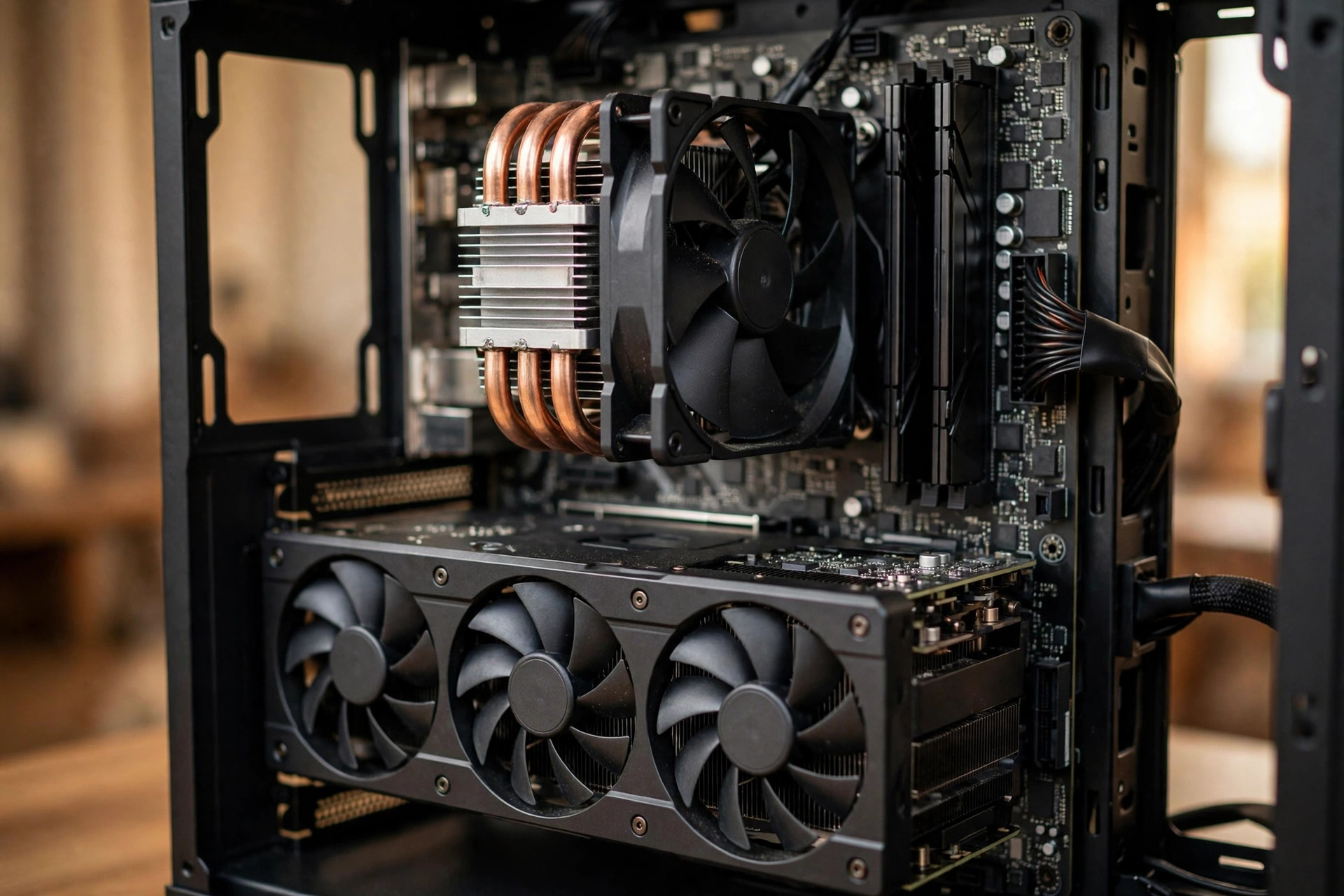
The graphics card, or GPU, is the single most important part for gaming performance. It draws every frame you see, and its video memory, called VRAM, holds the textures and models for the scene in front of you. When VRAM runs out, the game has to swap textures in and out constantly, and that causes the stuttering players often blame on a slow CPU.
In 2026, 8 GB of VRAM is the practical floor for 1080p. It is enough for most games at medium to high settings, but a few heavy open world games already want more at higher settings. For 1440p, 12 GB is the comfortable target. For 4K, 16 GB is the safe choice, and it also gives your PC a longer useful life.
Do not buy a graphics card by VRAM alone. The chip inside matters just as much. An older card with 12 GB of VRAM can still be slower than a newer card with 8 GB, because the newer chip does more work per second. Check the model name and the generation, not just the memory number. Also check the power supply your card needs, because a strong card in a PC with a weak power supply is a crash waiting to happen.
Ray tracing is worth a short note here. It makes lighting and reflections look more real, but it is heavy work for the GPU. Many games list separate, higher requirements for ray tracing, and some only reach their stated frame rate with upscaling turned on. If you care about ray tracing, budget for a card one tier above the normal recommended spec for your resolution.
How Much RAM for Gaming
RAM is your PC’s short term memory. The game loads textures, maps, and data into RAM so the CPU and GPU can reach them fast. In 2026, 16 GB of RAM is the minimum for a good gaming experience. Windows 11 alone uses several gigabytes at idle, and a game plus a browser and a chat app can easily push past 8 GB. A PC with only 8 GB of RAM will spend its time swapping data to the drive, and that feels like constant hitching.
For most players, 16 GB in two matching sticks, called dual-channel, is the right call. Two sticks are faster than one stick of the same total size, because the CPU can talk to both at once. For heavy open world games, simulation games, and multitasking while you play, 32 GB is worth it. It also gives you room for the next few years, since new games keep asking for more.
A few games now list 16 GB as their minimum, not their recommendation. Hogwarts Legacy and Star Citizen both do this, and you will see more of it. If you are buying RAM today, 16 GB is the floor and 32 GB is the comfortable pick. Our detailed guide explains the trade-offs in full: Best RAM for Gaming: How Much Do You Really Need.
Storage SSD Size and Why It Matters Now
Storage used to be the least exciting part of gaming pc specifications. That changed. Modern games stream huge open worlds from the drive as you move, and a slow hard drive cannot keep up. The result is long load times, textures that pop in late, and stuttering when you travel fast through a map.
An SSD is now effectively required. A 500 GB NVMe SSD is the minimum worth buying, and 1 TB is the comfortable size for most players, since a single big game can take 100 GB or more. Star Citizen asks for 150 GB or more of SSD space, and World of Warcraft asks for 128 GB on an SSD. A small drive fills up fast when each game is that big.
If your PC still has a hard drive as its only storage, adding an SSD is one of the cheapest upgrades with the biggest visible difference. Put Windows and your most played games on the SSD, and keep the old hard drive for files and games you rarely open. Check that your motherboard has an M.2 slot for an NVMe drive before you buy one, since older boards may only take SATA drives.

How to Check Your Own PC Specifications
Before you compare your PC to any game’s requirements, you need to know what you actually own. This is what “my pc specifications” means in practice: your CPU model, your graphics card model, how much RAM you have, how much free storage is left, and which version of Windows you run. Here is how to find all of it in about two minutes, with no extra software.
Step 1: Open Settings. Press the Windows key and I together, or open the Start menu and click Settings. Go to System, then About. This screen shows your processor model, your installed RAM, your Windows edition and version, and whether you run 64-bit Windows.
Step 2: Check your graphics card. Press the Windows key and R together, type dxdiag, and press Enter. Click the Display tab. It shows your graphics card name, its maker, and how much video memory it has. If you see two display tabs, your PC has both integrated graphics and a dedicated card. The dedicated card is the one that matters for gaming.
Step 3: Check your storage. In Settings, go to System, then Storage. It shows each drive, how much space is used, and how much is free. Compare the free space with the storage number in the game’s requirements, and remember that a game also needs a little extra room for updates and patches.
Step 4: Check your CPU and RAM in Task Manager. Press Ctrl, Shift and Esc together to open Task Manager, then click the Performance tab. It shows your CPU model and speed, your RAM amount and speed, your GPU model, and your drive type. This is the fastest way to confirm your full specs on one screen.
Write the four numbers down, or take a screenshot. Then compare them line by line with the game’s requirements page. A PC meets the requirements only when every line clears the bar, not just the graphics card. A strong GPU cannot cover for a CPU or RAM amount below the minimum.
Popular Games and Their PC Requirements
This is where the general rules meet real games. The table below lists the published minimum pc requirements for popular games, using the figures the developers and publishers list on their store pages. Minimum means the game will launch and run at low settings. For a smooth experience, aim for the recommended tier, which is usually one step above what you see here.
A few notes before the table. First, requirements change. A game can raise its minimum specs in a patch, as Minecraft did in July 2026 when Mojang raised the Java Edition baseline for the first time in years. Always check the store page before you buy. Second, older games can be surprisingly light. A game from 2013 does not need a 2026 PC, which is why the low end PC section below exists. Third, two big games are already covered in depth on this site and are not repeated here: the GTA 6 minimum requirements are covered in our GTA 6 PC requirements guide, and the Battlefield 6 system requirements are covered in our Battlefield 6 PC requirements guide. Forza Horizon 6 has no published requirements yet, because the game is not released, so no numbers for it appear in this guide and any numbers you see elsewhere are unconfirmed.
| Game | Minimum CPU | Minimum GPU | Minimum RAM | Storage |
|---|---|---|---|---|
| Fortnite | Intel Core i3-3225 | Intel HD 4000 / AMD Radeon Vega 8 | 8 GB | Not published by Epic |
| Valorant | Intel Core 2 Duo E8400 / AMD Athlon 200GE | Intel HD 4000 / AMD Radeon R5 200 | 4 GB | No official figure |
| Minecraft (Java) | 4-core CPU, Core i3-10100 class | Vulkan 1.3 GPU, 2 GB VRAM | 8 GB | 2 GB |
| Elden Ring | Intel Core i5-8400 / AMD Ryzen 3 3300X | NVIDIA GTX 1060 3GB / AMD RX 580 4GB | 12 GB | 60 GB |
| Star Citizen | Quad-core, Intel i7 Haswell or later | DirectX 11.1 GPU, 4 GB VRAM | 16 GB | 150+ GB SSD |
| PUBG | Intel Core i5-4430 / AMD FX-6300 | NVIDIA GTX 960 2GB / AMD R9 280 | 8 GB | 40 GB |
| Roblox | 1.6 GHz processor | DirectX 10 compatible GPU | 1 GB | 200 MB |
| Rust | Intel Core i7-3770 / AMD FX-9590 | NVIDIA GTX 670 2GB / AMD R9 280 | 10 GB | 25 GB |
| World of Warcraft | 4 cores, 3.0 GHz, Intel Haswell or AMD Ryzen | DirectX 12 GPU, 3 GB VRAM | 8 GB | 128 GB SSD |
| Hogwarts Legacy | Intel Core i5-6600 / AMD Ryzen 5 1400 | NVIDIA GTX 960 4GB / AMD RX 470 4GB | 16 GB | 85 GB |
| League of Legends | Intel Core i3-530 / AMD FX-4100 | GeForce 400 series, 1 GB VRAM | 2 GB | 16 GB |
| Far Cry 4 | Intel Core i5-2400S / AMD FX-6300 | NVIDIA GTX 680 / AMD HD 7970 2GB | 4 GB | 30 GB |
| Call of Duty: Modern Warfare 2 (2022) | Intel Core i3-6100 / AMD Ryzen 3 1200 | NVIDIA GTX 960 / AMD RX 470 2GB | 8 GB | 125 GB |
| Call of Duty: Modern Warfare 3 (2023) | Intel Core i3-6100 / AMD Ryzen 3 1200 | NVIDIA GTX 960 / AMD RX 470 2GB | 8 GB | 149 GB |
| Battlefield 1 | AMD FX-6350 / Intel Core i5-6600K | NVIDIA GTX 660 2GB / AMD R9 7850 | 8 GB | 50 GB |
| Battlefield 4 | Intel Core 2 Duo E8400 / AMD Athlon X2 2.8 GHz | NVIDIA GTX 8800 / AMD HD 3870 | 4 GB | 30 GB |
| BeamNG.drive | AMD FX-6300 / Intel Core i3-6300 | NVIDIA GTX 550 Ti / AMD HD 7770 | 8 GB | 60 GB |
| Max Payne 3 | Intel Core 2 Duo 2.4 GHz / AMD Athlon X2 2.4 GHz | NVIDIA GeForce 8600 GT 512MB | 2 GB | 35 GB |
| Resident Evil 4 (remake) | Intel Core i5-7500 / AMD Ryzen 3 1200 | NVIDIA GTX 1050 Ti / AMD RX 560 4GB | 8 GB | 70 GB |
| GTA 4 | Intel Core 2 Duo 1.8 GHz / AMD Athlon X2 2.4 GHz | 256 MB GPU, GeForce 7900 GT class | 1 GB | 16 GB |
| Forza Horizon 5 | Intel Core i3-4170 / AMD FX-6120 | NVIDIA GTX 970 / AMD RX 470 4GB | 8 GB | 110 GB |
Look at the pattern in that table. Light competitive games such as Valorant, League of Legends and Roblox run on very old hardware, because their developers want the widest possible player base. Heavy open world games such as Elden Ring, Hogwarts Legacy and Star Citizen ask for far more, especially RAM and storage. The Fortnite system requirements sit in the middle: the minimum is light, but the recommended tier and the top Epic quality preset ask for much stronger hardware.
A few rows deserve a closer look. The Valorant system requirements list only 4 GB of RAM, but in real life Windows itself struggles on 4 GB, so treat 8 GB as the practical floor and 16 GB as comfortable. The Minecraft system requirements depend on the edition: Java Edition now asks for 8 GB of RAM with a discrete graphics card, or 12 GB with integrated graphics, plus a Vulkan 1.3 capable GPU, while Bedrock Edition asks for only 4 GB. The Elden Ring system requirements ask for 12 GB of RAM at minimum, which is more than most games, so 8 GB PCs fall short there even with a good graphics card. You can check the current figures on the game’s Steam store page. The Star Citizen system requirements are the heaviest in the table, with 16 GB of RAM and a 150 GB SSD at minimum and 32 GB of RAM recommended, and the game is still in development, so those numbers can change. Roberts Space Industries publishes the full Star Citizen minimum and recommended specs on its support site.
The Call of Duty Modern Warfare system requirements are the same at minimum for Modern Warfare 2 and Modern Warfare 3, but Modern Warfare 3 needs more storage, 149 GB against 125 GB, so check your free space before installing. The Battlefield system requirements show how much games have grown: Battlefield 4 runs on a Core 2 Duo with 4 GB of RAM, while Battlefield 1 already asks for 8 GB and a much stronger card. The Far Cry system requirements follow the same pattern, with Far Cry 4 asking for a GTX 680 class card at minimum. The BeamNG drive system requirements are modest on paper, but the game’s soft body physics load the CPU hard, so a stronger processor helps more there than in most games. The Max Payne 3 system requirements are light by modern standards, which is why it is a classic low end PC pick. The Resident Evil 4 system requirements for the remake ask for a GTX 1050 Ti class card at minimum, and the Forza Horizon 5 system requirements ask for 110 GB of storage, so plan your drive space before you download.
If your PC clears the minimum for the games you play but not the recommended tier, you are in the upgrade zone. The next section covers what to fix first, and the low end PC section below covers what to play while you save up.
Best Games for a Low End PC
A low end PC can still play a lot of great games. The trick is to pick games whose requirements match your hardware instead of fighting the newest releases. Low requirement pc games fall into three groups: light competitive games, older AAA games, and indie games.
Light competitive games are the easiest win. Valorant, League of Legends, Roblox, and Fortnite on low settings all run on modest hardware, and they are free, so you can test your PC without spending money. Riot publishes the current League of Legends required specs on its support site, and the minimum asks for only 2 GB of RAM. These are the best game for low end pc lists for a reason: they were built to run on almost anything.
Older AAA games are the second group. GTA 4, Max Payne 3, Far Cry 4, Battlefield 4, and the original Resident Evil 4 era games all run well on hardware that struggles with new releases. They are cheap now, they are finished and polished, and they still look good at 1080p. PC games for low end pc searches keep pointing at these titles because they are the sweet spot of low cost and high fun.
Indie games are the third group. Stardew Valley, Hollow Knight, Terraria, and Hades need very little hardware and run on almost any PC or laptop. They are also easy on storage, which matters when your drive is small.
One honest warning: “low end” does not mean “any PC.” A ten year old laptop with 4 GB of RAM and no dedicated graphics card will still struggle with some of these games. Check the table above, lower the settings, close background apps, and keep your graphics drivers updated. If a game still stutters at the lowest settings, it is telling you the truth about your hardware, and no settings trick will fix a part that is below the minimum.
What to Upgrade First When Your PC Falls Short
When your PC falls short of a game’s requirements, upgrade in the order that fixes the biggest problem first. Guessing wastes money, so start by finding the actual limit. If your frame rate stays low even on the lowest settings, the CPU or RAM is usually the limit. If the frame rate drops only at higher settings or higher resolution, the GPU is usually the limit. If the game stutters when you move fast through the world, storage or RAM is often the cause.
For most players, the upgrade order looks like this. First, add RAM to reach 16 GB if you have 8 GB or less. It is cheap, it is easy, and it fixes the stuttering that makes games feel broken. Second, add an SSD if you still play from a hard drive. Third, upgrade the graphics card, because it gives the biggest frame rate gain for most games. Fourth, upgrade the CPU, but check your motherboard first, since a new CPU may need a new board and new RAM too.
Before you buy anything, check three things. Make sure the new part fits your motherboard and case. Make sure your power supply has enough watts and the right connectors for a new graphics card. And make sure your monitor can actually show the improvement, since a 60 Hz screen cannot display 144 frames per second. Our budget build guide shows what a balanced low cost PC looks like today: Budget PC Build Guide.
One more option costs nothing: clean up your PC. Close background apps, update your graphics drivers, set Windows power mode to High Performance, and turn on upscaling in the game’s settings. These steps will not turn a weak PC into a strong one, but they can be the difference between a stuttering game and a playable one.
Operating System and Other Notes
Almost every modern game needs 64-bit Windows 10 or Windows 11. A 32-bit system cannot run them at all, and Windows 7 and 8 are no longer supported by most new releases. If you still run Windows 10, check that it is updated, because some games need a recent build. Valorant on Windows 11 also needs TPM 2.0 and Secure Boot turned on for its anti-cheat, so check those in your BIOS if the game refuses to launch.
DirectX matters too. Most new games need DirectX 12, and some need a graphics card that supports a specific DirectX feature level. The dxdiag tool from the check your PC section shows your DirectX version. If your card is too old for DirectX 12, no driver update will fix it.
Two more parts deserve attention. Your power supply must match your graphics card, and a cheap no-name unit is a risk to the whole PC. Your monitor sets your target resolution and frame rate, so a 1440p high refresh monitor needs a much stronger PC than a 1080p 60 Hz screen. And do not forget cooling: a hot CPU slows itself down to protect itself, so dust out the case and check that the fans still spin.
Common Mistakes When Reading PC Requirements
The most common mistake is reading only the graphics card line. A game lists five or six parts for a reason. A PC that passes the GPU line but fails the RAM line will still stutter, and a PC with a great CPU but an old graphics card will still look bad. Compare every line.
The second mistake is trusting a model name without checking the generation. An old Core i7 can be slower than a new Core i5, and a GTX 1060 with 3 GB of video memory is not the same card as a GTX 1060 with 6 GB. Always compare the exact model, including the memory size and the generation.
The third mistake is forgetting the storage number. A game that needs 125 GB will not install on a drive with 40 GB free, no matter how strong the rest of the PC is. Check free space, not total drive size, and leave room for updates.
The fourth mistake is treating system requirement checkers as a final verdict. Online checkers compare your specs to a database, but their databases can be out of date, and they cannot see your drivers, your background apps, or your cooling. Use them as a rough guide, then confirm against the official store page.
The fifth mistake is buying a prebuilt PC by its marketing name instead of its specs. “Gaming PC” on the box means nothing. Read the CPU model, the graphics card model, the RAM amount and speed, and the drive type and size before you pay. If the listing hides any of those numbers, treat that as a warning sign.
Frequently Asked Questions
What are the minimum gaming pc requirements for a new player?
A good minimum for 2026 is a 6-core CPU, a graphics card with 8 GB of video memory, 16 GB of RAM, a 500 GB SSD, and 64-bit Windows 10 or 11. That setup plays most games at 1080p on medium settings. Anything weaker will struggle with new releases, though it can still run older and lighter games well.
Is 8 GB of RAM enough for gaming?
It is enough to launch most games, but it is not enough for a smooth experience in 2026. Windows uses several gigabytes on its own, and many new games now list 12 GB or 16 GB as their minimum. If you have 8 GB, upgrading to 16 GB is the cheapest upgrade that makes the biggest difference.
Can my PC run Fortnite?
Fortnite is one of the friendliest big games for weak hardware. The minimum asks for a Core i3-3225, 8 GB of RAM, and Intel HD 4000 or Radeon Vega 8 graphics. For smooth play, Epic recommends a Core i5-7300U or Ryzen 3 3300U, 16 GB of RAM, and a GTX 960 or R9 280 with 2 GB of video memory. If your PC clears the recommended tier, Fortnite will run well at 1080p.
How do I check my pc specifications?
Open Settings, go to System, then About to see your processor, RAM, and Windows version. Then press Windows key and R, type dxdiag, and press Enter to see your graphics card and video memory on the Display tab. Task Manager on the Performance tab shows all four at once. Compare each line with the game’s requirements page.
Do I need an SSD for gaming?
Yes, for modern games you do. An SSD loads games much faster than a hard drive, and many new games stream their worlds from the drive as you play. On a hard drive, that causes long loads and texture pop-in. A 500 GB NVMe SSD is the minimum worth buying, and 1 TB is the comfortable size for most players.
What should I upgrade first for better FPS?
Find the limit first. If your frame rate is low even on the lowest settings, upgrade RAM to 16 GB or the CPU. If the frame rate drops only at higher settings or resolution, upgrade the graphics card. If the game stutters when you move through the world, add an SSD. For most players, RAM first, SSD second, and graphics card third is the best order.
Key Takeaways
- Minimum requirements mean a game will launch. Recommended requirements mean it will play well. Compare against recommended first.
- For 2026, the baseline is a 6-core CPU, 8 GB of video memory, 16 GB of RAM, a 500 GB SSD, and 64-bit Windows 10 or 11.
- Resolution decides the tier: 8 GB of video memory for 1080p, 12 GB for 1440p, and 16 GB for 4K.
- Check your own PC with Settings, dxdiag, and Task Manager before you buy a game or a part.
- Light games such as Valorant and League of Legends run on very old hardware. Heavy games such as Star Citizen and Hogwarts Legacy need much more.
- Upgrade RAM first, then storage, then the graphics card, and check your power supply and motherboard before you buy.
Conclusion
Gaming pc requirements are not a mystery once you know what each number means. Minimum is the floor, recommended is the target, and your monitor decides which tier you need. Check your own specs, compare them line by line with the games you want to play, and upgrade the part that is actually holding you back. A balanced PC with 16 GB of RAM, a solid graphics card, and an SSD will play most games well, and it will keep playing them for years. If you are building from scratch, start with our complete build guide, and if you are on a tight budget, our budget build guide shows what a balanced low cost PC looks like today.

Leave a Reply