

Quick answer: Battlefield 6 is one of the most CPU-demanding shooters ever made, and a 128-player match can turn a weak processor into a hard bottleneck. The official battlefield 6 pc requirements list four tiers, from an RTX 2060 at 1080p to an RTX 5080 at 4K. Match your CPU to your GPU and your target frame rate, or your graphics card will sit idle while your CPU struggles.
Battlefield 6 launched on October 10, 2026, and it did something unusual. Instead of giving vague minimum and recommended specs, EA and DICE published a detailed four-tier table: Minimum, Recommended, Ultra, and an extreme Ultra++ tier. Each tier names target resolutions, frame rates, and example CPUs and GPUs. That is a gift for PC builders, because it tells you exactly where the CPU starts to matter.
Here is the short version of what you need to know. At 1080p and 1440p/60, most balanced builds run fine. Push toward 144 FPS or higher at 1440p, and the CPU becomes the star of the show. A 128-player Conquest match with buildings collapsing everywhere is a worst-case CPU test, and many players learned this the hard way when their shiny new GPU barely changed their frame rate. This guide breaks down every tier, shows you which pairings stay balanced, and explains what to do when your CPU is the bottleneck.
Battlefield 6 PC Requirements Tier by Tier
The table below summarizes the official requirements EA and DICE published ahead of launch, including the new Ultra and Ultra++ tiers that were finalized in October. Note that every tier requires TPM 2.0, Secure Boot, and HVCI-capable hardware, because the Javelin anti-cheat system runs at the kernel level. A full breakdown of the final specs was covered in detail by GamesRadar when DICE confirmed them.
| Tier | Target | GPU | CPU | RAM |
|---|---|---|---|---|
| Minimum | 1080p at 30 FPS, Low settings | RTX 2060 / RX 5600 XT / Arc A380 (6 GB VRAM) | i5-8400 / Ryzen 5 2600 | 16 GB |
| Recommended | 1440p at 60 FPS, High settings OR 1080p at 80+ FPS, Low settings | RTX 3060 Ti / RX 6700 XT / Arc B580 (8 GB VRAM) | i7-10700 / Ryzen 7 3700X | 16 GB |
| Ultra | 4K at 60 FPS, Ultra settings OR 1440p at 144 FPS, Medium settings | RTX 4080 / RX 7900 XTX (16 GB VRAM) | i9-12900K / Ryzen 7 7800X3D | 32 GB |
| Ultra++ | 4K at 144 FPS, High settings (DLSS) OR 4K at 240+ FPS, Ultra settings (DLSS with multi frame generation) | RTX 5080 (16 GB VRAM) | Core Ultra 9 285K / Ryzen 7 9800X3D | 32 GB |
A few honest notes before you plan a build around this table. The specs describe native rendering with no upscaling, so enabling DLSS or FSR gives you headroom above these numbers. Also, the “CPU” column is a minimum bar for the tier, not a perfect pairing. An i7-10700 will run the game at 1440p/60, but if you chase 144 FPS at 1440p with an RTX 4080, you will want a much stronger CPU than the recommended column suggests. That is where the rest of this guide comes in.
Takeaway: the official table is your starting map, but the real bottleneck story lives in the frame rate column, not the resolution column.
Why Battlefield 6 Hammers Your CPU
Most shooters are GPU-first. You buy a stronger graphics card, you get more frames. Battlefield 6 breaks that rule because of how the Frostbite engine works under the hood. Here are the five reasons your CPU works so hard.
First, the player count. A 128-player Conquest match means the CPU tracks 127 other players, plus their positions, bullets, and hit registration, on top of your own. That is a huge per-frame simulation job, and it scales with frame rate. Every frame your CPU must prepare data for the next frame, so doubling your frame rate roughly doubles the CPU work.
Second, destruction physics. Buildings, walls, and terrain can be torn apart in real time. Every chunk of debris, every dust cloud, every collapsing structure needs physics math, and that math runs on the CPU. Small arena shooters do not have this problem. If you want a comparison, check our breakdown of whether CS2 is CPU or GPU bound: a 10-player round on a static map is a fraction of this workload.
Third, draw calls. Rendering 128 players, vehicles, explosions, and a huge map means the CPU must tell the GPU what to draw, thousands of times per frame. This draw-call overhead is one reason faster CPUs with better single-core speed and big caches pull ahead in Battlefield games.
Fourth, sound and AI routines. Real-time sound processing, vehicle engines, and background simulation all compete for CPU time. On an older 4-core chip, this background work alone can cause stutters.
Fifth, the anti-cheat. Javelin runs at kernel level and adds a small but constant CPU overhead. It is not huge, but on a CPU that is already at 95 percent, every little bit counts.
Put together, these five factors explain why one real-world tester found his Ryzen 5 7600X capped at around 65 FPS at 1440p Ultra with an RX 7900 XT, and why dropping from Ultra to Medium settings only gained him about 5 percent. When the CPU is the ceiling, changing graphics settings barely moves the needle. Club386 documented that 7600X test in detail, and it is the clearest proof that BF6 is a CPU-first game at high frame rates.
Takeaway: if you buy hardware for Battlefield 6, spend your CPU budget with as much care as your GPU budget.
The Best CPU and GPU Pairings for Every Tier
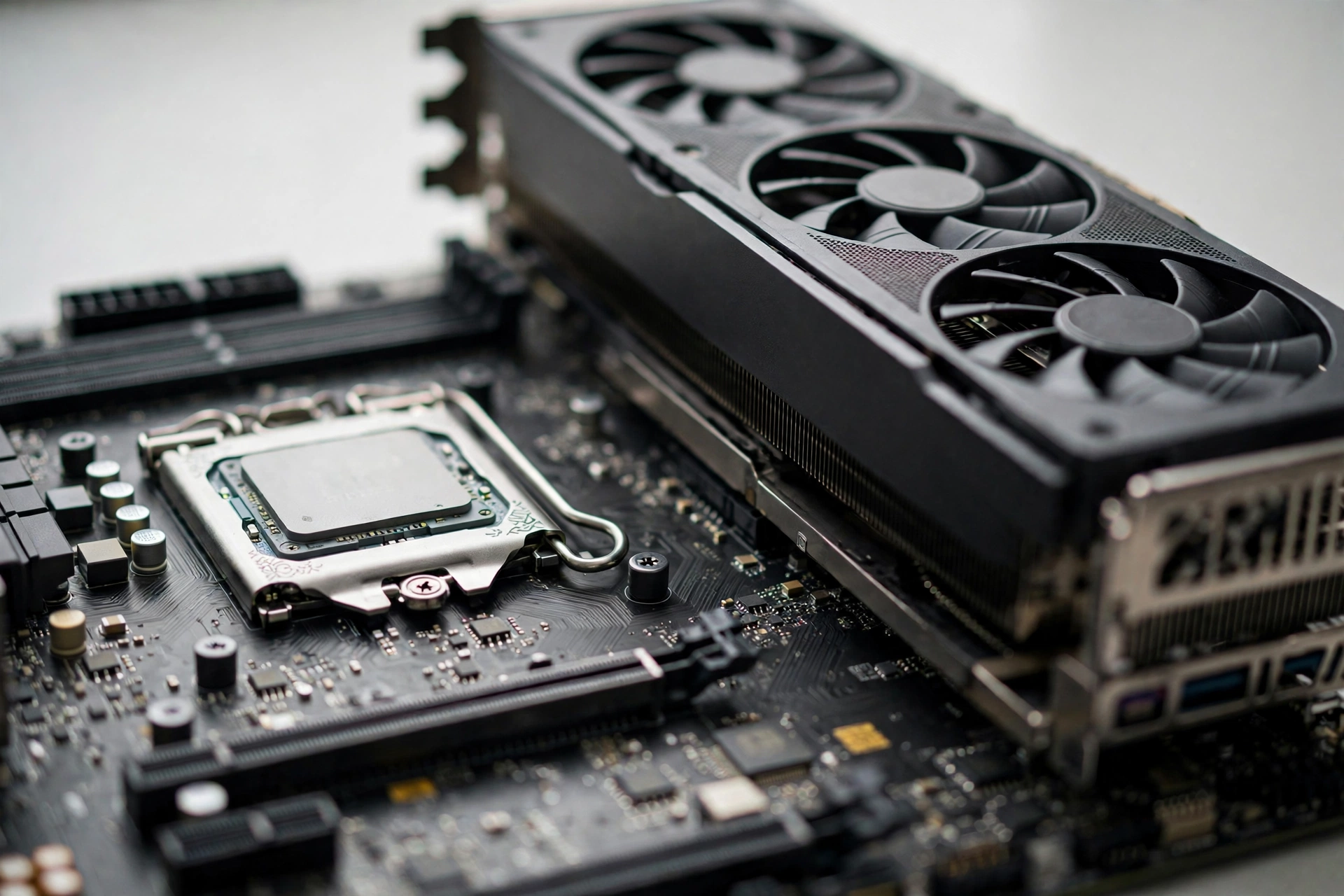
Now the practical part. Below are balanced pairings for each official tier, chosen so the CPU and GPU finish each frame in roughly the same time. That is the definition of a balanced build: no part idling while the other one sweats.
Note on GPU prices: the RTX 50 series has seen a brutal price surge, with German retail tracking showing an average increase of about 66 percent over 12 months and the RTX 5090 up 132 percent. If new cards are out of reach, the used market (see the Ryzen 5000 section below) can save a tier.
Entry Tier: 1080p at 30-80 FPS
| CPU | GPU | RAM | What to expect |
|---|---|---|---|
| Ryzen 5 5600 | RTX 3060 12 GB / RX 6600 | 16 GB | 1080p High at 60-80 FPS in 128-player modes |
| i5-12400F | RTX 3060 Ti / RX 6700 XT | 16 GB | 1080p High at 80+ FPS, 1440p Medium at 60 FPS |
| Ryzen 5 7600 | RTX 4060 / RX 7600 XT | 16 GB DDR5 | 1080p High at 80+ FPS with room to grow |
The i5-12400F plus RTX 3060 12 GB is a proven budget combo. Steam players report comfortable 90-100 FPS at 1080p without frame generation on similar mid setups, though heavy 128-player scenes dip lower. At this tier the GPU usually sets the pace, and the CPU keeps up.
Sweet Spot Tier: 1440p at 60-100 FPS
| CPU | GPU | RAM | What to expect |
|---|---|---|---|
| Ryzen 7 5700X | RTX 4060 Ti 16 GB / RX 7700 XT | 16 GB | 1440p High at 60-90 FPS |
| Ryzen 5 7600X | RTX 4070 / RX 7800 XT | 16 GB DDR5 | 1440p High at 80-110 FPS (CPU-limited in chaos) |
| i5-14600K | RTX 4070 Super / RX 7900 GRE | 32 GB DDR5 | 1440p High at 90-120 FPS |
This is the tier where balance gets tricky. The 7600X is a fine chip, but in the biggest firefights it can cap your frame rate before the GPU does. An 8-core chip like the 5700X or a 14600K gives you more headroom. If high refresh is your goal, read the next section before buying.
Ultra Tier: 1440p at 144 FPS or 4K at 60 FPS
| CPU | GPU | RAM | What to expect |
|---|---|---|---|
| Ryzen 7 7800X3D | RTX 4080 / RX 7900 XTX | 32 GB DDR5 | 1440p Medium-High at 144 FPS, 4K Ultra at 60 FPS |
| Ryzen 7 9800X3D | RTX 4080 Super / RTX 5080 | 32 GB DDR5 | 1440p High at 144+ FPS with margin |
| i7-14700K | RTX 4080 / RX 7900 XTX | 32 GB DDR5 | 1440p at 144 FPS in most modes |
At this tier the CPU officially matters more than the GPU. TechSpot tested 33 CPUs in BF6 multiplayer and found the Ryzen 7 9800X3D about 27-34 percent faster than Intel’s Core Ultra 9 285K depending on settings. Large 3D V-Cache chips are the kings of this game. If you are building for high refresh gaming, an X3D chip is the safest pick.
Ultra++ Tier: 4K at 144+ FPS
| CPU | GPU | RAM | What to expect |
|---|---|---|---|
| Ryzen 7 9800X3D | RTX 5080 | 32 GB DDR5 | 4K High at 144 FPS with DLSS, 240+ FPS at Ultra with multi frame generation |
| Ryzen 9 9950X3D | RTX 5090 | 32 GB DDR5 | 4K at the highest frame rates money can buy |
Only two CPUs make sense here, because only two can feed frames fast enough for 4K high refresh. Note that the Ultra++ tier officially leans on DLSS 4 multi frame generation to hit 240+ FPS. Frame generation renders extra frames on the GPU, but it cannot raise the base frame rate your CPU produces, so a weak CPU still caps the experience.
Takeaway: pick your frame rate target first, then buy the CPU that can hit it, then buy the GPU to match.
Where Each Tier Goes CPU-Bound
Here is the rule of thumb that explains nearly every Battlefield 6 bottleneck thread. Resolution loads the GPU. Frame rate loads the CPU. So:
- 1080p at 30-60 FPS: GPU-bound. Almost any modern 6-core CPU keeps up.
- 1080p at 144+ FPS: CPU-bound. The GPU renders small frames very fast, and the CPU must prepare each one.
- 1440p at 60 FPS: Balanced. This is the official Recommended tier for a reason.
- 1440p at 144 FPS: CPU-bound in 128-player modes. This is the trap tier: the official Ultra table lists 1440p/144 Medium with an RTX 4080, but you need a 7800X3D-class CPU to actually sustain it when buildings are falling down.
- 4K at 60 FPS: GPU-bound. Big pixels, slower pace, the GPU does the heavy lifting.
- 4K at 144+ FPS: CPU-bound again, plus you need DLSS multi frame generation to get there.
This is why a player can have a “fine” 60 FPS experience and then hit a wall the moment they buy a 144 Hz monitor. Nothing about the game changed. The frame rate target changed, and the CPU could not keep up. For more on this pattern, see our guide on whether DLSS reduces CPU bottleneck: upscaling and frame generation lift GPU-side limits, not CPU-side ones.
One more wrinkle: mode matters. TechSpot’s testing and player reports agree that Conquest and Breakthrough (large player counts, heavy destruction) hit the CPU harder than smaller modes. If your frame rate is great in a 32-player mode but collapses in 128-player Conquest, that is a textbook CPU bottleneck, not a broken game.
Takeaway: before upgrading anything, check whether your target is limited by pixels (GPU) or by frames (CPU).
Used Market Ryzen 5000 CPUs That Still Work in BF6
With new GPU prices surging, the used market is where smart builders save money, and AM4 is the best value platform on the planet right now. These older Ryzen chips will not hit 200 FPS, but they pair well with mid-range GPUs for the most popular targets.
| CPU (used) | Pairs well with | Realistic BF6 target |
|---|---|---|
| Ryzen 5 5600 | RTX 3060 / RX 6600 / RTX 4060 | 1080p High at 60-90 FPS |
| Ryzen 7 5700X | RTX 3060 Ti / RX 6700 XT / RTX 4060 Ti | 1080p High at 80-100 FPS, 1440p Medium at 60 FPS |
| Ryzen 7 5800X | RTX 3070 / RX 6800 / RTX 4070 | 1440p High at 60-90 FPS |
| Ryzen 7 5800X3D | RTX 4070 / RX 7800 XT / RTX 4070 Super | 1440p High at 90-120 FPS |
The 5800X3D is the standout. In CPU testing, the Ryzen 5 7600X was nearly 40 percent faster than the 5800X, but the 5800X3D’s big cache closes much of that gap in cache-hungry games like this one. On a used AM4 board it is the cheapest path to a genuinely strong BF6 CPU.
A warning about very old chips: TechSpot’s CPU benchmark put the Ryzen 5 2600 and 2700X at the very bottom of the chart, and the i3-12100F joined them. Four cores and first-gen Zen architectures struggle badly in 128-player modes. A Steam player running a Ryzen 7 2700 with an RTX 4070 Super could not hold a steady 60 FPS, and no GPU upgrade would fix that. If your CPU is from 2019 or earlier, budget for a CPU upgrade before a GPU upgrade.
Takeaway: used Ryzen 5000 is the value king for BF6, but skip anything older than Zen 2 for 128-player modes.
How to Tell If Your CPU Is Bottlenecking BF6
Do not guess. Measure. Here are four checks, from easiest to most precise.
Check 1: the graphics settings test. Drop from Ultra to Medium. If your frame rate barely moves (like the 4.6 percent gain in that 7600X test), your CPU is the ceiling. If frames jump up a lot, your GPU was the limit.
Check 2: the usage test. Run the game with an overlay like MSI Afterburner or the in-game console command `PerfOverlay.DrawFps 1`, which shows CPU and GPU frame times. If CPU time is higher than GPU time, or your CPU sits near 100 percent while your GPU is at 60-70 percent, you are CPU-bound.
Check 3: the resolution test. Drop your resolution from 1440p to 1080p. If the frame rate barely changes, the CPU is holding you back. Resolution is a GPU knob, so a GPU bottleneck would respond to it.
Check 4: the mode test. Compare a small mode with 128-player Conquest. If frames are fine in small modes and collapse in big ones, the CPU cannot handle the simulation load.
If you ran these checks and the answer is unclear, our low FPS troubleshooting guide walks through the same logic for any game.
Takeaway: the settings test takes two minutes and answers the bottleneck question with more honesty than any calculator.
Settings That Actually Reduce CPU Load in Battlefield 6
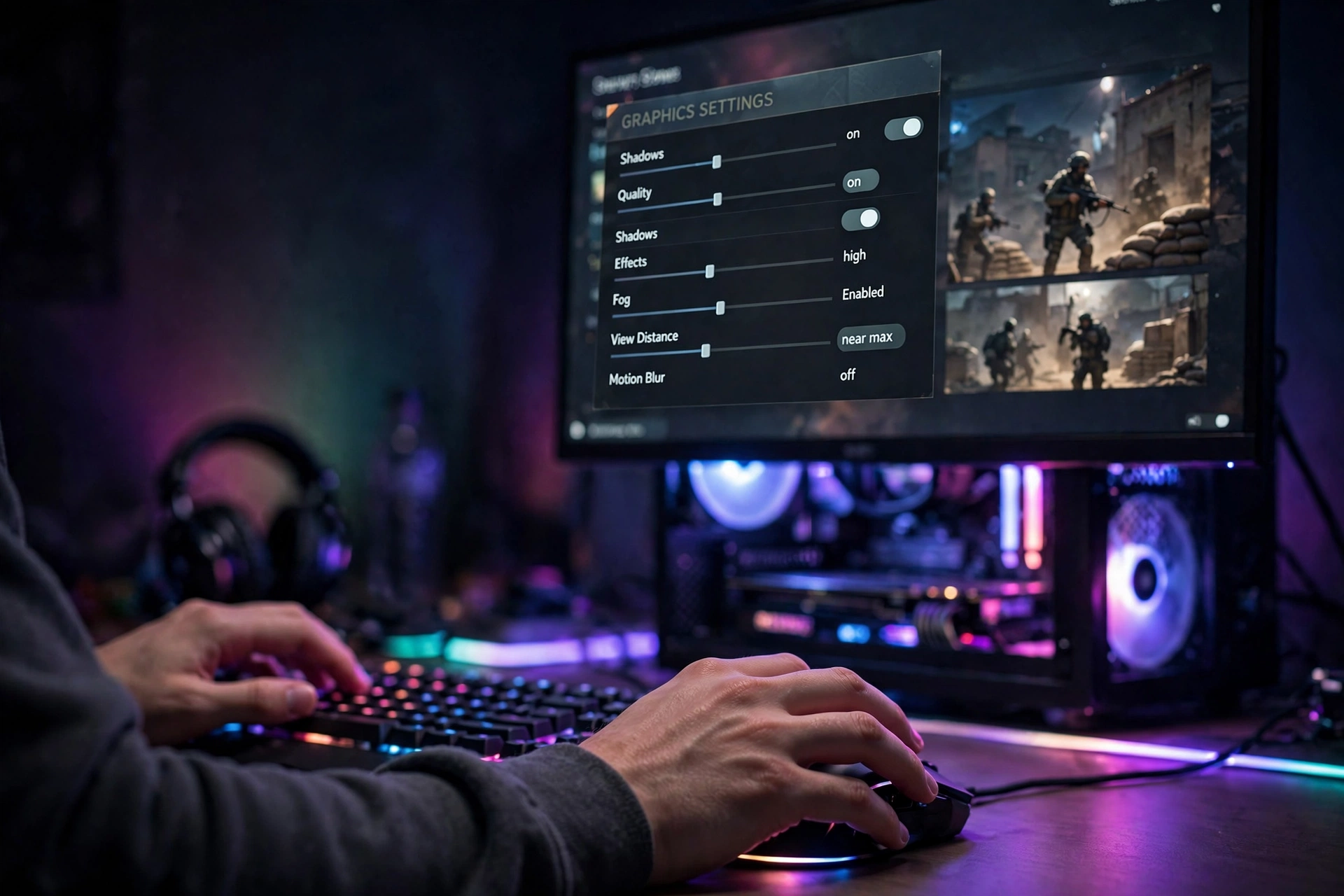
When the CPU is the bottleneck, most graphics settings do nothing. But a few settings specifically hit the CPU, and turning those down can buy you real frames.
- Mesh Quality / Geometry: controls how much scene detail the CPU prepares. Lower it first.
- Effects Quality: explosions and particles stress both CPU and GPU. Medium is a good compromise.
- Shadows: shadow rendering adds CPU draw-call work. High shadows are expensive; Medium looks nearly as good in motion.
- Terrain and destruction detail: if the game exposes these, lowering them cuts physics work directly.
- View distance: fewer visible objects means fewer draw calls. Only lower this if you play infantry and do not snipe.
- Future frame rendering / render ahead limit: setting this to 1 in the console can reduce input lag when CPU-bound, at a small performance cost.
What NOT to waste time on: texture quality (that is VRAM, not CPU), anti-aliasing method (GPU), and resolution scale (GPU). Turning those down when you are CPU-bound just makes the game uglier for zero frames.
Also, make sure XMP or EXPO is enabled in your BIOS. Faster RAM feeds the CPU faster, and players report meaningful FPS gains in CPU-bound games from this one toggle. It is free performance if your RAM supports it.
One community trick worth mentioning: many players created a `user.cfg` file with thread count commands to fix high CPU usage at launch. Some report smoother frame times, others report no change, and a few report worse stuttering. Treat it as experimental, not gospel. Keep a backup and delete the file if things get worse.
Takeaway: lower the CPU-side settings (mesh, effects, shadows), leave the GPU-side settings alone, and enable XMP or EXPO.
Common Mistakes to Avoid
- Buying a huge GPU for an old CPU. An RTX 4070 Ti Super paired with an i5-12400F can start at 120 FPS and sink over time as scenes get heavier. Balance first.
- Chasing 144 Hz on a 6-core from 2019. High refresh rates are a CPU workload. A Ryzen 5 2600 or i5-8400 will not feed 144 FPS in 128-player modes no matter what GPU you attach.
- Assuming DLSS fixes everything. DLSS and frame generation reduce GPU load. They do not reduce CPU load. Your base frame rate stays CPU-limited.
- Ignoring temperatures. BF6 pushes CPUs hard. An i7-8700K hitting 90C will throttle and drop frames. Clean your cooler, reapply thermal paste, and check your fan curves before blaming the game.
- Copying “pro” settings blindly. Competitive players on 360 Hz monitors run everything on Low to maximize CPU headroom. If your goal is 60 FPS at 1440p with pretty graphics, those settings are wrong for you.
- Forgetting the anti-cheat requirements. TPM 2.0 and Secure Boot must be enabled or the game will not launch. Check this before you panic about performance.
Frequently Asked Questions
Anyone else having CPU issues? My Ryzen 7 2700 with an RTX 4070 Super cannot hold a steady 60 FPS.
Yes, this is a common report on the Steam forums. The Ryzen 7 2700 is a first-generation Zen+ chip, and in TechSpot’s 33-CPU benchmark the 2700X sat near the very bottom. Your RTX 4070 Super is waiting on the CPU in every 128-player fight. A platform upgrade to a modern 6-core or better (Ryzen 5 5600 minimum, ideally 5700X or newer) will fix this. No GPU setting will.
I have an i7-8700K and an RTX 3090, and my CPU hits 90C in BF6. Is that normal?
90C is hot enough to trigger thermal throttling on an 8700K, which directly costs you frames. BF6 is one of the heaviest CPU loads this chip will ever see. Clean the cooler, reapply thermal paste, verify your case airflow, and consider undervolting if you are comfortable in the BIOS. If temperatures stay that high, the chip is telling you it is working at its absolute limit.
With an i5-12400F and RTX 4070 Ti Super at 1440p, it starts fine at 120 FPS but slowly tanks to 45-50 FPS. Why?
This exact report appears on the Steam forums. The likely culprits are thermal throttling (check CPU and GPU temperatures over time), background processes stealing CPU cycles, or the CPU simply running out of headroom as the match fills up and destruction piles on. Monitor temperatures and CPU usage during a full Conquest match. If the CPU is pinned at 100 percent while the GPU drops, the 12400F cannot sustain that frame rate target in heavy scenes, and capping your frame rate slightly lower will give you a far smoother experience.
Is Battlefield 6 more problematic to run on an Intel CPU?
There is real data behind this question. A widely shared report from a streamer showed a Ryzen 7 9800X3D with an RTX 5080 pushing over 300 FPS, while a friend with the same GPU but a Core i9-14900K got roughly 110 FPS less in the same conditions. TechSpot’s full benchmark agrees: the 9800X3D was 27-34 percent faster than Intel’s Core Ultra 9 285K. This game loves big CPU caches, and AMD’s X3D chips currently have the biggest. Intel chips still run the game fine, but for maximum frame rates AMD has the edge right now.
My Ryzen 5 7600X shows high CPU usage with in-game spikes in BF6. How do I fix it?
High CPU usage in BF6 is partly normal: this game uses every core you give it. First, make sure XMP or EXPO is on and your BIOS and chipset drivers are current. Second, lower the CPU-heavy settings (mesh, effects, shadows) instead of the GPU ones. Third, cap your frame rate a few FPS below your monitor’s refresh rate to stop the CPU from redlining. The `user.cfg` thread tweaks help some players and hurt others, so test carefully. If spikes persist after patches, check the EA forums for your specific board and BIOS version, since early AGESA versions had scheduling quirks.
I run a Ryzen 5 5800X with an RX 6800 XT locked at 120 FPS, but it dips below 60 when 40+ players are nearby and a building explodes. Any fix?
This is the classic CPU-bottleneck signature: fine in calm moments, collapse in chaos. Your 1% lows are set by the CPU, not the GPU. Lower mesh quality and effects, enable XMP/EXPO if it is off, and consider whether your frame rate target is realistic for the chip: locking to 100 FPS instead of 120 can turn those dips from game-ruining into invisible. A 5800X3D would be the drop-in upgrade that fixes this on the same motherboard.
Key Takeaways
- Battlefield 6 is a CPU-first game at high frame rates. The official requirements list four tiers, and the CPU column matters as much as the GPU column.
- Resolution loads the GPU, frame rate loads the CPU. 1440p at 144 FPS is the tier where most mid-range CPUs hit the wall.
- Pair your CPU to your frame rate target first, then pick the GPU. A balanced 7600X build beats a lopsided 12400F-plus-4070-Ti-Super build in heavy scenes.
- Used Ryzen 5000 chips (especially the 5800X3D) are the value path, but skip anything older than Zen 2 for 128-player modes.
- The settings test (Ultra vs Medium) tells you in two minutes whether your CPU is the bottleneck.
- X3D chips currently dominate BF6 benchmarks thanks to their huge caches.
Conclusion
Battlefield 6 rewards builders who respect the CPU. It is tempting to pour your whole budget into the graphics card, but a 128-player match with full destruction will humble an unbalanced build fast. Start from the official four tiers, pick a frame rate target you can actually sustain, and buy the CPU that can feed it. Do that, and your GPU will finally get to do the job you paid for.
If this is your first big Battlefield on PC, welcome. Check your TPM and Secure Boot settings, enable XMP, and enjoy the chaos. And if your frame rate tanks the moment the buildings start falling, you now know exactly which part to blame, and exactly what to do about it.

Leave a Reply