

Quick answer: If you want the best psu for rtx 5090 performance and safety, buy a 1200W ATX 3.1 power supply with a native 12V-2×6 cable. A quality 1000W ATX 3.1 unit is the floor and works for most gaming builds, but 1200W gives you real headroom for power spikes, a strong CPU, and quiet running.
The RTX 5090 is the most powerful gaming graphics card you can buy, and it is also one of the hungriest. NVIDIA rates the card at 575 watts of total graphics power, and its short power spikes can climb far higher for a split second. That changes how you shop for a power supply. The old rule of “buy a decent 750W unit and move on” does not work here. Pick the wrong PSU and you get random shutdowns, restarts under load, or worse, a damaged connector.
This guide walks you through the whole decision. You will learn how much power the RTX 5090 really uses, why 1000W is the floor and not the target, when 1200W makes sense, what ATX 3.1 and the 12V-2×6 connector actually do, how efficiency ratings work, and which real power supply models fit each budget. No guesswork, no made up numbers. Every spec in this guide comes from the card maker or from published testing, and every estimate is labeled as an estimate.
One honest note before we start. RTX 5090 cards have been listed near $9,000 in November 2026 restocks, which makes the power supply a tiny share of the total build cost. That does not mean you should overspend on a PSU. It means the PSU is the worst place in the whole build to cut corners, because a cheap unit can take a very expensive card down with it.
How Much Power Does the RTX 5090 Really Use?
The headline number is simple. NVIDIA lists the RTX 5090 at 575 watts total graphics power. That is the sustained draw of the card itself under heavy load, and you can check it on NVIDIA’s RTX 5090 specifications page. But the card alone is not the whole story. Your power supply feeds the entire system, and the card does not draw a flat 575 watts. It spikes.
Those spikes are called transients. When a game scene changes fast, the card can demand a sharp burst of extra power for a few milliseconds. Corsair’s RTX 5090 power supply guide reports that transient spikes on the RTX 5090 can reach around 900W for a millisecond, even though the sustained draw stays near 575W. Independent testing has recorded the same pattern, with short bursts climbing past 650W and brief peaks near 900W. A power supply that only looks good on paper for steady load can still trip its own protection when a spike hits.
Here is a realistic estimate of what a full RTX 5090 gaming system draws. These are estimates based on published testing, not measurements from our own lab.
| Part | Typical draw while gaming |
|---|---|
| RTX 5090 graphics card | About 560W sustained |
| High end gaming CPU | About 80 to 120W |
| Motherboard, RAM, storage, fans, lighting | About 80 to 100W |
| Total sustained system draw | About 700 to 750W |
| Short transient peaks | About 900W or more for a millisecond |
That math is why the PSU choice matters so much. A 1000W unit running a 700W system sits at 70 percent load, which is fine. An 850W unit running the same system sits near 85 percent load, and a single transient spike can push it over the edge. The card is not broken. The power supply is just too small for the job.
Takeaway: budget for the spikes, not just the average. A PSU that handles 575W of steady draw but chokes on a 900W spike is the wrong PSU for this card.
Is 1000W Enough for an RTX 5090?
Yes, with one big condition. A quality 1000W power supply is enough for an RTX 5090 if it carries ATX 3.1 certification and has a native 12V-2×6 cable. NVIDIA itself lists a 1000W system power supply as the minimum for this card. That number covers the card plus a normal CPU, motherboard, storage, and cooling in a standard gaming build.
The key word is ATX 3.1. The ATX 3.1 spec requires a power supply to absorb power excursions up to 200 percent of its rated wattage for very short bursts. That means a 1000W ATX 3.1 unit is built to swallow a 2000W transient at the spec limit, which covers the RTX 5090’s spikes with room to spare. An older ATX 2.x unit at the same wattage is only rated for about 120 percent transients. So a 1000W ATX 2.x unit and a 1000W ATX 3.1 unit are not the same product, even though the box shows the same number.
At a sustained draw of about 700W, a 1000W ATX 3.1 unit runs at roughly 70 percent load. That is right in the sweet spot for efficiency and fan noise on most Gold rated units, and you still have about 300W of headroom before you hit the rated limit. For a single GPU gaming PC with a normal CPU, that is a sensible setup.
So when is 1000W the right call? Pick 1000W when you have a mid range to high end gaming CPU, one graphics card, a normal amount of storage and fans, and no plans to overclock the card hard. It is the value pick, and it is the floor. Never go below it for this card.
If you are not sure your current unit is up to the task, read our guide on how to tell if your PSU is bottlenecking your PC before you spend anything. Random shutdowns under load are the classic sign of a power supply that cannot keep up.
Takeaway: 1000W ATX 3.1 with a native 12V-2×6 cable is the minimum. It works, but it leaves little room for anything extra.
When 1200W Makes More Sense
A 1200W power supply is the sweet spot for most RTX 5090 builds, and most PSU makers and system builders now recommend it. The card alone does not need the extra 200W. The rest of your system and your future plans do.
Step up to 1200W when any of these apply to you. You run a flagship CPU like a Ryzen 9 or Core i9, which can add 150W or more under load. You bought a factory overclocked card, which draws more than the 575W reference figure. You stream, render, or run AI workloads that load the CPU and GPU at the same time for hours. You want the PSU fan to stay quiet, because a 1200W unit at 700W draw runs near 58 percent load, where the fan often spins slowly or stops. Or you want headroom for a future upgrade without buying another PSU.
At the same draw of about 700W, a 1200W unit runs cooler and quieter than a 1000W unit, and its components live an easier life. Power supplies last longest when they are not run near their limit all day. A 1200W unit also gives you real protection against the worst case moment: a GPU transient spike landing in the same millisecond as a CPU boost and a storage burst.
There is a limit to this logic. A 1500W or 1600W unit makes sense for a workstation with a high core count CPU, heavy overclocking, lots of drives, or a second card for compute work. For a normal single GPU gaming PC, 1500W is more capacity than you will use, and it costs more for headroom that sits idle. Buy the headroom you can justify, not the biggest number on the shelf.
If you are comparing the whole RTX 50 series power picture, our RTX 50 series power supply guide breaks down the wattage needs for each card in the lineup, so you can see where the 5090 sits.
Takeaway: 1200W is the comfort pick for a 5090 gaming PC. Go 1500W only for workstation class builds.
ATX 3.1 and the 12V-2×6 Connector, Explained
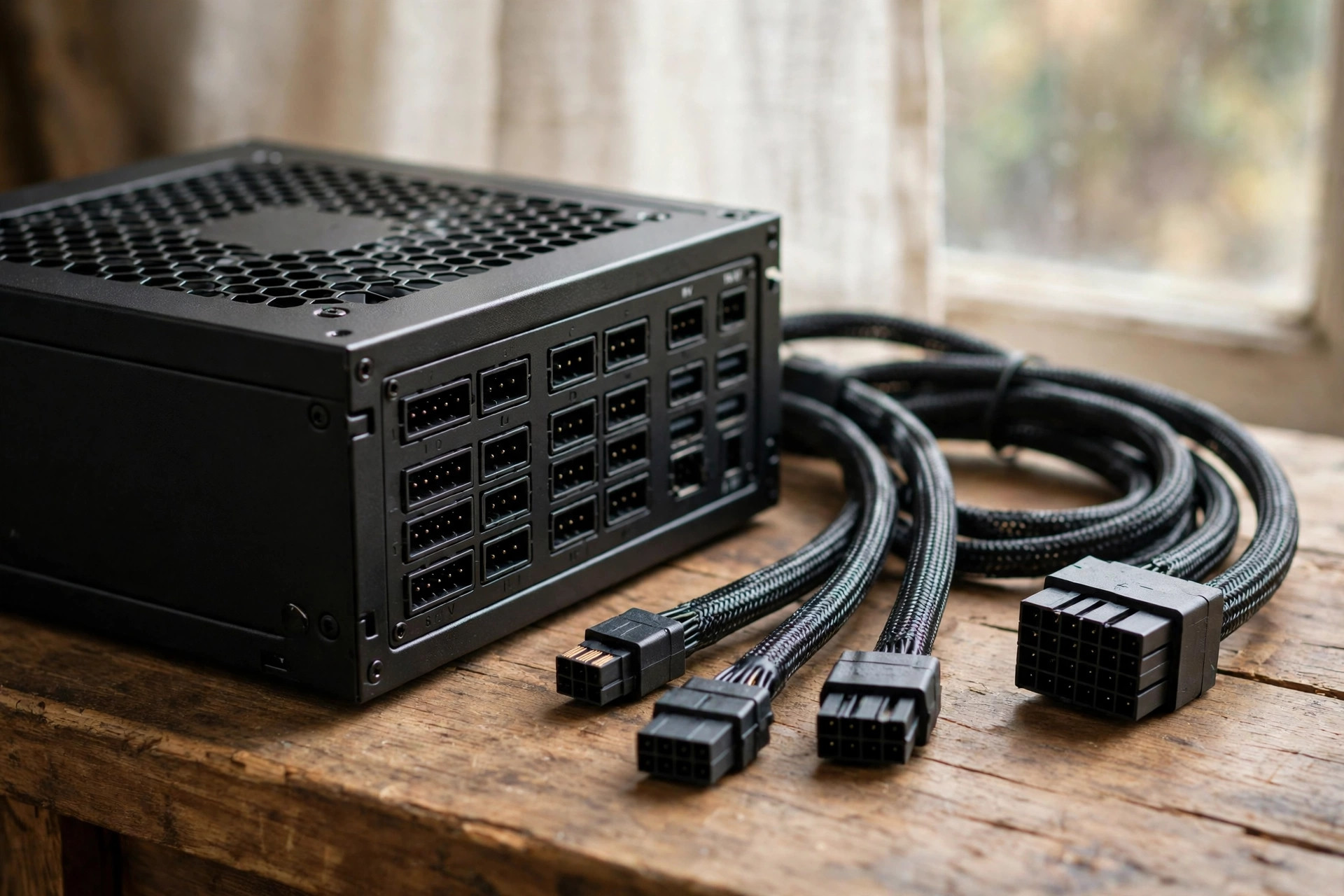
ATX 3.1 is the current power supply standard, and it was written for cards like the RTX 5090. Two things changed that matter to you: transient handling and the GPU power connector.
First, transient handling. As covered above, ATX 3.1 units must tolerate power spikes up to 200 percent of rated wattage for very short bursts. ATX 3.0 introduced the same idea, but ATX 3.1 tightened the rules and standardized the new connector. If you buy a new PSU for a 5090 today, ATX 3.1 is the badge to look for on the box.
Second, the connector. The RTX 5090 takes its power through a single 16-pin 12V-2×6 connector, which can deliver up to 600W to the card. It replaces the original 12VHPWR connector from the RTX 40 series. The change sounds small, but it fixes the main failure mode of the old design. The four small sense pins are recessed, so the plug cannot send power unless it is seated far enough for the power pins to make full contact. The power contacts are slightly longer, and the header carries an H++ marking instead of the old H+ marking. In plain terms, a half plugged 12V-2×6 connector should refuse to power the card instead of running hot.
A native cable matters here. An ATX 3.1 power supply ships with a 12V-2×6 cable that runs straight from the PSU to the card, with no adapter in between. The RTX 5090 also ships with an adapter in the box that takes four 8-pin PCIe plugs and turns them into one 16-pin plug. The adapter works, but a native cable is cleaner, has fewer connection points, and is the setup every PSU maker recommends. If your old PSU needs the adapter, that is a sign the PSU itself is from an older generation.
One more detail: never mix modular cables between power supplies. Modular cables look the same, but the pin layout on the PSU end is not standardized. A cable from another brand, or even another model from the same brand, can feed 12 volts into the wrong pin and kill parts. Use only the cables that came in the box with your PSU.
For the wider picture on how supplies are ranked, see our PSU tier list, which ranks popular models by quality and explains what separates a good unit from a risky one.
Takeaway: buy ATX 3.1, use the native 12V-2×6 cable in the box, and never borrow modular cables from another PSU.
80 Plus Gold vs Platinum vs Titanium
The 80 Plus badge tells you how efficiently a PSU turns wall power into PC power. The rest becomes heat. For a card that draws 575W, efficiency is not just a green sticker. It is heat, fan noise, and electricity cost over the life of the build.
The ratings are measured at 20, 50, and 100 percent load on 115 volt power. Here are the headline figures at 50 percent load, which is close to where a 5090 gaming PC usually runs.
| 80 Plus rating | Efficiency at 50% load | What it means for a 5090 build |
|---|---|---|
| Gold | 90 percent | Solid, and the value pick for most builds |
| Platinum | 92 percent | Less heat and noise, worth it at 1200W and up |
| Titanium | 94 percent | Best efficiency, premium price, quietest running |
Gold is enough. A good Gold rated 1200W unit will run a 5090 happily for years. Platinum earns its keep when the PSU runs under heavy load for long sessions, because the extra efficiency means less waste heat and a slower fan. Titanium is the premium choice, and it makes the most sense on high wattage units that run all day, such as workstation builds.
Do not stop at the 80 Plus badge. Independent labs test efficiency and noise more strictly than the 80 Plus program. Cybenetics runs its own ETA efficiency ratings and Lambda noise ratings, and many of the best PSUs carry both an 80 Plus badge and a Cybenetics badge. A Gold unit with a strong Cybenetics noise rating can be quieter in practice than a Platinum unit with a poor one. Check both badges when you compare models.
Takeaway: Gold is fine, Platinum is the sweet spot at 1200W, Titanium is for premium and workstation builds. Check the Cybenetics ratings too.
Best PSU Picks for the RTX 5090
Here are real models that fit this card, grouped by budget tier. Every unit here is ATX 3.1, ships with a native 12V-2×6 cable, and comes from a maker with a long track record. Check the current price before you buy, because PSU prices move often and this guide does not lock in any price.
| Model | Wattage | Efficiency | ATX version | Native 12V-2×6 | Best for |
|---|---|---|---|---|---|
| Corsair RM1000x SHIFT | 1000W | 80 Plus Gold | ATX 3.1 | Yes | Value 1000W gaming build |
| Seasonic FOCUS GX-1000 | 1000W | 80 Plus Gold | ATX 3.1 | Yes | Value 1000W gaming build |
| Corsair RM1200e | 1200W | Cybenetics Platinum | ATX 3.1 | Yes | Best 1200W all rounder |
| ASUS ROG Strix 1200W Platinum | 1200W | 80 Plus Platinum | ATX 3.1 | Yes | Best 1200W mainstream pick |
| Corsair HX1500i SHIFT | 1500W | 80 Plus Platinum | ATX 3.1 | Yes | High end and workstation builds |
| Seasonic PRIME TX-1600 | 1600W | 80 Plus Titanium | ATX 3.1 | Yes, two connectors | Maximum headroom builds |
| ASUS ROG Loki SFX-L 1000W Platinum | 1000W | 80 Plus Platinum | ATX 3.0 | Yes | Small form factor builds |
1000W tier: best value
The Corsair RM1000x SHIFT is the value pick at 1000W. It carries 80 Plus Gold and Cybenetics Gold ratings, a 10 year warranty, and a side mounted cable panel that makes cable routing easier in many cases. The Seasonic FOCUS GX-1000 is the other strong 1000W option, with Gold efficiency, ATX 3.1 support, PCIe 5.1 readiness, and a native 12V-2×6 cable. Either one powers a normal 5090 gaming PC. Pick whichever costs less when you shop, and confirm the ATX 3.1 version, because older revisions of these model names exist.
1200W tier: the sweet spot
The Corsair RM1200e is the best all rounder at 1200W. It is only 150mm long, which leaves more room for cables, and it carries a Cybenetics Platinum rating plus per pin overcurrent protection on its 12V-2×6 connection. The ASUS ROG Strix 1200W Platinum is the best mainstream 1200W pick, with Platinum efficiency, ATX 3.1 support, a native 12V-2×6 cable, and a 10 year warranty. If you buy one PSU for a 5090 and stop thinking about it, buy from this tier.
1500W and up: high end and workstation
The Corsair HX1500i SHIFT is the pick for heavy builds, with 1500W, 80 Plus Platinum and Cybenetics Platinum ratings, and digital monitoring. The Seasonic PRIME TX-1600 goes further, with Titanium efficiency and two native 12V-2×6 connectors for extreme setups. These are for workstations, heavy overclocking, or builds with a second card for compute work. For plain gaming, they are more than you need.
Small form factor note
The ASUS ROG Loki SFX-L 1000W Platinum is the compact option for small cases that cannot fit a full ATX unit. Note two honest caveats. It is ATX 3.0, not 3.1, and 1000W sits below the 1200W comfort level. It is the best compact PSU available for a 5090 build, but only buy it when your case forces the small size. If a full size unit fits, buy a full size unit.
Takeaway: most buyers should land in the 1200W tier. The 1000W tier is fine for a standard gaming PC, and 1500W is for workstation class builds.
Single Rail vs Multi Rail What Actually Matters
You will see PSUs described as single rail or multi rail, and it sounds like a big deal. In practice, it is a small detail for a 5090 buyer.
A single rail PSU puts all of its 12 volt power on one rail with one overcurrent limit. A multi rail PSU splits the 12 volt output into several rails, each with its own limit, so a fault on one cable shuts the unit down sooner. Multi rail can protect a card slightly better in a fault, while single rail is simpler and never trips because one cable asked for a little too much.
For the RTX 5090, the card pulls up to 600W through one 16-pin connector, so a multi rail unit must be set up so that the GPU rail limit sits above what the card can draw, including spikes. Good modern units handle this correctly out of the box. Corsair’s RM1200e, for example, adds per pin monitoring on the GPU connector, which gives you fault protection without the old multi rail trade offs.
Do not pick a PSU based on rail layout alone. Pick based on wattage, ATX 3.1 certification, the native cable, efficiency, warranty length, and reviews from independent testers. Rail layout is a tiebreaker, not a deciding factor.
Takeaway: single vs multi rail is a minor detail. Wattage, ATX 3.1, and a native cable matter far more.
Cable Safety Lessons From the RTX 4090 Era
The 12V-2×6 connector is safer than the old 12VHPWR design, but it is not magic. The RTX 4090 era taught the PC world that a single 16-pin connector carrying 450W or more demands care, and the 5090 pushes 575W through the same style of plug. Reports of melted connectors have continued into the RTX 5090 generation, and the lesson from those reports is consistent: the cause is usually uneven current across the pins, not total wattage.
Here is what happened in the best documented recent case. In September 2026, a Hardware Unboxed test system running an ASUS ROG Astral RTX 5090 suffered a melted power connection, with temperatures reported near 175 degrees Celsius and one wire carrying about 22 amps while others carried little or no current. The worst damage was at the power supply end, not the card. Hardware Unboxed said the connection had been fully seated and did not blame installation. That detail matters, because it shows seating alone does not remove every risk.
Nobody has published a failure rate for these connectors. The reported cases are rare next to the number of cards sold, but they are real, and the RTX 4090 generation saw the same pattern, with NVIDIA saying it was aware of around 50 cases back in 2022. Treat the risk seriously without panicking about it.
Follow this checklist every time you install or move a 5090.
- Push the plug in until it stops and the latch clicks. There should be no visible gap between the plug and the socket. Some cards use a yellow tip as a seating marker: if yellow still shows, the plug is not fully in.
- Keep the first few centimeters of cable straight. Do not bend the cable hard right at the plug, and do not force the side panel shut against it. Some tall cards need about 35mm of clear space past the card edge for the cable to route safely, so measure your case before you buy.
- Use the cable that came with your PSU, or the adapter that came with the card. Never use a third party adapter of unknown origin, and never reuse a cable that has melted, browned, or smells burnt at either end.
- Check both ends of the cable, not just the card end. The 2026 incident melted at the PSU end, which many builders never inspect.
- Check the connector again after a few weeks of use. Heat cycles can loosen a plug that felt tight on day one. If it feels loose or looks discolored, stop using it and replace the cable.
- Keep your PSU firmware and monitoring software up to date if your unit supports it. Some newer units monitor each pin and shut down if one pin draws too much current.
If you want the full background on warning signs, our PSU tier list and our guide to 750W PSUs both explain how PSU quality tiers work, which helps you spot a weak unit before it goes into a 5090 build.
Takeaway: seat the plug fully, keep the cable straight, use the cable that came in the box, and inspect both ends after a few weeks.
What Happens If Your PSU Is Too Small?
An undersized PSU rarely dies quietly. It usually warns you first, and the warnings look like other problems, which is why builders misread them.
The most common sign is a sudden shutdown or restart when a game loads a heavy scene. The screen goes black, the PC reboots, and there is no blue screen and no error message. That is the PSU’s overcurrent protection tripping on a transient spike. The second sign is coil whine that gets much louder under load, or a PSU fan that screams the moment a game starts. The third sign is a PC that works fine in light games but crashes in demanding ones, especially at 4K with ray tracing, where the card draws its full 575W.
Running a PSU near its limit for months also ages it faster. Heat is the enemy of capacitors, and a unit running at 90 percent load all day runs hotter than the same unit at 60 percent. Over time that can mean unstable voltages, more shutdowns, and a shorter life for the PSU itself.
If you see these signs after installing a 5090, do not keep pushing the card. Cap the power limit in software as a temporary fix, then replace the PSU with a properly sized ATX 3.1 unit. A 1000W or 1200W unit costs far less than a new card, and it is the fix that actually solves the problem.
Takeaway: random black screen restarts under load mean the PSU is tripping. Replace it instead of living with it.
How to Check Your Current PSU
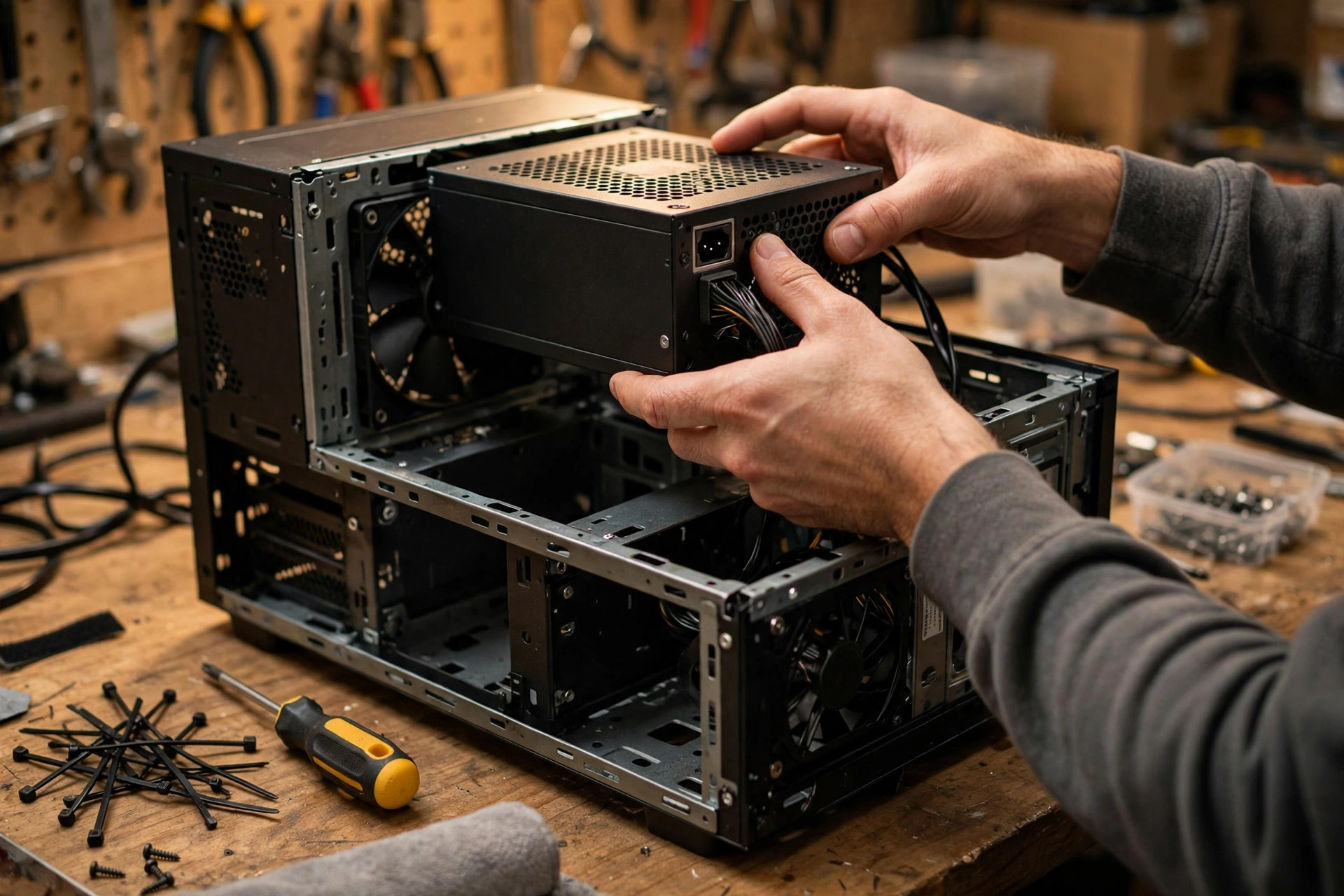
Before you buy a new unit, check what you already own. You might have a 1000W ATX 3.1 unit already, and the only thing missing is the right cable.
First, find the label on the side of the PSU. It lists the wattage, the 12 volt rail amperage, and the efficiency rating. If the label says ATX 3.1 or ATX 3.0, and the wattage is 1000W or higher, you are in the right area. If it says ATX 2.x, or the wattage is below 1000W, plan on a replacement for a 5090.
Second, look at the cables. A native 12V-2×6 cable has a 16-pin plug with four small sense pins. If your PSU box included one, use it. If you only have 8-pin PCIe cables and the card’s adapter, the PSU can still work, but a native cable is the better setup.
Third, check the age and the warranty. A quality PSU lasts 7 to 10 years, and most good units in this class carry a 10 year warranty. If your unit is more than 7 years old, or it came from a prebuilt PC with a no name brand, replace it rather than trusting it with a card of this value.
Fourth, check the physical size. Measure the PSU bay in your case and compare it with the unit you want to buy. Some 1200W and 1500W units are longer than standard, and a unit that does not fit is useless no matter how good it is.
For a step by step walkthrough with photos of where the label sits, see our guide on how to check what PSU you have.
Takeaway: read the label, check for a native 12V-2×6 cable, and replace any unit that is old, off brand, or under 1000W.
Common Mistakes to Avoid
- Buying a cheap no name PSU because the wattage number looks right. Wattage without quality means nothing. A bad 1200W unit is worse than a good 1000W unit.
- Reusing an old ATX 2.x power supply with an adapter and hoping the transient spikes will be fine. They often are not, and the shutdowns start on day one.
- Mixing modular cables from different power supplies. The plugs look identical and the wiring is not. This is one of the fastest ways to kill hardware.
- Daisy chaining one PCIe cable to feed the whole adapter. The 5090 adapter needs four separate 8-pin plugs from the PSU, not two plugs split four ways. Use separate cables.
- Ignoring case clearance for the 12V-2×6 cable. A tall card plus a tight side panel bends the cable at the plug, which is exactly the failure mode you want to avoid.
- Buying more wattage than you need and thinking the job is done. A 1600W unit with a worn adapter cable and a bent plug is still a risk. Wattage, connector, cable, and seating all matter together.
- Forgetting the CPU. A 5090 paired with a power hungry CPU needs the 1200W tier, not the 1000W floor. Size the PSU for the whole system, not just the card.
Frequently Asked Questions
Is 1000W enough for an RTX 5090?
Yes, for most gaming builds. NVIDIA lists 1000W as the minimum system power supply for the RTX 5090, and a quality 1000W ATX 3.1 unit with a native 12V-2×6 cable handles the card’s 575W draw plus a normal CPU and the rest of the system. Step up to 1200W if you run a flagship CPU, overclock the card, or want quieter running and more headroom.
Do I need an ATX 3.1 PSU for the RTX 5090?
You should buy ATX 3.1 when buying new. The spec requires the PSU to absorb transient spikes up to 200 percent of rated wattage, which is exactly what the 5090 produces, and it standardizes the 12V-2×6 connector with a native cable. An ATX 3.0 unit with a native cable can work, but ATX 3.1 is the safer and more current choice.
Can I use my old PSU with an RTX 5090?
Only if it is at least 1000W, in good condition, from a reputable brand, and ideally ATX 3.0 or 3.1. You will also need either a native 12V-2×6 cable or the adapter that came with the card, fed by four separate 8-pin PCIe cables. If your old unit is under 1000W, more than 7 years old, or an unknown brand, replace it.
Will the 12V-2×6 connector melt on my RTX 5090?
The risk is low but real. The revised connector fixes the partial insertion problem that caused most RTX 4090 era melts, but reports of melted connectors have still appeared with the 5090, usually from uneven current across the pins. Seat the plug fully until the latch clicks, keep the cable straight at the plug, use the cable that came with your PSU, and inspect both ends after a few weeks of use.
Is 850W enough for an RTX 5090?
No. NVIDIA lists 1000W as the minimum, and the card alone draws 575W sustained with spikes near 900W. An 850W unit leaves almost no headroom for the CPU and the rest of the system, and it will trip its protection under load. Do not try to save money here.
Gold vs Platinum PSU: which one should I buy for a 5090?
Gold is fine for most builds. Platinum wastes less power as heat, so it runs cooler and quieter, and it is worth the step up at 1200W and above, or if you game for long sessions every day. Titanium is the premium option for workstation builds. Check the Cybenetics efficiency and noise ratings as well, because they test more strictly than the 80 Plus program.
What happens if my PSU is too weak for the RTX 5090?
The most common result is sudden shutdowns or restarts when a demanding game loads, with a black screen and no error message. You may also hear loud coil whine or a PSU fan running at full speed. The card is usually fine, but the shutdowns will keep happening until you fit a properly sized PSU. Do not ignore the symptom.
Key Takeaways
- The RTX 5090 draws 575W sustained, with transient spikes that can reach around 900W for a millisecond.
- 1000W ATX 3.1 with a native 12V-2×6 cable is the floor. 1200W is the sweet spot for most builds.
- ATX 3.1 matters as much as wattage, because it guarantees transient handling and the revised connector.
- Gold efficiency is enough. Platinum is worth it at 1200W and up. Check Cybenetics ratings too.
- Seat the 12V-2×6 plug fully, keep the cable straight, use the cable in the box, and inspect both ends.
- Never mix modular cables between power supplies, and never go below 1000W for this card.
Conclusion
The best PSU for RTX 5090 builds is not the biggest number on the shelf. It is a quality 1200W ATX 3.1 unit with a native 12V-2×6 cable, from a maker you trust, with a 10 year warranty. A good 1000W ATX 3.1 unit works too, and it is the right value pick for a standard gaming PC. What never works is an old, cheap, or undersized unit with an adapter and a hope.
Power is the foundation of the whole build. The card, the CPU, and the storage all depend on clean, stable power, and the PSU is the part that delivers it. Spend the money once, fit it carefully, check the connector after a few weeks, and the power supply will quietly do its job for the next decade while the rest of the build gets all the attention.

Leave a Reply