

Bottleneck myths debunked is a phrase every PC builder needs, because the advice floating around forums, comment sections, and calculator sites is full of confident claims that fall apart the moment you test them. A bottleneck simply means one part of your PC finishes its work slower than another part, so the faster part waits. That is normal, it happens in every system, and it is not automatically a problem worth spending money to fix.
The trouble starts when a normal limit gets treated like a defect. People replace parts that were fine, avoid pairings that would have worked well, or chase a perfect score that no PC can reach. This guide takes ten of the most repeated myths, explains why people believe each one, describes what actually happens inside your PC, and tells you what to do instead. No myth here requires a purchase to fix, and several of them disappear entirely once you measure your own system instead of trusting a single number from the internet.
You Can Build a PC With Zero Bottleneck
Why people believe it: calculator sites and pairing charts imply that a perfect match exists, a combination where the CPU and GPU line up exactly and nothing ever waits. It sounds like good engineering, so builders keep swapping parts in search of it.
What actually happens: in every gaming PC, one component is always the slowest link at any given moment. If the GPU is not the limit, the CPU is, and if neither is pushed hard, your frame cap or your monitor refresh rate is the limit. The balance also changes from game to game, and even from scene to scene inside the same game, so a pairing that looks perfectly matched in one title will not look that way in the next. This is a brief recap of a much deeper topic, and our full guide on whether a zero bottleneck PC is possible explains the reasoning in detail.
What to do instead: stop aiming for zero and aim for unnoticeable. If your games run at the frame rate and smoothness you want on the monitor you own, the bottleneck you have is not a problem, no matter what a calculator says about it.
A Calculator Percentage Tells You How Much FPS You Lose
Why people believe it: a number like 14 percent looks precise and scientific, so it is easy to read it as “you are losing 14 percent of your frame rate.” Many sites present the figure with no resolution, no game, and no settings attached, which makes it look universal.
What actually happens: calculator percentages are estimates built from simplified part comparisons, not measurements of your PC running your games. The same CPU and GPU pair behaves very differently at 1080p and at 4K, in a fast esports title and in a heavy open world game, and with background programs running or closed. A percentage with no context cannot capture any of that, so two systems with the same reported percentage can feel completely different, and a system with a worse percentage can play better in the games its owner actually plays.
Our own site uses a simple scale only as a rough guide to how much attention a pairing deserves, not as a promise about frame rates. The homepage master scale is: 0 to 5 is Perfect, 6 to 10 is Small, 11 to 20 is Medium, and 21 or more is Big. Even a Big result is a prompt to investigate your own usage numbers, not proof that you must upgrade tomorrow. For the full explanation of what these bands mean and where they break down, see our guide to what a good bottleneck percentage really means.
What to do instead: treat any calculator result as a starting question, then answer it with real monitoring in your own games, as described later in this guide.
Any Bottleneck Is Bad, Especially a GPU Bottleneck
Why people believe it: the word bottleneck sounds like a defect, like a narrow neck choking off flow. If a bottleneck is bad, the logic goes, then a GPU that sits near 100 percent usage must be struggling.
What actually happens: a GPU bottleneck is usually the good outcome. It means your graphics card is fully used, doing exactly the job you paid for, while your CPU finishes its work with room to spare. Frame delivery in that state is typically smooth, because the GPU sets a steady pace. The genuinely troublesome case is a CPU bottleneck, where the processor cannot feed the GPU fast enough, the GPU idles between frames, and you get stutter and weak low frame rates even though average frame rates look acceptable. The difference matters, and our comparison of CPU bottleneck versus GPU bottleneck walks through the symptoms of each side by side.
What to do instead: check which side is limiting you before you worry. High GPU usage with smooth gameplay is a sign your PC is working well, not a warning light.
A Bottleneck Will Damage Your Hardware
Why people believe it: people picture a weaker part straining under load, or a powerful part being held back so hard that something must wear out. The worry is understandable, especially for a first build with expensive parts.
What actually happens: a bottleneck does not damage anything. It is a performance limit, not a physical stress condition. A CPU that cannot keep up does not overheat because of the mismatch, and a GPU that waits for data does not wear out from waiting. Real hardware damage comes from separate causes, such as poor cooling, unstable overclocking, or a failing power supply, and those problems exist whether or not your parts are well matched. An underused GPU is simply an underused GPU, and the only real cost of a bad mismatch is wasted money on performance you cannot reach.
What to do instead: if temperatures are normal and the system is stable, relax about damage and focus on whether the performance bothers you. Spend your worry on cooling and a quality power supply, not on the bottleneck label.
Raising the Resolution Fixes a CPU Bottleneck
Why people believe it: this is one of the most repeated claims in PC forums, and it has a grain of truth that makes it convincing. At higher resolutions the GPU works harder, GPU usage rises, and the bottleneck percentage reported by calculators often improves. That looks like a fix.
What actually happens: raising resolution shifts load to the GPU, but it does not solve a CPU bottleneck. Here is the corrected way to think about it: the CPU still prepares the same number of frames per second, because its per-frame work barely changes with resolution, so your frame rate stays CPU capped even though the GPU is now busier. What changes is utilization, not the cap. Your game looks better and your GPU usage looks healthier, but the CPU ceiling is exactly where it was, and in some games extra settings tied to higher detail can even add CPU work. A long-running forum discussion on this exact question reaches the same conclusion, noting that you get better visuals and a more balanced looking load, not a faster CPU. You can read that community discussion on Tom’s Hardware.
What to do instead: raise the resolution if you want better visuals and you are happy with your current frame rate, but do not buy a higher resolution monitor as a cure for a CPU limit. The real fixes for a CPU limit are a faster CPU, lower CPU heavy settings such as draw distance and crowd density, or accepting the cap if the game still feels smooth.
More Cores Always Fix a CPU Bottleneck
Why people believe it: core counts are printed on every box and in every advertisement, so more cores feels like more power in a simple, linear way. A 16 core processor must surely beat an 8 core processor at feeding a GPU.
What actually happens: most games still depend heavily on the speed of a few fast cores, because much of the per-frame work, such as game logic and preparing draw calls, runs in sequence and cannot be split across many cores. A processor with fewer but faster cores can therefore beat a processor with more but slower cores in many games. Extra cores do help with background tasks, streaming while gaming, and heavily threaded titles, but they do not automatically raise the frame ceiling of a game that is limited by single core speed. This is also why a generational upgrade sometimes disappoints: the new chip has more cores, yet the game that was slow before is limited by something the new chip did not improve much.
What to do instead: when comparing CPUs for gaming, look at per-core performance and independent game benchmarks for the titles you play, not at the core count alone. Manufacturer specification pages from Intel and AMD list core counts and clock speeds, but only game testing shows how those numbers translate into the frame rates you will actually see.
AMD With AMD and Intel With NVIDIA
Why people believe it: marketing around platform features, plus the old idea that parts from one company are designed to work together, makes mixed pairings sound risky. Some builders also assume a feature like Smart Access Memory or Resizable BAR only works inside one brand family.
What actually happens: CPUs and GPUs work across brands through standard interfaces, and an AMD processor pairs fine with an NVIDIA card, just as an Intel processor pairs fine with an AMD card. Platform features can add small benefits in some games, and it is worth checking whether a specific feature requires specific hardware, but brand matching by itself does not remove or create a bottleneck. The pairing that matters is the performance balance between the two parts at your resolution and settings, not the logos on their boxes. Our guide to how to fix a CPU bottleneck covers the fixes that actually move the needle, and none of them is switching brands for its own sake.
What to do instead: choose each part on its own merits and price, check platform feature requirements only if you plan to use a specific feature, and ignore anyone who calls a mixed brand build a mistake.
A Stronger GPU Always Means More FPS
Why people believe it: the GPU renders the picture, so a faster GPU should render more frames. Upgrade videos often show exactly that, with a new card delivering a big jump over the old one.
What actually happens: a stronger GPU only raises frame rates up to the limit set by the rest of the system. If your CPU can prepare 70 frames per second in a given game, a GPU capable of 140 will still wait, and you will see roughly the same frame rate with a much more expensive card. This is the most expensive version of the bottleneck problem, because the wasted money is real even though the hardware is fine. It is also why upgrade advice always starts with measuring first: the same GPU upgrade is a huge win on a system limited by the GPU and a near zero win on a system limited by the CPU. Our explanation of what a GPU bottleneck is helps you recognize which side is actually holding your frame rate back.
What to do instead: before buying a GPU, run your most played games with a monitoring overlay and note whether the GPU is already near full usage. If it is not, the CPU or another part is the limit, and the GPU upgrade should wait until that limit is addressed or until you move to a higher resolution where the GPU becomes the limit.
Low GPU Usage Always Means a CPU Bottleneck
Why people believe it: the standard diagnostic shortcut says high CPU usage plus low GPU usage equals a CPU bottleneck, so any low GPU reading gets blamed on the processor. It is a simple rule, and simple rules spread fast.
What actually happens: low GPU usage has several innocent causes. A frame rate cap, vertical sync, or a monitor refresh limit will hold the GPU back on purpose, because there is no reason to render frames nobody will see. Some games are light on graphics and simply do not ask much of the GPU, and a game paused in a menu will show low usage for both parts. Even a genuine CPU limit needs a second check, because a single CPU core maxed out while overall CPU usage looks low is still a CPU limit, while a game waiting on slow storage or a single channel memory setup is a different problem entirely. Memory is a frequent hidden culprit, and our guide to RAM bottlenecks explained covers how capacity, speed, and channel configuration can hold a system back without the CPU or GPU being at fault.
What to do instead: read GPU usage together with CPU per-core usage, frame rate, and whether any cap is active. Only when the GPU has headroom, no cap is active, and the game still cannot reach your target frame rate should you start blaming the CPU, and even then check memory and storage before spending money.
Waiting for the Next Big Launch Will Remove Your Bottleneck
Why people believe it: every hardware generation brings announcements that promise big gains, and it is tempting to believe the next chip will finally balance your system. Right now that temptation has two fresh faces. Unconfirmed leaks from late October 2026 describe Intel Nova Lake processors with a big last level cache, called bLLC, with one leaker claiming gaming performance well above Arrow Lake, and separate supply chain reports describe a 24GB RTX 5080 refresh possibly arriving around December 2026 or January 2027. Neither claim has been confirmed by Intel or NVIDIA, and no independent benchmarks exist for either product yet.
What actually happens: a new launch changes the ceiling, it does not remove the concept of a bottleneck. A faster CPU raises the frame cap, but some other part becomes the new limit, and a card with more memory helps only in workloads that were actually limited by memory, such as heavy 4K texture loads or local AI work, not in every game at every setting. Launch rumors are also the least reliable moment to plan a purchase, because leaked specifications, prices, and dates change before release, and early pricing often reflects scarcity rather than value. Waiting for a rumored product can therefore cost months of gaming for a gain that was never guaranteed.
What to do instead: buy based on confirmed products, real benchmarks in your games, and the price on the day you buy. Treat leaks as interesting news, not as a buying plan, and if your current PC already hits your target, no launch, rumored or real, is a reason to upgrade.
How to Check Your Own PC Instead of Trusting a Number
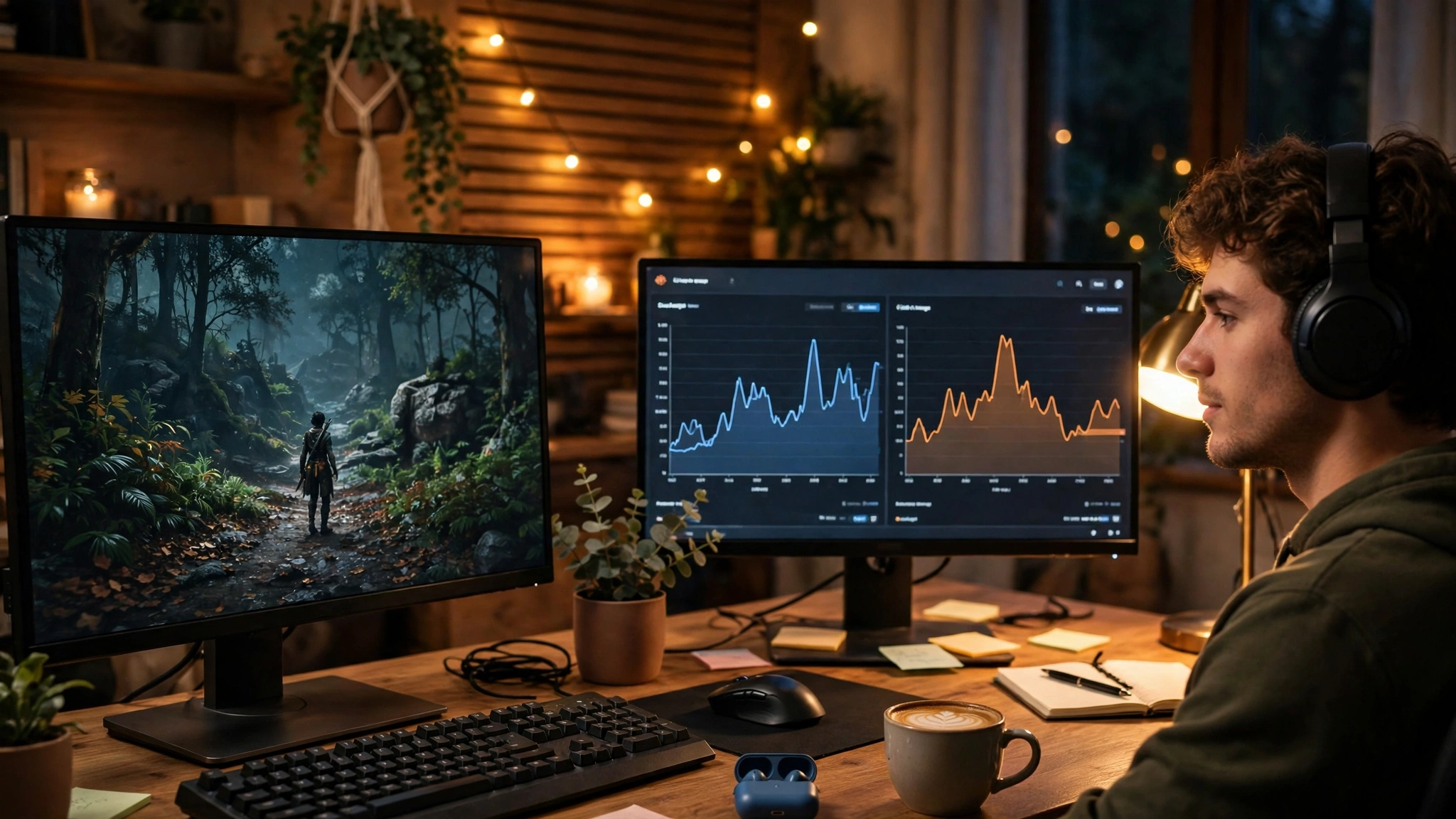
The single best habit in this whole guide is measuring your own system, because it replaces every myth above with evidence. Our step by step walkthrough on how to find a PC bottleneck covers the full process, but the short version fits in one gaming session. First, turn on a monitoring overlay that shows GPU usage, CPU usage per core, frame rate, and frame times. Then play the games you actually care about at the settings and resolution you actually use, for at least ten minutes each, including a busy scene. Note the pattern, not one snapshot: a GPU near full usage with smooth frame times means the GPU is the limit and your PC is working well. A GPU with clear headroom, one or more CPU cores pinned near maximum, and uneven frame times points to a CPU limit. A frame rate stuck exactly at your monitor refresh rate or at a cap you set is not a bottleneck at all, it is the cap doing its job.
Repeat the test after any change, whether that is a settings tweak, a driver update, or a new part. If the pattern does not change, the change did not address your limit. If it does, you have proof, and proof beats any forum claim or calculator score.
Myth Versus Reality at a Glance
| Myth | Reality |
|---|---|
| A perfect PC has zero bottleneck | Every PC has a limiting part at any moment, and the limit moves between games |
| A calculator percentage equals FPS lost | Percentages are rough estimates with no game, resolution, or settings attached |
| Any bottleneck is bad | A GPU bottleneck is usually ideal, a CPU bottleneck is the troublesome one |
| Bottlenecks damage hardware | Bottlenecks limit performance only, they do not cause physical damage |
| Higher resolution fixes a CPU bottleneck | Raising resolution shifts load to the GPU, FPS stays CPU capped |
| More cores always fix a CPU limit | Per-core speed matters more for most games than core count alone |
| Brands must match | AMD, Intel, and NVIDIA parts pair across brands through standard interfaces |
| A stronger GPU always adds FPS | A GPU upgrade only helps up to the limit set by the CPU and the rest of the system |
| Low GPU usage always means CPU trouble | Frame caps, light games, memory, and storage can all lower GPU usage |
| The next launch ends bottlenecks | New hardware raises ceilings, it does not remove limits, and rumors are unconfirmed |
Frequently Asked Questions
Is there a CPU/GPU combination that has absolutely no bottleneck at all?
This question was asked on Quora, close to this wording, and the short answer is no. Every combination has a limiting component at any given moment, because one part always finishes its work last. That is not a flaw in your build, it is how a chain of parts works. What you can achieve is a combination where the limit is the GPU during gaming, which is the desirable state, and where the limit never drops your frame rate below what feels smooth to you. Judge a pairing by the experience it delivers in your games, not by whether it reaches an impossible zero.
What’s preferable? A GPU bottleneck or a CPU bottleneck?
This question was also asked on Quora, and the answer is almost always a GPU bottleneck. When the GPU is the limit, it runs near full usage, frames arrive at a steady pace, and upgrading the GPU later gives a clear gain. When the CPU is the limit, the GPU idles between frames, frame times become uneven, and you can experience stutter even when the average frame rate looks fine. If you must have one limit, and you always will, choose the GPU limit by pairing a capable processor with the graphics card your resolution and settings demand.
Do I need to upgrade my CPU before buying an RTX 3060? I am currently running an Intel Core i5-6600K. I want to invest in a new GPU but I don’t want my PC to bottleneck.
This Quora question is a good example of the right way to ask, because it names the exact parts and the worry behind them. The honest answer depends on the games, resolution, and target frame rate, and no one can answer it from the part names alone. An older quad core processor like the i5-6600K will limit a modern mid range card in CPU heavy games and at 1080p high refresh rates, while the same pairing can still be a sensible upgrade for 1440p gaming or for less CPU demanding titles. Before buying, measure your current games as described above, and check whether your CPU or your GPU is the present limit. If the CPU is already the limit, a GPU upgrade alone will disappoint, and a platform upgrade should come first or alongside it.
What to Do Instead of Chasing Myths
Most bottleneck anxiety comes from measuring the wrong thing: a calculator score, a single usage snapshot, or a forum verdict about someone else’s PC. The builders who spend wisely do the opposite. They define a target first, such as smooth 1440p gameplay at high settings, then measure their own system against that target, then fix only the part that actually blocks it. They accept that a GPU near full usage is success, that a percentage without context is a guess, and that a rumored launch is not a plan. They also revisit the question when something real changes, such as a new game they love, a monitor upgrade, or a confirmed product release with independent benchmarks.
That approach saves money twice. It stops upgrades that would not have helped, and it directs the upgrades that do happen at the part that was genuinely holding the system back. Your PC does not need to be perfect, it needs to be fast enough for the games you play, on the monitor you own, at settings you enjoy. Once it is, the bottleneck conversation is over, and you can get back to playing.
Conclusion
The ten myths in this guide survive because each one contains a small piece of truth wrapped in a large overstatement. Bottlenecks are real, calculators are not useless, core counts do matter, and new hardware does get faster. But none of that makes a zero bottleneck PC possible, turns a calculator percentage into lost frame rates, makes every bottleneck harmful, or lets a resolution change or a rumored launch solve a CPU limit. Raising resolution shifts load to the GPU while your frame rate stays CPU capped, and that single correction alone saves many builders from an expensive misunderstanding.
Keep the checklist short. Measure your own PC, trust the pattern over a snapshot, prefer a GPU limit over a CPU limit, and upgrade only the part that blocks the experience you want. Do that, and the myths lose their power, because you will have something better than a claim: your own numbers, from your own games, on your own PC.

Leave a Reply