

The Intel Core i5-14600K (14 cores, 6 performance plus 8 efficiency, up to 5.3 GHz) pairs best with an RTX 5070, RTX 5060 Ti 16GB, RX 9060 XT 16GB, RX 9070, or Intel Arc B580 at 1440p. The RTX 5070 is the sweet spot for most builders. Feed it a 650 to 850W quality PSU, a real cooler (the chip can pull around 181W under load), and fast DDR5 if your board supports it. Avoid pairing it with anything weaker than an RTX 5060, and do not expect it to fully feed an RTX 5090 at 1080p.
Why This Guide Is Different
Most “best GPU for X CPU” articles are just a shopping list with affiliate links. This one is not. The i5-14600K is a hybrid chip with real power and heat behavior, and those traits change which GPU makes sense in a way a plain spec sheet never shows you. So this guide covers four things the others skip: how the performance and efficiency cores change pairing logic, how a DDR4 versus DDR5 motherboard moves your GPU ceiling, what the chip really draws from your PSU, and why your cooler is secretly part of the bottleneck equation. If you run the older 6-core i5-12400F instead of the 14600K, our best GPU for i5-12400F guide covers that chip’s very different pairing logic.
One more thing worth knowing before you spend money. Intel is reportedly raising PC CPU prices by roughly 10 percent effective October 5, 2026, the third increase since late 2025, according to supply chain reporting. If you are buying an i5-14600K this month, sooner beats later. More on that in the buy-now-or-wait section below.
What the GPU for i5-14600K Actually Brings to a Gaming Build
The 14600K is a Raptor Lake Refresh chip on the LGA 1700 socket, released in late 2023. On paper it looks like a mid-range CPU. In practice it behaves like a much bigger one, because Intel stuffed 14 cores into it: 6 performance cores (Raptor Cove) that boost up to 5.3 GHz, and 8 efficiency cores (Gracemont) that handle background work at up to 4.0 GHz. That is 20 threads total, with 24 MB of L3 cache feeding them.
Here are the numbers that matter for GPU pairing:
| Spec | i5-14600K |
|---|---|
| Cores / Threads | 14 (6P + 8E) / 20 |
| Max P-core turbo | 5.3 GHz |
| L3 cache | 24 MB |
| Base power (PL1) | 125W |
| Turbo power (PL2) | 181W |
| Memory support | DDR4-3200 and DDR5-5600 |
| PCIe | 5.0 x20 |
| Integrated graphics | Intel UHD 770 |
| Socket | LGA 1700 |
A few of these deserve a closer look. The 5.3 GHz boost is the single most important number for gaming, because most game engines still lean hardest on a few fast threads for physics, AI, and draw calls. The 24 MB of L3 cache keeps those threads fed. And the 181W turbo power figure is the one most buyers ignore, then regret. Intel lists these figures on its product pages at intel.com, and independent spec databases confirm them.
The practical takeaway: this CPU has the single-thread speed to keep up with strong mid-range and upper mid-range GPUs, and enough threads to game while Discord, a browser, and OBS run in the background. That combination is exactly why it remains a popular pick in 2026, even with newer platforms on shelves.
Why the E-Cores Change the GPU Pairing Logic
Here is the part most pairing guides miss entirely. On a traditional 6-core or 8-core CPU, every background task steals cycles from your game. On the 14600K, the 8 efficiency cores absorb that background load, which leaves the 6 fast performance cores free to feed the GPU. Windows 11’s thread scheduler handles this automatically.
What does that mean for your GPU choice? Two things.
First, the 14600K holds its frame rates better than its core count suggests in real gaming sessions, the kind where you actually have other programs open. A benchmark run on a clean system flatters every CPU equally. Your real PC is never a clean system. The E-cores are the reason the 14600K can hang with GPUs that would make a plain 6-core chip stutter in the same scenario.
Second, streaming changes the math in your favor. If you stream with CPU encoding, the E-cores can carry a meaningful part of that load. If you stream with NVENC on an NVIDIA GPU, the CPU barely notices at all, and the E-cores keep everything else smooth. Either way, you can aim one GPU tier higher than you could with a non-hybrid chip at the same price point.
The honest caveat: a handful of older games get confused by hybrid layouts and park threads on the wrong cores. This was a bigger problem in 2022 and 2023 than it is now. Modern BIOS updates and Windows 11 handle it well, and if you ever hit a stubborn old title, most Z790 and B760 boards let you tweak core parking in the BIOS. It is a footnote, not a dealbreaker.
How High Can You Go The Real GPU Ceiling
Now the main question. How strong a GPU can the i5-14600K feed before the CPU becomes the limit? The answer depends on resolution, because higher resolutions shift work onto the GPU. At 1080p the CPU works hardest. At 4K it barely breaks a sweat while the GPU does everything.
For context on what “bottleneck” even means here: a small mismatch is normal and fine. Our guide on what counts as a good bottleneck percentage explains that anything under roughly 10 percent is not worth worrying about. What you want to avoid is a big, persistent CPU limit that leaves an expensive GPU waiting around.
Here is the realistic ceiling, based on the chip’s gaming performance tier and how these pairings behave in popular titles:
| GPU | 1080p | 1440p | 4K | Verdict |
|---|---|---|---|---|
| Intel Arc B580 | Great match | Great match | GPU-bound, fine | Best budget all-Intel pairing |
| RTX 5060 / RX 9060 XT 8GB | Great match | Good match | GPU-bound, fine | Solid 1080p, light 1440p |
| RTX 5060 Ti 16GB / RX 9060 XT 16GB | Great match | Great match | Good match | The value sweet spot tier |
| RTX 5070 / RX 9070 | Good match | Great match | Good match | The 14600K’s natural partner |
| RTX 4070 Super | Good match | Great match | Good match | Still excellent if found cheaper |
| RTX 5070 Ti / RX 9070 XT | Slight CPU limit in esports titles | Great match | Great match | Fine at 1440p and up, overkill for 1080p |
| RTX 5080 and above | CPU limit at 1080p | Mostly fine | Great match | Only makes sense for 4K |
Read the table this way. At 1440p, which is where most 14600K builders land, the chip comfortably feeds everything up to an RTX 5070 Ti or RX 9070 XT. The RTX 5070 sits right in the middle of that comfort zone, which is one reason it earned its popularity: the September 2026 Steam hardware survey put the RTX 5070 at 5.86 percent of gamers, making it the single most popular GPU on the platform. When the most-owned GPU in PC gaming pairs cleanly with your CPU, that is a strong signal, not a coincidence.
A brief word on the wider landscape. Recent independent gaming tests have shown AMD’s X3D chips holding a large lead, roughly 24 to 37 percent in some comparisons, over Intel’s flagship Core Ultra 9 285K. That is about the halo tier, though. Down in the mid-range value lane where the 14600K lives, the chip’s price-to-performance ratio is exactly why it keeps selling. You are not buying the fastest gaming CPU on earth. You are buying one of the smartest ones for the money, and pairing it with the right GPU matters more than the badge on the box.
If you want a number for your exact combo and resolution rather than a table verdict, run it through our CPU bottleneck calculator before you buy. It takes thirty seconds and beats guessing.
The Hidden Bottleneck Power, Cooling, and the PSU
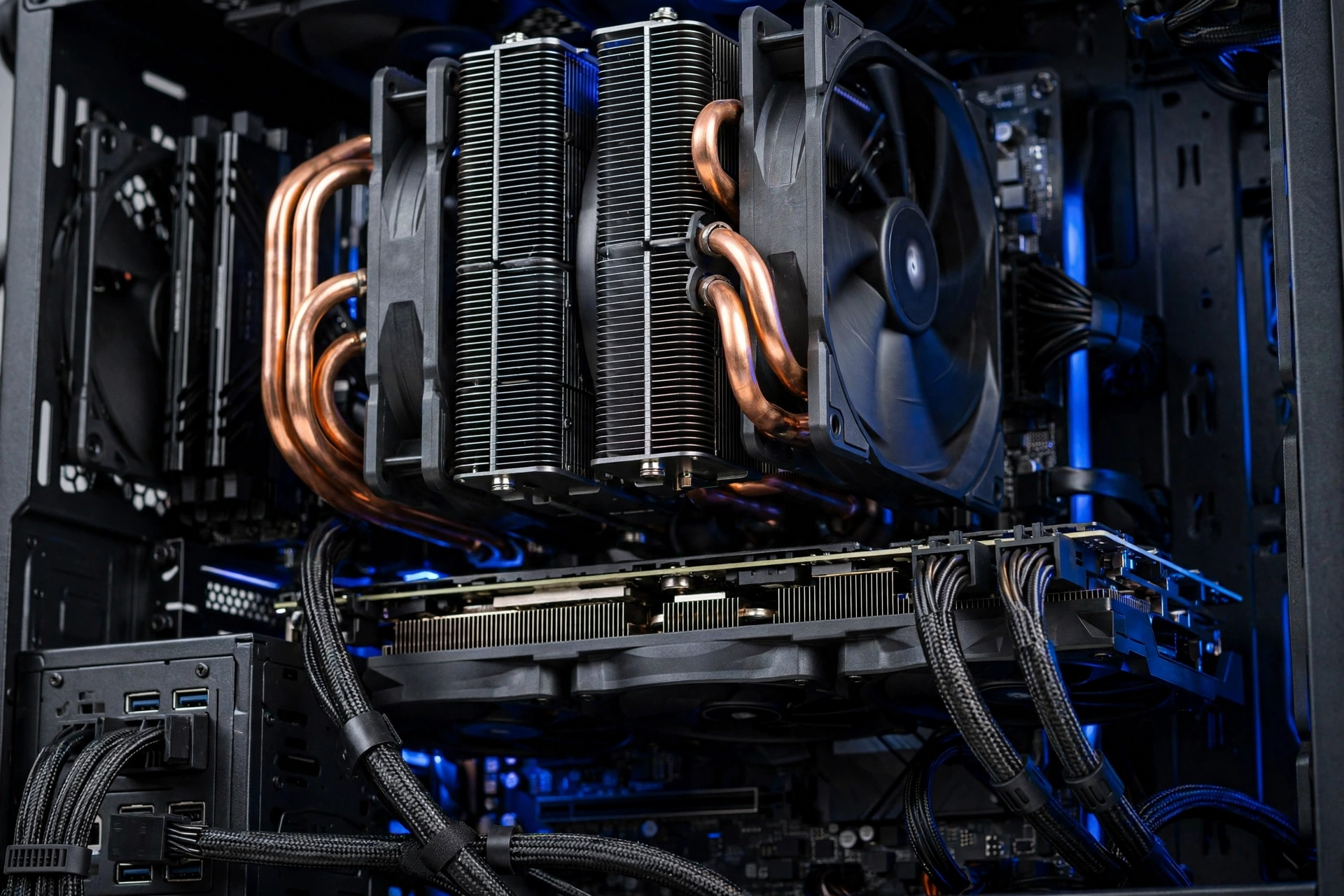
This is the section that saves builds. The i5-14600K is not a 125W chip in practice. That 125W figure is the base power. Under a real all-core load, the chip is allowed to pull up to 181W, and independent testing has measured it actually doing so: one detailed review logged 170.9W of package power during a ten-minute Cinebench R23 run, noticeably more than the previous generation drew for a modest performance gain.
Why does that matter for GPU pairing? Because your PSU and cooler have to cover the CPU and the GPU at the same time. A 14600K pulling 170W next to an RTX 5070 pulling around 250W is over 400W before you count the motherboard, drives, fans, and RAM. Builders who size their PSU for the GPU alone and treat the CPU as an afterthought end up with a system that is technically booting but running hot, loud, and close to its limits.
Here is a sane sizing guide. These assume a quality 80 Plus Gold unit from a reputable maker, not a mystery box:
| GPU tier with i5-14600K | Recommended PSU |
|---|---|
| Arc B580 / RTX 5060 | 550 to 650W |
| RTX 5060 Ti / RX 9060 XT | 650W |
| RTX 5070 / RX 9070 | 650 to 750W |
| RTX 5070 Ti / RX 9070 XT | 750 to 850W |
| RTX 5080 | 850W |
Go one step above the minimum if you plan to overclock the 14600K, since an overclocked Raptor Lake chip can sail past 200W without much effort. And if PSU tiers confuse you, our RTX 50 series power supply guide walks through wattage and connector requirements for the current generation.
Cooling is the other half of the hidden bottleneck, and real users keep learning it the hard way. Forum threads are full of 14600K owners watching their chip hit 100C and wondering if the sensor is broken. It usually is not broken. The usual culprit is a cooler rated for a 65W chip trying to tame a 181W one, sometimes with the plastic film still on the cold plate or a loose mount. One veteran forum answer put it bluntly: a substantial dual-tower air cooler is the bare minimum for this CPU, and cheap push-pin coolers meant for low-end chips are red flags.
What actually works? A good dual-tower air cooler handles the 14600K at stock settings in a case with decent airflow. A 240mm or 280mm liquid cooler gives you more headroom and quieter operation, and it is the safer pick if you overclock. What does not work is the stock-style cooler from a much weaker CPU, or any cooler installed without fresh thermal paste and firm, even mounting pressure. A thermal-throttling CPU cannot feed any GPU properly, which makes the cooler a bottleneck component in the most literal sense: it decides how much of your CPU’s performance you actually get.
Undervolting is worth a mention here. Some 14600K owners report meaningful temperature drops from a careful undervolt with no performance loss, since these chips often ship with more voltage than they need. It is a legitimate tweak, but it requires stability testing, and results vary by chip. Treat it as an enthusiast option, not a fix for an inadequate cooler.
DDR4 vs DDR5 How Your Motherboard Moves the GPU Ceiling
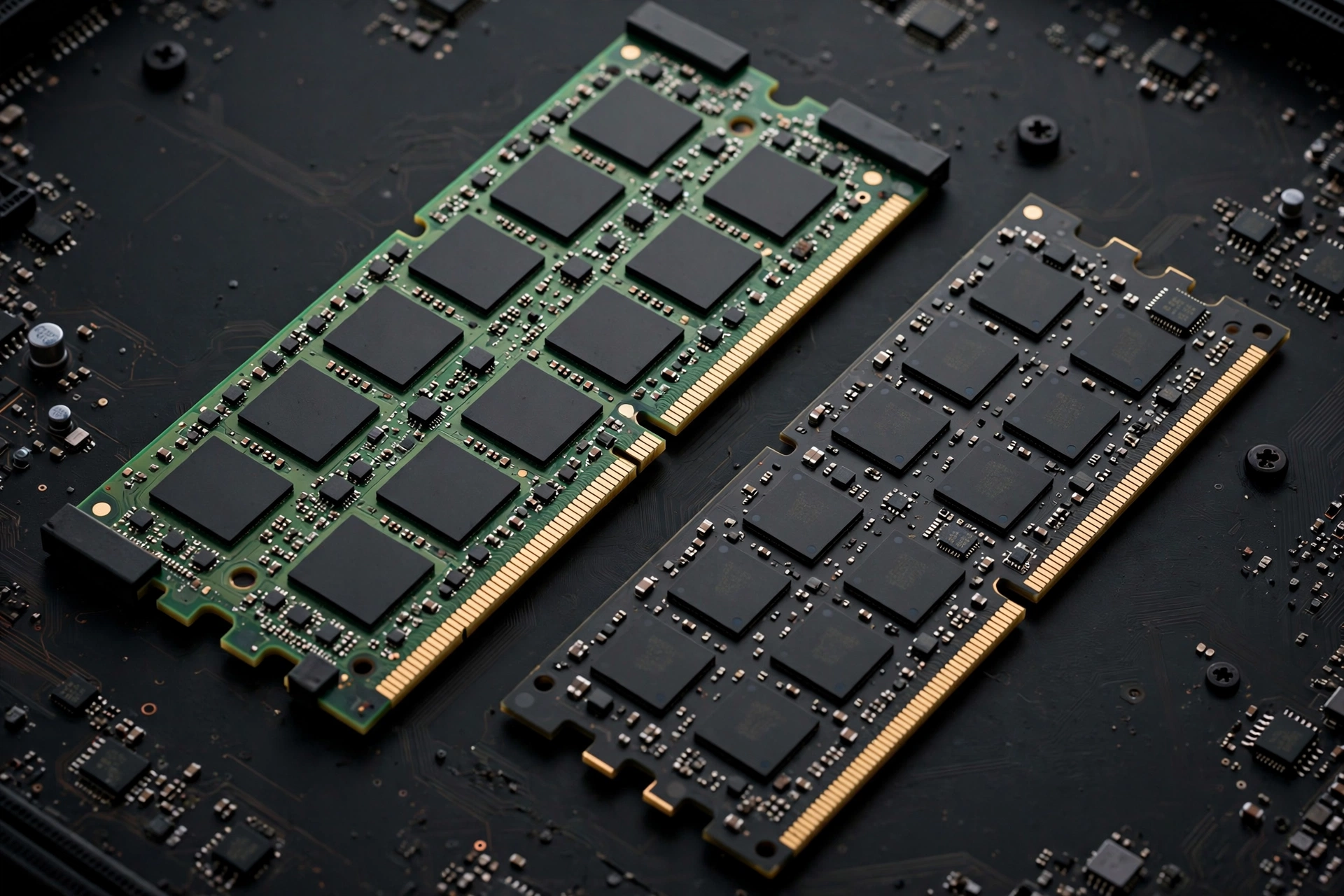
The 14600K is one of the last great CPUs that supports both DDR4 and DDR5, and your choice genuinely changes the build. This is not a small footnote. A DDR4 board with cheap DDR4-3600 can save enough money to jump a full GPU tier, while DDR5-6000 gives you the chip’s best performance. Which is right depends on your resolution and your budget.
Here is what the testing actually shows. A mid-2026 re-examination of DDR4 versus DDR5 on Intel’s LGA 1700 platform, testing across a stack of CPUs with an RTX 5090 at 1080p to maximize CPU load, found the 14600K losing about 13 percent with DDR4 compared to DDR5. That is the worst-case number, measured in the most CPU-bound scenario possible. With realistic GPUs, other benchmark comparisons put the real-world gaming gap at roughly 3 to 7 percent in favor of DDR5 at 1080p in CPU-heavy titles, shrinking to 1 to 4 percent at 1440p, and nearly zero at 4K where the GPU does all the work.
Put that together and the strategy becomes clear:
| Your situation | Best memory choice |
|---|---|
| 1080p high-refresh esports with RTX 5070 or better | DDR5-6000 or faster, the gap is real here |
| 1440p gaming, any GPU in this guide | DDR5 if the budget allows, DDR4-3600 if it funds a better GPU |
| 4K gaming | DDR4 is genuinely fine, the GPU decides everything |
| Streaming plus gaming plus productivity | DDR5, the bandwidth helps outside games too |
The key insight: at 1440p and 4K, the money you save going DDR4 often buys more frames as a GPU upgrade than DDR5 buys as a memory upgrade. A 14600K with DDR4-3600 and an RTX 5070 will beat a 14600K with DDR5-6000 and an RTX 5060 Ti in almost every game, because the GPU tier jump is worth far more than the memory gap. For a deeper dive into how memory speeds affect frame rates, our DDR4 vs DDR5 gaming performance breakdown covers the full picture, and our RAM bottleneck explained guide covers how memory itself can limit FPS.
One practical warning: DDR4 and DDR5 use physically different slots. A motherboard takes one or the other, never both. Decide before you buy the board, because you cannot change your mind later without replacing it.
The Best GPUs for the i5-14600K in 2026
With the framework set, here are the picks, ordered by who they are for rather than by price alone. Every one of these keeps the 14600K at or near full GPU utilization at its intended resolution, which is the actual definition of a no-bottleneck pairing.
Best overall NVIDIA RTX 5070
This is the default answer for a reason. The RTX 5070 lands squarely in the 14600K’s comfort zone at 1440p, brings 12GB of GDDR7 memory, and benefits from NVIDIA’s DLSS 4 upscaling, which is the closest thing to free performance in modern gaming. Check NVIDIA’s GeForce pages at nvidia.com for the official feature set. It is also, per the Steam survey, the GPU most PC gamers actually own right now, which means game developers optimize for exactly this performance tier. Pair it with a 650 to 750W PSU and DDR5 if you can swing it.
Best value 1440p RTX 5060 Ti 16GB or RX 9060 XT 16GB
If the 5070 stretches the budget, this tier is where the smart money goes. Both cards carry 16GB of VRAM, which matters more every year as texture sizes grow, and both sit comfortably inside what the 14600K can feed at 1440p. The 16GB models specifically: the 8GB versions of cards in this class are already showing their limits in new releases, and the small price step up to 16GB is worth it on a build you plan to keep for years.
Best budget pick Intel Arc B580
The all-Intel pairing is genuinely good now. The B580’s 12GB of memory and strong 1440p showing in titles like Shadow of the Tomb Raider make it a real option rather than a curiosity, and Intel’s ongoing driver improvements have steadily raised its standing since launch. Just make sure resizable BAR is enabled in your BIOS. Arc cards depend on it in a way NVIDIA and AMD cards do not, and forgetting it is the classic B580 beginner mistake.
Best for streaming and creation RTX 5070 or 5070 Ti
If you stream, NVIDIA’s NVENC encoder remains the quality and compatibility king, and the 14600K’s E-cores keep your stream software and chat bots off the performance cores while NVENC handles the video. The 5070 Ti stretches the CPU slightly at 1080p in esports titles, but at 1440p, where streamers actually play, the pairing is clean.
Best AMD alternative RX 9070
AMD’s RDNA 4 cards compete directly with the 5070 tier, often with more VRAM for the money. If you find a 9070 cheaper than a 5070 where you shop, take it and do not look back. The 14600K does not care which brand feeds it frames.
What to avoid
Do not pair the 14600K with anything weaker than an RTX 5060 or RX 9060 XT unless you are building a stopgap PC while saving for a real GPU. The CPU will spend its life waiting, which is the textbook definition of a wasteful bottleneck in reverse. And do not buy an RTX 5080 or 5090 for 1080p gaming with this chip and expect miracles. At 4K those cards make sense. At 1080p you are paying for performance the CPU cannot unlock.
Buy Now or Wait The October 2026 Price Situation
Timing matters this month in a way it usually does not. Multiple outlets, citing supply chain sources, report that Intel plans another roughly 10 percent price increase on PC processors effective October 5, 2026. That would be the third hike since late 2025, following increases in the first quarter and again in July, driven by rising memory and supply chain costs plus Intel’s deliberate shift toward protecting margins.
What does that mean for your build? A few practical points.
First, if you have already decided on the i5-14600K, buying the CPU sooner rather than later is the rational move. A 10 percent increase on a mid-range chip is real money, roughly the cost of a good air cooler.
Second, keep some perspective. Price hikes tend to hit newest-generation parts hardest, and retailers do not always pass increases through immediately or fully. Street prices move slower than official price lists. Still, the direction is clearly up, not down.
Third, do not let the CPU news rush a bad GPU decision. GPU prices move on their own logic, driven by memory costs and demand cycles. Buy the CPU promptly if you are committed, but take your normal careful time choosing the graphics card. The right GPU at the right price matters more than saving a few days.
Mistakes That Waste an i5-14600K Build
After watching years of build advice threads, the same errors come up again and again with this chip. Run through this list before you check out.
Cooling it like a 65W chip. The single most common 14600K mistake. A cooler that worked fine on an i5-12400 will let the 14600K cook itself into thermal throttling. Budget for a real dual-tower air cooler or a 240mm liquid cooler from the start.
Pairing a 750W-plus GPU setup with a 550W PSU. The CPU and GPU draw power at the same time during gaming. Size for both, then add headroom.
Buying a DDR4 board to save money, then buying slow DDR4. If you go DDR4, get a DDR4-3600 CL16 kit or similar. Bargain-bin DDR4-2666 on a 7600K build is leaving real performance on the table for almost no savings.
Disabling the E-cores because someone on a forum said to. A few ancient games benefit, but for modern gaming you are throwing away the chip’s best multitasking trait. Leave them on unless you have benchmarked a specific problem.
Chasing 0 percent bottleneck. Perfect balance does not exist, and a few percent of CPU or GPU limit in either direction is invisible in actual gameplay. If a calculator shows a small number, that is a green light, not a warning.
Ignoring resizable BAR with an Intel Arc card. This one setting is the difference between the B580 looking great and looking broken. Enable it in the BIOS before you judge the card.
Pro Tips Before You Buy
A few things experienced builders do that first-timers miss.
Check your motherboard’s BIOS version before installing the 14600K. Early LGA 1700 boards shipped before Raptor Lake Refresh existed, and some need a BIOS update to recognize the chip. Most current boards ship with a new enough BIOS, but if you are buying old stock, verify.
If you buy a Z790 board, you get CPU overclocking. If you buy B760, you do not, but you can still run faster memory via XMP. For most gamers, a good B760 board with DDR5-6000 and the money saved put toward the GPU beats a Z790 board with a weaker graphics card.
Enable XMP or EXPO the day you build. Memory defaults to slow JEDEC speeds without it, and a surprising number of builders run their expensive DDR5-6000 kit at DDR5-4800 for months before noticing. This one toggle is free performance.
Finally, remember the 14600K includes Intel UHD 770 integrated graphics. That sounds irrelevant on a gaming build until the day your GPU has a driver crisis or needs an RMA. The iGPU means your PC still works while you sort it out. Builders who buy the KF version to save a few dollars give up that safety net, so weigh it honestly.
Frequently Asked Questions
Will the i5-14600K bottleneck an RTX 5070 in CPU-heavy games?
This exact worry comes up constantly in build advice threads, where people hear the bottleneck word thrown around and assume the worst. In most games at 1440p, no. The pairing is well balanced, and the 14600K’s strong single-thread performance plus its E-cores handling background tasks keep it ahead of the GPU in the vast majority of titles. In extremely CPU-heavy scenarios, think large-scale simulation games or 1080p competitive esports at very high frame rates, you may see the CPU become the limit. That is normal for any CPU at 1080p high-refresh gaming and not a sign of a bad pairing. Moving to 1440p shifts the load back to the GPU and the combo shines.
Is the i5-14600K enough for an RTX 4080 Super, or do I need an i7 or i9?
For pure gaming at 1440p or 4K, the i5-14600K is enough for an RTX 4080 Super. The gap between the i5 and its bigger siblings is small in games at these resolutions because the GPU is the limit, not the CPU. For pure gaming at 1440p or 4K, the i5-14600K is enough for an RTX 4080 Super. The gap between the i5 and its bigger siblings is small in games at these resolutions because the GPU is the limit, not the CPU. Where the i7-14700K or i9-14900K pull ahead is heavily multithreaded work like video rendering and compiling, where their extra cores earn their keep. If your PC is mostly for gaming with some light content work, the i5 plus the money saved is the smarter buy. If you render video for a living, step up.
I just built my first PC with an i5-14600K and an RTX 4060 Ti 16GB Is this combo good, or will I run into problems?
It is a good, sensible combo, and first-time builders ask about it regularly. The 4060 Ti 16GB sits comfortably inside what the 14600K can feed, the 16GB of VRAM gives you headroom for future games, and nothing about the pairing is exotic or risky. Second, keep some perspective. Price hikes tend to hit newest-generation parts hardest, and retailers do not always pass increases through immediately or fully. Street prices move slower than official price lists. Still, the direction is clearly up, not down.
I want 180 FPS in Warzone at 1440p I have an i5-12400F now. Is upgrading to a 14600K-class CPU and an RTX 5070 the right move?
Yes, that upgrade path makes sense for your goal. Warzone at high frame rates is genuinely CPU-demanding, and moving from a 6-core 12400F to a 14-core hybrid chip removes the processor as your ceiling. The RTX 5070 then supplies the raw frame rendering power, and DLSS can close any remaining gap to your 180 FPS target. Upgrade the GPU first if you can only do one part at a time, since it contributes more frames per dollar, then follow with the CPU platform.
My i5-14600K hits 100C under load Is the temperature sensor broken?
Almost certainly not. A 14600K hitting 100C is the classic sign of a cooler that cannot handle a 181W chip, and owners report this exact scenario regularly. First, check the basics: cooler firmly mounted with even pressure, fresh thermal paste, plastic protective film removed from the cold plate, and fans actually spinning. If all of that is right and temperatures are still extreme, the cooler itself is too weak. Budget push-pin coolers designed for 65W chips cannot tame this CPU. A quality dual-tower air cooler or 240mm liquid cooler is the realistic minimum.
Can undervolting fix my i5-14600K running too hot?
It can help, and some owners report large temperature drops from a careful undervolt with no lost performance, because these chips often ship with more voltage than they strictly need. But undervolting is a tuning project, not a magic fix. An unstable undervolt causes crashes, so you need to stress-test any changes, and results vary from chip to chip. More importantly, undervolting cannot rescue a fundamentally inadequate cooler. Fix the cooling first, then consider undervolting as an enthusiast bonus.
Should I get a DDR4 or DDR5 motherboard for the i5-14600K?
It depends on your resolution and budget. At 1080p high-refresh gaming with a strong GPU, DDR5-6000 or faster is worth it, since the memory gap is largest when the CPU is the limit. At 1440p, DDR5 is nice but optional: the money saved with DDR4-3600 often buys a better GPU tier, which gains more frames than the memory upgrade would. At 4K, DDR4 is genuinely fine. Remember that the choice is permanent per motherboard, so decide before you buy the board.
Key Takeaways
- The i5-14600K’s 6 performance cores feed GPUs up to the RTX 5070 Ti and RX 9070 XT comfortably at 1440p, while its 8 efficiency cores keep background tasks off your game’s critical path.
- The RTX 5070 is the natural sweet spot pairing: balanced at 1440p, 12GB of fast memory, DLSS 4 support, and the most popular GPU among PC gamers right now.
- Treat power and cooling as part of the pairing. The chip can pull around 181W under load, so budget a real cooler and a 650 to 850W quality PSU depending on your GPU tier.
- DDR5 wins by a clear margin only at 1080p in CPU-bound scenarios. At 1440p and 4K, DDR4 savings put toward a better GPU usually gain more frames.
- Intel CPU prices are reportedly rising about 10 percent effective October 5, 2026, so if you have settled on this chip, buying sooner is the rational call.
Final Word
The i5-14600K remains one of the best-balanced gaming CPUs you can buy in 2026, not because it wins every benchmark, but because its hybrid design covers real gaming sessions better than its price suggests. Pair it with an RTX 5070 or RX 9070 at 1440p, cool it properly, feed it enough power, and choose your memory platform deliberately, and you have a build with no meaningful bottleneck anywhere. Before you spend, plug your exact parts into our CPU bottleneck calculator and confirm the balance for your resolution. Thirty seconds now beats regret later.

Leave a Reply