
Quick answer: The best CPU for the RTX 5060 Ti is the Ryzen 5 9600X for most builders: fast Zen 5 cores, low 65W power draw, and an AM5 upgrade path. Budget builders can pair the 16GB model with a Ryzen 5 7600 or Core i5-14400F at 1440p, while competitive 1080p gamers get more from a Ryzen 7 7800X3D.
Picking a CPU for the RTX 5060 Ti sounds simple until you actually try. One forum thread swears your old Ryzen will strangle it. Another insists anything short of a flagship X3D chip is a waste of money. A third is too busy arguing about 8GB versus 16GB to answer your question at all.
Here is what most guides skip: the RTX 5060 Ti is really two different cards sharing one name. The 8GB and 16GB versions use the identical GPU chip, but the memory difference decides which resolutions and settings make sense, and that in turn decides how hard your CPU has to work. Sort out the VRAM question first and the CPU answer gets much simpler.
This guide covers both versions. You will get tiered CPU picks matched to each VRAM option, a resolution-by-resolution breakdown, and an honest list of pairings to avoid. No invented benchmark numbers and no made-up bottleneck percentages for your exact system, just official specifications and how they behave together in real builds.
One quick definition before we start: a bottleneck means one component limits another, usually the CPU failing to feed frames to the GPU fast enough. A small imbalance is normal and nothing to worry about. If you want the full explanation of what the percentages mean, our guide to a good bottleneck percentage covers it in two minutes.
Contents
- The Short Answer: Best CPU for RTX 5060 Ti
- RTX 5060 Ti Specs That Matter for CPU Pairing
- 8GB vs 16GB: How VRAM Changes Your CPU Choice
- Best CPU for RTX 5060 Ti by Resolution: 1080p, 1440p and 4K
- The Best CPUs for the RTX 5060 Ti, Ranked by Budget Tier
- CPU Pairings to Avoid With the RTX 5060 Ti
- Platform and Memory: The Short Version
- Check Your Exact Combo With Our Free Bottleneck Calculator
- Frequently Asked Questions
- The Bottom Line
Best CPU for RTX 5060 Ti
Every CPU below is a safe pairing with the RTX 5060 Ti. The “Best with” column is the part other guides miss: it tells you which VRAM version each pick suits.
| Tier | Pick | Best with | Why it works |
|---|---|---|---|
| Best overall | Ryzen 5 9600X | Both versions | 6 fast Zen 5 cores at 65W; keeps the Ti fed at 1080p and 1440p with an AM5 upgrade path |
| Best for 1080p high-refresh | Ryzen 7 7800X3D | 8GB model | 96MB of stacked cache smooths frame times exactly where the CPU works hardest |
| Best budget | Ryzen 5 7600 | 16GB model | Strong 1440p gaming for budget money, with a cooler in the box |
| Best Intel value | Core i5-14400F | 16GB model | 10 cores at a budget price; an ideal 1440p partner |
| Best Intel all-rounder | Core i5-14600K | Both versions | 14 cores for gaming plus heavy multitasking and overclocking headroom |
| Best efficiency 8-core | Ryzen 7 9700X | Both versions | 8 Zen 5 cores at just 65W; cool, quiet, and fast |
| Best high-end gaming | Ryzen 7 9800X3D | Either, if future-proofing | The fastest gaming CPU AMD sells; overkill today, insurance for your next GPU |
| Best creator hybrid | Core i7-14700K | 16GB model | 20 cores for editing and rendering that still games at a high level |
| Best AM4 upgrade | Ryzen 7 5700X3D | 16GB model | Drop-in X3D upgrade for existing AM4 boards; no new platform needed |
The rest of this guide explains why each pick earned its row, how resolution changes the answer, and which combinations to stay away from. If you bought the smaller non-Ti card instead, our best CPU for RTX 5060 guide applies the same method to that GPU.
RTX 5060 Ti Specs That Matter for CPU Pairing
NVIDIA launched the RTX 5060 Ti in April 2025 in two versions built on the same Blackwell GB206 chip. The specifications below come from launch coverage at Digital Trends and NVIDIA’s own RTX 5060 family page:
| Specification | 8GB model | 16GB model | Why it matters for CPU pairing |
|---|---|---|---|
| GPU / CUDA cores | GB206, 4,608 cores | GB206, 4,608 cores | Identical chips: at the same settings, both versions ask the same of your CPU |
| Memory | 8GB GDDR7 | 16GB GDDR7 | The whole story: VRAM decides which resolutions are comfortable, which decides CPU load |
| Memory bus / bandwidth | 128-bit, 448 GB/s | 128-bit, 448 GB/s | Same bandwidth; only capacity differs |
| Boost clock | Up to 2.57 GHz | Up to 2.57 GHz | High clocks reward a CPU that keeps up in CPU-bound scenes |
| Total graphics power | 180W | 180W | Modest draw; a quality 550W PSU is the practical minimum for most builds |
| PCIe interface | PCIe 5.0 x8 | PCIe 5.0 x8 | Fine on modern boards; worth a look on older PCIe 3.0 systems (see below) |
| Launch MSRP | $379 | $429 | Only $50 apart at launch, which makes the 16GB version an easy recommendation (TechPowerUp) |
| Features | DLSS 4, Multi Frame Generation | DLSS 4, Multi Frame Generation | Frame generation multiplies displayed FPS, but your CPU still sets the base frame rate it builds on |
Two things in that table deserve emphasis. First, because both versions share the same GPU, the CPU feeding requirement is identical at identical settings. The VRAM difference matters indirectly: it changes which resolution and texture settings are comfortable, and resolution is the biggest lever on CPU load. Second, DLSS 4 frame generation is often described as making the CPU irrelevant, which is misleading. Generated frames are manufactured by the GPU, so they can smooth out a CPU-limited scene, but they are built on top of real frames your CPU still has to deliver. A weak CPU means a weak base frame rate, and frame generation feels laggy when the base rate is too low.
8GB vs 16GB How VRAM Changes Your CPU Choice
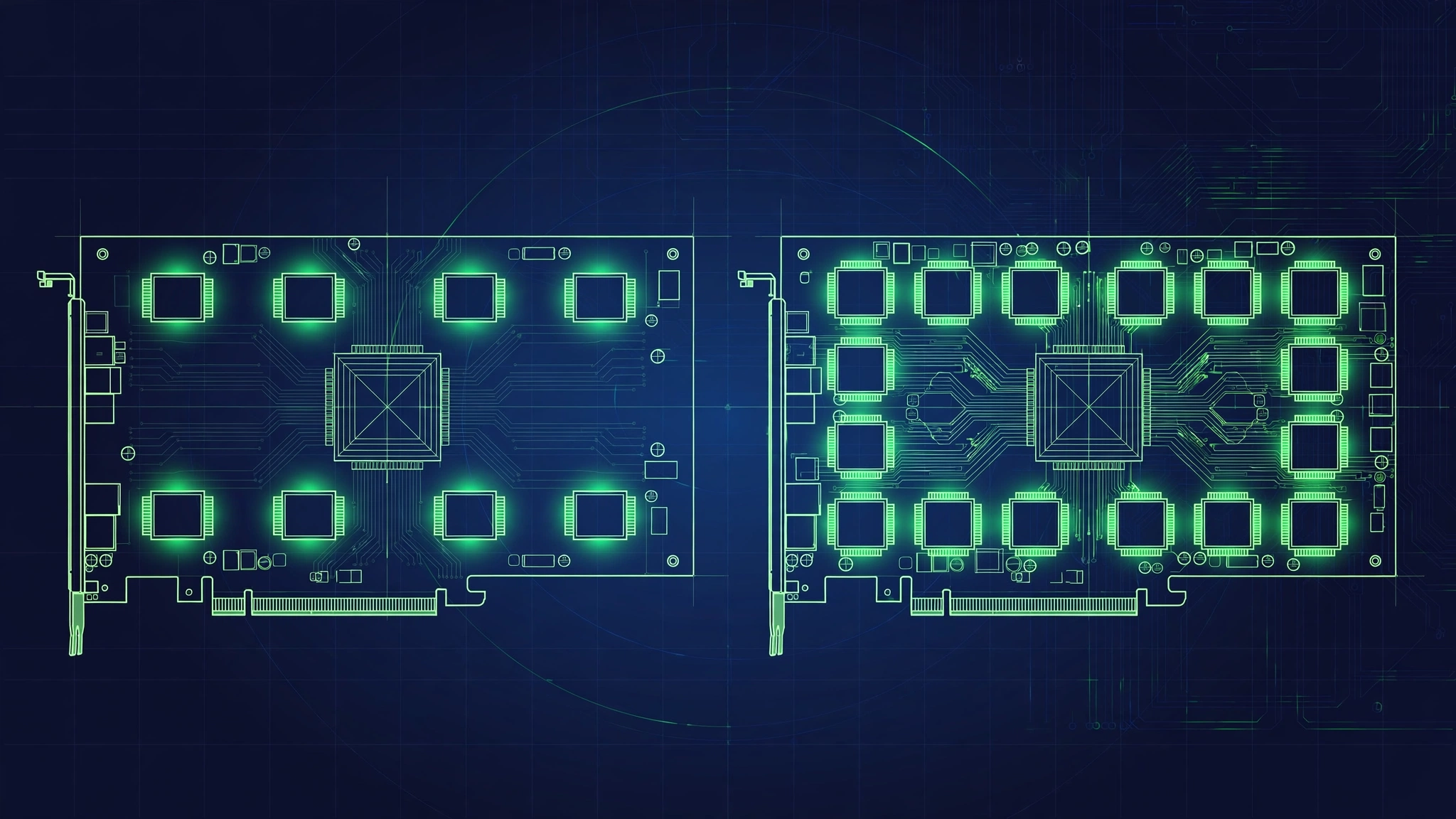
This is the section no competitor guide writes. Everyone treats the two Ti versions as interchangeable for CPU advice. They are not.
With the 8GB Model, Your CPU Works Harder
Independent testing found the 8GB RTX 5060 Ti quite capable at 1080p, running modern games at high to ultra settings at native resolution, with DLSS upscaling needed only in a few very demanding titles at ultra (The FPS Review). That makes the 8GB card a 1080p-first GPU, and 1080p is exactly where CPUs work hardest: the GPU finishes each frame quickly and demands the next one sooner, so the processor becomes the limiter more often.
The same logic applies if you push the 8GB card to 1440p. To stay clear of the VRAM wall you have to drop texture settings, and lower settings mean higher frame rates, which loads the CPU right back up. Either path you take with the 8GB model leads to a busier processor.
One more distinction that saves builders from misdiagnosing their PC: running out of VRAM causes hitching and stutter that can feel exactly like a CPU bottleneck, but it is a memory capacity problem. A faster CPU will not fix VRAM overflow; only lower texture settings or more VRAM will. Our breakdown of the Ryzen 5 5600 and RTX 5060 pairing explains how to tell the two problems apart.
Practical takeaway for 8GB owners: prioritize single-threaded speed and cache. The Ryzen 5 9600X, Core i5-14600K, and Ryzen 7 9700X are the sweet spot, and competitive high-refresh players should seriously consider the Ryzen 7 7800X3D.
With the 16GB Model, a Modest CPU Is Plenty
The 16GB version was tested at 1440p native, 1440p with DLSS upscaling, and even 4K with DLSS and ray tracing (The FPS Review). That is a different GPU experience: 1440p at ultra textures is this card’s home, and at 1440p each frame costs the GPU so much more work that the CPU gets real breathing room between frames.
In practical terms, a Ryzen 5 7600 or Core i5-14400F paired with the 16GB Ti at 1440p will estimate in the low single digits on a bottleneck check, which is exactly where you want to be. There is no need to stretch for an X3D chip or a 14-core Intel part for this combination unless you play competitive shooters at very high refresh rates. The 16GB model effectively lets you spend less on the CPU, and many builders will find the smartest move is putting the savings toward the $50 step up from 8GB to 16GB in the first place.
The PCIe x8 Trap on Older Motherboards
Here is the technical wrinkle that hits the 8GB model hardest. The RTX 5060 Ti talks to the system over a PCIe 5.0 x8 link rather than a full x16 (WCCFTech’s launch coverage). On any PCIe 4.0 or 5.0 motherboard that is a non-issue: x8 at Gen4 speeds equals x16 at Gen3 speeds, which is plenty for this class of card.
The problem case is an older PCIe 3.0 board, the kind many AM4 upgraders still run. There the card drops to PCIe 3.0 x8, halving the available bandwidth. In most games the real-world cost is small, a few percent, because the card rarely saturates even that link.
But combine it with VRAM overflow and the math changes. When the GPU runs out of VRAM, it starts swapping data with system memory across the PCIe bus. A narrow Gen3 x8 link under constant swapping traffic is a much worse situation than either problem alone: the stutter gets uglier than simple VRAM overflow or simple bandwidth limits would each cause. Since the 8GB model overflows far sooner than the 16GB one, the worst possible combination is an 8GB Ti in an old PCIe 3.0 system pushed past 1080p.
If that is your setup, you have three sensible moves: choose the 16GB model instead, keep texture settings moderate at 1440p, or plan a platform upgrade alongside the GPU. On B550, X570, or anything newer, you can ignore this section entirely.
Best CPU for RTX 5060 Ti by Resolution
Resolution moves the CPU-GPU balance more than any other single factor. The table below splits the guidance by VRAM version, because the two cards live at different resolutions.
| Resolution | 8GB model: CPU guidance | 16GB model: CPU guidance |
|---|---|---|
| 1080p | Most CPU-demanding. 9600X, 14600K, or 9700X; 7800X3D for 240Hz+ competitive play | Any pick on this page works; 16GB at 1080p is future-proofing rather than need |
| 1440p | Works, but manage textures to dodge the VRAM wall; CPU matters more since you run reduced settings | The sweet spot. 7600, 9600X, 14400F, and 9700X all estimate in the low single digits |
| 4K | Not recommended: the VRAM wall hits before the CPU ever matters | Playable with DLSS; heavily GPU-bound, so even modest CPUs keep up |
At 1080p the GPU renders frames so cheaply that your processor is constantly asked for the next one. This is where the 8GB model lives and where CPU choice matters most. At 1440p the workload shifts decisively toward the GPU, which is why the 16GB Ti plus a mid-range CPU is such a popular combination. At 4K the graphics card is the limit in nearly every game, though only the 16GB version has the memory to make 4K sensible at all.
If you want a number for your exact combination rather than general guidance, run your CPU, GPU, and resolution through our CPU bottleneck calculator. It takes under a minute and beats guessing.
The Best CPUs for the RTX 5060 Ti Ranked by Budget Tier
Every specification below is manufacturer-published, not estimated. Prices move constantly, so treat any price mention as launch or typical positioning rather than a live quote.
Best Budget Picks
AMD Ryzen 5 7600 (6 cores / 12 threads, Zen 4, 3.8 GHz base / up to 5.1 GHz boost, 65W, AM5, stock cooler included)
The 7600 is the value king for the 16GB Ti at 1440p. Its gaming performance sits within a few percent of the more expensive 7600X while sipping power and running cool under the included stock cooler. Drop it into an AM5 board with DDR5 and you get a balanced 1440p machine plus an upgrade path to future Ryzen chips. For 8GB owners who mostly play at 1080p, the 9600X below is worth the step up.
Intel Core i5-14400F (10 cores: 6 performance + 4 efficiency / 16 threads, up to 4.7 GHz boost, 65W base power, LGA 1700)
Often the cheapest safe pairing on this page. Ten cores handle gaming plus Discord, browser tabs, and background apps without drama, and at 1440p with the 16GB Ti it estimates in the minor range. The tradeoff is the platform: LGA 1700 is end-of-life with no new CPUs coming, so buy it for the price, not the future.
AMD Ryzen 5 5600 (6 cores / 12 threads, Zen 3, 3.5 GHz base / up to 4.4 GHz boost, 65W, AM4)
This one is for existing AM4 owners only, not new builds. The 5600 keeps the Ti reasonably fed at 1440p in most games, making it a legitimate stopgap if you are dropping a new GPU into an older system. At 1080p high-refresh it shows its age, and the full resolution-by-resolution logic is covered in our Ryzen 5 5600 and RTX 5060 pairing analysis, which applies here too.
Budget verdict: building new, take the 7600 for its AM5 future. Finding the 14400F much cheaper, take it without worry. Already on AM4, the 5600 buys you time.
Best Mid-Range Picks
AMD Ryzen 5 9600X (6 cores / 12 threads, Zen 5, 3.9 GHz base / up to 5.4 GHz boost, 32MB L3 cache, 65W, AM5, unlocked)
The best overall CPU for the RTX 5060 Ti. Zen 5 delivers stronger per-clock performance than Zen 4, so these six cores punch above their weight in exactly the single-threaded game code that determines 1080p frame rates (full specs at TechPowerUp). It does it all at 65W, runs cool under a modest tower cooler, and sits on the AM5 platform with years of upgrades ahead. Pair it with either VRAM version at any resolution and the CPU simply stops being something you think about. Note it ships without a stock cooler, so budget for an aftermarket one.
AMD Ryzen 7 9700X (8 cores / 16 threads, Zen 5, 3.8 GHz base / up to 5.5 GHz boost, 65W, AM5)
The efficiency 8-core. You get two extra full cores over the 9600X for streaming, content creation, and heavy multitasking, still at just 65W. In pure gaming it is only a small step ahead of the 9600X with this GPU, so buy it for the headroom and the thermals rather than expecting a big FPS jump.
Intel Core i5-14600K (14 cores: 6 performance + 8 efficiency / 20 threads, up to 5.3 GHz boost, unlocked, LGA 1700)
The best Intel all-rounder on this page and the strongest pick here for the 8GB Ti at 1080p. Fast performance cores keep frame rates high while the efficiency cores absorb background work, and it overclocks if you enjoy tuning. Two honest caveats: it runs hot and thirsty under load, so a serious cooler and a quality PSU are mandatory, and LGA 1700 is a dead platform. It makes most sense at a discount or as a drop-in for an existing LGA 1700 board.
Mid-range verdict: the 9600X is the default answer for most Ti buyers. Take the 9700X for efficiency and extra cores, the 14600K for Intel or heavy multitasking.
Best High-End Picks
AMD Ryzen 7 7800X3D (8 cores / 16 threads, Zen 4, 4.2 GHz base / up to 5.0 GHz boost, 96MB 3D V-Cache, 120W, AM5)
The high-refresh answer. That stacked 96MB of cache keeps minimum frame rates high and frame times smooth in exactly the CPU-bound 1080p scenarios where the 8GB Ti lives. It is frequently discounted in 2026 as the newer X3D chip takes the spotlight, which can make it the best gaming value of the high-end tier. If your monitor runs 240Hz or faster, this is where your money goes.
AMD Ryzen 7 9800X3D (8 cores / 16 threads, Zen 5, 4.7 GHz base / up to 5.2 GHz boost, 96MB 3D V-Cache, 120W, AM5, overclockable)
AMD’s fastest gaming CPU, and more than a 5060 Ti needs today. That is not a criticism: buy it if you play at high refresh rates, or if you plan to keep the CPU through your next GPU upgrade and want it to still be elite in three years. Do not buy it for a 4K-only build, where the GPU is the limit regardless.
Intel Core i7-14700K (20 cores: 8 performance + 12 efficiency / 28 threads, up to 5.6 GHz boost, unlocked, LGA 1700)
The one-chip workstation that games. Twenty cores chew through video editing, 3D rendering, and compiling while still delivering top-tier gaming next to the Ti. Pure gamers get more from the X3D chips above for less money. Like the 14600K, it wants serious cooling and sits on a finished platform.
AMD Ryzen 7 5700X3D (8 cores / 16 threads, up to 4.1 GHz boost, 96MB 3D V-Cache, AM4)
The best drop-in upgrade for AM4 owners. It delivers the X3D gaming magic with nothing more than a BIOS update, transforming an aging board into a genuinely strong 1440p platform for the 16GB Ti. Do not buy a new AM4 motherboard to house it in 2026; this chip is for systems that already exist.
High-end verdict: competitive 1080p gamers take the 7800X3D (or 9800X3D for maximum future-proofing), hybrid worker-gamers take the 14700K, and AM4 owners take the 5700X3D.
CPU Pairings to Avoid With the RTX 5060 Ti
Old weak CPUs. Ryzen 2000/3000-series chips, Intel 10th-gen i3/i5 and older: at 1080p with the Ti, estimated bottleneck figures climb into double digits and you pay for GPU performance the processor cannot deliver. If you already own one, the free fixes in our CPU bottleneck guide can reclaim some headroom, but budget for a platform upgrade alongside any Ti purchase.
The 8GB model for 4K gaming. This is a VRAM wall, not a CPU question. No processor fixes an 8GB buffer at 4K. If 4K is your target, buy the 16GB model or step up a GPU class; our RTX 4060 Ti 16GB vs RTX 4070 comparison shows how the step-up math typically works.
A 9800X3D for a 4K-only 16GB build. At 4K the GPU limits nearly every game, so a flagship gaming CPU buys nothing visible over a 7600. Redirect that money to a better monitor or more storage.
New motherboards on dead platforms. Buying a fresh LGA 1700 or AM4 board at full price in 2026 makes little sense when AM5 exists. Those platforms are for upgrades of systems you already own, not for new builds.
Overspending “just in case.” A sensible rule is spending roughly a third to three-fifths of your GPU budget on the CPU. A $379-$429 GPU does not need a $450+ processor unless you play at very high refresh rates or plan to carry the CPU into your next GPU upgrade.
Platform and Memory The Short Version
Your CPU choice locks in a platform, so here is the compressed version: AM5 (Ryzen 7000/9000) is the default for new builds with DDR5, where DDR5-6000 is the widely regarded sweet spot; LGA 1700 (Intel 13th/14th gen) is fine when the bundle price is right or you already own the board; AM4 is upgrade-only via the 5700X3D. Whichever you choose, run two memory sticks in dual channel and enable the memory profile in BIOS (EXPO on AMD, XMP on Intel). The memory side of bottlenecks gets its own full treatment in our RAM bottleneck guide, and the deeper platform comparison lives in our best CPU for RTX 5070 guide. For power, a quality 550W PSU is the practical minimum for a 180W card like the Ti; step up to 650W if you pair it with a power-hungry chip like the 14600K or 14700K.
Check Your Exact Combo With Our Free Bottleneck Calculator
Guides get you close, but your exact CPU, GPU, resolution, and games decide the real balance. Before buying, run your planned pairing through our free bottleneck calculator or the CPU bottleneck calculator variant, then compare the result against our good bottleneck percentage guide. Under a minute of checking beats months of second-guessing.
Frequently Asked Questions
What is the best CPU for RTX 5060 Ti in 2026?
The Ryzen 5 9600X is the best pick for most builders: six fast Zen 5 cores, 65W power draw, and an AM5 upgrade path. Competitive 1080p players should consider the Ryzen 7 7800X3D for its stacked cache, while budget 1440p builders are well served by the Ryzen 5 7600 or Core i5-14400F.
Should I buy the 8GB or 16GB RTX 5060 Ti?
Buy the 16GB version unless your budget is absolutely fixed and you only game at 1080p. At launch MSRP the gap was only $50 ($379 vs $429, per TechPowerUp), and the 16GB card unlocks comfortable 1440p gaming plus a longer useful life. Street prices vary, so compare live prices before deciding.
Will a Ryzen 5 5600 bottleneck an RTX 5060 Ti?
Expect a mild bottleneck at 1080p in demanding or CPU-heavy games, and a well-balanced pairing at 1440p in most titles. It is a reasonable stopgap if you already own an AM4 system, but not a chip to buy new in 2026 for this GPU. Our Ryzen 5 5600 and RTX 5060 analysis walks through the same resolution logic in detail.
Does the RTX 5060 Ti have PCIe problems on older motherboards?
The card uses a PCIe 5.0 x8 link, which is plenty on PCIe 4.0 and 5.0 boards. On older PCIe 3.0 boards it drops to PCIe 3.0 x8, costing a few percent in most games. The real risk is the combination of the 8GB model plus an old board: VRAM overflow forces constant swapping across that narrow link, which compounds the stutter. The 16GB model sidesteps most of this.
Is the RTX 5060 Ti good for 1440p gaming?
The 16GB version is genuinely good at 1440p, handling high and ultra settings comfortably, with DLSS available for the heaviest titles. The 8GB version can do 1440p but needs texture settings managed to stay clear of its VRAM limit. For 4K, only the 16GB model is viable, and only with DLSS.
Do I need an X3D CPU for the RTX 5060 Ti?
No. X3D chips are the best gaming CPUs available, but the Ti does not require one. Standard chips like the 9600X, 9700X, or 14600K pair with it with only minor estimated bottleneck. Buy X3D if you play competitive games at very high refresh rates or want the CPU to outlast your next GPU upgrade.
Ryzen 5 7600 vs 9600X for the RTX 5060 Ti: which should I buy?
Both are excellent. The 9600X is faster per clock thanks to Zen 5 and runs at a lower 65W TDP, which matters most at 1080p where the CPU works hardest. The 7600 is cheaper and includes a stock cooler. Buy whichever is better priced when you shop; the gaming difference with this GPU is small.
What power supply do I need for an RTX 5060 Ti build?
A quality 550W unit is the practical minimum for the 180W card in a typical build. If you pair it with a power-hungry CPU like the Core i5-14600K or i7-14700K, or plan overclocking, a 650W unit gives comfortable headroom. Buy from a reputable brand with an 80 Plus Bronze rating or better.
The Bottom Line
- The RTX 5060 Ti is two cards in one name: match your CPU advice to your VRAM version.
- 8GB owners game at 1080p where the CPU works hardest, so prioritize single-thread speed and cache (9600X, 14600K, 7800X3D).
- 16GB owners get comfortable 1440p where the GPU is the limit, so a 7600 or 14400F is plenty.
- At launch MSRP the 16GB model cost only $50 more, making it the better buy for most people.
- Never pair the 8GB model with 4K ambitions, and never put any Ti in an old PCIe 3.0 system without understanding the x8-plus-VRAM-overflow trap.
The 5060 Ti rewards balanced builds, not expensive ones. Pick the right VRAM version for your monitor, pair it with a competent modern CPU from the tiers above, and you get a quiet, efficient PC that stays out of its own way. Run your exact parts through the calculator before you buy, and you will not have to think about bottlenecks again.

Leave a Reply