

For most single GPU gaming builds, a good mATX vs ATX motherboard choice makes no difference to frame rates. Both sizes run the same CPUs and the same graphics cards. ATX wins when you need more expansion slots, more M.2 drives, stronger power delivery for a flagship CPU, or room for extra add in cards. mATX wins when you want a smaller case, a lower price, and a simpler build with one graphics card and one or two SSDs.
Introduction
Picking a motherboard size feels like a small decision until the parts arrive. A graphics card that covers the only free slot, a second SSD that disables two SATA ports, or a case that leaves no room for airflow can turn a fun build into a weekend of returns. The board size you choose decides how many of those problems you can even run into.
Here is the good news. The size of the board does not decide how fast your games run. A Ryzen 7 or a Core i7 performs the same on a well built mATX board as it does on an ATX board, as long as the power delivery can feed it and the graphics card gets the lanes it needs. What changes with size is expansion room, storage flexibility, and how much you pay for slots you may never use.
This guide compares mATX vs ATX motherboards for gaming in the areas that actually matter. You will see the real dimensions, a lane sharing table that shows what happens when you populate the second PCIe slot or a second M.2 drive, VRM guidance for high end CPUs, GPU clearance rules for thick triple slot cards, M.2 and SATA tradeoffs, small case airflow, and a decision table by build type. By the end, you will know which size fits your build instead of guessing.
If you are still deciding how the motherboard itself can hold back a CPU or GPU, read our short recap of the motherboard bottleneck concept first. The short version is this: a motherboard rarely limits gaming speed directly, but its lane layout, power delivery, and slot count decide whether your parts can run at their full potential. That idea runs through every section below.
MATX vs ATX at a Glance
| Feature | ATX | mATX |
|---|---|---|
| Size | 305 x 244 mm (12 x 9.6 inches) | 244 x 244 mm (9.6 x 9.6 inches) |
| Expansion slot positions | Up to 7 | Up to 4 |
| Full length PCIe x16 slots | Usually 2 or 3 physical slots | Usually 1 or 2 physical slots |
| RAM slots | Usually 4 | Usually 2 to 4 |
| M.2 slots | Usually 3 to 5 | Usually 2 to 3 |
| SATA ports | Usually 4 to 8 | Usually 4 to 6 |
| Typical price | Higher for the same chipset | Lower for the same chipset |
| Case fit | Needs an ATX or larger case | Fits ATX cases and mATX cases |
| Best for | Multi card builds, many drives, heavy overclocking | Single GPU gaming, compact builds, value builds |
The table shows the real story in one look. ATX gives you more of everything except a smaller footprint and a lower price. mATX keeps the parts most gamers actually use and cuts the rest. Neither size is better in every build, which is why the rest of this guide looks at each tradeoff one at a time.
What the Size Difference Actually Changes
An ATX board measures 305 x 244 mm. An mATX board measures 244 x 244 mm. Both are the same width, so an mATX board is really an ATX board with the bottom section cut off. That missing section is where the extra PCIe slots, extra M.2 slots, and extra fan and USB headers used to live.
Mounting is the easy part. ATX cases accept mATX boards because the mounting holes line up with the same standard, and the case includes standoff positions for both sizes. Intel documents this cross compatibility in its form factor guidance, which notes that ATX and microATX chassis and boards follow the same mounting standard. You can read the background in Intel’s support article on ATX and microATX chassis selection. The reverse does not work: an ATX board will not fit in a case built only for mATX boards, so check the case spec sheet before you buy.
A smaller board also changes the look of the build. An mATX board inside a large ATX case leaves visible empty space below it and several unused slot covers at the back. Some builders dislike the empty look, while others fill the space with cable routing and airflow. Functionally, the empty space is harmless and often helps airflow, because air has a clearer path from the front fans to the rear exhaust.
Case choice matters more than board choice for cooling. A big ATX case with bad fan placement can run hotter than a compact mATX case with a mesh front and three good fans. Judge the case on its own airflow design, not on the size of the board inside it.
Takeaway: the size difference is about expansion room and case fit, not speed. If your parts list fits on the smaller board with room to spare, the smaller board costs less and does the same job.
PCIe Lane Sharing The Part Most Guides Skip
Lane sharing is the single most misunderstood part of the mATX vs ATX motherboard question, and it is the part most comparison articles skip entirely. Two boards can share the same chipset and the same CPU yet behave very differently once you start filling slots. The reason is simple: a mainstream CPU only has a fixed number of PCIe lanes to hand out, and the motherboard decides how to split them.
CPU Lanes vs Chipset Lanes
Your CPU provides a small pool of fast lanes directly. On a typical modern desktop platform, that pool covers the top graphics card slot (up to x16) and the first M.2 slot (up to x4). Everything else on the board, including extra M.2 slots, SATA ports, USB controllers, Wi-Fi, and Ethernet, usually connects through the chipset. The chipset bundles all of that traffic and sends it to the CPU over one shared link.
That split explains why two M.2 slots that look identical can behave differently. The first slot talks straight to the CPU at full speed. A second slot may talk through the chipset, sharing bandwidth with every other chipset device. It still works fine for most gaming, but it will not always run at full speed while other chipset devices are busy at the same time. A practical walkthrough of this split, with block diagrams from real board manuals, is available in ASUS ROG’s guide to CPU and chipset lanes.
What Happens When You Populate the Second Slot
On many boards, the top two full length PCIe slots share the CPU’s x16 lane pool. Populating the second slot splits the pool, so the top slot drops from x16 to x8 and the second slot runs at x8. On other boards, the second slot is wired to the chipset at x4 or even x1, so the top slot stays at x16 no matter what you plug in below it. Both designs are common, and you cannot tell which one a board uses by looking at the slot. The manual’s block diagram or storage and PCIe sharing table is the only reliable source.
| Scenario | What usually happens | Gaming impact |
|---|---|---|
| GPU only in the top slot | GPU runs at x16 | None, full bandwidth |
| GPU plus a capture card in the second CPU wired slot | Both slots drop to x8 | Usually small on PCIe 4.0 or 5.0, larger on PCIe 3.0 |
| GPU plus a card in a chipset wired second slot | GPU stays at x16, second card runs at x4 or x1 | None for the GPU |
| GPU plus a second M.2 drive in a CPU shared slot | GPU may drop to x8 on some boards | Usually small on PCIe 4.0 or 5.0 |
| GPU plus a second M.2 drive in a chipset slot | GPU stays at x16 | None for the GPU, drive shares chipset bandwidth |
The table uses the word usually on purpose, because the exact behavior changes from board to board. A budget B650 mATX board and a flagship X870E ATX board can split lanes in completely different ways even though both are AM5 boards. Always read the sharing notes for the exact model you plan to buy.
What Happens When You Add a Second M.2 Drive
Adding a second NVMe drive is the most common way builders trip over lane sharing. On some boards, the second M.2 slot shares lanes with the top PCIe slot, so installing the drive drops the graphics card to x8. On other boards, the second M.2 slot shares resources with SATA ports, so installing the drive disables one or two SATA ports. On still other boards, the second slot runs through the chipset and disables nothing at all.
Real builders run into this constantly. In one long Tom’s Hardware forum thread on PCIe lane sharing, a user with a B450 board found that each of the two M.2 slots disabled two SATA ports, leaving only two of six SATA ports usable once both drives were installed. Another poster in the same thread explained the safe default that still holds today: put the operating system drive in the first M.2 slot, put the graphics card in the top PCIe slot, and check the manual before filling anything else.
The practical rule is straightforward. Install your boot NVMe drive in the primary M.2 slot, usually the one closest to the CPU. That slot almost always has dedicated CPU lanes and the fastest connection. Put a second drive in a chipset connected slot when you have the choice, because that keeps the graphics card at x16. If your board forces a choice between the GPU dropping to x8 and losing SATA ports, pick the option that costs you less, and remember that an x8 link on PCIe 4.0 or 5.0 still carries plenty of bandwidth for most graphics cards.
Does Running a GPU at x8 Hurt Gaming
This is the question that worries builders most, and the honest answer is that it depends on the PCIe generation and the card. A graphics card running at PCIe 4.0 x8 has the same total bandwidth as PCIe 3.0 x16, which is enough for most current cards in most games. A card running at PCIe 3.0 x8 has half that bandwidth, and budget cards with only eight lanes wired, or cards that stream large textures constantly, can lose noticeable performance there.
Our full breakdown of this exact question lives in the guide on whether a GPU running at PCIe x8 loses performance. The short version is that x8 is rarely a disaster on a modern board, but it is a real tradeoff to know about before you buy, not after. For the wider picture of how much PCIe bandwidth a card actually uses in games, see our guide on whether PCIe bandwidth bottlenecks a GPU. Generation matters as much as lane count, which is why the PCIe 4.0 vs PCIe 5.0 gaming comparison is worth a read before you pay extra for a Gen 5 board.
Takeaway: lane sharing is a board by board question, not a size question. ATX boards have more slots to share, which means more chances to hit a sharing rule, while mATX boards have fewer slots and fewer surprises. Either way, read the manual’s sharing table before you buy.
GPU Clearance and Slot Layout Where Triple Slot Cards Cause Trouble
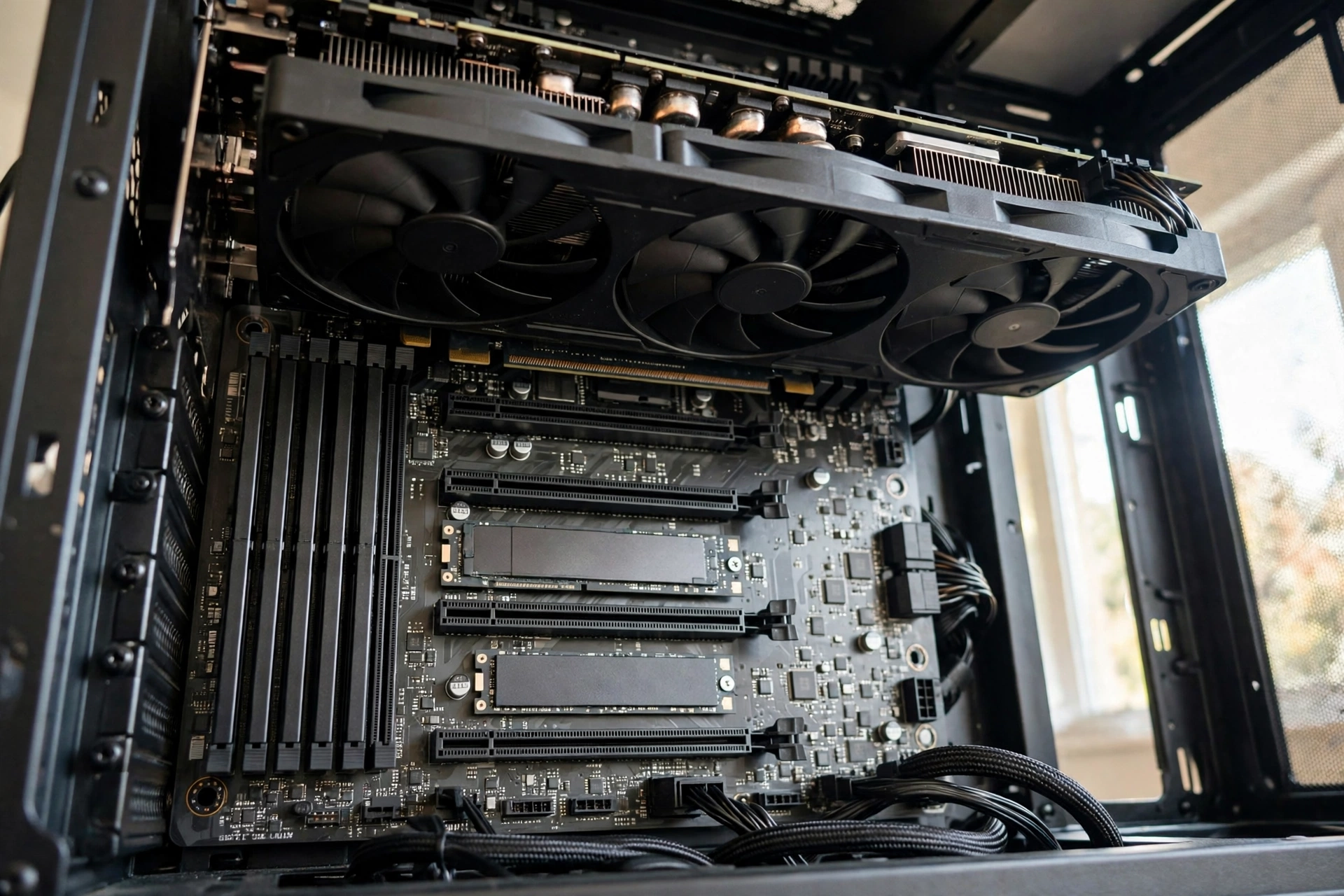
Modern graphics cards are thick. Many popular models take up two and a half or three expansion slots, and some flagship cards take nearly four. On an ATX board, a thick card still leaves usable slots below it because the board has seven slot positions. On an mATX board, which has only four slot positions, a triple slot card can cover every usable slot below it.
Picture the layout. The graphics card goes in the top x16 slot. A triple slot cooler hangs down over the next two slot positions. On an mATX board, that leaves at most one slot at the very bottom, and that slot often sits so close to the power supply shroud or the case floor that a capture card or Wi-Fi card cannot fit or cannot breathe. On an ATX board, the same card still leaves two or three slots free further down the board, with air gaps between them.
This is the single most practical reason to choose ATX. If your build needs a graphics card plus a capture card for streaming, a Wi-Fi card because the board has no built in Wi-Fi, or a sound card, an mATX board with a thick GPU may leave you no place to put the second card. Builders on Quora have described exactly this problem: one user found that a graphics card wider than two slots blocked every other PCIe slot on their mATX board, and a Wi-Fi card in the bottom slot left no room for anything else. A different board with a PCIe x1 slot above the main x16 slot would have solved it, which shows how much the exact slot layout matters, not just the board size.
Before you buy, measure three things. First, the length of the graphics card against the case’s maximum GPU length, because compact mATX cases often cap card length around 280 to 330 mm while many high end cards are longer. Second, the thickness of the card in slots, and count how many slot positions remain free below it on the board you chose. Third, the clearance between the bottom of the graphics card and the next card you plan to install, because a card crammed against the GPU backplate will run hot and loud.
A quick check that saves real money is to look at the board’s slot layout photo before ordering. If the board has a small x1 slot above the main x16 slot, a Wi-Fi or capture card can live there, safely above the graphics card instead of underneath it. If all the extra slots sit below the graphics card, assume a thick GPU will block them.
Takeaway: count slots after the graphics card is installed, not before. A board with four slots and a triple slot GPU is effectively a one slot board.
VRM and Power Delivery Which Boards Handle High-End CPUs
VRM stands for voltage regulator module, and it is the part of the motherboard that turns the 12 volt power from your power supply into the precise low voltage your CPU needs. A weak VRM gets hot under a heavy CPU load, and a hot VRM can force the CPU to slow down to protect itself. That slowdown is called thermal throttling, and it is one of the few ways a motherboard can actually reduce gaming performance.
What VRM Quality Actually Means
VRM quality is not a single number. It comes from the number of power phases, the quality of the MOSFETs and chokes in each phase, and the size of the heatsinks cooling them. More phases spread the load across more components, so each one runs cooler. Bigger heatsinks pull that heat away faster. A board with a solid VRM and good heatsinks can feed a hungry CPU all day, while a board with a bare VRM and no heatsink can struggle with the same chip.
Board size affects VRM design only indirectly. A larger ATX board gives the manufacturer more physical room for extra phases and larger heatsinks, so flagship ATX boards often carry the strongest power delivery on a platform. But size is not destiny. Several well known mATX boards, such as the MSI B650M Mortar series that experienced builders on Quora recommend by name, carry better VRMs than many cheap ATX boards. Price and tier matter more than size: a mid range mATX board usually beats a bottom tier ATX board on power delivery.
Which CPUs Need a Strong VRM
Most mid range CPUs are easy to feed. A Ryzen 5 or a Core i5 at stock settings runs happily on almost any board from a reputable brand. The CPUs that demand a strong VRM are the flagships: Ryzen 9 chips, Core i9 chips, and heavily overclocked CPUs of any tier. These chips can pull far more power under an all core load than their rated TDP suggests, and a weak board will show it as heat, noise, or throttling.
That matters more right now because high end CPUs keep getting cheaper. The Ryzen 7 9800X3D, the gaming CPU many builders are targeting this season, was reported by Tom’s Hardware at a record low price of $399.99 in November 2026. A deal like that pushes more builders toward a flagship class CPU, and a flagship class CPU deserves a board with the VRM to feed it. If you buy that chip, spend the savings on a board with a proven power design instead of the cheapest board that happens to fit the socket.
Practical guidance by CPU tier:
| CPU tier | What to look for | mATX or ATX |
|---|---|---|
| Ryzen 5, Core i5, stock settings | Any reputable board, basic heatsinks fine | Either size works |
| Ryzen 7, Core i7, stock settings | Solid mid range VRM with heatsinks | Either size works, check reviews |
| Ryzen 9, Core i9, stock settings | Strong VRM, large heatsinks, good case airflow | ATX usually easier, strong mATX also fine |
| Any flagship CPU with overclocking | Top tier VRM, heavy heatsinks, active cooling help | ATX preferred, mATX only with a proven model |
How do you judge a board’s VRM without an engineering degree? Look for independent reviews that measure VRM temperature under a sustained load, not just unboxing photos. Board makers rarely publish VRM temperature data, so reviewer measurements are the honest source. If no review measured the VRM on the exact model you want, treat that as a warning sign and pick a model that reviewers have tested.
Takeaway: buy the VRM, not the size. A strong mATX board beats a weak ATX board for a high end CPU every time.
M.2 and SATA Tradeoffs Count Your Drives Before You Buy
Storage is where the ATX advantage is easiest to count. A typical ATX board carries three to five M.2 slots and four to eight SATA ports. A typical mATX board carries two to three M.2 slots and four to six SATA ports. For a gaming PC with one or two NVMe drives, that difference never matters. For a builder with a big Steam library, a media collection, and old SATA drives carried over from a previous build, it matters a lot.
The tradeoff is not just the number of slots, it is the sharing rules from the lane sharing section. On many boards, using a particular M.2 slot disables one or two SATA ports, because the slot and the ports share the same chipset resources. A board that lists six SATA ports may only let you use four of them once two M.2 drives are installed. That catches builders by surprise when a hard drive vanishes from Windows after they install a second SSD.
Count your drives before you buy, not after. Write down every drive you own or plan to buy: the boot NVMe drive, the game library NVMe drive, any SATA SSDs, and any hard drives. Then check the board’s spec page for two numbers: how many M.2 slots it has, and which SATA ports each M.2 slot disables. If the math does not work, you need a bigger board or fewer drives.
| Storage plan | ATX verdict | mATX verdict |
|---|---|---|
| One NVMe drive only | Plenty of room | Plenty of room |
| Two NVMe drives | Comfortable | Usually fine, check sharing rules |
| Two NVMe drives plus two SATA drives | Comfortable | Check carefully, some SATA ports may be disabled |
| Three or more NVMe drives | Usually fine | Often impossible, too few slots |
| Four or more SATA drives | Usually fine | Risky, count ports after M.2 sharing |
There is also a speed detail worth knowing. Not every M.2 slot on a board runs at the same speed. The top slot is usually the fastest, often PCIe 5.0 x4 or PCIe 4.0 x4 on current platforms. Lower slots may run at PCIe 4.0 x4, PCIe 3.0 x4, or even fewer lanes through the chipset. Put your boot drive and your most played games on the fastest slot. Use slower slots for bulk storage where the speed difference is invisible.
Takeaway: two drives fit anywhere, four drives need planning. Count slots and sharing rules on the spec page before you pay.
RAM Slots and the 64GB Question
Most ATX boards have four RAM slots. Most mATX boards also have four, though budget mATX boards sometimes have only two. Two slots is a real limit: it caps your memory at two sticks, removes the cheap upgrade path of adding two more sticks later, and can cost you dual channel performance if you buy a single stick by mistake. If a board has only two RAM slots, buy the full amount of memory you will need on day one, in a matched pair.
How much memory do gamers need in late 2026? 32GB is the comfortable standard for gaming with background apps open, and it remains the sweet spot for most builds. 64GB is the choice for heavy multitasking, content creation, and future proofing, but it costs more, and the market is moving against it right now. RAM prices are soaring across the industry, and CPU-Z data reported in November 2026 showed 64GB adoption falling 18 percent as builders react to higher prices. That trend makes the slot count decision sharper: if you buy a two slot board and RAM prices keep climbing, adding memory later gets expensive twice over, once for the price and once for replacing sticks instead of adding them.
A four slot board protects you. You can start with two 16GB sticks for 32GB today and add two more sticks later if prices fall or your needs grow. A two slot board locks you into whatever you buy now. Given current RAM prices, that flexibility is worth real money, so treat four RAM slots as a requirement unless the budget absolutely forbids it.
One more detail: memory speed and stability depend on the board’s memory topology and the CPU’s memory controller, not on the board size. A good mATX board with four slots can run the same DDR5 speeds as an ATX board with the same chipset. Check the board’s memory support list for the exact kit you plan to buy, because that list is the manufacturer’s tested promise, and anything outside it is a gamble.
Takeaway: four RAM slots are worth paying a little extra for while RAM prices are high. Two slots are fine only if you buy your final memory capacity on day one.
Small Case Airflow How to Keep a Compact mATX Build Cool
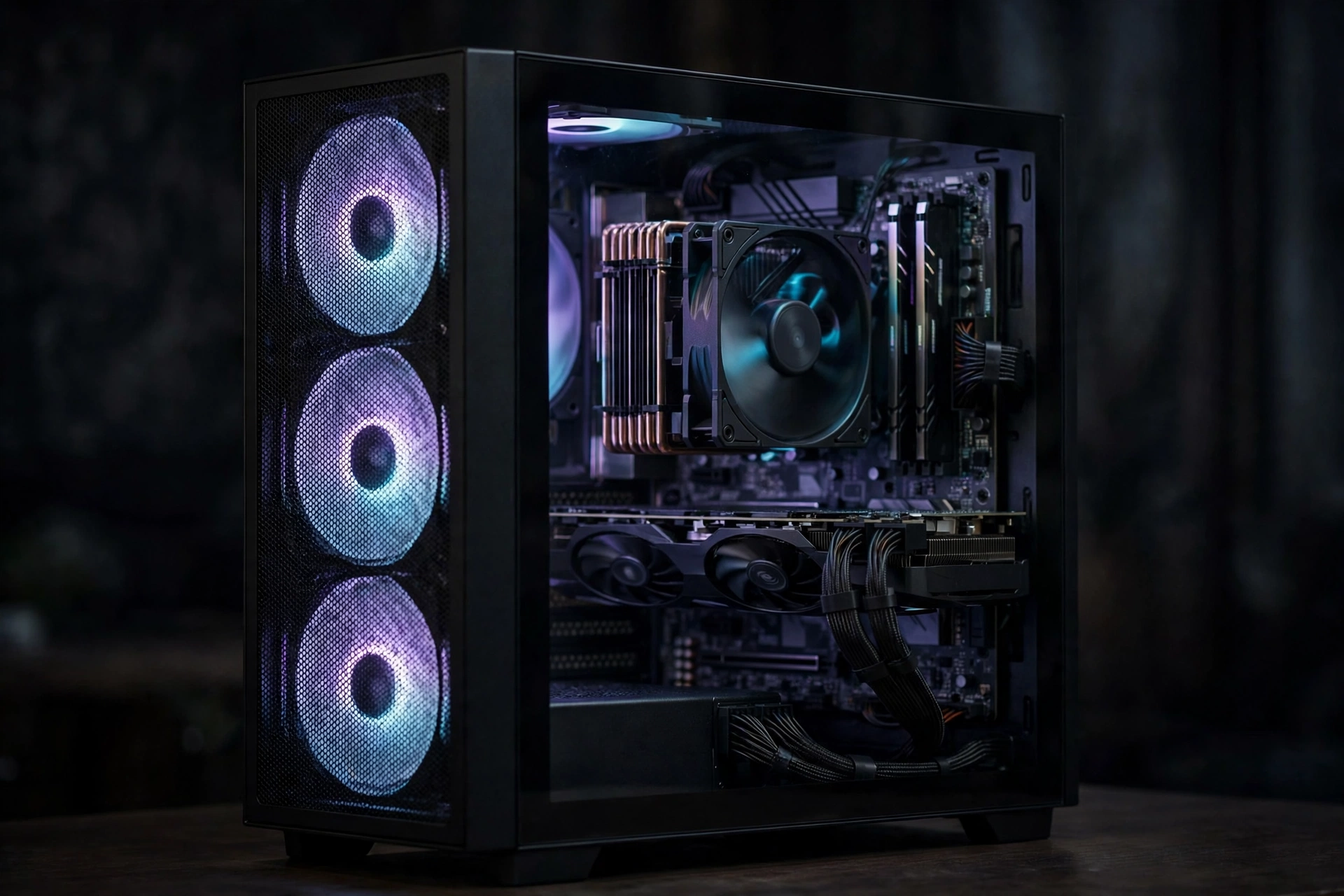
A smaller case is the main reason most builders choose mATX, and airflow is the main thing they worry about afterward. The worry is understandable but often overstated. A compact case does not automatically run hot. A case runs hot when air cannot get in, cannot get out, or cannot reach the hot parts.
mATX cases have real airflow limits. They hold fewer fans, they leave less space between the graphics card and the case floor, and a big tower CPU cooler may not fit at all. A thick graphics card in a small case can trap hot air against the side panel, and a power supply shroud can block the intake path to the card’s fans. These are genuine constraints, and they are the reason compact builds need more planning, not less.
The fixes are practical and cheap. Choose a case with a mesh front panel instead of a solid glass front, because mesh lets intake fans actually breathe. Use at least two intake fans at the front and one exhaust fan at the rear, so air moves in one clear direction. Keep cables tied away from the intake path, because a loose cable across the front fans is a common and silent airflow killer. Pick a graphics card with a cooler that exhausts heat into the case only if the case has the exhaust fans to remove it, and consider a smaller two fan card instead of a huge three fan model when the case is tight.
ATX cases make all of this easier. They fit more fans, taller CPU coolers, and longer graphics cards, and they leave room for air to move around the parts. But a big case with a solid front panel and one exhaust fan can still run hotter than a compact mesh case with three good fans. Judge the case by its ventilation and fan layout, not by its size alone.
Also consider noise. Small cases put the fans closer to your ears, and a compact build with small fans spinning fast is louder than a large build with big fans spinning slowly. If the PC sits on your desk next to you, a slightly larger case with 120 mm or 140 mm fans is often the quieter choice.
Takeaway: mesh front, two intakes, one exhaust, tidy cables. That simple formula keeps most compact mATX builds cool and quiet.
When mATX Is Fine and When ATX Wins
The decision comes down to what else goes in the PC besides the CPU and graphics card. One graphics card and one or two drives fit happily on either size. Add a second card, a third drive, or a flagship CPU with big overclocking plans, and ATX starts earning its price.
| Build type | Pick | Why |
|---|---|---|
| Budget gaming PC under $800, one GPU, one SSD | mATX | Lowest cost, all the slots you need, money saved goes to the GPU. See our best CPU and GPU combo under $800 for a parts starting point. |
| Mid range 1440p gaming, one GPU, two SSDs | mATX | Best value, four RAM slots and two M.2 slots cover it, compact case fits on a desk |
| High end 4K gaming, flagship CPU, one GPU | Either, check the VRM | A strong mATX board works, but ATX gives more VRM and cooling headroom |
| Gaming plus streaming with a capture card | ATX | A thick GPU blocks the spare slots on mATX, ATX keeps a slot free |
| Gaming plus content creation, three or more drives | ATX | More M.2 slots and SATA ports with fewer sharing conflicts |
| Small desk or small room, compact case wanted | mATX | Smaller footprint, lighter to move, fits tight spaces |
| Future upgrades planned, extra cards or drives likely | ATX | Empty slots cost little now and save a board replacement later |
| First build, learning as you go | ATX | More room to work in, easier cable routing, fewer clearance surprises |
Notice the pattern. The rows where mATX wins are about size and price. The rows where ATX wins are about expansion. If you can honestly say you will never add a second card or a third drive, mATX is the smart buy. If you think you might, ATX is cheap insurance.
There is one more factor worth naming: resale and reuse. An ATX board fits only ATX cases, while an mATX board fits both ATX and mATX cases. That flexibility makes a used mATX board slightly easier to reuse in a future build. It is a small point, but it matters if you upgrade cases often.
Common Mistakes Builders Make With Board Size
The first mistake is buying the cheapest board with the right socket and assuming every board with that socket is equal. Socket compatibility is only the start. Two B650 boards can differ wildly in VRM strength, M.2 count, lane sharing, and rear USB ports. Read the spec page and at least one review before you buy, even on a tight budget.
The second mistake is forgetting the graphics card thickness. Builders measure card length against the case and forget to count slot thickness against the board. A triple slot card on a four slot mATX board leaves nothing for a Wi-Fi or capture card. Count slots after the GPU is installed.
The third mistake is filling M.2 slots in the wrong order. The boot drive belongs in the primary slot nearest the CPU. A second drive belongs in a chipset slot when possible. Putting the boot drive in a slow slot and a game drive in the fast slot is a small but real waste of the fastest connection on the board.
The fourth mistake is ignoring the case. An ATX board in a cheap case with a solid front panel and one fan will run hotter and louder than an mATX board in a good mesh case with three fans. Budget for fans and a case with real ventilation, not just for the board.
The fifth mistake is buying for a future that never arrives. Paying extra for seven expansion slots when you will only ever use one is money that could have bought a better graphics card or more storage. Be honest about your real upgrade plans. If you have never added a card to a PC in five years, you probably will not start now.
The sixth mistake is skipping the manual. Every sharing rule, disabled port, and slot speed on your board is written in the manual’s block diagram and sharing table. Ten minutes with that diagram before you install parts saves hours of troubleshooting after a drive disappears or a slot runs slow.
A Quick Checklist Before You Buy
Work through this list before you order, and you will avoid nearly every board size regret.
- Confirm the board fits your case, and the case fits your graphics card length and CPU cooler height.
- Count the parts that need slots: graphics card thickness in slots, plus any capture card, Wi-Fi card, or sound card.
- Count the drives: boot NVMe, game NVMe, SATA SSDs, hard drives, then check the M.2 sharing rules on the spec page.
- Check the RAM slots: four is preferred, two is acceptable only if you buy your final memory capacity now.
- Check the VRM: look for reviewer temperature measurements, especially for Ryzen 9 or Core i9 builds.
- Check the rear I/O: enough USB ports for your keyboard, mouse, headset, and other gear without a hub.
- Check the fan headers: enough headers for your case fans, or budget for a fan hub.
- Check the BIOS features you need: BIOS flashback is useful if the board may need an update for a newer CPU.
- Confirm the chipset supports the features you want, such as PCIe 5.0, Wi-Fi 6E or 7, and 2.5Gb Ethernet.
If you are planning the whole build and not just the board, our complete guide to building a gaming PC walks through part selection and assembly in order. For help picking the right board model once you know the size, see our guide to the best motherboard for gaming.
Frequently Asked Questions
Is there any difference between ATX and micro-ATX in terms of performance or quality, or are they just smaller versions of each other?
The short version is that the size itself does not decide performance. A micro-ATX board and an ATX board with the same chipset run the same CPU at the same speed, and a graphics card performs the same in either one as long as it gets the lanes it needs. The real differences are connectivity and power delivery. ATX boards normally have more expansion slots, more M.2 slots, and often stronger VRMs, which makes them better for overclocking and for builds with many add in cards. But a good mid range micro-ATX board can have a better VRM than a cheap ATX board, so judge each board on its own spec sheet instead of its size. Most gamers only need one PCIe x16 slot, a couple of M.2 slots, and four RAM slots, and a good mATX board provides all of that for less money.
Will my Micro ATX motherboard look okay in an ATX case?
Yes, An mATX board fits and works perfectly in an ATX case because the mounting holes follow the same standard. The board will look smaller inside the case, with empty space below it and a few unused slot covers at the back, but that empty space is harmless and can even help airflow. A large graphics card and a tower CPU cooler fill much of the visual gap. If the empty look bothers you, tidy cable routing and a case with a PSU shroud make the build look clean. If you want the case to look completely full, buy an ATX board instead, or choose a smaller mATX case that matches the board.
What are the main reasons people choose micro ATX over standard ATX motherboards?
a smaller case and a lower price. Builders choose mATX when they want a compact PC that fits a small desk or a small room, and when they want to spend the savings on a better graphics card, more storage, or more memory. A third reason is simplicity: many builders know they will only ever install one graphics card and one or two drives, so the extra slots on an ATX board would sit empty for the life of the PC. The tradeoff is expansion room. If your plans change later and you want a capture card, a second add in card, or a third NVMe drive, the smaller board may not have a slot for it.
I want to understand how PCIe lanes are shared on my motherboard and in which lanes should I be installing my GPU and M.2 NVMe drives?
CPU lanes and chipset lanes. Install the graphics card in the top PCIe x16 slot, because that slot almost always has dedicated CPU lanes. Install the boot NVMe drive in the primary M.2 slot, usually the one closest to the CPU, because that slot almost always has dedicated CPU lanes too. For a second NVMe drive, prefer a chipset connected M.2 slot when your board offers one, because that keeps the graphics card at x16. Then read your board manual’s block diagram and sharing table to confirm which slots share lanes and which SATA ports each M.2 slot disables. The manual is the only source that knows your exact board, and ten minutes with it prevents the most common storage surprises.
Key Takeaways
- Board size does not change frame rates. The same CPU and GPU perform the same on a good mATX board and a good ATX board.
- ATX wins on expansion: more PCIe slots, more M.2 slots, more SATA ports, and usually stronger VRM options.
- mATX wins on price and size: lower cost for the same chipset, smaller cases, and every slot most single GPU builds need.
- Lane sharing is a board by board question. Read the manual’s sharing table to learn what happens when you populate the second slot or a second M.2 drive.
- A triple slot graphics card can block every spare slot on an mATX board. Count free slots after the GPU is installed.
- Buy the VRM, not the size. A strong mATX board beats a weak ATX board for a high end CPU.
- Four RAM slots are worth paying for while RAM prices are high, because they let you add memory later instead of replacing it.
- Count your drives before you buy, and check which SATA ports each M.2 slot disables.
Conclusion
The mATX vs ATX motherboard decision is simpler than the internet makes it look. If your build has one graphics card, one or two SSDs, and a mid range CPU, a good mATX board does everything you need for less money and in a smaller case. If your build has a capture card, three or more drives, a flagship CPU you plan to push hard, or upgrade plans that need spare slots, an ATX board is worth the extra cost and size.
The builders who regret their choice almost always regret it for a specific, preventable reason: a graphics card that covered the last free slot, a second SSD that disabled the SATA ports they needed, or a weak VRM under a flagship CPU. Every one of those problems is visible on the spec sheet and in the manual before you buy. Spend ten minutes there, count your slots and drives honestly, and the right size picks itself.
Start with your parts list, not with the board. List the cards, the drives, the memory, and the CPU you actually plan to run. Then choose the smallest board that fits all of it with one spare slot for the future. That board, whether it is mATX or ATX, is the right board for your gaming PC.

Leave a Reply