

iPhone 17 gaming is the strongest mobile gaming story Apple has shipped in a base iPhone, and the reason is simple: the phone that launched in September 2025 finally puts a 120Hz display, a 5-core GPU with hardware ray tracing, and a fast A19 chip in the regular model, not only in the Pro phones. A year later, the question is no longer whether the iPhone 17 can run big games. It can. The real questions are how long it stays fast, how hot it gets, and how much battery a real session costs. This guide answers all three with verified specs and reported test figures, and it says plainly where no verified number exists.
The short answer is that the iPhone 17 is a genuinely good gaming phone, the iPhone 17 Pro is the better one for long AAA sessions because of its vapor chamber cooling, and neither phone is a replacement for a gaming PC. If you already carry one, you already own a capable handheld console. If you are buying one mainly for games, the Pro is worth the extra money for the cooling alone.
iPhone 17 Gaming at a Glance
Apple sells three iPhone 17 models, and they do not game the same way. The base model and the Pro models share a 120Hz screen, but the chip, the memory, and the cooling are different, and those differences show up after twenty minutes of play, not in the first two.
| Model | Chip | GPU | RAM | Display | Cooling | Video Playback Claim |
|---|---|---|---|---|---|---|
| iPhone 17 | A19 | 5-core GPU | 8GB | 6.3-inch OLED, up to 120Hz | No vapor chamber claim | Up to 30 hours |
| iPhone 17 Pro | A19 Pro | 6-core GPU | 12GB | 6.3-inch OLED, up to 120Hz | Vapor chamber | Up to 33 hours (US model) |
| iPhone 17 Pro Max | A19 Pro | 6-core GPU | 12GB | 6.9-inch OLED, up to 120Hz | Vapor chamber | Up to 39 hours (US model) |
Two warnings belong right under this table. First, the battery figures are Apple’s claims for video playback, not gaming. Apple publishes no gaming battery figure for any iPhone 17 model, so any article that quotes “30 hours” as gaming time is misreading the spec sheet. Second, Apple publishes no gaming frame rate for any of these models either. The frame rates in this guide come from independent testers, and they are labelled as such, with the settings caveats included.
The base iPhone 17 starts at $799 with 256GB of storage, double the storage the previous base model started with. That matters for gaming, because AAA ports like Resident Evil 4 and Death Stranding take up far more space than a casual mobile game, and a 128GB phone fills up fast once you install two or three of them.
The A19 Chip and the A19 Pro What Is Actually Different
The A19 in the base iPhone 17 has a 6-core CPU with 2 performance cores and 4 efficiency cores, a 5-core GPU with Neural Accelerators in every core, and a 16-core Neural Engine. It supports hardware-accelerated ray tracing, which is what lets console ports render realistic reflections and lighting on a phone at all. The full specification list is on Apple’s own page, and it is the only source you should trust for the raw specs. Apple’s iPhone 17 technical specifications list the chip, the display, and the battery claims exactly as Apple states them.
The A19 Pro in the two Pro models adds one more GPU core, for 6 instead of 5, and 12GB of RAM instead of 8GB. The extra GPU core is not the whole story. The Pro models also get the vapor chamber cooling system, and Apple claims up to 40 percent better sustained performance than the previous generation when the A19 Pro and the vapor chamber work together. Sustained performance is the number that matters for gaming, because a phone chip can only run at full speed until heat forces it to slow down.
Independent benchmark listings put the A19 Pro at around 3,910 points single-core and around 10,070 points multi-core in Geekbench 6, against around 3,409 and 8,492 for the A18 Pro in the iPhone 16 Pro. That is a solid generational jump, and the single-core score sits near the fastest desktop processors, which is why everyday use feels instant. But a benchmark score is not a frame rate. A benchmark runs for seconds. A gaming session runs for an hour. What decides your experience is how much of that peak speed survives after thirty minutes of heat, and that is where the cooling difference between the base model and the Pro models earns its keep.
The 12GB of RAM in the Pro models is also worth noting, because it gives future games and Apple Intelligence features more headroom. The base model’s 8GB is enough for the games out today, and no current iPhone game needs more, but the Pro has more room for what comes next. If you keep a phone for three or four years, that headroom is real value.
The 120Hz Display Finally Reaches the Base Model
For years, the base iPhone was stuck at 60Hz while the Pro models got ProMotion. The iPhone 17 ends that split. Every iPhone 17 model now has a ProMotion display that adapts up to 120Hz and can drop as low as 1Hz when the screen is idle, which saves battery. The base model’s 6.3-inch OLED panel runs at 2622 by 1206 pixels, 460 pixels per inch, with a peak outdoor brightness rating of 3,000 nits.
For gaming, 120Hz is the single biggest feel upgrade in this phone. A 120Hz screen redraws twice as often as a 60Hz screen, so motion looks smoother and touch input feels more responsive. That matters most in fast games like Call of Duty Mobile and PUBG Mobile, where tracking a moving target is the whole game. It also matters in a quieter way: scrolling, menus, and camera movement all feel smoother, so the whole phone feels faster even when the frame rate inside the game has not changed.
There is a catch that catches new buyers out. A 120Hz display does not mean every game runs at 120 frames per second. The screen can show up to 120 frames per second, but the game itself decides how many frames it renders. Many AAA ports cap at 30 frames per second, and most competitive mobile games offer 60 or 90 frames per second modes rather than a full 120. The display removes a bottleneck, but it does not create frames the game never renders. The same logic applies on a desk: our best gaming monitor guide explains how refresh rate and frame rate work together, and the phone follows the same rule.
Outdoor brightness is the other quiet win. At 3,000 nits peak, the screen stays readable in direct sunlight, which is where a lot of mobile gaming actually happens, on a bus, on a bench, or in a park. A dim screen forces you to raise brightness to the maximum, which drains the battery faster and heats the phone up. A bright panel avoids that spiral.
Real Games on iPhone 17 What Actually Runs and How Well
The iPhone 17 runs the full current catalog of AAA iOS ports: Resident Evil 4 Remake, Resident Evil Village, Death Stranding, Assassin’s Creed Mirage, and CONTROL, alongside the big competitive mobile games like Genshin Impact, Call of Duty Mobile, and PUBG Mobile. The question is not whether they launch. It is how they run, and at what settings, over a full session.
The most useful published test figures for the A19 Pro come from independent tester Geekerwan, whose reported averages were quoted in detail after launch. These are one tester’s reported figures, with settings not fully documented, so treat them as evidence to weigh, not as a promise. They are averages, not locked frame rates, and they describe the Pro chip, not the base A19.
| Game | Reported Average FPS on A19 Pro | Reported Average FPS on A18 Pro |
|---|---|---|
| Resident Evil 4 | 52.2 | 33.3 |
| Death Stranding | 47.1 | 29.3 |
| Assassin’s Creed Mirage | 29.7 | 20.4 |
A second independent test, by YouTuber MrMacRight and covered by Notebookcheck, pushed further with config file tweaks. Resident Evil 4 reached up to 60 frames per second, though not perfectly locked, and the thermal rating stayed at “Fair” instead of the “Serious” rating older Pro iPhones showed under the same load. Death Stranding held its out-of-the-box target of 30 frames per second at 720p with aggressive upscaling, and reached up to around 40 frames per second with a 60 frames per second cap set through config files. Assassin’s Creed Mirage stayed capped at 30 frames per second but sustained higher graphics quality than on the older chips. The full test is worth reading in the Notebookcheck iPhone 17 Pro Max gaming test.
Two honest caveats belong here. First, the “high” graphics preset in a phone port is not the same as high settings on PC or console. The phone version renders at a lower internal resolution and leans on upscaling, so a game can look good on a 6-inch screen and still fall well short of the same game on a PlayStation 5. Second, frame rates in phone tests depend on room temperature, case, brightness, and background apps, so your numbers will differ. What the reported figures do prove is the direction of travel: the A19 Pro holds far higher frame rates than the A18 Pro in the same games, and the vapor chamber keeps the thermal rating out of the danger zone.
For the everyday games most people actually play, the picture is simpler. Genshin Impact, Call of Duty Mobile, and PUBG Mobile all run at high settings with smooth frame rates on the base iPhone 17, according to reviewer reports from the first year. Competitive mobile games are less demanding than AAA ports, so the base A19 handles them with room to spare. A long-term reviewer who spent a year with the base iPhone 17 found that CONTROL looked good on the small screen, though clearly below the PC or PS5 version, and that lighter games like Downwell or classic ports ran without any fuss at all.
How the iPhone 17 Holds Up in Long Sessions
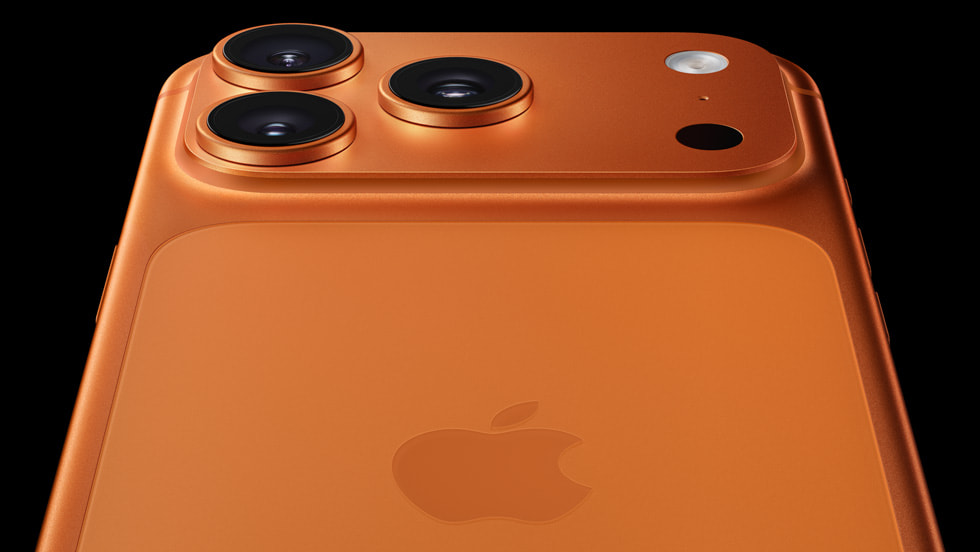
Heat is the real bottleneck in phone gaming, in exactly the same way a weak CPU is the bottleneck in a PC. A phone chip can only stay fast while it stays cool, and a phone has almost no room for cooling hardware. When the chip gets too hot, it slows itself down to protect the battery and the board. That slowdown is thermal throttling, and it is what turns a smooth first ten minutes into a choppy second half hour.
This is where the base iPhone 17 and the Pro models split. The Pro models have an Apple-designed vapor chamber that spreads heat across the aluminum frame, and the Notebookcheck test showed the difference in practice: the thermal rating stayed at “Fair” during Resident Evil 4, where older Pro iPhones hit “Serious” and throttled. TechRadar’s hands-on review of the Pro Max reached the same conclusion, calling the new heat management system a winner and noting that the phone stays relatively cool with no single hot spot. Apple makes no vapor chamber claim for the base iPhone 17 at all. The base model relies on the chip’s efficiency and the aluminum and glass body to shed heat, and reviewers noticed the difference. One reviewer found the base iPhone 17 getting noticeably warm about twenty minutes into Resident Evil Village, and the same warmth showed up during long photo sessions, video recording, and navigation on a hot day. It never got alarmingly hot, and it never shut down, but it was noticeable in the hand.
A separate long test by one outlet ran a refurbished base iPhone 17 through ten hours of mixed gaming and measured surface temperatures around 38 to 42 degrees Celsius after thirty to sixty minutes of heavy games like PUBG or Asphalt, with light games barely warming the phone at all. After more than two hours of heavy play, the phone felt warmest around the edges, but there were no shutdowns, no major slowdowns, and no crashes, with only a few minor frame drops in the most intense PUBG moments. That is a single outlet’s test on a refurbished unit, not a lab result, but it matches the broader pattern: warm, not dangerous, and no collapse in performance.
Practical steps make a real difference. Take a thick case off before a long session, because a case is insulation. Do not play while fast charging, because charging adds its own heat on top of the game’s heat, and the phone will slow charging or dim the screen to protect itself. Keep the phone out of direct sun, and do not judge the phone’s cooling by how it feels in the first five minutes. The first five minutes are always fine. Minute forty is the test.
Heat also explains why the Pro is the right buy for serious AAA play. If your sessions run past an hour and you play console ports, the vapor chamber is not marketing. It is the part that keeps the frame rate from sliding in the second half of the session. If your sessions are thirty minutes of Call of Duty Mobile on a commute, the base model is fine, and you will never feel the difference.
Battery Life While Gaming
Battery life is where most iPhone gaming articles go wrong, because they quote Apple’s video playback figures as if they describe gaming. They do not. Apple says the base iPhone 17 delivers up to 30 hours of video playback and up to 27 hours streamed, and the Pro Max up to 39 hours on the US model. Those are video numbers, measured with the screen playing video at controlled brightness. A game renders 3D graphics, drives the CPU and GPU at full load, and keeps the radios active. It drains the battery several times faster than video.
So how long does the battery actually last while gaming? The honest answer is that no official figure exists, and the real number depends on the game, the brightness, and the frame rate cap. The ten-hour mixed gaming test mentioned above used around 85 to 90 percent of the battery over ten hours of mixed casual and heavy play, landing at roughly 10 to 15 percent remaining, with heavy games draining faster than light ones. After two hours of mixed play, the phone sat at roughly 82 to 85 percent. Again, that is one outlet’s test on a refurbished unit, not a guarantee, but it gives a realistic shape: light games sip power, heavy 3D games drink it, and a full day of mixed use with a gaming session in the middle is realistic, while ten hours of nonstop heavy gaming is not.
Battery health is the longer-term worry, and it is the question players ask most about heavy gaming on a phone. Heat and charge cycles age a lithium battery, and sustained gaming creates both. Apple builds in protections, including Optimized Battery Charging and an 80 percent charge limit option, which cut the time the battery spends hot and full. The practical habits are simple: avoid gaming while the phone is fast charging, avoid playing in a hot car or direct sun, and use the 80 percent charge limit if you usually charge overnight. A long-term reviewer found their iPhone 17 at 90 percent maximum capacity after a year and 200 charge cycles with an overnight 90 percent limit in place, which is healthy wear for a year of use including gaming.
After a major software update, expect a few days of worse battery life and extra warmth. The phone re-indexes data, re-scans photos, and rebuilds background data after an update, and that work drains power. Apple notes this in its own support guidance. Do not judge battery health on the first two days after an update. The current software line is iOS 27, with iOS 27.2 released in late October 2026, and some users reported stutter and faster drain after the iOS 27 update, which mostly settled as background work finished.
Best Settings for iPhone 17 Gaming
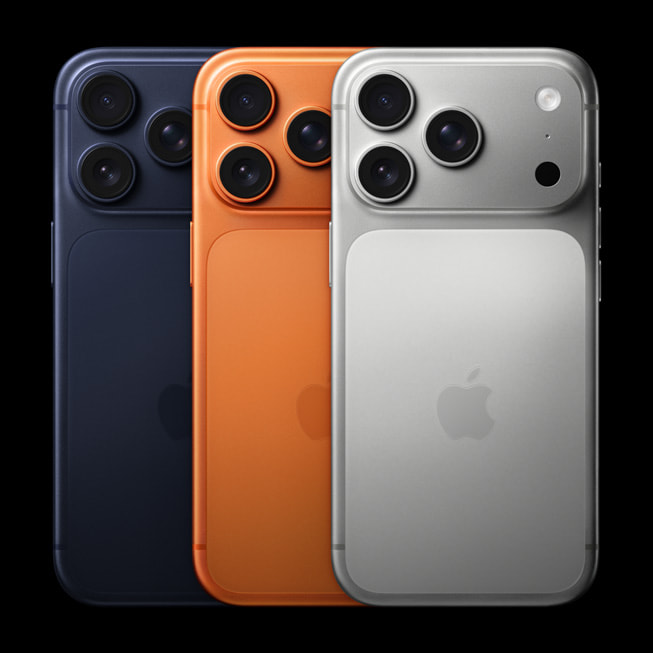
The iPhone 17 is fast enough that the best settings are about protecting frame rate stability and battery, not about squeezing out more power. Five changes cover most of it.
First, turn on Game Mode. iOS includes a Game Mode that prioritizes the game over background tasks and reduces latency for connected controllers and wireless audio. It switches on automatically when you launch a game. Make sure it is not disabled, and close heavy background apps before a ranked match so the game keeps the chip to itself.
Second, pick the right frame rate cap inside each game. A 60 frames per second cap is the sweet spot on the base iPhone 17 for most games: smooth enough to feel great, light enough to hold for a full session. A 90 or 120 frames per second mode looks better in the first minutes and costs more heat and battery, so save it for short competitive sessions, not for a two-hour grind. In AAA ports, accept the 30 frames per second cap the game sets. Fighting it with config tweaks can raise the frame rate, but it also raises heat, and the game was tuned for the cap.
Third, set graphics to High, not Maximum, in heavy games. The visual difference on a 6.3-inch screen is small, and the heat and battery savings are large. Shadows and reflections cost the most performance for the least visible gain on a phone screen. Turn those down first if a game stutters.
Fourth, use a controller for any game that supports one. Touchscreen controls are the weakest part of phone gaming, and every long-term reviewer says the same thing: a Bluetooth controller changes the experience completely. Pair it before you launch the game, not during a match. A controller also keeps your fingers off the screen, so the phone stays cooler and the display stays readable.
Fifth, fix your audio. Wireless earbuds are convenient, but standard Bluetooth audio adds delay that you can feel in a shooter. Use a low-latency gaming mode if your earbuds have one, or use wired audio through USB-C for ranked play. Our wireless earbuds for gaming guide covers which earbuds keep latency low and which ones to avoid for competitive games.
Two more habits round it out. Keep brightness on auto rather than pinned at maximum, because the screen is the biggest battery drain after the chip. And play on Wi-Fi where you can. A weak cellular signal forces the radio to work harder, which adds heat and drain on top of the game itself.
iPhone 17 vs Android Gaming Phones
The Android side of this comparison has its own strengths, and the honest answer depends on what you value. Android gaming phones often pack larger batteries, faster charging, and dedicated cooling hardware like built-in fans or larger vapor chambers, and some hold high frame rates longer in raw sustained tests. The iPhone answers with the fastest single-core performance in any phone, a huge catalog of AAA ports that Android does not get, and tight integration between the chip, the software, and the store.
For a buyer choosing between the two ecosystems, the games decide more than the spec sheet. If the games you want are Resident Evil, Death Stranding, Assassin’s Creed Mirage, or CONTROL, they are on iPhone and not on Android, and that ends the debate. If you play Genshin Impact, Call of Duty Mobile, or PUBG Mobile, both sides run them well, and the choice comes down to battery, cooling, price, and which ecosystem you already live in. Our Android phone for gaming guide compares chipsets, RAM, displays, and cooling across the Android options, so you can weigh the two sides on the same terms.
One more difference matters for PC gamers. An iPhone is a closed system: you cannot sideload a different store, you cannot tweak the chip, and you cannot add storage. Android gives you more freedom, including emulation, which some players care about a lot. If you want a phone that also works as a retro handheld, Android wins. If you want the smoothest out-of-the-box experience with the biggest AAA catalog on a phone, the iPhone 17 wins.
iPhone 17 vs iPhone 16
If you own an iPhone 16, the upgrade case is real but narrow. The iPhone 17 gives you a 120Hz display where the iPhone 16 had 60Hz, the A19 where the iPhone 16 had the A18, double the starting storage at 256GB, and better battery life. The 120Hz screen is the difference you feel every day, in every app, not just in games. The chip jump is meaningful in AAA ports and small in casual games.
If you own an iPhone 16 Pro, the case is weaker. You already have a 120Hz screen and a Pro chip, and the A19 Pro’s gains over the A18 Pro are real but not transformative for the games out today. Wait for a game you actually want that your current phone cannot run well. If you own an iPhone 14 or older, the jump is large: a faster chip, a much better screen, longer battery life, and access to the full AAA catalog. That is the upgrade that changes what you can play.
Phone Gaming While PC Parts Get Expensive
There is a practical reason phone gaming matters more in late 2026 than it did a year ago: PC parts have gotten expensive. RAM prices are soaring in late 2026, which pushes up the cost of any new PC build or upgrade, and high-end graphics cards are scarce enough that an RTX 5090 restock at a major US retailer recently listed around $6,599. One graphics card now costs more than eight base iPhone 17 phones. That changes the math for a lot of players.
If you already own an iPhone 17, you already own a device that runs real AAA games, and it costs you nothing extra to start playing them. If you are choosing where to spend money, a phone upgrade you were going to make anyway buys you a gaming device as a side effect, while a PC upgrade now means paying inflated prices for memory and graphics cards. Our how much RAM for gaming guide explains what memory actually does for game performance, so you can judge whether a PC memory upgrade is worth the current price or whether your money is better spent elsewhere. And if you do build a PC, our how to build a gaming PC complete guide walks through matching every part, while our budget PC build guide for 2027 shows where to save money when part prices are high. For a portable second screen, our best tablet for gaming guide covers tablets that hold high frame rates in long sessions.
The point is not that a phone replaces a PC. It does not. A PC still wins on screen size, controls, settings, and raw power. The point is that when PC parts cost this much, the phone in your pocket is the cheapest good gaming hardware you already own, and the iPhone 17 is the first base iPhone that makes that argument honestly.
Common Mistakes When Gaming on iPhone 17
The most common mistake is judging battery life by the video playback claim. Up to 30 hours of video is not 30 hours of gaming. A heavy 3D game drains the battery several times faster than video, so plan around real gaming drain, not the number on the spec sheet.
The second mistake is playing while fast charging in a thick case. Charging and gaming both make heat, and a thick case traps it. The phone responds by slowing charging, dimming the screen, or throttling the chip. Take the case off, unplug, and let the phone breathe.
The third mistake is maxing every graphics setting and expecting console quality. Phone ports render at lower internal resolutions and lean on upscaling, and the “high” preset on a phone is not high settings on a PC. High settings with a stable frame rate look and feel better than maximum settings with stutter.
The fourth mistake is using standard Bluetooth audio for competitive play. Bluetooth adds delay, and delay loses fights. Use a low-latency gaming mode, a 2.4GHz dongle, or wired audio for ranked matches.
The fifth mistake is ignoring heat warnings. If the phone shows a temperature warning, stop playing, unplug it, and let it cool. Playing through a warning does not make you tough. It ages the battery and risks a shutdown mid-match.
Frequently Asked Questions
Is the iPhone 17 good for gaming?
Yes. The base iPhone 17 runs AAA ports like Resident Evil 4, Death Stranding, and Assassin’s Creed Mirage, plus all the major competitive mobile games, at high settings. The 120Hz display, the A19 chip, and hardware ray tracing make it the strongest base iPhone for gaming so far. The Pro models are better for long AAA sessions because of their vapor chamber cooling, but the base model handles most games well.
Does playing high graphic games like Call of Duty Mobile affect iPhone battery health?
Yes, over time, but less than most players fear. Heavy games create heat and use charge cycles, and both age a lithium battery. The effect is gradual, not sudden. Short sessions have little effect. Long daily sessions at maximum settings while charging will wear the battery faster. Use the 80 percent charge limit, avoid gaming while fast charging, and keep the phone cool, and the wear stays in the normal range. A phone that shows 90 percent maximum capacity after a year of use including gaming is healthy wear.
Does the iPhone 17 overheat when gaming?
It gets warm, and that is normal, but it does not overheat in the sense of shutting down or becoming unsafe. The base iPhone 17 gets noticeably warm after about twenty minutes of a heavy AAA game, and one long test measured surface temperatures around 38 to 42 degrees Celsius after thirty to sixty minutes of heavy play. The Pro models stay cooler under the same load because of their vapor chamber. If the phone shows a temperature warning, stop playing and let it cool. Warmth during heavy gaming is expected. A temperature warning, or heat while the phone sits idle, is not.
Can the iPhone 17 run Resident Evil 4 at 60 FPS?
The Pro models can reach up to 60 frames per second in Resident Evil 4 with config file tweaks, according to an independent test, but the frame rate is not perfectly locked. Out of the box, the game runs lower, with reported averages around 52 frames per second on the A19 Pro in one tester’s measurements. The base iPhone 17, with its 5-core GPU and no vapor chamber, will run lower than the Pro. Treat 60 frames per second as a best case with tweaks, not as the default experience.
Should I buy an iPhone 17 or an Android phone for gaming?
Buy the iPhone 17 if you want the AAA ports, the fastest single-core performance, and the smoothest out-of-the-box experience. Buy an Android gaming phone if you want a bigger battery, faster charging, dedicated cooling hardware, or the freedom to sideload and emulate. Both run Genshin Impact, Call of Duty Mobile, and PUBG Mobile well. The games you want matter more than the spec sheet, because the AAA ports are on iPhone and not on Android.
How long does the iPhone 17 battery last while gaming?
Apple publishes no gaming battery figure, so there is no official number. One outlet’s ten-hour mixed gaming test on a refurbished base iPhone 17 used around 85 to 90 percent of the battery over ten hours, with heavy games draining faster than light ones. Expect several hours of heavy 3D gaming from a full charge, and a full day of mixed use with a gaming session in the middle. Light games last far longer than heavy AAA ports. Brightness, frame rate cap, and signal strength all change the result.
Is the iPhone 17 Pro worth it over the base iPhone 17 for gaming?
Yes, if you play AAA ports in sessions longer than an hour. The Pro adds a 6-core GPU, 12GB of RAM, and the vapor chamber cooling system, and Apple claims up to 40 percent better sustained performance. That cooling is what keeps frame rates steady in the second half of a long session. If your gaming is mostly thirty-minute sessions of competitive mobile games, the base iPhone 17 is enough, and the extra money buys little you will feel.
Key Takeaways
- The base iPhone 17 finally gets a 120Hz ProMotion display, an A19 chip with a 5-core GPU and hardware ray tracing, and 8GB of RAM, starting at $799 with 256GB of storage.
- The Pro models add a 6-core GPU, 12GB of RAM, and vapor chamber cooling, with Apple claiming up to 40 percent better sustained performance.
- Reported test figures put Resident Evil 4 at around 52 frames per second average on the A19 Pro, with up to 60 frames per second possible through config tweaks, and Death Stranding and Assassin’s Creed Mirage lower.
- The base iPhone 17 gets warm after about twenty minutes of heavy play, while the Pro models stay cooler. Warmth is normal. A temperature warning is not.
- Apple’s battery claims describe video playback, not gaming. Real gaming drains the battery several times faster, so judge by gaming tests, not the spec sheet.
- Use Game Mode, cap frame rates at 60 for long sessions, set graphics to High instead of Maximum, and use a controller and low-latency audio for competitive play.
Conclusion
iPhone 17 gaming is real gaming now, not a demo reel. The base model runs the full AAA catalog, the 120Hz screen changes how every game feels, and the A19 chip has the headroom for the games coming next. The limits are honest ones: the base model gets warm in long sessions, the battery claims describe video rather than games, and a phone will never match a PC on screen size, controls, or raw power.
Buy the base iPhone 17 if you want a great phone that also plays games well. Buy the Pro if long AAA sessions are a regular habit and you want the cooling that keeps frame rates steady in the second hour. Either way, set the graphics to High instead of Maximum, cap the frame rate at 60 for long sessions, take the case off, and stop charging while you play. Do that, and the phone in your pocket is a genuinely good gaming device, and right now, with PC part prices where they are, it is also the cheapest good gaming hardware you already own.

Leave a Reply