

Everyone types the same question into Google before building: best gpu for ryzen 5 9600x. It is a smart question, because the Ryzen 5 9600X sits in a rare sweet spot. It is cheap enough to leave real money in the budget for the graphics card, yet fast enough in games that it rarely holds a mid-range or upper mid-range GPU back. This 2026 guide answers the question properly: which GPU to buy for each budget tier and resolution, where the 9600X finally becomes the bottleneck, and how to spec the DDR5 memory and power supply around it. If you want a quick sanity check on any pairing before you buy, run it through our CPU bottleneck calculator.
Why the Ryzen 5 9600X Punches Above Its Price
The Ryzen 5 9600X is a 6-core, 12-thread Zen 5 chip that boosts up to 5.4 GHz while carrying only a 65W TDP, with 38MB of total cache on board. Those are the headline numbers from AMD’s official specifications, and they explain why this chip keeps showing up in value builds two years after launch. Games care far more about single-thread speed and cache than about core count, and the 9600X delivers both at a price that leaves room for a serious graphics card.
Independent testing backs that up. Tom’s Hardware’s review found the 9600X roughly 12 percent faster than the previous-gen 7600X in gaming, and measured about an 8 percent uplift from enabling PBO auto-overclocking with DDR5-6000 memory. That combination of low price, low power draw, and strong per-core speed is exactly what you want feeding a mid-range GPU.
There is also a practical angle. At 65W, the 9600X runs cool on an inexpensive tower air cooler and is happy on a modest B650 motherboard, which keeps the platform cost down. And with Call of Duty MW4 launching on October 23, it is worth noting that big multiplayer shooters are the classic CPU-bound workload: fast cores and low latency matter there more than raw thread count, which plays directly to this chip’s strengths.
Best Pairings at a Glance
If you just want the answer, here it is. The 9600X pairs cleanly with everything from budget 1080p cards up to the RTX 5080 class, as long as you match the card to your resolution.
| Budget and Resolution | GPU Pick | Why It Fits |
|---|---|---|
| Budget 1080p | RTX 5060 Ti 16GB | 16GB of VRAM, DLSS support, and low power draw make it the value king for 1080p. |
| Sweet spot 1440p | RTX 5070 | The card to beat for this CPU at 1440p: fast, efficient, and DLSS equipped. |
| 1440p AMD value | RX 9070 | 16GB of VRAM and strong raster performance per dollar for 1440p purists. |
| High-refresh 1440p / light 4K | RTX 5070 Ti or RX 9070 XT | 16GB cards with the headroom to stretch into 4K without the 9600X holding them back. |
| Ceiling (4K or 240Hz) | RTX 5080 | The fastest card the 9600X can still feed; beyond this you pay for GPU the CPU cannot fully use. |
| Avoid | RTX 5090 | The 9600X bottlenecks it in too many scenarios, and the card was reportedly pulled from shelves in October anyway. |
Best Budget GPU for the Ryzen 5 9600X
For a pure 1080p build, the RTX 5060 Ti 16GB is the pick that makes the most sense with a 9600X. The 16GB version matters more than the small price gap over the 8GB model suggests: modern texture packs and poorly optimized ports keep pushing VRAM demand upward, and a card with headroom ages far better than one running on the edge. The 5060 Ti sips power, runs cool, and gives you NVIDIA’s DLSS ecosystem, which is a genuine advantage at this tier.
If the budget is truly tight, the RTX 5060 is the step down, and a used RTX 3060 12GB remains a defensible fallback in 2026. GPU street prices have climbed roughly 66 percent over the past 12 months according to 3DCenter’s tracking, so the used market is doing real work for budget builders this year. Just be honest with yourself about what a used card is: a stopgap, not a long-term 1440p solution.
One more reason budget cards stretch further than they used to: NVIDIA is rolling out a new DLSS model, launching alongside NBA 2K27, that is reported to deliver about 1.4x the frame rate with 2x faster inference. Upscaling quality keeps improving, which means a mid-range card paired with a capable 6-core CPU like the 9600X can punch above its weight for longer. Treat vendor performance claims with the usual caution, but the direction is clear.
The 1440p Sweet Spot RTX 5070 vs RX 9070
This is where the Ryzen 5 9600X truly shines. At 1440p, the graphics card does the heavy lifting in nearly every modern title, and the 9600X is fast enough to stay out of its way. Two cards dominate this tier, and the choice between them comes down to what you value.
The RTX 5070 brings 12GB of GDDR7 memory, excellent ray tracing performance, and the full DLSS feature set. If you play ray-traced titles, stream with NVENC, or just want the most mature upscaling ecosystem, it is the safer all-rounder. The RX 9070 counters with 16GB of GDDR6 memory, a $549 launch MSRP, and very strong rasterization performance per dollar. If you mostly play traditional rasterized games and want maximum VRAM for the money, the 9070 is hard to argue with. One July 2026 build guide even called the 9600X plus RX 9070 the best all-around 1440p combination for the money, which matches what the price-to-performance math says.
Decision rule: pick the RTX 5070 for ray tracing, streaming, and DLSS; pick the RX 9070 for VRAM headroom and raster value. Either way, check the exact card specifications in TechPowerUp’s GPU database before buying, since board partner models vary in power limits and cooling. And if you are considering the step up to an 8-core chip for this tier, our best GPU for Ryzen 7 9700X guide covers how the pairing calculus changes.
High-Refresh 1440p and Light 4K:
Pushing into high-refresh 1440p or entry-level 4K, the 16GB cards take over: the RTX 5070 Ti with 16GB of GDDR7, and the RX 9070 XT with 16GB of GDDR6 at a $599 launch MSRP and a 304W board power rating. Both give you the memory buffer that 4K textures demand and the raw throughput for 1440p at high refresh rates.
Here is the good news for 9600X owners: at these resolutions, the CPU is almost never the problem. When the GPU is working this hard, the frame rate is GPU-bound, and the 9600X’s fast Zen 5 cores keep frame pacing smooth. Multiple pairing guides have landed in the same place, recommending the 9600X as the budget CPU of choice for the RTX 5070 Ti at 1440p and above.
The honest caveat is pricing. In the 2026 market, street prices for these cards run well above launch MSRPs thanks to the ongoing GPU shortage and memory cost pressure. Buy the tier your monitor actually needs rather than the tier you wish you could afford. Our GPU shortage 2026 breakdown explains what is driving prices and when relief might realistically arrive.
Where the Ryzen 5 9600X Becomes the Bottleneck
No CPU is the right choice for every scenario, and the 9600X has real limits. Knowing them is what separates a balanced build from a mismatched one.
First, high-refresh 1080p esports. In Counter-Strike 2 or Valorant at 240Hz and above, the GPU finishes frames so quickly that the CPU becomes the ceiling. This is the one common scenario where a 9800X3D or similar chip pulls meaningfully ahead of the 9600X. If your whole build exists for competitive 1080p, the 6-core is not the optimal pick.
Second, CPU-heavy simulation and strategy games. Testing across 18 modern titles found that only a handful, including Microsoft Flight Simulator, Starfield, Cyberpunk 2077 with path tracing, and Total War: Warhammer III, used more than 6 cores. In those games the 9600X still holds playable frame rates, but it is working harder, and background tasks start to cost you.
Third, streaming or recording on the same PC. Software x264 encoding can eat several threads on its own, leaving the game with fewer cores to work with. If you stream regularly, an 8-core chip is the smarter buy; for pure gaming, the 9600X is a great fit.
Everywhere else, meaning 1440p ultra settings and any 4K gaming, the GPU sets the frame rate and the 9600X coasts. If you are unsure which side is limiting your own system, our guides to 10 signs your CPU is bottlenecking your GPU and what counts as a good bottleneck percentage will help you read the symptoms, and our 1080p vs 1440p bottleneck analysis explains why resolution changes the answer so dramatically.
DDR5, EXPO, and the Rest of a Balanced AM5 Build
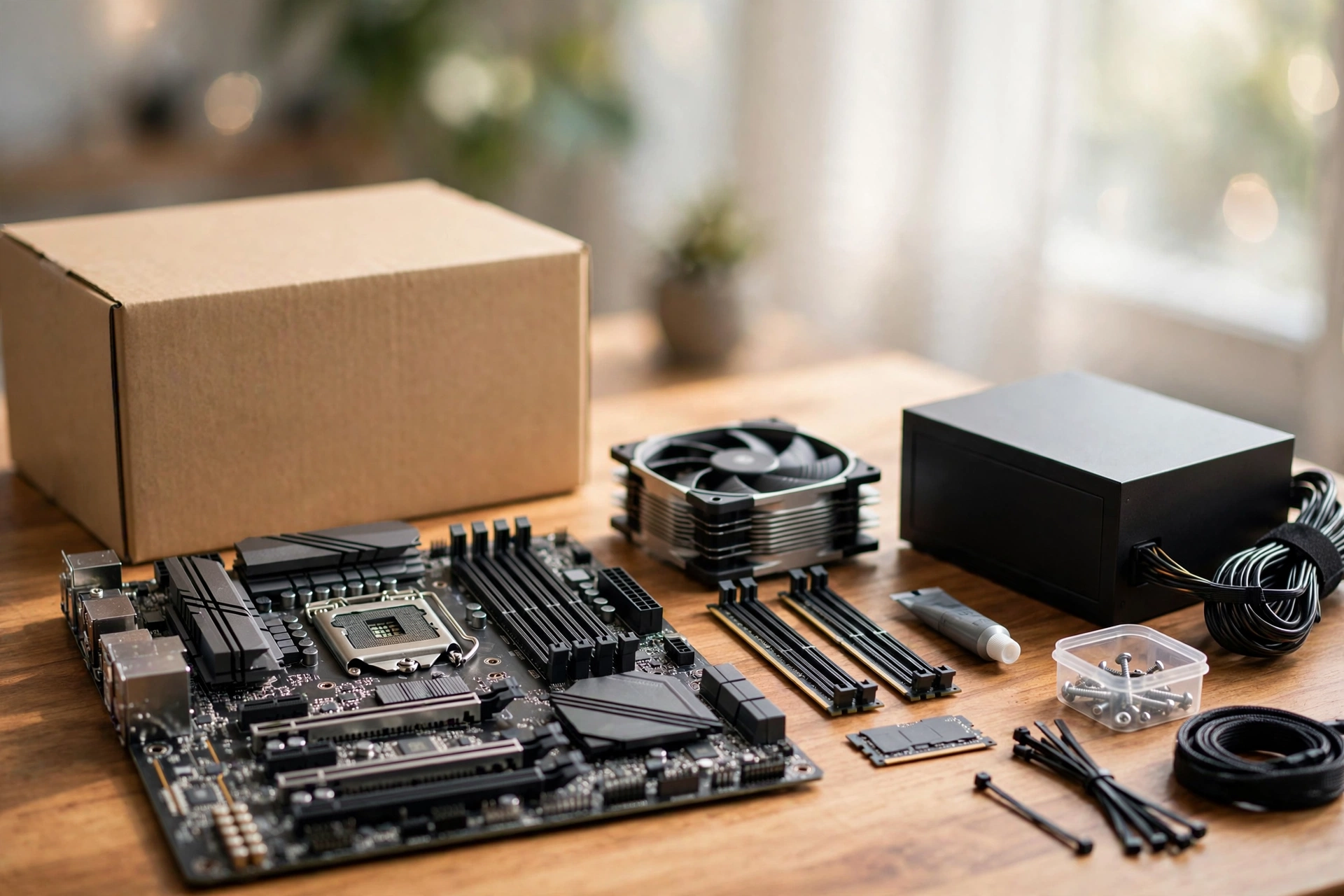
A good GPU pairing can be quietly undermined by slow memory, and AM5 has a clear sweet spot: DDR5-6000 with CL30 timings. That speed keeps the memory controller and Infinity Fabric in their happy 1:1 ratio, and it is the configuration reviewers consistently use when the 9600X posts its best gaming numbers. Enable the EXPO profile in the BIOS once and you are done; manual memory overclocking is unnecessary for gaming.
For capacity, 32GB is the recommendation for a 2026 build. Modern titles and background tasks keep growing, and 16GB is starting to feel cramped at 1440p and above. The painful part is pricing: the 2026 memory crisis has pushed DDR5 costs up, so this is the line item most likely to hurt. Buy a single 2x16GB DDR5-6000 CL30 EXPO kit from a reputable brand and move on; chasing faster kits buys almost nothing in games.
The rest of the platform is refreshingly cheap. A decent B650 motherboard handles the 9600X easily, the 65W TDP means a mid-range tower air cooler is plenty, and the chip’s integrated Radeon graphics give you display output for troubleshooting even before the discrete GPU arrives. If you are still weighing DDR4 versus DDR5 platforms, our DDR4 vs DDR5 gaming performance comparison lays out the real-world difference.
Power Supply Picks for Each GPU Tier
The 9600X makes power supply sizing easy because the CPU itself sips power. Size the PSU for the graphics card, add comfortable headroom for transient spikes, and buy a quality unit with an 80 Plus Bronze rating or better.
| GPU Tier | Recommended PSU | Why |
|---|---|---|
| RTX 5060 Ti | 550W to 650W | A 180W card plus a 65W CPU leaves enormous headroom even on a 550W unit. |
| RTX 5070 / RX 9070 | 650W | 220W to 250W cards; the 9600X barely registers next to them. |
| RTX 5070 Ti / RX 9070 XT | 750W | 300W-class cards with transient spikes deserve the extra cushion. |
| RTX 5080 | 750W to 850W | A 360W card; buy headroom now so your next GPU does not need a new PSU. |
These are sensible baselines, not hard rules. If you already own a quality 750W unit, it covers every pairing in this guide except an overclocked RTX 5080. For the full breakdown of RTX 50 series power requirements, see our RTX 50 series power supply guide.
What the 2026 Market Means for Your Timing
Buying a GPU in 2026 is not like buying one in 2023, and the market context should shape your decision. Graphics card street prices are up roughly two-thirds year over year, DDR5 memory is expensive because of the ongoing memory shortage, and Intel has pushed through a third round of CPU price increases effective October 5. That last point quietly strengthens the 9600X’s case: as Intel’s chips get pricier, AMD’s value 6-core on the affordable AM5 platform looks better by comparison.
Two more data points for the “do not overspend” column. The RTX 5090 was reportedly pulled from shelves in mid-October, which removes the temptation to pair a halo card with a value CPU. And with new DLSS models arriving that squeeze more frames out of mid-range hardware, the smart money in 2026 is on a balanced 1440p build rather than a lopsided flagship. Buy the GPU your monitor needs, spend the savings on 32GB of DDR5-6000, and let the 9600X do what it does best.
Frequently Asked Questions
What is the best GPU for Ryzen 5 9600X?
The RTX 5070 is the best overall match for most builders, because 1440p is this CPU’s natural habitat and the 5070 owns that tier. On a tighter budget, the RTX 5060 Ti 16GB is the value pick for 1080p. For high-refresh 1440p or light 4K, step up to the RTX 5070 Ti or RX 9070 XT. The RTX 5080 is the sensible ceiling; anything faster outruns what the 6-core can feed.
What’s the best budget GPU for Ryzen 5 9600X?
The RTX 5060 Ti 16GB. It is efficient, DLSS equipped, and the 16GB of VRAM gives it a longer useful life than 8GB cards at similar prices. If even that stretches the budget, the RTX 5060 is the fallback, and a used RTX 3060 12GB is a reasonable stopgap while 2026 GPU prices stay elevated.
Will the Ryzen 5 9600X bottleneck the RTX 5070?
No, not in the scenarios most people buy this combo for. At 1440p and 4K, the RTX 5070 is the limiting factor and the 9600X keeps up comfortably. The only common exception is 1080p esports at very high refresh rates, where the CPU sets the frame ceiling. Pairing guides consistently recommend the 9600X as the budget CPU of choice for the RTX 5070 at 1440p.
Can the Ryzen 5 9600X handle 4K gaming?
Yes, with the right graphics card. At 4K the GPU is always the bottleneck, so the CPU matters less than it does at lower resolutions. Pair the 9600X with an RTX 5070 Ti, RX 9070 XT, or RTX 5080 and it will drive 4K gaming smoothly. Just make sure the rest of the build, especially 32GB of DDR5 and a sufficient PSU, is up to the task.
Is the Ryzen 5 9600X iGPU any good?
The integrated Radeon graphics are basic: fine for display output, desktop work, video playback, and troubleshooting a system with no discrete card installed. They can lean on FSR for very light 3D tasks, but they are not a gaming solution. Think of the iGPU as a safety net, not a feature you buy the chip for.
Can I use the Ryzen 5 9600X without a GPU?
Yes. The chip includes integrated graphics, so you get display output without a discrete card, which is handy for building and troubleshooting before the GPU arrives or if a card needs an RMA. For actual gaming, though, a discrete graphics card is mandatory.
Conclusion
The Ryzen 5 9600X remains one of the smartest value plays on AM5 in 2026: six fast Zen 5 cores, a 65W power envelope, and enough gaming muscle to feed everything up to an RTX 5080. Match the card to your resolution, buy the RTX 5060 Ti 16GB for 1080p budgets, the RTX 5070 or RX 9070 for the 1440p sweet spot, and a 16GB card like the 5070 Ti or 9070 XT if you are chasing high refresh rates or light 4K. Skip the RTX 5090 entirely. Round out the build with 32GB of DDR5-6000 CL30, a right-sized PSU, and a quick check in our CPU bottleneck calculator, and you will have a balanced rig with no wasted money and no mystery stutters.

Leave a Reply