

Wireless earbuds for gaming used to be a bad idea. You would hear a footstep a quarter of a second after the enemy had already shot you, your teammates would complain about your mic, and the battery would die halfway through a ranked session. That was a few years ago. In 2026, dedicated gaming earbuds with a 2.4GHz dongle close most of that gap, and for a lot of players they are now a real alternative to a headset. This guide explains when gaming earbuds work, when they do not, and which models are worth your money.
The short answer is this: buy earbuds with a 2.4GHz USB dongle if you want wireless sound that keeps up with competitive play. Skip Bluetooth-only earbuds for shooters, because the delay is real and it costs you fights. If you play mostly on your phone, or you want something light for long sessions, the best gaming earbuds are genuinely good now. If team chat is your whole game, a headset with a boom mic still wins, and our best headphones for gaming guide covers the over-ear side of that choice in full.
Why Gaming Earbuds Are Different From Regular Earbuds
A regular pair of wireless earbuds is built for music, calls, and video. A gaming pair is built for one extra thing that matters more than anything else in a match: timing. Sound has to arrive at the same moment as the picture. When it does not, you react to old information, and in a fast game old information is wrong information.
Three things separate gaming earbuds from regular ones. First, the connection: gaming earbuds ship with a 2.4GHz USB dongle that talks to your PC or console on a private radio link, skipping the slow Bluetooth audio pipeline. Second, the tuning: gaming earbuds usually push the mid-range frequencies where footsteps, reloads, and callouts live, instead of drowning them in bass. Third, the mic and app support: gaming models add noise processing for voice chat and companion apps with game presets and EQ.
None of that makes every pair of gaming earbuds good. Some are just regular earbuds with a gaming mode button and a higher price. The rest of this guide shows you how to tell the difference before you spend money, so you buy once and buy right.
Latency Explained 2.4GHz Dongle vs Bluetooth vs Wired
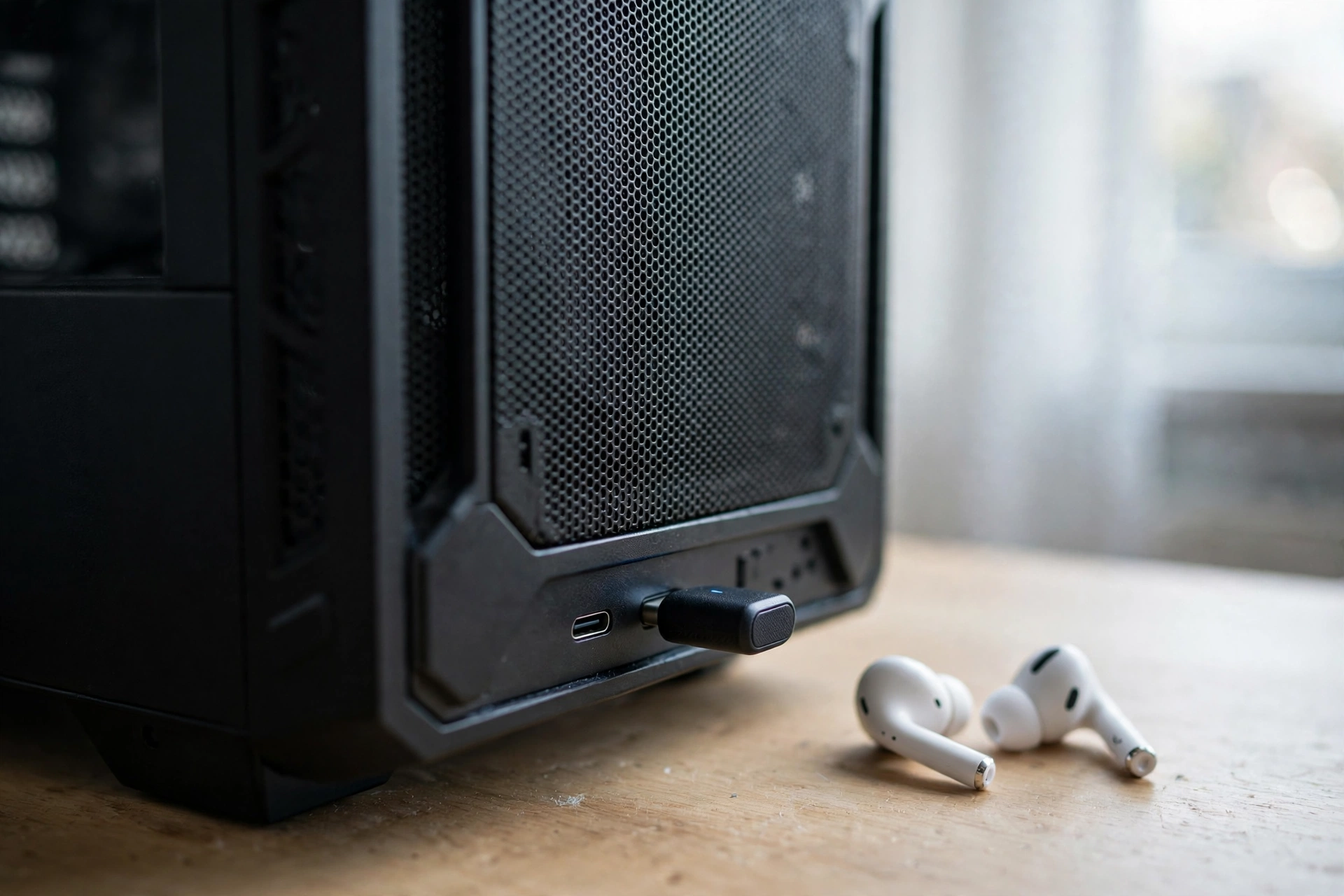
Latency is the delay between something happening in the game and the sound reaching your ears. At 60 frames per second, each frame lasts about 16.7 milliseconds. That number is your yardstick. A delay of 20 to 40 milliseconds means the sound arrives within two or three frames of the picture, which most players cannot feel. A delay of 150 milliseconds or more means the sound arrives nine frames late, which anyone can feel.
| Connection | Typical Latency | Best For | Watch Out For |
|---|---|---|---|
| Wired IEM or earbuds | About 0 to 5 ms | Ranked FPS, zero upkeep | Cable, no wireless freedom |
| Wireless 2.4GHz dongle | About 10 to 40 ms | PC and console gaming | Battery needs charging |
| Bluetooth with game mode | About 40 to 65 ms | Casual and mobile gaming | Still noticeable in shooters |
| Standard Bluetooth | About 100 to 250 ms | Music and calls only | Sound arrives far too late |
The rule is simple. Use the dongle for games, every time. The dongle is the whole reason gaming earbuds exist as a category. A pair of earbuds without a dongle is just a music earbud with a game mode sticker on the box, and game mode over Bluetooth only helps a little. It cuts the delay from around 200 milliseconds to around 50 milliseconds, which is fine for a story game or a mobile match, but it is still not the same as a dongle.
Wired in-ear monitors, usually called IEMs, are the zero-latency answer. They plug straight in, they never need charging, and competitive players have used them in tournaments for years. If you never leave your desk and you want the lowest delay money can buy, a wired IEM plus a cheap desk mic is hard to beat. The trade-off is the cable, and the fact that you need a separate mic for team chat.
One more thing to check before you buy: the mic can change the connection. On standard Bluetooth, the moment the microphone opens for a voice call, many earbuds drop game audio to a low-quality voice mode. That is why serious gaming earbuds route game audio through the dongle and keep Bluetooth for your phone. If a pair of earbuds has no dongle and no wired mode, it is not a gaming earbud, no matter what the box says.
Codecs and Gaming Modes What Actually Cuts the Delay
A codec is the method your earbuds and your device use to squeeze audio into a wireless signal. The codec decides how much delay you get over Bluetooth, and how good the sound is. This is the part most buyers skip, and it is the part that explains why the same earbuds can feel fast on one phone and slow on another.
SBC is the basic Bluetooth codec that every device supports, and it is also the slowest, often adding 200 milliseconds or more. AAC is what iPhones use, and it is better for music but still slow for gaming, usually around 120 to 180 milliseconds. aptX Adaptive is the codec to look for on Android, because it adjusts itself on the fly and can drop delay to around 70 to 90 milliseconds in its low-latency mode. LDAC sounds great for music but is not a low-latency codec, so it does not help in games. LC3 and LC3+ are the newer low-power codecs used by LE Audio and by some 2.4GHz dongles, and they are part of why the newest gaming earbuds sound cleaner at low delay.
Your phone decides which codec you actually get. An iPhone only speaks AAC and SBC over Bluetooth, so even a great pair of earbuds will run slower on an iPhone than on an Android phone with aptX Adaptive. That is not a flaw in the earbuds, it is a limit of the phone. If you play on an iPhone, the dongle matters even more, because it bypasses the phone codec problem entirely. Our iPhone 17 gaming guide covers which phones hold up for gaming, and the same logic applies here: the device in your hand shapes the audio you hear.
Game mode is a software switch in the earbuds app that trades a little sound quality and battery for lower delay. Always turn it on before a match, never during one. It helps, but it does not turn a Bluetooth-only pair into a dongle pair. Think of game mode as a bandage and the dongle as the cure.
Battery Life How Long Gaming Earbuds Really Last
Battery life is where earbuds lose to headsets on paper and win in practice. A wireless headset holds a big battery and runs 40 to 100 hours on a charge. An earbud holds a tiny battery and runs 5 to 12 hours per charge. But earbuds come with a charging case that tops them up every time you put them away, so the total runtime with the case is what matters, and that number is usually 35 to 50 hours.
| Model | Battery Per Charge | Total With Case | Connection |
|---|---|---|---|
| SteelSeries Arctis GameBuds | About 10 hours | About 40 hours | 2.4GHz dongle and Bluetooth 5.3 |
| Sony INZONE Buds WF-G700N | About 12 hours | About 24 hours | 2.4GHz dongle and LE Audio |
| ASUS ROG Cetra SpeedNova | About 9 hours in 2.4GHz mode | About 36 hours | 2.4GHz dongle and Bluetooth 5.3 |
| Razer Hammerhead V3 HyperSpeed | About 10 hours | About 40 hours | 2.4GHz dongle and Bluetooth 6.0 |
| EarFun Air Pro 4 | About 11 hours | About 52 hours | Bluetooth only, game mode |
These are manufacturer figures, which means best-case numbers with noise cancelling off and volume at a moderate level. Turning on active noise cancelling and using the dongle both cost battery, so expect a little less in real use. Independent testing of the SteelSeries GameBuds, for example, landed around 8.5 hours per charge with noise cancelling on, which is still a full evening of play.
The habit that matters is simple: put the earbuds back in the case between sessions. A case that holds three or four full charges means you almost never run dry, and most of these cases support fast charging, giving you about an hour of play from a five-minute charge. That is enough to save a session you forgot to charge for. If you are the kind of player who leaves earbuds on the desk overnight, a headset with a 70-hour battery is the safer buy, because earbuds punish forgetfulness.
Batteries also age. A lithium cell holds roughly 70 percent of its original capacity after a few hundred full charge cycles, so a pair charged daily will feel it sooner than one charged weekly. The case spreads those cycles out, which is another reason the case matters more than the per-charge number on the box.
Mic Quality Can Your Team Hear You?
Here is the honest truth about gaming earbuds: their microphones are good enough for squad callouts, and not good enough for streaming. That is the trade-off you accept when you give up the boom mic.
A boom mic sits two to five centimeters from your mouth, so your voice arrives loud and your keyboard arrives quiet. An earbud mic sits twenty centimeters or more from your mouth, near your cheek, so it hears your voice, your keyboard, your fan, and your roommate at similar levels. Earbud makers fight this with multiple mics and ENC, which is environmental noise cancellation software that filters background noise out of your voice. It works reasonably well in a quiet room and struggles in a noisy one.
If your team keeps asking you to repeat callouts, check three things before you blame the earbuds. First, is the mic muted by a touch control you tapped by accident? Second, is noise suppression turned on in Discord or in your game chat settings? Third, is the earbud seated properly, with a good seal? A loose earbud changes the mic position and the sound at the same time.
The practical fix for players who love earbuds but need a better voice is a separate desk mic. Even a budget USB mic on a small arm will beat any earbud mic, and it lets you keep the light, cool fit of earbuds while sounding clear to your team. Streamers do this all the time, partly because earbuds keep their face visible on camera, which a big headset does not. If you play ranked with a regular squad, a desk mic plus earbuds is one of the best setups you can build.
Comfort and Fit The Part Nobody Tests
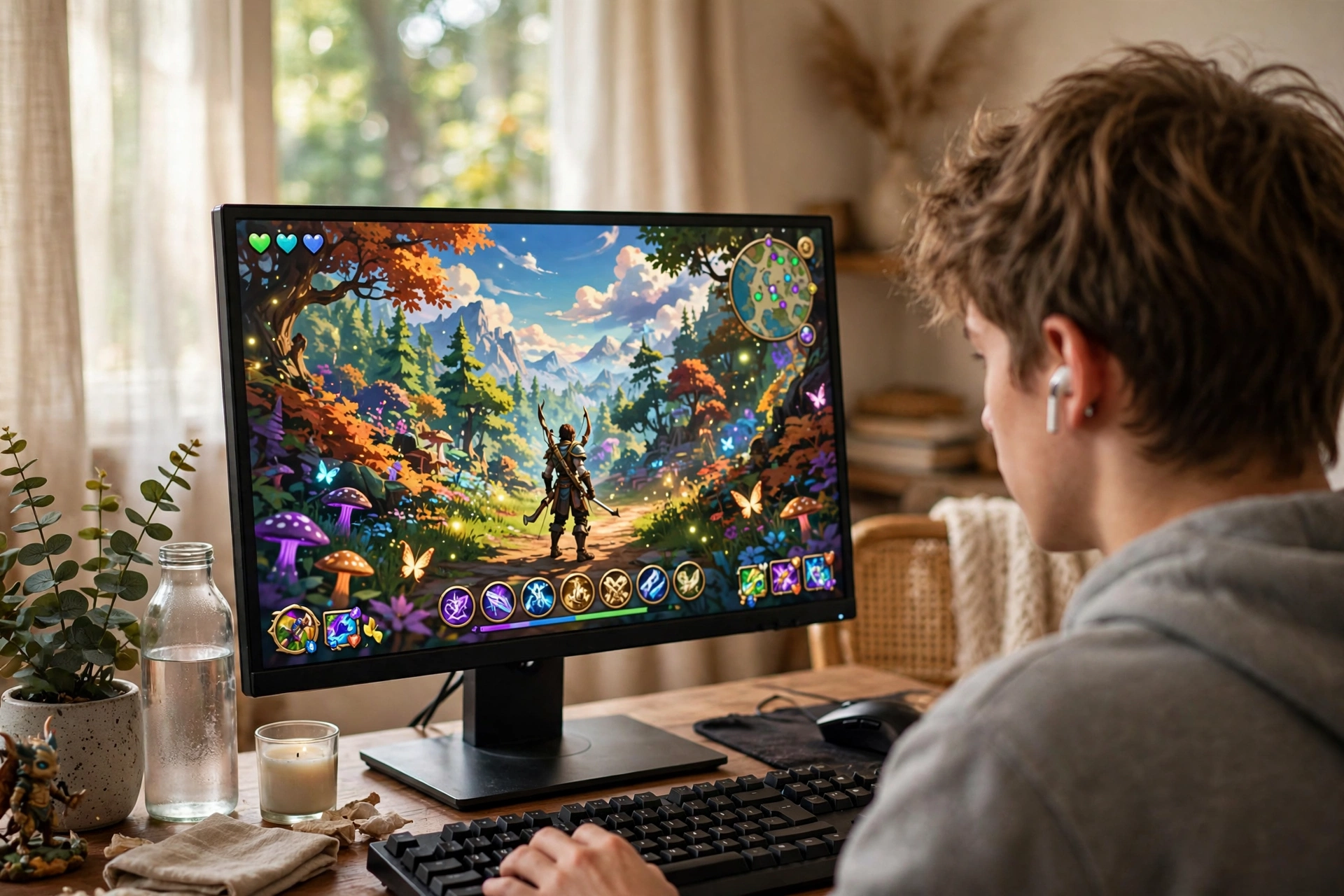
Comfort decides whether earbuds get used or sit in the drawer, and it is the most personal part of this whole guide. No review can tell you how a pair of earbuds will feel in your ears, because your ears are shaped differently from the reviewer’s.
Three things matter. First, the ear tip size. Every gaming earbud ships with three sizes of silicone tips, and the right size is the one that seals. A good seal blocks outside noise, keeps bass from leaking out, and stops the earbud from sliding when you move. Try all three sizes, and wear each one for at least twenty minutes before you decide. Second, the weight. Most gaming earbuds weigh about 5 to 6 grams each, which is light enough to forget, but a heavy case or a bulky shape can still press on the outer ear. Third, heat. Earbuds do not trap heat the way over-ear cups do, which is why players in hot rooms and players who wear glasses often prefer them. No headband means no pressure on glasses arms and no sweat under ear cups.
Gaming with earbuds also suits long sessions in a way people do not expect. There is no clamp force on your head, no ear cup pressing on your ears, and nothing to adjust after hour three. The limit is ear fatigue, not head fatigue, and a well-fitting pair with the right tips can stay comfortable for a full evening. If your ears ache after an hour, the tips are the wrong size, or the earbuds are too big for your ears. Swap the tips first, and return the pair if nothing fits, because no sound quality is worth pain.
Water resistance matters if you also use the earbuds outside the house. The SteelSeries GameBuds carry an IP55 rating, which means sweat and light rain are fine. The Sony INZONE Buds are rated IPX4, which covers sweat and splashes. Do not swim in any of them, and do not expect a gaming earbud to survive a washing machine.
The Best Gaming Earbuds in 2026
The best gaming earbuds are not one model, they are a short list by budget and platform. Start with your platform, then your budget, then the model. Every pick below ships with a 2.4GHz dongle except the budget pick, and that difference is the whole point of the list. Prices move fast with sales, so check the current price on the day you buy. This roundup of the best gaming earbuds of 2026 lines up with the picks below and is worth a read before you decide.
SteelSeries Arctis GameBuds: Best Overall
The Arctis GameBuds are the safest default for most players. The Quick-Switch 2.4GHz dongle works across PC, PlayStation, Xbox, Switch, Steam Deck, and mobile, with a triple tap to jump between the dongle and Bluetooth. Battery runs about 10 hours per charge and about 40 hours with the case, the case charges wirelessly over Qi, and the earbuds carry an IP55 rating. The SteelSeries Sonar app adds more than 175 game-specific EQ presets, which is genuinely useful, because a preset tuned for footsteps in one game is not the same as a preset tuned for music. At around $160, these are the earbuds to beat, and the mic is the only real weakness: fine for party chat, not for streaming.
Sony INZONE Buds WF-G700N: Best for PS5
Sony built the INZONE Buds for PlayStation players, and it shows. The USB-C dongle runs at under 30 milliseconds of latency, the earbuds last about 12 hours per charge, and the case adds about 12 more for roughly 24 hours total. On PS5 you get on-screen status for volume, battery, and mic mute, plus support for the console’s Tempest 3D audio, and the 360 Spatial Sound feature on PC adds direction cues in supported games. The catch is compatibility: these earbuds do not support regular Bluetooth Classic, only LE Audio with the LC3 codec, so check your phone before you buy. At around $158, they are the pick if your main machine is a PS5 and your second machine is a PC.
ASUS ROG Cetra True Wireless SpeedNova: Best for PC
The ROG Cetra SpeedNova is the PC-first pick. Its SpeedNova 2.4GHz wireless technology runs at under 20 milliseconds of latency, and the LC3+ codec delivers 24-bit 96 kHz audio in dongle mode, which is the highest resolution sound on this list. Battery runs about 9 hours per charge in 2.4GHz mode and about 36 hours total with the case, or up to 46 hours total over Bluetooth. Bone-conduction AI microphones are the interesting feature here: they pick up your voice through vibration as well as sound, which helps in noisy rooms. The official ROG Cetra SpeedNova page lists the full specs, including the 10mm drivers and the fast charging that gives an hour of play from five minutes in the case. At around $160, it is the pick for PC players who want the best sound in the category.
Razer Hammerhead V3 HyperSpeed: Best Sound for the Money
The Razer Hammerhead V3 HyperSpeed costs $129.99 and gives you a 2.4GHz dongle, Bluetooth 6.0, hybrid active noise cancelling, and about 40 hours of total battery, with 10 hours per charge. The case doubles as the dongle holder with a USB passthrough, so you can leave the dongle in the case and still connect by plugging into the case, which is a small detail that saves you from losing the dongle. Independent testing found the latency over the dongle effectively unnoticeable and the battery close to the rated 10 hours per charge. The cheaper Hammerhead V3 X HyperSpeed at $99.99 keeps the same low-latency wireless but drops noise cancelling and runs about 35 hours total, which makes it the value version of the same idea. SoundGuys tested the V3 HyperSpeed over a full week and found it good enough to replace a gaming headset for most players, and their Razer Hammerhead V3 HyperSpeed review is the most thorough hands-on test of this model.
EarFun Air Pro 4: Best Budget Pick
The EarFun Air Pro 4 is the budget pick, and it comes with a warning label. At around $60 to $80, often discounted lower, it gives you aptX Adaptive and LDAC codecs, a game mode rated at about 50 milliseconds, and about 11 hours per charge with 52 hours total from the case. That is a lot of earbud for the money. But it has no 2.4GHz dongle, so it is a Bluetooth-only pair, which means it is good for mobile games and casual play and not good for ranked shooters on PC. Buy it if your budget is tight and your games are mostly on your phone. Skip it if you play competitive shooters on PC, because no codec trick closes the gap to a dongle.
| Pick | Price | Latency | Battery Total | Best For |
|---|---|---|---|---|
| SteelSeries Arctis GameBuds | About $160 | Under 20 ms | About 40 hours | Best overall, every platform |
| Sony INZONE Buds WF-G700N | About $158 | Under 30 ms | About 24 hours | PS5 and PC players |
| ASUS ROG Cetra SpeedNova | About $160 | Under 20 ms | About 36 hours | PC players who want the best sound |
| Razer Hammerhead V3 HyperSpeed | $129.99 | Under 40 ms | About 40 hours | Best sound for the money |
| EarFun Air Pro 4 | About $60 to $80 | About 50 ms in game mode | About 52 hours | Budget mobile gaming |
Gaming Earbuds for PC, PS5, Xbox, and Mobile
Platform support is where buyers get burned, so check it before you pay. A pair of earbuds can be perfect on PC and useless on Xbox, because the consoles do not all speak the same wireless language.
On PC, everything works. Plug the dongle into a USB-C or USB-A port, pick the earbuds as your output device, and you are done. PC is also where the companion apps live, so EQ presets, firmware updates, and mic tuning are all easiest here. If you are building or upgrading the machine the earbuds will plug into, our how to build a gaming PC complete guide walks through matching every part, and audio belongs in that plan, not as an afterthought.
On PS5, a 2.4GHz dongle works, and the console shows on-screen status for earbuds that support it, like the Sony INZONE Buds. Bluetooth-only earbuds will not connect to the PS5 for game audio, because the console does not support Bluetooth game audio. That rule catches a lot of buyers, so remember it: no dongle, no PS5 audio.
On Xbox, the rule is stricter. Xbox does not use standard 2.4GHz dongles for audio, it uses its own Xbox Wireless protocol. Most wireless earbuds will not pair with an Xbox wirelessly at all. The exception is the Xbox version of the SteelSeries Arctis GameBuds, which is built for it. If you play on Xbox and want earbuds, buy the Xbox version specifically, or use a wired IEM plugged into the controller. Do not assume a PC wireless earbud will work on Xbox, because it usually will not.
On mobile, earbuds are in their natural home. A phone plus a pair of gaming earbuds is a complete portable setup, and this is where Bluetooth game mode actually earns its keep, because mobile games are more forgiving of 50 milliseconds than a PC shooter is. If you play on a phone or a tablet, check the codec your phone supports before you buy, because an Android phone with aptX Adaptive will run noticeably faster than an iPhone stuck on AAC.
Earbuds vs Headsets Which Should You Buy?
This is the question every buyer asks, and the honest answer is that it depends on how you play, not on which one is better in general. Earbuds and headsets solve different problems, and the right choice is the one that fits your sessions.
Earbuds win on weight, heat, and portability. They weigh almost nothing, they never press on your head, they stay cool in a hot room, and they fit in a pocket. They suit players who wear glasses, players who get headaches from headbands, players who travel, and players who game on a handheld or a phone. They also suit streamers who want their face visible on camera.
Headsets win on mic quality, battery, and soundstage. A boom mic beats any earbud mic, a headset battery lasts a week instead of a day, and big ear cups give a wider sense of space in the sound. They suit team players who live on voice chat, players who play eight-hour sessions at one desk, and players who want one device that does everything.
If you are torn, ask yourself one question: do you talk more than you listen? If your sessions are mostly team chat and callouts, buy a headset. If your sessions are mostly solo play, story games, or mobile games, earbuds will make you happier. And if you already own a good headset, earbuds are a great second pair for travel and for hot days, not a replacement for the headset. Players searching for gaming headphones earbuds comparisons usually land on the same answer: own the form that fits your main game, and borrow the other form for the rest.
Common Mistakes When Buying Gaming Earbuds
The most common mistake is buying Bluetooth-only earbuds for competitive play. They look wireless and modern, and the box says gaming mode, but the delay ruins shooters. If a pair has no 2.4GHz dongle and no wired mode, it is not a gaming earbud, no matter what the box says.
The second mistake is ignoring the codec your phone supports. A pair with aptX Adaptive is wasted on an iPhone, because the iPhone will only use AAC. Check your phone first, then buy the earbuds that match it, or buy a dongle pair and skip the codec question entirely.
The third mistake is buying the wrong ear tip size and blaming the earbuds. A bad seal kills bass, kills noise isolation, and makes the earbuds fall out. Try all three tip sizes before you judge the sound, and consider foam tips if silicone never seals for you.
The fourth mistake is forgetting the mic. If you play team games every night, an earbud mic will frustrate your squad sooner or later. Budget for a desk mic, or buy a headset instead. Do not discover this in the middle of a ranked match.
The fifth mistake is spending the whole budget on audio and forgetting the rest of the setup. Late 2026 is an expensive time to build a PC, with RAM prices soaring and high-end graphics cards like the RTX 5090 showing up in restocks around $6,599. That kind of market makes a $130 pair of earbuds look like a bargain, but it also means your money goes further when you balance the whole build. A good pair of earbuds on a balanced PC beats a flagship pair on a machine that stutters. Our budget PC build guide for 2027 shows how to split a tight budget across the parts that matter, and if RAM is eating your budget, our best RAM for gaming guide explains how much you actually need, because most players do not need as much as the stores suggest.
How to Test Gaming Earbuds in 10 Minutes
Run this check the day your earbuds arrive, while you can still return them. Your ears, your head, and your room are the ones that matter, and no review replaces a test on your own setup.
First, test the latency. Load a game you know well, plug in the dongle, and listen for footsteps while you watch the screen. Clap or fire a weapon and check whether the sound lands with the picture. Then switch to Bluetooth and do the same thing. The difference will be obvious within seconds, and it will teach you why the dongle stays plugged in.
Second, test the mic. Record a short voice message to a friend over the connection you will actually use, and ask if you sound clear. Speak at normal volume, then speak loudly, the way you do in a close round. If your voice distorts when loud, the mic gain is too high.
Third, wear them for a full hour. Comfort in the first minute means nothing. Pain shows up at minute forty. If your ears ache, the seal breaks when you move, or the earbuds slide out, try a different tip size. If nothing works, return them.
Fourth, test them on every device you own. Plug the dongle into your PC, your console, and your handheld. Pair them to your phone. A pair that only works on one device is a pair you will replace soon. Keep the receipt until this test is done.
Frequently Asked Questions
Are wireless earbuds good for gaming?
Yes, if they have a 2.4GHz dongle or a wired connection. Gaming earbuds with a dongle run at about 10 to 40 milliseconds of delay, which most players cannot feel, and they are light, cool, and portable. Standard Bluetooth earbuds are not good for gaming, because their delay runs around 100 to 250 milliseconds, which is easy to notice in a shooter. Buy a dongle pair for competitive play, and use Bluetooth-only pairs for casual and mobile games.
What are the earbuds with the best mic?
No earbud mic matches a headset boom mic, because a boom mic sits a few centimeters from your mouth while an earbud mic sits far away near your cheek. Among gaming earbuds, the ASUS ROG Cetra SpeedNova has the strongest mic setup thanks to its bone-conduction AI microphones, and the SteelSeries Arctis GameBuds are solid for party chat. If clear voice matters most to you, pair any earbuds with a separate desk mic, which will beat every built-in earbud mic.
Do gaming earbuds work on PS5?
Yes, if they come with a 2.4GHz USB-C dongle. Plug the dongle into the PS5 and the earbuds connect for game audio and chat. Bluetooth-only earbuds do not work on PS5 for game audio, because the console does not support Bluetooth game audio. The Sony INZONE Buds are the most PS5-friendly pick, with on-screen status for volume, battery, and mic mute.
Can you hear footsteps with earbuds?
Yes, if the earbuds have clear mid-range tuning and a good seal. Footsteps live in the mid-range frequencies, so an earbud with controlled bass and clean mids makes them easier to pick out than a bass-heavy pair. Use the dongle for the lowest delay, turn on any footsteps or FPS preset in the earbuds app, and make sure the ear tips seal properly, because a bad seal kills the mid-range first. Wired IEMs are even better for footsteps, because they add zero delay.
Why do my earbuds lag in games?
The most common cause is Bluetooth. Standard Bluetooth adds around 100 to 250 milliseconds of delay, which is enough to notice in any fast game. Switch to the 2.4GHz dongle if your earbuds have one, and turn on game mode in the app if they do not. Also check that your phone or PC is using the best codec available, because an iPhone on AAC will always lag more than an Android phone on aptX Adaptive. If the earbuds have no dongle and no game mode, they are music earbuds, and no setting will fix the delay.
Are earbuds better than a headset for gaming?
Earbuds are better for comfort, heat, portability, and glasses wearers, because they weigh almost nothing and never press on your head. Headsets are better for mic quality, battery life, and soundstage, because a boom mic and big ear cups do things earbuds cannot. Pick earbuds for solo play, mobile gaming, and travel. Pick a headset for team chat and long sessions at one desk. Most players who try both keep one of each.
How long do gaming earbuds last on one charge?
Most gaming earbuds last about 8 to 12 hours per charge, and their cases add enough for about 35 to 50 hours total. The SteelSeries Arctis GameBuds run about 10 hours per charge, the Sony INZONE Buds about 12 hours, and the EarFun Air Pro 4 about 11 hours. Turning on noise cancelling and using the dongle both use more battery, so expect a little less in real use. Put the earbuds back in the case between sessions and you will almost never run dry.
Key Takeaways
- Latency is the real bottleneck in gaming audio: a 2.4GHz dongle runs about 10 to 40 ms, Bluetooth game mode runs about 40 to 65 ms, and standard Bluetooth runs about 100 to 250 ms, which is too slow for shooters.
- Codecs matter over Bluetooth: aptX Adaptive is the one to look for on Android, while iPhones are limited to AAC, which is why the dongle matters even more on iPhone.
- Battery is a case game: earbuds run 8 to 12 hours per charge, and the case is what gets you to 35 to 50 hours total, so put them back in the case between sessions.
- No earbud mic beats a boom mic, so pair earbuds with a desk mic if team chat matters to you.
- Fit is a spec: try all three ear tip sizes, and return a pair that hurts or will not seal.
- Check platform support before you buy: dongles work on PC and PS5, Xbox needs an Xbox-specific version, and Bluetooth-only pairs do not work on consoles for game audio.
Conclusion
Wireless earbuds for gaming are no longer a compromise you regret. A good pair with a 2.4GHz dongle delivers sound on time, keeps footsteps clear, lasts a full evening on a charge, and disappears in your ears in a way no headset can match. A bad pair, usually a Bluetooth-only set with a gaming label, delivers sound late and frustrates your team with a weak mic.
Start with your platform, then your budget, then the model. Buy the dongle version, try every ear tip size, turn on game mode before your first match, and run the ten-minute test the day the earbuds arrive. If they pass, keep them and enjoy the lightest setup you have ever gamed with. If they hurt, lag, or sound wrong, return them and try the next model on the list. Your ears, your team, and your rank will all notice the difference.

Leave a Reply