

A gaming PC under 500 dollars is possible in late 2026, but only if you are honest about what $500 buys right now. It buys a solid 1080p machine for the games most people actually play, like Valorant, Fortnite, CS2, Rocket League, and Minecraft. It does not buy a 4K ultra settings machine, and it does not buy a brand new parts list with a modern discrete graphics card. The builders who succeed at this budget are the ones who spend on the graphics card first and skip everything that does not raise frame rates.
This guide gives you two complete routes that work at this price. The first pairs a cheap modern CPU with a used graphics card, and it is the faster machine. The second skips the graphics card entirely and uses a processor with strong built-in graphics, and it is the simpler machine. Both stay under $500 for the tower itself, and both leave you a real upgrade path. Prices in this guide are example tiers based on current listings, not guaranteed prices, because RAM and GPU prices are moving fast in late 2026. Check the price on the day you buy, and be ready to swap one part for an equal one if a deal appears.
What a Gaming PC Under $500 Can and Cannot Do
Set expectations before you spend anything. A 500 dollar gaming pc built the right way plays esports titles at high frame rates and older or lighter AAA games at medium settings. It plays new demanding games too, but at low to medium settings and 1080p, not at ultra. That is a fair trade. Most Steam players still game at 1080p, which is the resolution this budget is built for.
Here is a realistic picture of what to expect:
- Valorant, CS2, Rocket League, League of Legends, and Minecraft run smoothly, often well above 100 FPS on the used graphics card route.
- Fortnite, Apex Legends, and GTA V run well at 1080p medium settings, usually in the 60 to 100 FPS range on the used graphics card route.
- New AAA games from 2024 and 2025 run at low to medium settings, and you should expect 30 to 60 FPS, not a locked 60.
- Streaming while gaming at the same time is a stretch at this budget. Record gameplay if you want, but live streaming on a single $500 tower will cost you frames.
What it cannot do is just as important. It will not run Cyberpunk 2077 with ray tracing. It will not hold 144 FPS in every new release. And it will not stay a $500 machine if you add a monitor, keyboard, mouse, and headset to the same budget. Those are separate costs, and every honest $500 build list leaves them out. If you need the whole desk setup for $500 total, you need a used monitor and used peripherals too, or you need to raise the budget. Our gaming PC setup guide covers the desk, monitor position, and peripherals together once the tower is sorted.
Why $500 Is Tight in Late 2026
A gaming computer under $500 was easier to build two years ago. Three things changed, and all three hit budget builders first.
First, RAM prices have surged in late 2026. Memory is in short supply because AI data centers are buying huge volumes of it, and that shortage has pushed up the price of the DDR4 and DDR5 kits that every gaming PC needs. A 16GB kit that used to be the cheapest part of a build can now cost as much as the CPU. That matters because 16GB is the floor for gaming in 2026, not a luxury. Our best RAM for gaming guide explains how much RAM different games really need, and why 8GB is no longer enough for a new build.
Second, new graphics cards are expensive. The RTX 3060 is back on top of the October 2026 Steam hardware survey, which tells you everything about the market: players are holding on to older cards because nothing new has arrived at a price most people can pay. At the other end of the market, flagship cards have gone the other way entirely, with RTX 5090 listings on Newegg reported around $6,599 during a restock. A single flagship card costs more than thirteen $500 builds. That gap is why the used market is the only sensible place to buy a graphics card at this budget.
Third, new card launches keep slipping. Reports in late 2026 say AMD’s next generation RDNA 5 graphics cards may be delayed, with the same memory shortage named as one reason. A delay means no flood of cheap new cards to push older prices down, so the used market stays the smart play for budget builders for now. Nothing here is certain, and launch dates in this market change often, but the direction is clear: do not wait for a cheap new GPU to rescue a $500 budget. Build with what exists today.
The honest summary is that $500 in late 2026 buys a good used-parts machine or a good APU machine. It does not buy a good all-new machine with a discrete graphics card. Anyone who tells you otherwise is either using old prices or leaving parts out of the list.
The Two Routes That Actually Work
Every under 500 gaming pc that is worth building follows one of two routes. Pick your route first, then pick parts. Mixing the two routes is how budgets blow up.
| Route | How It Works | Best For | Main Weakness |
|---|---|---|---|
| Used graphics card route | Cheap new CPU plus a used GTX 1660 Super or RX 6600 | Highest FPS per dollar, real 1080p gaming | Used card needs careful buying |
| APU route | Ryzen 5 5600G with built-in Radeon graphics, no graphics card | Simplest build, brand new parts, easy upgrade later | Weaker in AAA games, needs fast RAM |
The used graphics card route wins on performance. A used GTX 1660 Super or RX 6600 is a real gaming card, and it runs circles around any integrated graphics. The catch is that you have to buy a used card safely, test it, and accept that it has no warranty. The APU route wins on simplicity. Every part is new, nothing is a gamble, and the machine works the day you build it. The catch is that integrated graphics top out at esports and lighter games, and demanding AAA titles need low settings and modest expectations.
If you can stretch even a little, the choice gets easier. Our gaming PC under 1000 guide shows what an extra $500 buys: a new graphics card, 32GB of RAM, and real 1440p headroom. But if $500 is a hard limit, the two routes below are the way to spend it.
Example Build 1 The Used Parts Route
This is the best 500 dollar gaming desktop for pure gaming performance. It pairs a cheap modern 6-core CPU with a used graphics card, and it puts roughly half the budget into the card, because the card decides your frame rate more than any other part.
| Part | Pick | Example Price Tier |
|---|---|---|
| CPU | AMD Ryzen 5 5500, 6 cores, 12 threads | Around $85 to $115 new |
| Graphics card | Used GTX 1660 Super 6GB or used RX 6600 8GB | Around $120 to $150 used |
| Motherboard | B450M or B550M micro-ATX | Around $65 to $90 new |
| RAM | 16GB DDR4 3200MHz, two 8GB sticks | Around $50 to $80 |
| Storage | 500GB NVMe SSD | Around $35 to $50 |
| Power supply | 500W to 550W, 80 Plus Bronze, known brand | Around $50 to $60 new |
| Case | Budget micro-ATX case with two fans | Around $40 to $50 new |
| Total | Tower only, no monitor or peripherals | Around $480 to $500 |
The Ryzen 5 5500 is the right CPU here because it is cheap, modern, and fast enough that it will not hold back a mid-range used card at 1080p. A used Ryzen 5 3600 costs less, often around $60, and it works too, but the 5500 is newer, runs cooler, and leaves more headroom. Either way, six cores and twelve threads is the floor for a gaming build in 2026. Four cores will stutter in modern games, and a $500 build cannot afford stutter.
The graphics card is the whole build. The GTX 1660 Super is the classic pick: 6GB of GDDR6 memory, 125W power draw, and enough speed for 1080p medium to high settings in most games. TechPowerUp lists its full specs, including 1,408 shading units and a 1,785 MHz boost clock, in its GTX 1660 Super database page. The RX 6600 is the better card if you can find one near the same price, because it has 8GB of memory and newer features, and it is faster in most games. Either card is a good buy. What matters is the price you actually pay and the condition of the card you actually get, which is why the used buying section below matters more than the brand on the box.
The motherboard should be a B450M or B550M board, not the cheapest A320 board you can find. A B550 board gives you a better upgrade path and better power delivery, and it costs only a little more. The AM4 platform is the reason this build works at all: it is mature, parts are cheap, and you can drop in a much faster Ryzen 5000 CPU later without changing anything else. Our budget PC build guide explains the AM4 platform in more detail and why it is still the value king for budget builds.
RAM must be two sticks, not one. Two 8GB sticks run in dual channel mode, which roughly doubles memory bandwidth, and that matters a lot at this budget. A single 16GB stick in single channel mode can cost you real frames, especially on the APU route below. Buy a 3200MHz kit if you can, and do not pay extra for RGB lighting on RAM at this budget. Lighting does not raise frame rates.
Storage is simple: a 500GB NVMe SSD, nothing less, and no hard drive as the main drive. A hard drive makes the whole machine feel slow, from Windows boot to game loading, and a 500GB NVMe drive costs about the same as a pizza night now. 500GB holds Windows plus a handful of big games, and you can add a second drive later when you have money. Do not buy a used SSD to save $10. A used drive can be near the end of its life, and losing your games and files is not worth the saving.
The power supply is the one part you must buy new, from a known brand, with an 80 Plus Bronze rating or better. A 500W unit is enough for this build, which draws roughly 250 to 350W under load, but the wattage is not the point. The point is that a cheap no-name power supply can kill every other part in the machine when it fails. Spend $50 on a real unit from EVGA, Corsair, or a similar brand. Our best budget PSU guide is linked here for reference, and the same rule applies: never gamble on the part that powers everything else.
The case is the last priority. Buy the cheapest micro-ATX case with decent airflow and two fans included, and spend the money you save on the graphics card. A case does not make games run faster. It holds parts, moves air, and looks nice. In that order.
Example Build 2 The APU Route
The APU route is the simplest gaming desktop under 500 you can build. An APU is a processor with real graphics built into the same chip, so you skip the graphics card entirely and spend that money on a better CPU, faster RAM, and a bigger SSD. The Ryzen 5 5600G is the chip for this job: six cores, twelve threads, and Radeon Vega 7 graphics that can actually play games. AMD lists its official specs, including a 3.9 GHz base clock, a 4.4 GHz boost clock, and a 65W TDP, on its Ryzen 5 5600G product page.
| Part | Pick | Example Price Tier |
|---|---|---|
| CPU | AMD Ryzen 5 5600G, 6 cores, 12 threads, Vega 7 graphics | Around $110 to $140 new |
| Graphics card | None, built-in Radeon Vega 7 | $0 |
| Motherboard | B450M or B550M micro-ATX with video outputs | Around $65 to $90 new |
| RAM | 16GB DDR4 3600MHz, two 8GB sticks | Around $55 to $85 |
| Storage | 1TB NVMe SSD | Around $55 to $70 |
| Power supply | 450W to 500W, 80 Plus Bronze, known brand | Around $45 to $55 new |
| Case | Budget micro-ATX case with two fans | Around $40 to $50 new |
| Total | Tower only, no monitor or peripherals | Around $370 to $490 |
This build often comes in under $500, which is its secret weapon. The money you save can sit in your pocket until you can afford a real graphics card, and the day you add one, this machine becomes a proper mid-range gaming PC. That is the upgrade path that makes the APU route smart, not just cheap. You are not buying a dead end. You are buying a good CPU, a good board, and good RAM, and adding the graphics card later.
RAM speed matters more on this route than on any other build, because the built-in graphics use your system RAM as video memory. Slow RAM starves the graphics, and fast RAM feeds it. Buy a 3600MHz kit in two sticks, and make sure dual channel mode is on. Two sticks of 3600MHz RAM is the single best upgrade you can make to an APU build, and it costs only a little more than a slower kit. This is also why 16GB is the floor: the graphics borrow some of it, so 8GB would leave almost nothing for the game itself.
The motherboard needs video outputs, which sounds obvious but is easy to miss. The whole point of an APU is that the monitor plugs into the motherboard, so check for an HDMI or DisplayPort socket on the back of the board before you buy. Most B450M and B550M boards have them, but a board made for mining or office use might not. If the board has no video output, the APU cannot show you anything.
The 1TB SSD is possible here because you saved the graphics card money. Games are big now, and 500GB fills up fast when one game can take 100GB or more. A 1TB drive means you can keep several games installed at once instead of deleting one to install another. If your budget is strict, drop back to 500GB and spend the difference on faster RAM, but 1TB is the better buy if you can afford it.
One honest warning: the APU route is not a forever machine without a graphics card. It plays esports and lighter games well, and it plays older AAA games fine, but new AAA games at 1080p will need low settings and patience. If your main games are Valorant, Fortnite, Minecraft, Rocket League, and CS2, you will be happy. If your main games are the newest story-driven blockbusters, save for the used graphics card route instead, or plan to add a card within a few months. A gaming computer 500 dollars in price can only stretch so far, and knowing which games you actually play is the best way to pick the right route.
What FPS to Expect at 1080p
Frame rates are the question everyone asks, and the honest answer is that they depend on the game, the settings, and the exact parts you buy. The numbers below are estimates compiled from published third-party benchmarks and roundups, not in-house testing, and your results will vary. They assume 1080p resolution, which is the target for both builds.
| Game | Used GPU Route (GTX 1660 Super class) | APU Route (Ryzen 5 5600G) |
|---|---|---|
| Valorant | 150 FPS or more, high settings | 100 FPS or more, low to medium settings |
| CS2 | 120 FPS or more, medium settings | 60 to 80 FPS, low settings |
| Fortnite | 80 to 100 FPS, medium settings | 50 to 70 FPS, low settings, Performance Mode helps |
| Apex Legends | 70 to 90 FPS, medium settings | 40 to 60 FPS, low settings |
| Rocket League | 120 FPS or more, high settings | 90 FPS or more, medium settings |
| GTA V | 70 to 90 FPS, medium to high settings | 40 to 60 FPS, low to medium settings |
| Minecraft | 100 FPS or more, medium settings | 60 to 80 FPS, medium settings |
| Cyberpunk 2077 | 50 to 60 FPS, low to medium settings | 25 to 35 FPS, low settings, not recommended |
Two patterns stand out. First, esports games run well on both routes, because they are built to run on modest hardware. Second, the gap between the routes grows as games get heavier. In Valorant the difference is nice to have. In Cyberpunk 2077 it is the difference between playable and painful. That is why the used graphics card route is the right pick if AAA games matter to you, and why the APU route is the right pick if esports and lighter games are your world.
Settings matter as much as hardware. Dropping from ultra to medium settings can nearly double your frame rate in many games, and the visual difference at 1080p on a 24-inch monitor is smaller than most people expect. Upscaling helps too: AMD FSR and similar tools render the game at a lower resolution and scale it up, which can buy you 20 to 40 percent more frames on a budget card. Turn it on before you turn the resolution down, because it usually looks better. If you want to check how a different card would change these numbers, our best GPU for gaming guide explains which tier fits your resolution and your budget.
Buying Used Parts Without Getting Burned
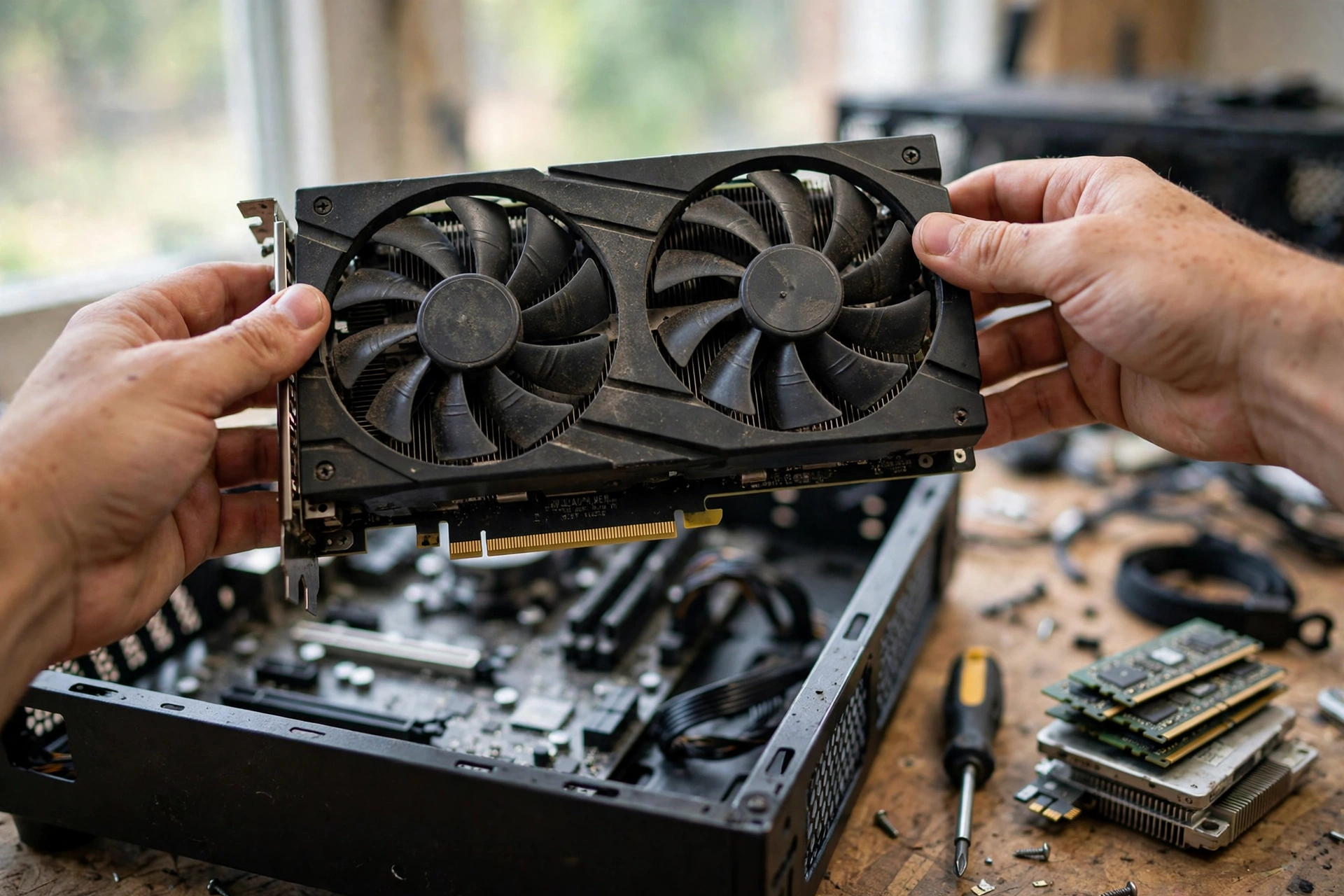
Gaming computers under 500 dollars almost always include at least one used part, usually the graphics card. The used market is where the value lives, but it is also where the scams live. Buy smart and you save $100 or more. Buy careless and you lose the whole budget.
Buy the graphics card used, and buy the CPU used if you want. CPUs almost never fail, and a used Ryzen 5 3600 or 5500 is one of the safest second-hand buys in a PC. RAM is also fairly safe used, as long as you test it. A memory test tool will tell you quickly if a stick is bad, and RAM either works or it does not.
Never buy a used power supply, and never buy a used storage drive. A power supply degrades with age and heat, and a failing one can take the motherboard and graphics card with it. A used SSD or hard drive can be near the end of its life with no warning, and your files go with it. Both parts are cheap enough new that the saving is never worth the risk.
When you buy a used graphics card, check these things before you pay:
- Ask for a photo of the card running a game, with the temperature visible. A card that runs hot at idle has a cooling problem.
- Ask how it was used. A card from a gaming PC is ideal. A card from a mining rig can still be fine if it was run cool and undervolted, but it has more wear, so pay less for it.
- Check the fans. Spin each fan by hand. It should spin freely and quietly, with no grinding or wobble.
- Look at the power connectors and the bracket. Bent pins, burn marks, or a cracked bracket are reasons to walk away.
- Buy from a seller with a long history of good feedback for computer parts, on a platform with buyer protection. A brand new account selling a fast card far below market price is a red flag, not a bargain.
- Test the card the day it arrives, while you can still return it. Run a game you know for thirty minutes and watch for crashes, artifacts, or strange colors. If anything looks wrong, return it at once.
A refurbished office PC is the other used route worth knowing about. A Dell OptiPlex tower with an older Intel Core i5, 16GB of RAM, and an SSD can cost under $200, and adding a used GTX 1660 Super turns it into a real gaming PC for around $400 total. The catch is the power supply: many office PCs ship with a weak unit that cannot feed a graphics card, so you may need to replace it. Check the wattage and the connectors before you buy, and confirm the case fits a full size card. Some small office towers only fit low profile cards, and a standard card will not fit at all.
Prebuilt or Build It Yourself
A 500 dollar gaming desktop from a store is tempting, because it arrives working, with a warranty, and no assembly. The honest truth is that most new prebuilt machines under $500 are weaker than the DIY builds above. They cut costs where you cannot see them: slow single channel RAM, a small hard drive instead of an SSD, a weak power supply, and integrated graphics with a gaming label on the case. A few are decent, like the HP Victus 15L with a discrete graphics card when it is on sale, but stock at this price comes and goes, and the good ones sell out fast.
A prebuilt wins in exactly two cases. First, if you cannot build a PC yourself and nobody can help you, a prebuilt with a real discrete graphics card is better than no PC at all. Second, if you find a refurbished business PC plus a used graphics card, which is really a half DIY build anyway. In every other case, building it yourself gets you more frames per dollar, better parts, and a machine you can actually upgrade. Our prebuilt gaming PC guide explains what to check before you buy any prebuilt, including the power supply and the upgrade path.
If you have never built a PC, do not let that stop you. A budget build has seven main parts, and each one only fits in one place. Our how to build a gaming PC complete guide walks through the whole process step by step, from installing the CPU to the first boot. Set aside an afternoon, keep the manuals nearby, and take your time. The first build is the slowest. The second one takes an hour.
Mistakes That Waste a $500 Budget
At this budget, one bad buy can cost you a whole tier of performance. These are the mistakes that show up most often.
Buying 8GB of RAM to save $25 is the classic one. Modern games and Windows together use more than 8GB, and the machine will stutter as it swaps data to the SSD. 16GB in two sticks is the floor, and it is not optional. RAM prices are high right now, which makes this mistake tempting, but a stuttering machine is not a bargain at any price.
Buying a cheap no-name power supply is the dangerous one. It looks like a saving until it fails and takes other parts with it. Buy a known brand, 80 Plus Bronze or better, and sleep well.
Spending on RGB lighting, a fancy case, or an expensive cooler is the silly one. A $500 build has no money for looks. Every dollar on lights is a dollar off the graphics card, and the graphics card is the part that decides your frame rate. Buy the plain black case, use the cooler that comes in the CPU box, and spend the saving where it matters.
Buying a single stick of RAM instead of two is the quiet one. Single channel mode cuts memory bandwidth, and on an APU build it can cost you a large chunk of your frame rate. Two 8GB sticks beat one 16GB stick in gaming, every time, at the same total size.
Paying extra for a graphics card with a famous brand cooler is the pointless one at this budget. A used card is a used card. Buy the cheapest clean, working card of the right model, not the prettiest one.
Forgetting the Windows license is the surprise cost. A new Windows 11 license costs extra, and it is not in the parts tables above. You can install Windows without a product key and use it with limited personalization while you save for a license, or you can use a key you already own from an old machine. Either way, plan for it instead of discovering it after the build is done. A monitor and peripherals are the same story: the $500 covers the tower only, so use a monitor and keyboard you already own, or buy them used.
The Upgrade Path What to Buy Next
A good budget build is not a dead end. It is a starting point, and the order you upgrade in matters. Spend in this order and each upgrade will feel like a real improvement.
First, add a graphics card if you built the APU route. A used RX 6600 or RTX 3060 transforms the machine, and the Ryzen 5 5600G is fast enough to feed either one at 1080p. This is the single biggest upgrade you can make, and it is the reason the APU route is smart, not just cheap.
Second, add storage. A second 1TB SSD is cheap, easy to install, and ends the game of deleting one title to install another. Games keep getting bigger, and storage is the upgrade you will notice every single day.
Third, add RAM, but only if you need it. Going from 16GB to 32GB helps if you stream, edit video, or keep fifty browser tabs open while you game. For gaming alone, 16GB is still fine in 2026, and the money is usually better spent on the graphics card first.
Fourth, upgrade the CPU. The AM4 platform makes this easy: a Ryzen 7 5700X3D or a similar faster chip drops into the same board with no other changes. Do this last, not first, because at 1080p with a budget card, the graphics card is almost always the limit, not the CPU. If you want to check whether your CPU or your GPU is holding you back, run the numbers through the bottleneck calculator on the homepage before you spend anything.
One more note for laptop shoppers. This guide is about desktop towers, because a desktop is where $500 goes furthest. A laptop at this price will be weaker than either build above, with a smaller screen, slower graphics, and no real upgrade path. If you truly need a portable machine, our best laptop for gaming guide covers what to look for, but expect less gaming performance for the same money.
Frequently Asked Questions
Can you build a gaming PC under $500 in 2026?
Yes, but only with a used graphics card or an APU build. An all-new parts list with a modern discrete graphics card does not fit under $500 in late 2026, because RAM prices have surged and new GPU prices are high. The two example builds in this guide both stay near $500 for the tower, and both play the most popular games well at 1080p. Treat any parts list that claims an all-new $500 build with a new graphics card with suspicion, and check its prices against current listings before you trust it.
Is a $500 gaming PC good enough for Fortnite and Valorant?
Yes. Fortnite runs at roughly 80 to 100 FPS on medium settings with the used graphics card route, and Valorant runs well above 100 FPS. Both games are built to run on modest hardware, and they are the reason a budget build feels fast. On the APU route, Fortnite needs low settings and Performance Mode, and Valorant still runs well above 100 FPS on low to medium settings. If esports games are your main games, a gaming pc under 500 dollars is genuinely good enough.
Should I buy a used graphics card for a budget build?
Yes, if you buy carefully. A used GTX 1660 Super or RX 6600 is the best performance per dollar at this budget, and it beats every new card you can buy for the same money. Buy from a seller with good feedback and buyer protection, ask for proof that the card runs a game without overheating, check the fans, and test it the day it arrives. Never buy a used power supply or a used storage drive, because those two parts can fail without warning and damage the rest of the machine.
Is 16GB of RAM enough for a gaming PC under $500?
Yes, 16GB is enough, and it is the right amount for this budget. It is also the floor: 8GB will stutter in modern games, because Windows and the game together need more than 8GB. Buy two 8GB sticks so dual channel mode is on, and buy 3200MHz or faster. On an APU build, faster RAM matters even more, because the built-in graphics use your system RAM as video memory. Going to 32GB helps streamers and multitaskers, but for gaming alone, 16GB is fine.
Can a gaming PC under $500 run AAA games?
It can run them, but not at high settings. Expect low to medium settings at 1080p and roughly 30 to 60 FPS in new AAA games on the used graphics card route, and low settings at 25 to 35 FPS on the APU route. Older AAA games run much better: GTA V, for example, runs at 70 to 90 FPS on medium to high settings with a used GTX 1660 Super class card. If AAA games are your main hobby, the used graphics card route is the right pick, and turning on upscaling like AMD FSR will help a lot.
Should I buy a prebuilt or build my own for $500?
Build your own, unless you cannot build at all. A DIY build gets you more frames per dollar, better parts, and a machine you can upgrade. Most new prebuilt machines under $500 cut costs where you cannot see them, with slow single channel RAM, a small hard drive instead of an SSD, and a weak power supply. The exceptions are a prebuilt with a real discrete graphics card on sale, and a refurbished office PC plus a used graphics card. If you have never built a PC, the step by step guide on this site walks through the whole process, and a first build takes an afternoon.
How long will a $500 gaming PC last?
Expect two to three years of solid 1080p gaming before new releases start dropping below 30 FPS on low settings. Esports games will stay playable much longer, because they are built for modest hardware. The machine lasts longer if you buy on the AM4 platform, because you can upgrade the CPU and the graphics card later without replacing the motherboard, RAM, or case. Think of $500 as the entry ticket, not the final machine: the upgrade path is part of the value.
Do I need to include a monitor and keyboard in the $500 budget?
No, and you should not try. The $500 in this guide covers the tower only. A monitor, keyboard, mouse, and headset are separate costs, and adding them to the same $500 would force you into parts too weak to game on. Use a monitor and peripherals you already own, or buy them used. A used 1080p 60Hz monitor is cheap and perfectly fine for a first budget build, and you can upgrade to a faster screen later when the tower is done.
Key Takeaways
- A gaming PC under $500 works in late 2026, but only through the used graphics card route or the APU route. An all-new build with a new discrete card does not fit the budget.
- The used graphics card route is faster: a Ryzen 5 5500 plus a used GTX 1660 Super or RX 6600 plays esports above 100 FPS and most games at 1080p medium.
- The APU route is simpler: a Ryzen 5 5600G with no graphics card, fast dual channel RAM, and a clear upgrade path when you add a card later.
- RAM prices have surged in late 2026, so 16GB in two sticks is the floor, and prices change fast. Check current prices on the day you buy.
- Buy the graphics card and CPU used if you want, but always buy the power supply and storage new, from a known brand.
- The RTX 3060 topping the October 2026 Steam survey shows most players still game on older, affordable cards at 1080p, and that is exactly the market a $500 build lives in.
- The $500 covers the tower only. A monitor, keyboard, mouse, headset, and Windows license are separate costs, so plan for them.
Conclusion
A gaming PC under 500 dollars is not a myth, but it is not a miracle either. It is a puzzle with two correct answers: a cheap CPU with a used graphics card, or an APU with fast RAM and a plan to add a card later. Both routes play the games most people actually play, both stay near $500 for the tower, and both leave you a machine you can upgrade instead of replace.
The builders who fail at this budget are the ones who chase an all-new parts list, trust old prices, or spend on looks instead of frames. The builders who succeed spend half the budget on the graphics card, buy 16GB of RAM in two sticks, buy a real power supply, and accept honest settings at 1080p. Do that, and $500 buys you into PC gaming properly, with a machine that earns its keep from day one and gets better with every upgrade you add to it.

Leave a Reply