

Yes, CPU cache affects gaming, and the effect is real in the right conditions. Does cpu cache affect gaming enough to change which CPU you should buy? In CPU limited games at 1080p and 1440p, a large L3 cache can lift average FPS and, more noticeably, improve 1% lows and frame time. At 4K with maximum settings, the graphics card usually decides performance, so extra cache matters far less. The short version is simple: cache helps most when the CPU is the limit, and it helps smoothness even more than it helps the average frame rate number.
Introduction
You bought a fast graphics card, you picked a modern CPU, and your games still stutter in busy scenes. The frame rate counter looks fine most of the time, then it drops for a moment when you turn a corner in an open world game or when a big fight starts. Many gamers blame the GPU first. Sometimes the real problem is how fast the CPU can feed the GPU, and that is where cache comes in.
Cache is the small, very fast memory built into the processor. It holds the data and instructions the cores are most likely to need next. When the data is already in cache, the core keeps working. When it is not, the core waits while the data travels from system RAM, which is far slower. Games ask the CPU to juggle a lot of small, scattered pieces of data every frame, so those waits add up.
This guide explains the whole picture in plain language. You will learn what L1, L2, and L3 cache do, why games love cache more than most other software, how 3D V-Cache works, which game types gain the most, and when cache barely matters at all. You will also see how cache shows up in 1% lows rather than only in average FPS, and how to use that knowledge when you pick your next CPU.
What Is CPU Cache in Plain Language
Think of the CPU as a cook working at a small counter. System RAM is a large pantry down the hall. The cook can walk to the pantry, but every trip takes time. Cache is the set of shelves right beside the cook, holding the ingredients and tools needed for the dish being made right now. The bigger and better organized those shelves are, the fewer trips to the pantry the cook has to make.
A CPU works the same way. Its cores run instructions and work on data. The data lives in RAM, but RAM is slow compared with the speed of a modern core. Cache sits between the cores and RAM, inside the processor package, and it stores copies of the data and instructions the cores use most often. A cache hit means the core found what it needed close by and kept working. A cache miss means the core had to wait for a trip to RAM.
That waiting time is the key to this whole topic. A single trip to RAM can cost hundreds of CPU cycles, during which the core does little useful work. One miss is nothing. Thousands of misses per second, in the middle of a busy game scene, can turn into visible stutter. A larger cache does not make the cores faster. It makes them wait less often, and in gaming that often matters more than a small clock speed difference.
Cache is not the same as RAM, and it is not the same as storage. RAM holds gigabytes of data for the whole system. A solid state drive holds your games and files. Cache holds only megabytes, but it is far faster than RAM, and it is the first place the CPU looks. That is why the number is small and the effect is large: the data in cache is the data the CPU needs right now.
L1 Cache: Small, Fast, and Private to Each Core
L1 cache is the smallest and fastest level. Each core has its own L1 cache, split between instructions and data. On the Ryzen 7 9800X3D, AMD lists 640 KB of total L1 cache across its eight cores, which works out to 80 KB per core. That sounds tiny, and it is, but it is also the fastest memory in the system. The core checks L1 first for every piece of data it needs.
L1 cache is so small that a game cannot fit much of its working data in it. Its job is to serve the hottest data, the instructions and values the core is using in this exact moment. When L1 hits, the core runs at full speed. When L1 misses, the request moves to the next level. You do not shop for L1 cache size when you buy a CPU, because it barely changes between modern designs, but you should know it exists, because it is the first step in the chain.
L2 Cache: The Middle Layer Each Core Relies On
L2 cache is larger and a little slower than L1. Each core also has its own L2 cache in most modern designs. The Ryzen 7 9800X3D carries 8 MB of L2 cache, or 1 MB per core. L2 catches what spills out of L1: data the core still needs often, but not in this exact instant.
For gaming, L2 matters, but it is rarely the deciding factor between two CPUs in the same generation, because competing chips often carry similar amounts. Where L2 becomes interesting is in older or cut down chips. Some budget processors halve the L2 cache per core or split the L3 cache into separate blocks, and that can show up as weaker gaming performance even when the core count and clock speed look fine on paper. The lesson is to look at the whole cache picture, not only the headline L3 number.
L3 Cache: The Big Shared Pool That Decides Gaming
L3 cache is the largest level, and it is the one that matters most for gaming. It is shared across cores, so data that one core used can be available to another core without a trip to RAM. On the Ryzen 7 9800X3D, AMD lists 96 MB of L3 cache, and the total cache figure AMD quotes for the chip is 104 MB once L1 and L2 are included. That 96 MB figure is the number gamers argue about, and for good reason.
Why does the shared pool matter so much? Games keep a large working set of data active at once: the state of the world, the positions of characters, physics data, draw call information for the GPU, and the instructions of the game engine itself. That working set is often too big for a 32 MB L3 cache, but a large part of it can fit in 96 MB. When more of it fits, the CPU makes fewer trips to RAM, frames get prepared faster, and the worst frames get better.
The table below sums up the three levels in one place.
| Cache level | Size on a typical gaming CPU | Speed | Shared or private | Main job in gaming |
|---|---|---|---|---|
| L1 cache | Tens of KB per core | Fastest | Private to each core | Serves the data the core needs right now |
| L2 cache | Around 1 MB per core | Very fast | Private to each core | Catches what spills out of L1 |
| L3 cache | 32 MB to 96 MB or more | Fast, slower than L1 and L2 | Shared across cores | Keeps the game working set close to the cores |
How Cache Changes a Frame
A frame in a game is not one job. It is a chain of jobs, and the CPU handles the early part of that chain. The CPU updates the game world, runs physics and AI, works out what the player can see, and prepares draw calls that tell the GPU what to draw. The GPU then renders the picture. If the CPU is slow to prepare a frame, the GPU waits, and the frame arrives late.
Cache affects that chain at the point where the CPU fetches data. Every time the CPU needs a piece of game data that is not in cache, it waits for RAM. RAM latency is measured in tens of nanoseconds, while cache access is measured in a few nanoseconds. That difference sounds small, but a frame at 144 FPS gives the CPU only about 6.9 milliseconds to prepare everything. A few hundred extra RAM trips in that window can push a frame past its deadline.
This is why cache behaves differently from a clock speed increase. A faster clock makes each step quicker. A bigger cache removes whole steps, the waiting steps, from the chain. In a game with a large, scattered working set, removing those waits can matter more than a few hundred megahertz of clock speed. In a game with a small, predictable working set, the CPU rarely waits anyway, so extra cache adds little.
There is also a second effect that matters for how a game feels. When the CPU hits a cluster of cache misses at once, one frame takes much longer than the frames around it. The average frame rate barely moves, because one slow frame among a hundred barely changes the average. Your eyes notice it anyway, because that one frame is a visible hitch. This is the bridge to the 1% lows discussion later in this guide, and it is the main reason cache has become such a talked about spec.
Does CPU Cache Affect Gaming FPS
Yes, in the conditions where the CPU is the limit. That condition is the part most short answers skip, so let us be precise about it.
At 1080p with a strong graphics card and high refresh rate targets, the CPU often becomes the limit. The GPU finishes each frame quickly, so it spends time waiting for the CPU to prepare the next one. In that situation, a CPU with a much larger L3 cache can post a higher average frame rate than a similar CPU with a smaller cache, because it prepares frames faster. Published reviews of AMD X3D chips against their non-X3D siblings have repeatedly shown double digit percentage gains in CPU limited titles, especially in simulation heavy games. The size of the gain changes a lot from game to game, which is normal: the gain depends on how much of the game working set fits in the extra cache.
At 1440p, the picture is mixed. The GPU works harder, so the CPU has more time per frame, and the cache advantage shrinks in many titles. It does not vanish. In CPU heavy games, an X3D chip can still lead, and the 1% lows advantage often survives even when the average FPS gap narrows. At 4K with maximum settings, the GPU is usually the clear limit, and the average FPS of a large cache CPU and a smaller cache CPU often lands within a few percent of each other. The extra cache still helps the worst frames a little, but it will not rescue a weak graphics card.
Resolution is not the only factor. The graphics settings matter too. Lower settings shift work toward the CPU, which makes cache more visible. Higher settings, especially ray tracing at high resolutions, shift work toward the GPU, which hides the cache difference. The game itself matters most of all, which is why the next sections break games down by type instead of treating all games as one workload.
One more caution belongs here. Cache is one part of a CPU, not the whole CPU. A chip with a huge cache but weak cores, low clock speed, or an old architecture will not beat a modern chip with a smaller cache in most games. The winning combination is a modern architecture with good single thread performance, a healthy clock speed, and a large L3 cache. Cache amplifies a good CPU. It does not fix a bad one.
Why 1% Lows and Frame Time Show Cache Best
Average FPS is the number most people quote, but it is not the number that best describes how a game feels. A game can average 120 FPS and still feel rough if a few frames each second take far too long. That is what 1% lows measure: the frame rate of the slowest 1% of frames. If your average is 120 FPS but your 1% lows sit at 55 FPS, you will feel those slow frames as hitches, even though the average looks good.
Cache shows up in 1% lows because slow frames are often caused by the CPU waiting on data. A normal frame might hit the cache most of the time and finish on schedule. A hard frame, the moment you enter a new area, the moment dozens of characters start moving at once, the moment a physics heavy scene explodes, needs more data at once, and if that data is not in cache, the frame stalls. A bigger cache raises the chance that the hard frame data is already on chip, so the worst frames get closer to the average ones. The result is a smoother game, even when the average FPS only moves a little.
Frame time tells the same story in different units. Frame time is how long each frame takes, measured in milliseconds. Steady frame times feel smooth. Spiky frame times feel stuttery, even at a high average frame rate. Cache helps keep frame times steady by cutting the long waits that create spikes. If you want the full explanation of these two metrics, our guide to what frame time is and why 1% lows matter walks through them with examples, and it is worth reading before you judge any CPU by its average FPS alone.
There is a practical point here for anyone testing a CPU. If you only look at average FPS in a GPU bound test, you may conclude that cache does nothing. Run the same test at 1080p with a strong GPU, watch the 1% lows, and the difference often appears. That is also why reviewers who test X3D chips at 4K with maximum settings sometimes report small gaps, while reviewers who test at 1080p with competitive settings report large ones. Both results can be honest. They are measuring different limits.
Cache is not a cure for every stutter. Shader compilation stutter, storage slowdowns, driver problems, background software, and a graphics card running out of VRAM can all create hitches that cache will not fix. When the stutter comes from the CPU waiting on game data, though, cache is one of the few hardware answers that actually helps, and it helps exactly where you feel it most.
Which Games Gain the Most From Extra Cache

Not every game benefits equally, and the pattern is consistent enough to plan around. Games gain the most from extra cache when they keep a large, unpredictable working set active and when they ask the CPU to do a lot of work per frame. The table below groups common game types by how much they tend to gain.
| Game type | Examples | Cache sensitivity | Why it behaves this way |
|---|---|---|---|
| Simulation and strategy | Cities: Skylines 2, Factorio, Civilization VI | High | Huge numbers of entities and systems update every frame, so the working set is large |
| Open world and traversal | Cyberpunk 2077, Spider-Man Remastered, Microsoft Flight Simulator | High | Streaming new areas and crowds stresses memory access as the player moves |
| Competitive shooters | Counter-Strike 2, Valorant, Rainbow Six Siege | High at high refresh rates | High frame rate targets leave little time per frame, so any CPU wait shows up fast |
| MMOs and large multiplayer | World of Warcraft, Final Fantasy XIV | High | Many players, effects, and world state changes hit the CPU at once |
| Story driven action | God of War, The Last of Us Part I | Medium | Large worlds but more predictable scenes, so the GPU often shares the limit |
| Linear shooters and racing | Call of Duty campaigns, Forza Horizon 5 | Medium | Fast action but smaller active working sets than big simulations |
| GPU heavy cinematic games at 4K | Alan Wake 2, Cyberpunk 2077 with full ray tracing at 4K | Low | The graphics card is the limit, so CPU cache rarely decides the frame rate |
Simulation games are the classic cache winners. A city builder tracks thousands of citizens, buildings, traffic, and services. A factory game tracks thousands of moving items and machines. A strategy game tracks every unit and every tile. That data does not fit neatly in a small cache, and the access pattern jumps around, which defeats the prefetcher that tries to guess what the CPU will need next. A 96 MB L3 cache can hold far more of that working set, so the CPU spends less time waiting.
Open world games gain for a different reason: traversal. When you move fast through a city, the game streams in new geometry, textures, and characters. The CPU prepares draw calls for all of it. Reviews have used Spider-Man Remastered as a traversal stress test for exactly this reason, and it is one of the titles where memory and cache behavior shows up clearly in the 1% lows even when the average FPS barely moves.
Competitive shooters gain mainly at high refresh rates. At 240 Hz or higher, each frame gets only about 4 milliseconds of CPU time. There is no slack for RAM trips. A bigger cache helps the CPU keep up with that pace, which is why X3D chips are popular with competitive players even though the games themselves are not the most demanding to render.
At the other end, GPU heavy cinematic games at 4K gain little. The CPU has plenty of time per frame because the GPU is busy, and the frame rate is decided by the graphics card. Buying an X3D chip for a 4K cinematic setup is not a mistake, it still helps the worst frames a little, but the money usually does more on the graphics card itself.
When Cache Does Not Matter Much
Cache does not matter much when something else is the limit, and in many real gaming PCs something else is the limit. Knowing when that is true will save you money and stop you from chasing a spec that will not change your experience.
The clearest case is a GPU bound setup. If you play at 4K with maximum settings and your graphics card runs at close to 100% usage while your CPU sits at 50%, the CPU is not holding you back. A bigger cache will not make the GPU render faster. Our guide to CPU bottleneck vs GPU bottleneck explains how to tell which part is the limit in your own system, and it is the first check to run before you spend money on a CPU upgrade for cache.
The second case is a weak graphics card paired with a strong CPU. If your GPU can only manage 60 FPS at your settings, the CPU could prepare 200 frames per second and you would still see 60. Cache cannot create frames the GPU cannot draw. The same logic applies in reverse to a very old CPU: if the cores themselves are slow, or the architecture is several generations old, extra cache will not make up for weak single thread performance.
The third case is games with small, predictable working sets. Some older games, simple indie titles, and games that stream data in a steady, predictable order already fit well in a modest cache. The prefetcher can guess what comes next, the CPU rarely waits, and a bigger cache adds little. These games are usually easy to run anyway, so the difference would be hard to notice even if it existed.
The fourth case is non gaming work. Video rendering, 3D rendering, and many productivity tasks work through large blocks of data in a predictable order. The prefetcher handles that pattern well, and the working set is far larger than any cache, so extra L3 cache buys little. A chip that is slower in clock speed because it trades clocks for cache can even lose to a non-X3D chip in a heavy render. That trade off is real, and it is why AMD sells both versions of most generations side by side.
The takeaway is not that cache is unimportant. It is that cache is situational. It matters most in CPU limited gaming at 1080p and 1440p, in cache sensitive game types, and at high refresh rates. It matters least at 4K with maximum settings, with a weak GPU, or in productivity work. Match the upgrade to the situation and you will get the value. Buy cache for a problem you do not have and you will wonder what the fuss was about.
3D V-Cache Explained Why X3D Chips Win
AMD 3D V-Cache is the technology behind the X3D chips, and it is the reason cache became a headline spec instead of a footnote. The idea is simple to describe and hard to build: take a normal Ryzen compute die, which already has 32 MB of L3 cache, and bond an extra 64 MB slice of cache silicon directly on top of it. The result on a single chiplet chip like the Ryzen 7 9800X3D is 96 MB of L3 cache, roughly triple the usual amount, without making the chip much larger.
The connection between the two layers uses thousands of microscopic through silicon vias, which are tiny vertical connections that let data move between the cache die and the compute die quickly. AMD calls this 3D stacking because the cache is stacked vertically instead of sitting beside the cores on the same flat die. That is the whole trick: more cache in the same footprint, close to the cores, with no need for a bigger socket or a new motherboard platform.
The first generation, in the Ryzen 7 5800X3D, stacked the cache on top of the compute die. That worked for gaming, but it put the cache between the cores and the cooler, which limited clock speeds and made overclocking difficult. The second generation, in the Ryzen 7 9800X3D, moved the 64 MB cache die below the compute die, so the cores sit closer to the cooler. That change is why the 9800X3D can run higher clocks than the earlier X3D chips and why it supports overclocking more freely. AMD lists the 9800X3D with a 4.7 GHz base clock and a 5.2 GHz maximum boost clock, a 120W TDP, 8 MB of L2 cache, and 96 MB of L3 cache.
Intel has no direct equivalent to 3D V-Cache in its current desktop lineup. That is not a criticism of Intel chips, many of which are strong gaming CPUs on clock speed and core design, but it explains why AMD X3D chips keep topping gaming charts. Intel is reportedly working on large cache desktop parts, which brings us to the leaks section later in this guide, but as of today the X3D approach is unique to AMD.
One detail that trips up buyers is the dual chiplet X3D chips, like the Ryzen 9 7950X3D and 9950X3D. Only one of the two eight core chiplets carries the stacked cache. The other runs at standard cache size and higher clocks. AMD drivers and the Windows scheduler work together to park games on the cache equipped chiplet and send heavy productivity work to the other one. That works well in most cases, but it is one more reason to check reviews for the specific chip you plan to buy rather than assuming every X3D model behaves the same way.
X3D vs Non-X3D What the Difference Looks Like
The cleanest way to see the cache effect is to compare two chips that are alike in everything except cache. The Ryzen 7 9800X3D and the Ryzen 7 9700X are a useful pair: both are eight core Zen 5 chips, but the 9800X3D carries 96 MB of L3 cache against the 9700X 32 MB. The same logic applies to the older pair, the Ryzen 7 5800X3D against the Ryzen 7 5800X, where the cache difference is also 96 MB against 32 MB.
AMD own launch material for the 9800X3D claimed up to an average 8% gaming performance improvement over the previous generation X3D chip and up to an average 20% faster gaming than the competition at the time, based on AMD internal testing. Those are AMD numbers, from AMD test systems, and they should be read as the maker case, not as independent results. Independent reviews have generally found the same direction, with the size of the lead depending heavily on the game, the resolution, and the graphics card used in the test.
Third party coverage, including the Newegg 3D V-Cache explainer, has reported double digit percentage gains in CPU limited titles, with simulation heavy games and open world traversal titles showing some of the largest gaps. The XDA Developers and Newegg explainers both note gains in the range of roughly 10% to 25% in cache sensitive games against non-X3D equivalents, while also noting that the gain shrinks sharply at 4K. Those ranges are useful as a sense of scale, not as a promise for any single game: your result will depend on your settings, your GPU, and the titles you play.
If you want the direct head to head numbers for the current generation, our comparison of the Ryzen 7 7800X3D vs 9800X3D breaks down which chip wins where, and our Ryzen 5 7500X3D vs 7600X head to head shows the same cache question at a lower price point. Both comparisons matter because the cache advantage is not the same at every price: a budget X3D chip can be the best value in a 1080p build and a poor value in a 4K build, and the only way to know is to look at the specific pair.
The honest summary is this: X3D wins in gaming, clearly, in CPU limited conditions. It wins by a smaller margin at 1440p, and by a small margin at 4K. It wins most in simulation, open world, and competitive games. It wins least in GPU bound cinematic games and in productivity work. That pattern is stable across generations, and it is the pattern to use when you decide whether the X3D price premium is worth it for your setup.
How RAM Speed and CPU Cache Affect FPS
Cache does not work alone. It works with RAM, and the two cover for each other. When the CPU misses in cache, it goes to RAM, so faster RAM with lower latency makes those misses cheaper. When the cache is large, the CPU misses less often, so RAM speed matters less. That is why some reviewers have found that an X3D chip is less sensitive to RAM speed and timings than a non-X3D chip: the big cache hides more of the RAM latency.
That does not mean RAM stops mattering. Slow single channel RAM, or a single stick in a dual channel board, can still hurt gaming performance badly, cache or no cache. The rule is simple: run two matched sticks in dual channel mode, at the speed your platform supports, and you will get most of the benefit. Chasing exotic RAM timings for a few extra percent is a poor use of money for most gamers, especially on an X3D chip where the cache already covers much of the gap.
The motherboard and cooling matter too, in a quieter way. An X3D chip still needs a decent cooler to hold its boost clocks, and a board with good power delivery helps it stay there under load. None of that changes the cache story directly, but a chip that throttles under a weak cooler will not show its cache advantage, because the cores themselves slow down. If you are pairing a 9800X3D with a graphics card, our guide to the best GPU for Ryzen 7 9800X3D covers pairings that keep the CPU and GPU balanced, so neither part wastes the other.
Storage and drivers also deserve a mention, because they cause stutters that look like cache problems but are not. A game installed on a slow hard drive can hitch when it streams assets. Outdated chipset drivers can misplace game threads on a dual chiplet X3D chip. Keep your chipset drivers current, install games on an SSD, and close heavy background software before you blame cache for a stutter that has another cause.
Future CPU Cache Technology Latest Leaks
Two leaks from the first week of November 2026 are worth noting, because both point to cache becoming even more important in the next generation. Both are leaks, not announcements, so treat every number in this section as unconfirmed.
The first is the AMD Medusa Point APU leak from November 6, 2026. A Geekbench 7 listing for a 10 core engineering sample, described as four Zen 6 cores and six Zen 6c cores, appeared in a Lenovo test system and posted a 3,100 point single core score and an 18,313 point multi core score. The listing reported 16 MB of L3 cache, while an earlier sample of the same family reportedly showed 32 MB. AMD has not confirmed the product name, the specifications, or any launch timing, and the clock readings in the leak look inconsistent with a shipping chip, so the scores should be read as an early sample result, not as a retail preview. The interesting part for this guide is not the score. It is that even a mobile APU leak is now discussed in terms of its cache size, because cache has become a first class spec that buyers watch.
The second is the Intel Nova Lake thermal cap leak from November 5, 2026. Leaker Jaykihn, whose post was picked up by Tom’s Hardware and others, claims that Nova Lake-S desktop processors will limit maximum core frequency to 5.1 GHz when the chip runs above 90 degrees Celsius, a limit separate from the usual 100 degree thermal throttle point, and reportedly not adjustable by the user. Intel has not confirmed any of this, and the leaker labeled the information preliminary, so it may change before retail chips ship. The connection to cache is indirect but real: earlier Nova Lake leaks also described large cache desktop parts, reportedly up to 144 MB of L3 cache on some models. If Intel does ship big cache desktop chips, the cache fight that AMD started with X3D will become a two way contest, and cooling will matter even more, because a chip that cannot stay cool may not hold the clocks that make its cache useful.
Neither leak should change a purchase you need to make today. Retail chips, independent reviews, and confirmed specifications are what matter when you spend money. The leaks are useful as a sign of direction: both AMD and Intel are treating cache as a key gaming battleground for the next generation, and the chips you buy in 2027 may compete on cache size as openly as they compete on cores and clocks today.
How to Choose a CPU When Cache Matters
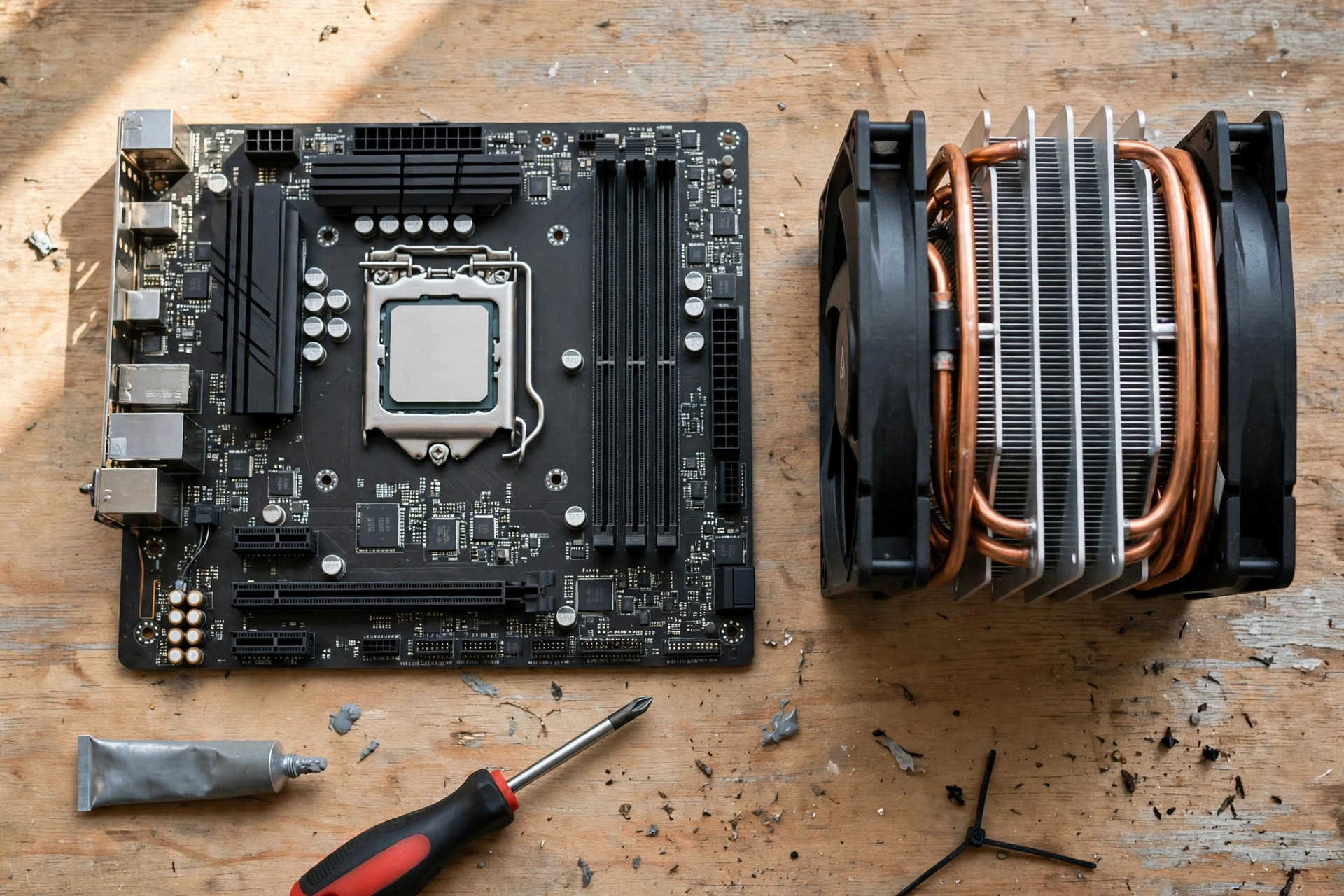
Start with your monitor and your games, not with the spec sheet. That order keeps you from paying for cache you will never use, and from missing cache that would have fixed your stutter.
First, check your resolution and refresh rate. If you play at 1080p on a 144 Hz or 240 Hz monitor, cache matters a lot, and an X3D chip is usually worth the premium. If you play at 1440p on a 144 Hz monitor, cache still matters in CPU heavy games, and an X3D chip is often worth it if the price gap is modest. If you play at 4K on a 60 Hz or 120 Hz display with maximum settings, cache matters little, and the money is usually better spent on the graphics card.
Second, list the games you actually play. If your list is heavy on simulation, strategy, open world, and competitive shooters, cache should be high on your priority list. If your list is mostly cinematic single player games at high settings, put the GPU first and treat cache as a nice extra rather than a must have.
Third, check your graphics card. A strong GPU at 1080p exposes the CPU limit, which is where cache shines. A weak GPU hides the CPU limit, which is where cache disappears. If your GPU is the bottleneck, upgrade the GPU first. If your GPU is strong and your CPU is old, a cache rich CPU can be the upgrade that finally lets the GPU stretch its legs.
Fourth, compare the specific chips, not the brands. A Ryzen 7 9800X3D and a Ryzen 7 9700X are both good chips, but they are good at different things. The X3D chip wins in gaming. The non-X3D chip can win in productivity and costs less. Read reviews that test your games at your resolution, and look at the 1% lows, not only the average FPS. A 10% average gain with a 25% gain in 1% lows is a bigger real world improvement than the average alone suggests.
Fifth, mind the platform cost. An X3D chip on AM5 needs a compatible board and DDR5 RAM. If you are on an older AM4 system, a Ryzen 7 5800X3D can be a drop in upgrade that adds a large cache without a new board or new RAM, and for many gamers that is the best value cache upgrade available. If you are building new, the platform cost is the same either way, so the choice comes down to the chip price gap.
Common Mistakes When Shopping for Cache
The first mistake is reading the total cache number without checking what it includes. AMD quotes a total cache figure that adds L1, L2, and L3 together: 104 MB total on the 9800X3D, of which 96 MB is L3. Intel quotes its figures differently. Compare L3 to L3, and check the spec page for the exact chip, rather than comparing one maker total cache number against another.
The second mistake is assuming more cache always means more FPS. It does not. The gain depends on the game, the resolution, the settings, and the GPU. A buyer who expects a fixed percentage in every game will be disappointed in the titles where the GPU is the limit. The right expectation is a range: large gains in some games, small gains in others, and the biggest gains in smoothness.
The third mistake is buying a big cache chip and pairing it with slow single channel RAM or a weak cooler. The cache helps, but it does not remove the need for a balanced system. Two matched RAM sticks, a decent cooler, current chipset drivers, and games on an SSD are the basics that let the cache do its job.
The fourth mistake is ignoring the non gaming trade off. If you render video or compile code for a living and game on the side, a non-X3D chip with higher clocks may serve you better overall, and the gaming loss may be small at your resolution. Buy for the work you do most, not for the benchmark chart that impresses you most.
The fifth mistake is treating a leak as a launch. The Medusa Point and Nova Lake leaks in this guide are interesting, but they are not products you can buy, and their specifications may change. Do not delay a build you need today for a chip that may arrive next year, and do not pay a premium based on a leaked spec table.
Frequently Asked Questions
Does a CPU’s L3 cache matter in gaming?
Yes, L3 cache matters in gaming, especially in CPU limited games at 1080p and 1440p. This is a real question asked on Quora, and the answer is that L3 cache is the largest shared cache level, so it holds more of the game working set close to the cores. When more game data sits in L3, the CPU makes fewer slow trips to RAM, which lifts average FPS in CPU limited titles and improves 1% lows more noticeably. The effect shrinks at 4K with maximum settings, where the GPU is usually the limit, and it is small in games with tiny working sets.
Does the CPU cache affect gaming performance?
Yes, very much so in the right conditions, and that wording comes from a real Quora discussion of this exact question. RAM is slow compared with cache, so anything that keeps the CPU from waiting on RAM helps performance. A larger cache means more cache hits and fewer RAM trips. The size of the benefit depends on the game, the resolution, and the graphics card. In simulation and open world games at 1080p, the difference can be large. In GPU bound games at 4K, it can be small. The key point from that discussion still holds: cache is essential to performance because it lets the CPU avoid RAM as much as possible, and game programmers benefit most when the working set fits in the available cache.
Which is more important for a CPU in a gaming PC: higher clock speeds or more cores?
This is another real question from Quora, and cache belongs in the answer even though the question does not name it. Clock speed should be your first look for gaming, followed by the size of the L3 cache, then the number of cores, for most gaming builds. A fast clock makes each core quicker. A large L3 cache keeps the cores fed, which shows up most in 1% lows, the stutters and hesitations you feel during play. Core count matters less for gaming than many buyers expect: most games use six to eight cores well, and more cores help mainly with streaming, background tasks, and productivity work alongside gaming.
Is 96 MB of L3 cache better than 32 MB for gaming?
Usually yes, when the two chips are otherwise similar, but the gain is not three times the performance. The 9800X3D carries 96 MB of L3 cache against 32 MB on the non-X3D 9700X, and in CPU limited games that extra cache can produce a clear lead. In GPU bound games, the two chips can land close together. The cache number is a capacity, not a speed score, so read it together with the architecture, the clock speed, and the reviews for your games.
Does more cache help at 4K?
A little, but rarely enough to be the reason to buy a chip. At 4K with maximum settings, the graphics card does most of the work and decides the frame rate. A large cache CPU can still improve the worst frames slightly, because the CPU still prepares each frame, but the average FPS gap between a large cache chip and a smaller cache chip is usually small at 4K. If you play at 4K, spend on the GPU first, then consider cache as a secondary benefit.
Does CPU cache matter for competitive shooters?
Yes, at high refresh rates. Competitive shooters at 144 Hz, 240 Hz, or higher give the CPU very little time per frame, so any wait for data shows up quickly. A large cache helps the CPU keep up, which is why X3D chips are popular with competitive players. At 60 Hz, the difference is smaller, because the CPU has far more time per frame and the GPU is more likely to be the limit.
Should I buy an X3D CPU or a faster non-X3D CPU?
Buy the X3D chip if gaming is your main use, you play at 1080p or 1440p, and you play cache sensitive games. Buy the non-X3D chip if you do heavy productivity work, you play mostly at 4K with maximum settings, or the price gap is large and your GPU is the real limit. Check reviews for your specific games at your resolution before you decide, and weigh the 1% lows, not only the average FPS.
Does cache affect FPS or only smoothness?
Both, but smoothness more. A bigger cache can lift average FPS in CPU limited games, because the CPU prepares frames faster. It usually lifts 1% lows by a larger margin, because the worst frames are the ones most affected by cache misses. If you only watch the average, you will underestimate what cache does. If you watch the 1% lows and frame time, the benefit is clearer.
Key Takeaways
- CPU cache is fast memory inside the processor that keeps game data close to the cores, so the CPU waits less for RAM.
- L3 cache matters most for gaming, because it is large and shared across cores, and a game working set often fits in 96 MB when it does not fit in 32 MB.
- Extra cache helps most in CPU limited games at 1080p and 1440p, in simulation, strategy, open world, and competitive games, and at high refresh rates.
- Extra cache matters least at 4K with maximum settings, with a weak GPU, or in productivity work where the working set is huge and predictable.
- Cache shows up more in 1% lows and frame time than in average FPS, so judge a CPU by its worst frames, not only its average.
- AMD 3D V-Cache stacks an extra 64 MB of L3 cache onto the chip, which is why X3D chips lead gaming charts in CPU limited tests.
- The November 2026 Medusa Point and Nova Lake leaks suggest cache will matter even more in the next generation, but both are unconfirmed leaks, not products you can buy today.
- Buy cache for the games and resolution you actually use, keep the rest of the system balanced, and check reviews for your specific titles before you spend.
Conclusion
Does CPU cache affect gaming? Yes, and now you know exactly when, why, and how much. Cache is not a magic number that fixes every PC, and it is not a spec you can read in isolation. It is the memory that keeps the CPU fed while a game throws a large, scattered working set at it, frame after frame. When the CPU is the limit, a large L3 cache means fewer waits, faster frames, and smoother 1% lows. When the GPU is the limit, the same cache quietly waits its turn and changes little.
That is why X3D chips win. AMD 3D V-Cache puts 96 MB of L3 cache where games need it, and the result shows up in the games that stress the CPU most. It is also why the win is not universal. At 4K with a maxed out GPU, in productivity work, or with a weak graphics card, the cache advantage fades, and the money is better spent elsewhere.
Use the rule from this guide when you shop. Check your resolution, your refresh rate, your games, and your graphics card first. Then pick the chip whose cache, clocks, and cores fit that picture, and judge it by its 1% lows as well as its average FPS. Do that, and cache stops being a confusing spec on a product page and becomes a practical tool for building a smoother gaming PC.

Leave a Reply