

The best GPU for Ryzen 9 9950X3D is the RTX 5080 for 4K gaming, the RX 9070 XT for 1440p value, or the RTX 5070 Ti for high-refresh 1440p. This 16-core chip with 128MB of 3D V-Cache will not bottleneck any current GPU, so match the card to your resolution and refresh rate.
Why the 9950X3D Is So Hard to Bottleneck
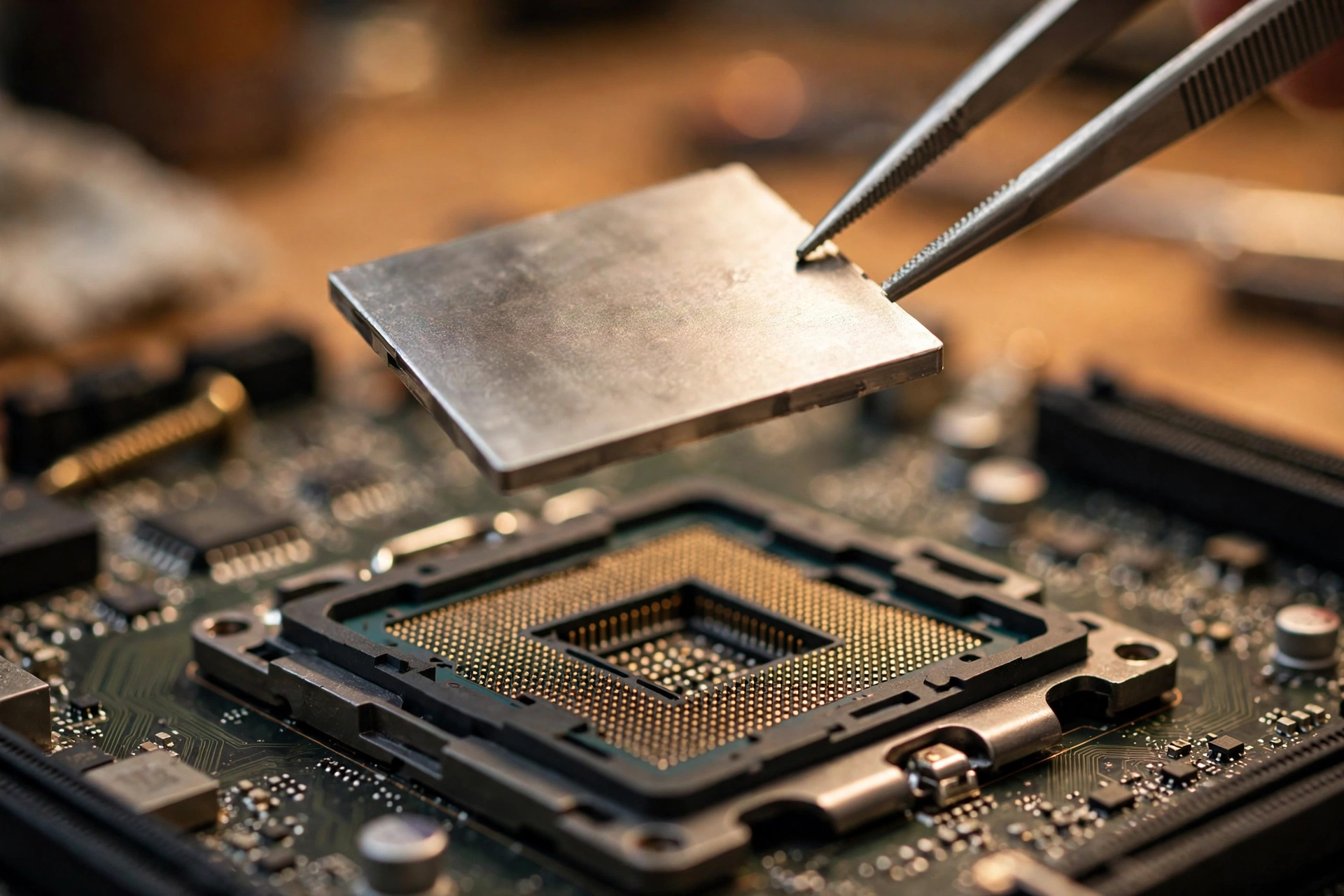
You already own the answer to most bottleneck questions. The Ryzen 9 9950X3D is AMD’s flagship Zen 5 desktop chip: 16 cores and 32 threads, a 4.3 GHz base clock, boost clocks up to 5.7 GHz, 128MB of L3 cache, and a 170W TDP on the AM5 socket, per AMD’s official specifications. It launched in March 2025 and AMD officially recommends a liquid cooler for best performance.
What makes it special is second-generation 3D V-Cache. AMD stacks a 64MB cache die underneath one of the two core complex dies, giving a total of 128MB of L3. Because the cache sits below the cores instead of on top of them, the cores keep direct contact with the cooler, so the chip can sustain the same 5.7 GHz boost as the non-X3D 9950X. In games, that giant cache means the CPU finds the data it needs on-chip far more often instead of waiting on system memory. The practical result is what reviewers and builders keep reporting: smoother frame times, higher 1% lows, and a chip that feeds even the hungriest GPUs without breaking a sweat.
One honest note before we pick cards. If your PC exists purely to play games, the cheaper 8-core Ryzen 7 9800X3D delivers gaming performance within a few percent of this chip, because most games still lean on a handful of fast, cache-rich threads. The 9950X3D earns its premium when you stream while gaming, compile code, render video, run simulations, or keep heavy multitasking loads open in the background. We covered that comparison in depth here: pure gamers can save money, but creators and power multitaskers genuinely use those extra 8 cores.
Takeaway: the 9950X3D is the last part in your build that will hold back a graphics card, so buy the GPU for your monitor, not for fear of the CPU.
The 5 GPUs That Keep Up
Every card below pairs cleanly with the 9950X3D at its target resolution. Other testers land on the same shortlist: PC Guide’s guide to this exact question recommends the RTX 5090, 5080, or RX 9070 XT for the 9950X3D. Our list adds two more practical tiers so every budget level is covered.
1. RTX 5080, Best Overall Pick for 4K Gaming
The RTX 5080 is the card we recommend first for most 9950X3D owners. It packs 10,752 CUDA cores and 16GB of GDDR7 on a 256-bit bus with a 360W board power, launched January 2025 at $999. It is fast enough to push 4K high-refresh gaming in demanding titles, it handles ray tracing and path tracing better than anything in its price class, and DLSS 4 with Multi Frame Generation can multiply frame rates in supported games when the GPU becomes the limit. The 9950X3D never starves it for draw calls, so 1% lows stay healthy even in CPU-heavy scenes.
Who should buy it: 4K gamers chasing 120Hz and up, and creators who want NVIDIA’s encoder and CUDA support without flagship pricing. If you are torn between this and the previous generation’s flagship, read our breakdown of whether to buy new or used before deciding.
2. RTX 4090, Best for Workstation Muscle
The RTX 4090 launched in October 2022 with 16,384 CUDA cores, 24GB of GDDR6X, and a 450W TDP at a $1,599 launch price. Years later it remains a monster for 4K gaming and, more importantly, the best value in used-flagship compute. Those 24GB of VRAM and mature CUDA support make it the go-to pick for local AI work, 3D rendering, and video production paired with a 9950X3D workstation. For gaming it supports DLSS 3 frame generation but not the newer Multi Frame Generation, so it trails the 5080 in some frame-gen-heavy titles while leading in raw raster.
Who should buy it: creators and AI tinkerers who need VRAM and CUDA more than they need the newest features. Buy new only from reputable stock; check used prices carefully, because inflated 2026 street prices have narrowed its value gap with the 5080.
3. RX 9070 XT, Best Value High-End Pick
The RX 9070 XT is AMD’s RDNA 4 showcase: 4,096 stream processors, 16GB of GDDR6 on a 256-bit bus, a 304W board power, launched March 2025 at $599. It trades blows with cards that cost far more in rasterized 1440p and 4K gaming, and FSR 4 has closed much of the upscaling gap that used to favor NVIDIA. Ray tracing and AI features still lag NVIDIA, so be honest with yourself about how much you care about path tracing. For pure gaming frames per dollar with a 9950X3D, this is the sweet spot. Our head-to-head covers the 5080-vs-9070 XT decision in detail.
Who should buy it: high-end gamers who want maximum raster performance per dollar and do not need CUDA or the best ray tracing.
4. RTX 5070 Ti, Best for 1440p High Refresh
The RTX 5070 Ti launched in February 2025 with 8,960 CUDA cores, 16GB of GDDR7, and a 300W board power at $749. At 1440p it is the sweet spot for 240Hz esports monitors, and at 4K it is the graphics card that sets the limit in demanding games, not the CPU. Testing of this exact combination shows the 9950X3D holding the 5070 Ti back at 4K in essentially no demanding title; the pairing is balanced with headroom to spare. If your focus is competitive shooters at 1440p, this card plus the 9950X3D’s cache is a lethal combination. We also keep a dedicated guide for this card’s CPU pairings.
Who should buy it: 1440p high-refresh gamers and anyone who wants flagship-class smoothness without paying flagship prices.
5. RTX 5090, The Halo (Only If the Market Cooperates)
The RTX 5090 is the fastest consumer GPU on earth: 21,760 CUDA cores, 32GB of GDDR7 on a 512-bit bus, 575W board power, launched January 2025 at $1,999. Paired with the 9950X3D it is the closest thing to a no-compromise 4K rig you can build, and that 32GB frame buffer is genuinely useful for local AI and heavy creative work. There is no pairing question here: the CPU feeds it without issue, and in 4K the card is the limit exactly as it should be.
The honest part: do not plan a build around buying one right now. Tom’s Hardware reporting cited in October 2026 coverage shows 5090s fetching $7,500 or more before vanishing from shelves entirely, and even a $7,599 prebuilt bundle worked out to roughly $5,300 just for the card. That is not a market; that is a waiting room. A detailed breakdown of the 5090’s strengths and tradeoffs exists, and we keep a living guide on what buyers should do instead while stock stays broken.
Who should buy it: professionals whose work pays for the card, or patient buyers who find one at a sane price. Everyone else should pick one of the four cards above and never look back.
Takeaway: all five pair cleanly; the right pick is decided by your resolution, your workload, and what you can actually buy today.
| GPU | Best Resolution | VRAM | Board Power | Who It Is For |
|---|---|---|---|---|
| RTX 5080 | 4K high refresh | 16GB GDDR7 | 360W | Best overall 4K pick |
| RTX 4090 | 4K / creative | 24GB GDDR6X | 450W | Workstation muscle, AI |
| RX 9070 XT | 1440p / 4K | 16GB GDDR6 | 304W | Best value high-end |
| RTX 5070 Ti | 1440p 240Hz | 16GB GDDR7 | 300W | Competitive gaming |
| RTX 5090 | 4K maxed | 32GB GDDR7 | 575W | Halo tier, if in stock |
Per-Resolution Pairing Guide 1080p vs 1440p vs 4K
Resolution decides everything with a chip this strong. At 1080p, even the 9950X3D spends most of its time waiting on mid-range GPUs in lighter games, because the CPU can prepare frames far faster than a modest card can render them. That does not mean 1080p is wrong: competitive players on 360Hz monitors pair this CPU with cards like the 5070 Ti precisely because the CPU’s cache keeps frame times tight. But for cinematic single-player games, 1080p wastes what you paid for.
At 1440p the balance is near perfect with the 5070 Ti or 9070 XT. The GPU works hard, the CPU stays in its comfort zone, and high refresh rates are reachable in almost every title. At 4K the load shifts fully onto the graphics card. This is where the 5080, 4090, and (in theory) the 5090 shine, and where the 9950X3D’s job is simply to stay out of the way, which it does effortlessly.
| Resolution | What the CPU Does | Best GPU Picks | Key Point |
|---|---|---|---|
| 1080p | Often the frame ceiling | RTX 5070 Ti or lower | Great for 240Hz+ esports; wasteful for AAA |
| 1440p | Comfortably in reserve | RX 9070 XT, RTX 5080 | The sweet spot for most builds |
| 4K | Stays out of the way | RTX 5080, RTX 4090, RTX 5090 | GPU is the limit, as it should be |
| 1440p ultrawide | Between 1440p and 4K | RX 9070 XT, RTX 5080 | Extra pixels favor stronger cards |
A real owner on the HardForum put it plainly after upgrading to the 9950X3D: at 4K he lives “very GPU constrained,” with gaming performance mostly unchanged from his older chip except less stuttering. That is exactly what a healthy pairing looks like.
Takeaway: pick your monitor first, then buy the GPU that matches it. The 9950X3D is ready for all of them.
Gaming vs Workstation Match the Card to Your Workload
Pure gamers should weigh two things: how much ray tracing they use, and whether they stream. NVIDIA cards hold a clear lead in ray tracing and path tracing, and NVENC remains the best hardware encoder for streaming while gaming. AMD’s 9070 XT wins on raster frames per dollar, which is the only metric that matters if you play with ray tracing off.
Creators face a different math. CUDA acceleration still dominates video editing, 3D rendering, and GPU compute, and VRAM capacity decides which AI models you can run locally. That is why the 24GB RTX 4090 and 32GB RTX 5090 keep selling to professionals long after gamers moved on. AMD’s ROCm stack has improved, but for most creative software the NVIDIA pairing with a 9950X3D is the safer workstation bet.
One more workload note: if you stream, record, and game on one PC, those extra 8 cores over the 9800X3D genuinely earn their keep. OBS encoding, Discord, browser tabs, and background tasks all get dedicated cores without touching the cache-rich cores running your game.
Takeaway: gamers buy for frames and features; creators buy for CUDA and VRAM. The 9950X3D serves both, but the GPU choice splits hard here.
DDR5 and EXPO Memory Is the Quiet Bottleneck
A flagship CPU with slow memory is a sports car on flat tires. AMD’s spec page confirms the 9950X3D supports DDR5 up to 256GB and AMD EXPO memory overclocking. For Zen 5 builds, DDR5-6000 kits are widely treated as the value sweet spot: fast enough to feed the chip, with EXPO profiles that apply in one click. Going far above 6000 MT/s often forces the memory controller into a slower mode, and the gains shrink fast while prices climb.
Three practical rules:
- Use two sticks, not four. Populating all four DIMM slots commonly forces lower memory speeds on AM5 boards.
- Enable EXPO in the BIOS on day one. Many builders forget, and their expensive DDR5-6000 kit silently runs at base speed.
- Check the motherboard’s memory QVL list before buying exotic kits, especially if you need 64GB or more for workstation tasks.
A 9950X3D with properly tuned DDR5-6000 and EXPO enabled will show better 1% lows than the same chip with memory left on auto. The cache hides a lot of memory weakness, but it cannot hide all of it.
Takeaway: buy a 2x16GB or 2x32GB DDR5-6000 EXPO kit, enable EXPO in the BIOS, and move on. Memory is solved, not a hobby.
PSU Requirements for These Builds
High-end GPUs are honest about one thing: they are hungry. Match the power supply to the card, not the CPU, because the GPU dominates the draw in every pairing here.
| GPU | Best Resolution | VRAM | Board Power | Who It Is For |
|---|---|---|---|---|
| RTX 5090 | 575W | 1000W or higher | Demands a premium ATX 3.1 unit | |
| RTX 5080 | 360W | 850W | 12V-2×6 connector required | |
| RTX 4090 | 450W | 850W to 1000W | NVIDIA recommends 850W minimum | |
| RX 9070 XT | 304W | 750W to 850W | Some partner cards list 800W minimum | |
| RTX 5070 Ti | 300W | 750W | 12V-2×6 connector required |
Three rules that matter more than wattage alone: buy a quality unit from a reputable platform (our ranked list is here), use the native 12V-2×6 cable that ships with modern ATX 3.1 PSUs instead of adapter dongles where possible, and seat that 16-pin connector fully until it clicks. Underpowered or cheap power supplies do not just limit performance; they are the most common cause of the random shutdowns builders blame on bottlenecks.
Takeaway: 750W for the 1440p cards, 850W for the 4K cards, 1000W+ for the 5090, and never cheap out on the one part that can kill the rest.
Buying Smart Stock and Price Reality
Hardware buying in 2026 rewards patience and punishes impulse. Three trends are shaping every decision in this guide.
First, the RTX 5090 is effectively unbuyable at sane prices. Street prices hit $7,500 or more before stock vanished, and even prebuilt bundles only brought the effective card cost down to about $5,300. If your build cannot wait, treat the 5090 as a rumor and buy the 5080.
Second, DLSS 4 with Multi Frame Generation is quietly shifting where bottlenecks appear. When frame generation multiplies output frames, the GPU renders fewer real frames and the CPU’s per-frame workload stays flat, which can expose CPU limits in games where the GPU used to be the ceiling. The 9950X3D’s cache makes it one of the best chips for this exact scenario, and our deep dive explains how DLSS interacts with CPU bottlenecks.
Third, big releases drive upgrade timing. Call of Duty: Modern Warfare 4 launches October 23, 2026, with campaign early access already live for digital pre-orders (per gHacks, October 19). If a new shooter is your reason to upgrade, buy the GPU that matches your monitor now rather than hoping prices improve by launch week.
Takeaway: buy the best card that is actually in stock at a sane price today; waiting for the 5090 market to normalize is a plan with no date.
Mistakes to Avoid When Pairing This CPU
- Buying a flagship CPU with a midrange GPU, then wondering why 4K looks the same. Balance the budget: the GPU moves frame rates more than the CPU at 4K.
- Gaming at 1080p 60Hz with any card on this list. Your monitor becomes the bottleneck, and it is the most expensive kind to fix twice.
- Leaving EXPO disabled in the BIOS. See the memory section above; it costs you free performance.
- Filling all four RAM slots for looks. Two sticks run faster and more stable on AM5.
- Pairing a 575W GPU with a bargain 750W PSU. Read the PSU table above and buy once.
- Assuming crashes are bottlenecks. A builder with a 9950X3D and RTX 5080 asked exactly this after crashes in Black Ops 7; the community correctly pointed at drivers and game bugs, not the hardware balance. Test with monitoring software before blaming the pairing.
Frequently Asked Questions
Which should I get first, an RTX 5090 or a Ryzen 9 9950X3D with extras?
This exact question came up on r/pcmasterrace in late 2026, and the sensible answer depends on what you own now. If your current CPU already feeds your GPU fine, the 5090 (if you could buy one at a sane price) moves gaming performance far more than a CPU swap. If your CPU is several generations old and stutters in modern titles, the 9950X3D platform upgrade with a 5080-class card usually delivers the better total system. Right now the 5090’s pricing makes the question mostly academic.
What is the best GPU to pair with a Ryzen 9 9950X3D for gaming?
Asked on a PC building Q&A community in December 2025 by a builder running simulations who also wanted 1440p high-refresh gaming. The answer: match the GPU to the monitor. For 1440p high refresh, the RX 9070 XT or RTX 5070 Ti. For 4K, the RTX 5080 or RTX 4090. And since you run simulations, lean NVIDIA: CUDA support pays off the moment your work touches the GPU.
My 9950X3D and RTX 5080 build crashes in games. Is it a bottleneck?
Almost certainly not. A builder asked exactly this on a community Q&A site in November 2025 after DirectX crashes, and every experienced answer pointed the same way: a 9950X3D cannot meaningfully bottleneck an RTX 5080 in games, so crashes point to drivers, unstable memory overclocks, the game itself, or power delivery. Update the GPU driver, disable EXPO temporarily to test stability, and check the 16-pin power connector seating before suspecting the pairing.
Will the Ryzen 9 9950X3D bottleneck an RTX 5090?
No. With 16 Zen 5 cores boosting to 5.7 GHz and 128MB of L3 cache, the 9950X3D is the strongest gaming CPU you can pair with a 5090. At 4K the 5090 is always the limiting part, which is the correct balance for a flagship build. The only real bottleneck with a 5090 right now is the market: finding one at a sane price.
Is 1440p or 4K better with the 9950X3D?
Both are excellent, for different reasons. 1440p high refresh shows off what the CPU does best: huge frame rates with tight frame times. 4K shows off what your GPU does best, with the CPU quietly staying out of the way. Buy the monitor you actually want to stare at for the next five years, then pick the GPU tier that matches it from the table above.
Key Takeaways
- The Ryzen 9 9950X3D (16C/32T, 128MB L3, 170W) will not bottleneck any current GPU; buy for your monitor, not out of CPU fear.
- RTX 5080 is the best overall 4K pick, RTX 4090 the workstation choice, RX 9070 XT the value king, RTX 5070 Ti the 1440p high-refresh sweet spot, and the RTX 5090 the halo you probably cannot buy right now.
- 1440p is the sweet spot for most builds; 4K belongs to the 5080 tier and up.
- DDR5-6000 with EXPO enabled, two sticks only, removes the memory bottleneck most builders forget.
- 750W PSUs for the 1440p cards, 850W for 4K cards, 1000W+ for the 5090, always quality units with proper 12V-2×6 cables.
- Crashes are drivers, memory, or power issues far more often than bottleneck issues; test before blaming the pairing.
Conclusion
The best GPU for Ryzen 9 9950X3D comes down to a simple chain of decisions: your monitor sets the resolution, your workload picks the brand, and the market picks the timing. For most builders in 2026 that chain ends at the RTX 5080 for 4K, the RX 9070 XT for high-end 1440p value, or the RTX 5070 Ti for competitive high-refresh play, with the RTX 4090 waiting for creators who need CUDA and VRAM. The 5090 stays the dream card until its price returns to reality.
Build it balanced, feed it with DDR5-6000 and a quality PSU, and this CPU will carry you through years of GPU upgrades without ever being the part that holds you back. Run your planned combination through our free CPU bottleneck calculator to double-check the balance, then go enjoy the frames.

Leave a Reply