

Quick answer: The best CPU for an RTX 4060 in 2026 is a mid-range 6-core chip like the Ryzen 5 5600 or Core i5-12400F. The RTX 4060 is a 115W 1080p card, so it does not need an expensive processor. Pair it with a budget-friendly CPU and you will get full GPU utilization with no meaningful bottleneck at 1080p or 1440p.
The RTX 4060 has a reputation problem that has nothing to do with how it performs. Somewhere along the way, PC builders started treating every graphics card like it needs a flagship CPU behind it. I see builds on forums every week where someone pairs a $500 or $600 processor with an RTX 4060 and wonders why their games do not run any faster than their friend’s $150 CPU build.
Here is the truth that nobody selling expensive hardware will tell you: the RTX 4060 is a modest, efficient 1080p card. It draws just 115W and carries 8GB of VRAM on a 128-bit bus. It needs a capable but affordable CPU, not a monster. The GPU itself is the limit in almost every game you will play, which is exactly how a balanced build should look.
This guide picks the best CPUs for the RTX 4060 at every budget level, explains why spending more on the processor mostly wastes money with this card, and shows you how to check your own pairing for bottlenecks before you buy.
Why the RTX 4060 Does Not Need an Expensive CPU
Let’s start with what the RTX 4060 actually is. NVIDIA’s official specs list 3,072 CUDA cores, 8GB of GDDR6 memory on a 128-bit bus, and a graphics card power rating of 115W, connected over PCIe 4.0 x8. You can read the full spec sheet on NVIDIA’s RTX 4060 page.
Those numbers tell a clear story. This is a card built for smooth 1080p gaming with high settings and DLSS 3 frame generation, not a card that will ever be held back by a decent modern CPU. In a gaming PC, a bottleneck simply means one part is waiting on another. With the RTX 4060, the GPU is the part doing the heavy lifting. Your job is to pick a CPU that can keep up with it, and that bar is lower than most builders think.
A modern 6-core, 12-thread processor from the last few years feeds the RTX 4060 without breaking a sweat. Go cheaper than that floor and you can run into stuttering in CPU-heavy games. Go much higher and you are paying for performance the card cannot use. The sweet spot is wide, which is great news for your wallet.
Takeaway: The RTX 4060 is a 115W 1080p card. A mid-range 6-core CPU is all it takes to keep it fed. Budget CPUs are a feature here, not a compromise.
The 6 Best CPUs for RTX 4060 in 2026
Here are the six processors that make the most sense with an RTX 4060, sorted from cheapest to most capable. Every one of them delivers essentially zero bottleneck at 1080p, which is this card’s home turf.
| CPU | Cores / Threads | Boost Clock | Platform | Best For |
|---|---|---|---|---|
| Intel Core i3-12100F | 4 / 8 | 4.3 GHz | LGA1700 | Absolute cheapest pairing |
| AMD Ryzen 5 5500 | 6 / 12 | 4.2 GHz | AM4 | Cheapest 6-core option |
| AMD Ryzen 5 5600 | 6 / 12 | 4.4 GHz | AM4 | Best value overall |
| Intel Core i5-12400F | 6 / 12 | 4.4 GHz | LGA1700 | Best value Intel pick |
| Intel Core i5-13400F | 10 (6P+4E) / 16 | 4.6 GHz | LGA1700 | Gaming plus multitasking |
| AMD Ryzen 5 7600 | 6 / 12 | 5.1 GHz | AM5 | Best upgrade path |
Intel Core i3-12100F The Floor That Still Works
The i3-12100F is a 4-core, 8-thread chip with a boost clock up to 4.3 GHz on the LGA1700 socket, and it has no integrated graphics. Four cores sounds low in 2026, but Alder Lake’s single-core speed is strong, and most games still lean hardest on a few fast threads. This is the minimum CPU I would recommend with an RTX 4060, and it works fine at 1080p for the vast majority of titles.
The trade-off is headroom. In heavy open-world games or while streaming, those 4 cores fill up faster than a 6-core chip. If you can stretch your budget at all, one of the 6-core options below is a safer long-term bet. But if every dollar counts, this CPU will not embarrass the RTX 4060.
AMD Ryzen 5 5500 The Cheapest 6 Cores
The Ryzen 5 5500 gives you 6 cores and 12 threads boosting up to 4.2 GHz on the affordable AM4 platform, with a 65W TDP. It is based on the Zen 3 architecture, so gaming performance per core is solid, and AM4 motherboards plus DDR4 memory keep the total platform cost very low.
One thing to know: the 5500 only supports PCIe 3.0. The RTX 4060 runs at PCIe 4.0 x8, so on this chip it will operate at PCIe 3.0 x8. Independent testing by outlets like TechPowerUp has shown that this costs only a small amount of performance, usually in the low single digits, because the RTX 4060 does not saturate the interface. If you want the full PCIe 4.0 link, step up to the Ryzen 5 5600.
AMD Ryzen 5 5600 The Best Value Pick
The Ryzen 5 5600 is my top recommendation for most RTX 4060 buyers. It offers 6 cores and 12 threads with a 4.4 GHz boost, a 65W TDP, full PCIe 4.0 support, and the mature, cheap AM4 platform. It includes a stock cooler in most retail boxes, which saves you another purchase.
In gaming, this chip is essentially the perfect partner for the RTX 4060. It is fast enough that the GPU stays fully loaded, and cheap enough that the build stays in budget territory. When people ask me for one CPU to recommend sight unseen, this is the answer. Check the AMD Ryzen 5 series specs to confirm the platform details for your motherboard choice.
Intel Core i5-12400F The Intel Sweet Spot
The i5-12400F packs 6 performance cores and 12 threads boosting to 4.4 GHz, with a 65W base power rating on the LGA1700 socket. Intel lists full specifications on the Core i5-12400F product page.
Gaming performance is essentially on par with the Ryzen 5 5600, sometimes a hair faster in single-threaded titles. Pick this one if you prefer the Intel platform, if LGA1700 motherboards are cheaper where you shop, or if you like the DDR4 or DDR5 flexibility that Intel’s 12th generation boards offer. Either way, this chip and the RTX 4060 are a classic balanced pair.
Intel Core i5-13400F Extra Cores for Multitaskers
The i5-13400F steps up to 10 cores (6 performance plus 4 efficiency) and 16 threads with a 4.6 GHz boost. For pure gaming with an RTX 4060, it performs about the same as the 12400F, because the GPU is still the limit. Where it earns its keep is everything else: streaming while you play, running Discord and Chrome in the background, or light video editing on the side.
Only buy this if you actually do those things. For gaming alone, the extra cores sit idle and you paid for nothing.
AMD Ryzen 5 7600 The Future-Proof Step Up
The Ryzen 5 7600 is a 6-core, 12-thread Zen 4 chip boosting to 5.1 GHz with a 65W TDP on the AM5 platform. It is the fastest gaming CPU on this list and the only one that gives you a real upgrade path, since AM5 will support future Ryzen generations.
The catch is platform cost. AM5 requires DDR5 memory and newer motherboards, so the total build costs more even though the chip itself is mid-range. This CPU makes sense if you plan to upgrade your GPU in a few years and want a platform that grows with you. If the RTX 4060 is your long-term card, the cheaper AM4 or LGA1700 options deliver the same gaming experience for less.
Takeaway: For most buyers, the Ryzen 5 5600 or i5-12400F is the sweet spot. The 12100F and 5500 cover tight budgets, while the 13400F and 7600 serve multitaskers and future upgraders.
How to Pick the Right CPU Tier for Your Budget
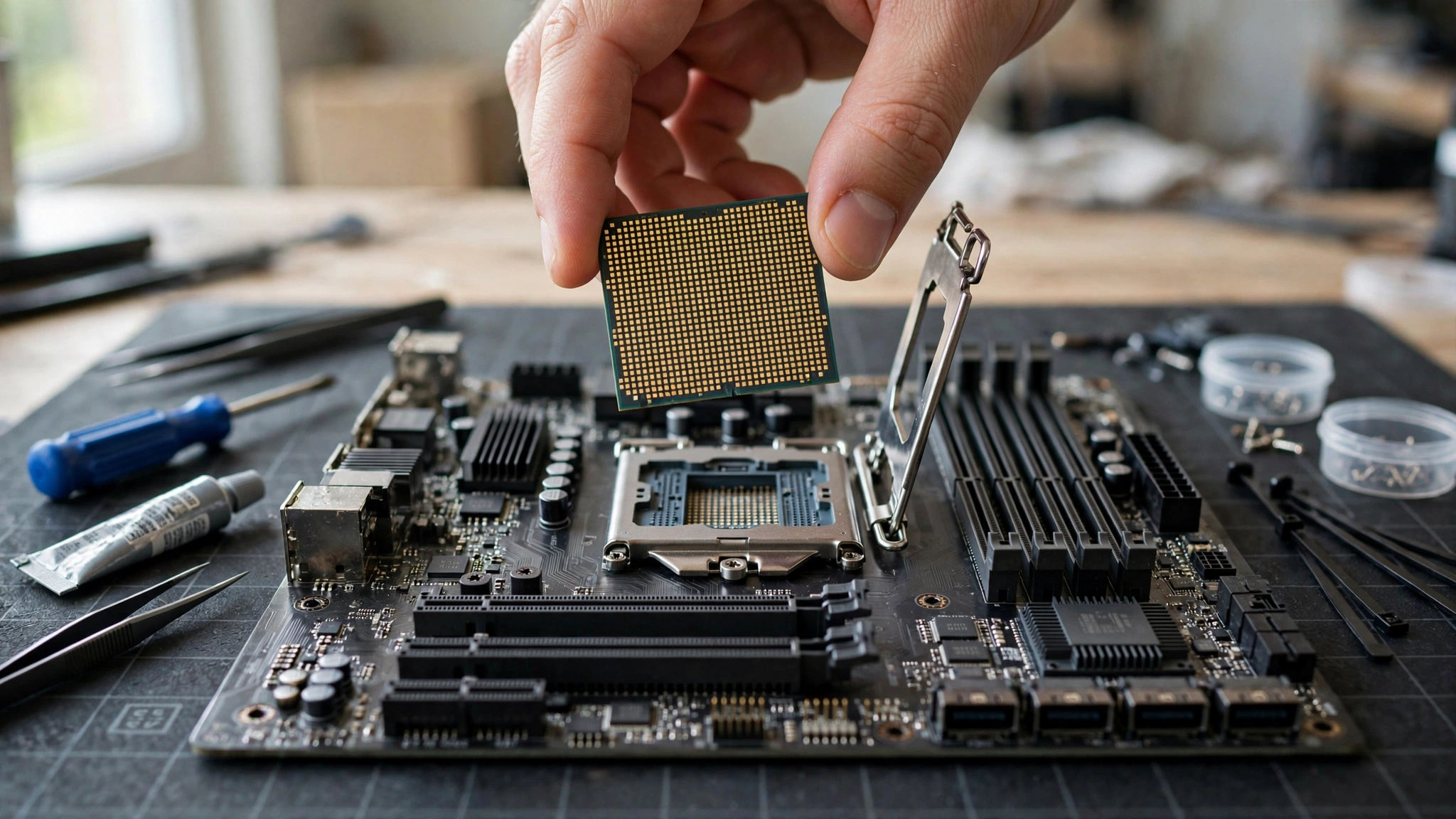
Rather than fixating on a single chip, think in tiers. Your budget decides the tier, and the tier decides how much headroom you get beyond what the RTX 4060 strictly needs.
Ultra-budget tier (i3-12100F, Ryzen 5 5500). These are the cheapest CPUs that still keep up. They cover 1080p gaming well, but leave little room for background tasks or future, more demanding games. Pick this tier when the budget is truly fixed and the GPU was already the splurge.
Sweet spot tier (i5-12400F, Ryzen 5 5600). This is where almost everyone should land. Six strong cores, full PCIe 4.0 support, cool and quiet operation, and enough muscle for any game the RTX 4060 can push. The price jump over the ultra-budget tier is small, and the extra threads buy you real longevity.
Step-up tier (Ryzen 5 7600, i5-13400F). Buy here only for a specific reason: the 7600 for AM5’s upgrade path, the 13400F for serious multitasking. Neither one makes your RTX 4060 games run meaningfully faster. If someone tells you that you need one of these “to avoid bottlenecking” an RTX 4060, they are upselling you.
Before you lock in a choice, run the exact pair through a CPU bottleneck calculator to see the estimated bottleneck at your resolution. A quick check beats guessing.
Takeaway: Match the CPU tier to your real use case, not your fear of bottlenecks. The sweet spot tier covers nearly every RTX 4060 gamer.
Bottleneck Check by Resolution 1080p vs 1440p
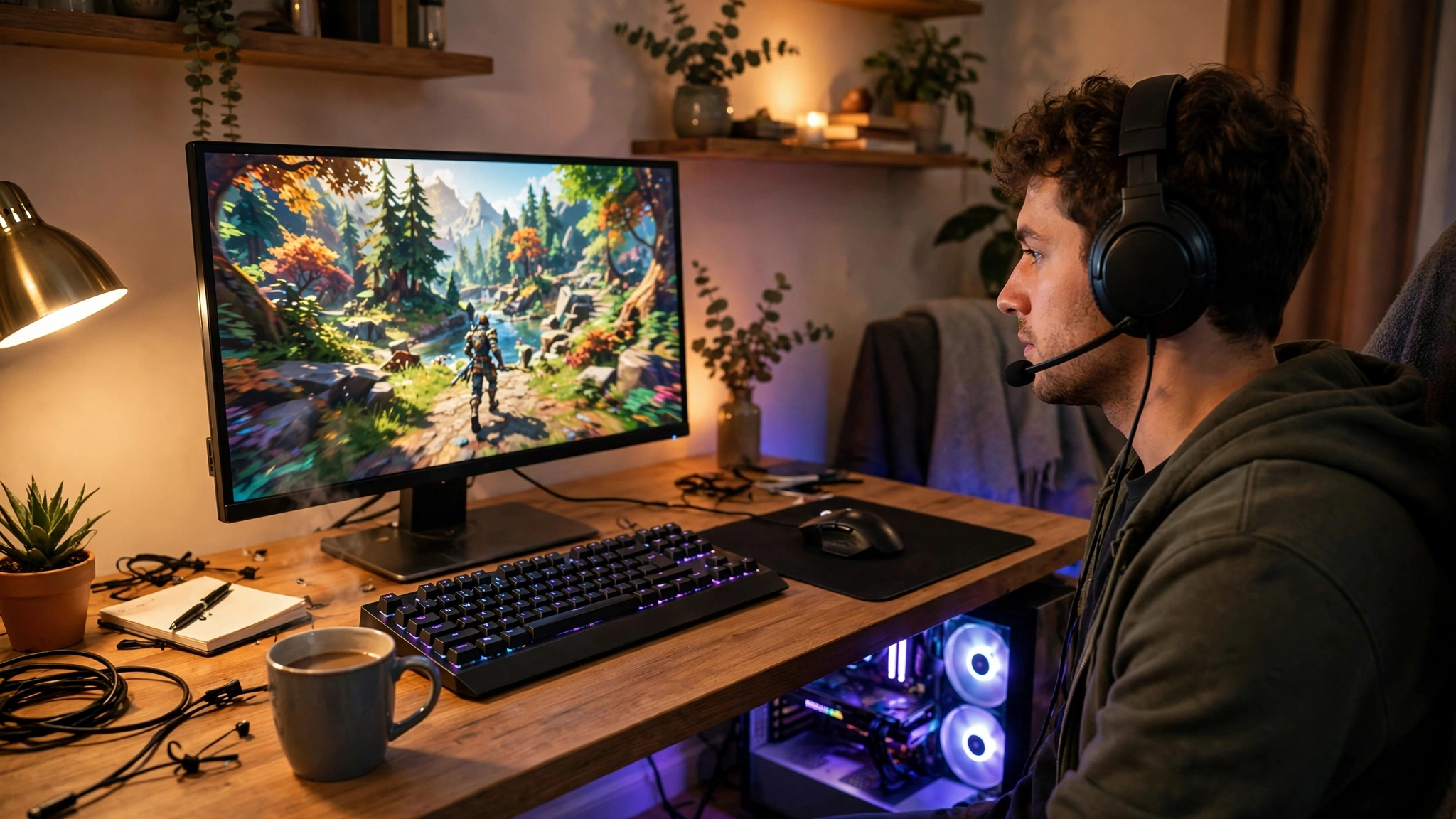
Resolution changes the CPU and GPU workload balance, so it changes the bottleneck picture too.
At 1080p, the RTX 4060 can push very high frame rates, which puts more work on the CPU to prepare each frame. This is the resolution where a CPU bottleneck is most likely to appear. The good news: any of the six CPUs above handles it. You would need to drop to something much older or weaker, like a 4th-gen Intel chip or a first-gen Ryzen, before the RTX 4060 starts waiting on the processor in a serious way.
At 1440p, the GPU works harder on every frame, so the CPU gets relatively more breathing room. Bottleneck pressure actually drops as resolution rises. All six picks are even safer at 1440p than at 1080p, and this is the resolution where the RTX 4060 paired with DLSS can still deliver a very playable experience in most titles.
For a deeper explanation of how resolution shifts the bottleneck balance, read our guide on 1080p vs 1440p monitor bottleneck impact.
As a rule of thumb, if your estimated CPU bottleneck stays in the single digits, you are in great shape. Our article on what a good bottleneck percentage looks like explains the thresholds in detail, but the short version is that small numbers mean your parts are working well together and you should spend your money on games, not on a faster CPU.
Takeaway: 1080p is the toughest case for the CPU, and even there these picks are fine. At 1440p the RTX 4060 is the limit, which is exactly what you want.
Why Overspending on the CPU Wastes Money With This Card
This is the section that saves you real money, so read it carefully.
Gaming performance with an RTX 4060 is capped by the GPU in the overwhelming majority of titles. The card can only render so many frames at 1080p ultra settings, no matter how fast the CPU behind it is. Upgrading from a Ryzen 5 5600 to something like a Ryzen 9 7950X does not unlock hidden frames, because the RTX 4060 was already the part setting the pace.
Think of it like a highway. The RTX 4060 is a two-lane road. A Ryzen 5 5600 is a car that comfortably drives the speed limit on it. A flagship CPU is a supercar stuck in the same traffic, going the same speed, burning far more fuel. The extra money buys you nothing you can see on screen.
There is exactly one scenario where a stronger CPU makes sense with this card: competitive esports at low settings chasing 240Hz or higher, where the GPU is barely working and the CPU does the heavy lifting. If that is you, you probably already know it. For everyone playing AAA games, RPGs, shooters, or anything at high settings, the mid-range picks in this guide give you everything the card can deliver.
The smarter move is to bank the savings. Put the $200 to $400 you did not spend on a flagship CPU toward a better monitor, a larger SSD, or your next GPU upgrade. Those will change your experience. A faster CPU behind an RTX 4060 will not.
Takeaway: With an RTX 4060, the GPU sets the speed limit. Money spent above a mid-range 6-core CPU buys no visible gaming improvement.
Platform Cost Matters AM4 vs LGA1700 vs AM5
The CPU price tag is only part of the story. The motherboard and RAM you need can swing the total cost by more than the difference between two CPUs.
AM4 (Ryzen 5 5500, 5600). The cheapest complete platform. Years of motherboard production mean budget B450 and B550 boards are plentiful and affordable, and DDR4 memory is at rock-bottom prices. This is the lowest total build cost, full stop.
LGA1700 (i3-12100F, i5-12400F, i5-13400F). Very close to AM4 on total cost. B660 and H610 boards are affordable, and you get the choice of DDR4 or DDR5 boards depending on your budget. One caution: LGA1700 is a dead-end socket with no new CPUs coming, so what you buy is what you keep.
AM5 (Ryzen 5 7600). The most expensive platform today because it requires DDR5 memory and newer motherboards. The payoff is the upgrade path: AMD has committed to supporting AM5 for multiple Ryzen generations, so a future CPU drop-in upgrade is realistic without replacing the board and RAM.
So which platform wins? If you want the cheapest great gaming PC right now, AM4 or LGA1700 with DDR4 is the answer. If you plan to upgrade the CPU or GPU in two to three years and want the board to survive that upgrade, AM5 earns its premium. There is no wrong choice here, only a choice that matches your plans.
Takeaway: Compare total platform cost, not just CPU cost. AM4 and LGA1700 are cheapest today, AM5 is the upgrade-path play.
RAM and PSU How Much Power You Need
Two more budget questions come up constantly with RTX 4060 builds. Let’s settle them.
How much RAM? 16GB is the practical minimum for gaming in 2026, configured as two 8GB sticks so you get dual-channel bandwidth. A single stick in single-channel mode measurably hurts gaming performance on both AMD and Intel platforms. 32GB is nice to have for heavy multitasking or future-proofing, but it will not raise your frame rates in games that use less than 16GB. If your budget is tight, 16GB of DDR4 is the right call.
DDR4 vs DDR5? On AM4 and most budget LGA1700 boards you will run DDR4, and that is completely fine with an RTX 4060. DDR5 shows its advantages mainly with much faster GPUs or in specific productivity workloads. With this card, the difference in gaming is small. Do not stretch your budget for DDR5 unless you are already on AM5, where you have no choice.
How big a PSU? The RTX 4060 is rated at 115W, and a full build around one of the CPUs in this guide typically stays well under 350W at the wall while gaming. NVIDIA recommends a 550W or greater system power supply for the RTX 4060. In practice, a quality 450W to 550W unit from a reputable brand comfortably powers any build in this guide, with headroom to spare. What matters more than raw wattage is quality: a good 450W unit beats a sketchy 650W unit every time. See our RTX 50 series power supply guide for the general principles, and our PSU tier list to pick a reliable model.
Takeaway: 16GB of dual-channel RAM and a quality 450-550W PSU are all an RTX 4060 build needs. Spend the savings where you will feel them.
Common Mistakes to Avoid
Buying a flagship CPU “just to be safe.” As covered above, a Ryzen 9 or Core i9 adds nothing visible with an RTX 4060. The bottleneck you are afraid of does not exist, and the money is gone.
Pairing the card with a truly ancient CPU. There is a floor. Chips like the i5-4670K or Ryzen 3 1200 will bottleneck an RTX 4060 noticeably at 1080p. If you are upgrading an old office PC or a hand-me-down rig, budget for a platform upgrade too, not just the graphics card.
Running single-channel RAM. One 16GB stick instead of two 8GB sticks can cost you a surprising amount of performance. Always buy RAM in matched pairs.
Cheap PSU roulette. The RTX 4060 sips power, but a bad power supply can still take your whole build down with it. This is the one place where the cheapest option is genuinely risky.
Ignoring the PCIe slot on old boards. The RTX 4060 uses a PCIe 4.0 x8 interface. On older PCIe 3.0 boards it still works, with only a small performance cost, but make sure the card is in the full-length x16 slot wired for at least x8 lanes. A card accidentally installed in a chipset x4 slot will underperform.
If you already own a build and suspect a bottleneck, our guide on how to fix a CPU bottleneck walks through diagnosis and solutions before you spend anything.
Takeaway: The expensive mistakes are overspending on the CPU and underspending on the PSU. Get those two right and the rest is easy.
Frequently Asked Questions
Will a Ryzen 5 5600 bottleneck an RTX 4060?
No, not in any meaningful way. The Ryzen 5 5600 is one of the best-balanced partners for the RTX 4060. The GPU stays fully utilized at 1080p and 1440p, and any measured CPU bottleneck stays in the low single digits, which has no visible effect on gameplay.
Is the i5-12400F good enough for the RTX 4060?
Yes. The i5-12400F’s 6 fast cores feed the RTX 4060 comfortably at 1080p and 1440p. It performs essentially on par with the Ryzen 5 5600 in gaming, so choose between them based on platform cost and motherboard prices where you shop.
Does the RTX 4060 need a PCIe 4.0 motherboard?
Not strictly. The card runs at PCIe 4.0 x8, and on a PCIe 3.0 board it drops to PCIe 3.0 x8. Independent testing has shown the real-world gaming penalty is small, usually a few percent at most, because the RTX 4060 does not saturate the interface. A PCIe 4.0 board is ideal, but a 3.0 board is not a dealbreaker.
Can I use an RTX 4060 with a 450W power supply?
Yes, provided it is a quality unit from a reputable brand. The card is rated at 115W and a typical build stays well under 350W while gaming. NVIDIA’s official guidance suggests 550W or greater for the full system, so a good 450W to 550W PSU is the sweet spot. Avoid no-name units regardless of wattage.
Is 8GB of VRAM enough on the RTX 4060 in 2026?
For 1080p gaming, yes, with sensible settings. Some newer titles at maximum texture settings can push past 8GB, in which case dropping textures one notch solves it with minimal visual difference. At 1440p you will lean on DLSS more often. The 8GB limit is a property of the card itself and is unrelated to your CPU choice.
Should I buy a Ryzen 5 7600 or save money with a 5600 for my RTX 4060?
For gaming performance with this card today, they are effectively equal, so the 5600 saves you money with no visible downside. Buy the 7600 only if you value the AM5 upgrade path and plan to drop in a faster CPU or GPU in a few years.
Key Takeaways
- The RTX 4060 is a 115W 1080p card that needs a mid-range CPU, not a flagship. A 6-core chip is the sweet spot.
- Best overall value: Ryzen 5 5600 or Core i5-12400F. Tightest budgets: i3-12100F or Ryzen 5 5500. Upgrade path: Ryzen 5 7600 on AM5.
- Bottleneck pressure is highest at 1080p and drops at 1440p. All six picks here are safe at both resolutions.
- Spending above a mid-range CPU buys no visible gaming improvement with this card. Put the savings toward your monitor, SSD, or next GPU.
- Compare total platform cost (AM4 and LGA1700 DDR4 are cheapest, AM5 costs more but upgrades further), use 16GB of dual-channel RAM, and power it all with a quality 450-550W PSU.
Final Thoughts
The best CPU for the RTX 4060 in 2026 is the one that gets out of the card’s way without emptying your wallet. For most builders, that means the Ryzen 5 5600 or the Core i5-12400F on an affordable board with 16GB of DDR4. You get full GPU utilization, no meaningful bottleneck, and money left over for the parts that actually change your experience. PC building forums love to overthink this. Do not let them. Pick your tier, check the total platform cost, and spend the rest on games.
Want to double-check your exact parts before you buy? Run your CPU and GPU through our free CPU bottleneck calculator and see the estimated bottleneck for your resolution in seconds.

Leave a Reply