

Quick answer: Not bad at all. The rx 6800 xt ryzen 7 5800x bottleneck scare is overblown: these two are one of the best-balanced pairings in PC gaming. At 1440p and 4K the graphics card does the heavy lifting, and any CPU limitation stays tiny. Only at 1080p high refresh rates in CPU-heavy games can the 5800X trim a little off what the card can do.
You just ordered an RX 6800 XT, you already own a Ryzen 7 5800X, and a bottleneck calculator flashed an ugly number at you: 22% CPU bottleneck. Now you are wondering whether you wasted your money, whether you need a new CPU too, and what an “rx 6800 xt ryzen 7 5800x bottleneck” even costs you in real games. You are not alone. This exact panic shows up on forums every week, and it is the exact question we are going to dismantle in this guide.
Here is the spoiler: these two parts launched weeks apart in November 2020, both were flagship-tier in their class, and they were practically designed for each other. The short version is that you are fine. The long version is more interesting, because it teaches you how to read bottleneck numbers the right way for every future upgrade. Let us walk through what that 22% figure actually means, what happens at 1080p, 1440p, and 4K, when the 5800X genuinely does hold the card back, and how to test it yourself in about ten minutes.
Quick Verdict: RX 6800 XT + Ryzen 7 5800X at a Glance
Short on time? Here is the whole article in one table. This pairing behaves differently at each resolution, and the verdict changes with it.
| Resolution | Verdict | What it means in practice |
|---|---|---|
| 1080p | CPU-limited in high refresh and esports titles | The 6800 XT is fast enough that the 5800X sets the ceiling in competitive games and older engines. GPU usage below 90 percent at 1080p is normal here, not a fault. |
| 1440p | Balanced, the natural home of this pairing | Both parts work hard, GPU usage stays high, and frame rates are strong in everything from shooters to heavy single player games. This is where the combo makes the most sense. |
| 4K | GPU-limited | The 6800 XT does the heavy lifting and its 16GB of VRAM holds up well. The 5800X has plenty in reserve at 4K, and a CPU upgrade would add almost nothing. |
What to upgrade first: for most owners, nothing. If you chase 240 Hz at 1080p, the CPU is the limiter and an X3D chip is the one upgrade that moves the needle. At 1440p and 4K, your next real upgrade is a GPU, and it is not urgent yet.
One of the Best-Balanced Pairings of Its Era
The Radeon RX 6800 XT and the Ryzen 7 5800X hit the market within two weeks of each other in November 2020. The 6800 XT was AMD’s direct answer to NVIDIA’s RTX 3080, a 16GB RDNA 2 flagship aimed at high-end 1440p and confident 4K gaming. The 5800X was the gaming sweet spot of the Zen 3 lineup: 8 cores, 16 threads, up to 4.7 GHz boost, and the big single-threaded jump that finally let AMD trade blows with Intel in games.
Pairing a flagship-tier GPU with a flagship-tier gaming CPU from the same launch window is, almost by definition, a balanced build. Reviewers at the time tested the 6800 XT class of card with the fastest CPUs available and found it trading punches with the RTX 3080 across dozens of games. Tom’s Hardware’s roundup testing found that many games easily reach 60 fps or more at 4K on RX 6800 XT cards, which tells you how much headroom this GPU has. The 5800X, with its Zen 3 cores and 32MB of L3 cache, feeds that GPU fast enough that in the overwhelming majority of modern titles at 1440p and above, the graphics card is the part working at 100%, exactly the way a healthy gaming PC should look.
So when a calculator tells you there is a 22% CPU bottleneck, treat the number the way you would treat a weather forecast from a website you have never heard of. It might point in a roughly right direction, but it is not measuring your PC. The next section explains why.
What That 22% Bottleneck Number Actually Means
This question comes straight from a real Tom’s Hardware Forum thread, and it is worth quoting because it captures the exact moment of panic:
“I just ordered a RX 6800xt for my system and it looks like I’m going to have a 22% cpu bottleneck with my Ryzen 7 5800X… I know those calculators aren’t exactly gospel but what sort of an issue am I really looking at?”
The most upvoted reply cut straight through it: “Stating ‘22% bottleneck’ indicates you used one of the ‘calculators.’ Don’t do that. Those things are meaningless.”
That reply is blunt, but the reasoning behind it is solid. Bottleneck calculators take your CPU model, your GPU model, and sometimes your resolution, then spit out a single percentage based on a generic formula. They do not know which game you play, which settings you use, what your RAM speed is, whether your drivers are current, or whether your Windows install is five years old and full of background bloat. A single number cannot capture a relationship that changes with every game engine, every scene, and every settings menu.
Here is what a percentage like 22% really communicates, translated into plain English: in the calculator’s simplified model, the CPU is the part more likely to cap your frame rate than the GPU in some situations. It does NOT mean you lose 22% of your performance in every game. It does not mean your GPU is wasted. And it absolutely does not mean you should rush out and buy a new processor.
For a level-headed look at which percentages deserve attention, our good bottleneck percentage breakdown translates the ranges into plain advice. For the bigger picture, our 0% bottleneck myth piece shows why chasing a perfect zero is a trap. Every PC has a limiting part at any given moment. The goal is not to eliminate bottlenecks. The goal is to make sure the right part is the limit for the games you actually play.
Practical takeaway: a calculator percentage is a conversation starter, not a diagnosis. The real test takes ten minutes with free monitoring software, and we will show you exactly how later in this guide.
What This Pairing Does at 1080p
1080p is where the Ryzen 7 5800X works the hardest relative to the RX 6800 XT, and it is the one resolution where the “bottleneck” conversation has some teeth. Here is why.
At lower resolutions, each frame is cheaper for the GPU to render. The RX 6800 XT can chew through 1080p frames so fast that it starts waiting on the CPU to prepare the next frame: game logic, physics, draw calls, AI routines. When the CPU cannot keep up with a GPU this powerful, you get a CPU-limited scenario, and your frame rate plateaus even though the GPU is only at 70 or 80% usage.
How much does that cost you in practice? It depends entirely on the game:
- Competitive esports titles (CS2, Valorant, Overwatch 2, Fortnite at low settings): these are the most CPU-limited games in existence, and they are also the games where frame rates are already in the hundreds. The 5800X might leave a few percent on the table versus a newer X3D chip, but you are still looking at extremely high frame rates. Losing 5% when you are at 400 fps is not a problem anyone can feel.
- Modern AAA single-player games (Cyberpunk 2077, Alan Wake 2, Starfield-era titles): these hammer the GPU even at 1080p with ultra settings and ray tracing on. The 6800 XT stays the limiting factor, and the 5800X keeps up comfortably.
- Older DX11-era games and MMOs: this is the interesting edge case. Radeon cards have historically carried more driver overhead in older DirectX 11 titles, which puts extra work on the CPU. Forum users have documented this for years with RX 6000 cards. In these specific games, a faster CPU genuinely helps.
The honest summary for 1080p: the 5800X is still a strong match, you will see high frame rates everywhere, and the only people who should care are competitive players chasing 360Hz+ refresh rates in CPU-bound esports titles. Everyone else can stop worrying.
Practical takeaway: at 1080p the CPU matters most, but the 5800X is fast enough that the difference versus a newer CPU is small and only visible in specific game types.
What This Pairing Does at 1440p
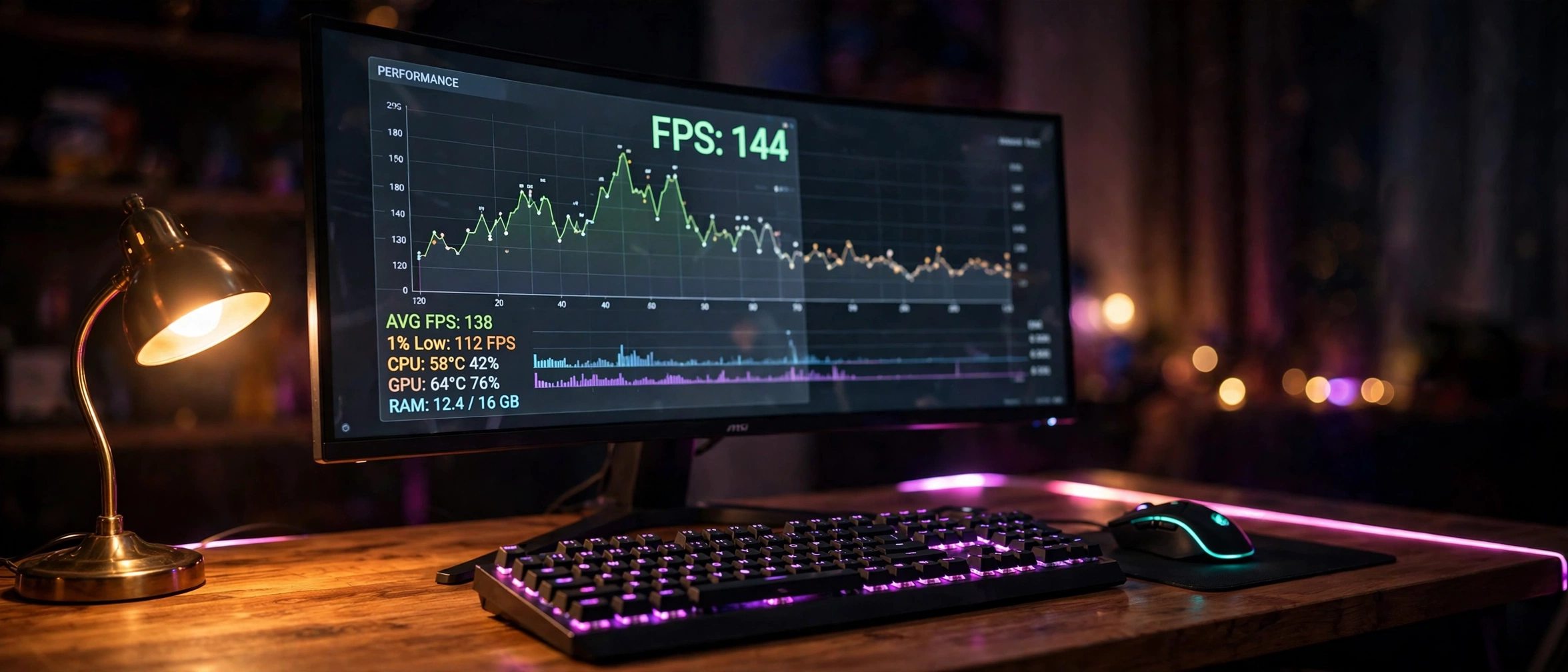
1440p is where this pairing shines, and it is the resolution this combination was born for. At 2560×1440, every frame costs the GPU roughly 78% more pixels than 1080p, which shifts the workload decisively onto the RX 6800 XT. The graphics card runs at or near full utilization, the 5800X feeds it comfortably, and the system behaves exactly like a well-balanced gaming PC should.
This is also where the card’s 16GB of VRAM starts earning its keep. Modern texture packs at 1440p ultra settings routinely push past 10GB, and cards with 8GB or 12GB buffers are the ones showing their age first. The 6800 XT’s generous memory buffer, paired with its 128MB Infinity Cache, is a big part of why this 2020 flagship still feels modern in 2026.
If you own a 1440p high-refresh monitor, anything from 144Hz to 240Hz, this pairing is essentially the textbook answer for high-end 1440p gaming from the RDNA 2 era. You get high settings, high frame rates, and smooth frame pacing, which matters more than average fps for how a game actually feels. (New to the idea? Our beginner’s guide to frame time covers it in plain terms with examples.))
Practical takeaway: 1440p is the sweet spot. The GPU is the limit, the CPU keeps up, and 16GB of VRAM keeps the card relevant.
What This Pairing Does at 4K
At 4K, the bottleneck conversation is effectively over. Rendering four times the pixels of 1080p puts such a massive load on the GPU that the CPU’s job becomes comparatively easy. The RX 6800 XT will sit at 99 to 100% utilization in demanding titles, and the Ryzen 7 5800X will cruise along well below its limits.
Tom’s Hardware’s multi-card roundup testing of the RX 6800 XT (tomshardware.com) found that many games easily clear 60 fps at 4K on these cards, with custom board-partner models landing only about 2% faster than the reference design. That tiny gap between cooler designs tells you something important: at 4K, the silicon itself is the limit, not the supporting cast. Swapping in a faster CPU at 4K changes almost nothing, because the CPU was never the constraint.
There is one caveat worth stating honestly: the 6800 XT is a 2020 card, and the heaviest 4K titles with maxed ray tracing will ask more than it can give at native resolution. That is not a CPU problem, though. That is simply what upscaling technologies like FSR are for, and as you will see in a moment, the upscaling story for this card just got a lot better.
Practical takeaway: at 4K the GPU is always the limit. CPU choice barely registers. If your 4K frame rates disappoint, the answer is settings or upscaling, never a CPU upgrade.
When the Ryzen 7 5800X DOES Hold the Card Back
Fair is fair. There are real scenarios where the 5800X becomes the limiting part with a 6800 XT, and you should know what they look like so you can recognize them instead of guessing.
CPU-heavy game engines. Some games are simply built in ways that lean on the processor: large-scale strategy games, simulation-heavy titles, and MMOs with hundreds of players on screen. World of Warcraft is the classic example. One forum user with a Ryzen 5 5800X and an RX 6800 reported never seeing more than 85% GPU utilization at 1440p ultra in WoW, because that game is famously CPU-bound in open-world areas. The 6800 XT is not much weaker than that card’s bigger sibling, so the same logic applies here. Our game workload catalog sorts genres by whether they tax the CPU or the GPU.
Older DirectX 11 titles on Radeon. As mentioned earlier, AMD’s DX11 driver path historically asks more of the CPU than NVIDIA’s. In these games you may see the GPU hovering below full usage while frame rates stay high. This is normal behavior for the architecture, not a defect, and it mostly affects older games that already run at very high frame rates.
Streaming while gaming on the same PC. If you are gaming and encoding a stream on the CPU simultaneously, those 8 cores get divided. The 5800X handles it, but heavy x264 encoding presets while playing a CPU-demanding game can introduce stutters that look like a bottleneck. GPU encoding or a two-PC setup sidesteps this entirely.
Background bloat. A surprising number of “bottleneck” complaints turn out to be a browser with forty tabs, RGB software, and three launchers eating CPU cycles in the background. Before blaming hardware, check what is actually running.
Notice what all of these have in common: they are specific situations, not a general verdict on the pairing. A bottleneck is always a statement about a particular workload, never a property of two parts in isolation.
Practical takeaway: the 5800X limits the 6800 XT only in CPU-bound games, heavy multitasking, or messy system setups. In standard AAA gaming, it does not.
Expected FPS: What This Pairing Delivers in 10 Popular Games
Bottleneck percentages are abstract. Frame rates are not. The table below collects estimated average frame rates for the Ryzen 7 5800X and RX 6800 XT together at high to ultra settings, so you can compare your own system against realistic expectations.
| Game | 1080p | 1440p | 4K |
|---|---|---|---|
| Cyberpunk 2077 | 110 FPS | 85 FPS | 45 FPS |
| Red Dead Redemption 2 | 115 FPS | 95 FPS | 58 FPS |
| Call of Duty: Warzone | 170 FPS | 140 FPS | 85 FPS |
| Fortnite | 140 FPS | 105 FPS | 58 FPS |
| Grand Theft Auto V | 130 FPS | 120 FPS | 75 FPS |
| Microsoft Flight Simulator | 55 FPS | 50 FPS | 38 FPS |
| Elden Ring | 60 FPS | 60 FPS | 55 FPS |
| Apex Legends | 230 FPS | 185 FPS | 105 FPS |
| Valorant | 390 FPS | 330 FPS | 200 FPS |
| Hogwarts Legacy | 92 FPS | 70 FPS | 36 FPS |
Note: these figures are estimates compiled from published third-party benchmark results for this hardware at High and Ultra settings, not in-house testing. Your results will vary with game version, driver, RAM speed and tuning, and background load. Elden Ring is capped at 60 FPS by the game itself. Read the 1080p column carefully: in several titles the gap between 1080p and 1440p is small, which is the signature of the 5800X, not the card, setting the limit at the lower resolution.
RX 6800 XT and Ryzen 7 5800X Specs Side by Side
For reference, here are the key specifications of both parts, taken from AMD’s official product pages and TechPowerUp’s review coverage:
| Specification | Radeon RX 6800 XT | Ryzen 7 5800X |
|---|---|---|
| Architecture | RDNA 2 (Navi 21) | Zen 3 (Vermeer) |
| Compute units / Cores | 72 CUs, 4,608 stream processors | 8 cores, 16 threads |
| Clock speeds | 2,015 MHz game clock, 2,250 MHz boost | 3.8 GHz base, up to 4.7 GHz boost |
| Memory | 16GB GDDR6, 256-bit, 512 GB/s | 32MB L3 cache, DDR4 support |
| Special tech | 128MB Infinity Cache, Smart Access Memory | PCIe 4.0, Precision Boost 2 |
| Power | 300W board power | 105W TDP |
| Launch | November 18, 2020, $649 | November 5, 2020, $449 |
Two details in that table deserve emphasis. First, both parts support PCIe 4.0, and paired together on a B550 or X570 board with Smart Access Memory enabled, the CPU gets full access to the GPU’s memory, which AMD measured as worth up to double-digit percentage gains in some titles at launch. Second, the 16GB frame buffer on the 6800 XT is the single biggest reason this card aged better than its 8GB and 10GB contemporaries.
AMD’s official spec page for the processor confirms the 8-core, 16-thread, 4.7 GHz boost configuration and its November 2020 launch date (amd.com), while TechPowerUp’s review coverage details the Navi 21 silicon, 16GB GDDR6, and 128MB Infinity Cache design (techpowerup.com).
Practical takeaway: same-era flagship DNA on both sides, PCIe 4.0 throughout, and 16GB of VRAM that keeps paying dividends years later.
FSR 4.1 Is Coming to the RX 6000 Series
Here is a genuinely fresh reason to feel good about this pairing. In October 2026, AMD announced that FSR 4.1 upscaling support is coming to Radeon RX 6000 series cards, including the RX 6800 XT. FSR 4 was previously exclusive to the newest RDNA 4 cards, and its machine-learning-based upscaling is a large image-quality step over the older FSR 3.
Why does this matter for bottlenecks? Upscaling shifts work away from raw rendering and onto the upscaler, which effectively moves the performance limit even more firmly onto the GPU while raising frame rates across the board. In AMD’s own demo of Crimson Desert running on an RX 6800 XT, the game ran at about 95 fps with FSR 3.1 Quality plus frame generation, and about 101 fps with FSR 4.1 Performance plus frame generation. Treat vendor demos with healthy skepticism, as always, but the direction is unmistakable: this 2020 card is getting 2026 upscaling technology.
The practical effect on our bottleneck question is simple. Anything that raises GPU-limited frame rates makes the CPU’s job relatively easier, not harder. FSR 4.1 arriving on the 6800 XT extends the useful life of the whole pairing and weakens the case for any CPU upgrade even further.
Practical takeaway: FSR 4.1 support for the RX 6000 series is real, current news, and it makes the 6800 XT plus 5800X combo stronger, not weaker, going forward.
The Used Market Makes This Pairing Relevant Again
If you already own this combo, congratulations: the market has decided your hardware is worth more than it was a year ago. Tracking of September 2026 eBay listings showed used graphics card prices climbing 5.7% overall, with the used RX 6800 XT specifically up about 20%, from roughly $300 to roughly $360. The broader context is the 2026 memory shortage, widely nicknamed RAMageddon, which has pushed new GPU street prices far above launch prices across the board.
That market reality changes the upgrade math completely. With new mid-range cards selling far above their launch prices, buying a used 6800 XT, or simply keeping the one you have, is one of the sanest value moves in PC gaming right now. You get 16GB of VRAM, strong 1440p performance, competent 4K, and now FSR 4.1 on the horizon, for a fraction of what an equivalent new card costs in the inflated 2026 market.
If you are shopping rather than upgrading, it is still worth comparing against current budget options. Our RX 9060 XT versus RTX 5060 Ti budget graphics card breakdown covers what the new budget tier offers, so you can weigh a used 6800 XT against new cards with warranties and newer feature sets.
Practical takeaway: used 6800 XT prices are rising because the card is genuinely good value in an inflated market. Owning one in 2026 is a flex, not a compromise.
How to Check for a Real Bottleneck in Your Own PC
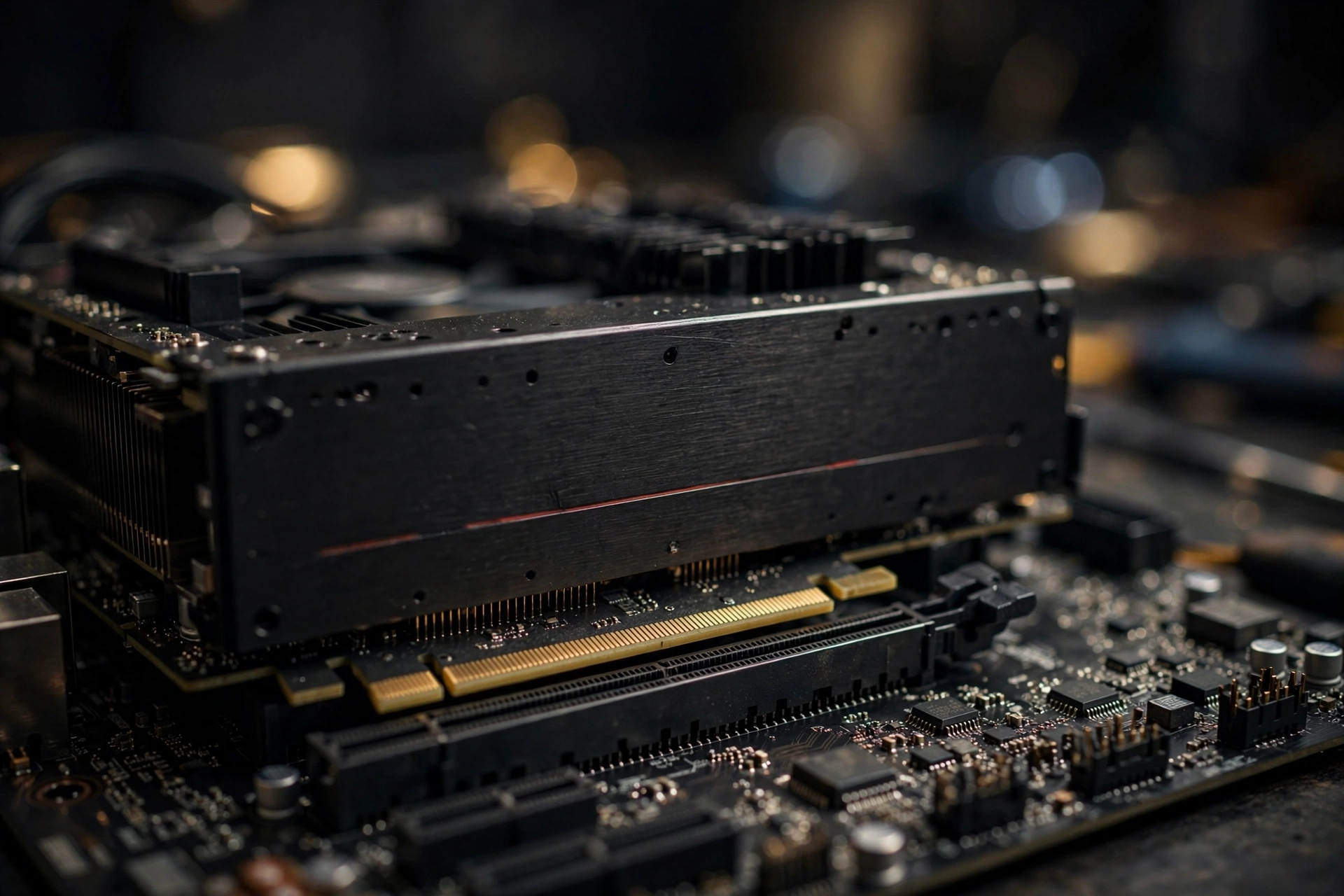
Forget the calculator. Here is the ten-minute test that actually answers the question for your specific games, and it is free.
Step 1: Install monitoring software. MSI Afterburner with its RivaTuner overlay is the standard tool. Our step-by-step Afterburner tutorial covers installation plus overlay setup.
Step 2: Pick your most-played game and play normally for ten minutes. Use the settings you actually play with, not a benchmark preset.
Step 3: Watch two numbers: GPU usage and CPU usage. The reading is simple:
- GPU pinned near 95 to 100% while the CPU sits comfortably lower: your system is GPU-limited. This is the healthy, expected state for a 6800 XT plus 5800X at 1440p or 4K.
- GPU hovering at 70 to 85% while one or two CPU threads are maxed out: you are CPU-limited in that game. This is normal in esports titles and CPU-bound MMOs.
- Both GPU and CPU usage low: something else is wrong. Check frame rate caps, VSync, power limits, thermal throttling, or background software.
Step 4: Check frame pacing, not just averages. Two systems can show the same average fps while one stutters and the other glides. Watch the 1% lows in your overlay. The complete method is in our PC bottleneck detection guide.
This test beats any calculator because it measures your reality: your games, your settings, your system. A forum user with an RX 6800 XT once posted exactly this kind of confusion, reporting that the card would not reach full speed and that usage dipped to around 80% in CPU-heavy areas of Shadow of the Tomb Raider. The answer from the community was reassuring and correct: in CPU-heavy scenes, that behavior is normal, the card is fine, and chasing 100% GPU usage in every scene is chasing the wrong metric.
Practical takeaway: ten minutes with MSI Afterburner tells you more than any online calculator ever will. GPU near 100% means healthy. Low GPU usage with maxed CPU threads means that specific game wants more CPU.
Should You Upgrade the CPU, the GPU, or Nothing?
For the vast majority of RX 6800 XT plus Ryzen 7 5800X owners, the honest answer is nothing. This pairing remains well-balanced, the used market favors keeping it, and FSR 4.1 is about to extend its life further. Spend the upgrade budget on a better monitor, faster storage, or games.
That said, here are the exceptions:
Upgrade the CPU if: you mainly play CPU-bound competitive titles at 1080p on a 240Hz-plus monitor, or you do heavy productivity work that wants more cores. The elegant move is a drop-in AM4 upgrade like the Ryzen 7 5800X3D or 5700X3D: same motherboard, same RAM, no rebuild. The 3D V-Cache chips are meaningfully faster in exactly the CPU-limited games where the 5800X shows its age.
Upgrade the GPU if: you want high-refresh 4K with heavy ray tracing in the newest AAA titles, or you need features the RDNA 2 card lacks. Just be aware of current street prices before you jump.
A quick note on our related testing: we previously analyzed this same Ryzen 7 5800X paired with a much newer RTX 5070, and the verdict there was similar in spirit but stricter, since a 2025 mid-range card pushes higher frame rates and exposes CPU limits more readily. If you are weighing a GPU upgrade rather than a CPU one, that Ryzen 7 5800X bottleneck with RTX 5070 analysis is the natural next read. The short version: the 5800X holds up respectably even there, which tells you everything about how little it struggles with a 2020-era 6800 XT.
Practical takeaway: do nothing unless you have a specific, measured reason. If you must upgrade the CPU, a 5800X3D-class drop-in on your existing AM4 board is the smart path.
Common Mistakes RX 6800 XT Owners Make
Mistake 1: Trusting the calculator and panic-buying a CPU. The 22% number from our opening story sends people shopping for processors they do not need. Always measure first with the overlay test above.
Mistake 2: Leaving Smart Access Memory disabled. On a Ryzen 5000 plus RX 6000 system, SAM is free performance. It lives in your motherboard BIOS, usually under “Above 4G Decoding” and “Re-Size BAR Support.” If you built this PC years ago and never checked, check now.
Mistake 3: Running old drivers. AMD’s Adrenalin drivers have improved RDNA 2 performance and stability steadily since 2020. A 2021 driver on a 2026 system is leaving performance on the table.
Mistake 4: Judging the pairing by one CPU-bound game. Getting 85% GPU usage in World of Warcraft or a DX11 classic does not mean your system is broken. It means that game is CPU-bound, which is true on every CPU ever made.
Mistake 5: Ignoring thermals and power. The 6800 XT is a 300W card that wants a quality 750W power supply and decent case airflow. Thermal throttling looks exactly like a bottleneck in monitoring software, and it is fixed with cooling, not new parts.
Mistake 6: Forgetting the RAM. Ryzen 5000 scales with memory speed. If you are still on slow DDR4, a move to 3600MHz CL16-class memory is a cheaper upgrade than any CPU swap.
Issues Specific to the 5800X + RX 6800 XT Pairing
This combination has a reputation for being trouble free, and it mostly is. But it has four quirks that are specific to these two parts together, and knowing them saves a lot of pointless troubleshooting.
Smart Access Memory and Resizable BAR: free performance, if it is switched on
This all-AMD pairing is exactly the combination Smart Access Memory was built for. With Resizable BAR enabled in the BIOS and the 5800X on a B550 or X570 board, the CPU gets full access to the 6800 XT’s 16GB of VRAM instead of a small 256MB window. Published results put the gain at roughly 2 to 10 percent depending on the game, with some titles at the top of that range and a few showing no change. It costs nothing and takes two minutes: update the board BIOS, enable Above 4G Decoding and Re-Size BAR Support, and confirm in the AMD software that Smart Access Memory shows as available. A surprising number of these systems run for years with it silently off. If yours is one of them, this is the cheapest frame rate you will ever gain.
PCIe 4.0: supported, genuinely useful for the platform, minor for this card
The 5800X and the 6800 XT both speak PCIe 4.0, and on a B550 or X570 board the card runs at full x16 Gen 4 bandwidth. Honesty matters here: for the 6800 XT itself, Gen 4 versus Gen 3 at x16 is worth only a percent or two in games, because the card has a full-width interface and plenty of VRAM. Where PCIe 4.0 does pay off in these builds is storage, since a Gen 4 NVMe drive on the CPU lanes loads games and streams assets noticeably faster. If your 5800X sits in an older B450 board, the card still runs fine at Gen 3 x16. Do not buy a new motherboard for the GPU’s sake.
Power supply: 750W quality, and mind the transient spikes
The RX 6800 XT carries a 300W board power rating and AMD recommends a 750W power supply for systems built around it. That recommendation is not padding. RDNA 2 cards can pull brief transient spikes far above their rated draw, and the classic symptom in 5800X plus 6800 XT builds is a black screen or full shutdown mid-game on an aging 650W unit that looks fine on paper. Use a reputable 750W or better unit, run two separate PCIe power cables to the card instead of one daisy-chained cable, and most of these mystery crashes disappear.
The AM4 end-of-platform reality
The 5800X sits at the top of a finished platform. AM4 has no next generation coming, DDR4 is the end of the line, and every future CPU upgrade means a new motherboard and new RAM. That sounds like a criticism, but for this pairing it is mostly irrelevant: the 5800X is strong enough that it will not be the weak link at 1440p or 4K for years, and the one meaningful in-socket upgrade, the X3D chips, is covered below. The practical advice is simple. Enjoy the platform’s maturity, cheap DDR4, and stable BIOS versions, and stop pricing AM5 parts every time a game dips. Your upgrade clock starts when the GPU stops delivering, not before.
Frequently Asked Questions
A bottleneck calculator says 22% CPU bottleneck with my Ryzen 7 5800X and RX 6800 XT. How big of a problem is it really?
This is the exact question from the Tom’s Hardware Forum thread quoted earlier, and the honest answer is: not much of one. The calculator is flagging that the CPU is the more likely limiter in some situations, which is true at 1080p in CPU-heavy games and mostly untrue at 1440p and 4K. It does not mean you lose 22% of your performance. Run the ten-minute MSI Afterburner test described above in the games you actually play. If your GPU sits near full usage, the calculator’s number is irrelevant to you.
My RX 6800 XT shows low GPU usage in Dying Light and Doom Eternal with uncapped fps. Is my CPU bottlenecking?
This comes from a real TechSpot community thread, and the answer is: probably not in the way you fear. First, check the basics: no frame rate cap, no VSync, no Chill or power-saving feature limiting the card, and drivers up to date. In Doom Eternal specifically, the engine is so well optimized that extremely high frame rates are normal and the card may simply be waiting on the CPU between frames at lower resolutions. If usage is low and frame rates are high, you do not have a problem. You have a fast PC. Worry only if frame rates are low AND GPU usage is low, which points to a CPU limit, throttling, or a software issue.
My RX 6800 XT never reaches 100% usage and dips to 80% in CPU-heavy areas. Is the card defective?
No. This is from a real Guru3D forum thread about Shadow of the Tomb Raider, and the community’s answer was correct: in CPU-heavy scenes, the graphics card simply has less work queued up, so usage dips. Benchmark the card in a GPU-heavy scene or a different title and you will see it stretch its legs. Chasing 100% GPU utilization in every scene of every game is chasing the wrong metric. What matters is whether your frame rates and frame pacing feel good.
I have a Ryzen 5 5800X and RX 6800 and never see more than 85% GPU usage at 1440p ultra. Should I upgrade?
Asked on the Tom’s Hardware forums about World of Warcraft, and the answer depends on the game. In WoW’s open world, that behavior is the game being CPU-bound, and a faster CPU would raise frame rates there, but no GPU upgrade would help at all, because the GPU is not the limit. In modern AAA titles at 1440p ultra, you should see the GPU near full usage. Identify which situation you are in with the overlay test before spending money.
Should I overclock my Ryzen 7 5800X to reduce the bottleneck?
The Tom’s Hardware thread asker wondered the same thing. A modest overclock or Precision Boost Overdrive tuning can add a few percent in CPU-limited scenarios, and it is free. But keep expectations realistic: you cannot overclock away a fundamental mismatch, and here there is no fundamental mismatch to begin with. Enable PBO, make sure cooling is adequate, and call it done.
Is the RX 6800 XT still worth buying used in 2026?
At current used prices, roughly $300 to $360 on eBay and rising, it remains one of the strongest value plays for 1440p gaming, thanks to 16GB of VRAM and incoming FSR 4.1 support. Just buy from a seller with a return policy, ask about the card’s history, and test it thoroughly on arrival.
Better Alternative Combos for the Same Money
If you are assembling this pairing from used parts today, two alternative routes deserve a look before you spend. Both keep the same rough budget and fix the one real weakness of the 5800X build, which is that the platform has no future upgrades left in it.
Option 1: Ryzen 7 5700X3D + RX 6800 XT, the drop-in fix. The 5700X3D fits the same AM4 boards, uses the same DDR4, and its stacked 3D V-Cache makes it dramatically faster than the 5800X in exactly the places the 5800X struggles: simulation games, MMOs, factory and strategy titles, and 1080p high refresh play. Gains of 20 to 40 percent in cache-sensitive games are common in published comparisons. If a 5700X3D costs close to a 5800X where you shop, it is the better buy, full stop. You give up a little clock speed in lightly threaded desktop work and gain a lot where games actually bottleneck.
Option 2: Ryzen 5 7600 + a newer GPU, the platform jump. If your budget can stretch to a new board and DDR5, a Ryzen 5 7600 on AM5 paired with a modern card in the RX 7700 XT or RTX 4070 class matches or beats this combo at 1440p, uses less power doing it, and, crucially, sits on a platform with years of drop-in CPU upgrades ahead of it. You pay more today for the board and memory, and you stop paying the dead-platform tax tomorrow. This route makes the most sense if you are building from scratch rather than upgrading an existing AM4 system.
Already own the 5800X and 6800 XT? Neither option is a reason to sell what you have. These alternatives are for buyers choosing today, not owners second-guessing a pairing that still performs this well.
Conclusion
So, how bad is the RX 6800 XT plus Ryzen 7 5800X bottleneck really? For the way most people actually play, at 1440p or 4K in modern games, it is not bad at all. It is one of those rare pairings where two flagship-tier parts from the same launch window just work, and six years later the combination still makes sense.
The deeper lesson is worth more than the verdict. Bottleneck percentages from online calculators feel authoritative, but they are generic estimates wearing a lab coat. Real bottlenecks are specific: a particular game, a particular scene, a particular settings menu. The tools to find them are free, the test takes ten minutes, and the result is knowledge about your PC that no calculator can give you.
If your overlay shows the 6800 XT pinned near 100% while you game at 1440p, close the calculator tab. Your PC is healthy, your pairing is balanced, and with FSR 4.1 on the way and used values climbing, that 2020 flagship combo might be the smartest hardware decision you are not giving yourself enough credit for.

Leave a Reply