

Quick answer: The RX 9060 XT vs RTX 5060 Ti battle is the closest mid-range fight in years. Published benchmarks show the two cards trading blows within a few percent at 1080p and 1440p. The Radeon usually wins on price and value, while the GeForce pulls ahead in ray tracing and upscaling. Buy the 16GB version of whichever you pick, because 8GB cards are already showing their limits.
Shopping for a mid-range graphics card in 2026 is honestly exhausting. Prices are up, memory shortages keep moving the target, and every forum thread turns into a brand war within ten replies. Two cards keep coming up in every single discussion: AMD’s Radeon RX 9060 XT and NVIDIA’s GeForce RTX 5060 Ti. Both launched in 2025, both come in 8GB and 16GB flavors, and both want the same spot in your gaming PC.
This guide settles the debate the practical way. You will get a full spec comparison from the official sources, what published reviews actually measured (not marketing slides), how VRAM capacity changes which component bottlenecks your system, which CPUs pair cleanly with each card, and what PSU you need. By the end, you will know exactly which card deserves your money.
The Short Verdict Who Should Buy Which Card
If you only have sixty seconds, here is the decision framework most reviewers and forum veterans land on:
Buy the RX 9060 XT 16GB if: you want the best gaming value for your dollar, you mostly play rasterized games (no heavy ray tracing), and the price gap is meaningful. At a $349 MSRP it undercuts the RTX 5060 Ti 16GB by $80, and current street prices keep that gap wide.
Buy the RTX 5060 Ti 16GB if: the price gap is small, ray tracing matters to you, you want DLSS 4 and multi frame generation, or you stream, edit video, run Blender, or do local AI work where CUDA and NVENC are genuinely better tools.
Avoid the 8GB versions for a long-term build. Forum regulars on Tom’s Hardware say it bluntly: for max settings you should not buy less than 16GB today, and 8GB will not cut it in the not-too-distant future as games keep getting more memory hungry.
One important note before we go further: this is a comparison, not a flagship recommendation. Neither card is built for high-refresh 4K gaming at max settings. Both are excellent 1080p cards and solid 1440p cards with an upscaler switched on. Keep your expectations in that zone and you will be happy with either one.
RX 9060 XT vs RTX 5060 Ti Specifications Compared
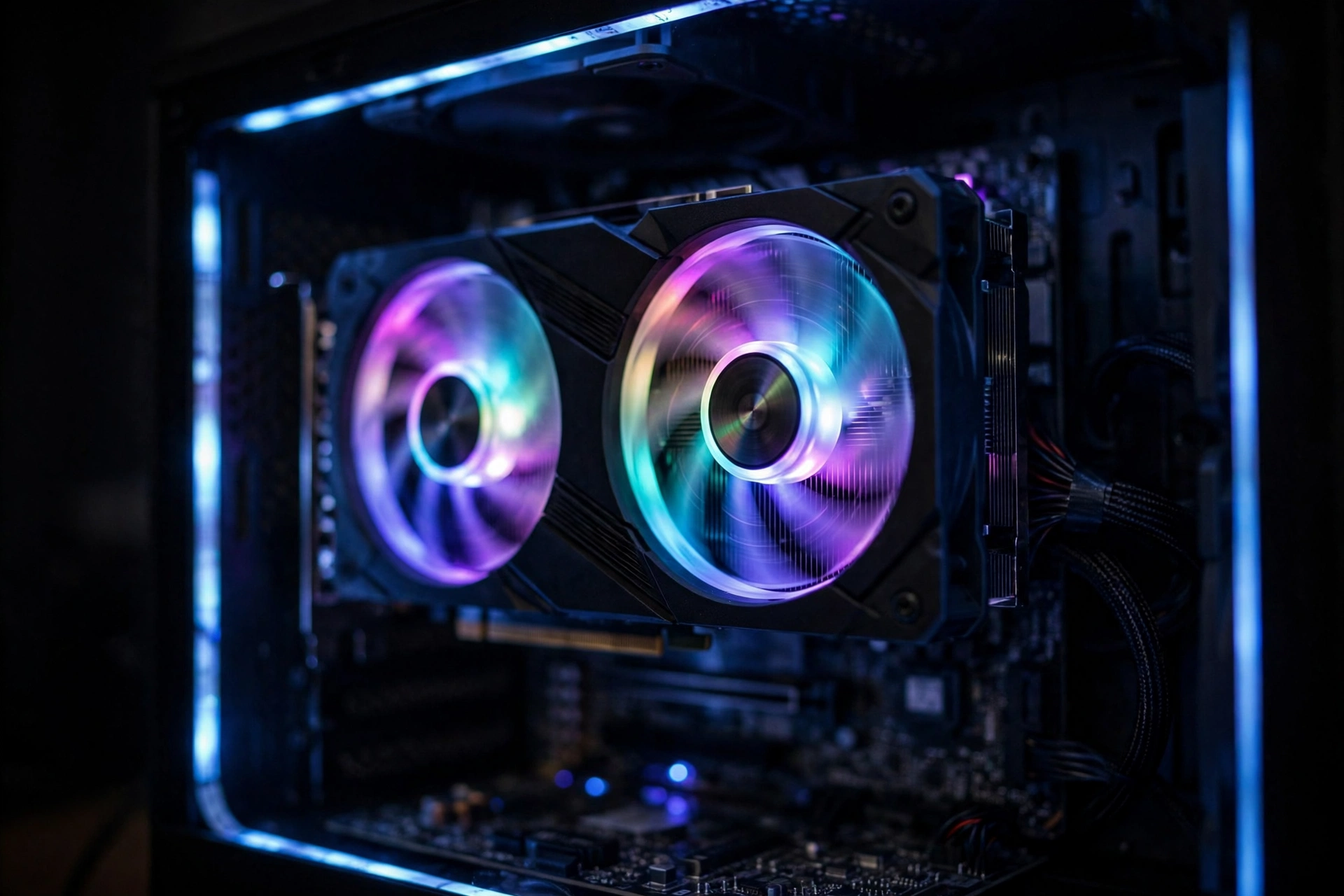
Let us start with the hardware, straight from the manufacturers’ spec pages, so there is no marketing fog. The RX 9060 XT is built on AMD’s Navi 44 chip with the RDNA 4 architecture. The RTX 5060 Ti uses NVIDIA’s GB206 chip with the Blackwell architecture. Both are modern designs on efficient process nodes, and both ship in two memory configurations that change the buying math more than you might expect.
| Specification | RX 9060 XT | RTX 5060 Ti |
|---|---|---|
| GPU die | Navi 44 | GB206 |
| Architecture | AMD RDNA 4 | NVIDIA Blackwell |
| Compute resources | 32 CUs, 2048 stream processors | 4608 CUDA cores |
| Boost clock | Up to 3130 MHz | 2.57 GHz |
| Memory options | 8GB or 16GB GDDR6 | 8GB or 16GB GDDR7 |
| Memory bus | 128-bit | 128-bit |
| Memory speed | Up to 20 Gbps (320 GB/s) | GDDR7 (higher effective bandwidth) |
| Cache | 32MB Infinity Cache | L2 cache (smaller, faster GDDR7) |
| Ray accelerators | 32 (2nd-gen RT per CU) | 4th-gen RT cores (72 TFLOPS) |
| AI / upscaling | FSR 4, Fluid Motion Frames | DLSS 4, Multi Frame Generation |
| PCIe interface | PCIe 5.0 x16 | PCIe 5.0 x8 |
| Board power | 150W (8GB), 160W (16GB) | 180W |
| Power connector | 1x 8-pin | 1x 8-pin or 16-pin (model dependent) |
| Display outputs | DisplayPort 2.1a, HDMI 2.1b | DisplayPort 2.1b, HDMI 2.1b |
Sources: AMD RX 9060 XT specifications and the NVIDIA RTX 5060 family specifications.
A few spec lines deserve a closer look because they matter for real-world builds. The 9060 XT’s full PCIe x16 link is a quiet advantage: on older PCIe 3.0 motherboards, the 5060 Ti’s x8 link has shown measurable performance losses in some titles according to reviewers, while the x16 link sidesteps the issue entirely. NVIDIA counters with GDDR7 memory, which gives the 5060 Ti noticeably higher memory bandwidth on the same 128-bit bus, and that helps in ray-traced and memory-heavy scenes. AMD’s board power is lower (150 to 160W reference versus 180W), which shows up in heat and noise in small cases.
Takeaway: the paper specs are close enough that neither card has a knockout punch. The real differences show up in pricing, ray tracing, and the software ecosystems around them.
Price and Value The Real Battleground
Here is where the comparison gets genuinely interesting. AMD set the RX 9060 XT at $299 for the 8GB model and $349 for the 16GB model. NVIDIA priced the RTX 5060 Ti at $379 (8GB) and $429 (16GB). That is an $80 gap at MSRP between the two 16GB cards, which is a lot of money at this price tier.
Street prices in October 2026 tell a harsher story for NVIDIA. According to HowManyFPS pricing data updated October 16, 2026, the RX 9060 XT 16GB was listed around $459.99 while the RTX 5060 Ti 16GB sat near $598.57, a gap of about $138. SmartValueLab reported on October 13 that current-generation GPU prices have a median increase of roughly 33% over the last 90 days, driven by the ongoing memory supply crunch. When flagship cards like the RTX 5090 are scarce at $5,000 and above (NVIDIA publicly denied discontinuation rumors on October 17, per wccftech, but supply is clearly tight), the value argument for mid-range cards gets even louder.
Reviewers agree that price is the deciding factor here. eTeknix tested both 16GB cards across 30 games and concluded the value proposition leans heavily toward AMD: you get incredibly competitive performance, often superior frame consistency, and excellent thermal behavior for a considerably more accessible price. BestMotherboardZone’s late-2026 verdict put it simply: buy the RX 9060 XT 16GB for a gaming-first PC when it is meaningfully cheaper; buy the RTX 5060 Ti 16GB only when the price gap is small or you specifically care about ray tracing, DLSS, CUDA, Blender, local AI, or NVENC.
The honest rule: recheck prices on the day you buy. This verdict flips if GeForce pricing ever returns to normal. A 5060 Ti 16GB at $430 against a 9060 XT 16GB at $460 would be a completely different conversation.
Takeaway: at current street prices, the RX 9060 XT wins the value fight by a wide margin. But value is a price snapshot, not a permanent truth, so check both cards before you click buy.
Gaming Performance at 1080p and 1440p
Time for the numbers that actually matter. Published reviews keep landing in the same place: these two cards are within a few percent of each other in normal rasterized gaming, with the lead swapping depending on the game engine.
TechPowerUp’s testing, summarized by PC Guide, found Cyberpunk 2077 running at 111, 72, and 33 FPS on the RX 9060 XT at 1080p, 1440p, and 4K, versus 114, 76, and 35 FPS on the RTX 5060 Ti. That is a 3 to 4 FPS difference, which is not a reason to pay $80 to $138 more. A Tom’s Hardware review found the 9060 XT 16GB trading blows with the 5060 Ti 16GB at 1080p medium settings and falling only slightly behind at 1440p ultra.
eTeknix ran a 30-game head-to-head between the two 16GB models and the pattern is clear: the cards trade wins constantly. In Alan Wake 2, AMD led by 8% at 1080p and 7% at 1440p. In Baldur’s Gate 3, NVIDIA took it by 8%, 9%, and 11% at 1080p, 1440p, and 4K. In Black Myth: Wukong, NVIDIA led by 6% to 11% depending on resolution. In A Plague Tale: Requiem, the 9060 XT nicked the win by 2% at 1080p and 4% at 1440p, with stronger 1% lows from the red team. Across the full suite, HowManyFPS calls them within about 1% of each other across more than 100 games and says it plainly: neither is better, pick based on price, availability, or VRAM.
What does this mean for your monitor? At 1080p, both cards are excellent, pushing high refresh rates in esports titles and smooth 60-plus FPS in demanding games at high settings. At 1440p, both are comfortable at high settings, especially with an upscaler enabled, but neither is a 1440p ultra-settings card in the heaviest new releases. At 4K, both can play with upscaling and reduced settings, but a faster GPU tier is the honest recommendation for a dedicated 4K build.
One more performance detail worth knowing: the 8GB versions fall behind their 16GB siblings as resolution and settings climb. TechPowerUp measured the RX 9060 XT 8GB at roughly 5% slower than the 16GB model at 1080p, 4.7% slower at 1440p, and 7.9% slower at 4K. That gap will only grow as games demand more memory, which leads directly into the VRAM section below.
Takeaway: in pure rasterized gaming, call it a draw with the 9060 XT often matching or slightly beating the 5060 Ti at 1080p. Buy on price, not on brand.
Ray Tracing Where the Gap Widens
Ray tracing is the one battlefield where NVIDIA keeps a meaningful advantage. RDNA 4 closed a lot of the ray tracing gap that made previous Radeon cards hard to recommend, and in light ray tracing workloads (reflections in a racing game, for example) you will barely feel a difference. But switch to heavy ray tracing or path tracing, like Cyberpunk 2077’s demanding presets, and the RTX 5060 Ti pulls ahead clearly, helped by its faster GDDR7 bandwidth and more mature fourth-generation RT cores.
How much should this matter to you? Be honest with yourself about your settings. Most gamers at this price tier either leave ray tracing off for maximum FPS or use it on medium presets, where the gap is small. If you are the kind of player who wants path tracing at high frame rates, you should probably be shopping a tier or two higher anyway, because even the 5060 Ti struggles to carry those workloads at native resolution without heavy upscaling.
That said, the 9060 XT’s improved RT hardware is a genuine step up from older Radeons, and FSR 4’s quality improvements make upscaled ray-traced gaming look better than it used to on AMD. The gap is narrower than the RTX 40-series era, just not closed.
Takeaway: NVIDIA wins ray tracing, noticeably in heavy workloads. If ray tracing is a priority, the 5060 Ti justifies more of its price premium; if not, the 9060 XT’s value lead stands.
FSR vs DLSS Upscaling and Frame Generation
Upscaling is no longer optional at this price tier. It is how both cards deliver smooth 1440p performance, and the two ecosystems are at very different points.
AMD’s FSR 4 (marketed as FSR “Redstone”) launched alongside RDNA 4 and is a big quality jump over older FSR versions, with ML-based upscaling that narrows the image quality gap to DLSS. It works across a growing list of games, and the 9060 XT also supports Fluid Motion Frames for frame generation. Since FSR is open, it is broadly available, though the best FSR 4 quality tier is tied to RDNA 4 hardware.
NVIDIA’s DLSS 4 remains the gold standard for image quality and is a major reason people pay the GeForce premium. The 5060 Ti supports DLSS Super Resolution, DLAA, Ray Reconstruction, frame generation, and multi frame generation, which can multiply frame rates dramatically in supported titles. Fresh news matters here too: NVIDIA released a faster DLSS model (DLSS 5) on October 16, 2026, adding a new “Preset C” for frame generation, per pokde.net reporting. That is another point for the NVIDIA ecosystem, though brand-new driver and app updates take time to reach every game.
The practical bottom line: in games that support both, DLSS usually looks a bit cleaner and multi frame generation delivers bigger FPS multipliers, while FSR 4 is now genuinely good and works in more places. If you play a lot of DLSS-exclusive or NVIDIA-sponsored titles, that tilts toward the 5060 Ti. If you mostly play games with broad upscaler support, the 9060 XT’s FSR 4 is not the compromise it used to be.
For a deeper breakdown of how the two upscalers compare across image quality, game support, and hardware requirements, see our DLSS vs FSR guide.
Takeaway: DLSS 4 (and the new DLSS 5 model) is still the better ecosystem, and it is the strongest non-price reason to pick the 5060 Ti. FSR 4 has closed the quality gap enough that it is no longer a dealbreaker for the 9060 XT.
The 8GB vs 16GB VRAM Decision
This section might save you from the most common regret in budget GPU buying. Both cards come in 8GB and 16GB versions, and the choice changes which component bottlenecks your system.
Here is the mechanism in plain language: when a game needs more video memory than your card has, the GPU has to constantly shuffle textures and assets in and out of memory. That stalls the whole rendering pipeline, and the bottleneck shifts from raw GPU compute power to memory capacity. Your GPU utilization drops, your 1% lows crater, and you get stuttering even though the chip itself is fast enough. This is exactly why an 8GB card can look fine in average FPS charts but feel worse in actual gameplay at higher settings.
Real buyers are already hitting this. On the Tom’s Hardware forums, experienced builders advise that 8GB cards are playable today at 1080p if you are willing to drop from the highest settings, but several games already push beyond 8GB at 1080p, and that trend is only going one direction. The consensus recommendation: get at least a 16GB model if you plan to keep the card longer than three years, as long as the premium over 8GB is not absurd.
The pricing logic is straightforward. The 8GB models exist for tight budgets and shorter upgrade cycles. But TechPowerUp’s data shows the 9060 XT 8GB trailing the 16GB model by up to 7.9% at 4K and around 5% at 1080p, and those gaps widen with newer, heavier games. When the 16GB premium is reasonable, it is the best future-proofing money you can spend at this tier, and it protects you from the VRAM bottleneck shifting your system’s limit away from the GPU’s actual speed.
Takeaway: 8GB is fine for a strict budget and modest settings, but 16GB is the smart buy for anyone keeping their card for years. A VRAM bottleneck is the ugliest kind because it feels like stuttering, not just lower FPS.
Which CPU Should You Pair With Each Card?
Both cards are mid-range GPUs, so you do not need a flagship CPU to feed them. A modern six-core is the sweet spot, and anything stronger is mostly future-proofing.
CPUs that pair cleanly with the RX 9060 XT: Ryzen 5 7600, Ryzen 5 7600X, Ryzen 5 9600X, or Intel Core i5-13400F / i5-12400F. These keep the GPU as the limiting factor in demanding games, which is exactly what you want. For the full breakdown with bottleneck percentages and tier lists, see our best CPU for RX 9060 XT guide.
CPUs that pair cleanly with the RTX 5060 Ti: the same class of chips works, Ryzen 5 7600/7600X, Ryzen 5 9600X, or i5-13400F. Details and alternatives live in our best CPU for RTX 5060 Ti guide.
A few pairing nuances are worth knowing. At 1080p high-refresh, the bottleneck shifts toward the CPU in esports and CPU-heavy titles, so a Ryzen 7 7800X3D genuinely earns its keep if you play competitive shooters at 240Hz. On the other hand, pairing either card with something like a Ryzen 5 3600 or i5-10400F will leave performance on the table at 1080p; the CPU becomes the bottleneck and your new GPU idles. If you are unsure how this works in general, our CPU bottleneck vs GPU bottleneck explainer walks through the concept with examples.
Two more tips specific to this matchup. First, enable Resizable BAR in your BIOS (AMD calls it Smart Access Memory) for both cards; it is free performance in many titles. Second, the PCIe lane difference matters on old boards: the 5060 Ti’s x8 link can lose measurable performance on PCIe 3.0 motherboards in some games, while the 9060 Ti’s x16 link is unaffected. If you are dropping one of these cards into an older system, that detail alone can decide the winner.
Takeaway: a modern Ryzen 5 or Core i5 is the perfect partner for either card. Avoid very old CPUs at 1080p, enable Resizable BAR, and think twice about the 5060 Ti on a PCIe 3.0 board.
Power Draw and PSU Requirements
Good news: neither card is a power monster. The RX 9060 XT 16GB reference board is rated at 160W (150W for the 8GB), and AMD’s minimum PSU recommendation is 450W. The RTX 5060 Ti is rated at 180W for both memory versions. Both use a single 8-pin connector on most partner models, so no exotic 12VHPWR adapter drama at this tier.
What PSU should you actually buy? AMD’s 450W floor assumes the rest of your system is modest. In practice, a quality 550W to 650W unit gives you comfortable headroom for either card plus a six-core CPU, fans, and drives, and it leaves room for a future upgrade. Do not pair a brand-new GPU with a decade-old no-name PSU; a failing power supply can bottleneck your whole system in the worst possible way. Our RTX 50-series power supply guide covers connector types and wattage planning in detail.
One nice detail for the 9060 XT: several reviewers noted it undervolts well, which can trim power draw and noise with barely any performance loss. The 5060 Ti is also efficient at stock, and its lower board power versus last generation is one of Blackwell’s genuine wins.
Takeaway: a good 550W PSU handles either card comfortably. The 9060 XT sips a bit less power, but the difference will not show up on your electricity bill in any meaningful way.
Pros and Cons
| RX 9060 XT | RTX 5060 Ti | |
|---|---|---|
| Pros | Lower MSRP and usually lower street price; strong rasterized performance per dollar; full PCIe x16 link; lower board power; FSR 4 quality is much improved | Better ray tracing performance; DLSS 4 ecosystem with multi frame generation; GDDR7 memory bandwidth; better for streaming, Blender, CUDA, and local AI; mature drivers |
| Cons | Weaker ray tracing in heavy workloads; smaller creator/AI software ecosystem; FSR 4 game support still growing | $80 higher MSRP (bigger gap at street prices); PCIe x8 link can hurt on old PCIe 3.0 boards; 180W board power; worse price-to-performance at current prices |
Common Mistakes Buyers Make
Comparing mismatched VRAM configurations. The most common error in this debate is comparing a 9060 XT 16GB review against a 5060 Ti 8GB price, or vice versa. Always compare 16GB to 16GB and 8GB to 8GB, because VRAM capacity changes the results more than the brand does.
Buying the 8GB card to save money, then running max settings. If your plan is ultra textures at 1440p for the next four years, the 8GB models will punish you. Match the VRAM to your actual settings and how long you keep hardware.
Ignoring the motherboard generation with the 5060 Ti. Dropping a PCIe x8 card into a PCIe 3.0 system can cost real performance in some titles. The 9060 XT’s x16 link does not have this problem.
Overpaying during the memory crunch. With current-gen GPU prices up roughly 33% over 90 days, some listings are genuinely bad deals. Check both cards’ current prices, compare 16GB to 16GB, and do not pay a panic premium.
Pairing with an ancient CPU and blaming the GPU. At 1080p, an old quad-core or early Ryzen will bottleneck either card, and no driver update fixes that. Budget for a balanced system, not just the graphics card.
Expert Tips for Maximum Performance
Use DDU when switching brands. Moving from NVIDIA to AMD or back? Run Display Driver Uninstaller in safe mode before installing the new driver. Leftover driver files are a classic source of stuttering that gets misdiagnosed as a hardware bottleneck.
Enable Resizable BAR / Smart Access Memory on day one. It is a BIOS toggle, it is free, and both architectures benefit in a long list of games. This is the single highest-value setting change for either card.
Try the Quality upscaler preset before dropping settings. FSR 4 Quality and DLSS Quality at 1440p look close to native in most games while buying you 30 to 50 percent more performance. That headroom keeps the GPU, not your CPU, as the productive bottleneck.
Undervolt the 9060 XT if noise bothers you. Reviewers found it responds well to undervolting, trimming power and temperatures with minimal FPS loss. Small effort, quieter PC.
Check the new DLSS presets on the 5060 Ti. NVIDIA’s October 2026 DLSS update added a faster model and a new frame generation preset. If a game looks off or stutters after a driver update, cycling the DLSS preset is worth trying before you blame the hardware.
Cap your frame rate slightly below your monitor’s max. In CPU-limited esports titles, a frame cap smooths out the 1% lows and keeps frametimes consistent, which feels better than a higher but spikier average FPS.
Frequently Asked Questions
Should I get the 9060 XT 8GB, 5060 8GB, or something else?
This is one of the most asked questions on the Tom’s Hardware forums, and the experienced answer is consistent: if you plan to keep the card for years, get a 16GB model, ideally the RX 9060 XT 16GB for the value. The 8GB cards are fine for 1080p at modest settings today, but games are already pushing past 8GB and that will only increase. An 8GB card makes sense only when the budget is truly fixed and you accept lowering settings sooner.
Is the RTX 5060 Ti 16GB faster than the RX 9060 XT 16GB?
Usually, but not by much in normal rasterized gaming. Review roundups put the difference anywhere from nearly zero to the high single digits depending on the game suite and resolution, with each card winning some titles outright. The 5060 Ti’s lead grows in ray-traced workloads. For pure gaming value at current prices, reviewers still favor the 9060 XT.
Does VRAM matter when comparing the RTX 5060 Ti and RX 9060 XT?
Yes, and it matters more than the brand name on the shroud. More VRAM helps at higher resolutions, higher texture settings, and in modded games. An 8GB card can stutter where a 16GB card cruises, even when the GPU chip is fast enough. Compare 16GB to 16GB when you judge these two cards, and buy 16GB if you keep hardware for more than a couple of years.
Will the RTX 5060 Ti or RX 9060 XT bottleneck my PC?
It depends on the rest of your build, especially your CPU and resolution. At 1440p, the GPU is usually the limiting factor, which is the healthy kind of bottleneck. At 1080p high-refresh with an old CPU, the processor becomes the limit instead. Pair either card with a modern Ryzen 5 or Core i5 and you will be balanced in the vast majority of games.
Which is better for 1440p and 4K gaming, RTX 5060 Ti 16GB or RX 9060 XT 16GB?
They trade blows at 1440p depending on the game, with the 9060 XT often winning on value and the 5060 Ti winning ray-traced titles. For 4K, the 5060 Ti is slightly faster overall, but neither card is the right pick for high-refresh 4K at max settings; use upscaling and tuned settings, or step up a GPU tier.
Is it worth upgrading to the RTX 5060 Ti or RX 9060 XT?
Both are solid upgrades from older mid-range cards like the RTX 3060 or RX 6600 XT, roughly doubling performance in many titles while adding modern upscaling. If you already own an RTX 4060 Ti or RX 7600 XT, the jump is small and probably not worth the money. Compare your current GPU against each candidate to see the exact gain before you spend.
Key Takeaways
- The RX 9060 XT vs RTX 5060 Ti fight is a near draw in rasterized gaming; buy on price, not brand loyalty.
- The RX 9060 XT 16GB is the value king at current street prices, undercutting the 5060 Ti 16GB by a wide margin.
- The RTX 5060 Ti 16GB wins ray tracing, DLSS upscaling, streaming, and creator workloads.
- Buy 16GB, not 8GB, if you keep your GPU for years; a VRAM bottleneck causes stuttering that no settings tweak fully fixes.
- Pair either card with a modern Ryzen 5 or Core i5, enable Resizable BAR, and avoid the 5060 Ti on PCIe 3.0 boards.
- A quality 550W PSU handles both cards; AMD’s official minimum for the 9060 XT is 450W.
Conclusion
So, RX 9060 XT vs RTX 5060 Ti: which budget card wins in 2026? For most gamers, the Radeon RX 9060 XT 16GB is the smarter buy right now. It matches the RTX 5060 Ti 16GB in the games most people actually play, it costs meaningfully less at both MSRP and street prices, it sips less power, and its full PCIe x16 link is friendlier to older systems. The value argument is not close at today’s prices.
The RTX 5060 Ti 16GB is not a bad card, though. If the price gap shrinks, or if you care about ray tracing, DLSS 4 and multi frame generation, streaming with NVENC, or CUDA-accelerated creative work, NVIDIA’s ecosystem genuinely earns its premium. Buy the card that matches your use case, in the 16GB version, with a balanced CPU behind it, and either choice will serve you well for years.
Whichever you pick, run it through a bottleneck check with your actual CPU and resolution before you buy, so the only bottleneck in your system is the one you chose on purpose: a GPU working at full speed.

Leave a Reply