

The best smartphone for gaming is the one that stays fast for a whole session, not the one with the biggest number on the spec sheet. A phone can win a benchmark in thirty seconds and still lose a ranked match in minute forty, because heat is the real boss fight in mobile gaming. This guide sorts the phones that hold up from the ones that only look fast, using verified specs and published independent tests, and it says plainly where no verified number exists.
The quick answer is that the REDMAGIC 11 Pro is the best value gaming phone right now, the ASUS ROG Phone 9 Pro is the most complete dedicated gaming phone, the Samsung Galaxy S26 Ultra is the best all-around Android flagship that also games well, and the iPhone 17 Pro Max is the best iPhone for gaming. If you want the newest thing, the REDMAGIC 12 Pro goes on sale November 18, 2026 with a brand new chip and a bigger battery. The rest of this guide explains why each of those picks earns its place, what to check before you buy, and how to get the most out of the phone you already own.
Best Smartphone for Gaming at a Glance
Every phone below was picked because it has verified specs and published test results behind it. Prices are US list prices at launch, before tax, promotions, or trade-ins, and they change often, so check the current price before you buy.
| Phone | Chip | Display | Battery | Cooling | Starting Price |
|---|---|---|---|---|---|
| REDMAGIC 11 Pro | Snapdragon 8 Elite Gen 5 | 6.85-inch AMOLED, 144Hz | 7,500mAh | Built-in fan, vapor chamber | $749 |
| ASUS ROG Phone 9 Pro | Snapdragon 8 Elite | 6.78-inch AMOLED, up to 165Hz | 5,800mAh | Vapor chamber, AeroActive cooler | $1,199 |
| Samsung Galaxy S26 Ultra | Snapdragon 8 Elite Gen 5 for Galaxy | 6.9-inch AMOLED, 120Hz | 5,000mAh | Redesigned vapor chamber | $1,399.99 |
| iPhone 17 Pro Max | A19 Pro | 6.9-inch OLED, 120Hz ProMotion | Up to 39 hours video playback | Vapor chamber | $1,199 |
| OnePlus 15 | Snapdragon 8 Elite Gen 5 | 6.78-inch AMOLED, up to 165Hz | 7,300mAh | Vapor chamber | US price not confirmed |
| REDMAGIC 12 Pro | Snapdragon 8 Elite Extreme Gen 6 | 6.85-inch OLED, 185Hz | 8,400mAh | Fan plus liquid cooling | $949 |
Two warnings belong right under this table. First, the iPhone battery figure is Apple’s claim for video playback, not gaming. Apple publishes no gaming battery figure for any iPhone, so any article that quotes 39 hours as gaming time is misreading the spec sheet. Second, a high refresh rate on the box does not mean every game runs at that frame rate. The game decides how many frames it renders, and most games cap well below the screen’s maximum. The display removes a bottleneck, but it never creates frames the game does not render.
What Makes a Phone Good for Gaming
Five things decide whether a phone is good for gaming, and only one of them is the chip. A buyer who checks all five ends up with a phone that plays well for years. A buyer who checks only the chip ends up with a phone that feels fast in the store and slow in the second half of a match.
The Chip Sets the Ceiling
The chip is the engine. On Android, the chip to look for in late 2026 is the Snapdragon 8 Elite Gen 5, Qualcomm’s current flagship platform. It is built on a 3nm process, its Oryon CPU runs at up to 4.6GHz on its prime cores, and it supports up to 24GB of memory and UFS 4.1 storage. Qualcomm’s own product brief lists the full specification set, including its Snapdragon Elite Gaming features and the Adreno GPU that handles the graphics work. The Snapdragon 8 Elite Gen 5 product brief is the source to trust for the raw numbers.
On iPhone, the chip to look for is the A19 Pro in the iPhone 17 Pro models. It has a six-core CPU, a six-core GPU with hardware-accelerated ray tracing, and 12GB of RAM. The base iPhone 17 uses the regular A19 with a five-core GPU and 8GB of RAM, which is still fast, but the Pro chip holds up better in long AAA sessions because of its extra GPU core and its cooling. Apple’s iPhone 17 technical specifications list the chip, display, and battery claims exactly as Apple states them.
A fast chip matters, but it is not the whole story. Two phones with the same chip can play very differently, because one has a fan and a big vapor chamber and the other has neither. That is why the rest of this section matters more than the benchmark table.
The Display Decides How Smooth Games Feel
A high refresh rate display redraws the screen more often, so motion looks smoother and touch input feels more responsive. A 120Hz screen redraws twice as often as a 60Hz screen, and that difference is easy to feel in a fast game like Call of Duty Mobile or PUBG Mobile, where tracking a moving target is the whole game. It also makes scrolling, menus, and camera movement feel smoother, so the whole phone feels faster even when the frame rate inside the game has not changed.
The catch is that the screen and the game are two different things. A 144Hz or 165Hz display can show up to 144 or 165 frames per second, but the game itself decides how many frames it renders. Many games cap at 60 frames per second, and most competitive mobile games offer 60 or 90 frames per second modes rather than a full 120. Some phones advertise a 165Hz or 185Hz mode that works only in a handful of supported games. The same rule applies on a desk: our best gaming monitor guide explains how refresh rate and frame rate work together, and the phone follows the same logic.
Touch sampling rate is the quieter display spec, and it matters for competitive play. It measures how often the screen checks for your finger, and a higher rate means your taps and swipes register faster. The REDMAGIC 11 Pro claims a 3,000Hz instantaneous touch sampling rate, which is far above a normal flagship. You will not feel that number directly, but you will feel the responsiveness it supports in a shooter.
Brightness matters too, especially if you play outside. A bright panel stays readable in direct sunlight, which is where a lot of mobile gaming actually happens, on a bus, on a bench, or in a park. A dim screen forces you to raise brightness to the maximum, which drains the battery faster and heats the phone up. A bright panel avoids that spiral.
Cooling Decides Whether the Speed Lasts
Cooling is the most underrated part of a gaming phone, and it is where dedicated gaming phones earn their money. A phone chip can only run at full speed while it stays cool, and a phone has almost no room for cooling hardware. When the chip gets too hot, it slows itself down to protect the battery and the board. That slowdown is thermal throttling, and it is what turns a smooth first ten minutes into a choppy second half hour.
One independent test ran six phones through an hour of Genshin Impact at the highest preset, and the results show the pattern clearly. The ASUS ROG Phone 9 Pro held 59.8 frames per second with the back of the phone at 38 degrees Celsius. The REDMAGIC 10 Pro held 58.4 frames per second at 36 degrees. The iPhone 17 Pro averaged 59.4 frames per second for the first 45 minutes, then throttling pulled it down to 48 frames per second. Same kind of game, same kind of load, very different second halves. The phones with serious cooling held their speed. The phone without it did not.
This is the same lesson PC gamers already know. A weak CPU is the bottleneck in a PC, and heat is the bottleneck in a phone. The fix is the same in both cases: give the heat somewhere to go, or accept that the chip will slow down.
Battery Size Decides How Long You Play
Battery size is simple to understand and easy to get wrong. A bigger battery means longer sessions, but only if the chip and screen are efficient. A 5,000mAh battery in an efficient phone can outlast a 6,000mAh battery in a wasteful one. Still, size is a useful starting point, and the trend in late 2026 is clearly toward bigger cells. The REDMAGIC 11 Pro carries 7,500mAh, the OnePlus 15 carries 7,300mAh, and the new REDMAGIC 12 Pro carries 8,400mAh. Honor’s new gaming phones in China carry 12,070mAh cells, the largest in any consumer smartphone so far, though those models have not been announced for the US market.
What matters more than the raw number is how the phone uses it. A gaming battery test by one reviewer measured 14 hours and 14 minutes of gaming on the REDMAGIC 11 Pro, which is a controlled test result, not a promise for every game. Heavy 3D games drain a battery several times faster than video or browsing, so treat any battery claim that does not name the test as marketing, not a measurement.
Controls Decide Whether You Win Fights
Touchscreen controls are the weakest part of phone gaming. Your thumbs cover the screen, your fingers slip, and virtual buttons have no feel. Dedicated gaming phones answer this with capacitive shoulder triggers built into the frame, which put aim, fire, or other actions under your index fingers while your thumbs handle movement and camera control. They help most in shooters and action games. They do not replace a physical controller for every genre, but for competitive mobile games they are a real advantage.
Software matters here too. Gaming phones ship with a game mode that blocks notifications, prioritizes the game over background tasks, and lets you map buttons, record macros, and set a custom crosshair. A normal flagship has a simpler version of the same idea. Either way, the habit is the same: close heavy background apps before a ranked match, so the game keeps the chip to itself.
The Top Picks by Budget and Use Case
There is no single best phone for everyone, because the right phone depends on what you play, how long you play, and how much you want to spend. The picks below are grouped by who they suit best.
Best Value for Serious Gamers: REDMAGIC 11 Pro
The REDMAGIC 11 Pro is the best value gaming phone in late 2026, and it is not close. For a US price starting at $749, you get the current Snapdragon 8 Elite Gen 5 chip, a built-in 24,000RPM fan, a 13,116mm2 vapor chamber with liquid metal cooling, a 7,500mAh battery, a 6.85-inch 144Hz AMOLED display, and two 520Hz shoulder triggers. No mainstream flagship offers that combination at this price.
The cooling is the reason to buy it. The fan is audible, and the cameras are mediocre, and the phone gets only two major Android OS updates with three years of security updates, so it is not the best daily driver. But if sustained gaming performance is your priority, this is the phone that holds its speed longest for the least money. It also keeps the 3.5mm headphone jack, which competitive players still prefer for zero-latency audio. A detailed comparison of the current gaming phones is worth reading before you decide, and the Tom’s Guide best gaming phones roundup covers the REDMAGIC 11 Pro, the ROG Phone 9 Pro, the Galaxy S26 Ultra, and the iPhone 17 Pro Max on the same terms.
Buy it if maximum sustained performance, battery capacity, and hardware value matter more to you than camera quality, dust protection, and long-term update coverage.
Best Dedicated Gaming Phone: ASUS ROG Phone 9 Pro
The ROG Phone 9 Pro is the most complete dedicated gaming phone you can buy, even though its Snapdragon 8 Elite chip is one generation older than the Snapdragon 8 Elite Gen 5 in newer 2026 models. What it offers instead is polish: AirTriggers, a deep Game Genie software suite, bypass charging, and a bundled AeroActive cooler that keeps the phone at 38 degrees Celsius during an hour of Genshin Impact at the highest preset.
The launch price was $1,199.99 for 16GB of RAM and 512GB of storage, with a 24GB and 1TB Pro Edition at $1,499.99. The 6.78-inch AMOLED display runs at up to 165Hz in system settings and 185Hz in Game Genie, though most games never render that fast. The 5,800mAh battery is smaller than the REDMAGIC’s, but one reviewer’s web browsing test recorded 20 hours and 34 minutes, the longest result in that comparison. That is a browsing measurement, not a gaming runtime, and it should not be quoted as gaming time.
The compromises are real: the cameras lag behind mainstream flagships, and the phone gets only two years of full Android updates. Buy it if shoulder controls, extensive game settings, bypass charging, and long endurance matter more than camera performance and lengthy software support.
Best All-Around Android Flagship: Samsung Galaxy S26 Ultra
The Galaxy S26 Ultra is the best choice for people who game heavily but also need a conventional flagship. It launched at $1,299.99 for 256GB, and Samsung raised the US list price to $1,399.99 in October 2026, and it pairs the Snapdragon 8 Elite Gen 5 for Galaxy with a 6.9-inch Dynamic AMOLED 2X display at up to 120Hz, a 5,000mAh battery, and a redesigned vapor chamber that Samsung says delivers 21 percent better thermal performance than the previous design. That last figure is a manufacturer claim, not a guarantee of a specific frame rate.
In one reviewer’s 3DMark Wild Life Extreme Unlimited test, the S26 Ultra scored 6,645 points at 39.8 frames per second, ahead of the ROG Phone 9 Pro and the iPhone 17 Pro Max in that test. Benchmarks are not frame rates in real games, and results vary with software, temperature, and performance mode, but the direction is clear: this phone is fast, and its cooling is better than the last generation.
The trade-off is a 120Hz ceiling and no built-in shoulder triggers or active fan. You get a more balanced phone, not the specialized control layout or cooling headroom of the ROG or REDMAGIC. What you gain is better cameras, mainstream US warranty and carrier support, and a daily-driver experience that specialist gaming phones do not match.
Best iPhone for Gaming: iPhone 17 Pro Max
The iPhone 17 Pro Max is the best iPhone for gaming, and the reasons are the same ones our iPhone 17 gaming guide covers in depth. The A19 Pro chip has a six-core CPU and a six-core GPU with hardware ray tracing, the 6.9-inch OLED display runs at up to 120Hz with ProMotion, and the vapor chamber cooling system keeps the phone cooler in long AAA sessions than the base iPhone 17. Apple lists the US starting price at $1,199.
The iPhone’s real advantage is its game catalog. AAA ports like Resident Evil 4, Death Stranding, Assassin’s Creed Mirage, and CONTROL are on iPhone and not on Android, and that ends the debate for players who want those games on a phone. The iPhone also has the fastest single-core performance of any phone, and its tight integration between chip, software, and store means games are usually well optimized.
The limits are honest ones. There are no built-in shoulder triggers, no active fan, and no sideloading a different store. US models use dual eSIM and do not accept physical SIM cards. If your gaming is mostly thirty-minute sessions of competitive mobile games, the base iPhone 17 is enough. If you play AAA ports in sessions longer than an hour, the Pro Max is worth the extra money for the cooling alone.
Best for Battery and Everyday Gaming: OnePlus 15
The OnePlus 15 is the pick for players who want flagship gaming speed without a gaming phone look. It pairs the Snapdragon 8 Elite Gen 5 with up to 16GB of RAM, a 7,300mAh battery with 120W wired charging, and a 6.78-inch AMOLED display that reaches 165Hz in games. Published tests report heavy games like Genshin Impact running at a steady 60 frames per second at maximum graphics, and the large vapor chamber keeps it cool under load.
It has no fan and no shoulder triggers, so it will not hold peak speed as long as the REDMAGIC or the ROG Phone in a two-hour session. But for most players, most of the time, it is the comfortable middle: fast, long-lasting, and normal looking. The maximum refresh rate is restricted to gaming, so do not expect 165Hz in everyday apps.
Best New Arrival: REDMAGIC 12 Pro
The REDMAGIC 12 Pro is the newest gaming phone on this list, and it goes on general sale November 18, 2026, with early access for voucher holders on November 17. It is the first phone with Qualcomm’s Snapdragon 8 Elite Extreme Gen 6 chip, built on a 2nm process with CPU speeds reaching up to 5GHz. It pairs that chip with an 8,400mAh battery, a 6.85-inch 185Hz OLED screen, and a cooling system that combines liquid loops with a fan. The US starting price is $949, with the global store listing it at $899.
The most interesting part is not the chip. It is the X-Gravity software layer, which runs PC games from your Steam library directly on the phone hardware, not streamed from a PC or a server. Early hands-on reports say it holds steady frame rates in demanding games like Wuthering Waves at high graphics settings, but the supported game list is small so far, and the feature is new enough that buyers should treat it as a bonus, not the reason to buy. If you want this phone, the hardware alone justifies it. The PC game support is the extra.
Best Budget Gaming Phone
Not everyone needs a flagship, and the honest budget answer is a phone with a strong mid-range chip, a 120Hz display, and at least 8GB of RAM. Look for a Snapdragon 7 series chip or a Dimensity 8000 series chip, 128GB of storage or more, and a battery of at least 5,000mAh. Those specs run Genshin Impact, Call of Duty Mobile, and PUBG Mobile at medium to high settings without constant stutter, and they cost a fraction of a flagship.
Two traps to avoid at the budget end. First, do not buy a phone with 4GB of RAM for gaming in late 2026. Games and the operating system together will fill it, and background apps will reload constantly. Second, do not buy a phone with a 60Hz display and expect a smooth competitive experience. A 120Hz screen is now common even in mid-range phones, and it is the cheapest feel upgrade you can buy.
If your budget is tight and you already own a decent phone, the better spend is often a controller and a cooling clip, not a new phone. Those two accessories fix the two weakest parts of phone gaming, controls and heat, for far less than a new device.
Cooling and Throttling Why Phones Slow Down Mid Game
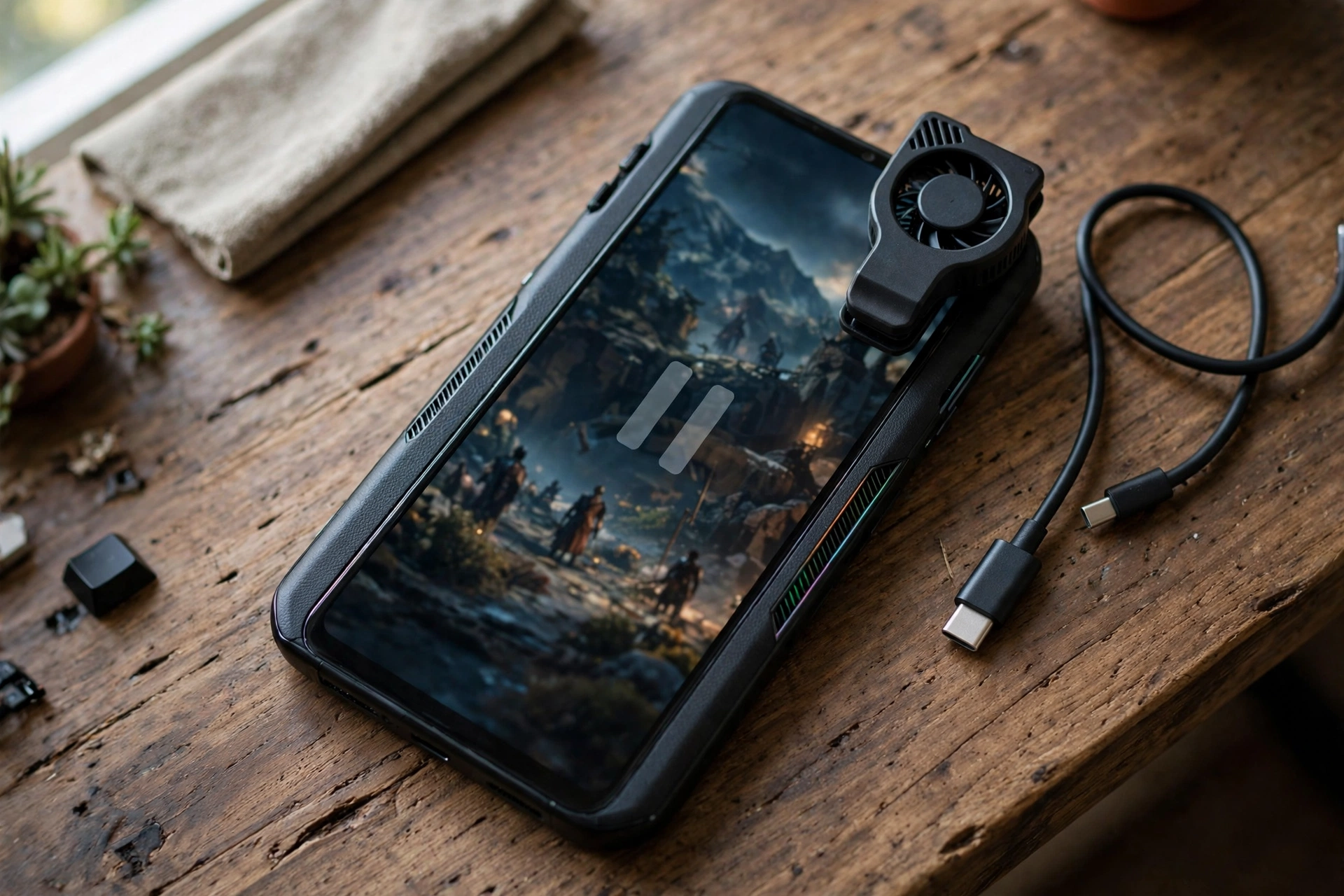
Heat is the real bottleneck in phone gaming, in exactly the same way a weak CPU is the bottleneck in a PC. A phone chip can only stay fast while it stays cool, and a phone has almost no room for cooling hardware. When the chip gets too hot, it slows itself down to protect the battery and the board. That slowdown is thermal throttling, and it is what turns a smooth first ten minutes into a choppy second half hour.
This is where the base iPhone 17 and the Pro models split, and where gaming phones split from flagships. The Pro models have an Apple-designed vapor chamber that spreads heat across the aluminum frame, and independent tests showed the thermal rating staying at fair during Resident Evil 4, where older Pro iPhones hit serious and throttled. The REDMAGIC 11 Pro goes further, with a fan that moves air across the chip, and its back stayed at 36 degrees Celsius in an hour-long Genshin Impact test. A normal flagship without that hardware gets warm after about twenty minutes of a heavy game, and its frame rate slides.
Practical steps make a real difference. Take a thick case off before a long session, because a case is insulation. Do not play while fast charging, because charging adds its own heat on top of the game’s heat, and the phone will slow charging or dim the screen to protect itself. Keep the phone out of direct sun, and do not judge the phone’s cooling by how it feels in the first five minutes. The first five minutes are always fine. Minute forty is the test.
A clip-on cooler helps too, and it is cheap. A small fan that clips to the back of the phone can drop surface temperatures by several degrees, which is often enough to hold a steady frame rate for an extra half hour. It looks silly, and it works. Competitive players use them for a reason.
Heat also explains why the right buy depends on your session length. If your sessions run past an hour and you play demanding 3D games, cooling hardware is not marketing. It is the part that keeps the frame rate from sliding in the second half of the session. If your sessions are thirty minutes of Call of Duty Mobile on a commute, a normal flagship is fine, and you will never feel the difference.
Battery Life While Gaming What the Numbers Really Mean
Battery life is where most phone gaming articles go wrong, because they quote video playback figures as if they describe gaming. They do not. Apple’s 39-hour figure for the iPhone 17 Pro Max describes video playback, measured with the screen playing video at controlled brightness. A game renders 3D graphics, drives the CPU and GPU at full load, and keeps the radios active. It drains the battery several times faster than video.
So how long does a battery actually last while gaming? The honest answer is that it depends on the game, the brightness, and the frame rate cap, and no single number covers every case. The most useful published figure is the gaming-specific test, and the REDMAGIC 11 Pro’s 14 hours and 14 minutes in one reviewer’s gaming battery test is the strongest such number among current phones. That is a controlled test result on one reviewer’s settings, not a promise for your games. Heavy 3D games drain faster than light ones, and a bright screen outdoors drains faster than a dim screen indoors.
Battery health is the longer-term worry, and it is the question players ask most about heavy gaming on a phone. Heat and charge cycles age a lithium battery, and sustained gaming creates both. Phone makers build in protections, including optimized charging and an 80 percent charge limit option, which cut the time the battery spends hot and full. The practical habits are simple: avoid gaming while the phone is fast charging, avoid playing in a hot car or direct sun, and use the 80 percent charge limit if you usually charge overnight. A phone that still shows 90 percent maximum capacity after a year of use including gaming is healthy wear.
Bypass charging is the feature that solves the charging problem properly, and it is one of the best reasons to buy a gaming phone. It powers the phone directly from the charger instead of constantly filling the battery while you play, which cuts both heat and battery wear during desk sessions. The ROG Phone 9 Pro and the REDMAGIC 11 Pro both offer it. If you play plugged in at a desk, it is worth more than a slightly bigger battery.
Best Settings for Gaming on Your Phone
A fast phone still needs the right settings. Five changes cover most of it, and none of them cost anything.
First, turn on game mode. Every modern phone has one, under a different name on each brand. It prioritizes the game over background tasks, blocks notifications, and reduces latency for connected controllers and wireless audio. It usually switches on automatically when you launch a game. Make sure it is not disabled, and close heavy background apps before a ranked match so the game keeps the chip to itself.
Second, pick the right frame rate cap inside each game. A 60 frames per second cap is the sweet spot on most phones for most games: smooth enough to feel great, light enough to hold for a full session. A 90 or 120 frames per second mode looks better in the first minutes and costs more heat and battery, so save it for short competitive sessions, not for a two-hour grind. In heavy 3D games, accept the frame rate cap the game sets. Fighting it can raise the frame rate, but it also raises heat, and the game was tuned for the cap.
Third, set graphics to High, not Maximum, in heavy games. The visual difference on a 6-inch screen is small, and the heat and battery savings are large. Shadows and reflections cost the most performance for the least visible gain on a phone screen. Turn those down first if a game stutters.
Fourth, keep brightness on auto rather than pinned at maximum, because the screen is the biggest battery drain after the chip. And play on Wi-Fi where you can. A weak cellular signal forces the radio to work harder, which adds heat and drain on top of the game itself.
Fifth, fix your audio. Wireless earbuds are convenient, but standard Bluetooth audio adds delay that you can feel in a shooter. Use a low-latency gaming mode if your earbuds have one, or use wired audio through USB-C for ranked play. Our wireless earbuds for gaming guide covers which earbuds keep latency low and which ones to avoid for competitive games, and our best headphones for gaming guide covers the over-ear side.
Controllers and Accessories That Actually Help
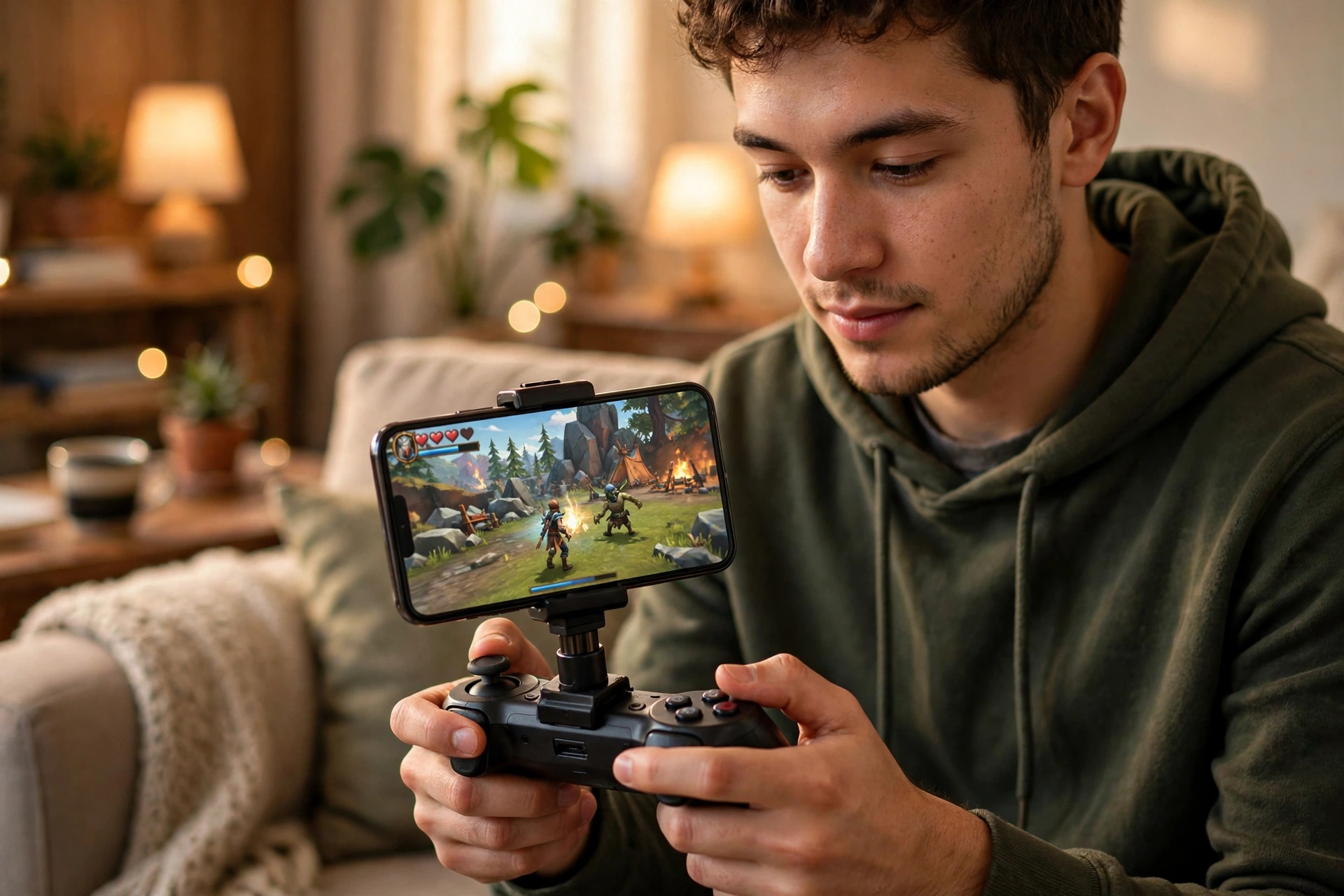
A controller is the single best accessory for phone gaming, and it is not close. Touchscreen controls are the weakest part of the experience, and every long-term player says the same thing: a Bluetooth controller changes it completely. Pair it before you launch the game, not during a match. A controller also keeps your fingers off the screen, so the phone stays cooler and the display stays readable.
Telescopic controllers that clip around the phone are the most practical choice, because the phone becomes the screen and the controller becomes the grip. They work with most games that support controllers, including Call of Duty Mobile, Genshin Impact, and cloud gaming services. Check that the controller you buy supports your phone’s size and your games before ordering, because support varies by title.
A cooling clip is the second-best accessory. It is a small fan that attaches to the back of the phone and pulls heat away from the chip. It is cheap, it is loud enough to notice, and it works. If you play long sessions on a flagship without a built-in fan, a cooling clip is the closest thing to buying a gaming phone without buying one.
A phone grip or a kickstand helps for longer sessions, because holding a phone flat for two hours tires your hands and covers the cooling surfaces. A grip keeps your hands off the back of the phone, which helps heat escape, and it keeps the phone at a comfortable angle. It is a small thing, and it matters more than it looks like it should.
Storage is the accessory nobody budgets for. AAA mobile ports and big games take up far more space than casual games, and a 128GB phone fills up fast once you install two or three of them. If you are buying a phone for gaming, get 256GB of storage. It costs more up front and saves you from deleting games every week.
Phone vs Gaming PC An Honest Comparison
A phone will never match a gaming PC on screen size, controls, settings, or raw power, and this guide will not pretend otherwise. A PC still wins on every measure that matters for serious play: a big screen, a keyboard and mouse, graphics settings you can actually tune, and a chip that does not throttle after forty minutes. If you want the best gaming experience money can buy, build a PC.
But that is not the whole story, because PC parts have gotten expensive. RAM prices are soaring in late 2026, which pushes up the cost of any new PC build or upgrade, and high-end graphics cards are scarce enough that an RTX 5090 restock at a major US retailer recently listed around $6,599. One graphics card now costs more than eight base iPhone 17 phones. That changes the math for a lot of players, and our gaming PC under 500 guide shows what a tight PC budget can still buy when part prices are high.
If you already own a good gaming phone, you already own a device that runs real games, and it costs you nothing extra to start playing them. If you are choosing where to spend money, a phone upgrade you were going to make anyway buys you a gaming device as a side effect, while a PC upgrade now means paying inflated prices for memory and graphics cards.
The two devices also serve different moments. A phone is for the commute, the couch, the waiting room, and the bed. A PC is for the desk, the long session, and the competitive grind. Most players who take gaming seriously end up with both, and the phone covers the hours the PC cannot. A bigger screen for portable play is the middle ground, and our best tablet for gaming guide covers tablets that hold high frame rates in long sessions.
The honest summary is simple: a phone is the cheapest good gaming hardware you already own, and a PC is the best gaming hardware you can buy. Buy the phone for the hours away from your desk. Build the PC when the prices make sense again.
Common Mistakes When Buying a Gaming Phone
The most common mistake is buying the fastest chip and ignoring the cooling. A benchmark runs for seconds. A gaming session runs for an hour. What decides your experience is how much of that peak speed survives after thirty minutes of heat, and that is decided by the vapor chamber, the fan, or the lack of both.
The second mistake is trusting the refresh rate number on the box. A 165Hz display does not mean every game runs at 165 frames per second. The game decides the frame rate, and most games cap well below the screen’s maximum. Check whether the games you actually play support high frame rate modes before you pay for a high refresh rate screen.
The third mistake is judging battery life by the video playback claim. Up to 39 hours of video is not 39 hours of gaming. A heavy 3D game drains the battery several times faster than video, so plan around real gaming tests, not the number on the spec sheet.
The fourth mistake is buying a gaming phone for the camera. Gaming phones have mediocre cameras compared with mainstream flagships at the same price, and that is a deliberate trade: the money went into the chip, the cooling, and the battery instead. If the camera matters as much as the games, buy a flagship like the Galaxy S26 Ultra or the iPhone 17 Pro Max instead.
The fifth mistake is ignoring software support. A gaming phone that gets two major Android updates will feel old sooner than a flagship that gets seven. If you keep a phone for three or four years, update coverage is real value, and it belongs in the buying decision alongside the chip and the battery.
The sixth mistake is buying a phone that does not work on your carrier. Gaming phones are often sold as global models, and identical model names do not guarantee identical network bands. Check the supported bands against your carrier before you order, especially if you are buying an imported or global configuration.
Frequently Asked Questions
What is the best smartphone for gaming?
The best smartphone for gaming depends on what you value most. The REDMAGIC 11 Pro is the best value, with the Snapdragon 8 Elite Gen 5 chip, a built-in fan, and a 7,500mAh battery for $749. The ASUS ROG Phone 9 Pro is the most complete dedicated gaming phone. The Samsung Galaxy S26 Ultra is the best all-around Android flagship that also games well. The iPhone 17 Pro Max is the best iPhone for gaming, with the best AAA game catalog on a phone.
Which is the best budget gaming smartphone?
The best budget gaming smartphone is one with a strong mid-range chip, a 120Hz display, at least 8GB of RAM, and at least 128GB of storage. Look for a Snapdragon 7 series chip or a Dimensity 8000 series chip, and a battery of at least 5,000mAh. Those specs run Genshin Impact, Call of Duty Mobile, and PUBG Mobile at medium to high settings. Avoid phones with 4GB of RAM or a 60Hz display for gaming in late 2026.
What processors support COD Warzone Mobile?
Call of Duty Warzone Mobile needs a modern mid-range chip or better, and it runs best on flagship chips. On Android, the Snapdragon 8 series and the Dimensity 8000 and 9000 series handle it well, with the Snapdragon 8 Elite Gen 5 as the current top choice. On iPhone, the A17 Pro and newer chips, including the A19 and A19 Pro, run it smoothly. Older or entry-level chips can launch the game, but they struggle with frame rate and heat in long matches. Check the game’s current minimum requirements in the app store listing before you buy, because they change with updates.
Is an iPhone or an Android phone better for gaming?
Buy an iPhone if you want the AAA ports, the fastest single-core performance, and the smoothest out-of-the-box experience. The big console ports are on iPhone and not on Android, and that ends the debate for players who want those games. Buy an Android gaming phone if you want a bigger battery, faster charging, dedicated cooling hardware, or the freedom to sideload and emulate. Our Android phone for gaming guide compares chipsets, RAM, displays, and cooling across the Android options, so you can weigh the two sides on the same terms. Both run Genshin Impact, Call of Duty Mobile, and PUBG Mobile well. The games you want matter more than the spec sheet.
Does gaming on a phone damage the battery?
Yes, over time, but less than most players fear. Heavy games create heat and use charge cycles, and both age a lithium battery. The effect is gradual, not sudden. Short sessions have little effect. Long daily sessions at maximum settings while fast charging will wear the battery faster. Use the 80 percent charge limit, avoid gaming while fast charging, and keep the phone cool, and the wear stays in the normal range. A phone that still shows 90 percent maximum capacity after a year of use including gaming is healthy wear.
Can a phone replace a gaming PC?
No, not for serious play. A PC still wins on screen size, controls, graphics settings, and raw power, and it does not throttle after forty minutes the way a phone does. A phone is the best gaming device for the hours away from your desk, and it is the cheapest good gaming hardware you already own. Most players who take gaming seriously end up with both, and the phone covers the commute, the couch, and the waiting room.
How much RAM do I need for gaming on a phone?
Eight gigabytes is the practical minimum for gaming on a phone in late 2026, and 12GB gives you more headroom. Games and the operating system together fill 6GB quickly, and a phone with less RAM will reload apps and games constantly. Flagship gaming phones now ship with 12GB or 16GB, and that headroom matters if you keep the phone for three or four years. Storage matters too: get 256GB if you play large games, because AAA ports take up far more space than casual games.
What is the best gaming phone for long sessions?
The best gaming phone for long sessions is the one with the best cooling and the biggest battery, not the fastest benchmark. The REDMAGIC 11 Pro leads here, with a built-in fan, a large vapor chamber, and a 7,500mAh battery, and it held steady frame rates in hour-long tests. The ROG Phone 9 Pro is close behind with its AeroActive cooler and bypass charging. The iPhone 17 Pro Max is the best long-session iPhone because of its vapor chamber. Whatever phone you buy, take the case off, stop charging while you play, and cap the frame rate at 60 for long sessions.
Key Takeaways
- The best smartphone for gaming is the one that stays fast for a whole session. Cooling and battery matter as much as the chip.
- The REDMAGIC 11 Pro is the best value at $749, with a Snapdragon 8 Elite Gen 5 chip, a built-in fan, and a 7,500mAh battery.
- The ROG Phone 9 Pro is the most complete dedicated gaming phone, with shoulder triggers, bypass charging, and a bundled cooler.
- The Galaxy S26 Ultra is the best all-around Android flagship that also games well, and the iPhone 17 Pro Max is the best iPhone for gaming.
- The REDMAGIC 12 Pro goes on sale November 18, 2026, with the new Snapdragon 8 Elite Extreme Gen 6 chip, an 8,400mAh battery, and PC game support.
- A 120Hz or higher display helps only when the game renders that fast. Most games cap at 60 or 90 frames per second.
- Use game mode, cap frame rates at 60 for long sessions, set graphics to High instead of Maximum, and use a controller and low-latency audio for competitive play.
Conclusion
The best smartphone for gaming in late 2026 is not the phone with the biggest number on the box. It is the phone that holds its speed through the second half of a session, keeps its battery alive through the day, and fits the games you actually play. For most serious players, that phone is the REDMAGIC 11 Pro, because it puts a current flagship chip, a real fan, and a huge battery together for $749. For players who want the most polished gaming package, the ROG Phone 9 Pro is still the one to beat. For players who want one phone that does everything well, the Galaxy S26 Ultra and the iPhone 17 Pro Max are the safe picks, and the iPhone wins outright if the AAA ports are the games you want.
Whatever you buy, remember the three rules that matter more than any spec sheet. Buy cooling, not just a chip, because heat is what slows a phone down. Trust gaming battery tests, not video playback claims, because a game drains a battery several times faster than video. And check that your games support the frame rates you are paying for, because a 165Hz screen never creates frames the game does not render. Follow those rules, set the graphics to High instead of Maximum, and the phone in your pocket is a genuinely good gaming device, and right now, with PC part prices where they are, it is also the cheapest good gaming hardware you already own.

Leave a Reply