

The question “should i build a ddr4 pc in 2027” sounds strange at first. DDR4 is older memory, DDR5 is the current standard, and every new mainstream platform uses DDR5. A few years ago, the answer would have been simple: do not build a new PC around old memory. In 2027, DDR5 prices have soared and memory supply is tight, so builders are asking whether DDR4 is a sensible escape hatch or a trap.
The honest answer is that a DDR4 build in 2027 can make sense, but only for a narrow group of builders. If you already own DDR4 memory, if you are building a strict budget gaming PC, or if you are putting together a second PC from proven older parts, DDR4 can still deliver a good gaming experience. If you are building a new PC from scratch with a healthy budget, if you want a long CPU upgrade path, or if you plan to keep the same motherboard for many years, DDR5 is still the better choice, even at painful prices.
Why This Question Is Back in 2027
DDR4 is back in the conversation not because it got faster, but because DDR5 got much more expensive and the supply picture looks long lasting rather than temporary.
On its third quarter 2026 earnings call on October 28, 2026, SK Hynix said its DRAM and high bandwidth memory production was effectively sold out through 2029, and it expected supply to lag demand through 2030, citing the difficulty of leading edge processes and the long lead times for new fabs. Micron has warned similarly that calendar 2027 would be even tighter than 2026. Those are forecasts, not guarantees, but two of the largest DRAM makers pointing the same way is a strong reason not to plan a build around DDR5 prices soon returning to old lows.
The retail effect has already been dramatic. Tom’s Hardware price tracking in August 2026 listed a DDR5-6000 32GB kit at 392 dollars, against a lowest ever tracked price of 72 dollars for that class of kit, and a DDR5-6000 64GB kit at 849 dollars against a lowest ever price of 159 dollars. Prices have climbed further since: by November 9 to 10, 2026, a 32GB DDR5-6000 kit ran about $468 to $480 at the low end, with a median near $550. Those figures are a snapshot from August 2026, and prices move quickly, so treat them as evidence of how far prices had already climbed, not as a quote for today. The direction is the point: DDR5 stopped being a small premium and became one of the largest line items in a mid-range build.
That price shock revived DDR4, but with a catch that is easy to miss. DDR4 has not stayed cheap in isolation. Tom’s Hardware has noted that the shortage has pushed up both DDR4 and DDR5 kits, even if DDR5 has been hit harder, and DDR4 supply is shrinking as manufacturers shift capacity toward DDR5 and high bandwidth memory for AI and data center customers. So DDR4 is best understood as a relative saving, or as a way to reuse what you already own, not as a permanently cheap escape from the shortage.
Timing matters too. Waiting for DDR5 prices to fall may take a long time, but rushing into a DDR4 build without checking the total platform cost may save little once the motherboard, CPU, and cooler are added up. That is why this guide focuses on total build cost and upgrade path, not on the price of one RAM kit alone.
DDR4 vs DDR5 Gaming Performance in Brief
This is a buying timing guide, not a benchmark article, so this section is deliberately brief. For the full head to head detail, read our DDR4 vs DDR5 gaming performance comparison.
The short version is that DDR5 is faster, but the size of the advantage depends heavily on where your system is limited. In most games at 1080p and 1440p, published comparisons commonly show a modest average gap, often in the single digits to low double digits in percent, with larger gaps in CPU limited titles and smaller gaps at 4K, where the graphics card usually becomes the main limit. DDR5 can also help smoothness in some CPU heavy scenes, but that benefit is not uniform across every game.
That pattern matters for a DDR4 build. At 1440p or 4K with a mid-range graphics card, the graphics card will often decide your frame rate long before your memory generation does. If you chase high refresh rates at 1080p in competitive or CPU heavy games, the DDR5 advantage matters more. If you play at 1440p with a sensible graphics card and a good CPU, a well chosen DDR4 system can still feel smooth and modern.
Memory is not the only thing that can hold a system back. If your frame rate is low, the cause may be the CPU, the graphics card, the settings, or a genuine RAM bottleneck, so check whether you are dealing with a CPU bottleneck or a GPU bottleneck and work through our guide on how to fix a CPU bottleneck before you blame memory. A DDR4 build that pairs a strong older CPU with a balanced graphics card will usually feel far better than a DDR5 build that pairs a weak CPU with a graphics card it cannot feed.
Which Platforms Still Support DDR4 in 2027
DDR4 support is a platform question first and a memory question second. You cannot fit DDR4 into a DDR5 motherboard, and you cannot fit DDR5 into a DDR4 motherboard. The notch position is different, and the memory type is decided by the motherboard, not just by the CPU.
The two realistic DDR4 routes for a desktop gaming build are AMD AM4 and Intel LGA1700.
AMD AM4 is a DDR4 platform. AMD describes AM4 motherboards as featuring DDR4 memory alongside PCIe 4.0 for graphics and storage, and the platform covers Ryzen 1000 through Ryzen 5000 series processors, depending on chipset and BIOS. In practice, the DDR4 builds that make sense in 2027 use Ryzen 5000 series CPUs, especially popular 6 core and 8 core gaming chips, on B550 or X570 boards. AM4 has no path to Ryzen 7000 or 9000 series CPUs, because those use AM5 and DDR5 only. What AM4 offers is a mature platform with a large used market, wide cooler compatibility, and PCIe 4.0 graphics and storage that remain usable for a mid-range gaming PC.
Intel LGA1700 is the flexible middle ground. Intel confirms that 12th, 13th, and 14th generation desktop processors use the LGA1700 socket with 600 series or 700 series chipsets, and that 13th and 14th generation processors support DDR5 up to 4800 or 5600 MT/s and DDR4 up to 3200 MT/s, while 12th generation processors support DDR5 up to 4800 MT/s and DDR4 up to 3200 MT/s. Each individual motherboard supports only one memory type, so you must buy a DDR4 LGA1700 board specifically, not just any LGA1700 board. A DDR4 B760 or Z790 board paired with a 12th, 13th, or 14th generation CPU is the Intel version of a DDR4 build, and it is often the stronger DDR4 route for builders who want newer Intel cores.
By contrast, current mainstream platforms are DDR5 only. AMD AM5, used by Ryzen 7000 and 9000 series processors, takes DDR5 only, and Intel LGA1851, used by Core Ultra processors with 800 series chipsets, takes DDR5 only. Buying a new AM5 or LGA1851 motherboard leaves no DDR4 option, no matter how attractive the DDR4 price looks.
What about a brand new DDR4 platform for 2027? Gigabyte announced on October 9, 2026 that new LGA1700 CPUs are coming in early 2027 with DDR4 support, so a new mainstream DDR4 desktop option does exist for 2027. See our LGA1700 guide for the details. That does not prove nothing will ever appear, and niche boards do surface, but a buying plan should not depend on an unannounced platform. Rare combo boards that carry both DDR4 and DDR5 slots also exist, but they come with real compromises, such as limited slot counts and lower speeds, and you cannot mix DDR4 and DDR5 at the same time. Treat a combo board as a specialist workaround to research carefully, not as a clean upgrade path.
The practical summary is simple. In 2027, a DDR4 build means AM4 or a DDR4 LGA1700 board. Everything newer means DDR5. If a seller claims otherwise, check the motherboard specifications before you pay.
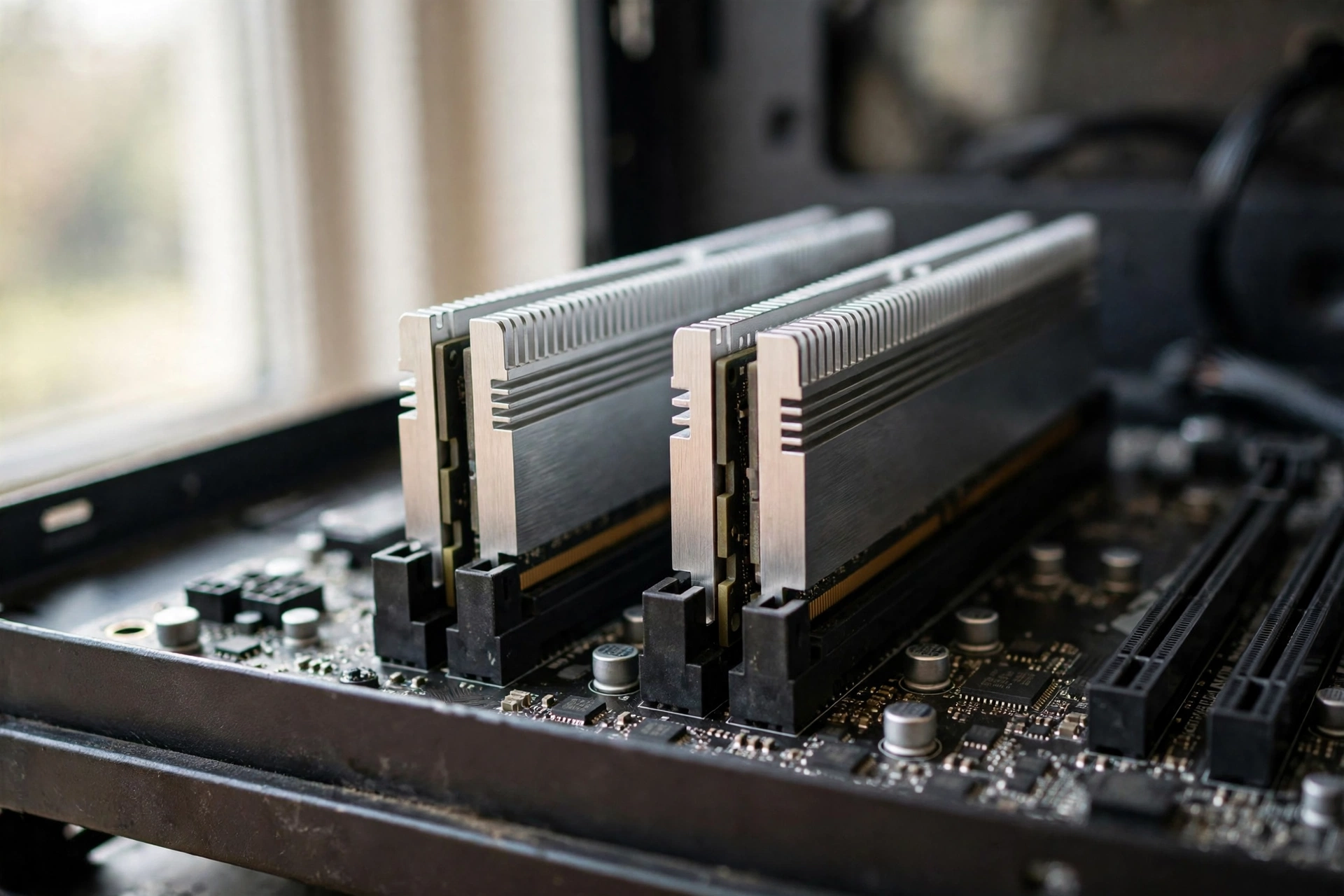
DDR4 Kit Guidance Capacity, Speed, and Configuration
If you do build DDR4, the kit you choose matters more than the brand on the box. DDR4 is mature, so the sensible choices are well established and there is little reason to chase exotic speeds.
For most gaming builds in 2027, 32GB in a two stick kit is the right target. That gives you comfortable headroom for modern games, background apps, voice chat, a browser, and streaming software, without paying for capacity you will not use. A 16GB kit can still work for a strict budget build that plays lighter or older titles, but 16GB is increasingly tight for newer releases and multitasking. A 64GB DDR4 kit makes sense for heavy multitasking or content creation, but it is overkill for gaming alone, and the money is usually better spent on a stronger graphics card or CPU.
Speed guidance is straightforward. For AMD AM4, DDR4-3200 or DDR4-3600 in a two stick kit is the sweet spot. For Intel LGA1700 DDR4 boards, DDR4-3200 is the officially supported baseline, and DDR4-3600 kits are commonly used with XMP enabled, subject to the board and CPU memory controller. Do not buy a single stick if you can avoid it: DDR4 needs two sticks for dual channel operation, and a single stick gives up bandwidth you will feel in CPU limited games.
Enable XMP on Intel boards or the equivalent memory profile on your board, and verify the speed in your system after enabling it. A DDR4-3600 kit that runs at a default 2133 or 2400 speed because XMP was never enabled is a common, avoidable mistake. Check your motherboard memory support list before buying.
| DDR4 choice | Sensible pick for gaming | Watch out for |
|---|---|---|
| Capacity | 32GB as two 16GB sticks | 16GB is tight for newer games plus background apps |
| Speed on AM4 | DDR4-3200 or DDR4-3600 | Very high speed kits give diminishing returns |
| Speed on LGA1700 | DDR4-3200, or DDR4-3600 with XMP | Board must be a DDR4 board, not a DDR5 board |
| Configuration | Two sticks for dual channel | One stick loses dual channel bandwidth |
| Profile | XMP enabled and verified | Default speeds are far below the rated speed |
The Upgrade Path Problem, Honestly Stated
The upgrade path is the weakest part of a DDR4 build in 2027, and any guide that hides that fact is doing you a disservice. When you build on AM4 or LGA1700 with DDR4, you are building on a finished platform. There is no new generation of CPUs coming to AM4, although AMD did release the Ryzen 7 5800X3D 10th Anniversary Edition for AM4 on June 25, 2026, at $349, and Intel has moved on to LGA1851 for Core Ultra processors. Within the platform you can still move, for example from a Ryzen 5 5600 to a Ryzen 7 5800X3D on AM4, or from a Core i5 to a Core i7 on LGA1700, but that is the ceiling. You cannot later drop in a Ryzen 9000 series CPU or a Core Ultra CPU without replacing the motherboard and the memory as well.
That limit matters more the longer you plan to keep the PC. If you buy a DDR4 PC in 2027 and expect to upgrade the CPU in 2029 or 2030, you will likely face a full platform replacement at that point. If you buy a DDR5 PC now, a later CPU upgrade may only need a BIOS update and a new CPU on the same board, depending on the platform. The DDR5 premium is, in part, a payment for that future flexibility.
Resale value also falls faster on DDR4, because DDR5 is the only standard on new boards. That is not a reason to avoid DDR4 entirely, but it is a reason to price the build honestly. If the DDR4 build saves you only a small amount over a comparable DDR5 build once the whole system is priced, the lost upgrade path is not worth it. Think of a DDR4 build as a finished product, not a starting point: buy it for what it can do on the day you build it, not on the assumption that you will transform it later.
Who Should Still Build DDR4 in 2027
First, builders who already own a good DDR4 kit, a DDR4 motherboard, or a complete AM4 or LGA1700 system should seriously consider staying on DDR4. If you already have 32GB of DDR4-3200 or DDR4-3600, the cost of moving to DDR5 is not just the new RAM kit. It is a new motherboard and a new CPU as well, and that total cost dwarfs the RAM saving. Upgrading the graphics card or storage on your existing DDR4 system will usually improve your gaming experience far more than a forced platform change.
Second, strict budget builders should consider DDR4, provided the total system price genuinely beats the DDR5 alternative. This is the classic case: a mid-range graphics card, a proven 6 core or 8 core CPU from AM4 or LGA1700, 32GB of DDR4, and a good SSD, built for 1080p or 1440p gaming. If that combination lets you afford a better graphics card than a DDR5 build at the same total budget, the DDR4 system will often play games better, because the graphics card matters more at those resolutions than the memory generation.
Third, second PC builders, family PC builders, and builders putting together a machine for a specific purpose, such as a living room gaming PC or a younger gamer’s first PC, can get excellent value from DDR4. These builds do not need the longest upgrade path, because their job is defined and their budget is fixed. A reliable DDR4 system that plays the intended games well is a success, even if it never gets a CPU upgrade.
Fourth, builders in a market where DDR5 availability is poor, or where DDR5 kits carry an extreme markup, may find DDR4 the only realistic way to finish a build at all. A working DDR4 PC now is better than a DDR5 PC that stays unbuilt while you wait for prices that may not fall soon.
If you fall into one of these groups, DDR4 is not a compromise to apologise for. It is a rational choice for a defined budget and a defined job.
Who Should Not Build DDR4 in 2027
If you are building a brand new PC from scratch with a comfortable budget, buy DDR5. The platform is current, the upgrade path is open, and the performance headroom is better, especially for high refresh rate 1080p gaming and CPU heavy titles. Paying the DDR5 premium hurts, but on a comfortable budget it buys you years of flexibility that a DDR4 board cannot offer.
If you plan to upgrade your CPU in two or three years without replacing the whole platform, do not build DDR4. You will hit the platform ceiling and face a full rebuild anyway, which wipes out any saving you made in 2027. The same applies if you plan to move to a much stronger graphics card later: a current DDR5 platform gives you more CPU headroom to grow into that card.
If you play mainly competitive or CPU heavy games at high refresh rates, or you use integrated graphics, DDR4 is also a poor fit. Competitive 1080p gaming rewards CPU and memory speed more than 1440p or 4K gaming does, and integrated graphics performance depends heavily on memory bandwidth, because the graphics processor has no dedicated video memory of its own.
Finally, if the DDR4 build you are pricing is barely cheaper than the DDR5 build, choose DDR5. A small saving is not enough to give up the upgrade path, the newer platform features, and the resale value. Price both builds completely, with the same graphics card, storage, power supply, and case, and compare the totals. If the DDR4 total is not meaningfully lower, the DDR4 argument has already lost.
The Decision Checklist
Use this checklist before you buy anything. Work through it with real prices from retailers you can actually buy from, not with prices from months ago, because memory prices in this market move fast.
| Question | If yes, lean toward |
|---|---|
| Do you already own DDR4 memory or a DDR4 motherboard? | DDR4 |
| Is your total budget strict, and does DDR4 let you buy a better graphics card? | DDR4 |
| Is this a second PC, family PC, or defined purpose build? | DDR4 |
| Do you want a CPU upgrade path in two to three years? | DDR5 |
| Is your budget comfortable for a new build from scratch? | DDR5 |
| Do you play competitive or CPU heavy games at high refresh rates? | DDR5 |
| Is the DDR4 total saving small once the whole PC is priced? | DDR5 |
| Do you use integrated graphics with no dedicated graphics card? | DDR5 |
Buying Smart in a Shortage
A memory shortage changes how you should buy, not just what you should buy. The goal is to finish a working, balanced PC without overpaying for a single part or locking yourself into a dead end by accident.
Start by pricing the whole system twice: once as a DDR4 build and once as a DDR5 build, with the same graphics card tier and the same storage. That comparison is the only one that matters. A DDR4 kit that looks cheap on its own can still lose if the DDR4 motherboard or CPU you need costs more than the DDR5 equivalent.
If you buy used, buy carefully. AM4 and LGA1700 parts have large used markets, which is part of their appeal, but used CPUs and motherboards carry risks. Check the exact motherboard model and its memory type, confirm the BIOS version supports your CPU, and test the system thoroughly on arrival. For Intel 13th and 14th generation used CPUs, buy from a seller you trust and check for known stability issues with that specific chip before paying.
Do not buy memory you cannot verify. Check the kit capacity, speed, and latency on the listing, confirm it is a two stick kit for dual channel, and confirm the motherboard support list includes it or a close equivalent. Keep the packaging and receipt, because memory returns are much easier before the kit is installed.
Be sceptical of shortage hype in both directions. Some sellers will tell you prices will only rise forever, and others will tell you a crash is coming next month. Neither claim is verifiable in advance. SK Hynix expects tight supply through 2030, and Micron expects 2027 to be tighter than 2026, but those are industry forecasts, not a promise about the price of the specific kit in your cart next week. Buy when you need the PC and when the total price is acceptable to you.
Finally, protect the rest of the build. A DDR4 system still needs a good power supply, adequate cooling, and fast storage. Memory prices may dominate the news, but a weak power supply or a slow hard drive will hurt your daily experience far more than the difference between DDR4-3200 and DDR4-3600. If you need help judging whether a part is holding your system back, our guides on what a good bottleneck percentage looks like and why your FPS is so low are useful checks before you spend.
Frequently Asked Questions
What is the best DDR4 RAM for a PC?
This is a real question asked on Quora, and the answer depends on your platform. For most gaming builds, the best DDR4 RAM is a 32GB kit of two 16GB sticks, rated at DDR4-3200 or DDR4-3600, with reasonably low latency, from a reputable brand, and listed as supported by your motherboard. DDR4-3600 with low latency is a good sweet spot on AM4, while DDR4-3200 is the safe baseline on Intel LGA1700 DDR4 boards. Chasing the fastest DDR4 kit rarely improves gaming enough to justify a large premium.
Is it worth it upgrading your PC to DDR5 RAM when it comes out?
This is also a real Quora question, originally asked when DDR5 was new, and the logic still applies in 2027. Upgrading to DDR5 is only worth it if you are also replacing the motherboard and CPU, because DDR5 needs a DDR5 board and a compatible CPU. If your current DDR4 system still plays your games well, the upgrade cost is hard to justify on memory alone. If you are already replacing the CPU and motherboard, or if your DDR4 system is genuinely limiting your games, then moving to DDR5 as part of that platform change makes sense.
I bought a pre-built PC that has a motherboard that contains only 2 RAM slots with 2.133mhz DDR4. Should I upgrade and buy another 8GB RAM or buy a better board for 3600mhz speed RAM?
This is a real Quora question, and the answer starts with what you already have. If your pre-built PC has only two RAM slots and slow DDR4-2133 memory, adding a matching stick is usually the cheaper first step if you are short on capacity, because a new motherboard plus faster RAM plus rebuilding the system costs far more. However, if you already have enough capacity and your problem is speed or overall performance, a faster RAM kit on the same slow platform will not transform the PC, and a motherboard change alone, without a CPU change, rarely justifies its cost. In most cases, the sensible order is: add capacity if you are running out of memory, enable the fastest stable memory profile your current board supports, and save a motherboard replacement for a full platform upgrade when you also change the CPU.
Can I put DDR4 RAM in a DDR5 motherboard?
No. DDR4 and DDR5 modules are physically different, with different notch positions, and DDR5 motherboards only accept DDR5. The same applies in reverse. Always match the memory type to the motherboard specifications, and double check the exact board model before ordering, because some model names exist in both DDR4 and DDR5 versions on LGA1700.
Will a DDR4 build still play new games in 2027 and beyond?
Yes, for the right games and settings. A DDR4 build with a capable 6 core or 8 core CPU, 32GB of memory, a solid state drive, and a mid-range graphics card will play most new games well at 1080p and 1440p, especially if you adjust a few demanding settings. What a DDR4 build will not do is give you the longest runway: future CPU upgrades are limited, and future games that lean harder on CPU and memory bandwidth will favour DDR5 systems sooner. Buy a DDR4 build for the games you play now and in the near term, not as a ten year investment.
Conclusion
So, should you build a DDR4 PC in 2027? For most builders starting from scratch with a comfortable budget, the answer is no. DDR5 is the current standard, it offers better performance headroom, and it keeps a CPU upgrade path open. For builders who already own DDR4 parts, builders on a strict budget where DDR4 genuinely buys a better graphics card, and builders putting together a defined purpose second PC, the answer is yes, with eyes open. DDR4 still plays games well, especially at 1440p, where the graphics card usually matters more than the memory generation.
The shortage changes the arithmetic, but it does not change the fundamentals. DDR5 prices have soared, SK Hynix expects tight supply through 2030, and waiting for old prices may cost you months of gaming. DDR4 is not immune to that shortage either, and it comes with a finished platform and no future CPU generation to grow into. Price both builds completely, check the motherboard memory type twice, buy 32GB in two sticks, and choose the system that plays your games best at a total price you can accept.

Leave a Reply