

Quick Answer
Does PCIe bandwidth bottleneck GPU performance? Almost never. A GPU renders frames from its own VRAM, which moves 80GB/s or more, while the PCIe slot only delivers game assets from the system once per frame. That is why a PCIe 4.0 x16 slot and a PCIe 5.0 x16 slot differ by only 1 to 2 percent in games, even with a flagship card. The slot becomes a real bottleneck only in specific cases: GPUs with too little VRAM, external GPUs over Thunderbolt, and heavy compute workloads.
So does pcie bandwidth bottleneck gpu performance in the games you actually play? The short answer is no, and the long answer is the interesting part. This confuses a lot of builders, because the numbers look like an obvious contradiction. Your graphics card’s VRAM can push 80GB/s, 200GB/s, or even 1TB/s of bandwidth, while an older PCIe 2.0 x16 slot moves a mere 16GB/s. On paper, the slot looks like a massive choke point. In practice, it barely matters. This article explains why, with real test data, and shows you the exact situations where the PCIe bus does become a genuine bottleneck, so you know when to worry and when to spend your money on something else.
Why This Question Confuses Almost Every Builder
Every few months, a thread like this shows up on hardware forums: “I’m seriously confused about PCI-E bandwidth and GPU bandwidth. If my card’s memory bandwidth is 80GB/s but my PCIe 2.0 x16 slot only moves 16GB/s, why isn’t the PCIe bus bottlenecking the card?” It is a completely reasonable question, and it has been asked on Tom’s Hardware and AnandTech forums by thousands of builders over the years.
The confusion comes from mixing up two numbers that sound the same but measure two different roads. One road runs inside the graphics card, between the GPU chip and its own memory. The other road runs outside the card, between the card and the rest of the PC. Gamers see “80GB/s” and “16GB/s” and assume the smaller road chokes the bigger one. That assumption is logical, but it is wrong, because the two roads carry completely different traffic.
Once you see what each road is used for, the mystery disappears, and you stop wasting money on PCIe 5.0 motherboards for a problem that does not exist in games.
The takeaway: VRAM bandwidth and PCIe bandwidth are two separate systems doing two separate jobs. Compare them only after you know what each one carries.
Two Very Different Roads PCIe Bandwidth vs VRAM Bandwidth
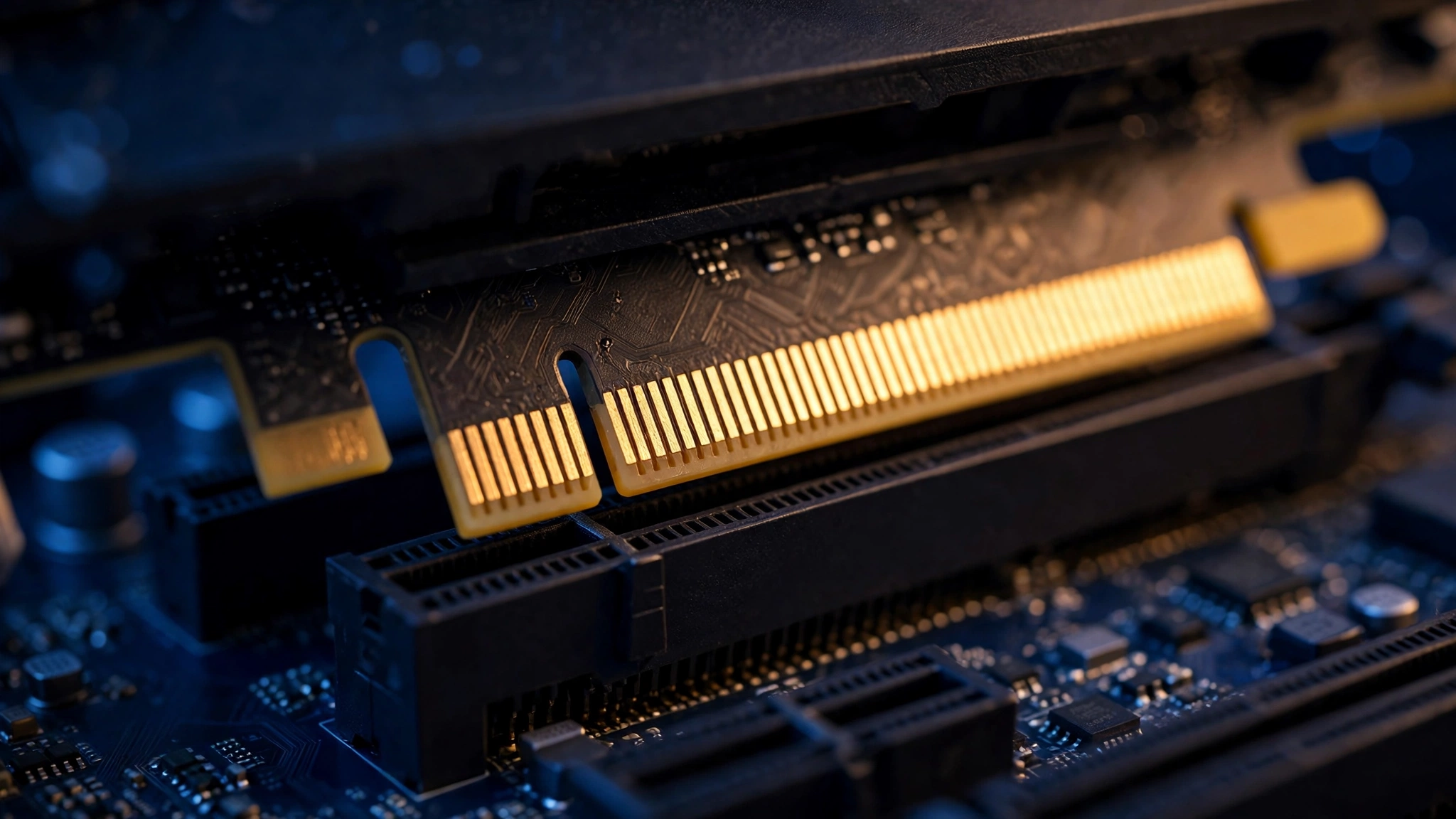
Think of your PC like a restaurant kitchen. The PCIe slot is the delivery road that brings ingredients from the supplier (your CPU, RAM, and SSD) to the restaurant door. The VRAM is the warehouse inside the kitchen where the chef (the GPU) keeps everything within arm’s reach. The VRAM bandwidth is how fast the chef can grab ingredients off the shelves while cooking. The PCIe bandwidth is how fast trucks arrive at the door.
Here is the key insight: the chef does not wait for a new truck delivery to make every plate. The ingredients arrive once, get stored in the warehouse, and then the cooking happens entirely inside the kitchen at warehouse speed. That is exactly how a GPU works. Game assets (textures, models, shaders) travel across the PCIe bus once, land in VRAM, and then the GPU works from local VRAM hundreds or thousands of times per frame.
Because of this, VRAM bandwidth can be many times larger than PCIe bandwidth without any contradiction. The GPU’s memory bus (256-bit, 384-bit, and so on) is an internal highway that only exists inside the card. The PCIe link is an external highway that only matters when data needs to leave or enter the card. One popular explanation from this Tom’s Hardware discussion puts it plainly: memory bandwidth is internal on the card, PCIe bandwidth is external, when the card needs to communicate with the CPU or system memory.
The takeaway: VRAM bandwidth sets how fast the GPU cooks. PCIe bandwidth sets how fast ingredients arrive. A slow delivery road does not slow down the chef once the warehouse is stocked.
What Actually Travels Across the PCIe Bus During Gaming
When you are gaming, the PCIe bus is far quieter than most builders expect. It handles a few specific jobs:
- Commands and draw calls. The CPU sends instructions telling the GPU what to draw. These are tiny, measured in megabytes per second, not gigabytes.
- Asset uploads. When a new level loads or a new area streams in, textures and geometry move from system memory to VRAM across the bus. This is the biggest chunk of PCIe traffic, and it happens in bursts, not constantly.
- Spillover traffic. If the game needs more VRAM than the card has, the GPU swaps data back and forth with system RAM over PCIe. This is the one situation where the bus gets busy, and we will come back to it, because it is the only case that hurts.
- Completed frames and overlays. Finished frames go to your monitor, and small bits of data (streaming overlays, capture software) move around. Again, small traffic.
Notice what is not on the list: the actual per-pixel rendering work. Shader calculations, texture sampling, ray tracing, and rasterization all happen inside the card, between the GPU cores and VRAM, at the VRAM’s speed. The PCIe bus never sees any of it. That is why a card can have 1TB/s of VRAM bandwidth and sit happily in a slot that moves a fraction of that: the two numbers describe different workloads.
The takeaway: In gaming, the PCIe bus mostly delivers ingredients in bursts. The heavy lifting happens inside the card, which is why slot bandwidth rarely limits frames.
The Simple Math That Looks Wrong but Works
Let us run the numbers so this stops feeling like magic. An older PCIe 2.0 x16 slot moves about 8GB/s in each direction, or 16GB/s combined. A mid-range GPU’s VRAM might push 192GB/s. The VRAM number is more than ten times bigger. So why no bottleneck?
Because a game at 60 frames per second has 16.7 milliseconds to render each frame, and the PCIe bus only needs to supply the new data for that frame: the draw commands, the new textures, the physics updates. Even in a demanding scene, that is typically hundreds of megabytes per second to a few gigabytes per second, well under the 8GB/s one-way limit of an old PCIe 2.0 slot. The rest of the 16.7 milliseconds is the GPU churning on data that is already sitting in VRAM, at VRAM speed.
This exact reasoning shows up in a classic AnandTech forum discussion, where builders asked whether PCIe 2.0 would bottleneck future GPUs based on their memory bandwidth specs. The answer, confirmed by the community then and by benchmarks since, is that GPU memory bandwidth has nothing to do with PCIe bandwidth. You cannot look at a GPU’s memory spec sheet and derive a PCIe requirement from it.
There is one honest caveat to the math: it assumes VRAM is big enough to hold what the game needs. When it is not, the swap traffic in job three above can saturate the bus, and then the small number suddenly matters a lot. That is the exception we will cover in detail shortly.
The takeaway: The PCIe bus only carries per-frame deliveries, not the rendering work itself. Per-frame deliveries are small, so the math works out even on old slots.
How Much Bandwidth Each PCIe Generation Gives You
Every PCIe generation doubles the per-lane bandwidth of the one before it. Here is the full picture for a graphics card slot, in one table:
| PCIe Generation | x16 Bandwidth (Both Directions) | x16 Bandwidth (One Direction) | Era of Motherboards |
|---|---|---|---|
| PCIe 1.0 / 1.1 | ~8 GB/s | ~4 GB/s | Mid 2000s |
| PCIe 2.0 | ~16 GB/s | ~8 GB/s | Late 2000s, early 2010s |
| PCIe 3.0 | ~32 GB/s | ~16 GB/s | 2010s standard |
| PCIe 4.0 | ~64 GB/s | ~32 GB/s | 2020 onward |
| PCIe 5.0 | ~128 GB/s | ~64 GB/s | 2022 onward |
Two things jump out. First, even a PCIe 3.0 x16 slot gives you 32GB/s of total headroom, which is why a modern card dropped into an older PCIe 3.0 board loses only a couple of percent in most games. Second, halving the lane count halves the bandwidth: a card in an x8 slot gets half of its generation’s x16 number, and PCIe 4.0 x8 is roughly equal to PCIe 3.0 x16. That equivalence matters for the x8-interface budget cards we will discuss below.
The takeaway: Keep this table handy. When someone asks whether a PCIe 3.0 board will choke their new GPU, the answer is almost always no, and this table shows why.
Why Newer PCIe Generations Barely Move FPS
This is where theory meets testing. TechPowerUp ran the definitive experiment: they tested the GeForce RTX 4090, the fastest consumer GPU of its generation, across PCIe 1.0, 2.0, 3.0, and 4.0, at x16 and x8 lane counts, and published the relative performance. The result? The RTX 4090 lost only a negligible, inconsequential amount of performance dropping from PCIe 4.0 x16 down to PCIe 3.0 x16 (the equivalent of 4.0 x8): roughly 2 to 3 percent at 1080p, about 2 percent at 1440p, and around 2 percent at 4K. Even dropping all the way to PCIe 2.0 x16 cost only about 6 to 8 percent with the strongest card on the market.
Read that again: the most powerful gaming GPU ever made, running on a slot from 2007, lost single-digit percentages. That is the delivery highway theory proven in silicon. Newer generations add enormous bandwidth on paper, and games simply do not ask for it.
The same pattern holds at the top end today. Testing of the RTX 5090 on PCIe 5.0 vs PCIe 4.0 motherboards showed differences of only about 1 to 2 percent in gaming, and TechPowerUp’s scaling review confirmed the same flat curve: their RTX 4090 PCI-Express scaling test is the reference to check if you want the full per-game data.
One nuance worth knowing: 1% lows (the worst frames, which decide how smooth a game feels) can degrade a bit more than average FPS when bandwidth is tight, especially on x8 or x4 links. If you want to understand why those lows matter more than the average number, our guide on what frame time is and why 1% lows matter breaks it down.
The takeaway: Benchmarks, not marketing slides, decide this debate. The benchmarks say the PCIe generation barely moves FPS in games.
When PCIe Bandwidth Does Become a Real Bottleneck
Now the honest other half of the story. PCIe bandwidth is a non-issue for most gaming PCs, but there are four situations where it genuinely matters. Use this matrix to check whether you are in one of them:
| Situation | Why the Bus Gets Busy | Typical FPS Cost | Who Should Worry |
|---|---|---|---|
| Low-VRAM GPU spilling to system RAM | Constant back-and-forth swapping over PCIe | 10 to 25 percent, plus stutter | Owners of 8GB cards playing VRAM-heavy games at 1440p or 4K |
| x8-interface card in an old slot | Half the lanes of an already-old generation | 5 to 15 percent in heavy games | RTX 4060, RX 6600, or RX 7600 on a PCIe 3.0 board |
| External GPU over Thunderbolt 3 or 4 | Whole card runs on a ~4-lane equivalent link | 15 to 30 percent vs internal | Laptop users with eGPU enclosures |
| Multi-GPU, AI, and pro compute | Massive datasets cross the bus constantly | Can be severe | LLM inference, rendering farms, scientific compute |
GPUs With Too Little VRAM Spill Over to System Memory
This is the big one for gamers, and it is getting more relevant every year. When a game needs more VRAM than your card has, the GPU starts using system RAM as overflow, and every swap crosses the PCIe bus. It is the graphics-card version of your PC hitting the page file when it runs out of RAM, and it feels the same: hitching, stuttering, and frame rates that fall off a cliff.
The 2026 memory crisis makes this urgent. DRAM prices have been climbing, card makers have been stingy with VRAM on budget models, and games keep asking for more. Recent GameGPU testing of MechWarrior 5: Claws showed the game using 17 to 27GB of VRAM at 4K with max settings, which tells you where demanding titles are headed. An 8GB card is not just slightly underpowered for that world; it is constantly swapping, and the PCIe bus becomes the narrow straw it drinks through.
This is also where lane count bites. Cards like the RTX 4060, RX 6600, and RX 7600 use a physical x8 interface. On a PCIe 4.0 board that is fine (4.0 x8 equals 3.0 x16). But put an RTX 4060 in an older PCIe 3.0 slot and it runs at 3.0 x8, which is only a quarter of a 4.0 x16 link. Reviewers measured real, repeatable losses of 5 to 15 percent in that configuration, and the losses grow in VRAM-heavy games where swapping is constant. If you want the full picture of how VRAM shortages choke a system, see our guide on how a RAM bottleneck works.
The takeaway: Enough VRAM matters more than the PCIe generation. A card with plenty of VRAM on an old slot beats a VRAM-starved card on a new slot, every time.
External GPUs Connected Over Thunderbolt 3 and 4
An external GPU dock connects over Thunderbolt, which gives the card roughly the equivalent of a PCIe 3.0 x4 link. That is about 4GB/s in each direction: one-eighth of a full PCIe 3.0 x16 slot. Unlike the internal cases above, there is no escaping this bottleneck, and it is built into the connection itself. Testing consistently shows eGPUs losing 15 to 30 percent of the card’s performance compared to the same card installed internally, with the gap widening at higher frame rates where per-frame delivery traffic is largest.
This does not make eGPUs useless. A docked RTX 4070 still demolishes integrated laptop graphics. But it means you should never buy an expensive flagship card for an eGPU enclosure expecting desktop-class performance from it. The money is better spent on a mid-range card, where the Thunderbolt penalty eats a smaller absolute number of frames.
The takeaway: eGPUs always pay a bandwidth tax. Buy for the real delivered performance, not the card’s spec sheet.
Direct Storage and Faster Asset Streaming
Direct storage lets games stream compressed assets straight from an NVMe SSD to the GPU, skipping the CPU. As more games adopt it, the PCIe bus carries more streaming traffic during gameplay, not just at load screens. A faster link helps here in theory: a PCIe 5.0 SSD can feed a GPU far quicker than a 3.0 drive.
In practice, as of 2026, the real-world difference in games is still small. Direct Storage titles remain a minority, and even in them, the streaming happens in bursts that a PCIe 3.0 or 4.0 link handles comfortably. This is a trend to watch, not a reason to upgrade today. If you are buying a new board anyway, getting PCIe 4.0 or 5.0 SSD support is sensible future-proofing, but it will not raise your FPS in current games.
The takeaway: Direct Storage will slowly raise PCIe traffic, but current generations have plenty of headroom. Future-proof if the price is right, do not upgrade for it.
Multi-GPU, AI, and Professional Compute Workloads
Gaming barely uses the PCIe bus, but professional workloads can saturate it. Running large language models across two GPUs, rendering complex scenes, or training small models means constantly shuffling gigabytes of weights and activations between cards and system memory. In these workloads, the difference between PCIe 3.0 x8 and PCIe 4.0 x16 is not a rounding error; it can decide whether a setup is viable at all.
A recent example made the rounds in 2026: a dual RTX 3090 local LLM rig where the second card sat on a PCIe 3.0 x4 riser. Inference slowed dramatically during the prefill stage because the narrow link choked the data flow between host and GPU. If your PC earns money through compute, PCIe bandwidth deserves the same attention you give to core counts.
The takeaway: Gamers can ignore this section. If you run AI or pro workloads, spec the PCIe link like it is part of the compute budget, because it is.
Lane Sharing Is a Separate Problem
One thing this article does not cover in depth, because it deserves its own diagnostic walkthrough, is PCIe lane sharing: what happens when your second M.2 SSD or a capture card steals lanes from your GPU slot and drops it from x16 to x8. That is a configuration problem, not a bandwidth theory problem, and it is diagnosed differently (checking link speed in GPU-Z, reading your motherboard manual’s lane allocation table). Our companion piece walks through that diagnosis step by step. For choosing a board that gives your GPU the lanes it needs in the first place, start with our guide to the best motherboard for gaming, and if you suspect any part of your system is holding the rest back, our guide to finding a PC bottleneck shows the full detection process.
The takeaway: Slot bandwidth (this article) and lane allocation (the companion guide) are two different topics. Do not mix them up when troubleshooting.
Practical Takeaways for Builders
Here is what all of this means when you are spending real money:
- Do not buy a PCIe 5.0 motherboard for gaming FPS. The 1 to 2 percent difference is not worth a dollar of premium. Spend that money on a better GPU tier or more VRAM instead. CPU and GPU compatibility matters far more than the slot generation.
- Do not fear old motherboards. A PCIe 3.0 board from the 2010s will run a modern GPU at roughly 97 to 98 percent of its potential. The CPU and RAM on that old board are far more likely to hold you back, and our bottleneck percentage guide helps you judge how much that matters.
- Do fear low VRAM. If you are choosing between two cards at similar prices, the one with more VRAM usually ages better, because VRAM shortages are the one path that turns the PCIe bus into a real bottleneck. This matters more in 2026 than ever, with memory prices rising and games using more textures.
- Check the lane interface on budget cards. An x8 card (RTX 4060, RX 6600, RX 7600) in a PCIe 3.0 slot is the one mainstream combo where the slot generation shows up in benchmarks. If your board is PCIe 3.0, prefer a full x16-interface card or accept the small penalty knowingly.
- For eGPUs, set expectations. Budget for 70 to 85 percent of the card’s desktop performance, and buy the card tier that delivers your target frame rate after that discount.
The takeaway: Rank your upgrade money like this: GPU tier first, VRAM capacity second, CPU third, and PCIe generation roughly never.
Frequently Asked Questions
If my card’s memory bandwidth is 80GB/s but my PCIe 2.0 x16 slot only moves 16GB/s, why isn’t the PCIe bus bottlenecking the card?
This is the classic version of the question, asked on the Tom’s Hardware forums. The answer is that the two numbers measure different roads. The 80GB/s is the internal bandwidth between the GPU chip and its own VRAM, used constantly during rendering. The 16GB/s is the external link to the rest of the PC, used only for one-time asset deliveries and commands. The GPU does not need 80GB/s from the slot, because it never pulls rendering data through the slot.
What exactly causes a PCIe bottleneck, and why is x8 enough for my current GPU?
Asked on the Linus Tech Tips forums. A PCIe bottleneck happens when the card needs to move more data across the bus than the link allows. For most gaming GPUs that threshold is high, because games stream a few GB/s at most during play, while even an x8 link on a modern generation provides 16 to 32GB/s. Your x8 link is enough because the card’s actual bus traffic is far below what the link can carry.
Will a PCIe 4.0 GPU be throttled by a PCIe 3.0 CPU or motherboard? Does it matter?
A popular Quora question. The card and slot negotiate down to PCIe 3.0 speeds, and in gaming the measured difference is about 2 percent on average, which is within the margin of error for most benchmarks. It matters only for cards with small VRAM that constantly swap with system memory, or for x8-interface cards where the effective link becomes quite narrow. For everyone else, it is not worth an upgrade.
For GPU performance, what matters more: higher memory bandwidth or bigger VRAM capacity?
Another common Quora question, and the honest answer is that it depends on the bottleneck you are hitting. Bigger VRAM capacity prevents the catastrophic stuttering of swapping to system memory, which is the worst-case scenario. Higher memory bandwidth raises the ceiling once capacity is sufficient. If you have to pick blind in 2026, capacity is the safer bet, because running out of VRAM punishes you far more than a narrower memory bus does.
How much performance do I lose pairing a PCIe 3.0 graphics card with a PCIe 1.1 motherboard?
Asked on the Tom’s Hardware forums by a builder with a very old board. PCIe 1.1 x16 is roughly equivalent to PCIe 2.0 x8 in bandwidth, which is quite narrow for a mid-range or better card. Expect a noticeable loss, roughly 10 to 20 percent depending on the card and game, and check that the old board’s BIOS and power delivery even support the card. In this specific case the bottleneck is real, because the link is narrow enough that normal gaming traffic can actually fill it.
Key Takeaways
- PCIe bandwidth and VRAM bandwidth are two separate systems. The GPU renders from local VRAM; the PCIe bus only delivers assets from the system.
- A PCIe 2.0 x16 slot moves about 16GB/s total while modern VRAM pushes hundreds of GB/s, and there is no contradiction, because they carry different traffic.
- TechPowerUp’s scaling tests prove the point: an RTX 4090 loses only about 2 percent dropping from PCIe 4.0 x16 to 3.0 x16, and roughly 1 to 2 percent between PCIe 5.0 and 4.0 in current games.
- The PCIe bus becomes a real bottleneck in four cases: VRAM-starved GPUs swapping to system RAM, x8 cards in old slots, eGPUs over Thunderbolt, and professional compute workloads.
- For builders, upgrade money goes to GPU tier first and VRAM capacity second. The PCIe generation is almost never worth paying extra for.
Conclusion
The next time the numbers look impossible, remember the kitchen. The delivery road does not need to be as wide as the chef’s arms, because the warehouse does the heavy lifting. Your GPU’s VRAM is the warehouse, the PCIe slot is the delivery road, and games are cooked inside the kitchen, not on the highway.
That is why PCIe bandwidth almost never bottlenecks your GPU, why PCIe 5.0 motherboards do not raise gaming FPS in any meaningful way, and why the smartest upgrade dollar goes toward a stronger GPU with enough VRAM rather than a newer slot. The exceptions are real but narrow: keep enough VRAM for your resolution, watch out for x8 cards on old boards, and only count PCIe lanes carefully if you run eGPUs or compute workloads.
Understand this one concept and you will never again stare at two bandwidth numbers and wonder which one is lying. Neither is. They were just never talking about the same road.

Leave a Reply