

Quick answer: No. Every PC has some bottleneck at all times, because something must finish last on every frame. What you can do is choose which component bottlenecks and make sure the bottleneck never costs you frames you can feel. Read on to learn what zero bottleneck would mean, why it is impossible in practice, and how to balance any build anyway.
If you have ever typed your parts into a bottleneck calculator and stared at the percentage it spat out, you know the feeling. A number like “8% CPU bottleneck” can make a $1,500 build feel broken before you have even opened the box. The natural reaction is to chase that number to zero: upgrade the CPU, downgrade the GPU, run the calculator again, repeat until the scoreboard says you won.
Here is the uncomfortable truth the calculator will not tell you: can you build a zero bottleneck pc? Not really, and not ever.
What Zero Bottleneck Would Even Mean
Before arguing about whether a zero-bottleneck PC exists, it helps to pin down what the phrase would even claim. A bottleneck, in the plainest sense, is whatever part of your system finishes last. When you play a game, your CPU prepares each frame (game logic, physics, draw calls) and your GPU renders it (lighting, textures, effects). Every frame is a little race, and whichever component finishes its job last sets the speed for that frame. The other component waits. That waiting is the bottleneck.
So a truly zero-bottleneck PC would be a system in which the CPU, GPU, RAM, storage, and even the monitor all finish their work in the exact same instant, on every single frame, in every game, at every setting. Nothing ever waits. Nothing ever idles. Both the CPU and the GPU run at exactly 100% utilization forever, perfectly in step, frame after frame.
Does that sound plausible to you? It should not. Games are not uniform workloads. One scene is a quiet corridor with simple geometry; the next is an explosion with thousands of particles, destructible objects, and a physics simulation running wild. The CPU and GPU face completely different amounts of work from moment to moment, and there is no combination of parts that can stay in perfect lockstep through all of it. The instant you understand that, the rest of this article clicks into place.
The Short Answer No, and Here Is Why
There are three reasons a zero-bottleneck PC cannot exist, and none of them are about your budget.
Reason 1: Every frame is a race, and races always have a loser
Your CPU and GPU do different jobs in series. The CPU must prepare a frame before the GPU can render it. Because they work in sequence, one of them always finishes first, and the first finisher always waits for the second. There is no way around this: with two linked stages, one of them is the slowest stage on any given frame. Even if you perfectly matched two components for one specific scene, the very next scene would hand them different workloads and break the tie.
Think of it like a relay team where the first runner must hand off the baton before the second can start. One runner is always waiting, even on the fastest team in the world. A system with no bottleneck at all would need both runners to finish simultaneously every single time. That never happens in real races, and it never happens in real PCs.
Reason 2: Workloads shift the limiter from game to game
This is the reason part-pairing guides can never give you a universal answer. The same CPU and GPU will bottleneck in completely different places depending on what you run:
- Competitive shooters at low settings (Counter-Strike 2, Valorant, Apex Legends) push enormous frame rates with light graphics work, so the CPU is usually the limiter. The GPU finishes quickly and waits.
- Cinematic AAA games at ultra settings (Cyberpunk 2077 with path tracing, Alan Wake 2) bury the GPU under lighting, shadows, and ray-traced effects, so the GPU is almost always the limiter. The CPU finishes early and waits.
- Simulation and strategy games (Cities: Skylines 2, Microsoft Flight Simulator, large-scale strategy titles) hammer the CPU with AI, physics, and world simulation that barely changes with resolution, so they stay CPU-limited even at 4K.
- Background tasks like Discord, streaming with software encoding, or a browser with 40 tabs quietly steal CPU time and can flip a GPU-limited system into a CPU-limited one without you changing a single setting.
One pairing, four different answers. Anyone who tells you a specific CPU and GPU combo “has no bottleneck” is describing one game, one scene, one settings preset, at one moment in time. Change any of those and the answer moves. This is why smart builders ask “what will I play?” before they ask “what should I buy?” For a deeper look at how different game types stress different parts, see our guide to CPU intensive vs GPU intensive games.
Reason 3: Resolution, settings, and your monitor change the answer
Here is the part that surprises most first-time builders. Take the exact same CPU and GPU, then change nothing but the resolution:
- At 1080p, the GPU finishes each frame quickly because there are fewer pixels to render. The CPU’s per-frame preparation work barely shrinks, so the CPU becomes the limiting factor more often.
- At 1440p, the GPU works harder per frame while the CPU’s job stays roughly the same. The balance tips toward the GPU.
- At 4K, the GPU is doing four times the pixel work of 1080p, while the CPU prepares roughly the same frame. The system is almost certainly GPU-limited now.
Same two parts. Three different bottleneck answers. Add your monitor’s refresh rate and the picture shifts again: a 60 Hz monitor caps visible output at 60 frames per second, so any part producing extra frames beyond 60 is, in a sense, being bottlenecked by the display itself. See our breakdown of 1080p vs 1440p monitor bottleneck impact, and if you game at high refresh rates, the guide to what CPU you need for 240Hz.
A bottleneck percentage without a resolution and a target frame rate attached is close to meaningless. Keep that in mind the next time a calculator gives you a single confident number.
Even NVIDIA Just Proved the Point
In October 2026, NVIDIA made an argument that accidentally became the best real-world proof that zero-bottleneck computing is a fantasy. The company unveiled Vera, its Arm-based datacenter CPU, and its core argument was this: slow CPUs can leave AI GPUs waiting.
According to NVIDIA’s own Vera announcement, NVIDIA says agentic AI needs a better balance between core counts and per-core speed so the CPU can keep pace with the GPU rather than becoming the bottleneck. An agent runs code, calls tools, retrieves data, analyzes results, and decides what to do next. Some steps can run in parallel, but others must finish before the next step begins. A CPU that takes too long to prepare a task can leave a massively expensive GPU sitting idle, waiting for instructions.
Stop and appreciate what that means. NVIDIA, the company that sells the GPUs, is publicly admitting that even at the highest level of computing, with custom silicon designed to fix exactly this problem, the bottleneck never disappears. It just moves. Vera packs 88 custom Olympus cores on a single die, and NVIDIA claims up to 1.8 times faster task completion than x86 chips on agentic workloads (that is NVIDIA’s own claim, not an independent measurement). Even so, the point of the chip is not to eliminate bottlenecks. It is to move the limit somewhere less painful.
If billion-dollar datacenter engineers cannot build a zero-bottleneck system, your gaming PC cannot either. The goal was never zero. The goal is putting the limit where it hurts least.
The Most Unbalanced Build Money Can Buy
Nothing illustrates the cost of chasing the wrong goal like the current state of NVIDIA’s flagship. The RTX 5090 launched at a $1,999 MSRP, but by mid-October 2026 the card had effectively vanished from normal retail. Digital Trends reported that third-party Amazon listings were asking around $8,500 for the card, more than four times its launch price, while Newegg listings climbed toward $10,000. The card disappeared from NVIDIA’s own marketplace. NVIDIA denied discontinuing it, but acknowledged constrained supply.
Now imagine you actually buy one at those prices and drop it into a system with a mid-range CPU “to save money.” You would have the most powerful gaming GPU ever sold, paired with a processor that cannot feed it frames fast enough in CPU-heavy scenes. Thousands of dollars of GPU would sit idle, waiting on a CPU you bought for a fraction of the price. The GPU was never the problem. The balance was the problem, and no amount of money spent on one component fixes an imbalance created by ignoring the other.
This is the same trap that catches builders at every budget. Spending more on a single component does not remove the bottleneck; it just decides which side of the seesaw hits the ground. (Our full breakdown of this saga, with what it means for buyers right now, is in the companion news article on tonight’s RTX 5090 availability story.)
How Multi Frame Generation Moved the Goalposts
For years, the rule of thumb was simple: a stronger GPU helps until your CPU cannot keep up, and then you need a stronger CPU. In 2025 and 2026, NVIDIA’s Multi Frame Generation rewrote that rule in a way that makes the zero-bottleneck dream even stranger.
Multi Frame Generation (part of DLSS 4, extended in DLSS 4.5) uses AI to synthesize additional frames between traditionally rendered ones, generating up to three extra frames per real frame entirely on the GPU. Because the generated frames skip the CPU side of the pipeline completely, MFG can dramatically raise the FPS counter in exactly the situations where the CPU was the limiter. In other words, it sidesteps the CPU bottleneck rather than fixing it.
But here is the twist that matters for this article: as MFG multiplies the GPU’s effective output, it can shift the limiting factor. Testing covered by XDA Developers showed that when frame generation inflates the frame rate, the base frame rate (the part the CPU actually prepares) still sets responsiveness, and in CPU-bound scenarios the CPU remains the real limit on how the game feels. Push MFG harder on a weak CPU and you get a bigger FPS number with the same sluggish input response underneath.
The lesson is not that frame generation is bad. It is that every new technology just moves the bottleneck to a different part of the pipeline. There is no technology on the horizon that removes the concept.
The Real Goal A Bottleneck on the Right Component
Since zero is off the table, here is what experienced builders actually aim for: a GPU bottleneck. That is not a typo. For gaming, you generally want the graphics card to be the component working hardest, because a GPU running at 95 to 100% utilization means you are extracting everything you paid for from the most expensive part in your system. The CPU sits a comfortable margin below its limit, which keeps frame times consistent and leaves headroom for background tasks and future GPU upgrades.
A quick recap of the numbers side: interpreting what a specific percentage means in practice is its own skill, and our guide to what a good bottleneck percentage looks like breaks down how to read those figures without panicking. The short version: a small GPU-side imbalance is the sign of a healthy gaming build, not a broken one.
The principle that matters most: a bottleneck you cannot feel is not a problem. If you are hitting the frame rate you want, on the monitor you own, with smooth frame pacing, then the bottleneck is an abstract number, not a real-world issue. Chase the experience, not the percentage. Upgrading parts to “fix” a bottleneck that never affected your gameplay is how people spend hundreds of dollars to gain frames they will never notice.
How to Read Your Usage Numbers Like a Pro
You do not need a calculator to find your real bottleneck. You need fifteen minutes, a free monitoring tool, and the willingness to trust your own eyes over a percentage.
Step 1: Install a hardware monitor. MSI Afterburner with its RivaTuner overlay is the standard free option. It can show CPU and GPU usage, temperatures, and frame times on screen while you play. (A full walkthrough of this exact method is the subject of our companion guide on using MSI Afterburner to detect bottlenecks, so we will keep this to the essentials here.)
Step 2: Play a demanding game for 15 minutes and watch two numbers.
- GPU usage near 95 to 100% in demanding scenes means your GPU is the limiter. This is the healthy state for gaming. You are getting everything the card can give.
- GPU usage well below 90% while your frame rate disappoints means something else is holding the GPU back. That is usually the CPU, but it can also be RAM speed, thermals, or a frame-rate cap.
Step 3: Do not trust total CPU usage. This is the mistake that misleads the most people. A game that maxes out two CPU cores on an eight-core processor will show only about 25% total CPU usage, yet those two cores are fully saturated and limiting your frame rate. Per-core usage is what matters.
Step 4: Run the resolution toggle test. Play at your normal settings and note the frame rate. Then drop the resolution one step (for example, 1440p to 1080p) and check again.
- If FPS jumps up a lot, the GPU was the limiter at your normal settings.
- If FPS barely moves, the CPU (or something on the CPU side) was the limiter, because lightening the GPU’s load changed nothing.
Step 5: Watch frame times, not just FPS. Average frame rate can look fine while the game stutters. The 1% lows (the slowest 1% of frames) tell you how consistent the experience is. CPU bottlenecks often show up as ugly 1% lows even when average FPS looks respectable. Our explainer on what frame time is and why 1% lows matter goes deeper, and if you want to compare your numbers against published results, our roundup of best free benchmark software has the tools.
Practical takeaway: run this test on the games you actually play, not on a synthetic benchmark someone else chose. Your bottleneck is defined by your workload, and nobody else’s numbers can define it for you.
The Build Balancing Framework

Since the bottleneck cannot be eliminated, the real decision is where to put it. That choice depends on what you play, what you target, and what you might do later. Here is a practical framework.
| Your main use case | Put the bottleneck on | Why this is the right call |
|---|---|---|
| AAA single-player at 1440p or 4K, 60 to 120 FPS | The GPU | The graphics card does the heavy lifting at high resolution; a mid-range modern CPU keeps up fine and costs far less |
| Competitive esports at 1080p, 240Hz or higher | The CPU (deliberately) | Chasing maximum frame rates at low settings is CPU-bound by nature; spend on the fastest single-threaded CPU you can afford |
| Simulation, strategy, and MMO games | The CPU | World simulation, AI, and player counts scale with CPU speed and barely change with resolution |
| Streaming while gaming | The CPU (with GPU encoding) | Use GPU-based encoding like NVENC to offload the stream, and keep CPU headroom for the game itself |
| Mixed gaming plus productivity (editing, compiling, 3D work) | Balanced toward the GPU for gaming | Buy the CPU your work needs, then buy the strongest GPU the remaining budget allows |
The pattern is simple: gaming at high resolution is GPU-first, competitive and simulation gaming is CPU-first, and your monitor’s refresh rate redefines the answer. A 240Hz esports player and a 4K cinematic player with the exact same CPU and GPU are living in different bottleneck realities, and both builds can be correct.
Two more links in the chain that beginners miss. First, CPU and GPU compatibility is not just about balance; sockets, chipsets, PCIe generations, and power delivery decide what pairings are even possible, which our CPU and GPU compatibility guide covers. Second, when you are choosing which side of the pairing to prioritize on a budget, our best CPU and GPU combos under $1200 shows what balanced spending actually looks like.
Practical takeaway: decide your target (resolution, refresh rate, game types) first, then choose the bottleneck location that serves it. Never pick parts and then ask the calculator whether you were right.
Beginner vs Enthusiast Two Ways to Think About Balance
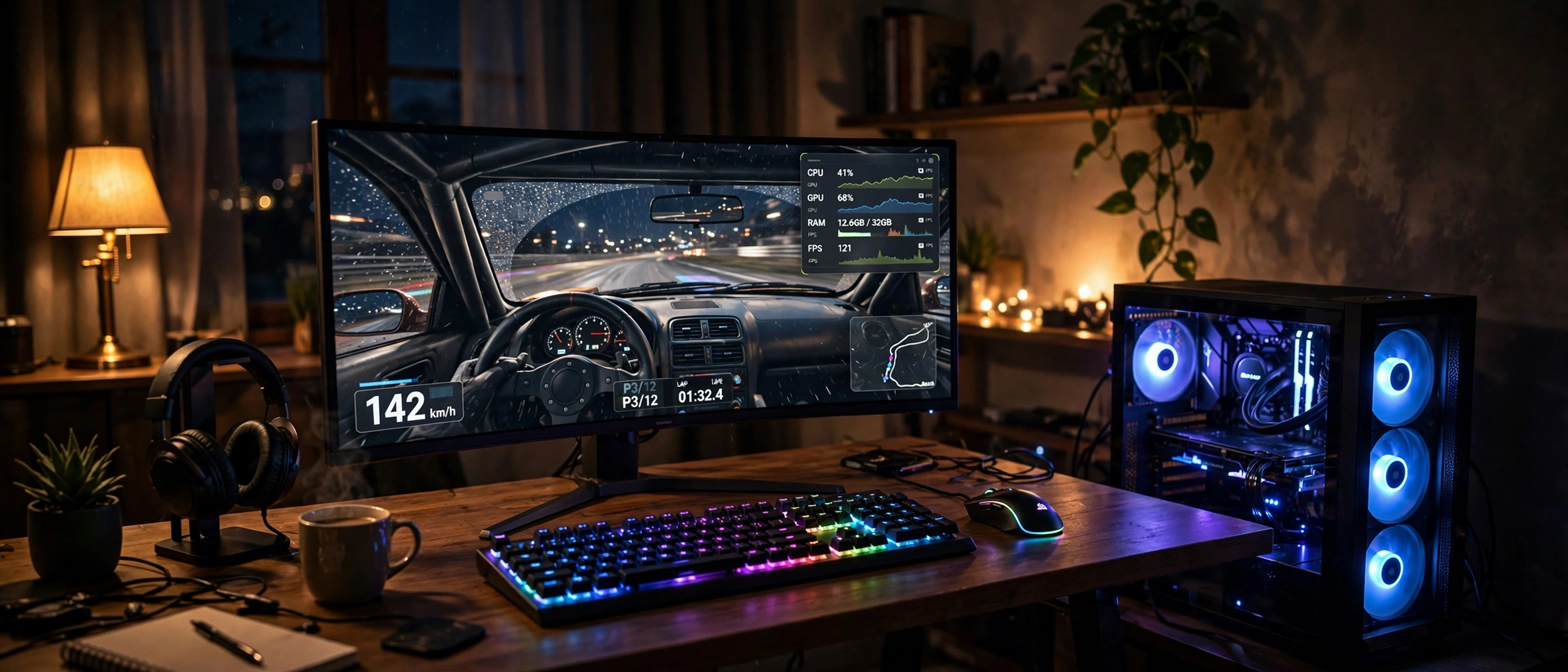
The same myth hits beginners and experienced builders differently, so the advice splits.
If you are building your first PC, stop worrying about the word “bottleneck” almost entirely. Buy a sensible pairing from a current generation (a mid-range CPU with a mid-range GPU, or a strong CPU with a strong GPU), make sure your RAM is dual-channel and your power supply is adequate, and play your games. The beginner mistake is not an imbalanced build; it is spending an extra $200 chasing a calculator score instead of spending it on a better monitor or an SSD. If you want a methodical way to check a planned parts list before buying, run it through our CPU bottleneck calculator and treat the result as a rough guide, not a verdict. For a step-by-step approach to spotting problems in a build you already own, the guide to finding a PC bottleneck walks through it.
If you are an experienced builder, you already know zero is impossible, but you can still fall into a subtler trap: optimizing for benchmarks instead of for your actual use. The enthusiast version of the myth is rebuilding a system that already delivers the target experience, because a forum post said the pairing is “unbalanced.” The discipline is to define the target first (for example, 144 FPS at 1440p in the three games you play most), measure against it with the usage test from the previous section, and upgrade only the part that is actually costing you frames. Everything else is hobby spending, which is fine as long as you are honest with yourself that it is a hobby, not a fix.
Practical takeaway: beginners should buy sensibly and stop checking; enthusiasts should measure first and upgrade only what the measurement indicts.
Common Myths, Busted
Myth 1: “A 0% bottleneck score means a perfect build.” Reality: A 0% score from a calculator means the calculator’s model thinks two parts are evenly matched at one resolution for an average workload. It does not mean the parts finish every frame in lockstep, and it says nothing about the games you actually play.
Myth 2: “Any bottleneck means something is wrong with my PC.” Reality: Bottlenecks are normal physics, not defects. A Quora answer to “Is there a CPU/GPU combination that has absolutely no bottleneck at all?” put it well: every time a GPU runs at 100%, you can effectively call it the bottleneck, and that is the norm for games running well on any PC. A bottleneck only becomes a problem when it drags your frame rate below your target. If you are hitting your target, the bottleneck is trivia.
Myth 3: “100% GPU usage means I have a bad GPU bottleneck.” Reality: 100% GPU usage while gaming is exactly what you want. It means your graphics card is fully utilized and your CPU is keeping up. The GPU being the limiting factor is the goal of a gaming build, not a warning sign. Worry only if usage is low while performance disappoints.
Myth 4: “More CPU cores automatically means less bottleneck.” Reality: Games lean heavily on single-threaded speed for the main game thread, so a 6-core CPU with fast cores routinely beats a 16-core CPU with slower cores in gaming frame rates. More cores help streaming, background tasks, and heavily threaded games, but they do not automatically erase a CPU limit. This is the same point NVIDIA just made at datacenter scale with Vera: per-core speed matters as much as core count.
Myth 5: “Upgrading one part always removes the bottleneck.” Reality: Upgrading the limiting part just moves the limit to the next-slowest part. Swap in a faster GPU and the CPU becomes the new ceiling. You cannot upgrade your way to zero. You can only upgrade your way to a limit that no longer bothers you.
Myth 6: “If I spend enough, the bottleneck disappears.” Reality: The RTX 5090 market is the proof. The most expensive gaming GPU ever sold still waits on the CPU in CPU-heavy scenes, still waits on the game engine’s single-threaded limits, and still gets capped by the monitor’s refresh rate. Money moves the ceiling higher; it does not remove the ceiling.
Frequently Asked Questions
Is there a CPU/GPU combination that has absolutely no bottleneck at all?
No. There is no combination of CPU and GPU that eliminates bottlenecks, because some component must finish last on every frame. What exists instead are combinations where the bottleneck lands on the GPU (ideal for gaming) and never costs you frames you care about. A well-matched pairing is not a zero-bottleneck pairing; it is a pairing whose bottleneck you cannot feel. This is the single most important idea in this entire article.
My GPU runs at 99% and my CPU at 40%. Is my GPU bottlenecking my PC?
Technically yes, and that is good news. Your GPU is the limiting factor, which means you are getting the maximum performance your graphics card can deliver, and your CPU has comfortable headroom. This is the target state for a gaming PC. A forum answer on Tom’s Hardware summed it up: 100% GPU with CPU headroom is normal and very good. Do not “fix” it.
Does a CPU bottleneck damage my GPU or shorten its life?
No. A bottleneck is a performance limit, not a physical danger. Your GPU does not get hurt by waiting for the CPU; it simply idles more. The only real costs of a severe CPU bottleneck are lower frame rates and less consistent frame pacing in CPU-heavy scenes. No component is harmed.
Will upgrading my CPU remove my bottleneck?
It will move it, not remove it. A faster CPU raises the frame-rate ceiling in CPU-limited scenarios, but the GPU then becomes the new limiting factor (which is what you want for gaming). If your current CPU already keeps your GPU at 95 to 100% utilization in the games you play, a CPU upgrade will buy you almost nothing you can see.
I have a 240Hz monitor and a strong CPU/GPU combo. Does my CPU really bottleneck the GPU?
It depends on what you play, which is exactly the point of this article. At 240Hz in competitive titles at low settings, the workload is inherently CPU-bound: the GPU finishes frames so fast that the CPU’s per-frame preparation becomes the limit. In cinematic AAA games at higher settings on the same PC, the GPU is the limit instead. Same parts, different answer. If you are hitting 240 FPS with smooth frame pacing, there is nothing to fix.
Does DLSS or frame generation remove the CPU bottleneck?
Upscaling (DLSS Super Resolution) actually makes a CPU bottleneck more visible, because it reduces the GPU’s workload and exposes the CPU limit further. Frame Generation is different: it synthesizes frames on the GPU without CPU involvement, so it can raise the FPS number in CPU-limited scenarios. But your input responsiveness still follows the base frame rate the CPU prepares, so it papers over the bottleneck rather than removing it. Neither technology creates a zero-bottleneck system.
How much bottleneck is acceptable before I should upgrade?
Upgrade when your actual experience suffers, not when a number looks big. If you are hitting your target frame rate with smooth frame pacing on the monitor you own, even a large theoretical bottleneck is not worth spending money on. If you are missing your target and the usage test shows the GPU waiting on the CPU (or vice versa), upgrade the part that the measurement indicts. The number follows the experience, never the other way around.
Key Takeaways
- A zero-bottleneck PC is impossible: some component always finishes last on every frame, and the limiter shifts with the game, scene, settings, resolution, and monitor.
- NVIDIA’s own Vera CPU argument proves the point at datacenter scale: slow CPUs can leave even the most expensive AI GPUs waiting, and the fix moves the bottleneck rather than removing it.
- The RTX 5090 market shows what imbalance costs: flagship silicon at $8,500 from third-party sellers still bottlenecks on the CPU, the game engine, or the display.
- Multi Frame Generation sidesteps the CPU bottleneck on the FPS counter but does not remove it; responsiveness still follows the base frame rate.
- The real goal is a bottleneck on the right component: GPU-limited for AAA gaming at high resolution, CPU-aware for esports and simulations.
The Bottom Line
You cannot build a zero-bottleneck PC, and nobody else can either. Every system has a slowest part on every frame, workloads move the limit from game to game, and your resolution, settings, and monitor rewrite the answer constantly. The builders who waste money are the ones chasing a calculator score to zero. The builders who win pick the right bottleneck for their games, verify it with their own usage numbers, and stop optimizing the moment the experience is right.
Before your next build or upgrade, run your parts list through the CPU bottleneck calculator to see where the limit is likely to land, then sanity-check it against your target resolution and refresh rate using the framework above.

Leave a Reply