

Quick Answer: The best CPU and GPU combo under $800 for 1080p gaming in 2026 is the AMD Ryzen 5 5600 paired with the NVIDIA RTX 4060. The two parts are evenly matched, so neither one wastes the other’s potential, and the full build stays well under budget with room left for 16GB of RAM, a 1TB SSD, and a quality power supply.
Why the Combo Matters More Than Any Single Part
A gaming PC is only as fast as its slowest critical part. When the CPU cannot feed frames to the GPU fast enough, you get a CPU bottleneck: stutter, uneven frame pacing, and a graphics card that sits half idle. When the GPU is the weaker part, you get a GPU bottleneck: low frame rates even though the CPU has room to spare. At 1080p, the CPU matters more than many beginners expect, because lower resolutions shift more of the workload onto the processor.
That is why buying the fastest graphics card you can afford and pairing it with whatever cheap CPU is left over is one of the worst mistakes in budget building. A balanced CPU and GPU combo gives you smoother gameplay, better value per dollar, and a clearer upgrade path later. If you want to check any pairing before you buy, run it through a CPU bottleneck calculator to see how the two parts are likely to behave together. It also helps to know what counts as a good bottleneck percentage so you can read the result correctly instead of panicking over a small number.
How We Picked These 5 Combos
Every combo below passed the same five tests:
1. Total build cost stays under $800. We judged the combo on the full PC (CPU, GPU, motherboard, RAM, SSD, PSU, case), not just the two parts. A $700 combo that forces a $150 motherboard and $100 of DDR5 is not really a budget pick.
2. Bottleneck balance at 1080p. Both parts sit in the same performance tier, so the mismatch stays in the low single digits in most games.
3. Real 2026 availability. Every part is still sold new by major retailers. Discontinued cards with great paper specs do not help you if you cannot buy them.
4. Platform sanity. The motherboard and RAM the combo requires do not blow the budget on their own.
5. An upgrade path. The best budget combos leave you a sensible next step, usually a GPU swap in two to three years without changing the platform.
Prices in PC hardware move weekly, so every cost figure below is an approximate street range as of early October 2026, not a promise. Always check live prices before ordering.
A note on honesty: calculators and percentage estimates are guides, not physics. Bottleneck calculators have real limits, so treat any number as a starting point and pair it with real reviews and benchmarks.
The 5 Best CPU and GPU Combos Under $800 for 1080p in 2026
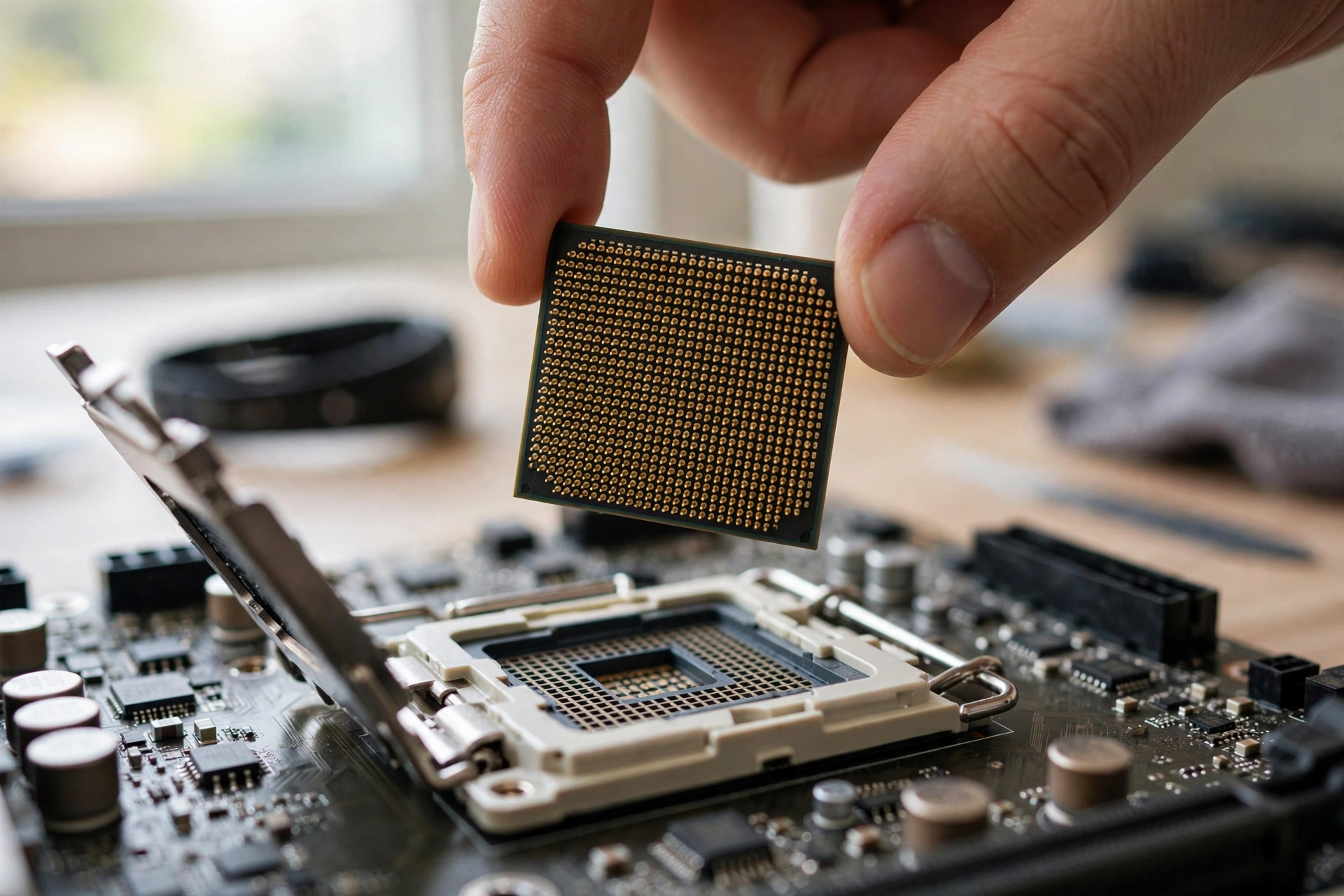
1. AMD Ryzen 5 5600 + NVIDIA RTX 4060 (Best Overall)
This is the sweet spot. The Ryzen 5 5600 is a 6-core, 12-thread Zen 3 chip with boost clocks up to 4.4 GHz, a 65W TDP, and PCIe 4.0 support on the mature AM4 platform (AMD specs). The RTX 4060 brings 3,072 CUDA cores, 8GB of GDDR6 memory, and DLSS 3 frame generation (NVIDIA specs).
Why it wins: the two parts are in the same weight class, so the bottleneck stays tiny in the vast majority of titles. The RTX 4060’s DLSS 3 support stretches its legs in demanding games, and its modest power draw means a 550W PSU is plenty. AM4 motherboards are cheap and plentiful, and the 5600 ships with a usable stock cooler, which saves you another $25 to $35. If you already own an AM4 board, this combo can even be a drop-in upgrade.
One honest caveat: 8GB of VRAM is fine for 1080p today, but some newer AAA titles are starting to push past it at maximum texture settings. Dropping textures one notch solves it, and it is the only real compromise here. For a deeper look at how the 5600 behaves with modern mid-range cards, see our Ryzen 5 5600 bottleneck analysis.
2. AMD Ryzen 5 7600 + AMD Radeon RX 9060 XT 16GB
If you can stretch to the top of the $800 range, this all-AMD combo is the most future-proof pick. The Ryzen 5 7600 is a Zen 4 chip on the AM5 platform, and the RX 9060 XT’s 16GB of VRAM is the standout feature: it removes the VRAM anxiety that 8GB cards are starting to create in new releases.
The tradeoff is platform cost. AM5 motherboards and DDR5 memory cost more than their AM4 and DDR4 equivalents, so this combo eats most of the $800 budget and leaves less room for a big SSD or a premium PSU. You are paying extra today for a platform that will accept CPU upgrades for years. For a 1080p gamer who keeps a PC for four or five years, that is a reasonable deal.
3. Intel Core i5-12400F + AMD Radeon RX 7600
The Core i5-12400F gives you 6 performance cores with boost clocks up to 4.40 GHz on the LGA 1700 socket (Intel specs), and it supports both DDR4 and DDR5, so you can pick whichever memory is cheaper that week. The Radeon RX 7600 is a purpose-built 1080p card: 8GB of GDDR6, a 165W board power rating, and AMD’s own guidance calls for a minimum 550W PSU (AMD specs).
This pairing is a great answer to the classic question of what GPU to pair with the i5-12400F. FSR upscaling is supported across a wide game library, which helps the card age gracefully. The i5-12400F has no integrated graphics (that is what the “F” means), so make sure your GPU is installed before you expect a display signal, a small detail that confuses first-time builders every week.
4. AMD Ryzen 5 5500 + AMD Radeon RX 6600
When the budget is truly tight, the Ryzen 5 5500 and RX 6600 deliver playable 1080p gaming for the lowest total outlay of any combo here. The 5500 is a cut-down Zen 3 part that still offers 6 cores and 12 threads, and the RX 6600 remains a proven 1080p performer in esports and older AAA titles.
The full build often lands near $480 to $540, which leaves money for 32GB of RAM or a 1TB NVMe drive instead of a cramped 500GB one. Just know what you are giving up: the 5500 tops out at PCIe 3.0, and the RX 6600 uses only 8 PCIe lanes, so on paper the interface is narrower than on the other combos. In practice at 1080p the difference is small, but this is the combo with the shortest useful life. Plan on a GPU upgrade in two to three years. If you are choosing between AM4 chips, our best AM4 CPUs for gaming guide breaks down where the 5500 sits in the stack.
5. Intel Core i5-14400F + Intel Arc B580
Intel’s Arc B580 is the interesting outsider: 12GB of VRAM at a budget price, modern media engines, and XeSS upscaling. Paired with the i5-14400F, a 10-core (6P+4E) Raptor Lake Refresh chip, you get a combo that handles 1080p well and gives you extra VRAM headroom for texture-heavy games. Our full Arc B580 CPU pairing guide covers this card in depth.
One caution, stated plainly: community testing has repeatedly shown that Arc cards carry higher CPU driver overhead than comparable GeForce or Radeon cards, which is exactly why we pair the B580 with a 10-core i5 rather than a cheaper 6-core chip. Do not pair this GPU with a weak quad-core and expect clean results. Also keep the drivers current; Intel’s Arc driver team ships meaningful game-by-game improvements, and an outdated driver is the most common cause of avoidable Arc problems.
Combo Comparison at a Glance
| Combo | Approx. Combo Cost | Best For | Bottleneck Risk | PSU Needed |
|---|---|---|---|---|
| Ryzen 5 5600 + RTX 4060 | $400-450 | Best all-around 1080p gaming | Very low | 550W |
| Ryzen 5 7600 + RX 9060 XT 16GB | $520-580 | Longest useful life, 16GB VRAM | Very low | 550-650W |
| i5-12400F + RX 7600 | $370-430 | Best value Intel build | Very low | 550W |
| Ryzen 5 5500 + RX 6600 | $270-320 | Tightest budgets | Low | 500-550W |
| i5-14400F + Arc B580 | $380-440 | 12GB VRAM on a budget | Low (needs a solid CPU) | 550W |
What $500, $650, and $800 Actually Buy You
“Under $800” covers a wide range. Here is how the money typically splits across three realistic tiers, using Combo 4, Combo 3, and Combo 1 as anchors. All figures are approximate US street prices as of October 2026.
| Part | $500 Tier (5500 + RX 6600) | $650 Tier (12400F + RX 7600) | $800 Tier (5600 + RTX 4060) |
|---|---|---|---|
| CPU + cooler | Ryzen 5 5500, stock cooler included | i5-12400F + budget tower cooler | Ryzen 5 5600, stock cooler included |
| GPU | RX 6600 8GB | RX 7600 8GB | RTX 4060 8GB |
| Motherboard | Budget B450/B550 | Budget B660 (DDR4) | B550 with good VRMs |
| RAM | 16GB DDR4-3200 | 16GB DDR4-3200 | 32GB DDR4-3600 |
| Storage | 500GB NVMe | 1TB NVMe | 1TB NVMe |
| PSU | 550W Bronze | 550W Bronze | 650W Bronze/Gold |
| Case | Budget airflow case | Budget airflow case | Mid airflow case |
| Approx. total | $480-540 | $620-680 | $760-800 |
Notice where the extra money goes as you climb: not into a wildly faster CPU, but into a better GPU, more RAM, more storage, and a stronger PSU. That matches the golden rule of budget building: the graphics card decides your frame rate, so it should be the single most expensive part in the box. Our DDR4 vs DDR5 gaming comparison explains why DDR4 is still the smart budget choice in 2026.
Bottleneck Check Reading the Numbers for Each Combo
All five combos are deliberately balanced, which means the bottleneck in real gaming sits in the low single digits either way. A few practical notes on reading those numbers:
- A small CPU bottleneck at 1080p is normal. Lower resolutions are CPU-heavy by nature. If a calculator shows 3 to 5 percent, that is a healthy, balanced system, not a problem to fix.
- Resolution changes everything. The September 2026 Steam Hardware Survey shows 1080p at 47.91 percent of systems, the first time it has ever fallen below half, while 1440p climbed to 27.04 percent. If you plan to move to 1440p later, every combo here becomes less CPU-limited, because the GPU takes on more of the load. Our 1080p vs 1440p bottleneck breakdown explains the shift in detail.
- Frame rate targets matter more than percentages. A combo that is “5 percent bottlenecked” at 200 FPS in esports titles is still delivering a great experience. Judge by the frame rates in the games you actually play.
- Background apps are the silent bottleneck. Discord, Chrome with twenty tabs, and a stream running at the same time can turn a balanced combo into a stuttery one. The 6-core minimum in every combo above exists partly for this reason.
PSU Math What Each Combo Really Needs
Budget builders undersize the power supply more than any other part. A cheap PSU that dies can take other components with it, so this is the worst place to save $20. The good news: none of these combos are power hungry. A quality 550W unit covers four of the five picks with comfortable headroom.
| Combo | Approx. Gaming Power Draw | Safe PSU Pick | Why |
|---|---|---|---|
| Ryzen 5 5600 + RTX 4060 | 250-300W | 550W Bronze or better | Efficient parts; leaves room for a future GPU upgrade |
| Ryzen 5 7600 + RX 9060 XT 16GB | 280-330W | 650W Bronze or better | Extra headroom for the hungrier GPU and AM5 platform |
| i5-12400F + RX 7600 | 250-300W | 550W Bronze or better | Matches AMD’s own 550W guidance for the RX 7600 |
| Ryzen 5 5500 + RX 6600 | 200-250W | 500-550W Bronze | Lightest load here; do not go below 500W |
| i5-14400F + Arc B580 | 280-330W | 550-650W Bronze or better | B580 draws more than the 4060; 650W if you plan upgrades |
Buy from a reputable brand, look for 80 Plus Bronze at minimum, and check where the unit sits on a PSU tier list before ordering. If you are thinking about a 50-series card down the road, our RTX 50-series power supply guide covers the newer connector standards you will meet.
Should You Buy Used Parts to Stay Under $800?
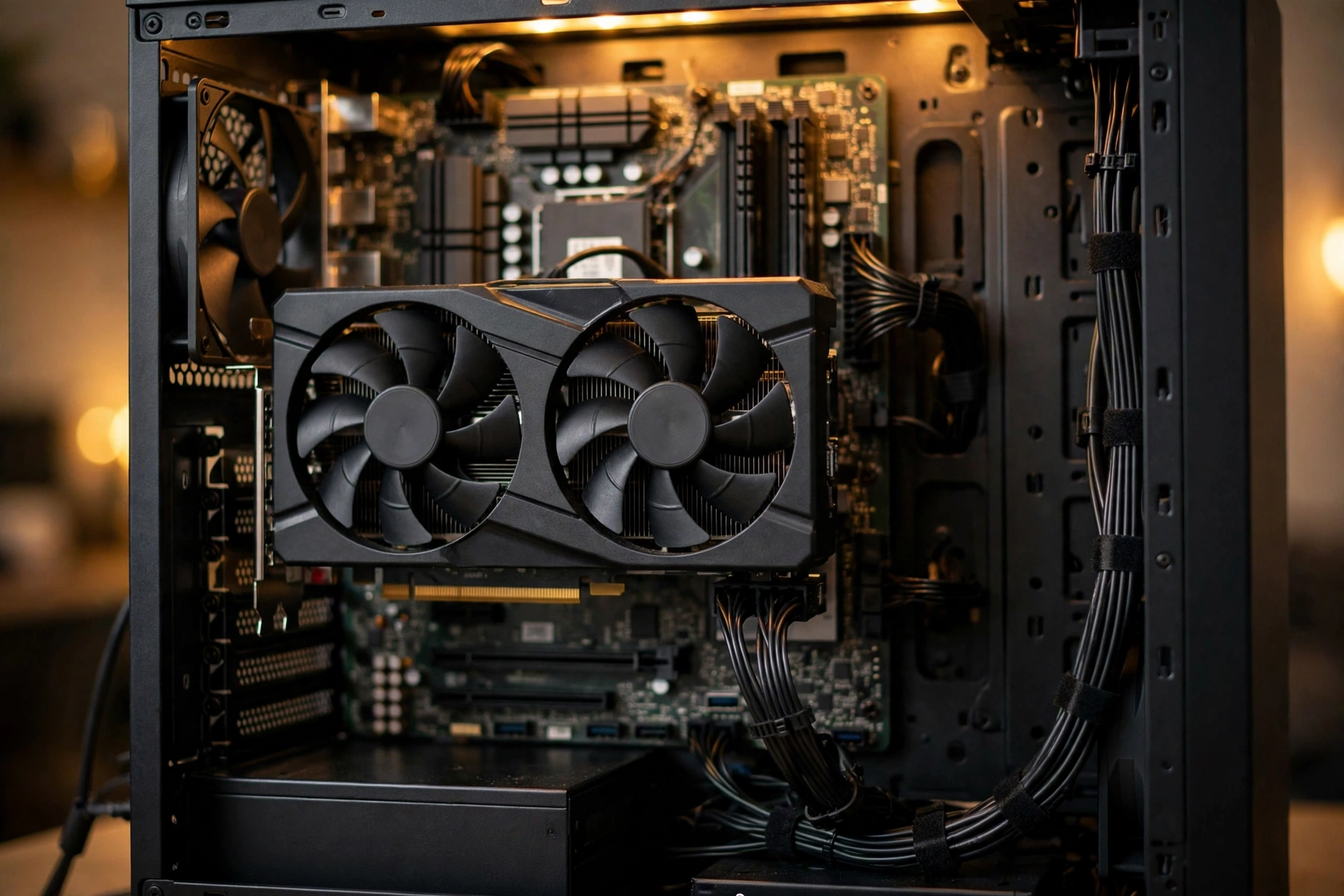
Used parts are the fastest way to stretch $800 further, but only some parts are safe to buy secondhand. Here is the honest breakdown:
Usually safe used: the case, air CPU coolers, and often the CPU itself. CPUs rarely fail, and a used Ryzen 5 5600 can shave real money off Combo 1. RAM is also fairly safe if you can test it first.
Buy used only with caution: graphics cards. A used RX 6600 or RTX 3060 can be a steal, but ex-mining cards may have worn fans and dried thermal paste. Always ask for photos of the card running, a video of it under load if possible, and buy on a platform with buyer protection.
Never cheap out on, new or used: the power supply. A used PSU of unknown history is a gamble with every other part in the case. Buy this one new.
The used-part checklist:
- Ask for proof the part works: screenshots, benchmark runs, or a video.
- Check the seller’s history and return policy before paying.
- For GPUs, look up the exact model and check whether it needs 8-pin power your PSU can provide.
- Test everything the day it arrives. Most platforms give you a short dispute window, so do not let parts sit in the box for a month.
- Budget for small extras: thermal paste, a couple of case fans, and maybe a CMOS battery cost little but matter.
Buying a used GPU to fund a stronger new CPU, or vice versa, is a legitimate strategy. Just remember the combo rule: keep both parts in the same tier so you do not build a bottleneck on purpose.
Buy Now or Wait? The October 2026 Intel Price Hike
Timing matters right now. Intel is raising PC processor prices by roughly 10 percent effective October 5, 2026, according to supply chain reporting, and it is the company’s third increase since late 2025. Rising memory costs are the stated driver, and retailers usually pass these increases through within weeks as old inventory sells out.
What this means for your build: if you are leaning toward an Intel combo (Combos 3 or 5), buying sooner rather than later likely saves you money, since existing retail stock still reflects pre-hike pricing. AMD’s Ryzen chips are reportedly less affected, which quietly makes the AMD combos above a bit more attractive on value right now. Either way, do not let a price story rush you into the wrong parts; a well-chosen combo bought next month still beats a mismatched combo bought today.
Build vs Buy A Quick Word on RTX Spark PCs
NVIDIA confirmed at IFA 2026 that the first RTX Spark devices, built around the new Arm-based N1X chip, begin shipping in October 2026 in two configurations. These are compact, efficient machines aimed at AI workloads and general productivity.
For a pure 1080p gaming build under $800, they are not the answer: they will cost far more, and Arm-based Windows gaming is still a compatibility question mark. We mention them only so you do not confuse a shiny new product category with a gaming value play. If your budget is $800 and your goal is frames per second, a traditional CPU plus GPU build remains the right call.
Windows 10 & NVIDIA Drivers October 2026 Changes
Here is a detail that affects every NVIDIA combo above: October 2026 is NVIDIA’s last month of full Game Ready drivers for Windows 10. Starting in November, new game optimizations and features go to Windows 11 only, with Windows 10 receiving quarterly security updates through 2029.
If you are building fresh in late 2026, install Windows 11 from day one. Your RTX 4060 will keep getting day-one game profiles and DLSS updates there, while on Windows 10 it would be frozen in time. AMD and Intel have not announced matching cutoffs, but the industry direction is obvious. A new build is also the perfect moment to set a frame rate and settings baseline so you can spot real problems instead of guessing.
One related tip: whichever GPU brand you choose, learn its upscaling option. NVIDIA has DLSS, AMD has FSR, and Intel has XeSS, and using them is often the difference between medium and high settings at 1080p. Our DLSS vs FSR guide compares the two big ones head to head.
5 Mistakes That Wreck Budget Builds
1. Pairing a strong GPU with a weak old CPU. An RTX 4060 tied to a 4-core chip from 2017 will stutter in modern titles no matter what the GPU can do. Keep both parts in the same tier.
2. Buying a 450W no-name PSU. It might boot fine for months and then fail under a heavy gaming load. This is the part most likely to destroy other parts when it goes.
3. Forgetting the motherboard and RAM in the budget. A $130 CPU on a $140 board with $90 DDR5 is not a budget combo. Price the platform, not just the chip.
4. Ignoring VRAM. 8GB is the realistic minimum for new AAA games at 1080p in 2026. If you play the newest releases at high textures, Combo 2 or Combo 5 with their larger VRAM pools is worth the stretch.
5. Skipping the BIOS update. B550 and B660 boards sometimes need a newer BIOS for the exact CPU you bought. Check the board’s CPU support list before you assemble, not after the PC fails to post.
FAQ
What is the best CPU and GPU combo for about a $600 build?
This is one of the most asked budget questions on forums like Quora, and the honest answer depends on whether $600 covers the whole PC or just the two parts. For the full build at $600, the Ryzen 5 5500 with an RX 6600 (Combo 4) is the realistic pick, and it leaves room for 16GB of RAM and a 500GB SSD. If $600 is just for CPU and GPU and the rest of the parts are already handled, step up to the i5-12400F with an RX 7600 (Combo 3) for meaningfully better 1080p performance.
I’m looking for a budget CPU to pair with an RX 6600. What should I buy?
This exact question comes up constantly on Tom’s Hardware forums, often from someone upgrading an old system that is clearly bottlenecking the card. The short answer: a Ryzen 5 5500 or Ryzen 5 5600 if your board is AM4, or an Intel i3-12100F or i5-12400F if you are on LGA 1700. All four are 6-core-class chips with the single-thread speed the RX 6600 needs. Before ordering, confirm your motherboard socket and BIOS support, because the cheapest upgrade is the one that drops into the board you already own.
Which PC parts don’t depreciate with use, so I can save money buying used parts?
Another popular Quora question with a practical answer. Cases and air coolers barely depreciate and are safe used buys. CPUs hold value well and rarely fail, making a used Ryzen 5 5600 one of the smarter secondhand purchases. GPUs depreciate fastest, which creates the deals, but also the risk: always verify a used card works before the return window closes. Power supplies are the one part where used savings are not worth the risk. Buy the PSU new, every time.
Will capping my FPS at my monitor’s refresh rate help with a CPU bottleneck?
Yes, and this is genuinely good advice from Tom’s Hardware forum regulars. If your CPU is the limit, an uncapped frame rate makes the processor work as hard as possible for frames your monitor cannot even display. Capping FPS at or slightly below your refresh rate lowers CPU load, smooths frame pacing, and often eliminates the stutter people blame on a “bottleneck.” It does not make the CPU faster, but it stops it from wasting effort, and on a high-refresh monitor the game will feel noticeably more consistent.
Is 16GB of RAM still enough for a budget gaming PC in 2026?
For pure 1080p gaming, 16GB remains fine today, but the trend is moving. If your budget allows, 32GB is cheap insurance, and every combo above runs on boards with four RAM slots or affordable 2x16GB kits, so you can start at 16GB and add more later.
Key Takeaways
- The Ryzen 5 5600 plus RTX 4060 is the best balanced CPU and GPU combo under $800 for 1080p gaming in 2026.
- Match your CPU and GPU tiers. A small low-single-digit bottleneck is normal and healthy, not a defect.
- Spend the biggest share of the budget on the GPU, and never cheap out on the power supply.
- 550W from a reputable brand covers nearly every budget combo here; check a PSU tier list before buying.
- Used CPUs, cases, and coolers are safe ways to save money. Buy the PSU new and verify any used GPU immediately.
- Intel’s October 2026 price hike favors buying Intel combos sooner and makes AMD pairings relatively better value.
- New builds should run Windows 11, since NVIDIA’s Game Ready driver support for Windows 10 ends in October 2026.
Final Word
Building a great 1080p gaming PC under $800 in 2026 is very achievable, as long as you think in combos instead of individual parts. Pick any of the five pairings above, keep the platform costs honest, buy a decent power supply, and you will have a balanced machine that plays modern games smoothly and upgrades cleanly down the road. Still unsure about a specific pairing? Run it through our CPU bottleneck calculator before you spend a dollar, and build with confidence.

Leave a Reply