

Picking the best CPU for RTX 4070 Super builds in 2026 comes down to one decision: match the processor to your resolution. Get it right and the card runs at full speed with smooth frame times. Get it wrong and you either waste money on CPU power you never use or leave performance on the table in CPU-heavy games. This guide walks through exactly which CPUs pair well with the 4070 Super at 1080p, 1440p, and 4K, with honest notes on where each pick shines and where it does not.
The best CPU for the RTX 4070 Super in 2026 is the AMD Ryzen 7 7800X3D for pure gaming. The best value picks are the Ryzen 5 7600X on AM5 and the Intel Core i5-14600K for mixed gaming and productivity. AM4 owners should grab the Ryzen 7 5800X3D instead of rebuilding, and anyone who already owns a Ryzen 5 5600X can keep it for 1440p gaming without worry.
Why the RTX 4070 Super Deserves the Right CPU
The RTX 4070 Super launched in January 2024 at $599, built on NVIDIA’s Ada Lovelace architecture with 7,168 CUDA cores and 12GB of GDDR6X memory (Wikipedia, GeForce 40 series). Two years on, it remains one of the smartest mid-range buys in PC gaming, and it sits in a genuinely interesting spot in the market.
The September 2026 Steam Hardware Survey put the RTX 5070 at the top of the GPU chart with 5.86 percent of systems, while 1440p displays climbed to 27.04 percent of users (VideoCardz). That matters because the 4070 Super is, at heart, a 1440p graphics card, and 1440p is exactly where PC gaming keeps growing. If you are buying or building around this card today, you are building for the resolution most gamers are moving toward.
There is also a fresh reminder that the CPU still matters more than many builders assume. Tom’s Hardware benchmarked 25 CPUs in Gears of War: E-Day, a rare modern Unreal Engine 5 title that is genuinely CPU-heavy, and found the Ryzen 7 9800X3D running about 42 percent faster than a Ryzen 5 7600X at 1080p High (Tom’s Hardware via The FPS Review). Most games at 1440p are still GPU-bound, but CPU-heavy titles punish weak processors hard, and that gap is only going to matter more as games get more complex.
A bottleneck is simply one component holding the rest of the system back. If you want the full picture of how those percentages work, our guide on what is a good bottleneck percentage breaks it down. Pair the 4070 Super with too weak a CPU and you get stuttering, weak 1% lows, and a graphics card that never reaches full utilization. Pair it with a flagship you do not need and that money could have bought a better monitor, more storage, or games to actually play.
The card itself is straightforward to feed. Here are the specs that matter for CPU pairing:
| Spec | RTX 4070 Super |
|---|---|
| Architecture | NVIDIA Ada Lovelace |
| CUDA cores | 7,168 |
| Memory | 12GB GDDR6X, 192-bit |
| Total graphics power | 220W |
| Recommended PSU | 650W (per NVIDIA) |
| Upscaling | DLSS 3 with Frame Generation |
| Target resolution | 1440p |
A 220W card with a 650W PSU recommendation is easy to build around. The CPU decision is where most builders either overspend or underspend, so let us get it right.
How Your CPU Choice Affects RTX 4070 Super Performance
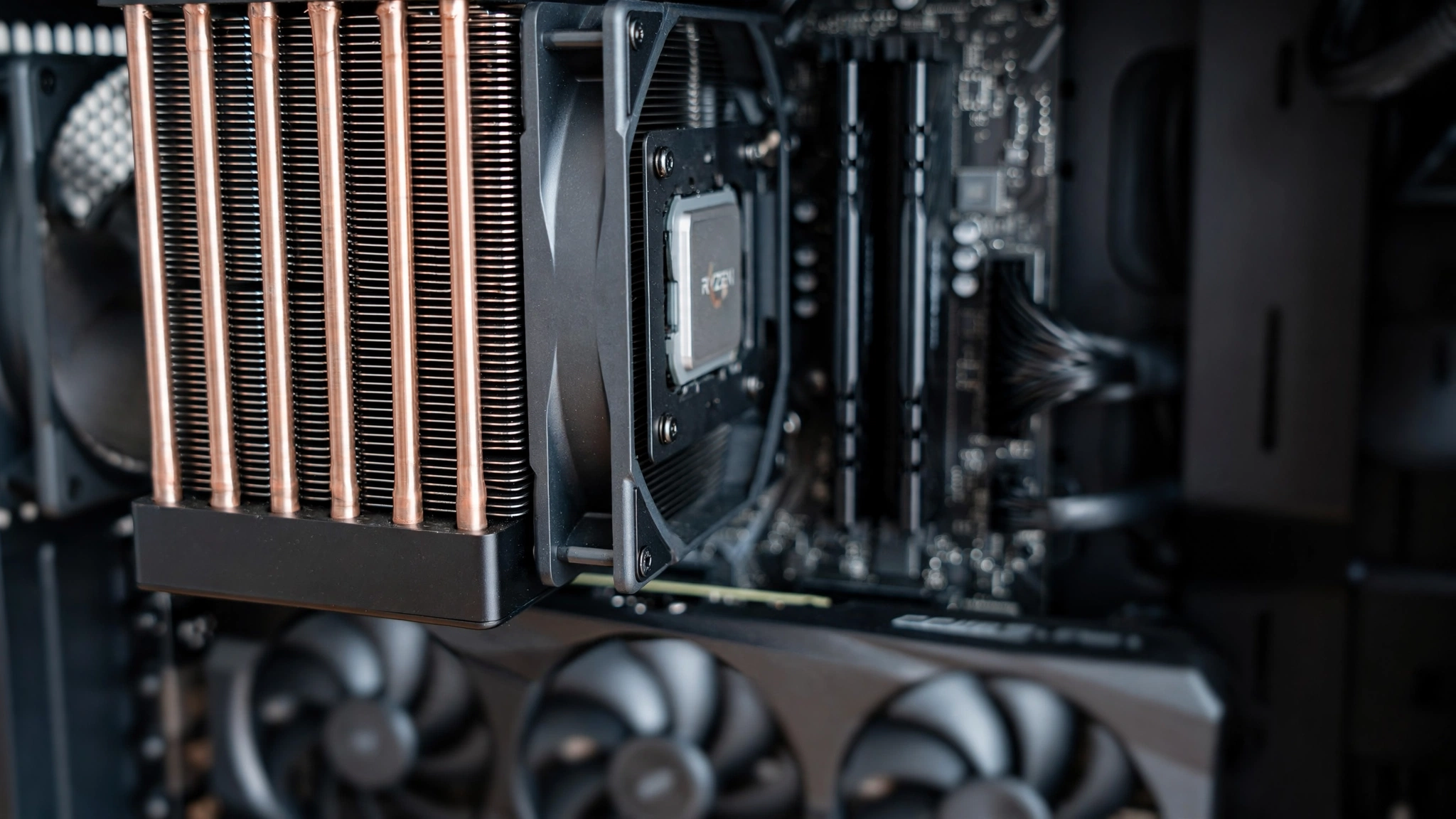
At 1440p and 4K, the 4070 Super is almost always the limiting part in a balanced build, which is exactly what you want. A GPU bottleneck means your expensive card is doing everything it can. A CPU bottleneck is the bad kind: frame-time spikes, inconsistent frame rates, and GPU utilization that refuses to climb past 70 or 80 percent while the processor is maxed out.
Resolution is the biggest lever here. At 1080p, the GPU finishes each frame quickly, so the CPU has to prepare draw calls and game logic at a much faster rate. Weaker CPUs bottleneck harder at 1080p for exactly this reason. Move to 1440p and the balance shifts toward the GPU. At 4K, even mid-range CPUs from several years ago can usually keep the 4070 Super fed without drama.
A common real-world scenario is a gamer on 1080p who plans to move to 1440p in a year or two. The practical answer is to buy for the resolution you play at today while keeping 1440p as the planning target, because a CPU that is comfortable at 1080p will be completely relaxed at 1440p.
Game type matters as much as resolution. Competitive shooters at low settings, strategy games, and simulators lean on the CPU far more than cinematic single-player games at Ultra settings. If your library is full of esports titles on a 240Hz monitor, the CPU deserves a bigger share of the budget. If you mostly play story-driven AAA games at 1440p Ultra, the GPU does the heavy lifting and a solid mid-range CPU is plenty.
CPU Picks Compared Specs at a Glance
Before the detailed breakdowns, here is how the five picks stack up on paper:
| CPU | Cores / Threads | Boost Clock | Cache | TDP | Platform |
|---|---|---|---|---|---|
| Ryzen 7 7800X3D | 8 / 16 | Up to 5.0 GHz | 96MB L3 (3D V-Cache) | 120W | AM5 |
| Ryzen 5 7600X | 6 / 12 | Up to 5.3 GHz | 32MB L3 | 105W | AM5 |
| Core i5-14600K | 14 (6P+8E) / 20 | Up to 5.3 GHz | 24MB L3 | 125W base | LGA1700 |
| Ryzen 7 5800X3D | 8 / 16 | Up to 4.5 GHz | 96MB L3 (3D V-Cache) | 105W | AM4 |
| Ryzen 5 5600X | 6 / 12 | Up to 4.6 GHz | 32MB L3 | 65W | AM4 |
Every chip on this list has at least six modern cores, which is the realistic floor for feeding a 4070 Super. Below that, in older quad-cores, the card starts waiting on the processor in a serious way.
Best CPU for RTX 4070 Super by Resolution
The short version before the deep dives. Each pairing below keeps the system balanced at the listed resolution, based on how CPU load scales with resolution and on published testing of these combinations.
| Resolution | Best Pick | Runner-Up | Budget Pick |
|---|---|---|---|
| 1080p high-refresh | Ryzen 7 7800X3D | Core i5-14600K | Ryzen 5 7600X |
| 1440p | Ryzen 7 7800X3D | Ryzen 5 7600X | Core i5-13400F |
| 1440p ultrawide / 4K | Ryzen 5 7600X | Core i5-14600K | Ryzen 7 5800X3D (AM4) |
At 1440p, the card is the limit in nearly every game, so the 7800X3D and the 7600X produce very similar average frame rates. The X3D earns its premium in 1% lows and in CPU-heavy titles, not in average FPS charts for GPU-bound games. If you mostly play single-player AAA games at 1440p Ultra, the cheaper CPUs are the smarter buy and the difference will be hard to spot.
The same logic applies up and down the stack. Our RTX 5060 pairing guide covers these trade-offs for a lighter card, and our RTX 5070 guide covers the next tier up.
Best Overall AMD Ryzen 7 7800X3D
If gaming is the priority and the budget allows it, the Ryzen 7 7800X3D is the CPU to pair with an RTX 4070 Super. Its stacked 3D V-Cache delivers gaming performance that embarrasses CPUs costing far more, and the 120W TDP means it stays cool and quiet under a mid-range air cooler. No exotic cooling, no 300W power draw, no drama.
The 7800X3D shines exactly where weaker CPUs stumble: 1080p high-refresh gaming, CPU-heavy titles, and 1% low consistency, which is what smooth gameplay actually feels like. In games like Gears of War: E-Day, where Tom’s Hardware showed a 42 percent gap between the 9800X3D and the 7600X, the 7800X3D would be expected to land near the top of that chart as well, thanks to its large 3D V-Cache. It also sits on AM5, so the motherboard you buy today can take a newer Ryzen later without a full rebuild.
The honest caveat: at 1440p in GPU-bound AAA games, you will not see meaningfully higher average frame rates than a Ryzen 5 7600X. You are paying for smoothness, consistency, and headroom. If you plan to upgrade the GPU in two or three years while keeping the CPU, that headroom is genuinely worth it. If this is a build-it-and-forget-it 1440p machine, the value picks below get you nearly all the way there for less.
Best Value on AM5 Ryzen 5 7600X
The Ryzen 5 7600X is the sweet spot for most 4070 Super buyers. Six fast Zen 4 cores are more than enough to feed this GPU at 1440p, and it costs far less than the X3D chips while delivering nearly identical frame rates in GPU-bound games. This is the pick for builders who want a balanced system without paying the flagship tax.
It is also a smart platform choice. AM5 boards accept newer Ryzen generations, so a 7600X today can become a drop-in X3D upgrade down the road. Pair it with 32GB of DDR5, which recently overtook 16GB as the most common memory configuration on Steam at 42.22 percent of systems, and the build lines up with where the market is heading rather than where it was.
PC Guide’s testing of 4070 Super pairings found that any modern six-core CPU or better essentially removes the bottleneck at 1440p (PC Guide). The 7600X is the most affordable modern CPU that comfortably clears that bar on a current platform, which is exactly why it keeps showing up in sensible build guides.
Best Intel Pick Core i5-14600K
On the Intel side, the Core i5-14600K is the natural partner for the 4070 Super. Its hybrid design mixes performance cores for gaming with efficiency cores for background work, which makes it the better pick if you stream, edit video, or keep heavy multitasking running while you play. For pure gaming it trades blows with the 7600X; for mixed workloads it pulls ahead.
Two things to budget for: it draws more power and needs better cooling than the Ryzen options, so plan on a solid tower cooler or 240mm liquid cooler rather than a stock-style cooler. And it sits on LGA1700, which is a dead platform for future upgrades, unlike AM5. If you already own a compatible board, or productivity performance matters as much as gaming, it is excellent. If you are building from scratch and gaming comes first, the 7600X usually wins on total platform cost.
Not sure where your exact combo lands? Run it through our CPU bottleneck calculator and check the result against the green zone.
Best AM4 Upgrade Ryzen 7 5800X3D
Still on AM4? The Ryzen 7 5800X3D remains one of the best value upgrades in PC history. It drops into most B450, X470, B550, and X570 boards with a BIOS update and delivers gaming performance that trades blows with modern mid-range CPUs, all without replacing the motherboard or DDR4 RAM. For the cost of one component, an aging AM4 system becomes a genuinely strong 1440p machine.
At 1440p with a 4070 Super, the 5800X3D keeps the GPU fully fed in nearly every game. You will only feel its age at 1080p in CPU-bound esports titles, and even there it holds up respectably. For AM4 owners, this is almost always smarter than a full platform swap, which would mean a new board, new RAM, and often a new cooler for gains you would barely notice at 1440p.
Two practical notes: check your motherboard’s CPU support list and update the BIOS before swapping chips, and make sure your DDR4 is running in dual channel at a decent speed. Then verify the new pairing with our calculator to watch the bottleneck percentage drop.
Budget Holdover Ryzen 5 5600X
The most common budget question about this card is simple: will a Ryzen 5 5600X bottleneck the RTX 4070 Super? The honest answer depends on resolution. At 1440p and 4K, the 5600X keeps up fine and the bottleneck stays small. At 1080p, especially in CPU-heavy games on a high-refresh monitor, you will leave performance on the table.
If you already own a 5600X on an AM4 board, do not rush to replace it for 1440p gaming. Check your RAM first: slow single-channel memory hurts this CPU more than most builders expect, and our guide on RAM bottlenecks explains exactly why. Fix the memory, and a 5600X plus 4070 Super is a genuinely enjoyable 1440p setup.
If you are buying new in 2026, though, skip it. The small premium for a 5800X3D, or the jump to AM5 with a 7600X, buys far more longevity per dollar. The 5600X is a fine holdover, not a purchase.
How to Choose the Best CPU for RTX 4070 Super
With five solid options, here is the decision framework that actually works:
Start with resolution. On a 1080p high-refresh monitor, prioritize the CPU: 7800X3D first, 14600K second. At 1440p, the GPU is the limit in most games, so the 7600X gives you nearly everything for less. At 4K, buy whichever balanced option is cheapest when you shop.
Then check your platform. Already on AM4? The 5800X3D is the obvious move. Already on LGA1700? The 14600K drops right in. Building from scratch? AM5 with a 7600X or 7800X3D gives you the only upgrade path of the three.
Then be honest about your workload. Pure gaming favors the X3D chips. Gaming plus streaming, editing, or heavy multitasking favors the 14600K’s extra cores. There is no wrong answer here, only a mismatch between the chip and how you actually use the PC.
Finally, budget the supporting parts, not just the CPU. Every pick on this list wants dual-channel RAM (DDR4-3600 or DDR5-6000 is the sweet spot), a 650W or better quality PSU for the 220W card, and Resizable BAR enabled in the BIOS, which is free performance on modern NVIDIA cards. A 7600X with good RAM and a solid PSU will outperform a 7800X3D starved by single-channel memory every time.
Common Mistakes When Pairing a CPU With the 4070 Super
- Buying a flagship CPU for a mid-range GPU. A Core i9 or Ryzen 9 will not raise frame rates with a 4070 Super at 1440p. The GPU is the limit, and that extra money buys nothing in games. Put it toward the monitor instead.
- Pairing with a very old quad-core. Chips like the i7-7700K or Ryzen 5 2600 will bottleneck this card noticeably even at 1440p. Six modern cores is the realistic floor.
- Ignoring RAM. Slow single-channel RAM can cost more frames than a tier-higher CPU would gain. Run dual-channel DDR4-3600 or DDR5-6000 and actually enable the XMP/EXPO profile.
- Forgetting the PSU. The card draws 220W and NVIDIA recommends a 650W unit. A weak PSU causes crashes and shutdowns that look like a CPU problem but are not.
- Judging the pairing at the wrong resolution. Testing at 1080p when you play at 1440p leads to overspending on the CPU. Always evaluate at the resolution you actually use.
- Expecting DLSS to fix a CPU bottleneck. DLSS Quality renders at a lower internal resolution and upscales on the GPU’s tensor cores, which raises frame rates when the GPU is the limit. If your CPU is already the limit, upscaling will not help, because the CPU still has to prepare every frame. DLSS Frame Generation is different: it inserts GPU-generated frames that do not add CPU work. Our DLSS vs FSR guide breaks down when each upscaler helps most.
Frequently Asked Questions
What is the best CPU for RTX 4070 Super in 2026?
The AMD Ryzen 7 7800X3D is the best overall pick for pure gaming, thanks to its 3D V-Cache and strong 1% low performance. For most buyers, the Ryzen 5 7600X delivers nearly the same 1440p experience for much less money, and the Intel Core i5-14600K is the best choice if you also stream or do productivity work.
If I play at 1080p now but plan to move to 1440p, which CPU should I buy?
Buy for the 1080p case, since that is where the CPU works hardest. A Ryzen 7 7800X3D or Core i5-14600K will be completely comfortable at 1080p today and totally relaxed at 1440p later, so the build stays balanced for years.
Will a Ryzen 5 5600X bottleneck the RTX 4070 Super?
At 1440p and 4K, barely. The graphics card is the performance ceiling in most games, so a 5600X you already own is a workable pairing. At 1080p on a high-refresh monitor, yes, you will see a real bottleneck in CPU-heavy titles. Nobody buying new in 2026 should choose it over a 5800X3D or a move to AM5.
What Intel CPU goes well with the RTX 4070 Super?
The Core i5-14600K is the best all-round Intel pick, the i5-13400F is the budget option for 1440p builds, and the i7-14700K makes sense if heavy productivity work shares the machine. All three keep the card fully fed at 1440p.
Is the RTX 4070 Super enough for 4K gaming?
It handles 4K at 60 FPS in many games with DLSS enabled, though it is really a 1440p card at heart. The upside at 4K is that the CPU matters least of all there, so even a mid-range processor is fine and you can put the savings toward the monitor.
Do I need a new motherboard for these CPUs?
Only if you are switching platforms. The 5800X3D and 5600X drop into existing AM4 boards with a BIOS update, the 7600X and 7800X3D need AM5 with DDR5, and the Intel picks need LGA1700. Price the board and RAM together with the CPU before deciding, because the platform cost often matters more than the chip price.
How much RAM and what PSU do I need with this pairing?
32GB of dual-channel DDR5 is the current sweet spot for new AM5 or LGA1700 builds, matching where the Steam hardware survey says the market has moved. For the PSU, a quality 650W unit is NVIDIA’s recommendation for the 220W card, and 750W gives comfortable headroom if you plan a future GPU upgrade.
Key Takeaways
- The RTX 4070 Super is a 1440p-first card, and 1440p is exactly where PC gaming keeps growing.
- The Ryzen 7 7800X3D is the best overall CPU for it; the Ryzen 5 7600X is the best value on a new platform.
- Intel buyers should look at the Core i5-14600K, especially for streaming and productivity; AM4 owners should grab the Ryzen 7 5800X3D.
- A Ryzen 5 5600X works at 1440p if you already own it, but do not buy one new in 2026.
- Resolution decides how much CPU you need: 1080p high-refresh demands more, 4K demands less.
- Budget the supporting parts too: dual-channel RAM, a quality 650W PSU, and Resizable BAR enabled.
Conclusion
The best CPU for the RTX 4070 Super is the one that matches your resolution and your budget, not the most expensive chip on the shelf. For most gamers in 2026, that means the Ryzen 7 7800X3D for the smoothest possible experience, or the Ryzen 5 7600X for nearly the same 1440p frame rates at a much lower price. Intel’s Core i5-14600K covers the streaming and productivity crowd, and the 5800X3D keeps AM4 builds competitive without a platform swap.
Still unsure about your exact combination? Run it through our CPU bottleneck calculator and compare the percentage against our good bottleneck percentage guide. If the card is the limit and the frame times are smooth, the pairing is right.

Leave a Reply