
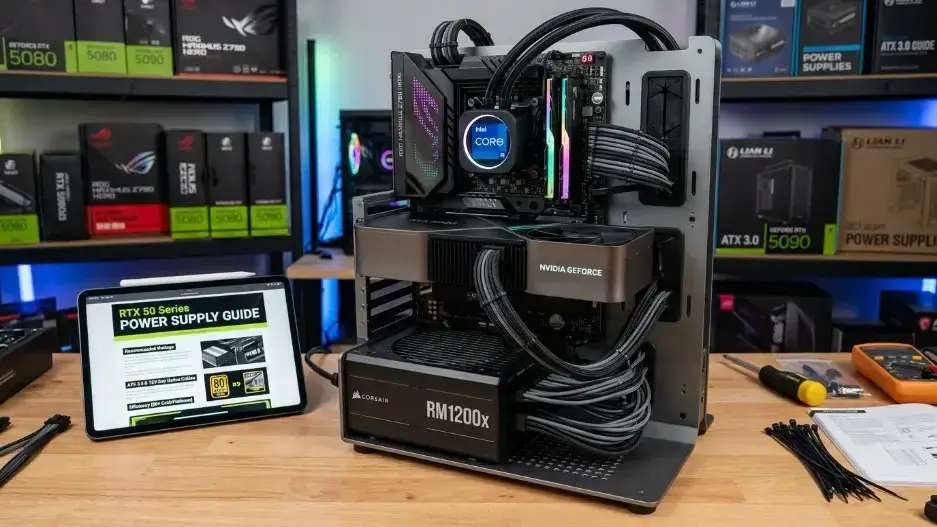
What power supply do you need for the NVIDIA RTX 50 Series? Your PSU wattage depends entirely on the specific GPU: the flagship RTX 5090 requires a 1000W to 1200W PSU, the RTX 5080 needs 850W to 1000W, and the mid-range RTX 5070 / 5070 Ti operates safely on 750W to 850W. For the ultimate safety against transient power spikes, always choose a high-quality 80 Plus Gold ATX 3.1 compatible PSU equipped with a native 12V-2×6 power cable.
- RTX 5090: 1000W – 1200W (Requires 12V-2×6 PCIe 5.1 native cable)
- RTX 5080: 850W – 1000W (Requires ATX 3.0/3.1 standard)
- RTX 5070 Ti / 5070: 750W – 850W (Sweet spot for enthusiast gaming)
- RTX 5060 Ti / 5060: 650W – 750W (Ideal for budget-conscious setups)
Upgrading your PSU to the new ATX 3.1 standard ensures seamless power delivery and removes the hazard of melting adapter cables on next-gen Blackwell graphics cards.
Introduction
If you are looking for the ultimate RTX 50 Series Power Supply guide to upgrade your PC with one of the new NVIDIA graphics cards, you’re probably excited and for good reason. These cards deliver some of the most powerful gaming and creative performance ever seen in a consumer GPU. But before you spend your money, there’s one critical question you need to answer: can your power supply actually handle it?
Your power supply unit, or PSU, is the component that converts electricity from your wall outlet into clean, usable power for every part inside your PC. If your PSU is too weak, too old, or the wrong type, your system can crash during games, throttle your GPU’s performance, or in the worst case damage your hardware. Before choosing your PSU size, run your CPU and GPU through our bottleneck calculator to see your build’s real power draw.
This guide will walk you through everything you need to know about powering an RTX 50 Series GPU. We’ll cover real wattage numbers, the right cables, which PSU brands to trust, and several important details that most other guides completely skip over.
What Is the RTX 50 Series Power Supply ?
NVIDIA launched the RTX 50 Series graphics cards in early 2026, built on a new chip design called the Blackwell architecture. This architecture is a major step forward because it packs in more processing power than ever before, which naturally means it also draws more electricity.
These cards are powerful partly because of the new features they include. DLSS 4 with Multi Frame Generation uses artificial intelligence to create extra frames between real rendered frames, making games look smoother without pushing the GPU as hard for raw graphics. The fifth generation Tensor Cores handle all this AI processing, while fourth generation Ray Tracing Cores make lighting, reflections, and shadows in games look incredibly realistic. NVIDIA Reflex 2 with Frame Warp reduces the delay between mouse movement and on screen response, which is a huge advantage in fast-paced competitive games.
Here’s a look at the full RTX 50 Series lineup and when each card became available:
| Graphics Card | Release Date | Best For |
|---|---|---|
| RTX 5090 | January 2026 | 4K gaming, AI, professional work |
| RTX 5080 | January 2026 | High end 4K gaming |
| RTX 5070 Ti | February 2026 | Enthusiast 1440p/4K gaming |
| RTX 5070 | March 2026 | Excellent 1440p performance |
| RTX 5060 Ti | April 16, 2026 | Mid range 1440p gaming |
| RTX 5060 | May 19, 2026 | Affordable 1080p/1440p gaming |
| RTX 5050 | July 2026 (second half) | Entry level gaming |
All of these features working together is why these GPUs need a reliable, high quality power supply to support them.
RTX 50 Series Power Consumption The Real Numbers
Each card in the RTX 50 Series lineup uses a different amount of power. In the tech world, this is called TDP, which stands for Thermal Design Power. It represents the maximum amount of power a GPU is designed to use under heavy load.
Here are the TDP figures and the minimum PSU size we recommend for each card:
| Graphics Card | GPU Power Draw ( TDP ) | Minimum PSU Size |
|---|---|---|
| RTX 5090 | ~575W | 1000W – 1200W |
| RTX 5080 | ~360W | 850W – 1000W |
| RTX 5070 Ti | ~300W | 800W – 850W |
| RTX 5070 | ~250W | 750W – 800W |
| RTX 5060 Ti | ~180W | 650W – 750W |
| RTX 5060 | ~150W | 650W |
| RTX 5050 | ~130W | 550W – 650W |
An important thing to understand is that these power figures only cover the GPU itself. Your processor (CPU), memory, storage drives, case fans, and any RGB lighting all draw additional power from the same PSU. A good rule of thumb is to add at least 150 to 200 watts on top of your GPU’s TDP to account for the rest of your system, and then add another 20% as a safety buffer so your PSU is never running at its absolute limit.
For example, if you’re building a system around an RTX 5080 paired with a modern mid-range CPU, your total system power draw might reach 600 to 650 watts under full load. Adding a 20% buffer brings that to around 780 watts, which means an 850W PSU is the right choice.
The New 12VHPWR Connector What You Need to Know
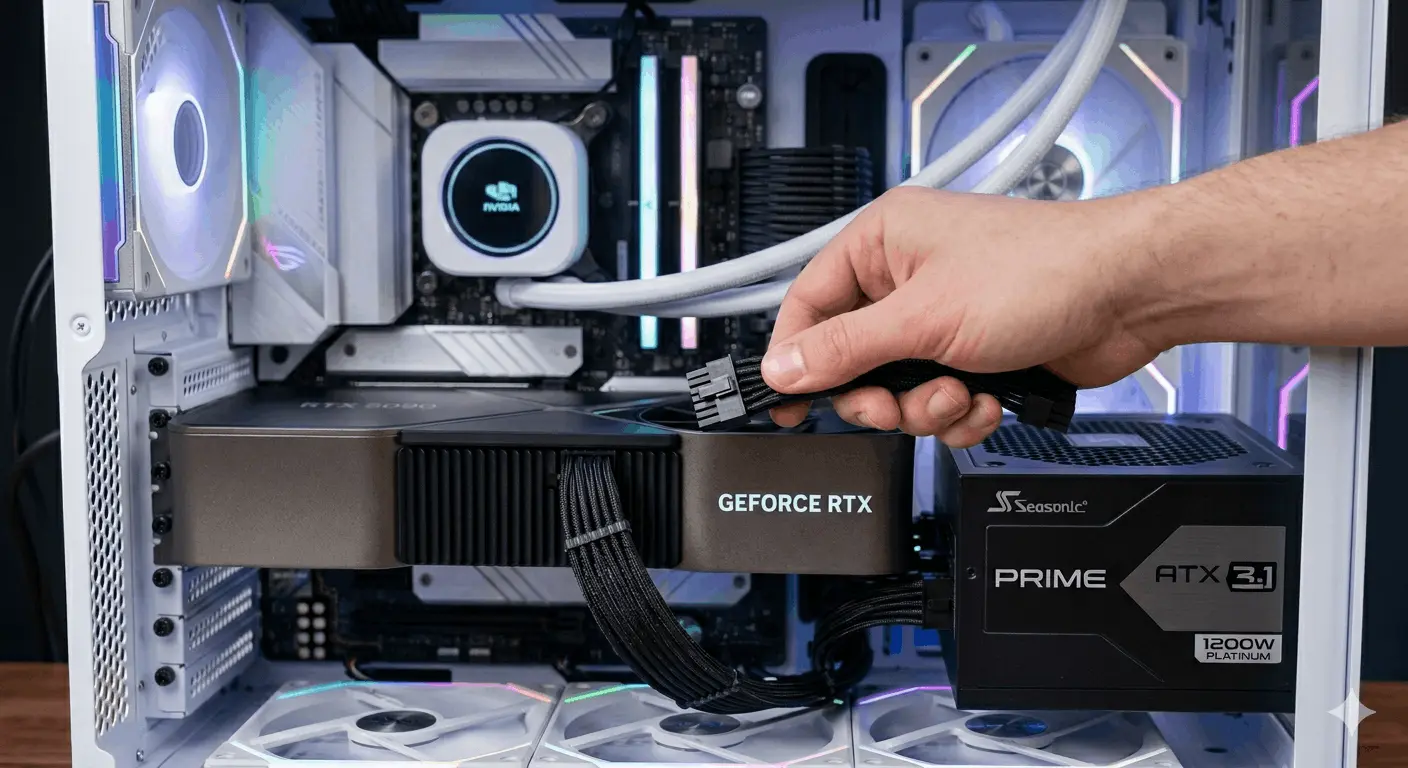
One of the most confusing parts of building a PC with an RTX 50 Series GPU is the power connector. Older graphics cards used standard 6-pin or 8 pin PCIe power connectors. The RTX 50 Series uses a newer connector called 12VHPWR, which has also been updated to a revised version called 12V-2×6 on the latest PSUs.
The reason for this change is straightforward: modern high-end GPUs need more power than a few older 8-pin cables can deliver. Here’s how the connectors compare:
| Connector Type | Maximum Power Delivery |
|---|---|
| 6-Pin PCIe | 75 Watts |
| 8-Pin PCIe | 150 Watts |
| 12VHPWR / 12V-2×6 | 600 Watts |
A single 12VHPWR or 12V-2×6 cable can deliver up to 600 watts, which is far more than what multiple older cables can manage. It also reduces cable clutter inside your case and improves airflow.
How to Choose the Right PSU
Step 1: Calculate Your Total System Power
You can find official TDP figures directly on the Intel Product Specifications directory for your CPU or check the exact power draw detailed in our guide for your next-gen Blackwell graphics card.
Here’s the formula:
GPU TDP + CPU TDP + 150W (for everything else) = Base Wattage Base Wattage × 1.2 = Recommended PSU Size
Example for an RTX 5070 Ti system:
- RTX 5070 Ti: 300W
- Intel Core Ultra 9 285K: 125W
- Rest of system: 150W
- Base total: 575W
- Add 20% buffer: 575 × 1.2 = 690W
In this case, a 750W PSU would be a comfortable and safe choice.
Step 2: Choose the Right Efficiency Rating
PSUs are rated for efficiency using the 80 Plus certification system. A higher certification means more of the electricity drawn from your wall outlet actually reaches your components, and less is wasted as heat.
| Efficiency Rating | Efficiency at Full Load | Best For |
|---|---|---|
| 80 Plus Bronze | ~82% | Budget builds |
| 80 Plus Gold | ~87–90% | Most gaming builds (sweet spot) |
| 80 Plus Platinum | ~90–92% | Always-on systems, workstations |
| 80 Plus Titanium | ~94%+ | Maximum efficiency, premium builds |
For most RTX 50 Series builds, 80 Plus Gold strikes the best balance between price and performance. If you run your PC for many hours every day, moving up to Platinum or Titanium can save a noticeable amount on your electricity bill over time.
Step 3: Modular, Semi Modular, or Non Modular
Non-modular PSUs come with all cables permanently attached. They’re usually the cheapest option, but you’ll have cables you don’t need taking up space inside your case, which can block airflow and make the build look messy.
Semi-modular PSUs have the essential cables (the 24-pin motherboard cable and CPU power cable) permanently attached, while extra cables like GPU power and SATA cables can be plugged in separately. This is a solid middle ground.
Fully modular PSUs let you attach only the cables your build actually needs. The result is a cleaner build with better airflow, which helps keep temperatures lower. They cost a bit more, but for an RTX 50 Series build, the improvement in cable management is worth it.
Step 4: Choose a Reliable Brand
The brand of your PSU matters more than most people realize. A cheap PSU from an unknown manufacturer might list 850 watts on the label, but deliver far less under real load and may have poor safety protections that put your entire system at risk.
These are the most trusted PSU brands heading into 2026:
- Seasonic : Widely considered the gold standard of PSU manufacturing. Their VERTEX GX and PRIME TX series offer outstanding reliability, and some models come with warranties up to 12 years. Seasonic also manufactures OEM units for other brands.
- Corsair : Consistently high quality, widely available, and excellent value. The RM and HX series are popular among builders and enthusiasts alike.
- be quiet! : A German brand with a reputation for extremely quiet operation and high build quality. Their Dark Power and Pure Power series are excellent choices.
- ASUS ROG Thor :Premium PSUs aimed at high-end builds. Their models feature a built-in OLED display that shows real-time power draw, which is genuinely useful for the RTX 5090 tier.
- MSI MEG Ai Series : A newer line with smart features, ATX 3.1 compliance, and competitive pricing that has earned strong reviews from the hardware community.
The Important Safety Warning About Adapter Cables
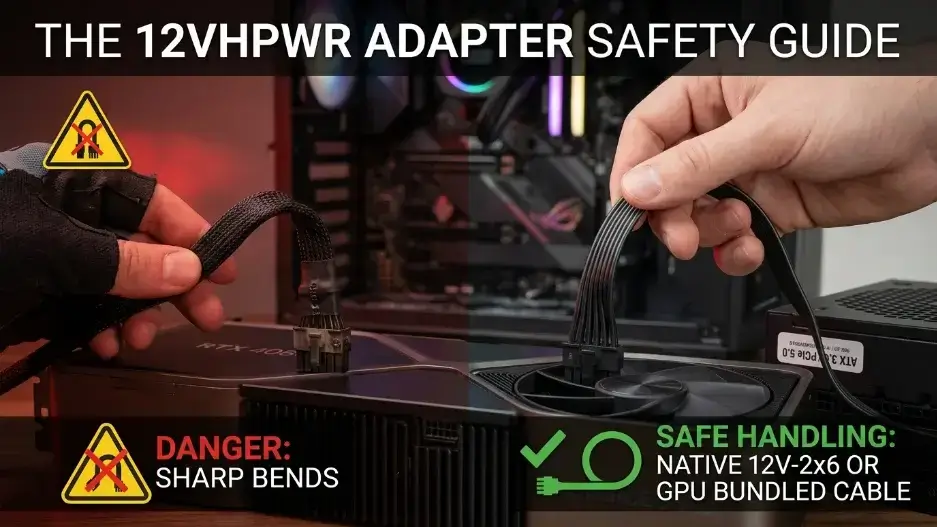
Some older PSUs don’t come with a native 12VHPWR cable. To work around this, some people use adapter cables that convert three or four standard 8-pin connectors into a single 12VHPWR connector. While this can technically work, there are real safety risks involved.
In 2023, there were widely reported cases of 12VHPWR adapter cables melting or burning on RTX 40 Series cards. The problem was traced to bent connectors and cables that couldn’t handle sudden power spikes. NVIDIA and PSU manufacturers worked together to create the improved 12V-2×6 standard, which added a sensing pin to help the GPU and PSU communicate about power limits more safely.
Here’s what you should do to stay safe:
- If your PSU already has a native 12VHPWR or 12V-2×6 cable, use that cable and nothing else.
- If you need to use an adapter, only use the adapter that came inside the GPU’s box. Third-party adapters have an inconsistent track record.
- Never bend the connector at a sharp angle where it plugs into the GPU. Always leave a little slack in the cable before the bend point.
- If you’re buying a new PSU anyway, look for one with a native 12V-2×6 cable, which eliminates the adapter issue entirely.
Specific PSU Recommendations by GPU
For RTX 5090 Builds
Recommended PSU size: 1200W Top picks: Seasonic PRIME TX-1300, Corsair HX1200i, ASUS ROG Thor 1200P2
The RTX 5090 is a power- hungry card with brief transient spikes above its rated 575W TDP. A 1200W PSU gives your system plenty of headroom, especially if paired with a power-hungry CPU like the Intel Core Ultra 9 285K or AMD Ryzen 9 9950X.
For RTX 5080 Builds
Recommended PSU size: 850W to 1000W Top picks: Seasonic VERTEX GX-850, Corsair RM1000x, be quiet! Dark Power 13 1000W
For RTX 5070 Ti / 5070 Builds
Recommended PSU size: 750W to 850W Top picks: Corsair RM850x, Seasonic Focus GX-850, MSI MEG Ai850P
For RTX 5060 Ti / 5060 / 5050 Builds
Recommended PSU size: 650W Top picks: Corsair RM650x, be quiet! Pure Power 12 M 650W, Seasonic Focus GX-650
5 Things Most RTX 50 Series PSU Guides
Your PSU’s Age May Be a Bigger Problem Than Its Wattage
The capacitors inside a power supply degrade over time. A quality 850W PSU that’s five or more years old may only be safely delivering 700W or less by now, even if it’s been running fine. If your PSU is from 2019 or earlier, upgrading it before adding an RTX 50 Series GPU is strongly recommended even if the wattage looks sufficient on paper.
DLSS 4 Multi Frame Generation
Here’s something almost no article mentions: when you turn on DLSS 4 Multi Frame Generation on RTX 50 Series cards, the GPU’s AI Tensor Cores work significantly harder to generate the additional frames. Early testing by hardware reviewers in 2026 shows this can increase total GPU power draw by 10 to 20 percent compared to running with DLSS off or with standard frame generation. This means a build that looked fine on paper might be running closer to its PSU’s limit than you expected when you’re actually gaming.
ATX 3.0 and ATX 3.1 PSUs Are a Much Safer Choice
In 2022, a new PSU standard called ATX 3.0 was introduced specifically to address the demands of modern high-power GPUs. It was refined to ATX 3.1 in 2023. One of the key requirements of these standards is that the PSU must be able to handle a sudden power spike up to 200% of its rated wattage for very short durations (up to 100 microseconds). This protects your GPU when the card briefly demands more power than its rated TDP during intense workloads. Most PSUs released in 2025 and 2026 comply with ATX 3.1, and these are the safest option for RTX 50 Series cards. Look for the ATX 3.0 or ATX 3.1 label when shopping.
Your Wall Outlet Has a Power Limit Too
This is something PC builders often overlook entirely. A standard household outlet in the United States provides 120 volts at 15 amps, giving a maximum of about 1,800 watts. That might sound like plenty, but your PSU is not perfectly efficient an 80 Plus Gold 1000W PSU will actually draw around 1,150 watts from the wall when delivering 1,000W to your components. Add a monitor, speakers, and other devices on the same circuit, and you can start getting close to the outlet’s safe limit. For RTX 5090 builds, it’s worth plugging your PC into a dedicated 20 amp circuit if you can.
Transient Power Spikes Can Exceed the Rated TDP by 30 to 40%
Hardware analysis from early 2026 confirms that the RTX 5090 can spike well above its 575W TDP for extremely short bursts during certain workloads. These transient spikes are measured in milliseconds, and a well-built ATX 3.1 PSU handles them without any trouble. However, a budget PSU with weak capacitors may trigger its over-power protection and shut down your system which looks like a random crash and can be very difficult to diagnose. This is one of the most practical reasons to spend a bit more on a quality brand.

Every watt of electricity your GPU consumes is eventually released as heat inside your case. The RTX 50 Series does a good job of managing this with advanced thermal designs, but your job is to make sure that heat can escape efficiently.
Here are the most effective things you can do:
- Set up proper case airflow. Cool air should enter from the front or bottom of your case and flow toward the hot components. Hot air should exit from the top or rear. This is called positive airflow, and it’s the most impactful single change you can make.
- Clean dust from your PC every three to six months. Dust buildup on fans, heatsinks, and filters restricts airflow and traps heat. A can of compressed air and five minutes of cleaning can drop GPU temperatures by 5 to 10 degrees Celsius.
- Consider a larger case for RTX 5090 or 5080 builds. These cards run hotter and benefit from cases with more interior volume and multiple large fans.
- Monitor your temperatures while gaming. Tools like HWiNFO64, MSI Afterburner, or the NVIDIA App can show you real-time GPU temperature readings. A healthy gaming temperature for RTX 50 Series cards is generally between 70°C and 85°C. If you’re consistently seeing numbers above 90°C, your cooling setup needs attention.
Is the RTX 50 Series Energy Efficient?
Compared to the raw performance it delivers, yes the RTX 50 Series is notably efficient. The RTX 5090 uses more total power than the RTX 4090, but it delivers significantly more frames per second, meaning each individual frame costs less energy to produce. The mid range cards like the RTX 5070 and RTX 5060 Ti are especially impressive in this regard, offering dramatically better performance than their predecessors while keeping power consumption in a similar range.
All RTX 50 Series cards also include intelligent idle power states. When you’re browsing the web, watching a video, or doing light work, the GPU automatically scales down its power draw to just a few watts which helps keep electricity costs manageable over time.
Frequently Asked Questions
Can I use my old 850W PSU with an RTX 5080?
It depends on the brand, quality, and age. A high quality 80 Plus Gold unit from Corsair, Seasonic, or a similar brand that’s less than four years old will likely handle the RTX 5080 fine, assuming it has a native 12VHPWR cable. If the PSU is older or from a lesser-known brand, upgrading is a safer choice.
Do I need a 1000W PSU just for the RTX 5070?
No. The RTX 5070 has a TDP of around 250W. For a typical gaming build with a mid range CPU, a well-built 750W PSU is more than sufficient and gives you good headroom for power spikes.
Is 650W enough for the RTX 5060 Ti?
Yes, comfortably. The RTX 5060 Ti draws about 180W, so a quality 650W PSU leaves plenty of room for your CPU and other components.
What happens if my PSU isn’t strong enough for my GPU?
The most common symptom is random crashes or shutdowns during demanding games or applications. You might also see graphical glitches or instability. In severe cases, a severely underpowered or low-quality PSU can cause damage to the GPU or other components over time.
Does the PSU brand really make a difference?
Absolutely. A poorly built PSU from an unknown brand can have inaccurate wattage ratings, poor voltage regulation, and inadequate protection circuits. Spending an extra $20 to $50 on a trusted brand is one of the best investments you can make in a PC build.
What is ATX 3.1 and do I need it?
ATX 3.1 is the latest standard for desktop PSUs, designed specifically to handle the transient power spikes of modern high-end GPUs. If you’re buying a new PSU for an RTX 50 Series card, getting an ATX 3.1 compliant model is strongly recommended. It also ensures native 12V-2×6 connector support.
Final Thoughts
The NVIDIA RTX 50 Series represents a genuine generational leap in GPU performance, and powering it correctly is just as important as choosing the right card. The good news is that building a solid power foundation doesn’t have to be complicated or extremely expensive. A quality 80 Plus Gold ATX 3.1 modular PSU from a trusted brand will serve any RTX 50 Series build reliably and safely.
To recap the most important points size your PSU based on your whole system, not just the GPU; use a native 12V-2×6 cable whenever possible; replace aging PSUs before upgrading your GPU; and always buy from a brand with a proven track record.
With the right power supply in place, your RTX 50 Series card will deliver everything it’s capable of smoothly, quietly, and reliably for years to come. Not sure if your CPU and GPU are properly matched in the first place? Check your exact pairing with our bottleneck calculator before you finalize your PSU size.

Leave a Reply