

A gaming pc under 1000 is the sweet spot of PC building, and it is also the budget where a single bad choice hurts the most. One thousand dollars buys a real gaming machine in 2026, one that plays new games at 1080p on high settings and handles 1440p with upscaling. It does not buy a flagship, and it does not forgive a lopsided parts list. Spend too much on the processor and the graphics card starves. Spend too much on looks and the frame rate pays for it. This guide shows the best gaming pc under $1000 builds that actually fit the budget in late 2026, explains why so many popular lists are out of date, and covers the prebuilt route for people who would rather not build at all.
What a Gaming PC Under $1000 Can Do
Start with honest expectations, because that is what decides whether you end up happy with the build. A well balanced gaming pc under 1000 dollars plays competitive games like Valorant, Fortnite, Apex Legends, Rocket League, and Counter-Strike 2 at high refresh rates on 1080p, which is where most players still play. It plays demanding single player games at 1080p on high settings smoothly, and it can stretch to 1440p at medium to high settings with upscaling turned on. What it cannot do is max out every new release at 1440p with ray tracing on, or hold 240 frames per second in heavy AAA games. That is a $1,500 and up machine, and pretending otherwise is how people end up disappointed.
The typical gaming PC is still a 1080p machine, and that works in your favor. The October 2026 Steam survey put the GeForce RTX 3060 back at the top of the graphics card list, 16 GB of RAM as the most common setup, and 1080p as the most common resolution on just over half of surveyed systems. A $1,000 build with a current midrange card is already ahead of that typical machine, and it has room to grow. If you want the thinking behind the balance before you pick parts, our budget PC build guide for 2027 explains the same principles in more depth, and our how to build a gaming PC complete guide walks through the assembly step by step once the parts arrive.
One more thing the budget covers, and it matters: the $1,000 is for the tower only. A Windows license, a monitor, a keyboard, and a mouse are extra, so plan for them separately. A used monitor or a keyboard you already own keeps the tower budget intact. If every dollar has to include the screen and the extras, the honest answer is to look at our tighter gaming PC under 500 guide first, then come back to this one when the budget grows.
Why Most $1,000 Build Lists Are Wrong in Late 2026
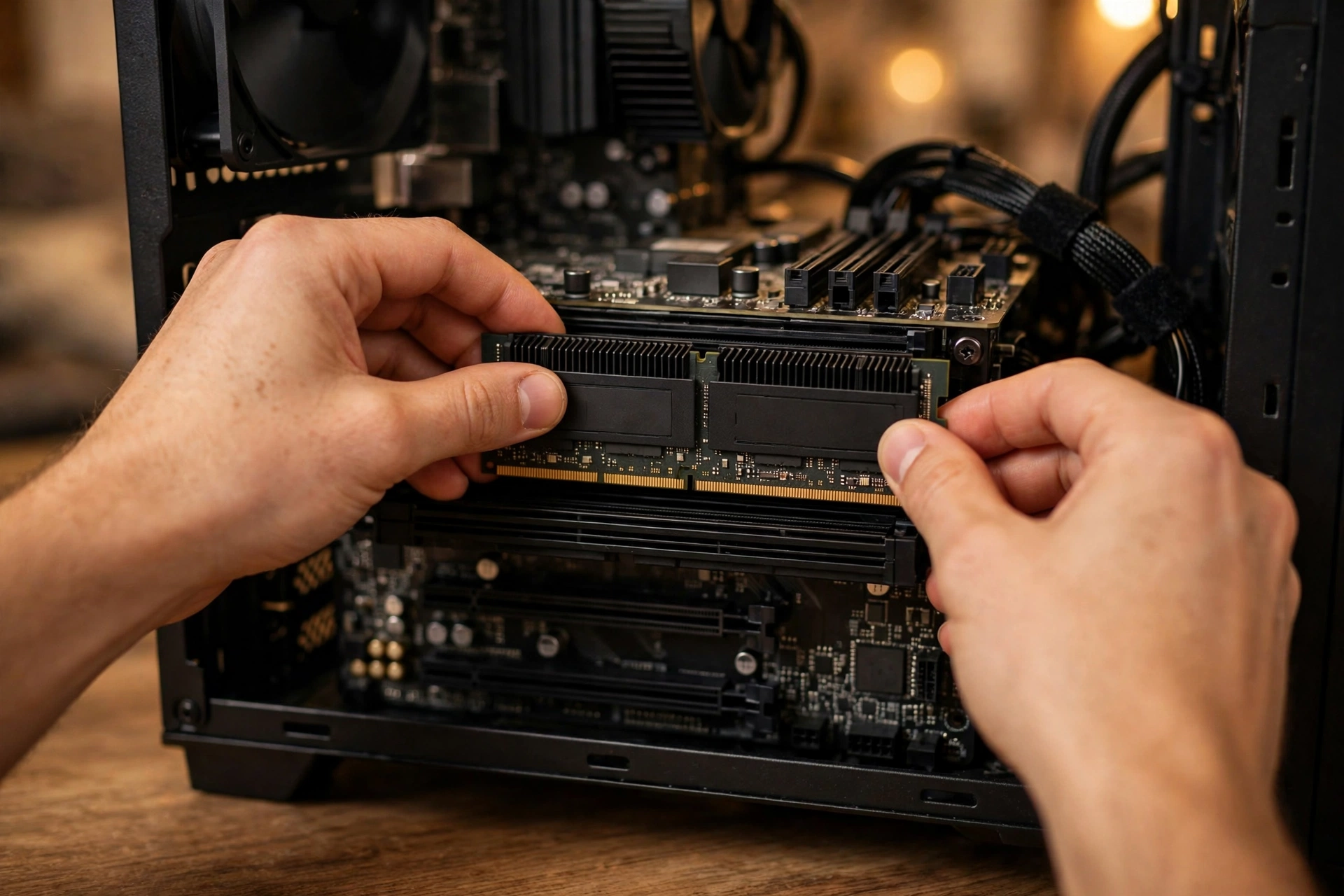
Most gaming pc under 1000 lists you find online were written when memory was cheap, and memory is not cheap anymore. Since late 2025, a worldwide memory shortage has pushed RAM and SSD prices far above what most build guides still show. The numbers are stark. Tom’s Hardware reported that the cheapest 32 GB DDR5-6000 kit in the United States cost $449.97 on October 14, 2026, and its price index showed the same tier at $438 in mid November. The same kind of kit sold for around $100 to $200 in October 2025. Tom’s Hardware says RAM prices have risen more than 500 percent in a year, driven by AI server hardware competing for the same DRAM production capacity. You can follow the latest figures in the Tom’s Hardware DRAM price tracking.
The shortage is not ending next week. Memory maker Team Group said in early November 2026 that the tightest period is expected from late 2026 into mid 2027, and Micron told investors in September that it has no clear line of sight to when memory supply and demand return to balance. That changes the math for every sub 1000 gaming pc build. A parts list with 32 GB of DDR5 and a 16 GB graphics card no longer fits $1,000 at current prices, and any list that shows one is out of date. The fix is not to give up on the budget. The fix is to choose the platform and the memory size that fit today, and to leave a clear upgrade path for later.
The GPU market has its own pressure. High end cards have drifted far out of reach, with the RTX 5090 showing up at Newegg restocks around $6,599, which is more than six times this entire budget for one card. At the same time, reports of AMD delaying its next generation RDNA 5 graphics cards amid the memory shortage mean current generation cards are likely to stay the sensible buy for a while, not a stopgap you regret in three months. The good news is that the cards in this budget, the RTX 5060 and the RX 9060 XT, are genuinely capable 1080p cards with modern upscaling, and they are the right place to put the biggest share of the money.
The lesson is simple and it protects you from every stale list. Check the date on any build guide, check current retail prices the week you buy, and never trust a list that still prices RAM like it is 2025. A build that was $950 a year ago can easily be $1,200 today with the exact same parts, and the only part that changed is the memory.
The Two Builds That Actually Fit $1,000
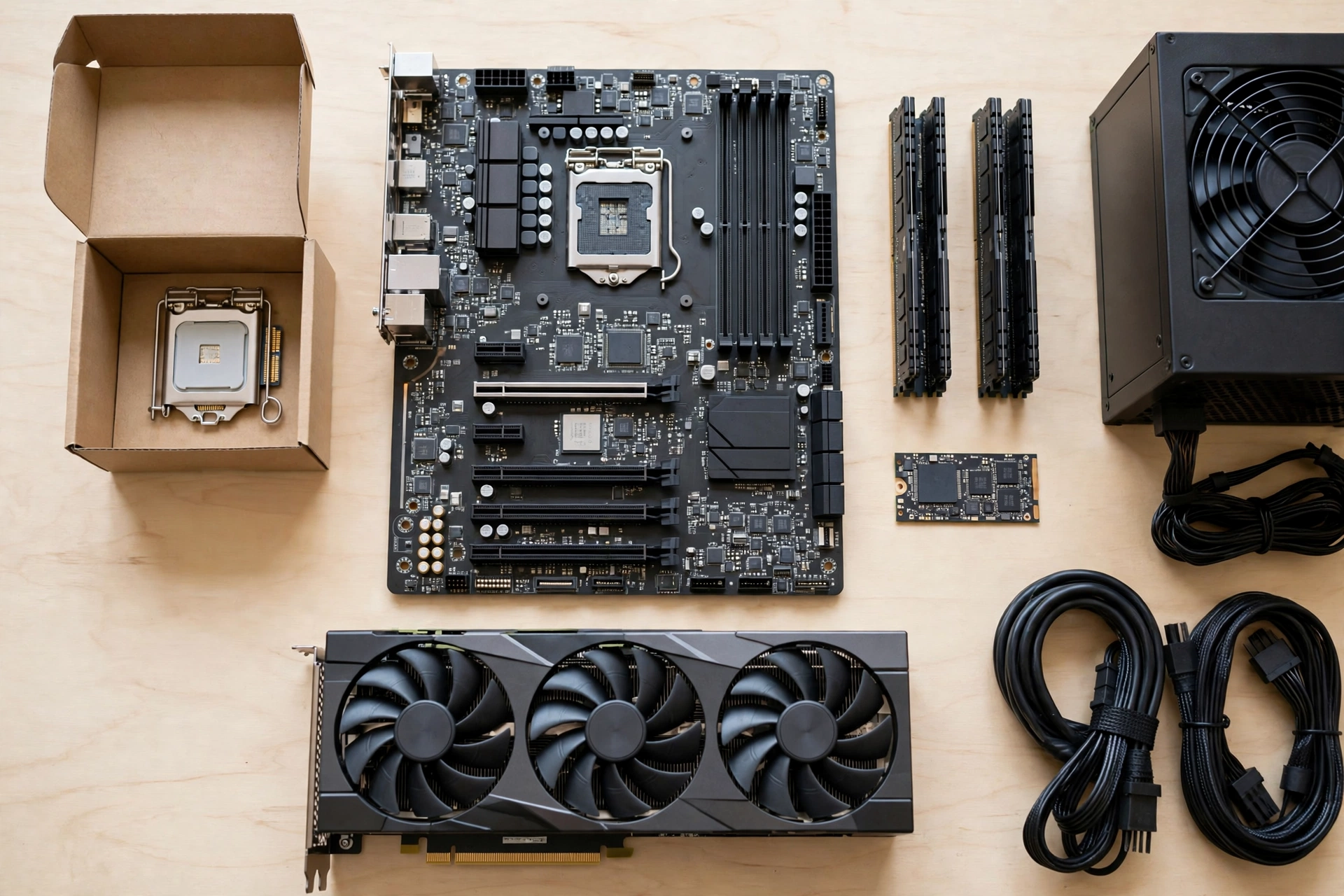
There is no single best gaming pc under $1000 for everyone in late 2026. The memory shortage forces a real choice, and the honest answer is to pick the trade off that matches your plans. Build A buys the newer AM5 platform and a clear upgrade path, with less RAM and less VRAM today. Build B buys the older AM4 platform and spends the savings on more RAM and a 16 GB graphics card, which means more performance today and a platform that is already at the end of its road. Both are example builds with approximate part tiers, not guaranteed prices, because prices move week to week and the RAM market is moving fast. Check current prices before you order anything.
| Build A: AM5 Upgrade Path | Build B: DDR4 Max Value | |
|---|---|---|
| CPU | AMD Ryzen 5 7600, 6 cores, cooler included | AMD Ryzen 5 5600, 6 cores, cooler included |
| Graphics card | RX 9060 XT 8GB, or RTX 5060 8GB if cheaper that week | RX 9060 XT 16GB |
| RAM | 16GB DDR5-6000, 2x8GB | 32GB DDR4-3200 or 3600, 2x16GB |
| Motherboard | B650 board with Wi-Fi | B550 board with Wi-Fi |
| Storage | 1TB NVMe SSD | 1TB NVMe SSD |
| Power supply | 650W, 80 Plus Bronze or better | 650W, 80 Plus Bronze or better |
| Case | Mid tower with mesh front and two fans | Mid tower with mesh front and two fans |
| Best for | Gamers who will upgrade the CPU or GPU later | Gamers who want the most FPS and VRAM today |
Build A: The AM5 Upgrade Path
The Ryzen 5 7600 is a 6 core, 12 thread processor that boosts up to 5.1 GHz, runs at 65 watts, and ships with a cooler in the box, so you skip buying one. AMD lists the full specifications on its Ryzen 5 7600 product page. It sits on the AM5 platform, which means the same motherboard can take faster Ryzen chips for years, and that is the whole point of this build. You buy the platform now and the performance later.
The compromise is memory. At current prices, 16 GB of DDR5 is the most that fits this build without cutting the graphics card, and 16 GB is the floor for smooth gaming in 2026, not the comfortable amount. Buy it as a two stick kit so dual channel mode works, and buy a motherboard with four memory slots so you can add a second identical kit later. Our best RAM for gaming guide explains how much RAM different games actually need and why single channel memory causes stuttering even when the average frame rate looks fine.
The graphics card is an 8 GB card, either the RX 9060 XT 8GB or the RTX 5060 8GB, whichever is cheaper the week you buy. The RTX 5060 brings 3,840 CUDA cores, 8 GB of GDDR7 memory, and DLSS 4 with frame generation, and NVIDIA lists a 550 watt system power requirement for it on its RTX 5060 specifications page. Eight gigabytes of VRAM is enough for 1080p high settings today, but it is the part you will feel first in demanding games at 1440p, so keep texture settings at high rather than ultra and lean on upscaling. That is a fair trade for a platform that can take a much faster card later without replacing anything else.
Build B: The DDR4 Max Value Build
Build B spends the same $1,000 differently. The Ryzen 5 5600 is an older AM4 processor, but it is still a strong 6 core gaming chip, it ships with a cooler, and it costs far less than the 7600. The AM4 platform is at the end of its life, so there is no big CPU upgrade waiting on this board, but the savings go straight into the parts that decide frame rate today: 32 GB of DDR4 and a 16 GB RX 9060 XT.
That 16 GB of VRAM is the headline. It removes the texture and VRAM worry that limits every 8 GB card, and it makes 1440p with upscaling a comfortable target rather than a stretch. The 32 GB of DDR4 costs far less than 32 GB of DDR5 right now, because DDR4 prices rose about half as much as DDR5 prices over the same year, and that gap is what makes this build possible. For most people who just want to play now and are not planning a CPU upgrade in the next two years, Build B is the better buy today. For people who see the PC as a platform they will grow over five years, Build A is the smarter long term choice.
One warning applies to both builds. Do not buy a single stick of RAM to save money. A single stick runs in single channel mode and can cut memory bandwidth roughly in half, which shows up as stuttering in open world games and lower minimum frame rates in competitive games. Two sticks, always, even if it means dropping from 32 GB to 16 GB.
How to Split a $1,000 Budget
A gaming computer under 1000 dollars is not a democracy. Some parts decide your frame rate and some parts just need to be good enough. The table below is a planning guide, not a fixed receipt, because real prices vary by week and by store. Use it to decide where extra money helps and where it is wasted.
| Component | Rough Share of Budget | Why |
|---|---|---|
| Graphics card | 40 to 50 percent | The single biggest driver of gaming performance |
| Processor | 15 to 20 percent | A modern 6 core chip that can feed the GPU |
| RAM | 10 to 15 percent | 16 GB minimum in 2026, more if the price allows |
| Motherboard | 10 to 12 percent | Solid board with the features you will actually use |
| Storage | 6 to 8 percent | 1 TB NVMe SSD, never a hard drive as the main drive |
| Power supply | 6 to 8 percent | Reputable unit with headroom, never the cheapest no-name unit |
| Case | 5 to 7 percent | Good airflow, mesh front, room for two or three fans |
The graphics card deserves the largest share because it renders every frame. Moving up one GPU tier usually does more for smooth 1080p gaming than the same money spent anywhere else, as long as the CPU can keep up. The processor is second, and a modern 6 core chip is enough for the cards in this budget. Spending more on the CPU while the GPU stays weak is the classic budget trap, and it shows up as low GPU usage and frame rates that do not improve when you lower settings.
The power supply is where budget builders most often regret saving money. A poor quality unit can cause crashes, damage other parts, or fail in ways that look like a bottleneck. Buy a known brand, check the exact model against a PSU tier list, and leave headroom. A 650 watt unit covers both builds here with room for a stronger graphics card later, and a 750 watt unit is worth it if you plan a big GPU upgrade on the AM5 build.
The case and cooling are where sensible saving works. You do not need liquid cooling and you do not need RGB lighting. You need a case with a mesh front, at least two fans, and room for cables to stay clear of the airflow. The boxed coolers that come with the Ryzen 5 7600 and the Ryzen 5 5600 are adequate for these chips at stock settings, so spend that cooler money on RAM or storage instead.
Prebuilt or Build It Yourself
The best gaming desktop under $1000 is not always a parts list. Some people would rather buy a finished machine, and that is a fair choice if you know what to check. A prebuilt gaming desktop under 1000 usually comes with Windows installed, a single warranty for the whole system, and no assembly time. What it often hides is a cheap power supply, slow single channel memory, and a case with poor airflow, and those are the three things that turn a good looking spec sheet into a disappointing PC.
If you are shopping for the best gaming computer under 1000 as a finished machine instead of a parts list, check these five things before you pay. First, the RAM must be 16 GB in two sticks, not one 16 GB stick and not 8 GB. Second, the storage must be a 1 TB NVMe SSD, not a small SSD plus an old hard drive. Third, the power supply brand and wattage must be named in the listing. If the listing will not name it, assume it is the cheapest unit the builder could find. Fourth, the graphics card must be a named model with its VRAM stated, such as an RTX 5060 8 GB or an RX 9060 XT, not just “gaming graphics.” Fifth, the case needs a mesh front or visible intake vents, not a solid glass front that chokes the fans.
Building it yourself usually delivers more performance for the same money, because you choose every part and you do not pay for assembly and a Windows license you may already own. It also teaches you how the machine works, which pays off the first time something needs cleaning or upgrading. The trade off is time and risk. Your first build takes an afternoon, and a mistake like forgetting the motherboard standoffs or the CPU power cable can cost you an evening of troubleshooting. If that sounds like fun, build it. If it sounds like stress, buy a prebuilt from a builder that names every part, and keep the five checks above in your pocket when you shop.
Sales matter more than brand names here. A prebuilt that is a bad deal at full price can be the best gaming desktop under 1000 during a sale week, and the same is true of individual parts. Check the current price on the day you buy, compare two or three sellers, and do not let a countdown timer rush you into a machine with single channel RAM.
What Games Can It Run
The honest answer depends on the resolution and the settings, so here it is in plain terms. At 1080p, both builds handle competitive games at high refresh rates and play new single player games on high settings smoothly. At 1440p, competitive games still run well, and demanding single player games need medium to high settings with upscaling to stay smooth. At 4K, neither build is the right tool, and no honest $1,000 guide should claim otherwise.
Upscaling is what makes the 1440p stretch work. DLSS on NVIDIA cards and FSR on AMD cards render the game at a lower internal resolution and rebuild the image, which buys back a large chunk of frame rate for a small loss in sharpness. On a 1080p monitor you may never need it. On a 1440p monitor it is the difference between playable and choppy in heavy games. Turn it on in quality mode first, and only drop to balanced mode if the frame rate still struggles. Native resolution purists will tell you upscaling is cheating. On a $1,000 budget, it is a tool, and using it well is part of getting your money’s worth.
Your monitor decides what the build needs to deliver, so match them. A 1080p 144 Hz monitor is the natural partner for this budget, and it is also what most players already own. A 1440p 144 Hz monitor is a fine partner too, as long as you accept medium to high settings with upscaling in heavy games. A 1080p 60 Hz monitor will make the build feel faster than it is, because the screen caps the benefit at 60 frames per second, and that is money you could have saved on the graphics card. Our best gaming monitor guide explains how refresh rate and panel choice change what you actually see.
One more expectation to set: ray tracing is a sometimes food at this budget, not a staple. Both cards support it, but turning ray tracing on in a demanding game at 1080p usually costs enough frame rate that you will turn it back off. Use ray tracing in lighter games or with upscaling, and keep it off in heavy ones. The visual difference is small on a 1080p screen, and the frame rate difference is not.
Common Mistakes That Waste Your $1,000
The most common mistake is buying the parts in the wrong order. People pick a case they like, then a motherboard that looks good, then realize there is not enough money left for the graphics card that actually decides the frame rate. Pick the graphics card first, then the CPU that can feed it, then everything else around them. The case is last, not first.
The second mistake is paying for a faster CPU and a weaker GPU. A Ryzen 7 or a Core i7 looks impressive on the box, but in a gaming PC under 1000 dollars it steals money from the graphics card, and the graphics card is what renders the game. A 6 core Ryzen 5 with a stronger GPU beats an 8 core chip with a weaker GPU in almost every game at this budget.
The third mistake is buying RAM in the wrong configuration. One stick instead of two, or a very slow kit chosen only because it was cheap, causes stuttering that no graphics setting fixes. Buy two matched sticks, check that the speed suits the platform, and remember that 16 GB in two sticks beats 32 GB in one stick for gaming.
The fourth mistake is trusting an old parts list. A list from early 2026 prices RAM at a third of what it costs now, and a list from 2025 is fantasy. Check the date on every guide, and if the RAM price looks too good to be true, it is from before the shortage.
The fifth mistake is cheaping out on the power supply. A no-name 650 watt unit is not the same as a reputable 650 watt unit, and the difference shows up as random crashes, coil whine, or a dead machine six months later. The PSU is the one part that can kill every other part, so it is the worst place in the build to save $30.
The sixth mistake is forgetting the extras. Windows, a monitor, a keyboard, a mouse, and a headset all cost money, and a $1,000 tower plus $400 of extras is a $1,400 purchase. Decide what you already own before you set the tower budget, and read our gaming PC setup guide for the desk, monitor position, and peripherals that complete the setup.
First Upgrades in Order
A good $1,000 build is a starting point, not a finished machine, so upgrade in the order that buys the most improvement. First, add RAM. If you built with 16 GB, a second identical 16 GB kit is the single best upgrade for smoothness in open world games and multitasking, once prices ease or the budget allows. Second, add storage. A second 1 TB NVMe SSD is cheap insurance against the constant delete and reinstall cycle, and games keep getting bigger.
Third, upgrade the graphics card, and only when the budget allows a real jump. Moving from an RX 9060 XT 8GB to a 16 GB card, or from an RTX 5060 to a 5060 Ti 16GB, is a real step. Moving one small tier sideways is not worth the money or the hassle. Fourth, upgrade the CPU, and on the AM5 build that is easy, because the same board takes faster Ryzen chips. On the AM4 build, a CPU upgrade usually means a new board too, which is why Build B is a play now machine and Build A is a grow later machine.
Do not upgrade everything at once. Upgrade the part that is actually limiting you in the games you play, and check with a bottleneck test before you spend. A slow feeling in one game can be a RAM problem, a storage problem, or a cooling problem, and buying a new graphics card will not fix any of those.
Frequently Asked Questions
Can you build a good gaming PC for $1,000 in 2026?
Yes. A Ryzen 5 5500 or 5600 with a Radeon RX 9060 XT, 16 GB of RAM, and a 512 GB or 1 TB SSD comes to just under $1,000 and plays new games at 1080p on high settings, and most at 1440p with upscaling. The hard part in late 2026 is RAM pricing, so the platform choice matters more than it used to. Pick the AM4 build for the most performance today, or the AM5 build for the clearest upgrade path, and check current prices the week you buy.
Should I buy a prebuilt gaming PC under $1000 or build it myself?
Building it yourself usually gives you more performance for the same money, because you choose every part and skip the assembly markup. A prebuilt is the better choice if you want Windows installed, a single warranty, and zero assembly time. If you buy prebuilt, check that the RAM is 16 GB in two sticks, the storage is a 1 TB NVMe SSD, the power supply brand is named, and the graphics card model and VRAM are stated. If any of those are hidden in the listing, keep shopping.
Is a 1000 dollar PC good for gaming?
Yes, it is an excellent choice for modern gaming at 1080p. A system at this price easily handles competitive multiplayer titles at high refresh rates and plays demanding single player games smoothly at optimized settings. It is not a 4K machine and it will not max out every new release at 1440p with ray tracing on, but for the resolution most players actually use, it is the best value tier in PC gaming.
What parts do you need for a gaming PC build?
You need a CPU, a motherboard, a graphics card, RAM, an NVMe SSD, a power supply, a case, and a CPU cooler, plus Windows or Linux. Around $1,000, balance a strong graphics card with a capable 6 core CPU and 16 to 32 GB of RAM in two sticks. The graphics card takes the largest share of the budget, the CPU takes the next largest, and the power supply is the one part you should never buy on price alone.
Is 16GB of RAM enough for a gaming PC under $1000?
Yes, 16 GB in two sticks is enough for most games at 1080p in 2026, as long as you close heavy background apps while you play. It is the floor, not the ideal. Open world games, streaming, and multitasking all benefit from 32 GB, so buy a motherboard with four memory slots and add a second identical 16 GB kit later when prices ease or the budget allows. Never buy a single 16 GB stick to save money, because single channel mode causes stuttering that a bigger kit in two sticks would not.
Can a gaming PC under $1000 run games at 1440p?
Yes, in most games, with the right expectations. Competitive games run well at 1440p on these builds, and demanding single player games run at medium to high settings with upscaling turned on. The 16 GB RX 9060 XT build handles 1440p more comfortably than the 8 GB builds, because it has the VRAM headroom for higher texture settings. If 1440p at high settings with ray tracing is the goal, that is a higher budget, not a settings tweak.
Is it better to buy a gaming PC under $1000 now or wait for prices to drop?
There is no reliable sign that RAM prices will fall soon. Memory makers and analysts expect tight supply to continue into 2027, and nobody can promise a date when prices ease. If you need the PC now, buy the build that fits today and leave an upgrade path open. If you can wait six months without missing games you want to play, waiting costs nothing, but waiting for a price crash that may not come is how people end up with no PC at all.
How long will a $1,000 gaming PC last?
A balanced $1,000 build should play new games well for three to five years at 1080p, with settings dropping from high to medium over time as games get heavier. The AM5 build lasts longer as a platform, because you can drop in a faster CPU and a stronger graphics card without replacing the motherboard or the RAM. The AM4 build lasts just as long as a gaming machine, but its upgrade path is a new platform, not a new chip.
Key Takeaways
- A gaming pc under 1000 plays new games at 1080p on high settings and handles 1440p with upscaling. It is not a 4K machine, and it should not pretend to be one.
- Late 2026 RAM prices changed the budget completely. A 32 GB DDR5 kit that cost around $100 to $200 in October 2025 now costs over $400, so check the date on every build list and check current prices before you buy.
- There are two honest builds at this budget: an AM5 build with a Ryzen 5 7600 and 16 GB of DDR5 for the upgrade path, or an AM4 build with a Ryzen 5 5600, 32 GB of DDR4, and a 16 GB RX 9060 XT for the most performance today.
- Put 40 to 50 percent of the budget into the graphics card, buy RAM in two sticks, and never cheap out on the power supply.
- A prebuilt can be a good buy if it names every part, uses two sticks of RAM, and has a 1 TB NVMe SSD. If the listing hides the PSU brand or the RAM configuration, keep shopping.
- Upgrade RAM first, then storage, then the graphics card, and only when the jump is a real one.
Conclusion
The best gaming pc under $1000 in 2026 is not the one with the longest parts list or the flashiest case. It is the balanced one: a modern 6 core CPU that can feed the graphics card, a midrange card with enough VRAM for the resolution you actually play at, two sticks of RAM, a fast SSD, and a power supply you can trust. The memory shortage made the budget harder, but it did not break it. It just moved the smart money from 32 GB of DDR5 to a platform choice, and the two builds in this guide are the two honest answers to that choice.
Pick the AM5 build if you want a machine that grows with you. Pick the AM4 build if you want the most frames and the most VRAM today. Check the prices the week you buy, because in this market a list from last month is already out of date. Then build it, test it in the games you actually play, and enjoy the machine. A thousand dollars, spent in the right places, still buys a very good gaming PC.

Leave a Reply