

Quick answer: A prebuilt gaming PC is the fastest way to start playing, but the best one is not the flashiest listing. For most buyers in November 2026, a mid-range tower with an RTX 5060 Ti or RTX 5070, 32GB of dual-channel DDR5 RAM, and a named 80 Plus Gold power supply is the sweet spot.
A prebuilt gaming pc should save you time, not create new problems. You pay extra so someone else picks the parts, builds the machine, and tests it before it ships. That deal only works when the parts inside are actually good. This guide shows you the best prebuilt gaming PCs by budget, the exact checks to run before you pay, and the traps that catch first-time buyers.
Best Prebuilt Gaming PCs at a Glance
Pick a budget first, then a machine. The table below lists the strongest picks from current 2026 buying guides, with the price each source reported. Every price is a snapshot from November 12, 2026, and sale prices change often.
| Pick | CPU and GPU | Why it stands out | Snapshot price (Nov 12, 2026) |
|---|---|---|---|
| Best budget | CyberPowerPC Gamer Xtreme: Core i5-13400F or 14400F, RTX 5060 | Current-gen GPU under $1,000, with 16GB of DDR5 and a 1TB NVMe SSD | Around $950 |
| Best budget alternative | ZOTAC MEK 5050: Ryzen 5 5500, RTX 5050 | Listed under $1,000 on the maker’s own store, not only during a sale | Under $1,000 |
| Best mid-range | Alienware Gaming Desktop: Core Ultra 7 265F, RTX 5060 Ti | Strong 1440p card with Dell service behind it | $1,699.99 |
| Best mid-range all-rounder | Skytech O11 Vision: Ryzen 7 7700X, RTX 5070 | Real 850W 80 Plus Gold power supply and a 360mm AIO cooler at this price | Around $1,700 |
| Best high-end | iBuyPower RDY Element 9 Pro: Ryzen 7 7800X3D, high-end RTX 50-series GPU | Top pick in PC Gamer’s 2026 guide, with generous RAM and storage | Around $2,300 |
| Best no-compromise | NZXT Player Three: Ryzen 7 9800X3D, RTX 5080 | The strongest CPU and GPU pairing in this guide | Upper $3,000s |
One honest note before the details: no guide can test every configuration, because sellers change parts and prices weekly. The picks above are the models that keep showing up across independent 2026 guides with the same strengths. Use them as a shortlist, then run the checks later in this guide on the exact configuration you plan to buy.
Best Budget Prebuilt Gaming PC Under $1,000
A $1,000 budget is the hardest place to shop, because this is where sellers hide the cheapest parts. The good news is that in late 2026, $1,000 finally buys a current-generation graphics card, a modern six-core CPU, 16GB of RAM, and a 1TB NVMe SSD. The bad news is that plenty of systems at this price still cut corners you cannot see on the spec sheet.
CyberPowerPC Gamer Xtreme (around $950): our budget pick. A typical current configuration pairs an Intel Core i5-13400F or 14400F with an RTX 5060, 16GB of DDR5, and a 1TB NVMe SSD. That is a balanced 1080p machine that can stretch into 1440p in lighter games. CyberPowerPC has held this spot for years because its budget towers use standard parts more often than the big-brand alternatives, which makes future upgrades easier.
ZOTAC MEK 5050 (under $1,000): the honest budget alternative. This one pairs a Ryzen 5 5500 with an RTX 5050, 16GB of RAM, and a 1TB SSD, and the maker lists it under $1,000 on its own store. That matters, because many towers only dip under $1,000 during a sale. The RTX 5050 is a 1080p card, so buy this one for 1080p gaming at medium to high settings, not for 1440p.
HP Victus 15L (around $850 on sale): the big-brand budget option. The Victus 15L is compact, quiet, and backed by HP support, and it regularly drops to around $850 with an RTX 5060 class GPU. The trade-off is upgradeability. It ships with a proprietary power supply and a nonstandard motherboard layout, so treat it as a sealed machine you will use for a few years, not a base you will upgrade part by part.
Lenovo LOQ Tower (around $800 to $900 on sale): the esports budget pick. Lenovo’s LOQ desktops with an RTX 4060 or RTX 5060 regularly sell in this range. They are solid for competitive games at 1080p, and Lenovo support is a real plus at this price. The same warning applies as with the Victus: check the power supply and motherboard before you assume you can upgrade it later.
What to skip under $1,000. Avoid anything still shipping an RTX 3050 or a GTX 1650 as its main graphics card. Those cards struggle with newer games and offer poor value in 2026. Also skip any tower with only 8GB of RAM, a spinning hard drive as its only storage, or a listing that never names the power supply. If you are weighing a cheap graphics card against a full system, our guide to the best GPU under $300 shows what that money buys on its own.
Takeaway: under $1,000, buy the CyberPowerPC Gamer Xtreme with an RTX 5060 if you can find it at around $950. If it is out of stock, the ZOTAC MEK 5050 is the next honest choice.
Best Mid Range Prebuilt Gaming PC ($1,000 to $1,800)
Mid-range is where a prebuilt gaming PC makes the most sense. This is the price band where you get a graphics card that handles 1440p, enough RAM to stop worrying about it, and a power supply that will not need replacing the day you upgrade.
Alienware Gaming Desktop ($1,699.99): the safe mid-range pick. This configuration pairs an Intel Core Ultra 7 265F with an RTX 5060 Ti, 16GB of DDR5, and a 1TB SSD. The RTX 5060 Ti is the card to aim for at this budget, and the 16GB version is the one worth paying for. NVIDIA lists the RTX 5060 Ti with 4,608 CUDA cores and a choice of 8GB or 16GB of GDDR7 memory, and the 16GB version holds up far better in newer games that use more video memory. Dell’s service network is the other reason this pick stands out: when something breaks, you deal with one company, not five part makers. If you want the full picture on video memory before choosing between the 8GB and 16GB versions, read is 8GB VRAM enough and does full VRAM cause stuttering.
Skytech O11 Vision (around $1,700): the enthusiast mid-range pick. This one pairs a Ryzen 7 7700X with an RTX 5070, a real 850W 80 Plus Gold power supply, and a proper 360mm AIO cooler. Those last two details are the whole story. Most prebuilts at this price cut the power supply and cooling first, because buyers rarely check them. Skytech ships a clean Windows 11 install with no bloatware, and the standard parts make it easy to upgrade later.
Lenovo Legion Tower 5i (around $1,499): the reliable mid-range pick. A typical configuration pairs a Core i7 class CPU with an RTX 5060 Ti 16GB and a 700W power supply. Lenovo’s Legion line has a better reputation for build quality and support than its budget LOQ line, and this is the cheapest way into a 16GB RTX 5060 Ti from a major brand.
ABS Cyclone Aqua (around $1,050): the entry point to mid-range. This is the cheapest tower in PC Gamer’s 2026 guide that still earns a recommendation, with configurations offering an RTX 5060 Ti and up to 32GB of RAM. If your budget tops out just above $1,000, start here before looking at anything cheaper.
Takeaway: if you play at 1440p, the Alienware at $1,699.99 is the simplest good decision. If you care about upgradeability and clean parts, the Skytech O11 Vision at around the same price is the better long-term buy.
Best High-End Prebuilt Gaming PC ($1,800 and Up)
High-end prebuilts are where the premium starts to pay for itself, because the parts are expensive enough that a bad power supply or weak cooling can waste a lot of money. At this level, buy the system with the best CPU and GPU balance, not the one with the most lights.
iBuyPower RDY Element 9 Pro (around $2,300): our high-end pick. PC Gamer’s top pick for 2026 pairs an AMD Ryzen 7 7800X3D with a high-end RTX 50-series GPU, generous RAM, and plenty of storage. The 7800X3D is a gaming-first CPU, and this is the tower to buy if you want strong 1440p and high-refresh gaming without stepping into the $3,000 range. The exact GPU varies by retailer configuration, so confirm the card on the listing before you pay.
Corsair Vengeance a7500 (price varies by configuration): the balanced high-end pick. One well-regarded configuration pairs a Ryzen 7 9800X3D with an RTX 5070 Ti 16GB, 32GB of DDR5, and a two-year warranty. The 9800X3D is AMD’s strongest gaming CPU right now: 8 cores, 16 threads, a boost clock up to 5.2 GHz, and 96MB of L3 cache on the AM5 platform, according to AMD’s official specifications. Corsair builds with standard components, which is rare at this price and makes the machine easy to upgrade. The related Vengeance i7600, with a Core Ultra 7 270K Plus and an RTX 5070 Ti, lists at around $3,199.99, so expect the a7500 to sit in the same high-end band.
NZXT Player Three (upper $3,000s): the no-compromise pick. This pairs the Ryzen 7 9800X3D with an RTX 5080, 32GB of DDR5-6000 RAM, and a large SSD. It is the strongest combination in this guide, and the one to buy if you play at 4K and want the machine to stay fast for years. The main weakness is the price, which sits in the upper $3,000 range, so you are paying a real premium for the complete package.
HP OMEN 35L Stealth: the esports high-end option. The current esports configuration pairs a Ryzen 7 9800X3D with an RTX 5070 Ti, 32GB of DDR5-5600, and a 1TB NVMe SSD. It is a cleaner, quieter tower than most gaming PCs, and it suits players who want high frame rates in competitive games without a flashy case.
ORIGIN PC Neuron (price varies widely): the customization pick. ORIGIN lets you configure almost every major part, up to a Ryzen 9 9950X3D or Core Ultra 9 285K with an RTX 5090 and up to 128GB of DDR5. Buy this one only if you know exactly which parts you want and you are willing to pay boutique prices for them.
Takeaway: most high-end buyers should stop at the iBuyPower RDY Element 9 Pro at around $2,300. Step up to the NZXT Player Three only if you play at 4K or you want the strongest parts available today.
Which Brands and Lines Are Worth It
Prebuilt brands fall into three groups, and the group matters more than the logo on the case. System integrators like CyberPowerPC, iBUYPOWER, and Skytech build with mostly standard parts and compete on price. Big brands like Dell (Alienware), Lenovo (Legion and LOQ), and HP (OMEN and Victus) offer stronger support and cleaner designs, but they sometimes use proprietary parts. Boutique builders like Corsair, NZXT, and ORIGIN PC charge more and use the best standard components with the most configuration choice.
| Brand group | Strengths | Watch out for |
|---|---|---|
| System integrators: CyberPowerPC, iBUYPOWER, Skytech | Best prices, mostly standard parts, easy upgrades | Quality varies by configuration, so check the exact parts list |
| Big brands: Alienware, Legion, OMEN | Strong support, clean designs, one warranty for the whole machine | Proprietary motherboards and power supplies on some budget models |
| Boutique builders: Corsair, NZXT, ORIGIN PC | Best standard components, most configuration choice, clean Windows install | Highest prices, and some options cost far more than the parts inside |
A brand name alone tells you very little. Two towers from the same brand can be completely different machines: one with a named 850W Gold power supply and dual-channel RAM, and another with an unnamed 500W unit and a single RAM stick. Judge the exact configuration, not the badge.
What to Check Before You Buy a Prebuilt Gaming PC
This is the section that saves you money. A spec sheet shows the CPU and GPU in big text and hides everything else in small print. Run these eight checks on every prebuilt gaming PC before you pay.
1. The power supply (PSU)
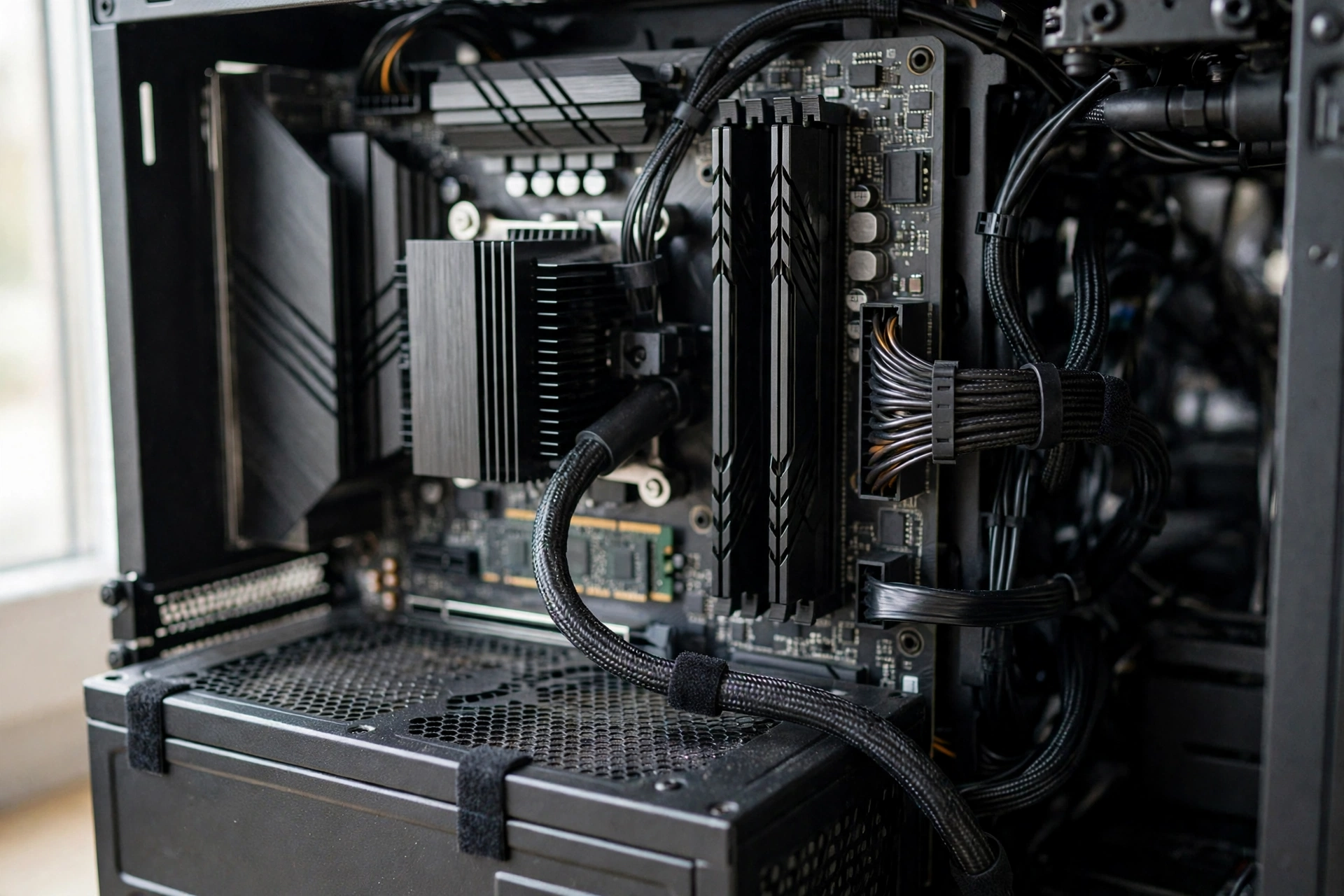
The power supply is the most common corner cut in cheap prebuilts, and the hardest to spot from the outside. Look for a named brand, such as Corsair, Seasonic, or EVGA, with an 80 Plus Gold rating and enough wattage for the graphics card. A good rule is 650W for an RTX 5060 class card, 750W for an RTX 5070 class card, and 850W or more for an RTX 5080. If the listing only says “750W” and never names the unit or its rating, assume it is the cheapest unit the seller could source. If you already own a PC and want to see what is inside it, our guide on how to check what PSU you have walks through it step by step.
2. The motherboard
A cheap motherboard can throttle a good CPU without any obvious warning. Weak voltage regulators overheat under sustained gaming, and the CPU quietly slows down. Look for a named board, such as a B650 or B850 for AMD and a B760 or Z790 class board for Intel, with a standard ATX or micro-ATX layout. Avoid proprietary boards that only fit that maker’s case and power supply, because a single failure can force you to buy replacement parts from one company at whatever price it charges. A locked BIOS is another warning sign: if you cannot enable XMP or EXPO memory profiles, your RAM runs slower than you paid for.
3. The RAM configuration
RAM capacity is only half the story. Two sticks in dual-channel mode give your CPU far more memory bandwidth than one stick of the same size, and single-channel RAM can cost you a noticeable amount of gaming performance. Always check the stick count: look for “2 x 16GB” rather than “1 x 32GB”. In late 2026, 16GB is the minimum for a budget tower and 32GB is the safer choice for a mid-range or high-end machine. DDR5 at 5600 MT/s or faster is now the standard for new builds. Our guide on best RAM for gaming and how much you really need breaks down the right amount for each budget.
4. Cooling and airflow
A fast CPU and GPU generate real heat, and a case with a solid front panel and one small fan will throttle them. Look for a mesh front panel, at least two or three intake fans, and a real CPU cooler, not the smallest stock cooler the seller could fit. A 240mm or 360mm AIO liquid cooler is a good sign on a high-end tower, but a good air cooler beats a cheap liquid cooler every time. Loud fans under load are often the first sign that cooling was an afterthought.
5. Storage
Insist on an NVMe M.2 SSD as the boot drive, at least 1TB for a gaming machine. A 512GB drive fills up fast when a single modern game can take 100GB or more, and a spinning hard drive as the only storage is not acceptable in 2026. Check whether the drive is PCIe 3.0 or PCIe 4.0, and whether the motherboard has a spare M.2 slot for a second SSD later. That spare slot is worth more than it looks: adding storage is the most common first upgrade.
6. Bloatware
Many budget and mass-market prebuilts arrive with trial antivirus software, manufacturer utilities, and apps you will never open. Boutique builders usually ship a clean Windows install, and that alone is worth something. Bloatware does not just waste disk space; background apps eat CPU cycles and RAM while you play. Plan to spend 30 minutes after setup removing anything you do not recognize, and do a clean install of your graphics drivers.
7. Warranty and support
A good prebuilt comes with a single warranty covering the whole machine, so you deal with one company when something breaks. Look for at least one year of parts and labor coverage, and two years on a high-end tower. Read the fine print before you buy: some warranties cover parts but not labor, some require you to ship the whole PC back at your own cost, and some are void if you open the case. Keep the box and the packing foam until the return window closes.
8. The upgrade path
Ask one question before you buy: what can I change in this machine in two years? A good prebuilt lets you add a second SSD, add more RAM, and swap the graphics card without replacing the case, motherboard, or power supply. A bad one locks you into proprietary parts and a power supply with no headroom. Standard ATX parts, a spare M.2 slot, two free RAM slots, and a power supply with 100W or more of spare capacity are the signs of a machine that will last.
Takeaway: the GPU gets the headlines, but the power supply, motherboard, and RAM configuration decide whether the machine stays fast. Check those three first, every time.
The November 2026 Price Problem RAM Costs More
There is no honest buying guide for November 2026 that skips this. Memory prices have surged through 2026 as AI server demand tightens DRAM supply. TrendForce expects conventional DRAM contract prices to rise another 10 to 15 percent in the fourth quarter of 2026, with NAND flash prices up 15 to 20 percent in the same period. In the United States, a 32GB DDR5-6000 kit that cost well under $200 not long ago now starts at around $454, and some forecasts put PC prices up about 17 percent for the year.
What does that mean for your prebuilt purchase? Three things. First, a prebuilt can be better value than building right now, because system builders buy memory in bulk under older contracts and bundle it with a single warranty. Second, do not expect a big discount to fix the math: a 10 percent sale on a machine whose memory already costs far more than it did last year is still an expensive machine. Third, buy the RAM you need now. A 16GB tower that you plan to upgrade to 32GB later may cost you far more in a few months than the 32GB configuration costs today.
This is also why the 32GB configurations in this guide keep showing up as the better buy. The price gap between 16GB and 32GB prebuilts has narrowed in real terms, because memory is the part whose price moved most. If you are choosing between a cheaper 16GB tower and a slightly more expensive 32GB tower with the same GPU, take the 32GB one.
First Setup Checklist After Unboxing
Your prebuilt gaming PC arrives tested, but it still needs 30 minutes of setup before it is really yours. Do these steps in order.

- Open the side panel and remove the shipping foam. Builders pack expanding foam inside the case to hold the graphics card and cooler steady during shipping. Remove every piece before you press the power button, and check that the graphics card is fully seated in its slot.
- Check the cables. Make sure the graphics card power cables, the motherboard power cable, and the front panel connectors are all firmly plugged in. Shipping can loosen them.
- Plug the monitor into the graphics card, not the motherboard. This is the most common setup mistake. The graphics card ports sit lower on the back of the case, in a horizontal row. The motherboard ports sit higher up, near the USB ports. Use the graphics card ports.
- Update Windows, then install fresh graphics drivers. Download the latest driver from NVIDIA or AMD and choose a clean install. Do not rely on the driver version that shipped in the box.
- Enable XMP or EXPO in the BIOS. This one setting makes your RAM run at the speed you paid for instead of the slow default speed. Restart the PC, enter the BIOS, find the XMP or EXPO option, enable it, and save.
- Remove bloatware. Uninstall trial antivirus software and any apps you do not recognize. Keep the manufacturer’s control software only if you actually use it.
- Check your temperatures. Play a demanding game for 20 minutes, then check CPU and GPU temperatures with a free monitoring tool. Sustained temperatures far above 85 degrees Celsius under load are a sign of a cooling problem worth raising with support right away.
- Test everything before the return window closes. Test every USB port, the Wi-Fi, the audio jacks, and the case fans. A problem found in week one is a free fix. A problem found in month three is a warranty claim.
Takeaway: the foam, the monitor cable, and the XMP setting are the three steps new owners skip most. Do all three on day one.
Common Mistakes That Waste Your Money
Buying the GPU and ignoring everything else. A great graphics card in a machine with a weak power supply, a single stick of RAM, and a choked case will still stutter. Balance matters more than any single part.
Paying for a CPU you will never use. A Ryzen 9 or Core i9 in a machine with an RTX 5060 is money spent on the wrong part. For gaming, the graphics card decides your frame rate far more than the CPU once you have a modern six or eight core chip. A mismatched pair like a high-end CPU with a budget GPU, or the reverse, is a classic prebuilt trap.
Choosing the 8GB version to save a little money. The 8GB RTX 5060 and RTX 5060 Ti are cheaper for a reason. Newer games at 1440p already push past 8GB of video memory, and that limit only gets worse over time. If the 16GB version costs a little more, it is usually the better buy for a machine you plan to keep for years.
Buying a used prebuilt without checking it. A used prebuilt can be a bargain, but only if you verify it. Ask for the exact parts list, check the graphics card’s health, and look for signs of mining or heavy overclocking. Our guide on how to check GPU health before buying used covers the checks that matter, and they apply to a used prebuilt just as much as to a used card.
Ignoring the return window. Keep the box, keep the foam, and test the machine hard in the first two weeks. Most faults show up early. A buyer who stores the box in the attic and finds a dead USB port in month two has a much harder time getting help.
Forgetting the monitor. A $2,000 prebuilt paired with an old 1080p 60Hz monitor wastes most of what you paid for. Match the machine to the screen: 1080p high-refresh for budget towers, 1440p high-refresh for mid-range, and 4K for high-end.
Prebuilt vs Custom The Short Version
This guide is about choosing the best prebuilt. If you are still torn between buying and building, the honest answer is that both are good choices for different people. A prebuilt wins on time, simplicity, and a single warranty. A custom build wins on part choice, upgradeability, and value for money, especially if you enjoy the process. The price gap between the two has narrowed in 2026, and on sale, some prebuilts now match or beat the cost of the same parts bought separately. If you are still deciding, our full comparison walks through every trade-off: Prebuilt vs Custom PC: Which Is Best in 2026? If you decide to build instead, our budget PC build guide for 2027 is a good place to start.
Frequently Asked Questions
Are prebuilt gaming PCs worth it in 2026?
Yes, for most buyers. A good prebuilt saves you hours of part picking, building, and troubleshooting, and it comes with one warranty for the whole machine. In late 2026, prebuilts are also better value than building in many cases, because system builders buy memory in bulk while retail RAM prices are high. The key is buying a prebuilt with good parts inside, not just a famous GPU on the box.
How much should I spend on a prebuilt gaming PC?
For 1080p gaming, around $900 to $1,000 buys a solid machine with an RTX 5060. For 1440p gaming, budget $1,500 to $1,800 for an RTX 5060 Ti 16GB or RTX 5070 machine with 32GB of RAM. For 4K gaming, expect $2,300 and up. Spending more than $3,000 only makes sense if you play at 4K or you want the strongest parts available.
Is 16GB of RAM enough in a prebuilt gaming PC?
Yes, for 1080p gaming on a tight budget, 16GB in dual-channel mode (two 8GB sticks) is enough. For a mid-range or high-end machine, 32GB is the safer choice in late 2026, because newer games use more memory and RAM prices are rising. Whatever you buy, make sure it is two sticks, not one.
What power supply should a prebuilt gaming PC have?
Look for a named brand power supply with an 80 Plus Gold rating: 650W for an RTX 5060 class card, 750W for an RTX 5070 class card, and 850W or more for an RTX 5080. If the listing never names the power supply brand or rating, treat that as a warning sign and ask the seller before you buy.
Do prebuilt gaming PCs come with bloatware?
Many budget and mass-market prebuilts do, including trial antivirus software and manufacturer utilities you will never use. Boutique builders usually ship a clean Windows install. Either way, plan to spend 30 minutes after setup removing anything you do not recognize.
Can I upgrade a prebuilt gaming PC later?
It depends on the machine. Towers built with standard ATX parts are easy to upgrade: you can add RAM, add a second SSD, or swap the graphics card. Towers with proprietary motherboards and power supplies are much harder to upgrade, and sometimes a part failure means buying a replacement from one company only. Check the motherboard, power supply, and spare slots before you buy.
Should I buy a prebuilt gaming PC on Black Friday?
Maybe, but be careful in 2026. Memory and graphics card prices are high, and a discount applied to a price that already went up is not a real deal. Compare the sale price against the same machine’s price from a few weeks earlier, not against the crossed-out list price. If the machine you want is already at a fair price, waiting for a sale that may not come is not always worth it.
Key Takeaways
- Pick your budget first, then your machine: under $1,000 for 1080p, $1,000 to $1,800 for 1440p, and $2,300 and up for high-end and 4K gaming.
- The best budget pick is the CyberPowerPC Gamer Xtreme with an RTX 5060 at around $950. The best mid-range pick is the Alienware Gaming Desktop with an RTX 5060 Ti at $1,699.99, or the Skytech O11 Vision at around $1,700 if upgradeability matters more to you. The best high-end pick is the iBuyPower RDY Element 9 Pro at around $2,300.
- Check the power supply, motherboard, and RAM configuration before you pay. Those three parts decide whether the machine stays fast.
- Buy two sticks of RAM in dual-channel mode, a named 80 Plus Gold power supply, and a 1TB NVMe SSD at minimum.
- In November 2026, memory prices are rising fast, so a 32GB configuration is often the better buy, and a prebuilt can be better value than building.
- After unboxing, remove the shipping foam, plug the monitor into the graphics card, enable XMP or EXPO, and test everything before the return window closes.
Conclusion
The best prebuilt gaming PC is not the one with the biggest numbers on the box. It is the one with a balanced set of parts, a power supply you can trust, RAM in dual-channel mode, and room to grow. Start with the budget that fits your monitor and the games you play, shortlist one or two machines from this guide, and run the eight checks before you pay. Do that, and your prebuilt will be the easy way to start gaming, not an expensive lesson.
All prices in this guide are a snapshot from November 12, 2026. Confirm the current price and the exact configuration on the seller page before you buy, because both change often. And if you are still weighing a prebuilt against building your own, read our full comparison first: Prebuilt vs Custom PC: Which Is Best in 2026? And if you decide to build instead of buying, our how to build a gaming PC complete guide walks through every step.

Leave a Reply